Dynamic Community Forum Landing Page Template
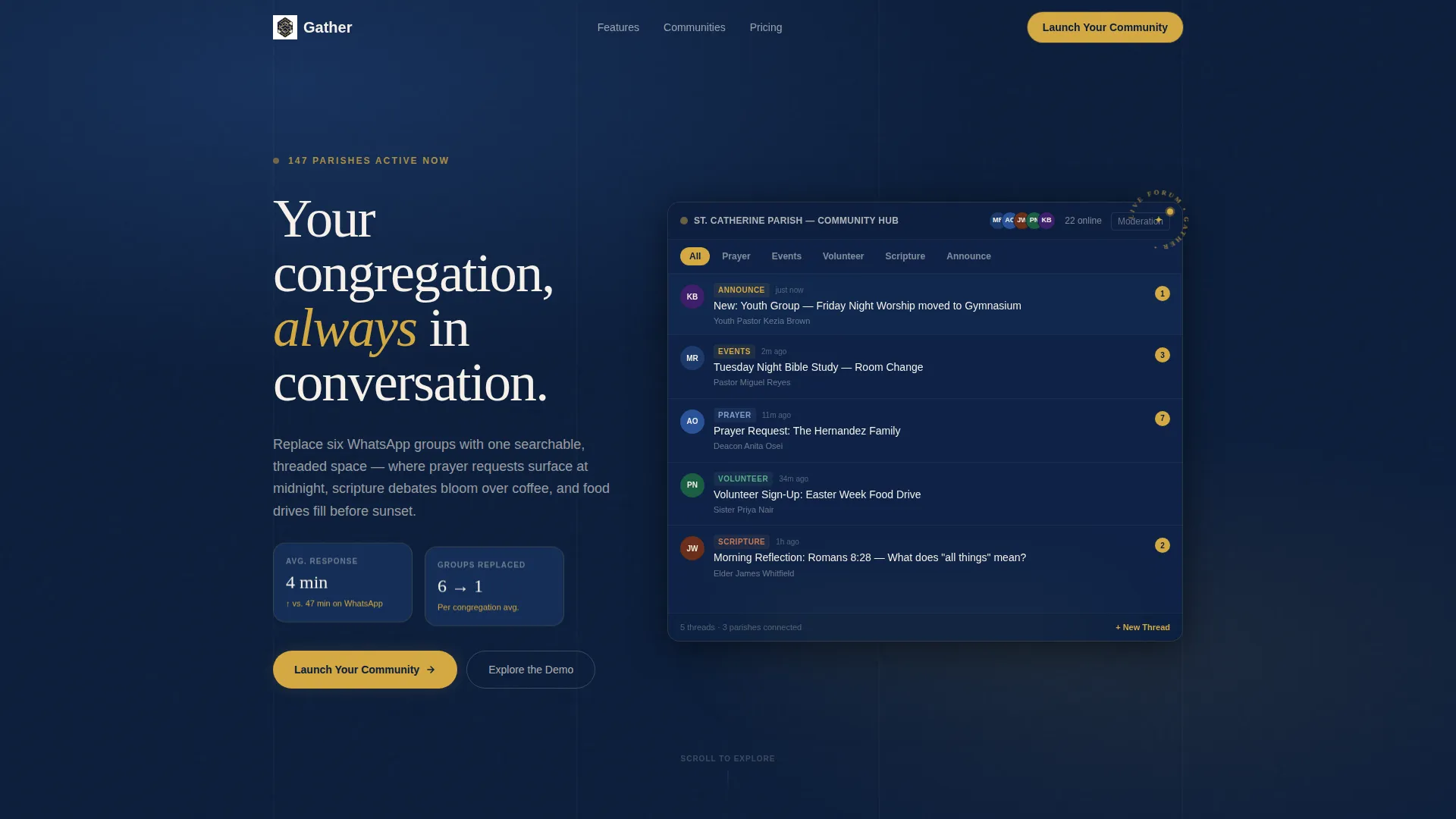
Gather is a dynamic community landing page template built for religious organizations that need one organized space for every conversation. It features a live interactive forum dashboard, motion-driven scroll exploration, and a two-step lead generation form. The Midnight Blue and living-flame gold design system gives the page warmth and clarity from the first scroll.
by Rocket studio
Quick summary
Gather is a dashboard-style community landing page template designed for religious organizations. It puts prayer requests, event sign-ups, and parish-wide conversations into one threaded, searchable forum view. The page uses dynamic motion and an interactive preview header to show visitors exactly what they are signing up for before they fill in a single field.
Who this template is for
This template is built for people managing digital communication across a congregation or a network of congregations. If you are responsible for keeping members informed and connected, this page speaks directly to your situation.
- Church administrators juggling multiple messaging groups across several platforms at once
- Youth pastors who need to reach younger members through a structured, modern digital space
- Denominational leaders who need a high-level view of activity across many parishes
What problem this template solves
Religious communities often rely on a scattered mix of messaging apps, email chains, and phone calls. Important conversations get buried, newcomers feel lost, and leaders have no single place to see what is happening. This template presents a solution that feels immediately familiar and usable.
- Fragmented group chats and missed announcements that leave members out of the loop
- No central space where prayer requests, event sign-ups, and scripture discussions can live together
- Leaders unable to see congregation-wide activity without manually checking many sources
What you get with this template
You get a fully designed, motion-rich landing page that lets visitors interact with a real-looking forum dashboard before they ever reach the sign-up form. Every section is built to demonstrate the product while moving the visitor toward conversion.
- An interactive header that renders a live-feeling forum dashboard with clickable category tags and animated member counters
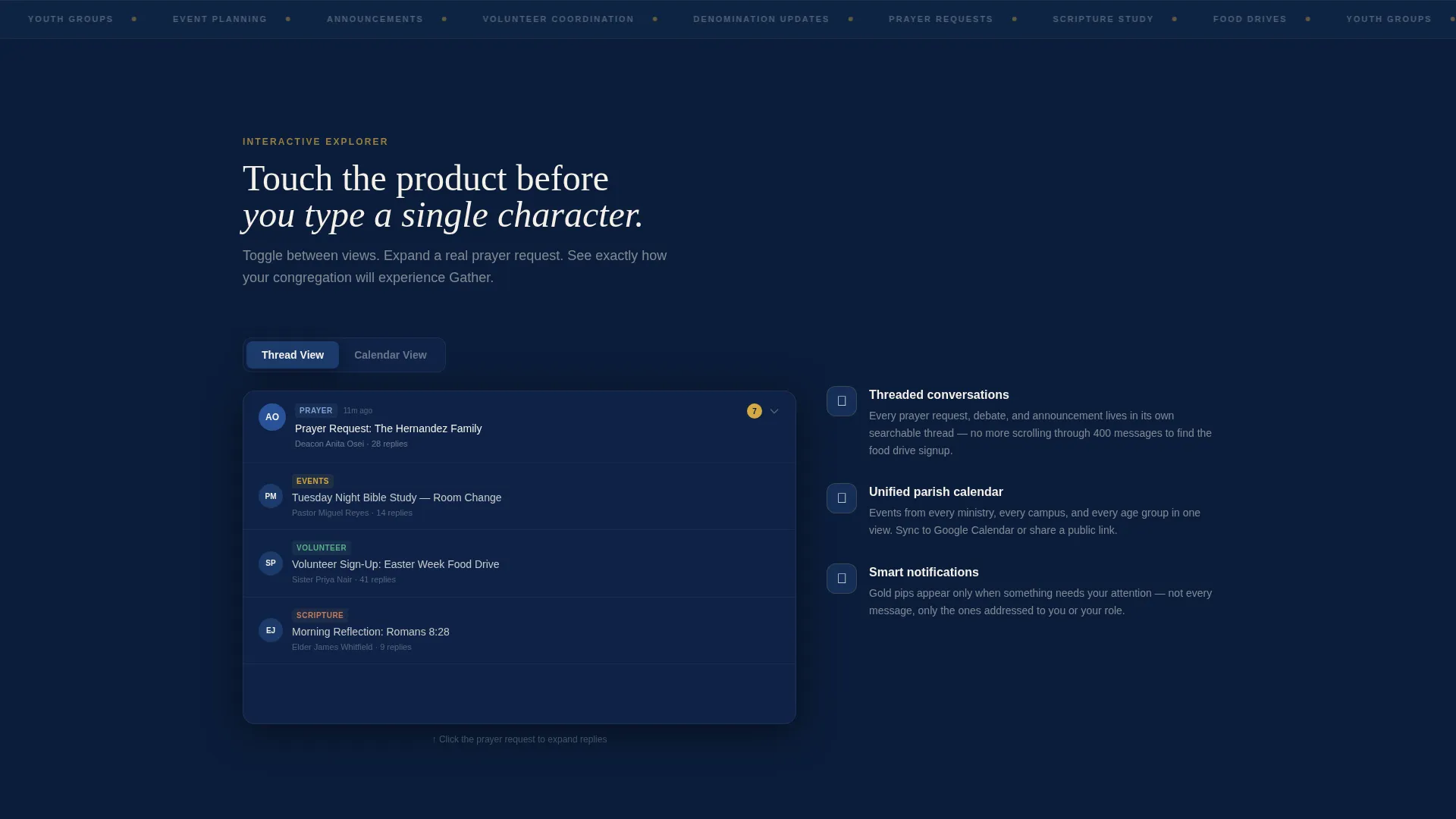
- A scroll-driven Interactive Explorer where each section isolates one dashboard panel for hands-on preview
- A two-step progressive lead generation form with congregation-size segmentation and a demo sandbox path
Feature list
The template is built around a set of purpose-driven components that work together to inform, engage, and convert visitors.
Live Interactive Forum Header
The header is not a screenshot. It renders a functioning micro-version of the forum dashboard directly in the viewport. Real-looking thread titles, live-updating member-online counters, and clickable category filter tags are all present. Tiny avatar clusters drift in as if members are joining in real time, and a new post slides in from the bottom after two seconds.
Scroll-Driven Interactive Explorer
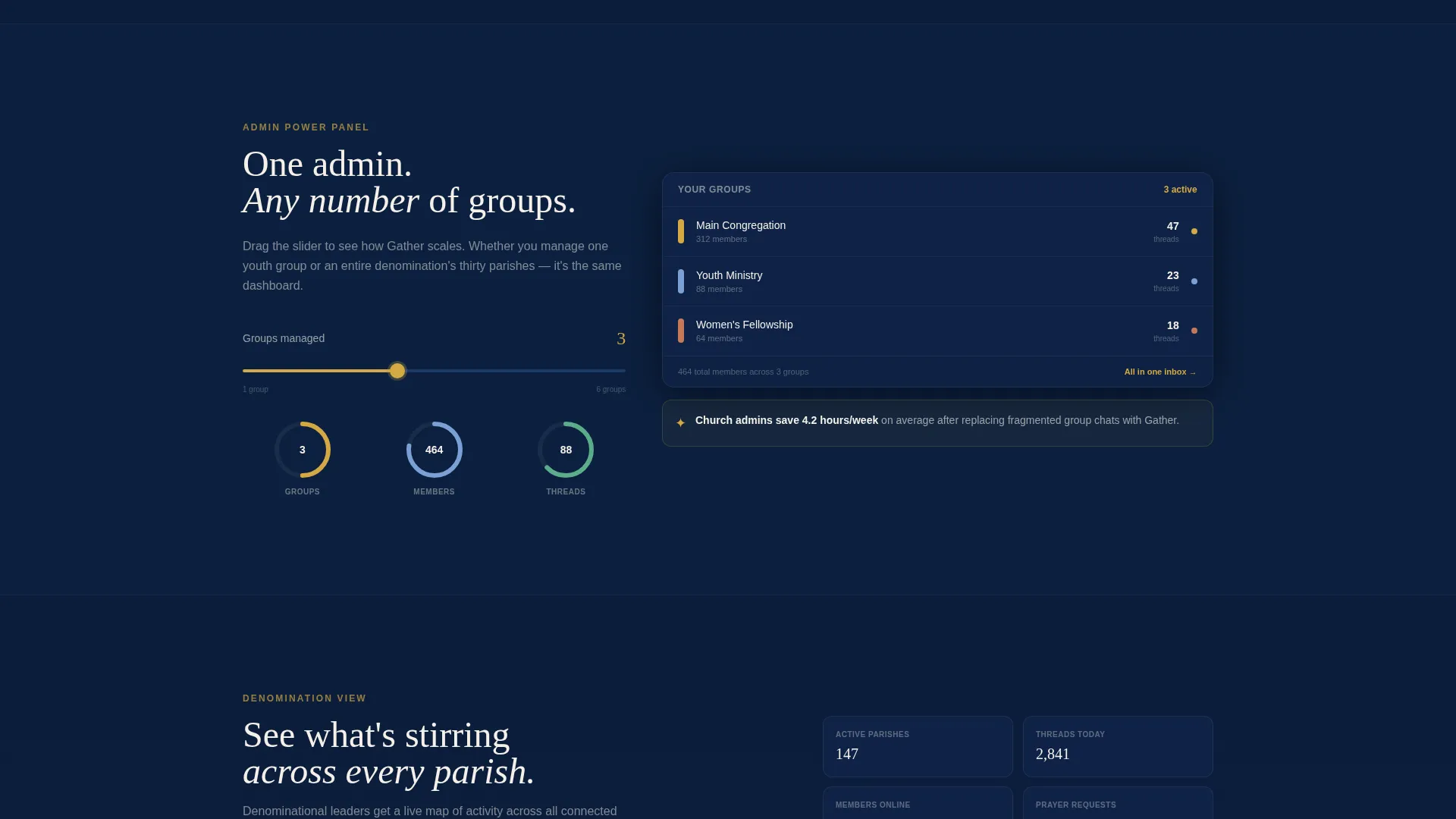
As visitors scroll, each section below the header isolates one dashboard panel and invites interaction. Visitors can toggle between a thread view and a calendar view, expand a sample prayer-request card to read replies, and drag a slider to simulate managing multiple groups as a single admin. Motion is the connective tissue throughout.
Animated Data and Progress Elements
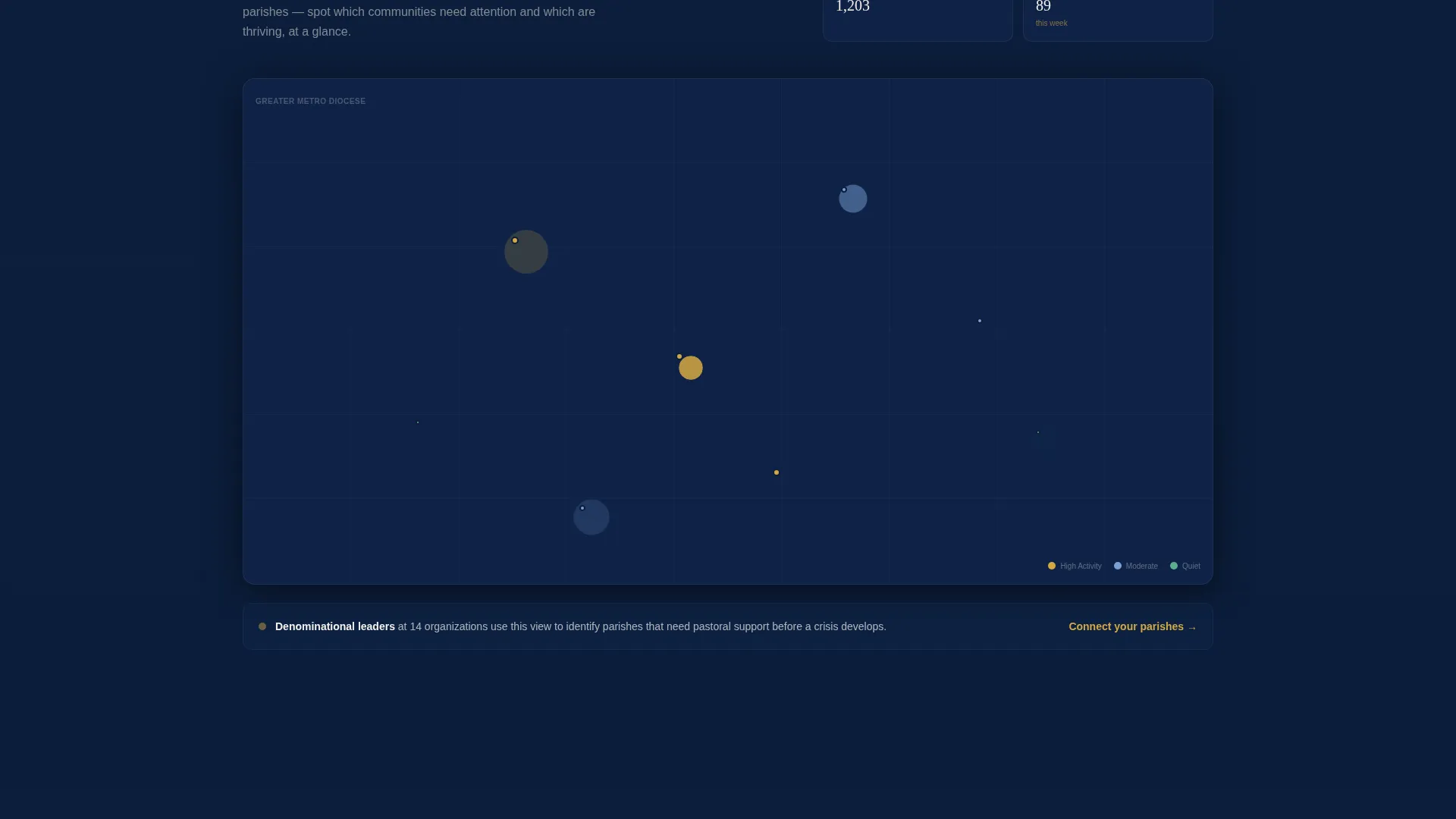
Counters tick upward, progress rings fill, and panels slide into position as the visitor scrolls. The pacing escalates the narrative from "see your conversations organized" to "see your entire denomination connected," ending with a real-time map grid showing parish activity dots pulsing across a region.
Two-Step Progressive Lead Form
The primary call to action, "Launch Your Community," opens a two-step form. Step one asks only for organization name and congregation size using a dropdown with four range options. Step two reveals fields for admin name, email address, and denomination. This staged approach lowers the barrier to starting.
Demo Sandbox with Exit-Intent Capture
A secondary path labeled "Explore the Demo" expands the header dashboard into a full interactive sandbox. An exit-intent prompt captures an email address when a visitor moves to leave, giving the organization a second conversion opportunity without interrupting the main browsing flow.
Gold Notification and Activity System
Living-flame gold pulses on unread counts, live indicators, and primary buttons throughout the page. A gold notification pip blinks once on the moderation tab inside the header preview. This consistent gold signal trains the eye to follow active and urgent elements across every section.
Page sections overview
| Section | Purpose |
|---|---|
| Interactive Forum Header | Shows a live-feeling dashboard preview with threads, counters, and filter tags |
| Thread View Explorer | Lets visitors toggle between thread and calendar views while scrolling |
| Prayer Request Panel | Expands a sample card so visitors can read threaded replies in context |
| Group Management Slider | Demonstrates multi-group admin capacity through a draggable interactive control |
| Denomination Map Grid | Visualizes parish activity across a region with pulsing real-time dots |
| Lead Generation Form | Captures org name, size, admin details, and denomination in two steps |
| Demo Sandbox Path | Opens a full interactive preview and captures email on exit intent |
Design & branding system
The visual identity follows a Dynamic Motion theme built on a Midnight Blue color system. The palette is inspired by a stained-glass window at dusk, where dark leading holds back warm fragments of glowing color.
- Deep sanctuary navy (#0B1D3A) and vestment indigo (#1B3A6B) dominate backgrounds, card surfaces, and sidebar rails
- Parchment cream (#F5F0E8) carries all body text and open-state panel content for readability
- Living-flame gold (#D4A843) pulses on notifications, unread badges, live indicators, and primary buttons to guide the eye
Mobile & speed optimization
The template is designed to keep its interactive qualities readable and functional at smaller screen sizes. Motion and layout choices are made with compact viewports in mind.
- Panels and card surfaces scale down cleanly so thread titles and counters remain legible on mobile screens
- Interactive explorer sections reflow to a single-column layout, preserving the scroll-driven interaction without horizontal overflow
- The progressive form collapses neatly to a single column, keeping the two-step flow intact on phone-sized displays
How this template helps you convert
The page is built on a "touch before you type" philosophy. Visitors interact with the actual dashboard experience before they encounter any form fields, which means trust is already established by the time a decision is required.
- The live header preview and scroll-driven explorer let visitors feel the product in motion, reducing hesitation and building confidence before the call to action appears.
- The two-step form lowers commitment by asking only two low-friction fields first, then revealing the full form only after the visitor has already engaged with step one.
- The exit-intent demo sandbox provides a second conversion moment for visitors who scroll past the primary form, capturing interest without requiring an immediate commitment.
Other information about this template
This template is categorized under Technology with a subcategory focus on religious organization digital presence. It is purpose-built for the religious organization community forum use case and carries a strong intersection match for that niche.
- The template style is Dashboard and Data Grid, making it well suited to community platforms that need to display threaded conversations and activity feeds side by side
- The creative direction is Interactive Explorer, meaning the page is designed to be experienced rather than simply read
- The header concept is Interactive Preview, a deliberate choice that replaces static screenshots with a breathing, motion-driven demonstration
- The landing page direction is Lead Generation, with every section oriented toward capturing organization details through the progressive form or the demo sandbox path
Theme
Dynamic Motion
Creative direction
Interactive Explorer
Color system
Midnight Blue
Style
Dashboard/Data Grid
Direction
Lead Generation
Page Sections
Live Interactive Forum Header
Scroll-driven Interactive Explorer
Animated Counters and Progress Rings
Two-step Progressive Lead Form
Demo Sandbox with Exit-intent Capture
Gold Notification and Activity Signals
Related questions
Who is this template designed for?
Can visitors interact with the template before signing up?
What does the two-step lead form collect?
Is this template suitable for a single congregation or a larger network?
What visual style does this template use?



