Cannabis AI Image Generator Landing Page Template
Genera is a hub-and-spoke landing page template built for a cannabis AI image generator. It uses a Feature Tab Switcher header, anchor navigation, and an Industry Report scroll rhythm to move dispensary marketers, brand founders, and agency creatives from first impression to a free-generation sandbox click, without asking for a single form field upfront.
by Rocket studio
Quick summary
Genera is a single-page, anchor-nav landing page template for a cannabis AI image generator. It opens with a live-feel Feature Tab Switcher, guides visitors through data-led spokes, and funnels every scroll toward one frictionless action: generating a first image free. The design runs on a Carbon Fiber palette, cockpit black, woven gray, and status-light green.
Who this template is for
This template was designed for teams and individuals who need dispensary-ready visual assets fast and cannot afford traditional photo production cycles.
- Dispensary marketing managers running weekly drop campaigns who need product photography on demand
- Cannabis brand founders bootstrapping launch visuals without a studio budget
- Agency creatives tasked with producing dozens of stock-keeping unit shots before a hard deadline
What problem this template solves
Cannabis product marketing relies heavily on imagery, yet booking photographers, setting up studio lights, and clearing compliance reviews eats time that fast-moving teams do not have. This template gives that problem a clear, visual home.
- It communicates the speed and autonomy of AI-generated product photography before the visitor has to trust a word of copy
- It removes form-field friction by routing the primary call to action directly to a sandbox, letting the output prove the product first
- It structures the sales argument as a data narrative, so skeptical buyers see industry numbers before they see a pitch
What you get with this template
You get a fully structured, single-page landing page built around a hub-and-spoke anchor navigation system. Every section is pre-wired to a specific persuasion role.
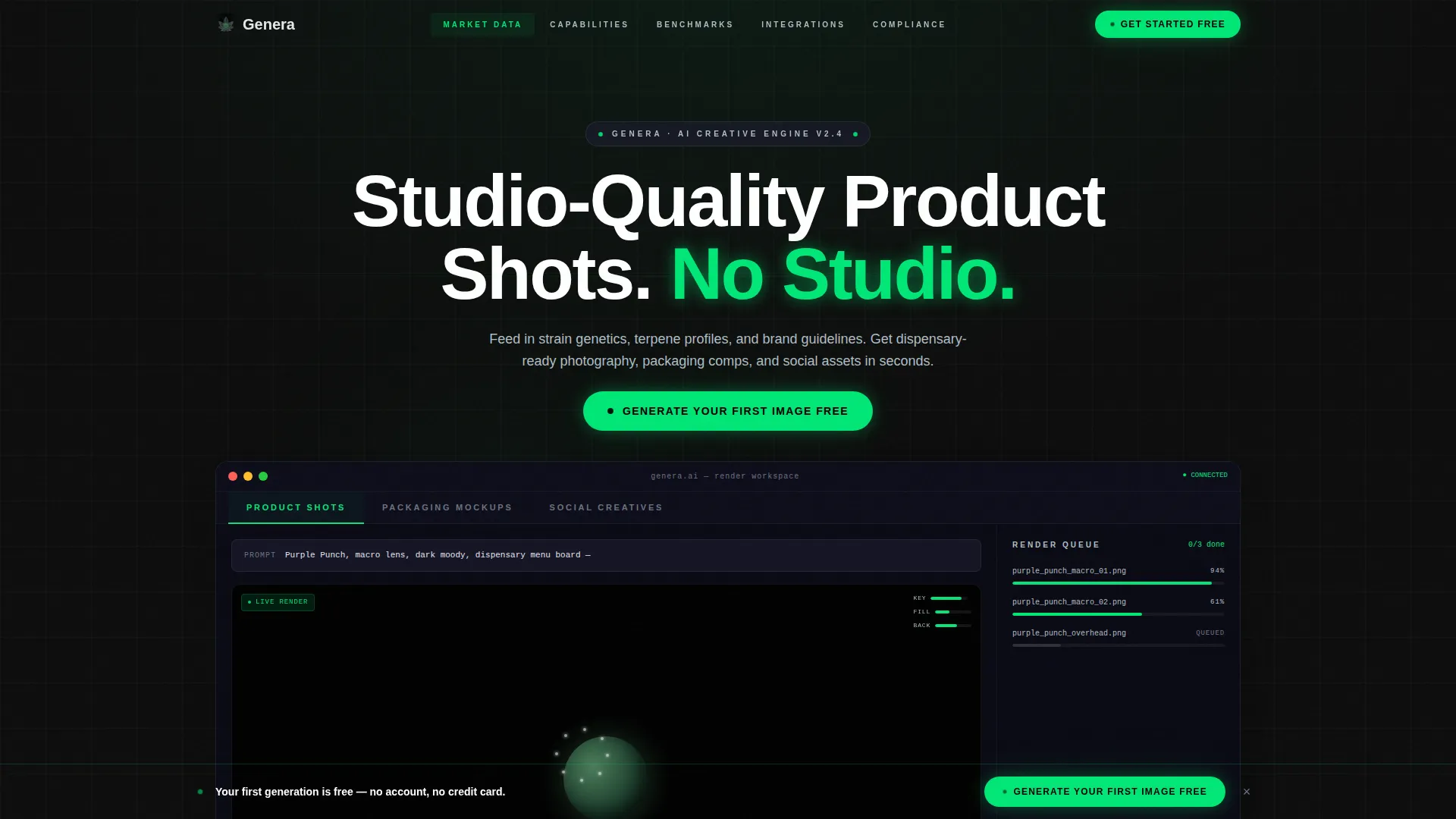
- A Feature Tab Switcher header with three tabs showing product shots, packaging mockups, and social creatives in a live dashboard frame
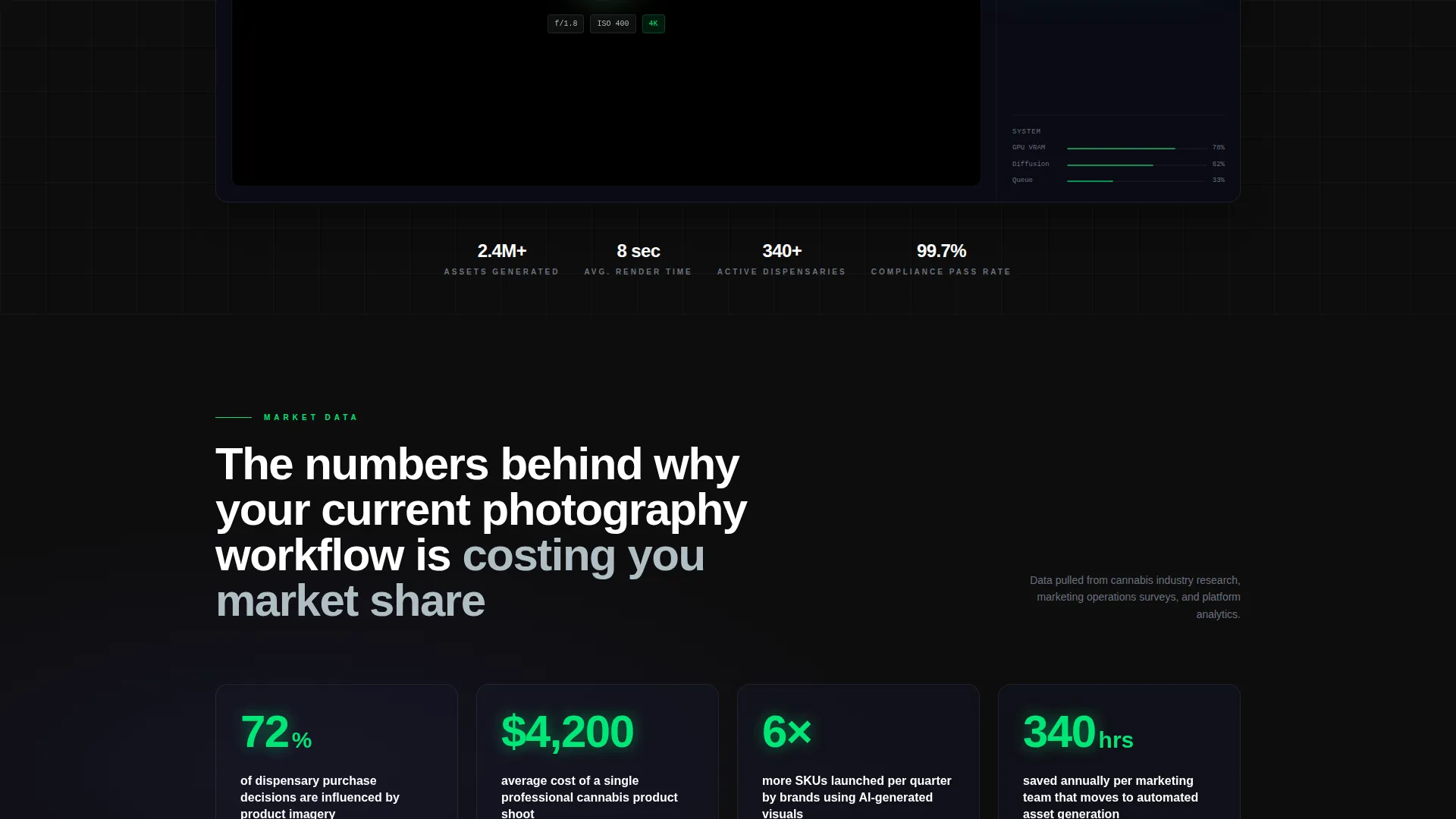
- Five anchor-nav spokes covering Market Data, Capabilities, Benchmarks, Integrations, and Compliance, each opening with a bold industry stat
- Three placed instances of the primary call-to-action button, including a sticky bottom bar that activates after 40 percent scroll depth
Feature list
This template ships with purpose-built components that support the full persuasion arc, from first impression to sandbox click.
Feature Tab Switcher Header
Three clickable tabs sit across a live dashboard frame. Each tab swaps the central viewport to show a different generation in progress: a rotating product shot, a packaging mockup auto-populating with strain data, and an Instagram carousel assembling tile by tile. A blinking prompt field reinforces the sense that the tool is already running.
Hub and Spoke Anchor Navigation
A sticky anchor nav pins to the top after the header. It links to five named spokes: Market Data, Capabilities, Benchmarks, Integrations, and Compliance. This structure lets visitors jump directly to the section most relevant to their role without losing their place in the page.
Industry Report Scroll Rhythm
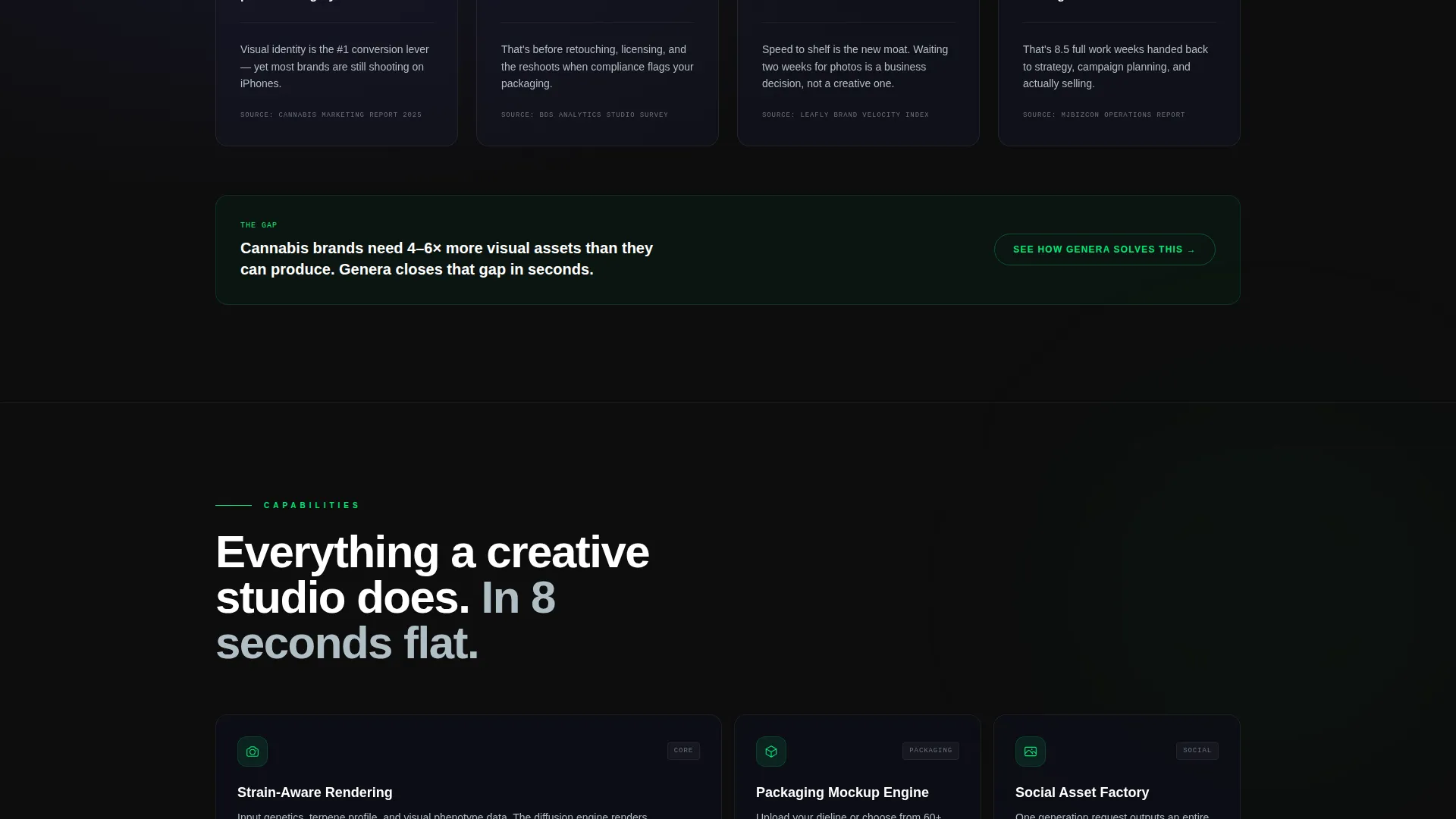
Each spoke opens with a bold stat drawn from cannabis marketing research, then unpacks the finding before demonstrating the feature. The rhythm cycles through shock, explanation, and live demo. It keeps the scroll feeling purposeful rather than promotional.
Three-Point Call-to-Action System
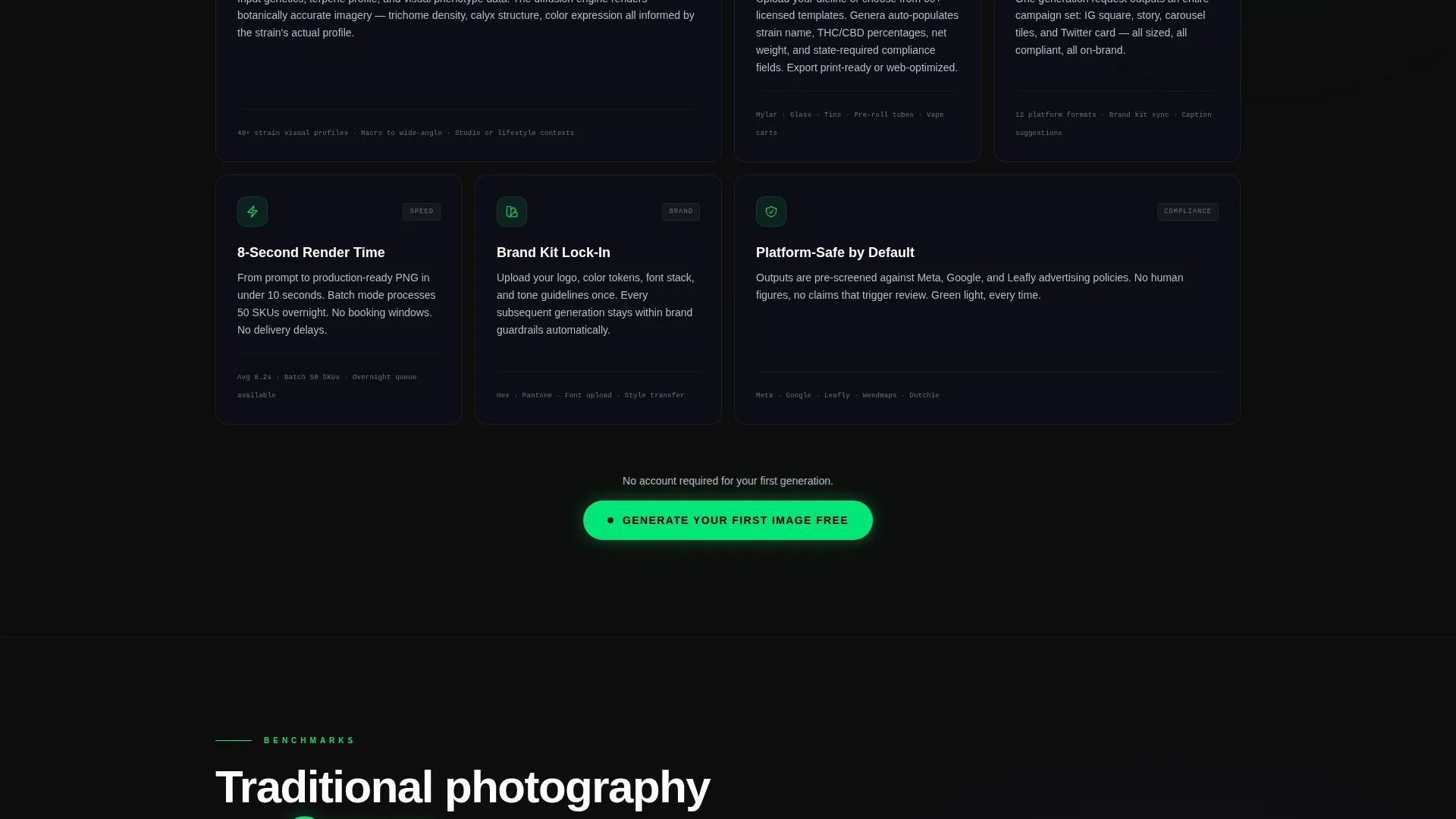
The primary button, labeled "Generate Your First Image Free," appears inside the header tab switcher, mid-page after the Capabilities spoke, and in a sticky bottom bar. The sticky bar activates only after the visitor has scrolled 40 percent of the page, so the ask arrives after context has been built.
No-Form Click-Through Flow
There are no form fields on the landing page itself. The primary call-to-action click carries tab context and UTM parameters to the sandbox. Signup happens only after the visitor has already seen their first generated output, reducing drop-off at the entry point.
Carbon Fiber Dashboard Branding
The visual system uses deep cockpit black as the dominant background, woven carbon gray for panel surfaces, status-light green reserved for active states and primary calls to action, and titanium for borders, nav labels, and metadata. Every color has a strict role, so the hierarchy reads like an instrument panel rather than a decorated page.
Page sections overview
| Section | Purpose |
|---|---|
| Tab Switcher Header | Demonstrates the three core output types through a live dashboard frame with a blinking prompt field |
| Anchor Nav Bar | Pins to the top and links the five spokes so visitors can navigate directly to their area of interest |
| Market Data Spoke | Opens with a bold industry stat on imagery's role in purchase decisions, then expands with interactive chart context |
| Capabilities Spoke | Details the generation capabilities and hosts the mid-page primary call-to-action button |
| Benchmarks Spoke | Presents production speed and output quality comparisons to validate the tool's efficiency claims |
| Integrations Spoke | Covers how strain genetics, terpene profiles, and brand guidelines feed the diffusion engine |
| Compliance Spoke | Addresses cannabis-specific compliance considerations surfaced during asset generation |
| Sticky Bottom Bar | Activates at 40 percent scroll depth and presents the third instance of the primary call-to-action |
Design & branding system
The Carbon Fiber color system is built for a single purpose: make the interface feel like a professional command center, not a marketing brochure. Every color decision is deliberate and load-bearing.
- Deep cockpit black (#0D0D0D) dominates all backgrounds; woven carbon gray (#1A1A2E) surfaces panel and card areas
- Status-light green (#00E676) fires only on active tab states, progress indicators, and primary call-to-action buttons, making every green element feel earned
- Titanium (#B0BEC5) handles borders, navigation labels, and metadata text, keeping the hierarchy readable without introducing warmth
Mobile & speed optimization
The template is structured to maintain the dashboard-feel layout and sticky navigation behavior across viewport sizes. The anchor nav and sticky bottom bar are designed to remain functional as screen width scales down.
- The Feature Tab Switcher and its viewport swap behavior are built to function on touch devices, preserving the interactive demo experience
- The sticky bottom bar and its scroll-depth trigger are designed for use on mobile without obstructing the core content scroll
How this template helps you convert
This template is engineered around a single conversion goal: get the visitor to click through to the free-generation sandbox before they are asked to create an account.
- The Feature Tab Switcher proves the product immediately by simulating a live render queue, so the visitor forms a belief in the tool before reading a single claim
- The Industry Report rhythm uses real cannabis marketing data to frame every feature as a solution to a documented pain point, building credibility spoke by spoke
- The three-point call-to-action placement, including the scroll-depth-triggered sticky bar, ensures the invitation to act is always within reach without feeling aggressive
Other information about this template
This template is matched to the Dashboard Pro theme and the Cannabis AI Image Generator niche. It is designed for the Technology category and the AI for Cannabis subcategory, making it a strong fit for SaaS-style product pages in the legal cannabis space.
- The template style is Hub and Spoke with Anchor Navigation, which works well for tools that serve multiple buyer personas with distinct information needs
- The creative direction follows an Industry Report format, a pattern associated with high-trust B2B and prosumer audiences who want data before they commit
- The landing page is click-through optimized, meaning conversion is measured by sandbox entry, not form submission, which suits a product-led growth motion
Theme
Dashboard Pro
Creative direction
Industry Report
Color system
Carbon Fiber
Style
Hub & Spoke (Anchor Nav)
Direction
Click-Through
Page Sections
Feature Tab Switcher Header
Hub and Spoke Anchor Navigation
Industry Report Scroll Rhythm
Three-point Call-to-action System
No-form Click-through Flow
Carbon Fiber Visual System
Related questions
Who is the primary audience for this landing page template?
Do visitors need to sign up before they can use the product?
How does the Feature Tab Switcher work in this template?
What makes the scroll experience different from a standard landing page?
Can this template support multiple cannabis product types?



