Local Government Software Privacy Policy & Terms Website Template
Govern is a hub-and-spoke landing page template built for government workflow automation platforms. It opens with a live-simulated operations dashboard, escalates through stats-first content blocks covering permitting, procurement, compliance, and constituent services, and closes with a two-step lead generation form. The design follows a Monochrome Steel palette engineered to feel like a secure command center.
by Rocket studio
Quick summary
Govern is a single-page, anchor-nav landing page template designed for government workflow automation platforms. It leads with an animated dashboard header showing live-simulated metrics, moves through four vertical pain-point sections, and drives two conversion paths: a progressive agency assessment form and a gated public sector report download.
Who this template is for
This template is built for software vendors and platform teams selling workflow automation to public sector buyers. It speaks directly to the people who control modernization budgets and sign procurement contracts.
- County information technology directors managing legacy system integrations
- State chief information officers defending modernization budgets to legislators
- Department heads whose staff still manually rekey data between systems
What problem this template solves
Government software is a hard sell. Buyers are risk-averse, procurement cycles are long, and decision-makers need numbers before they will read a single sentence of copy. Generic templates do not carry the weight this audience demands.
- No visual credibility: most templates look consumer-grade to a government procurement committee
- No stats-first rhythm: buyers need velocity and volume data before context, not after
- No staged conversion: a single form overwhelms cautious public sector visitors
What you get with this template
You get a complete, structured landing page designed around the buying psychology of government decision-makers. Every section is sequenced to move a skeptical visitor from operational curiosity to procurement confidence.
- A full-width animated dashboard header with live-simulated metrics and counter animations
- Four hub-and-spoke vertical sections covering permitting, procurement, compliance, and constituent services
- A two-step progressive lead generation form plus a secondary gated PDF download path
Feature list
This template is built around a specific editorial and visual system. Each component serves a deliberate function in the conversion sequence.
Animated Dashboard Header
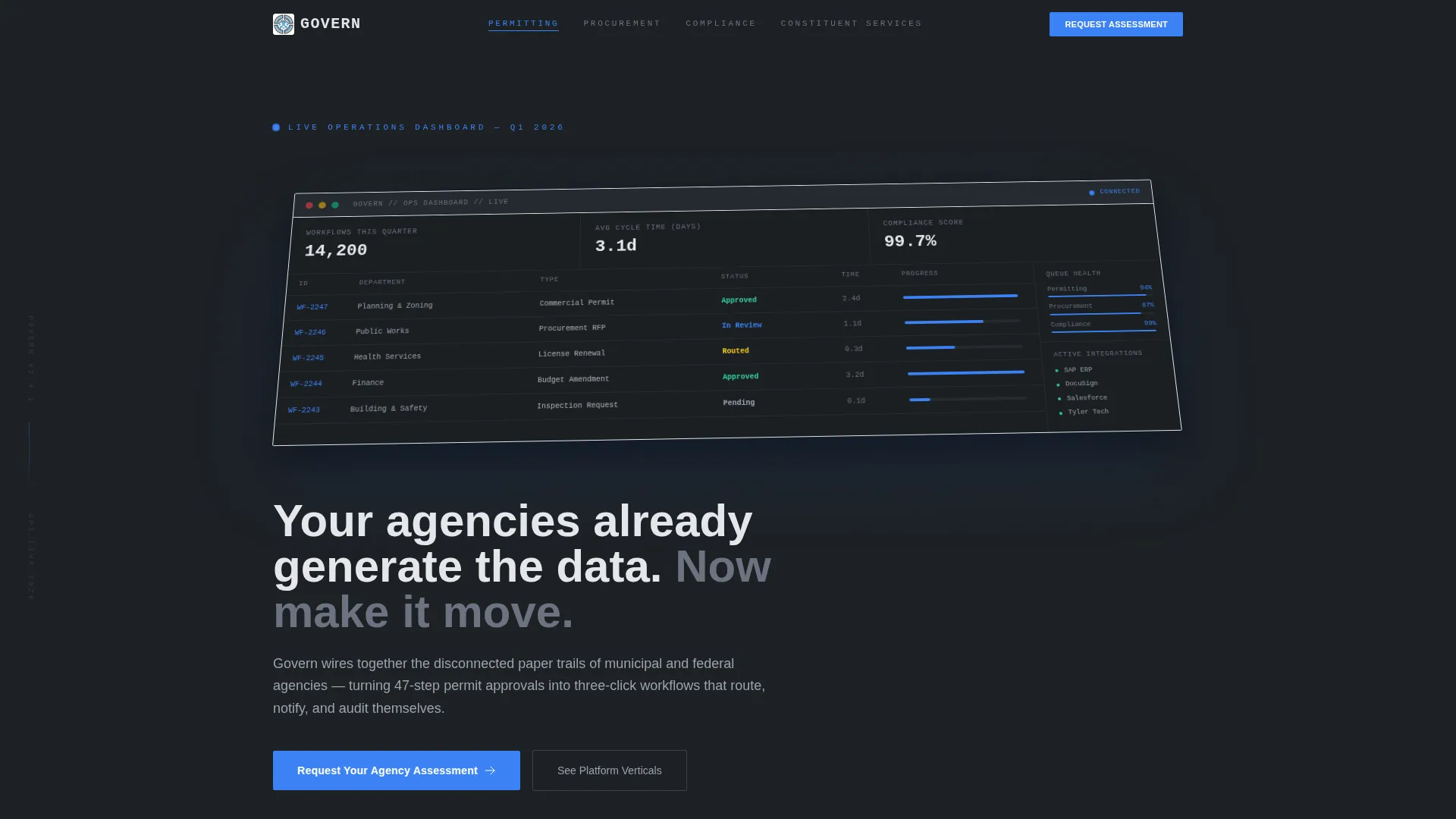
The header renders a pixel-accurate platform operations view at a shallow isometric angle. Counters tick upward on load, progress bars fill, and three headline metrics are visible before the visitor reads any copy: 14,200 workflows processed this quarter, average cycle time reduced from 22 days to 3.1 days, and a compliance score of 99.7%.
Stats-First Section Architecture
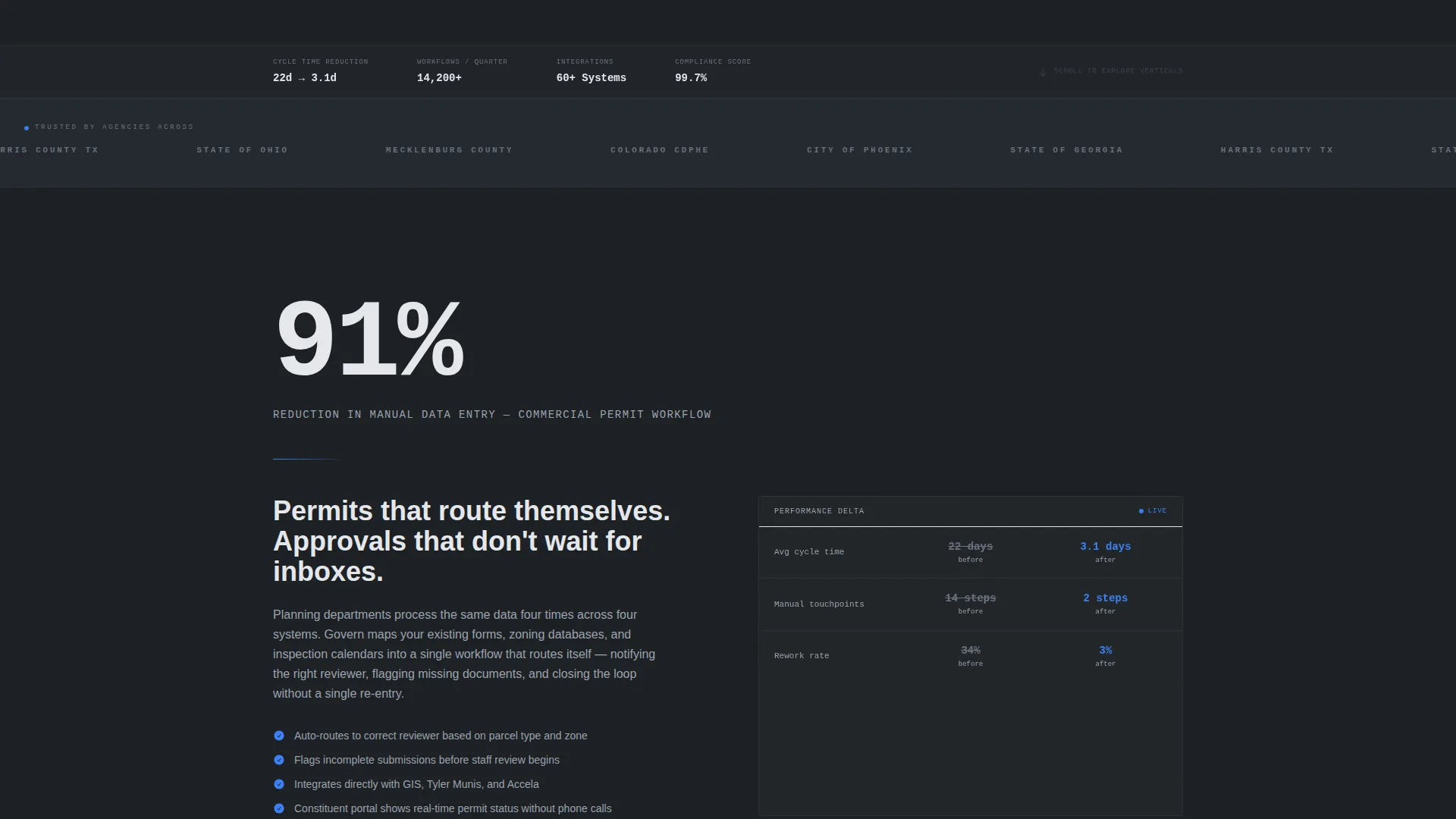
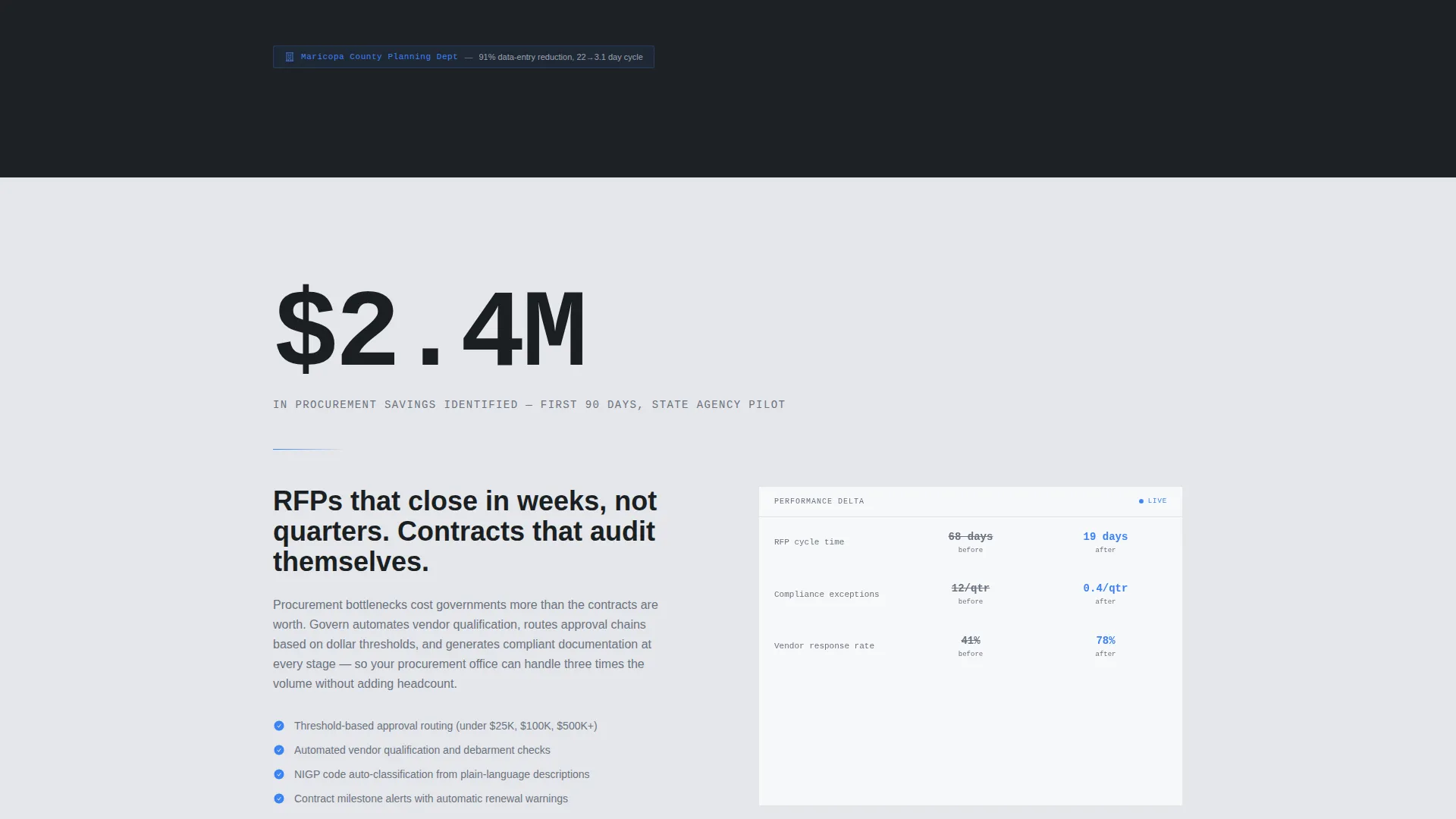
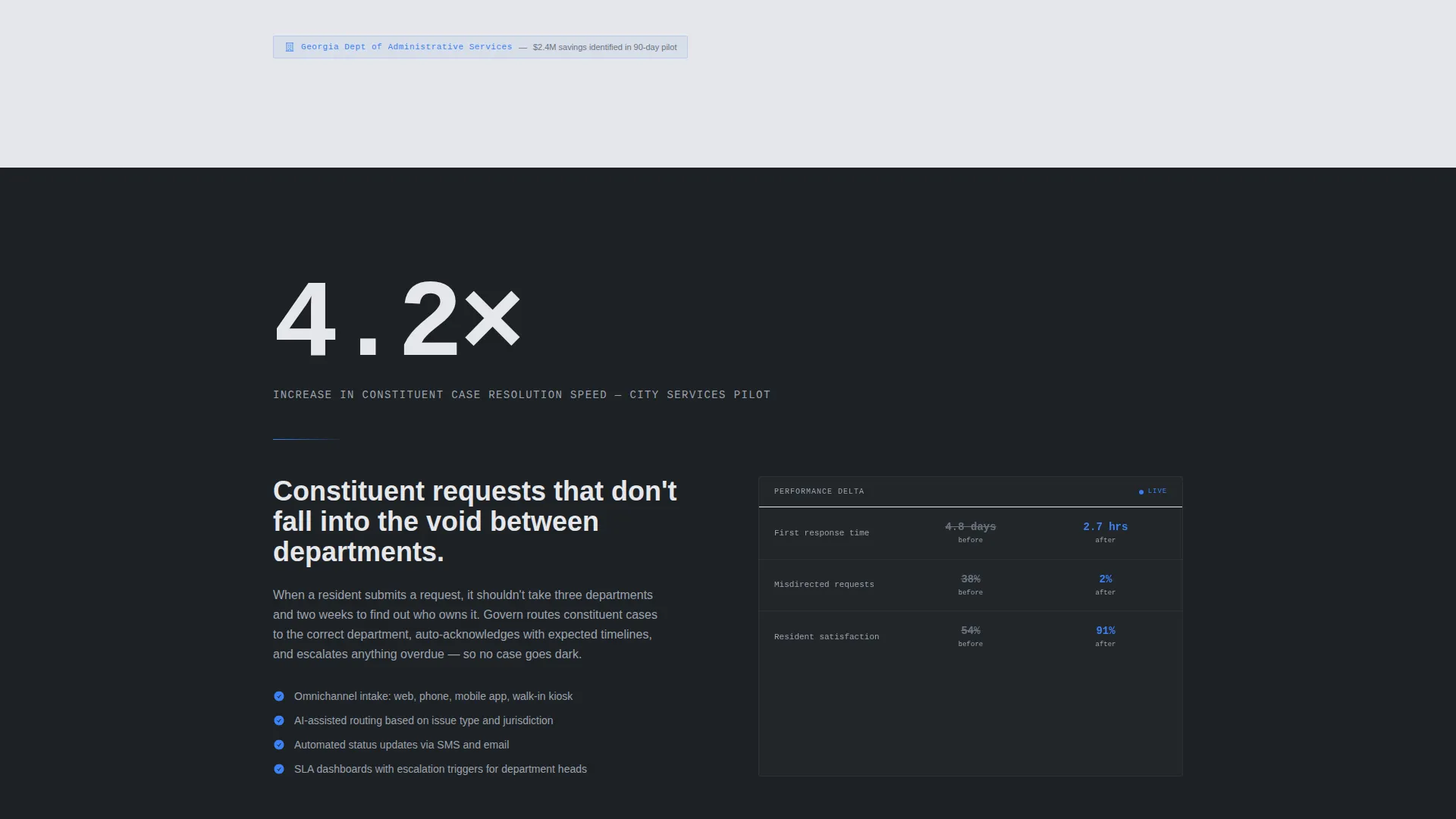
Every vertical section opens with a single oversized statistic before any explanation follows. The scroll rhythm is number, then context, then proof. This pattern is consistent across all four hub sections so the page feels like a briefing, not a brochure.
Hub and Spoke Anchor Navigation
The anchor navigation maps directly to four bureaucratic pain points: Permitting, Procurement, Compliance, and Constituent Services. Clicking any nav item scrolls instantly to that vertical's stats-first content block, making it easy for busy government decision-makers to jump to the section most relevant to their role.
Two-Step Progressive Lead Form
The primary call to action, "Request Your Agency Assessment," uses a progressive two-step form. Step one collects agency type and department. Step two collects name, title, and work email. Work email domain validation filters out non-professional submissions and signals this is a serious procurement conversation.
Secondary Gated PDF Path
A secondary conversion path offers "Download the Public Sector Return on Investment Report" for visitors not yet ready for a direct sales conversation. This path captures interest earlier in the buying cycle without requiring a commitment to a live assessment.
Escalating ROI Narrative Structure
The page narrative escalates deliberately. Early sections focus on staff hour savings. Middle sections demonstrate audit readiness. Final sections give the chief information officer formatted return on investment data suitable for legislative testimony. The primary call to action appears immediately after the compliance section.
Page sections overview
| Section | Purpose |
|---|---|
| Dashboard Header | Opens with live-simulated metrics and counter animations to establish platform velocity |
| Anchor Navigation | Lets visitors jump directly to their vertical pain point |
| Permitting Section | Stats-first block showing workflow reduction from 47 steps to three clicks |
| Procurement Section | Highlights automation gains and manual data entry reduction |
| Compliance Section | Demonstrates audit readiness with a 99.7% compliance score metric |
| Constituent Services | Shows operational efficiency gains for public-facing department teams |
| Primary call to action Block | "Request Your Agency Assessment" two-step progressive form |
| Secondary call to action Block | Gated PDF download for early-stage buyers |
Design & branding system
The visual identity follows a Data Command theme using a Monochrome Steel color system. The palette is engineered to reduce cognitive load and signal operational seriousness to government buyers.
- Four-color system: deep graphite (#1B1F23), brushed titanium (#6B7280), light alloy (#E5E7EB), and signal blue (#3B82F6) reserved for interactive states and primary actions
- Alternating graphite and light alloy section backgrounds create breathing room between data-dense content blocks
- Signal blue appears sparingly so every instance registers as something worth clicking
Mobile & speed optimization
The template layout is structured to remain readable and functional at all common screen sizes. Government buyers often review vendor materials on tablets and mobile devices between meetings.
- The isometric dashboard header scales responsively so key metrics remain visible on smaller screens
- Anchor navigation collapses cleanly for touch-based navigation on tablets and phones
- Section spacing and typography scale proportionally to maintain the command-center tone across devices
How this template helps you convert
The conversion architecture is deliberate and sequenced. Every design and content decision pushes a cautious government buyer one step closer to a procurement conversation.
- The animated dashboard header front-loads undeniable performance numbers before any copy competes for attention, reducing the time it takes for a skeptical visitor to feel the platform is credible.
- The primary call to action is placed immediately after the compliance section, the moment when risk-averse government buyers most acutely feel the cost of inaction, maximizing form completion intent.
- The secondary gated PDF path ensures visitors who are not yet ready for a sales conversation still enter the funnel, giving your team a second lead capture opportunity from the same page visit.
Other information about this template
This template is part of a broader library of government software and public sector technology landing page templates. It is well-suited to any vendor positioning a platform in the government workflow automation space.
- The template is built as a single-page hub-and-spoke layout with anchor navigation, not a multi-page site
- The stats and metrics shown in the template header (14,200 workflows, 22-day to 3.1-day cycle time, 99.7% compliance score) are live-simulated for demonstration and should be replaced with your platform's verified figures
- The template's editorial escalation from operational efficiency to political leverage is designed specifically for the layered buying committee typical in state and federal procurement
Theme
Data Command
Creative direction
Stats-First Impact
Color system
Monochrome Steel
Style
Hub & Spoke (Anchor Nav)
Direction
Lead Generation
Page Sections
Animated Isometric Dashboard Header
Stats-first Vertical Sections
Hub and Spoke Anchor Navigation
Two-step Progressive Lead Form
Escalating ROI Narrative
Secondary Gated PDF Conversion Path
Related questions
Who is this landing page template designed for?
Can I replace the demo metrics in the dashboard header?
How does the two-step lead generation form work?
Does the template include a conversion option for visitors not ready to contact sales?
What is the overall page structure of this template?



