Regulatory Framework Landing Page Template
Comply is a hub-and-spoke landing page template built for construction compliance management platforms. It combines a dark, command-center visual identity with an industry-report narrative structure. General contractors, safety directors, and compliance officers are the core audience. The template guides visitors through quantified problems and matching dashboard solutions, then drives leads through a progressive audit form and a gated benchmark report download.
by Rocket studio
Quick summary
Comply is a single-page, anchor-nav landing page template for construction compliance platforms. It opens with a glowing dashboard interface and real industry statistics, then walks visitors through five spoke sections, each pairing a quantified compliance problem with the module that solves it. Two lead-generation paths close every section, making the page equally effective for decision-ready buyers and early-stage researchers.
Who this template is for
This template is built for software companies and SaaS founders selling compliance tools to the construction industry. It speaks directly to buyers who live with permit chaos, last-minute inspection prep, and the ever-present threat of a stop-work order.
- General contractors managing multiple active job sites simultaneously
- Safety directors and compliance officers at commercial development firms
- Construction technology vendors positioning a compliance dashboard product
What problem this template solves
Manual compliance tracking is expensive and fragile. Projects slip through re-inspection windows, violation records go missing, and safety documentation piles up in binders that nobody can find when an inspector arrives on site. A generic landing page cannot communicate that specific, high-stakes pain.
- Buyers do not trust vague software promises without seeing the cost of inaction
- Compliance platforms need a page structure that mirrors how their users think about risk
- Standard templates lack the data-forward, command-center feel this audience expects
What you get with this template
You get a fully structured, dark-themed landing page that opens with animated dashboard statistics and unfolds as a scrollable industry report. Every section is pre-written in tone and structure, ready to receive your platform's real data and copy.
- A sticky anchor navigation linking five compliance spoke sections
- Two distinct lead-generation paths: a progressive audit form and a gated benchmark report
- A Dashboard Pro visual system with Electric Indigo, signal green, and deep command-center black
Feature list
This section describes the core built-in capabilities of the Comply template as designed and scoped in the source brief.
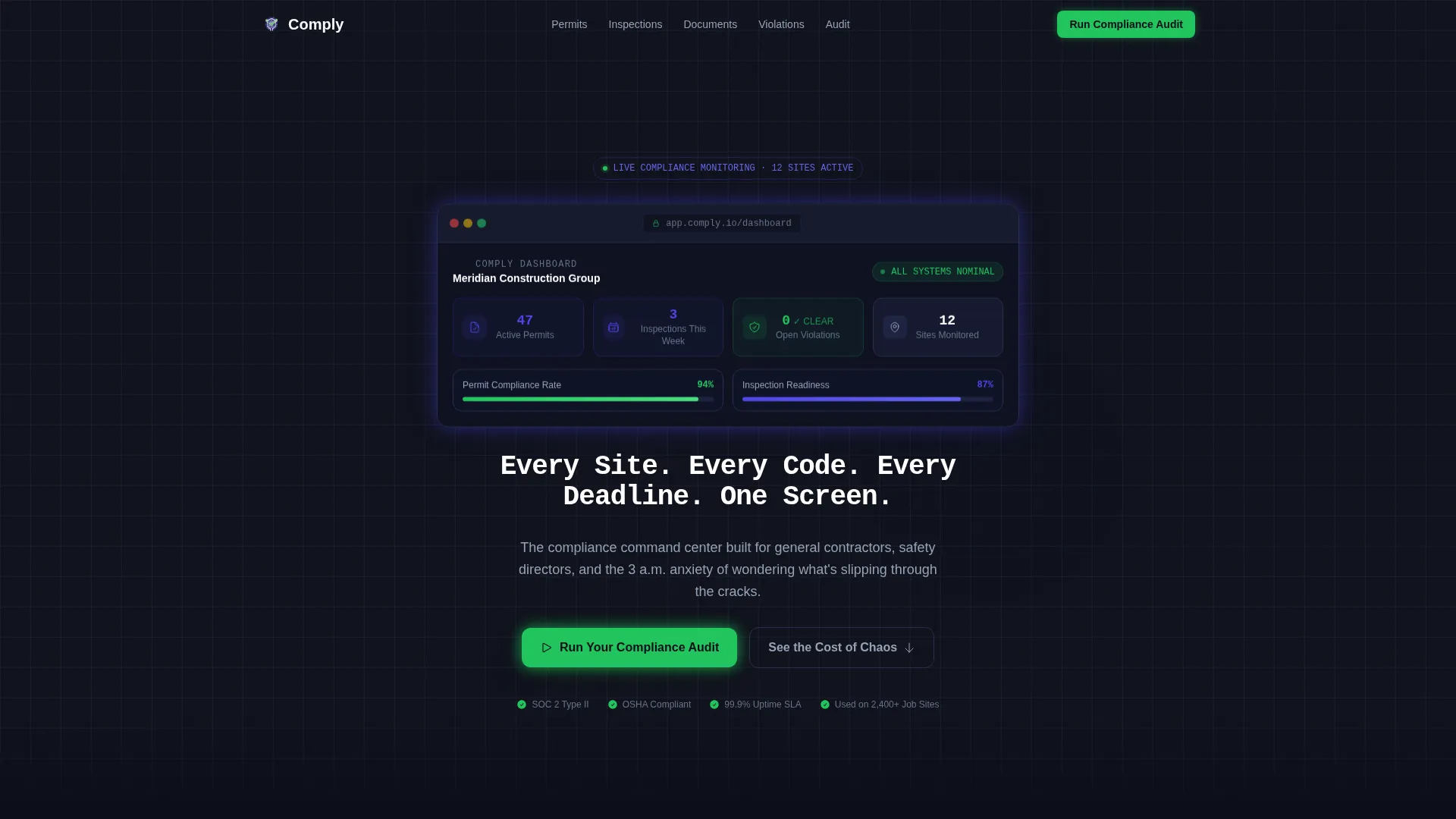
Animated Dashboard Hero Header
The header is a dark full-bleed panel in deep command-center black. A central compliance dashboard interface glows with indigo and green luminescence. Three key data points animate into view, active permits, inspections due, and open violations, before the headline types itself in clean white monospace type.
Hub and Spoke Anchor Navigation
A sticky navigation bar links five labeled spoke sections: Permit Tracking, Inspection Scheduling, Document Vault, Violation Resolution, and Audit Reporting. Visitors can jump directly to the compliance module most relevant to their role without losing context of the full page flow.
Industry Report Data Narrative
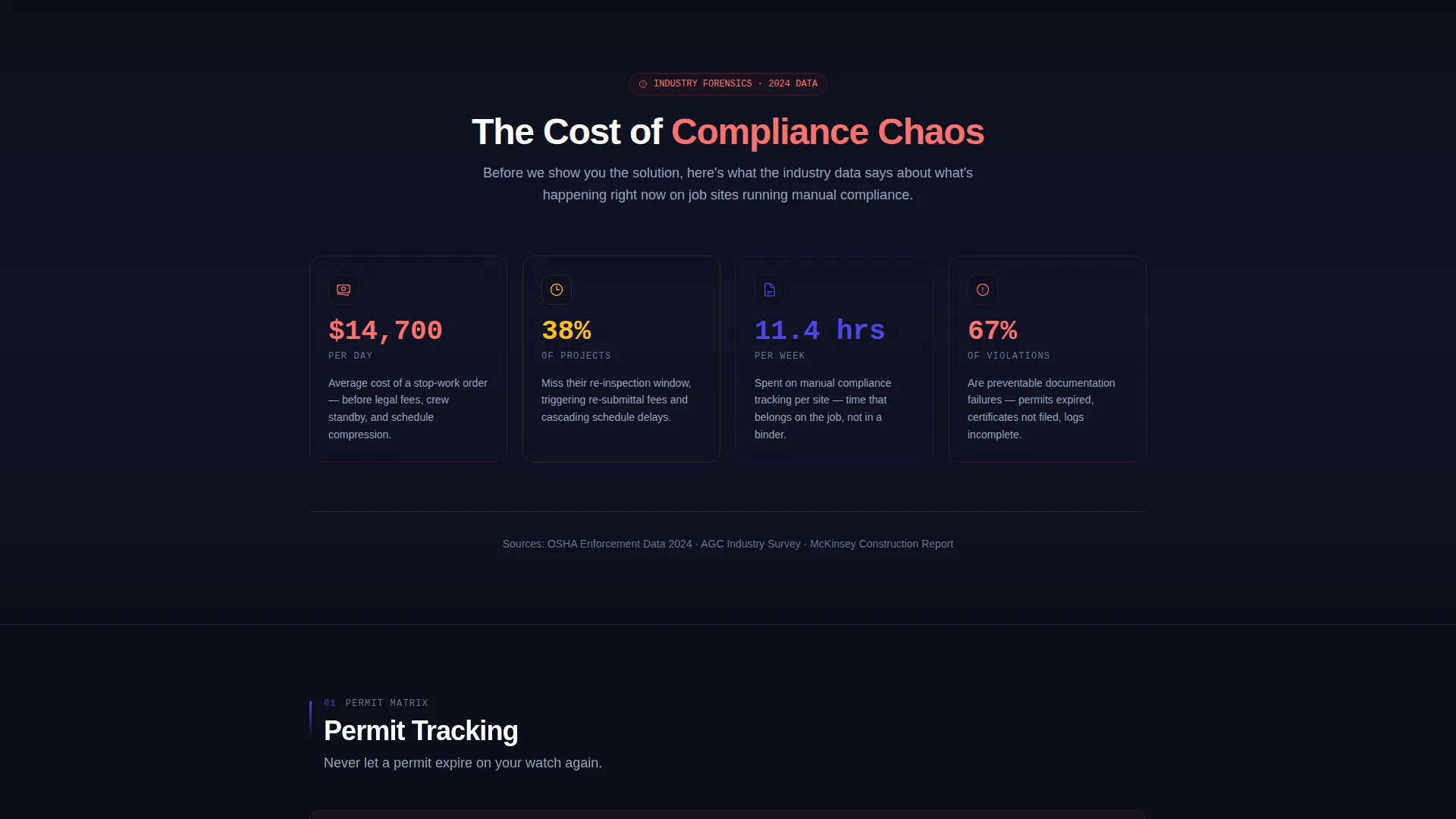
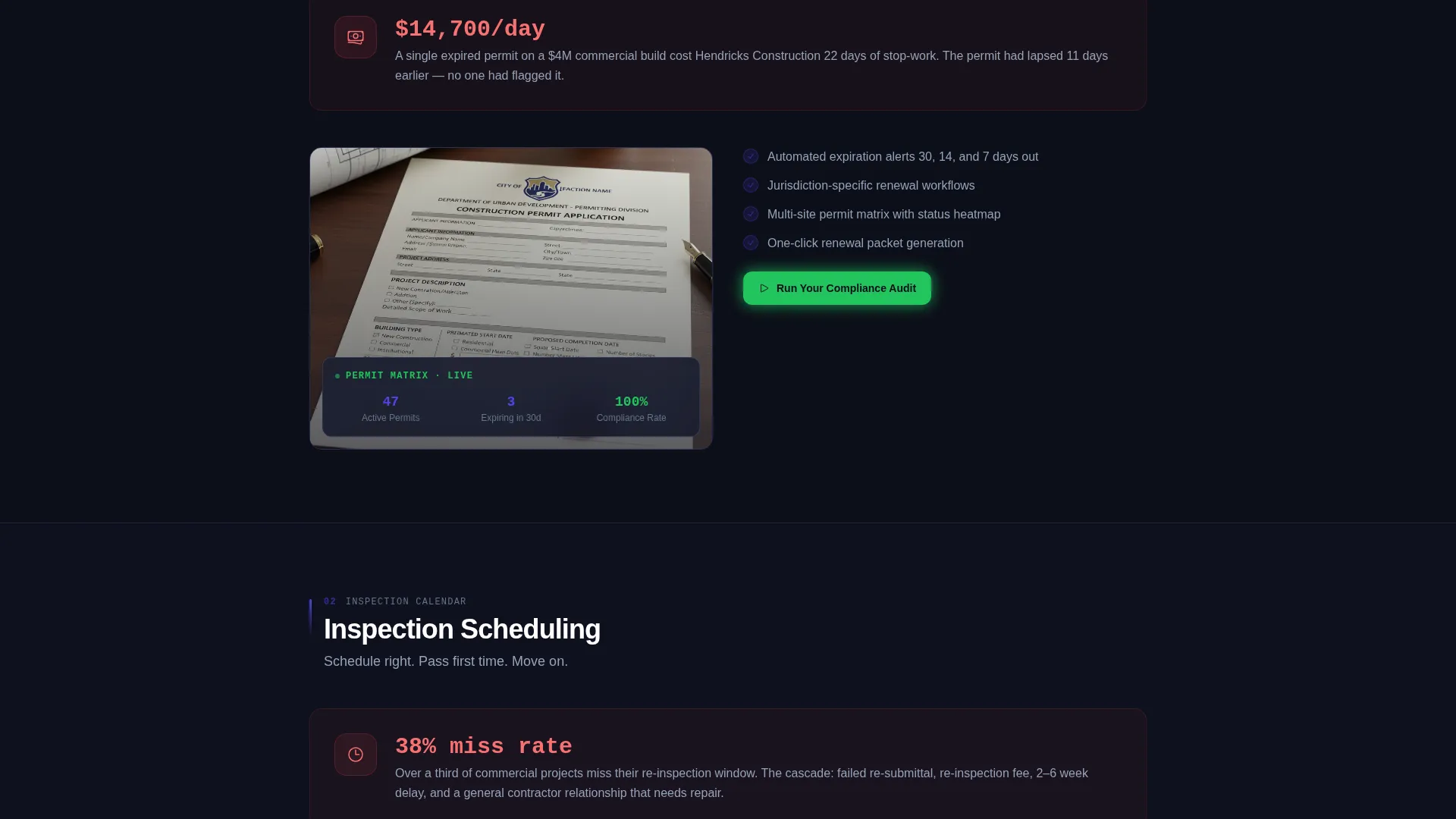
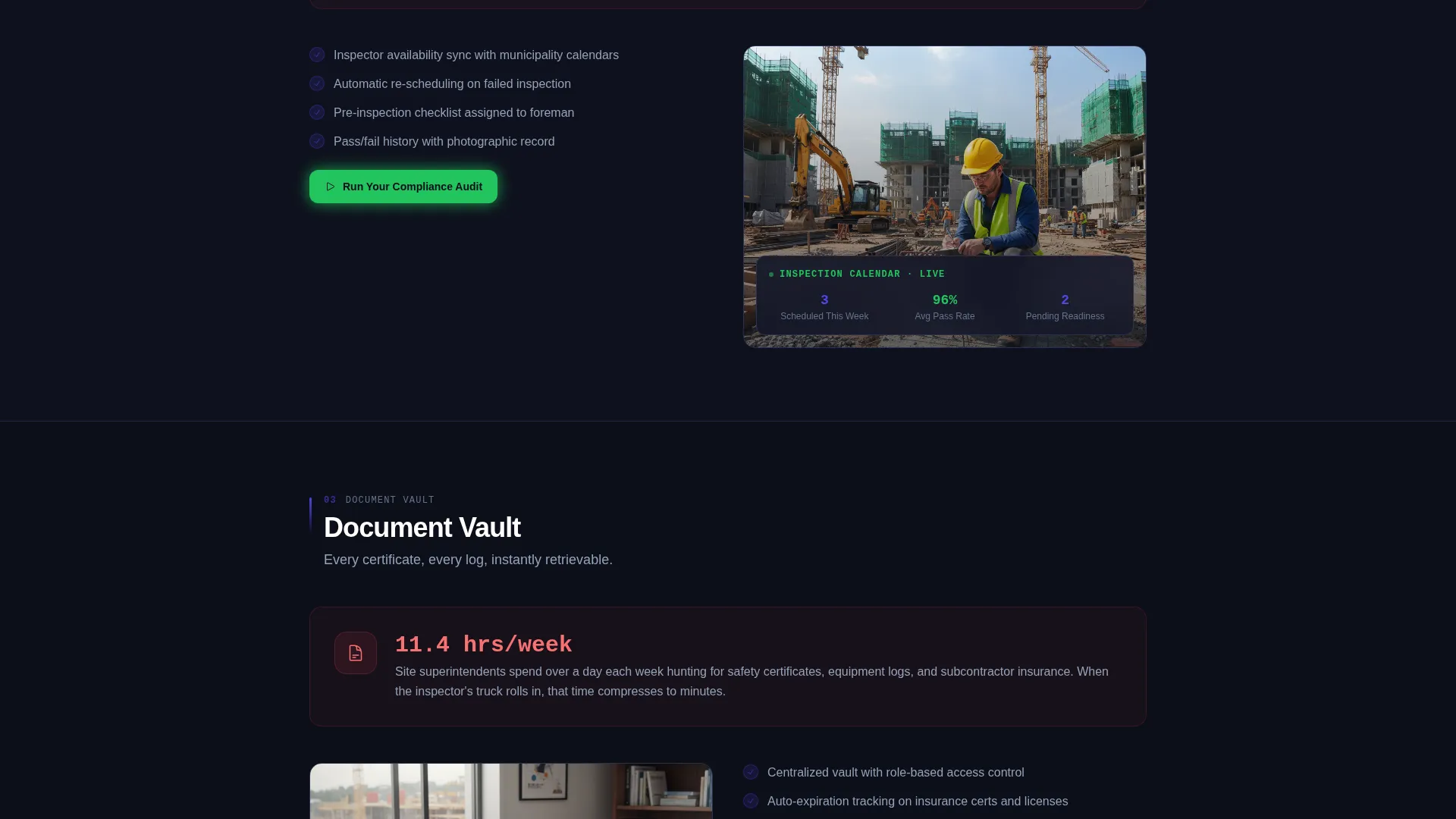
Each spoke section opens with a quantified industry problem before presenting the dashboard module that addresses it. Real statistics anchor the narrative: a stop-work order costs an average of $14,700 per day, 38 percent of projects miss re-inspection windows, and teams spend an average of 11.4 hours per week on manual compliance tracking.
Progressive Lead Capture Form
The primary call to action, "Run Your Compliance Audit", opens a three-step progressive form. Step one asks for the number of active job sites. Step two asks for the primary compliance pain point via multi-select. Step three collects a work email address.
Gated Benchmark Report Download
A secondary lead-generation path offers visitors a downloadable construction compliance benchmark report. It is gated behind a single email field, capturing top-of-funnel contacts who are not yet ready for a direct conversation but are actively researching the problem space.
Signal Green Call-to-Action System
Signal green (#22C55E) is reserved exclusively for compliance-met states and call-to-action buttons. The primary call to action button appears in the header and resurfaces at the close of every spoke section, creating a consistent visual cue that ties urgency to action throughout the scroll.
Page sections overview
| Section | Purpose |
|---|---|
| Dark Hero Header | Introduce the platform with animated compliance stats and a typed headline |
| Sticky Anchor Nav | Let visitors jump between the five spoke compliance modules |
| Industry Stats Bar | Establish urgency with quantified costs and failure rates |
| Permit Tracking Spoke | Show the permit chaos problem and present the tracking module |
| Inspection Scheduling Spoke | Quantify missed re-inspection risk and reveal the scheduling module |
| Document Vault Spoke | Address lost safety documentation and introduce the vault module |
| Violation Resolution Spoke | Frame open violations as financial risk and show the resolution module |
| Audit Reporting Spoke | Explain audit trail gaps and present the reporting module |
| Benchmark Report call to action | Offer the gated downloadable report for top-of-funnel lead capture |
| Closing call to action Section | Resurface the "Run Your Compliance Audit" form to close the page |
Design & branding system
The visual identity follows a Dashboard Pro theme built around the Electric Indigo color system. Every color earns its place on screen: dark surfaces carry data, indigo signals transitions, and green only appears when the page wants the visitor to act.
- Deep command-center black (#0D0F1A) for all backgrounds, creating a control-room atmosphere
- Electric indigo (#4F46E5) for active user interface elements, section wash transitions, and status indicators
- Cool slate (#94A3B8) for secondary text and divider lines, and signal green (#22C55E) exclusively for compliance-met states and call to action buttons
Mobile & speed optimization
The template is designed with a mobile-first layout that maintains the dark command-center atmosphere across all screen sizes. The anchor navigation collapses cleanly on smaller viewports, and spoke sections reflow without losing their data-narrative structure.
- Animated header elements are scoped to stay lightweight and render smoothly on mobile devices
- The progressive form is touch-friendly and designed to feel low-friction on phones and tablets
How this template helps you convert
The Comply template converts by matching the emotional and rational state of its audience. Visitors arrive already worried about compliance risk; the page validates that worry with data before offering a structured solution.
- The animated dashboard header immediately demonstrates product competence, building trust before a single word of body copy is read
- The industry-report narrative structure creates a natural reading momentum that carries visitors from problem to solution through all five spoke sections, ending each at a green call-to-action button
Other information about this template
The Comply template is category-matched to the construction software and construction compliance management niche. It is positioned within the broader technology category and is designed to support lead-generation goals for compliance-focused SaaS products.
- Template style: Hub and Spoke with sticky anchor navigation, suited for platforms with multiple distinct feature modules
- Creative direction: Industry Report scroll narrative, a format that builds authority through data before asking for a conversion
- The two-path lead generation system accommodates both decision-ready buyers and researchers, broadening the addressable audience without diluting the primary call to action
Theme
Dashboard Pro
Creative direction
Industry Report
Color system
Electric Indigo
Style
Hub & Spoke (Anchor Nav)
Direction
Lead Generation
Page Sections
Animated Dashboard Hero Header
Hub and Spoke Anchor Navigation
Industry Report Data Narrative
Progressive Three-step Audit Form
Gated Benchmark Report Download
Signal Green Call to Action System
Related questions
Can I customize the animated dashboard numbers in the hero section?
Does the template include both lead generation paths out of the box?
Who is the primary audience this landing page is designed to reach?
Can I add or remove spoke sections from the anchor navigation?
Is the dark Electric Indigo color system easy to adapt to a different brand palette?



