Govstack - Powerful Government Landing Page Template
Govstack is a bento grid landing page template built for government CRM platforms. It combines a live API code snippet header, scroll-animated data visualizations, and a dark operations-center aesthetic to help municipal software vendors speak directly to IT directors, county administrators, and procurement officers evaluating legacy system replacements.
by Rocket studio
Quick summary
Govstack is a single-page bento grid template designed for government CRM and constituent management software. It leads with a live-formatted API code snippet, builds a data-driven case through animated industry report tiles, and closes with a sandbox deployment form. The visual system mirrors a secure federal operations center running at full capacity.
Who this template is for
This template is built for technology vendors selling constituent relationship management software to public sector buyers. It speaks the language of government IT procurement without needing heavy customization.
- Municipal software companies targeting city clerks and IT directors
- Government SaaS vendors presenting to county administrators managing multi-department case backlogs
- Platform providers addressing state-level procurement teams who need compliance documentation before committing to a trial
What problem this template solves
Government software buyers are skeptical. They arrive with long evaluation cycles, compliance checklists, and zero patience for marketing-speak. A generic SaaS landing page loses them immediately.
- Fragmented constituent data across departments is a known, quantified pain point that most vendor pages fail to address with real numbers
- Procurement officers need fiscal justification they can paste into a memo, not a list of features
- Legacy system replacement decisions require credibility signals that feel technical and institutional, not promotional
What you get with this template
You get a complete, conversion-focused landing page structured as a self-contained government procurement argument. Every section moves the visitor from problem awareness to verified proof to action.
- A live-formatted API code snippet header with syntax highlighting in teal, amber, and white
- Scroll-animated bento grid tiles presenting benchmark data, department silo costs, compliance audit comparisons, and anonymized municipal case studies
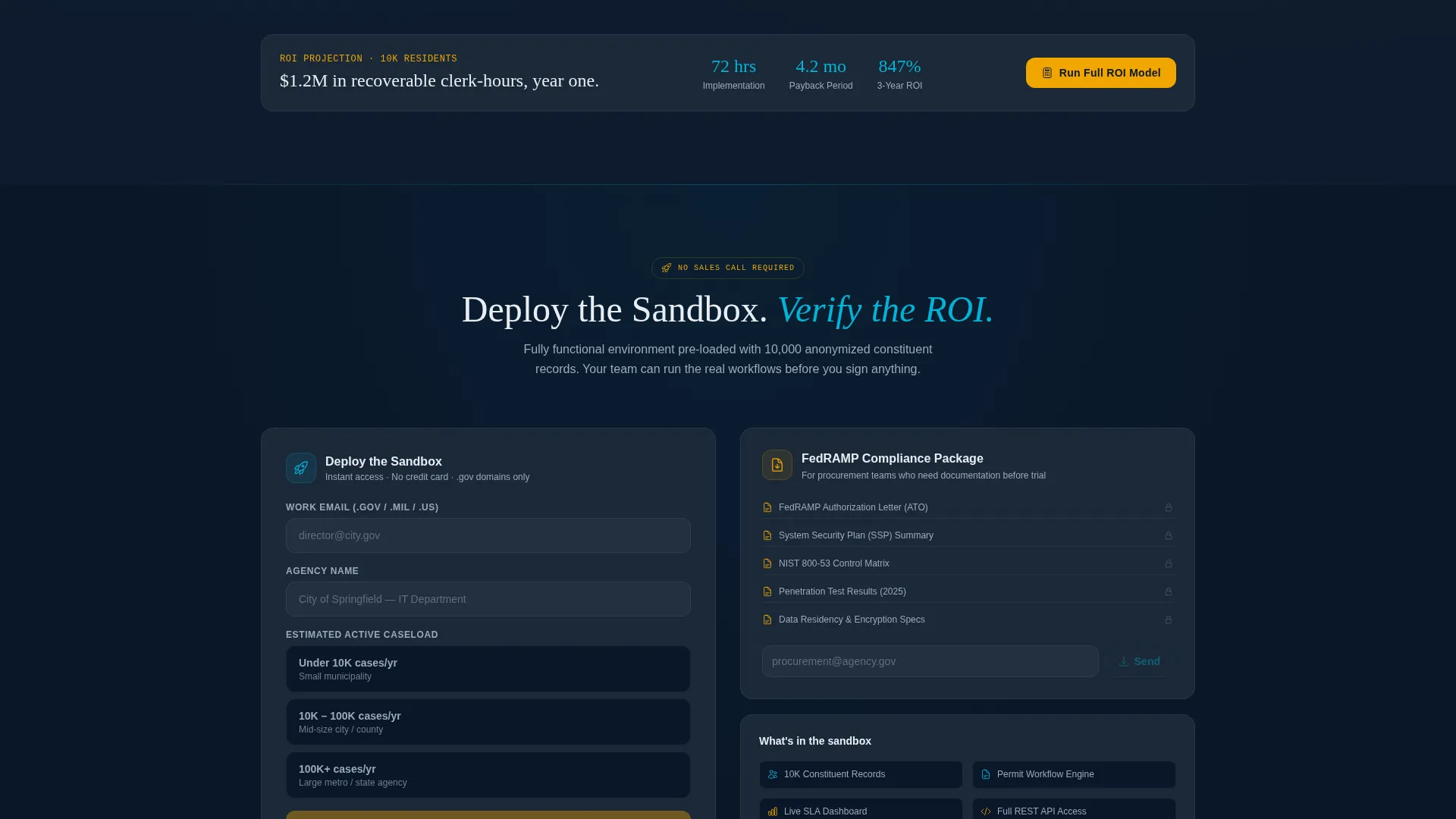
- A dual conversion path: a sandbox deployment form with dot-gov email validation and a secondary PDF gate for FedRAMP compliance documentation
Feature list
This section covers the core built-in capabilities that define what Govstack delivers as a template.
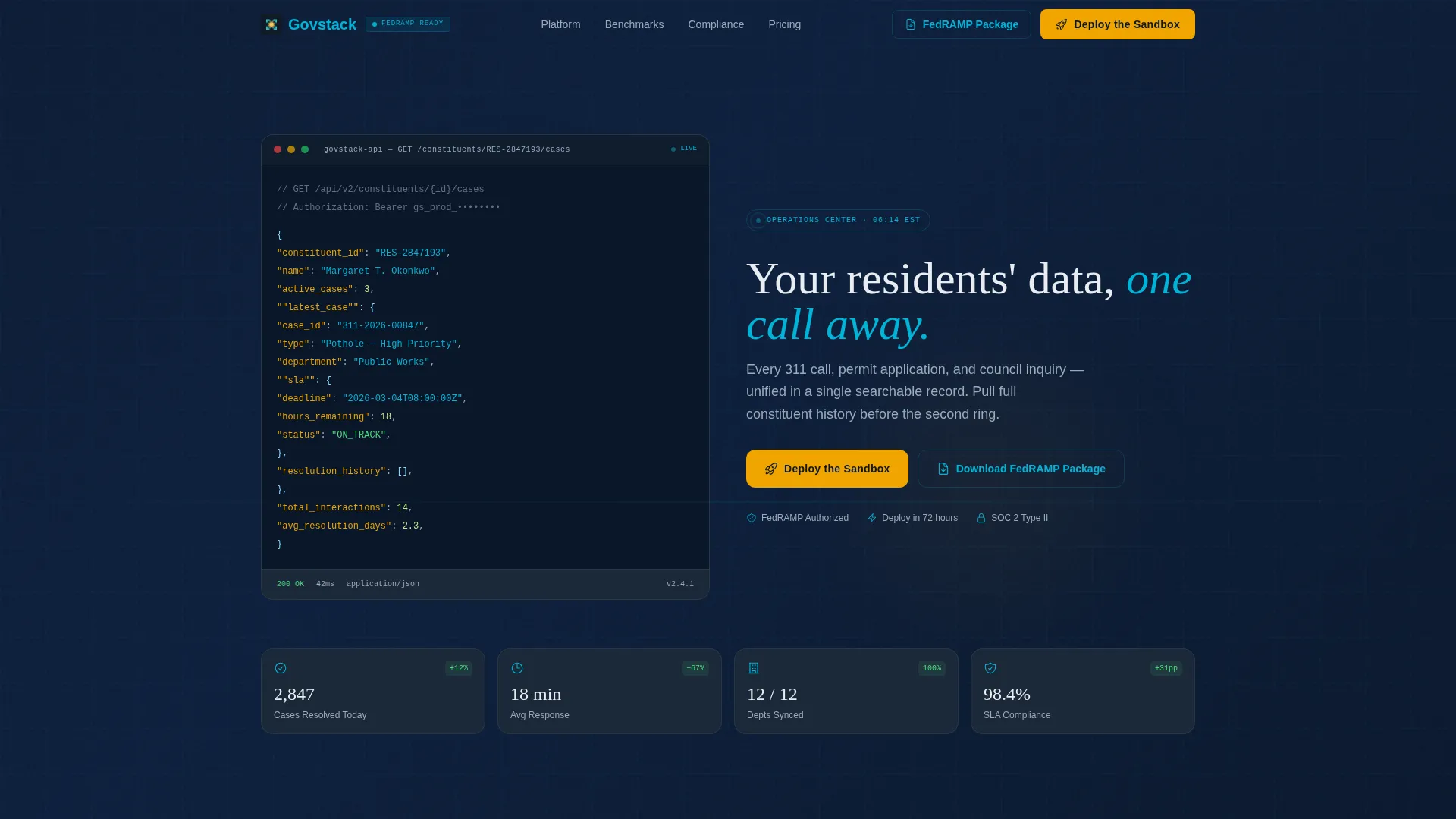
Live API Code Snippet Header
The header renders a formatted GET request against a constituent case endpoint in monospace type on a deep navy background. Syntax highlighting uses teal for strings, amber for keys, and white for values. It establishes immediate technical credibility before a single marketing sentence appears.
Scroll-Animated Bento Grid Layout
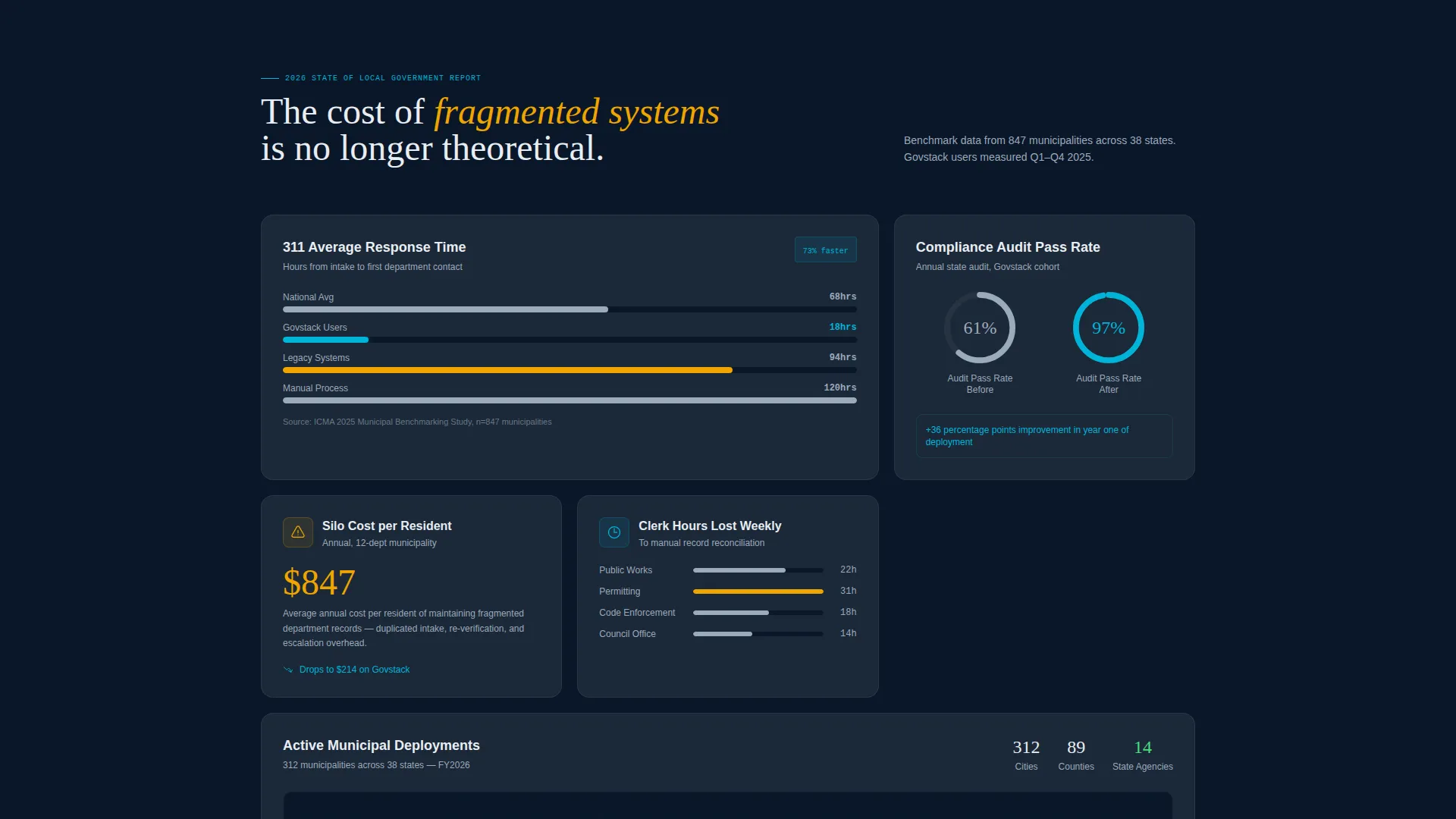
Each bento tile is a self-contained data argument. Bar charts race on scroll entry, donut rings fill to benchmark values, and map overlays light up county by county. The grid reads as a cumulative fiscal case by the time the visitor reaches the bottom.
Industry Report Data Narrative
The page is structured like a state-of-local-government white paper. Tiles present national 311 response time comparisons, department silo cost figures in lost hours, and compliance audit pass rates before and after platform adoption. Every metric supports a procurement-ready justification.
Dual Conversion Path Design
The primary call to action reads "Deploy the Sandbox" and appears in three locations: the top-right navigation, after the third bento row, and as a persistent bottom bar on mobile. A secondary path offers a FedRAMP package PDF download for compliance-first procurement teams.
Dot-Gov Email Validation Form
The sandbox request form includes automatic dot-gov domain validation with a live green checkmark. It also captures agency name and estimated active caseload via a three-option selector. Submission triggers an instant sandbox link to the provided email with no sales call required.
Dashboard Pro Visual System
The Midnight Blue color system uses deep navy for tile backgrounds, active teal for graph lines and progress bars, signal amber exclusively for calls to action and notification badges, and clearance-level white for all data labels and body text. The result is a secure terminal aesthetic that reduces eye fatigue across extended review sessions.
Page sections overview
| Section | Purpose |
|---|---|
| API Snippet Header | Opens with technical credibility via a live-formatted constituent API call |
| Hero Headline | Fades in the core value statement beneath the code block |
| Problem Tile Row | Quantifies fragmented system costs using animated benchmark data |
| Evidence Tile Row | Presents national 311 response time comparisons and department silo figures |
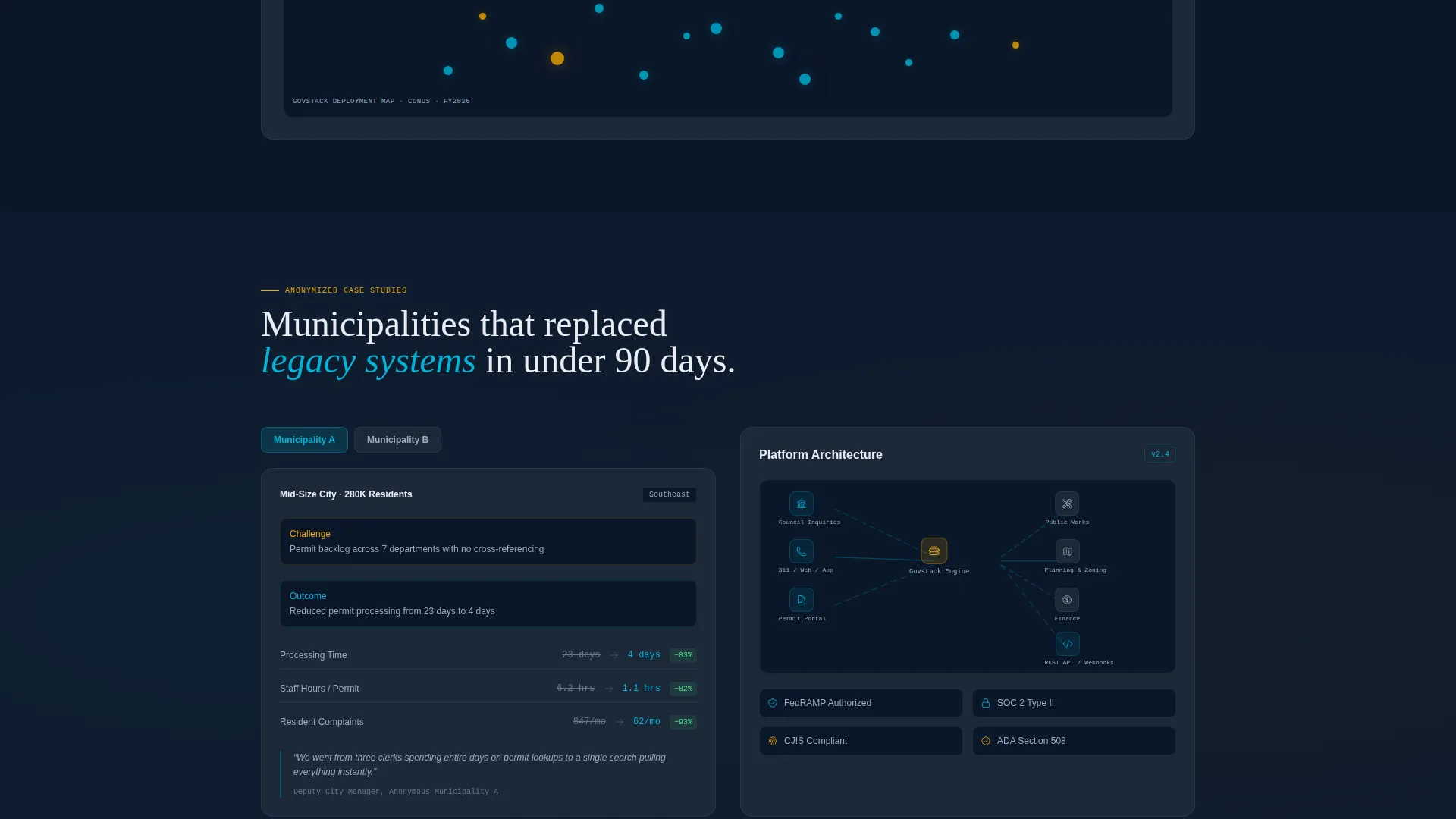
| Case Study Row | Surfaces anonymized proof from mid-size municipalities |
| Architecture Diagram | Shows platform structure as the logical resolution to the data narrative |
| Primary call to action Block | "Deploy the Sandbox" form with dot-gov validation and caseload selector |
| FedRAMP PDF Gate | Secondary conversion path for compliance-first procurement teams |
| Mobile Sticky Bar | Persistent bottom call to action bar visible on mobile throughout scroll |
Design & branding system
The template uses a Midnight Blue color system built for long-session readability in operational environments. Every color has a defined role, and no element deviates from that assignment.
- Navy (#0A1628) dominates all tile backgrounds; classified-document gray (#1B2838) layers secondary surfaces; together they create depth without contrast fatigue
- Active teal (#00B4D8) traces every graph line, progress bar, and map overlay; clearance-level white (#E8EDF2) carries all typography and data labels
- Signal amber (#F0A500) is reserved strictly for calls to action, notification badges, and interactive hotspot markers so nothing important is ever missed
Mobile & speed optimization
The template is structured to deliver a clean, functional experience on mobile screens without sacrificing the data-dense bento grid layout.
- The bento grid reflows into a single-column scroll on smaller screens, keeping each tile readable and self-contained
- The persistent bottom bar call to action stays fixed during mobile scroll so the "Deploy the Sandbox" action is always one tap away
- Scroll-triggered animations are tied to viewport entry so each tile activates only when it comes into view, keeping the experience controlled and intentional
How this template helps you convert
Govstack earns the conversion before it asks for it. The page front-loads the data story so the call to action feels like a logical next step rather than a sales push.
- The API snippet header immediately signals that this is engineer-built software, which builds trust with technical evaluators before any marketing copy appears
- The animated industry report tiles supply the ROI math, benchmark comparisons, and compliance proof that procurement officers need to justify a decision internally
- The two-path conversion design meets buyers where they are: sandbox-ready evaluators go straight to deployment, while compliance-first teams can download the FedRAMP documentation package without committing to a trial
Other information about this template
Govstack is a purpose-built template for the government software market. A few additional details are worth noting for teams evaluating it.
- The template style is a bento grid, which means each tile functions independently and can be reordered or replaced to match a vendor's specific product narrative
- The header concept is a Code Snippet, a format that signals technical depth and differentiates the page from typical government software marketing
- The creative direction follows an Industry Report structure, which is well-suited for reaching procurement audiences who respond to data-backed argumentation rather than feature lists
- The App Download landing page direction is adapted here for a sandbox deployment flow, a frictionless alternative to the traditional demo-booking model common in government SaaS sales
Theme
Dashboard Pro
Creative direction
Industry Report
Color system
Midnight Blue
Style
Bento Grid
Direction
App Download
Page Sections
Live API Code Snippet Header
Scroll-animated Bento Grid Tiles
Industry Report Data Narrative
Dual Conversion Path Design
Dot-gov Email Validation Form
Dashboard Pro Midnight Blue System
Related questions
Who is this template designed for?
What does the Deploy the Sandbox conversion flow look like?
Can procurement teams access compliance documentation without starting a trial?
How is the data narrative structured across the page?
Does the bento grid work on mobile devices?



