Bold Brutalist Government Marketing Automation Landing Page
Govstack is a Bold Brutalist government marketing automation landing page template designed for county, state, and municipal communications teams. It replaces disconnected spreadsheets and legacy tools with a scroll-reveal layout that teaches visitors the platform as they explore it. Featuring an interactive node builder, compliance toggle, and audience segmenter, this template is built to convert agency staff into free signups.
by Rocket studio
Quick summary
This template presents a government marketing automation platform through a progressive scroll-reveal experience. Each section is a hands-on module: visitors wire sample campaigns, toggle compliance modes, and segment audiences by zip code. The Bold Brutalist visual identity uses monumental typography, raw grid lines, and a high-contrast Slate and Sky color system to feel authoritative and transparent at once.
Who this template is for
This landing page is designed for government communications professionals who need modern outreach tools without a lengthy procurement process. It speaks directly to people managing citizen engagement with limited resources and no dedicated developer support.
- County public affairs officers juggling manual email exports and spreadsheet-based outreach
- State agency digital directors who need compliant campaigns delivered quickly
- Municipal clerks who inherited community engagement duties alongside their existing workload
What problem this template solves
Government agencies often duct-tape together inboxes, legacy systems, and spreadsheets to run what they call an outreach strategy. The result is inconsistent, slow, and impossible to scale. This template gives those agencies a landing page that demonstrates a better path, clearly and immediately.
- Manual outreach workflows that waste staff time and produce unreliable delivery
- Disconnected tools that make it hard to track citizen journey progress or measure results
- Compliance uncertainty around Section 508 and plain-language requirements for published content
What you get with this template
You get a fully structured, scroll-reveal landing page designed to walk government users through the platform at their own pace. Each interactive module builds confidence before asking for a signup. The page is ready to deploy and customize inside the content management system.
- A drag-to-connect node builder module, a compliance toggle, a live audience segmenter, and a results grid
- A progressive signup form that validates government email domains in real time and auto-populates agency details
- A pinned primary call-to-action rail and a secondary demo-booking modal for procurement-aware directors
Feature list
This template's features are designed around the realities of government communications work. Every interactive element teaches the product by letting visitors use fragments of it before they commit.
Interactive Campaign Node Builder
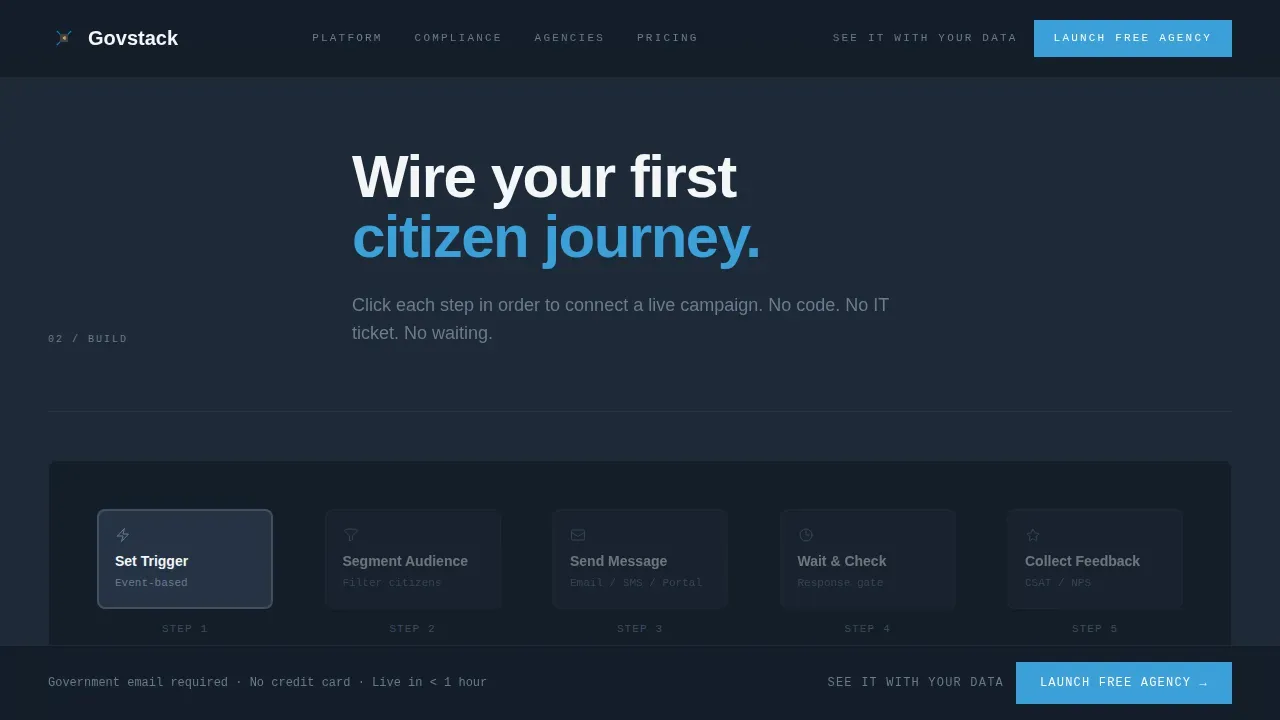
Users drag and connect nodes to wire a sample citizen journey directly on the page. The call-to-action fires after the first connection, making the signup feel earned rather than pushed. This module escalates from passive viewing to active building.
Live Compliance Toggle
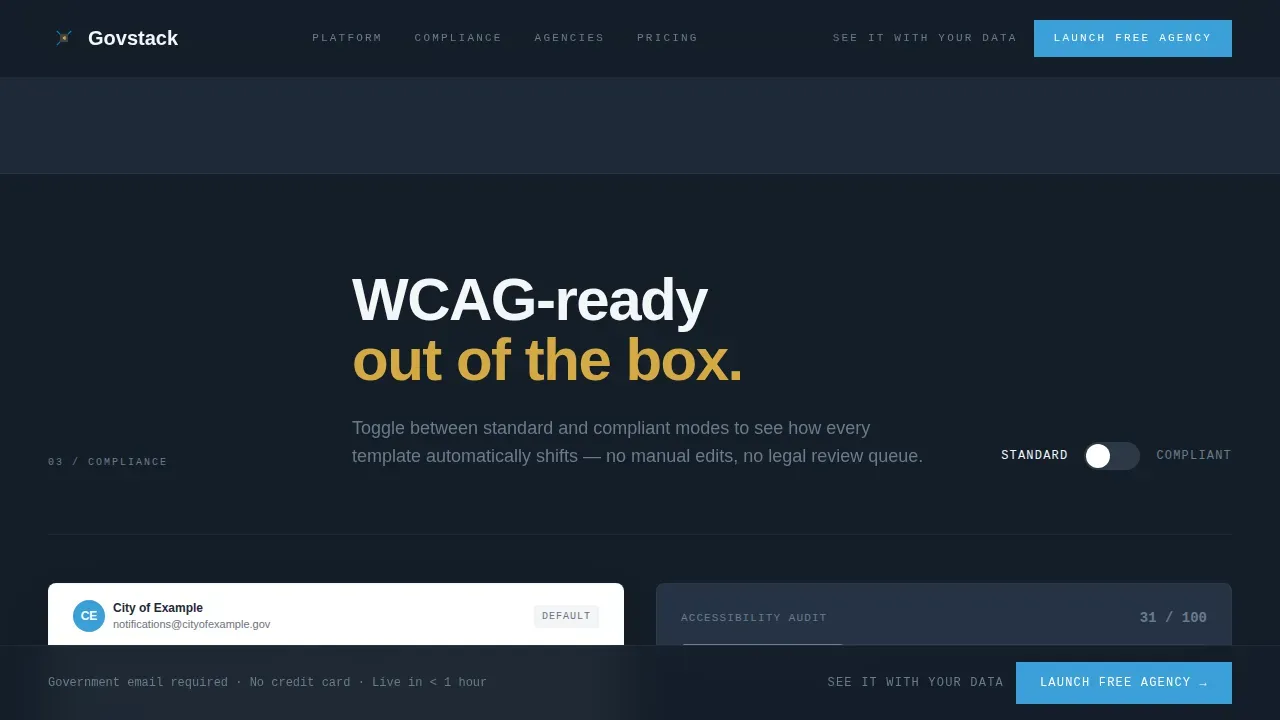
A single switch shifts template previews between Section 508 and plain-language modes. Communications teams can see exactly how their content changes under each compliance standard. This feature helps non-technical staff understand accessibility requirements without reading documentation.
Zip Code Audience Segmenter
Visitors type a zip code and watch synthetic citizen clusters populate in real time. The segmenter makes the platform feel personal and locally relevant. It creates a direct connection between the visitor's community and the platform's capabilities.
Progressive Government Signup Form
The form uses a single-step disclosure flow: government email address first, then agency name auto-populated from a database, then a role selector. No credit card is required. This structure lowers friction for users who are skeptical of enterprise software sign-up pages.
Scroll-Reveal Section Architecture
Each section activates as the visitor scrolls, using text scrub animations and pulsing cerulean nodes to signal that the system is live. Brutalist section dividers, exposed grid numbers, and raw horizontal rules give the scroll architectural rhythm. The page teaches the product progressively rather than dumping all information at once.
Page sections overview
| Section | Purpose |
|---|---|
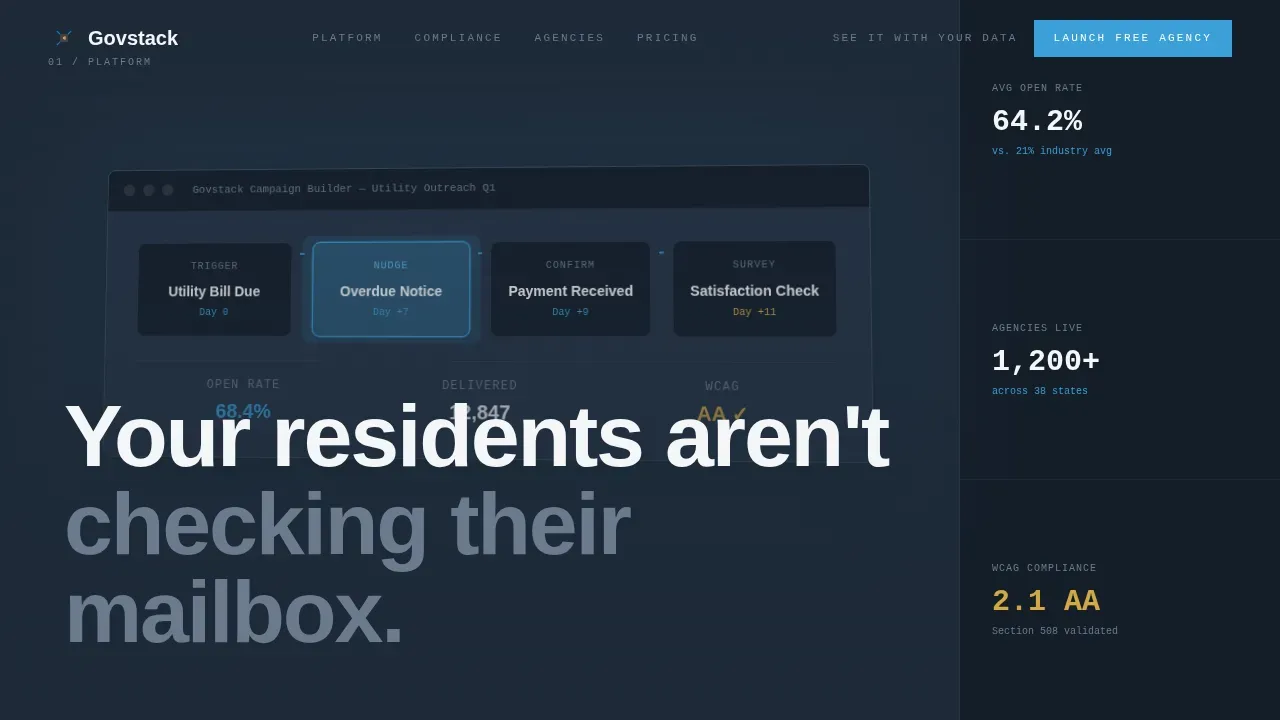
| Hero with screenshot | Anchors the page with a campaign builder visual and a single bold headline |
| Interactive node builder | Lets visitors wire a sample citizen journey and triggers the primary call-to-action |
| Compliance toggle module | Demonstrates Section 508 and plain-language mode switching live on the page |
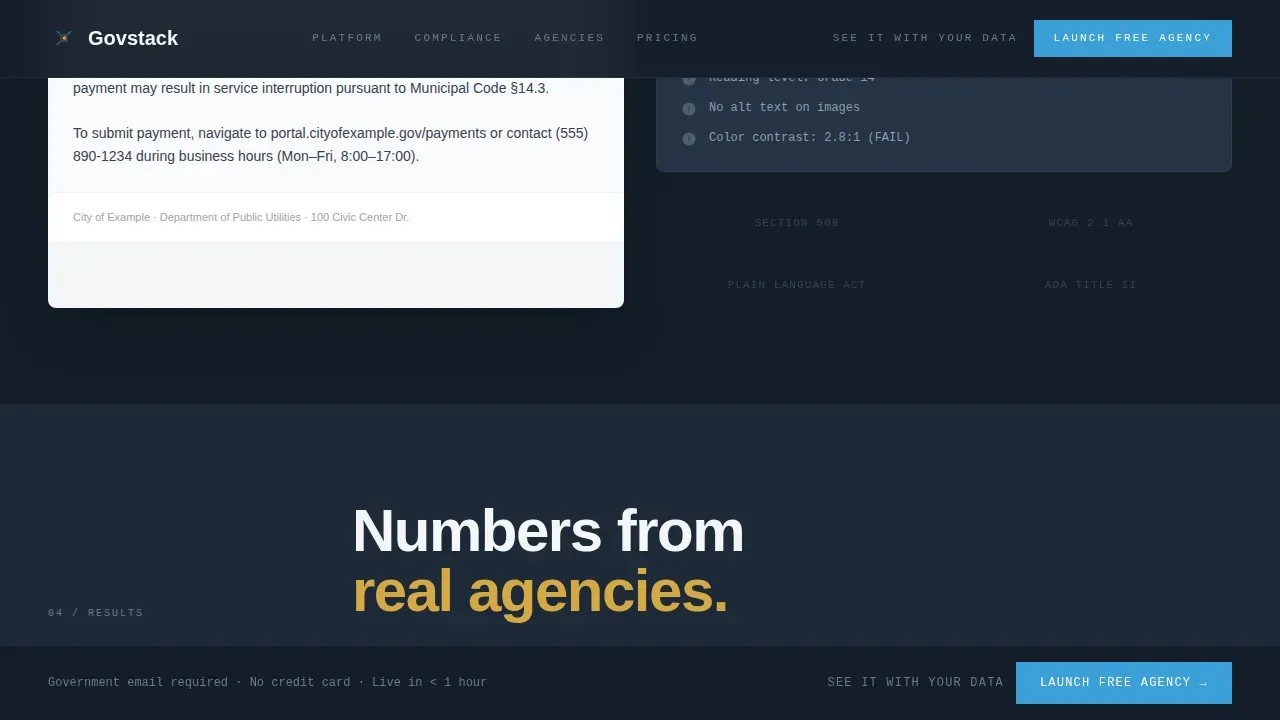
| Results bento grid | Displays agency metrics and government persona testimonials in an asymmetric layout |
| Audience segmenter | Accepts a zip code input and populates synthetic citizen clusters for the visitor |
| Pricing and signup | Hosts the progressive government email signup form and demo booking modal |
| Single-row footer | Closes the page with a compact linear navigation and essential links |
Design & branding system
The visual identity is designed around a Slate and Sky color system that feels like a brutalist federal building photographed at golden hour. Monumental typography and exposed grid structure give the page weight and honesty. High-contrast color palettes direct attention to core calls-to-action without relying on gradients or decorative shadows.
- Colors: deep bureaucratic charcoal (#1E2A38) for primary surfaces, poured-concrete gray (#6B7B8D) for secondary panels, open-sky cerulean (#3B9FD9) for all interactive elements, public-notice white (#F4F6F8) for card content areas, and civic gold (#D4A843) for accent interactions
- Fonts: Manrope in heavy display weights for headlines and section titles, JetBrains Mono for data labels and form fields, both chosen for clarity and unapologetic presence
- CSS layout: raw grid lines, exposed structural numbers, and thick horizontal rules that function as brutalist floor markers between each module
Mobile & speed optimization
This template is designed desktop-first, matching the primary device profile of government workers on workstations and laptops. A responsive fallback ensures the grid-based layout adapts cleanly for residents accessing government services on smartphones. Brutalist design's emphasis on stripping away unnecessary visual ornamentation naturally supports faster rendering.
- Desktop-first grid that collapses to a readable single-column layout on smaller screens
- Server-rendered static sections paired with client-side components for interactive modules, keeping load duration predictable
- Fonts and CSS assets are scoped to minimize render-blocking resources across all device sizes
How this template helps you convert
This template is built around a freemium conversion path that respects the procurement mindset of government buyers. Every interactive element moves the visitor one step closer to signing up, without pressure or noise.
- The node builder interaction triggers "Launch Your Free Agency" as soon as the visitor makes their first connection, tying the call-to-action to a moment of demonstrated value.
- The pinned bottom rail keeps the primary call-to-action visible for the full duration of the scroll, so returning visitors never lose their place.
- The "See It With Your Data" secondary path opens a guided demo booking modal, giving procurement-aware directors a low-commitment route to learn more before they create an account.
Other information about this template
The Govstack bold brutalist government marketing automation landing page template is built specifically for the Govstack CMS ecosystem. Govstack CMS is designed to manage and publish content on government websites, allowing non-technical users to create, edit, and update pages easily without coding. You can create reusable page templates inside the Govstack CMS to give a group of pages on your website a consistent look, feel, and structure. Creating page templates can save time when you find yourself adding the same components every time you build a new page.
To create a reusable page template, go to the Content tab in the Govstack main menu. You will have the option to choose between a blank page or the page template when creating a new page. If you need to edit or delete a page template, you need to reach out to GHD Digital's support team.
Govstack defines technical specifications for each building block of its platform and provides a compliance platform to test software products against functional requirements. Govstack supports a Building Block approach for creating and testing government services, and it includes audit trails that track changes to content for transparency and accountability. Govstack templates integrate with modules like Forms, Events, and Citizen Portals, enabling automatic data collection for government services and helping agencies store citizen interaction data securely.
- Govstack CMS offers customizable approval workflows that ensure content undergoes required reviews before publication, supporting collaboration among departments
- Govstack CMS is built to scale with the growth of government services and websites, keeping pace with expanding agency needs
- Govstack templates are hosted on Microsoft Azure, which helps protect sensitive citizen information and reduces the risk of data breaches
- The bold, minimalist design ensures critical information is immediately visible, which is important for public trust and clear communication
- Privacy considerations are built into the platform's data handling approach, and cookies used by the system follow government-appropriate policies
- Cost-effective page templates allow government staff to create landing pages in-house without needing specialized developers, freeing up budget for other resources
Theme
Bold Brutalist
Creative direction
Interactive Explorer
Color system
Slate & Sky
Style
Scroll Reveal (Progressive)
Direction
Freemium/Trial
Page Sections
Interactive Campaign Node Builder
Live Compliance Toggle
Zip Code Audience Segmenter
Progressive Government Signup Form
Scroll-reveal Section Architecture
Demo Booking Modal
Related questions
Does this template require coding knowledge to customize?
Can I reuse this layout for multiple agency pages?
Does this template support Section 508 and accessibility compliance?
How does the signup form work for government users?
What happens if I need to edit or delete a page template in Govstack?



