Cannabis Vertical SaaS Privacy Policy Website Template
Canopy is a dark-mode cannabis management landing page template built for dispensary owners, cultivators, and compliance officers. It showcases a full-width dashboard hero, a scrollable feature matrix with capability cards and a comparison table, and a frictionless click-through flow that routes visitors straight into a guided demo environment. No form fields, no friction.
by Rocket studio
Quick summary
Canopy is a single-page landing page template designed for cannabis management software. It opens with a live-data dashboard screenshot, moves through a structured feature matrix, and closes with a sticky call-to-action bar. The layout is built for operators who want buyers to browse, compare, and click through to a demo without filling out a single form field.
Who this template is for
This template is built for teams that sell or market cannabis vertical software to regulated operators. If your audience manages compliance, inventory, or point-of-sale data across one or more cannabis facilities, this layout speaks their language directly.
- Cannabis software companies targeting multi-state operators and single-store dispensaries
- Compliance technology vendors whose buyers need to see the product before they commit
- Seed-to-sale platform teams replacing spreadsheet-heavy workflows with a unified dashboard
What problem this template solves
Cannabis operators are overwhelmed. They juggle plant-level tracking, state compliance reporting, point-of-sale reconciliation, and manifest filing across multiple facilities. No single screen shows everything at once, and the cost of a missed tag or a late filing is severe. This template gives software vendors a layout that mirrors the relief their product promises.
- Disconnected tools and seed-to-sale spreadsheets make compliance a constant fire drill
- Buyers need to see the dashboard working before they trust a demo request form
- Generic software landing pages fail to communicate the operational depth cannabis operators require
What you get with this template
The template delivers a full single-page layout structured around a dashboard-first visual hierarchy. Every section is designed to build evidence and reduce buyer hesitation, ending in a click that feels earned rather than forced.
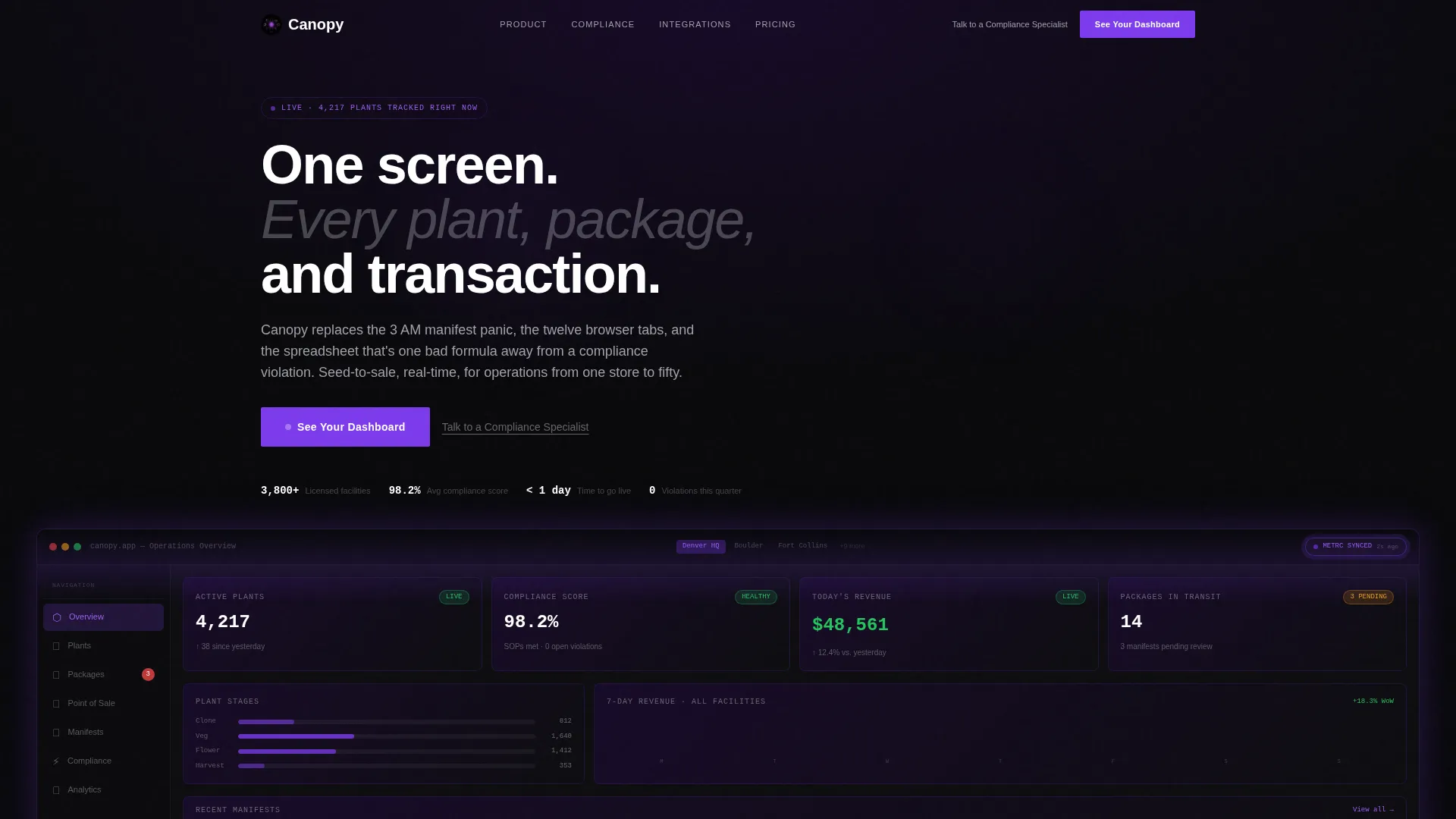
- A full-width hero section featuring a dark-mode multi-facility dashboard screenshot with real-looking KPI data
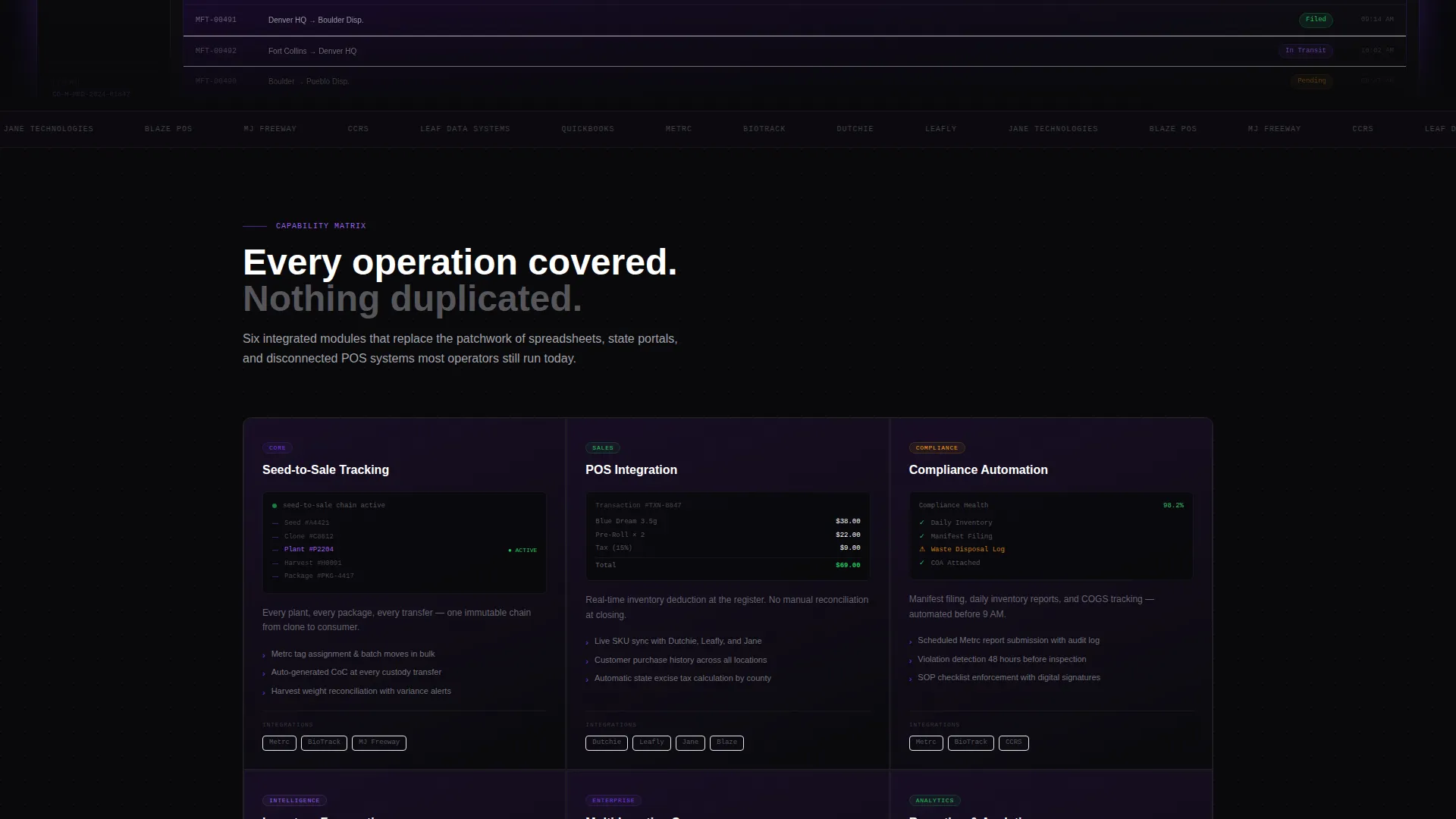
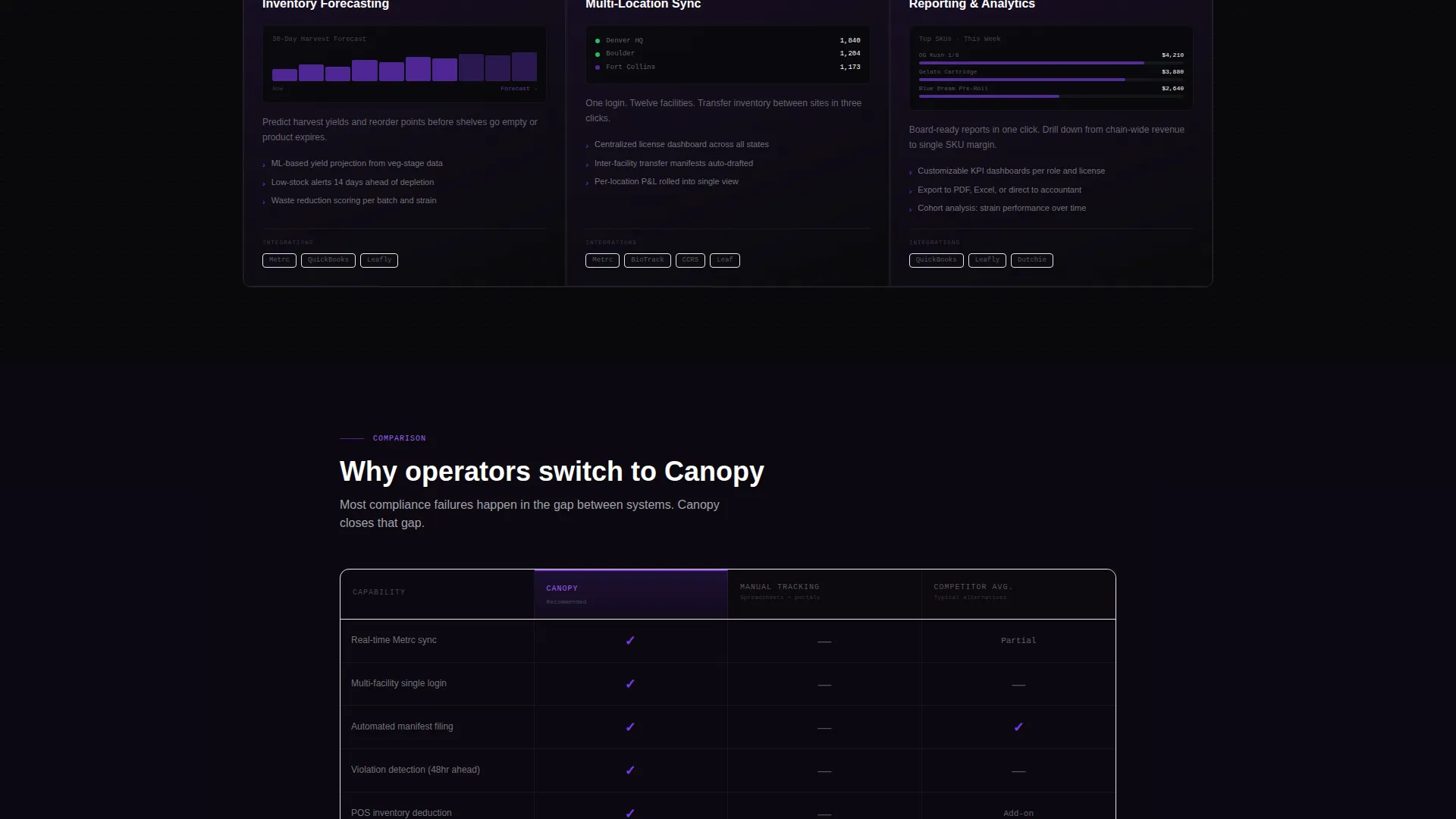
- A scrollable feature matrix with capability cards, mini-screenshots, integration logo rows, and a head-to-head comparison table
- A sticky bottom call-to-action bar and a secondary text link for visitors who want a human conversation first
Feature list
This template is built around a focused set of layout components drawn directly from the product brief.
Full-Width Dashboard Hero
The header is a living dashboard preview rendered at native resolution. It displays a multi-facility overview with active plant counts, a compliance health score, real-time dispensary revenue, and a sync status badge. The product is the hero. No lifestyle photography, no stock imagery.
Scrollable Feature Matrix
Below the hero, the page breaks into a grid of capability cards. Each card contains a mini-screenshot, three bullet-point capability statements, and a supported-integrations row with partner logos. Visitors can scan the full capability set without leaving the page.
Head-to-Head Comparison Table
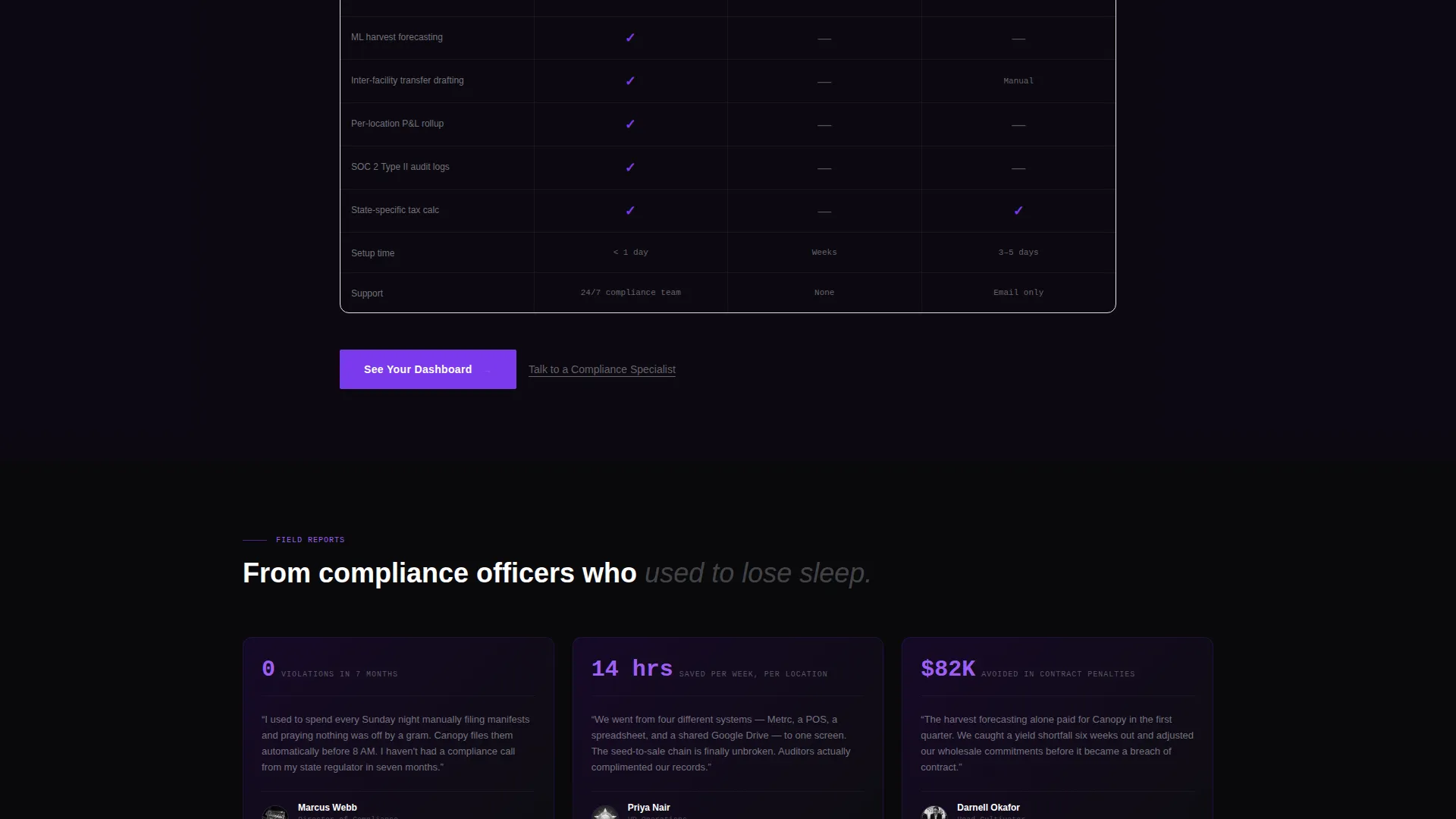
A structured comparison table pits the platform against manual tracking methods and competing software. Supported features appear in violet; gaps are left visibly empty. The format helps buyers validate their decision quickly and honestly.
Sticky Call-to-Action Bar
A persistent bottom bar carries the primary call-to-action throughout the scroll. It stays visible as visitors move through the feature matrix and comparison section, so the path to the demo is always one click away.
Frictionless Demo Flow
The primary call-to-action routes visitors to a guided demo environment where they choose their state and license type before entering a sandbox. There are no form fields on the landing page itself. Qualification happens inside the demo, not before it.
Secondary Specialist Link
A secondary text link, positioned as a soft alternative to the demo path, catches visitors who need a human conversation before committing to software. It keeps both buyer types covered without cluttering the primary conversion flow.
Page sections overview
| Section | Purpose |
|---|---|
| Dashboard Hero | Show the product at full resolution with live-looking KPI data |
| Feature Capability Cards | Present core capabilities with mini-screenshots and integration logos |
| Comparison Table | Let buyers benchmark the platform against alternatives |
| Sticky call to action Bar | Keep the demo click visible throughout the entire scroll |
| Secondary Specialist Link | Provide a human contact path for high-consideration buyers |
Design & branding system
The visual identity follows a Directory and Discovery theme built on a Void and Violet color system. The palette reads like a cannabis back-office at midnight: screens glowing against dark walls, every number sharp, every alert impossible to miss.
- Core colors: absolute void black (#09090B) for backgrounds, deep interstellar purple (#1A0A2E) for depth layers, electric violet (#7C3AED) for active states and data highlights, and cool phantom gray (#A1A1AA) for secondary text and grid lines
- Violet pulses only where attention is needed, keeping dense data tables breathable without visual competition
- The interface is dark-mode and information-dense, using a left sidebar navigation layout, a top-bar facility switcher, and a center grid of KPI cards as the hero reference point
Mobile & speed optimization
The template is structured to maintain its data-dense visual hierarchy across screen sizes. The dashboard hero and feature matrix are designed with a layout rhythm that holds legibility even when the viewport narrows.
- KPI card grids and capability card rows reflow cleanly for smaller screens without losing the dark-mode visual identity
- The sticky call-to-action bar remains anchored at the bottom of the viewport on all device sizes, keeping the conversion path accessible throughout the scroll
How this template helps you convert
The entire page is built around a browse-compare-decide rhythm. Every section adds evidence before asking for a click, and the click itself is frictionless.
- The dashboard hero shows the product working at scale, which immediately establishes credibility with operators who recognize the data points
- The feature matrix and comparison table give buyers everything they need to self-qualify, so the demo click feels like a natural next step rather than a cold commitment
Other information about this template
This template is part of a cannabis vertical software category and is designed for teams positioning a seed-to-sale platform, a compliance automation tool, or a multi-location inventory management system. The layout works well for both direct sales funnels and paid media landing pages targeting regulated cannabis operators.
- The template style is a Dashboard and Data Grid layout, suited for software products where the interface itself is the strongest sales asset
- The Directory and Discovery theme makes the page feel like purpose-built software rather than a generic SaaS marketing page
- This template can support cannabis management software brands looking to demonstrate compliance tracking, point-of-sale integration, and multi-facility reporting in a single scrollable view
Theme
Directory & Discovery
Creative direction
Feature Matrix
Color system
Void & Violet
Style
Dashboard/Data Grid
Direction
Click-Through
Page Sections
Full-width Dashboard Hero Section
Feature Matrix with Capability Cards
Head-to-head Comparison Table
Sticky Bottom Call-to-action Bar
Frictionless Demo Entry Flow
Secondary Specialist Contact Link
Related questions
Can I replace the dashboard screenshot with my own product interface?
Does this landing page template include any form fields?
Is this template suitable for both single-store dispensaries and multi-state operators?
Can the comparison table rows and competitor columns be customized?
What types of call-to-action destinations does this template support?



