Professional Pest Control Landing Page Template
Swarm is a single-page pest control landing page template built on a modular card grid layout. It pairs a Midnight Blue command-center palette with animated stats, a feature comparison matrix, and a floating inspection call-to-action. Designed for pest control businesses, it turns visitor skepticism into confident action before they reach the booking form.
by Rocket studio
Quick summary
Swarm is a high-impact pest control landing page template with a modular card grid structure. It opens with an animated stats wall, flows through a feature comparison matrix, and closes with a three-tier pricing toggle. The Midnight Blue and electric signal green palette gives the page a fleet-operations energy that feels urgent, credible, and ready to convert.
Who this template is for
This template is built for pest control businesses that need a professional digital presence without starting from scratch. It fits teams that want to lead with proof rather than promises.
- Pest control companies targeting property managers, homeowners, and restaurant operators
- Service businesses that want a comparison-driven page to stand out against local competitors
- Operators who need a booking-ready layout with clear pricing tiers and a visible call-to-action
What problem this template solves
Most pest control websites look interchangeable. They list services, post a phone number, and hope visitors call. That approach fails against customers who are already anxious and comparison-shopping on a phone at midnight.
- Visitors arrive stressed and uncertain; the page needs to deliver instant reassurance
- Generic layouts bury the metrics that actually build trust, such as response time and satisfaction ratings
- Without a clear comparison structure, prospects leave to check a competitor before deciding
What you get with this template
You get a fully structured, single-page layout with every visual and interactive section already defined. No blank canvas, no guesswork on hierarchy.
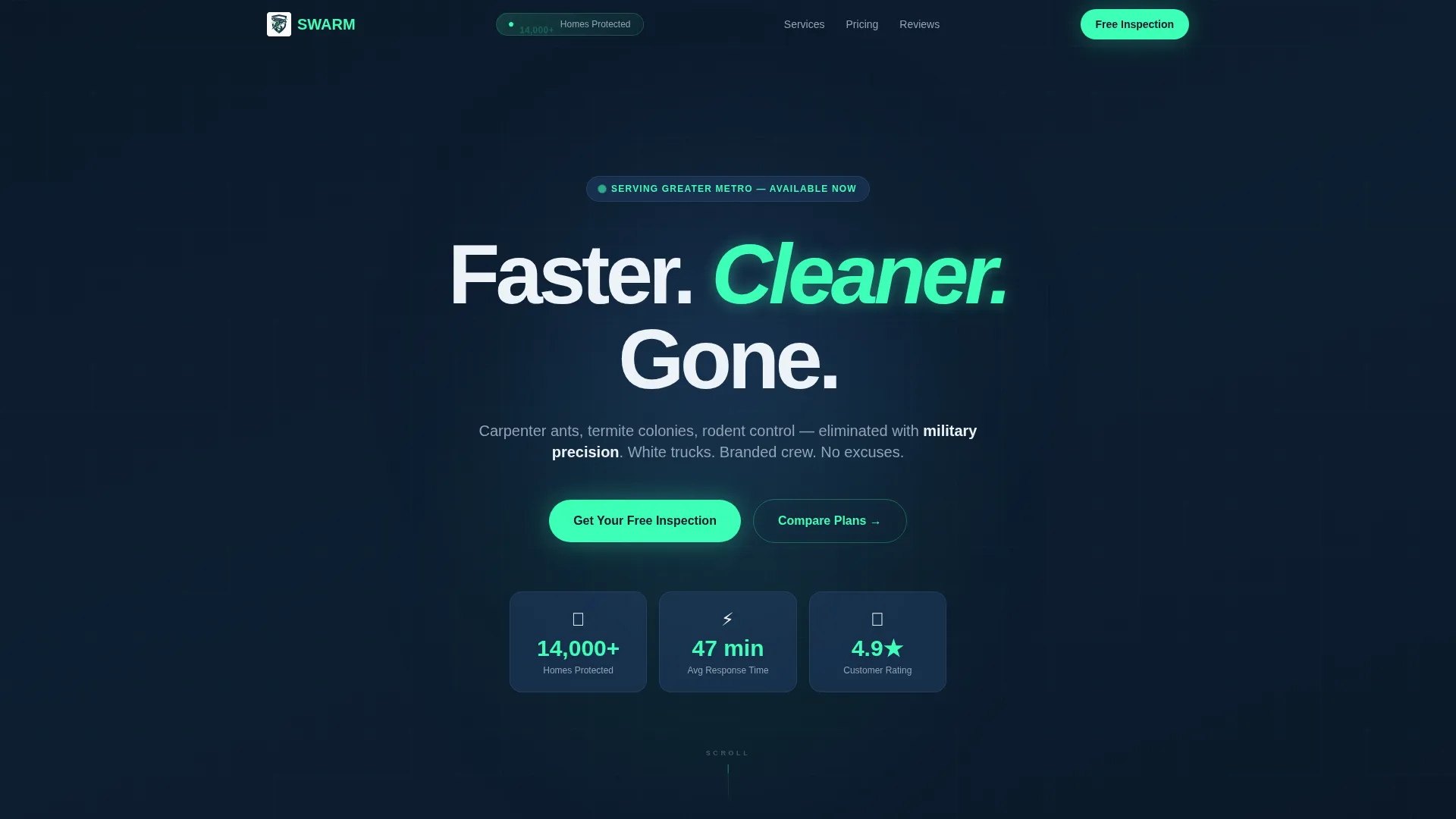
- An animated stats header with three live-counting metrics: homes protected, response time, and customer rating
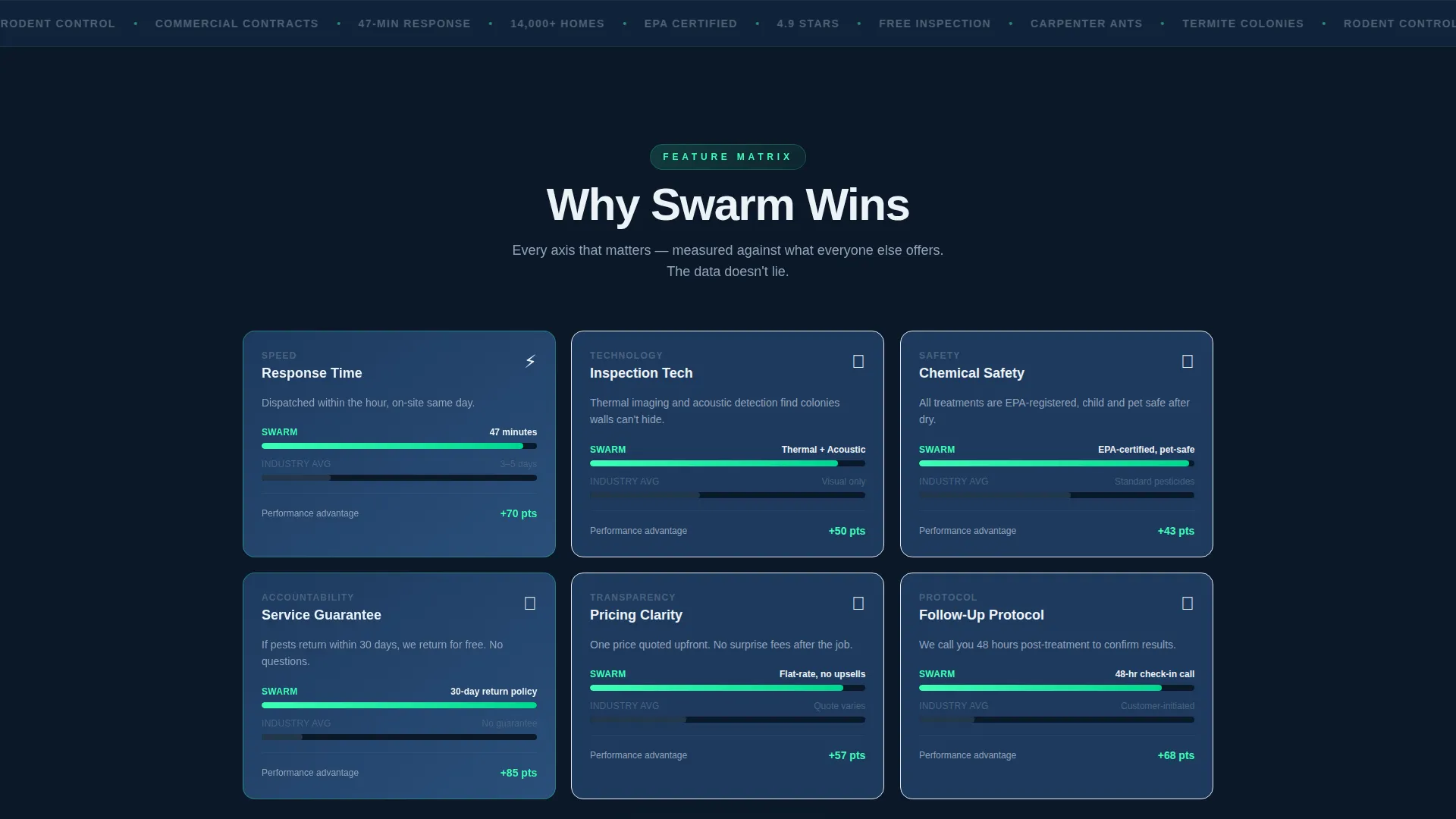
- A modular feature comparison card grid that stacks your performance metrics against the industry average
- A floating inspection call-to-action bar and a toggleable three-tier pricing section with a tiered feature checklist
Feature list
This template ships with six purpose-built sections and a tight visual system. Each piece works independently and reads clearly as part of the whole.
Animated Stats Header
Three oversized counters animate on page load, ticking past 14,000 homes protected, landing on a 47-minute average response time, and locking a 4.9-star rating with a micro-star animation. A looping gradient behind the numbers reinforces a sense of constant, active monitoring.
Feature Comparison Card Grid
Each modular card presents one comparison axis: response time, inspection technology, chemical safety ratings, guarantee terms, pricing transparency, or follow-up protocol. The left column shows the industry average in muted slate; the right column lights up in electric signal green with this company's metric, building a visual case as the visitor scrolls.
Stagger-Load Card Animation
Cards load progressively as the visitor scrolls, creating a rhythm that feels like evidence building on a case board. By the time the visitor reaches the booking form, the data has already done its work without any hard sell.
Floating Inspection call to action Bar
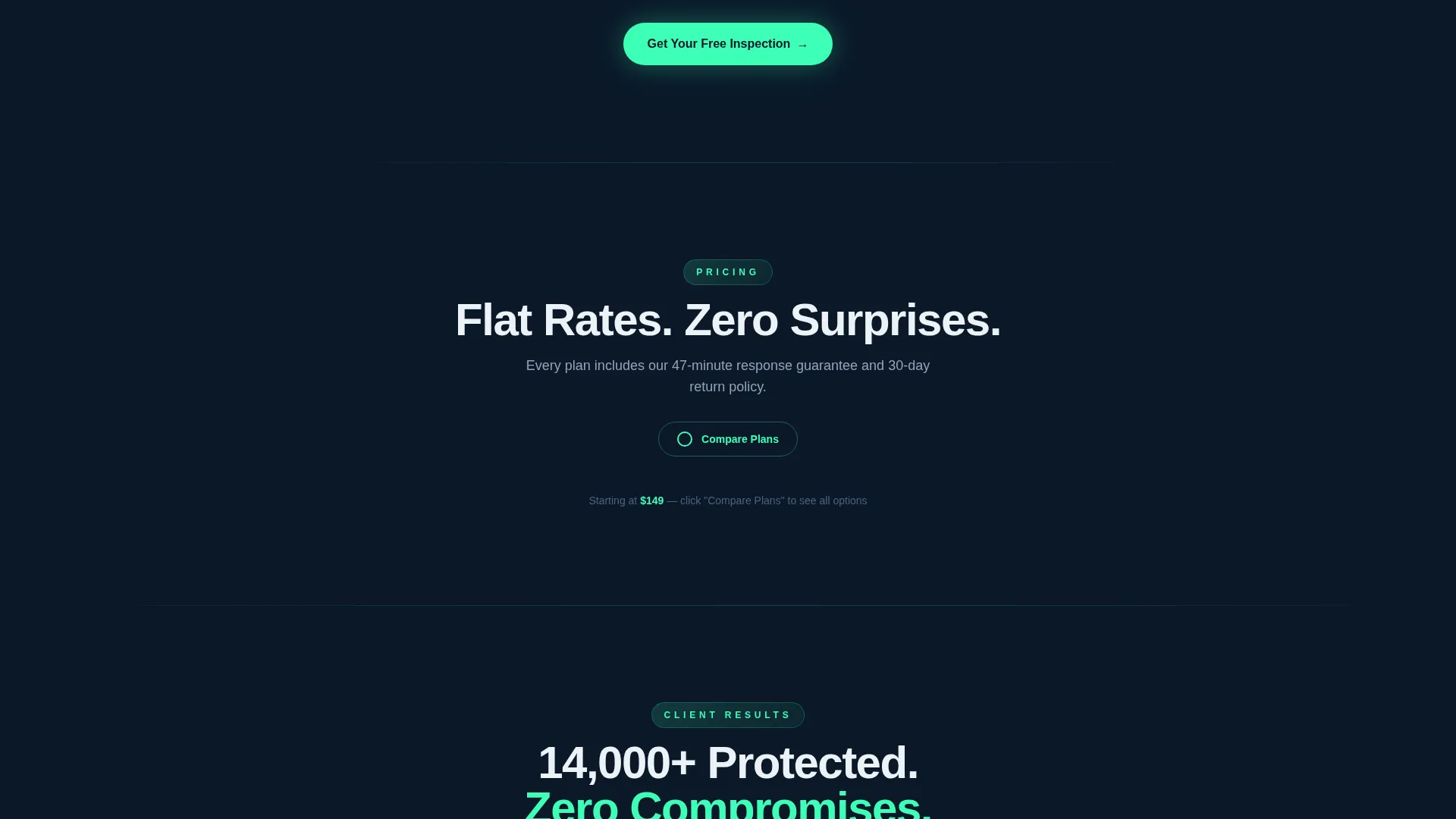
After the first scroll depth, a persistent bar pins to the screen with the primary call-to-action: "Get Your Free Inspection" in electric green against navy. It stays visible throughout the entire page experience so the conversion path is never more than one tap away.
Three-Tier Pricing Toggle
A "Compare Plans" toggle reveals three service tiers: Single Visit, Quarterly Shield, and Year-Round Fortress. Each tier shows a feature checklist where items unavailable on lower plans are visually grayed out, letting visitors self-select the right plan without pressure.
Zip Code Booking Form
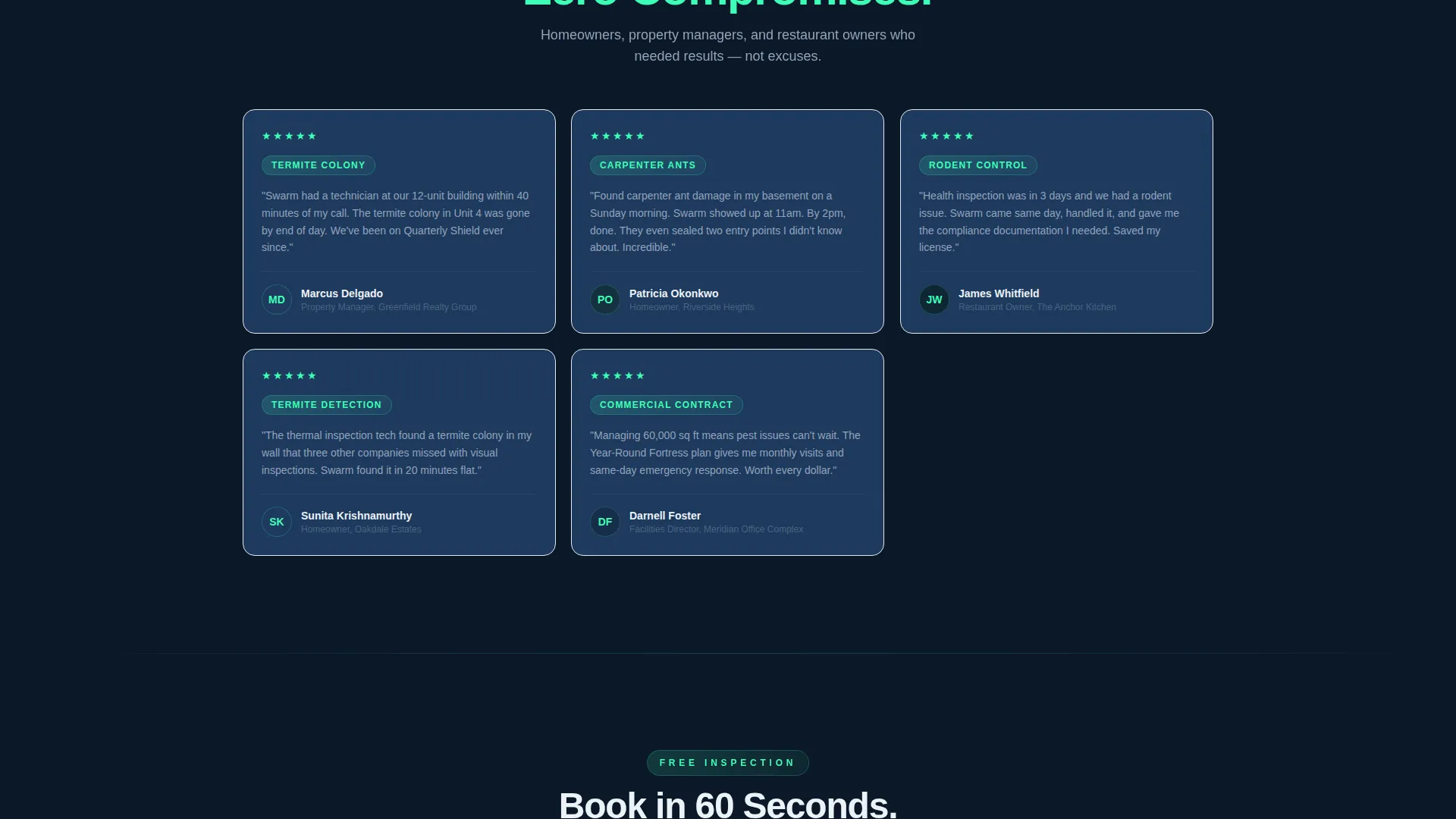
The bottom of the page holds a focused intake form collecting zip code, pest type, and preferred morning or afternoon appointment slot. The form is positioned after all the comparison content, so visitors arrive at it already confident in their choice.
Page sections overview
| Section | Purpose |
|---|---|
| Stats metrics header | Animate trust signals on load |
| Feature comparison cards | Stack metrics against industry averages |
| Floating call to action bar | Keep inspection offer always visible |
| Pricing toggle grid | Let visitors compare three service tiers |
| Zip code booking form | Capture lead details at peak intent |
Design & branding system
The template uses a Midnight Blue color system that feels less like a lawn-service flyer and more like a fleet-operations dashboard at first light. Every color choice has a functional role, not just a decorative one.
- Deep command-center navy (#0B1929) as the primary background, tactical slate (#1E3A5F) for card surfaces, electric signal green (#3DFFB6) for calls to action and active indicators, and crisp dispatch white (#EDF2F7) for body text
- A subtle looping gradient between #0B1929 and #1E3A5F pulses behind the header like sonar, reinforcing the always-monitoring brand energy
- The Startup Velocity theme drives the overall visual direction: bold counters, high-contrast card edges, and a layout that feels engineered rather than decorated
Mobile & speed optimization
The modular card grid is inherently portable. Each card is a self-contained unit, so the layout reflows cleanly across screen sizes without losing the comparison logic.
- The floating call to action bar is designed to stay usable on small screens, remaining tappable without blocking key content
- Stagger-load card animation is scoped to scroll depth, so cards appear naturally on both desktop scroll and mobile swipe
- The pricing toggle and tiered checklist collapse and expand cleanly, keeping the three-plan comparison readable on narrow viewports
How this template helps you convert
Every design and layout decision in Swarm is pointed at one outcome: getting a stressed visitor to submit their zip code and book an inspection.
- The animated stats header delivers instant credibility in the first three seconds, before a visitor reads a single line of copy, anchoring trust with specific numbers rather than vague claims.
- The comparison card grid lets visitors build their own conclusion. By scoring this company against the industry average across six axes, the page removes doubt without requiring a sales pitch.
- The floating inspection call to action bar ensures the conversion path stays visible throughout the scroll, and the bottom form reduces friction by asking only for zip code, pest type, and time preference.
Other information about this template
Swarm is categorized under Technology with a subcategory of Pest Control Digital Presence, reflecting a template built at the intersection of service-industry needs and modern digital design standards.
- The template style is Card Grid (Modular), meaning individual sections can be reordered or updated without breaking the overall layout logic
- The creative direction follows a Feature Matrix approach, which suits any service business that wants to win on transparency rather than branding volume
- The header concept is Stats and Metrics, making this template a strong fit for businesses that already track performance data and want to put those numbers front and center
- The landing page direction is Comparison and Versus, a format that performs well when visitors are actively evaluating multiple providers before deciding
- The Intersection Match Score for this template is 13, reflecting a tight alignment between the Midnight Blue color system, Startup Velocity theme, and the pest control niche it serves
Theme
Startup Velocity
Creative direction
Feature Matrix
Color system
Midnight Blue
Style
Card Grid (Modular)
Direction
Comparison/Versus
Page Sections
Animated Stats Header Wall
Feature Comparison Card Grid
Stagger-load Card Animation
Floating Inspection Call to Action Bar
Three-tier Pricing Toggle
Zip Code Booking Form
Related questions
Can I change the service tiers and pricing labels?
Does this template work for a single-location pest control business?
Can I update the animated counter numbers to match my own stats?
Is the floating call to action bar always visible on mobile devices?
What pest types does the booking form support?



