Guardian — Advanced SIEM Landing Page Template
Sentinel is a voice-activated Security Information and Event Management (SIEM) landing page template built for cybersecurity platforms. It pairs a syntax-heavy code snippet header with a plain-English voice command to make the value contrast immediate. The design uses a deep Midnight Blue palette and Tech Glass visual language to match the look and feel of a modern Security Operations Center.
by Rocket studio
Quick summary
Sentinel is a single-page landing page template for a voice-activated SIEM platform. It opens with a side-by-side code versus voice header, moves through an industry-report-style comparison table, and closes with a deployment-focused call to action. The Tech Glass design and Midnight Blue color system give it the atmosphere of a live SOC environment.
Who this template is for
This template speaks directly to security technology teams who need to communicate a clear operational advantage. It is built for products where speed and ease of query matter most.
- Security Operations Center (SOC) managers at mid-market firms who need to justify tooling decisions to leadership
- Managed Security Service Providers (MSSPs) staffing overnight shifts with analysts at varying skill levels
- Chief Information Security Officers (CISOs) who must present mean-time-to-respond metrics to a board audience
What problem this template solves
Security platform landing pages often look generic. They fail to convey the urgency of real SOC work or make the product's advantage feel immediate and tangible. Visitors leave before they understand the value.
- Analysts spend nearly half a shift on syntax errors instead of actual threat investigation
- Traditional SIEM interfaces require deep query language knowledge that junior staff often lack
- Most landing pages bury the proof; visitors need the comparison before they trust the claim
What you get with this template
You get a fully structured single-page layout that walks a prospect from problem awareness to deployment in one scroll. Every section is purpose-built to reduce objection and drive action.
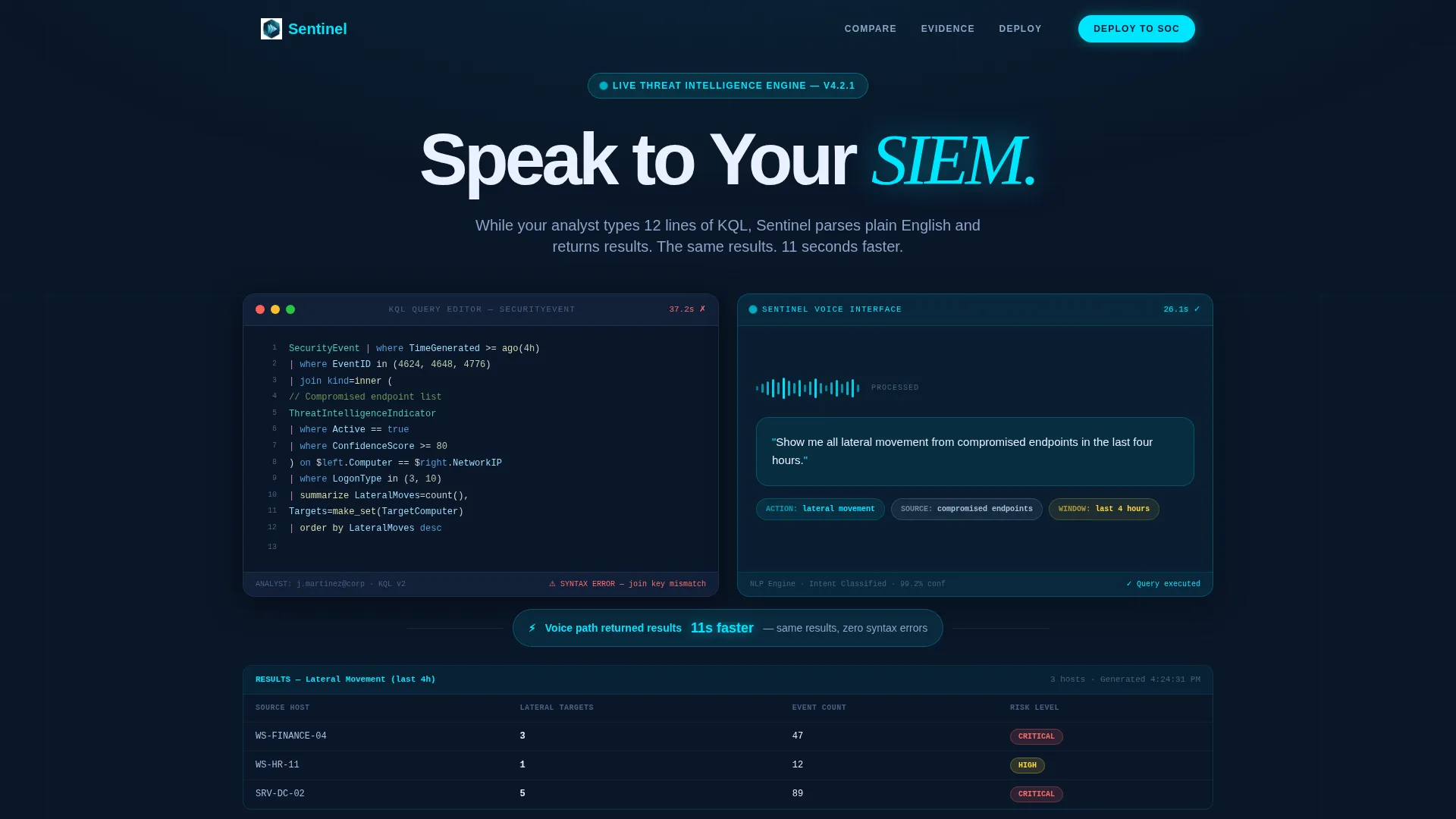
- A side-by-side header showing a complex KQL (Kusto Query Language) block against a plain-English voice command, with identical result tables and a timed delta
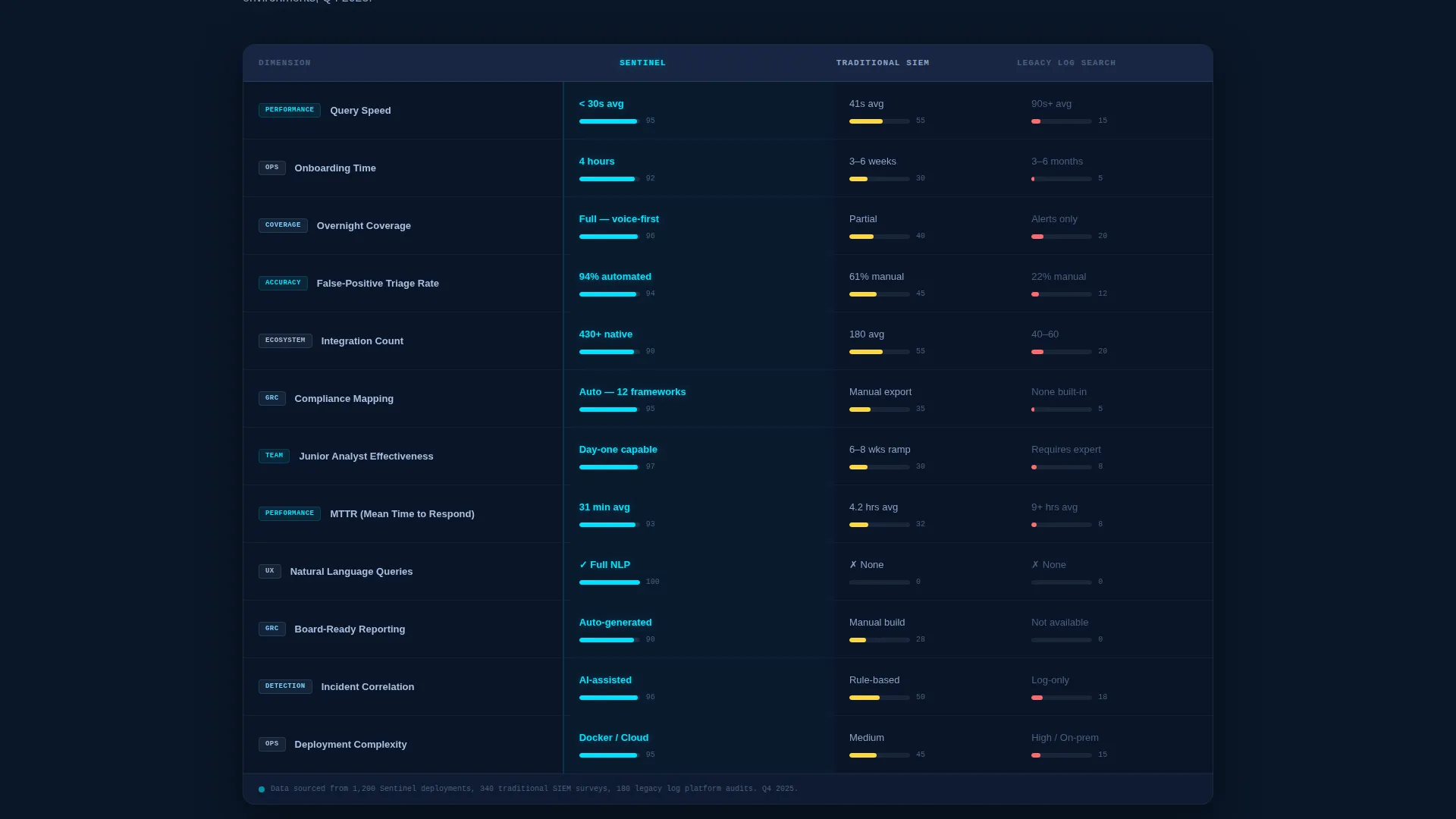
- A twelve-dimension comparison table covering query speed, onboarding time, overnight coverage, false-positive triage rate, integration count, and compliance mapping
- A deployment call-to-action block with a platform toggle for Docker, AWS Marketplace, and Azure Sentinel Plugin, plus a sandbox entry point
Feature list
This template is built around components that reflect real SOC workflows and make technical advantages immediately readable to any buyer.
Side-by-Side Code and Voice Header
The header places a twelve-line KQL query block directly beside a plain-English voice command in a glass-morphism chat bubble. Identical result tables appear below both, with a blinking cursor timestamp showing the voice path returned results eleven seconds faster. The contrast lands before a visitor reads a single word of body copy.
Animated Comparison Table
The core comparison table evaluates voice-activated SIEM against traditional SIEM and legacy log search across twelve dimensions. Each row animates into the viewport with cyan accent bars graphing the performance delta. This format lets a prospect assess competitive advantage at a glance without reading dense paragraphs.
Incident Timeline Testimonials
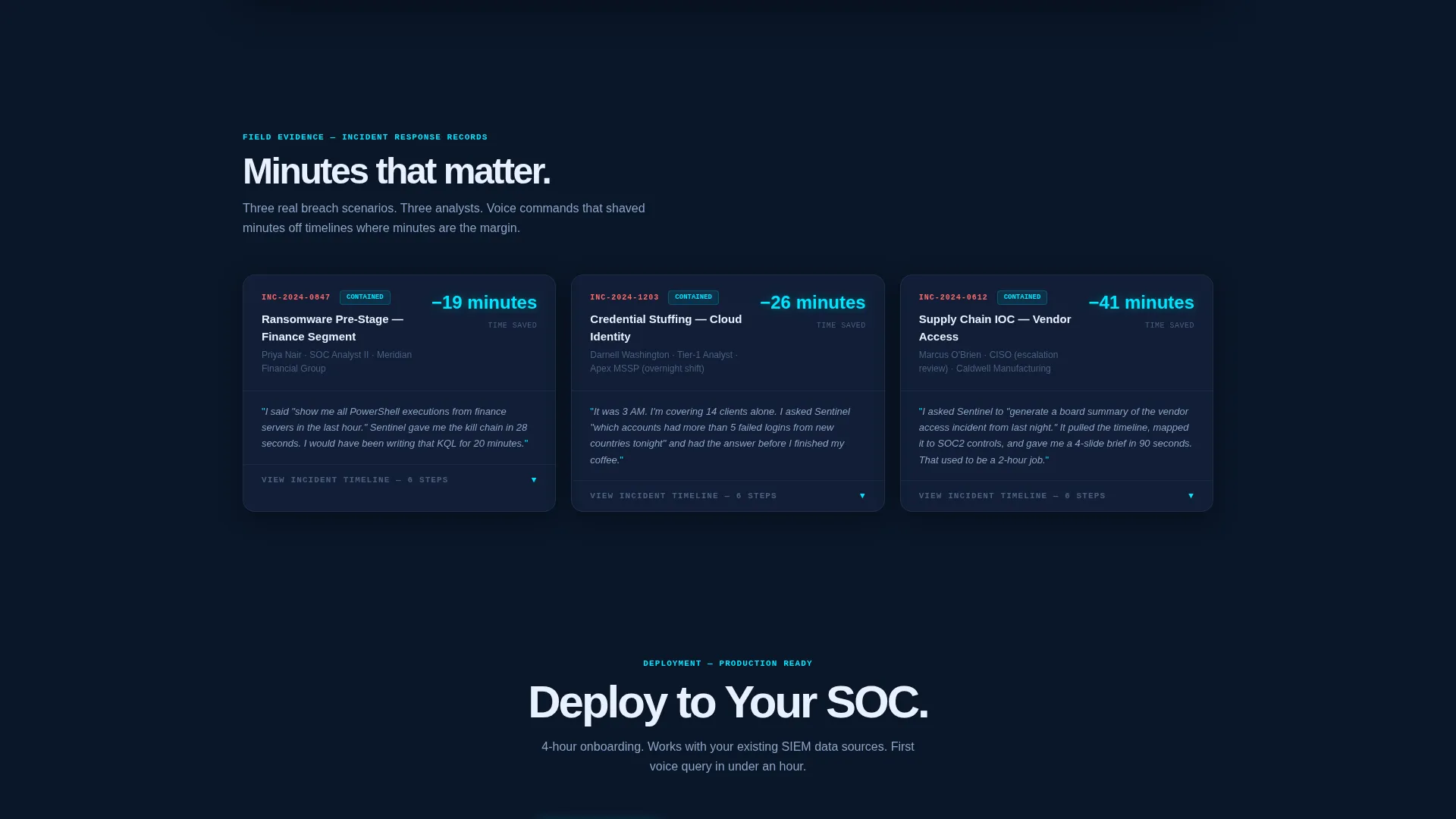
Analyst testimonials are formatted as step-by-step incident timelines, not generic quote cards. Each scenario narrates a real breach response and marks exactly where a voice command saved minutes. This structure makes social proof feel operational rather than promotional.
Stat Card Problem Section
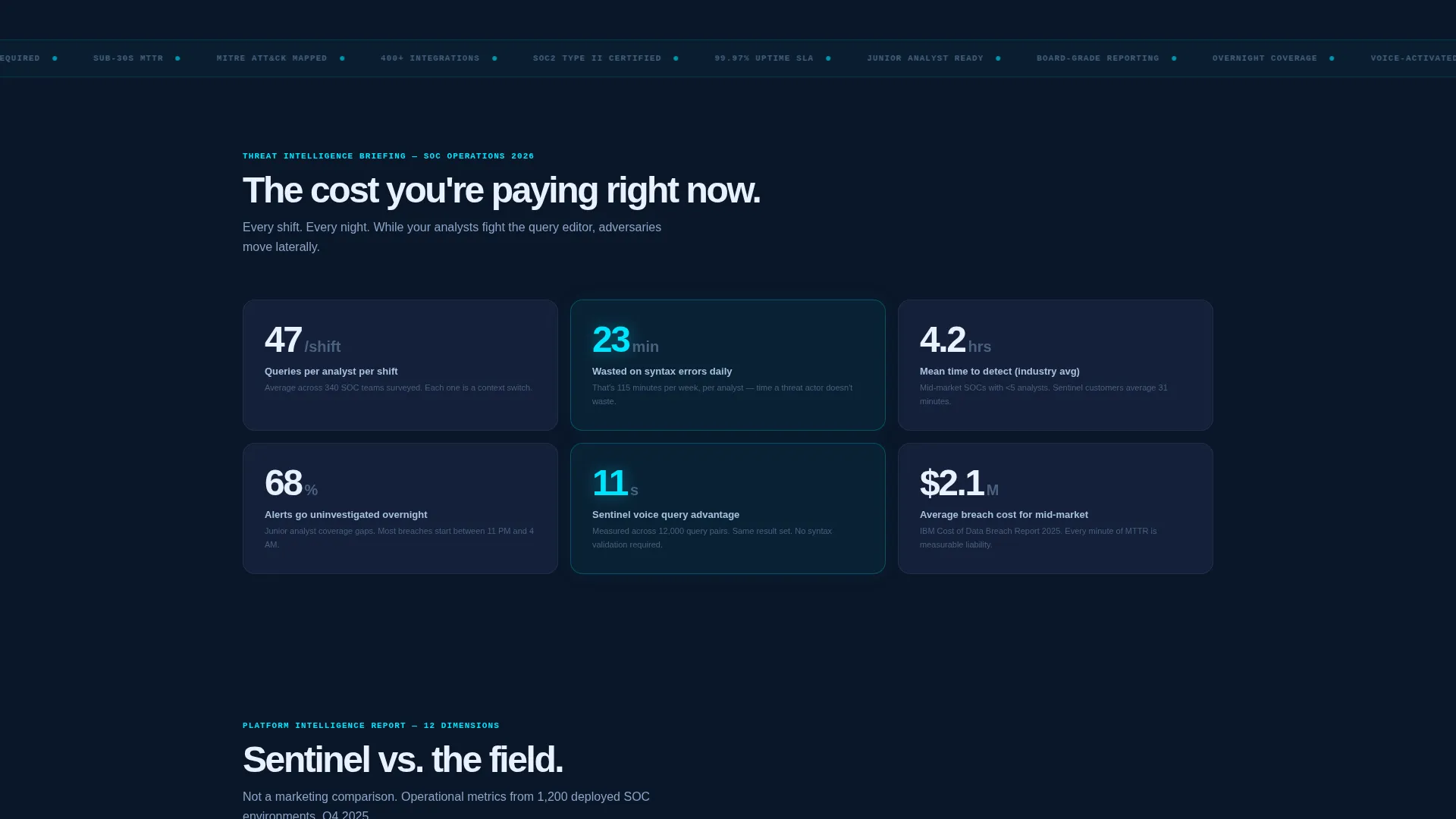
A dedicated stat card section opens the narrative with concrete data: the average SOC analyst writes 47 queries per shift and loses 23 minutes to syntax errors. Framing the problem with numbers before presenting the solution builds credibility and urgency in sequence.
Deployment call to action with Platform Toggle
The primary call-to-action block reads "Deploy to Your SOC" and includes a toggle between Docker, AWS Marketplace, and Azure Sentinel Plugin. A secondary button labeled "Try Voice Query in Sandbox" opens a browser-based demo that requires only a work email. This pairing removes both the technical and the trust objection at once.
Mobile Sticky Conversion Bar
A sticky bottom bar on mobile mirrors the primary call to action with "Get the Agent" so no scroll depth loses the conversion opportunity. This ensures the deployment path stays visible regardless of how far a visitor has scrolled.
Page sections overview
| Section | Purpose |
|---|---|
| Code versus Voice Header | Demonstrate query speed contrast immediately |
| Stat Card Block | Quantify the analyst productivity problem |
| Comparison Table Core | Benchmark voice SIEM across twelve dimensions |
| Incident Timeline Testimonials | Show voice commands saving minutes in real scenarios |
| Deployment call to action Block | Route prospects to install or sandbox trial |
| Mobile Sticky Bar | Keep conversion action visible at all scroll depths |
Design & branding system
The visual identity uses a Tech Glass theme built entirely on the Midnight Blue color system. Every surface is designed to feel like the tinted glass wall of a Tier-1 SOC at 2 AM.
- Core palette: deep terminal navy (#0A1628) for backgrounds, translucent panel blue (#1B2A4A) for glass panels, cold glass highlight (#A8C0E0) for text and borders, and alert-state cyan (#00E5FF) reserved for interactive elements and live data accents
- Glass-morphism user interface elements including frosted chat bubbles, backlit panel surfaces, and semi-transparent overlay cards that reflect faint data off dark planes
- Syntax-highlighted code blocks and animated data rows that reinforce the terminal-and-dashboard aesthetic throughout the scroll
Mobile & speed optimization
The template is structured to stay functional and conversion-ready on smaller screens without relying on desktop-only layout complexity.
- The sticky bottom bar on mobile keeps the primary call-to-action visible at every scroll depth, replacing the desktop inline call to action block
- Comparison table rows and stat cards are laid out to reflow cleanly into a single-column view on narrow viewports
- Glass-morphism panels and animated row entries are designed to maintain visual clarity even when reduced to mobile dimensions
How this template helps you convert
Every section of this landing page is sequenced to move a security buyer from skepticism to action without leaving gaps in the argument.
- The header delivers proof before the pitch, showing the eleven-second time advantage in a direct visual comparison that no headline alone can achieve.
- The comparison table does the technical convincing across twelve dimensions, so the prospect arrives at the call-to-action block already sold on the concept.
- The sandbox button paired with the platform toggle removes the final two objections: deployment complexity and the risk of committing before seeing real results.
Other information about this template
This template is built specifically for the voice-activated SIEM category and carries design and content choices that reflect that niche precisely. A few additional details are worth noting for teams evaluating it.
- The template style is a Comparison Table layout, which is well suited for enterprise software categories where prospects evaluate tools side by side before buying
- The creative direction follows an Industry Report format, meaning the scroll feels like reading a threat intelligence briefing rather than a conventional product page
- The header concept is a Code Snippet pairing, which immediately signals technical credibility to an audience of analysts and security engineers
- The landing page direction is optimized for App Download conversions, with deployment paths and a sandbox trial built into the primary call to action block
Theme
Tech Glass
Creative direction
Industry Report
Color system
Midnight Blue
Style
Comparison Table
Direction
App Download
Page Sections
Code Versus. Voice Header Block
Twelve-dimension Comparison Table
Incident Timeline Testimonials
Stat Card Problem Section
Deployment Call to Action with Platform Toggle
Mobile Sticky Conversion Bar
Related questions
Who is this landing page template designed for?
Can I customize the comparison table dimensions?
Does the sandbox call to action require a backend integration to work?
What deployment options does the call to action block support?
Is the Tech Glass design easy to rebrand?



