Healthcare Software Privacy Policy Website Template
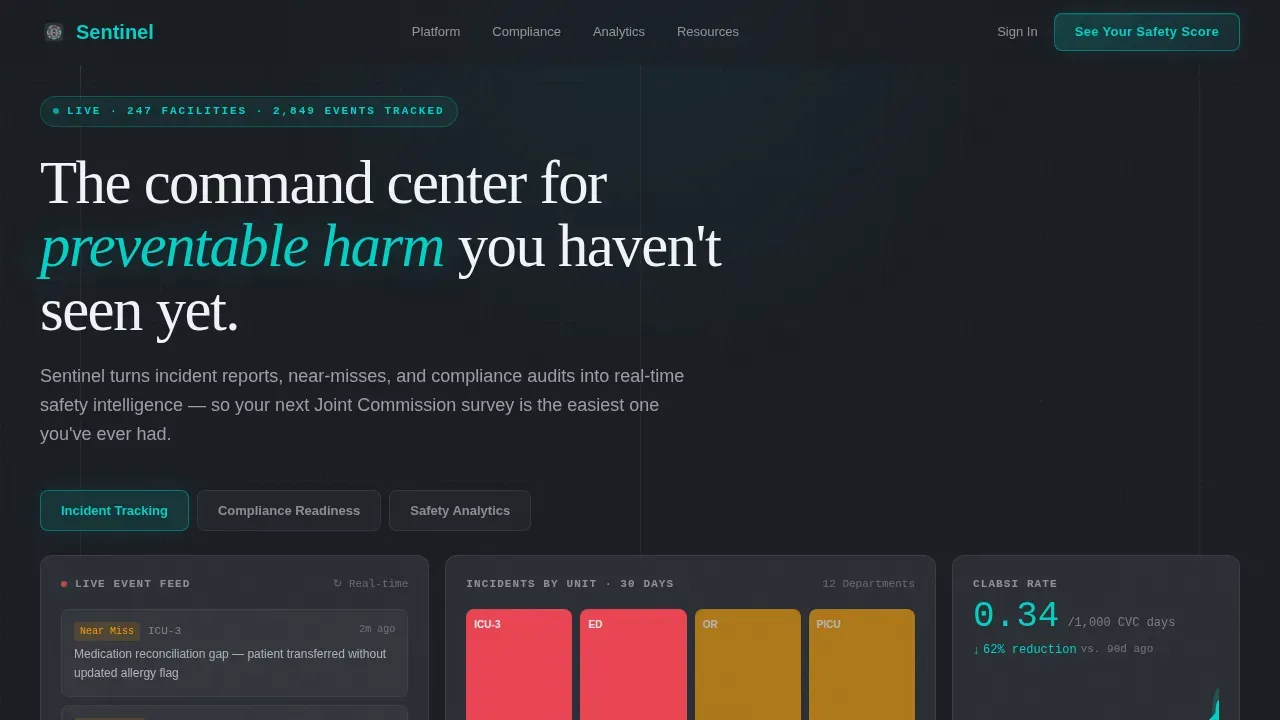
Sentinel is a bento grid landing page template for healthcare safety management platforms. It showcases real-time incident tracking, compliance readiness, and safety analytics inside a Data Command visual theme. Built for patient safety officers, risk managers, and CNOs, it uses a glassmorphic design system and a click-through flow centered on a guided safety score assessment.
by Rocket studio
Quick summary
Sentinel is a single-page landing page template designed for healthcare safety intelligence platforms. It uses a bento grid layout, a feature tab switcher header, and a stats-first scroll flow to prove platform value before naming features. The design feels like a live operations room, using smoked glass surfaces, teal live-metric accents, and vermillion escalation alerts.
Who this template is for
This template suits B2B software teams in the healthcare safety management space who need to convert skeptical, senior-level buyers. The layout speaks the language of clinical operations and regulatory accountability.
- Patient safety officers who monitor sentinel events across twelve or more departments
- Risk managers preparing for Joint Commission surveys and needing rapid compliance evidence
- Chief nursing officers who must demonstrate a measurable, data-backed culture of safety
What problem this template solves
Healthcare safety platforms often struggle to communicate urgency and credibility to buyers who live inside the risks every day. A generic software landing page fails when your audience is a risk manager refreshing dashboards at 2 AM.
- Buyers need to feel the weight of their current data gaps before they engage with a solution
- Feature-first layouts bury the stakes; this template leads with evidence and earns the click
- Standard templates cannot convey real-time monitoring, escalation alerts, and compliance readiness at a glance
What you get with this template
You get a fully structured, single-page layout built around a command center aesthetic. Every section is purposeful and sequenced to escalate urgency and drive one specific action.
- A feature tab switcher header with three bento grid states: Incident Tracking, Compliance Readiness, and Safety Analytics
- A stats-first scroll sequence that opens each section with an arresting statistic before revealing supporting features
- A click-through conversion flow anchored by a "See Your Safety Score" call to action and a secondary benchmark report download
Feature list
This template is built around purposeful components that serve the healthcare safety management context directly.
Feature Tab Switcher Header
The header contains three frosted glass tabs. Each tab reveals a different live dashboard state inside a reshuffling bento card arrangement. Switching tabs triggers a smooth glass-pane transition, keeping users oriented while surfacing different key performance indicators.
Stats-First Bento Sections
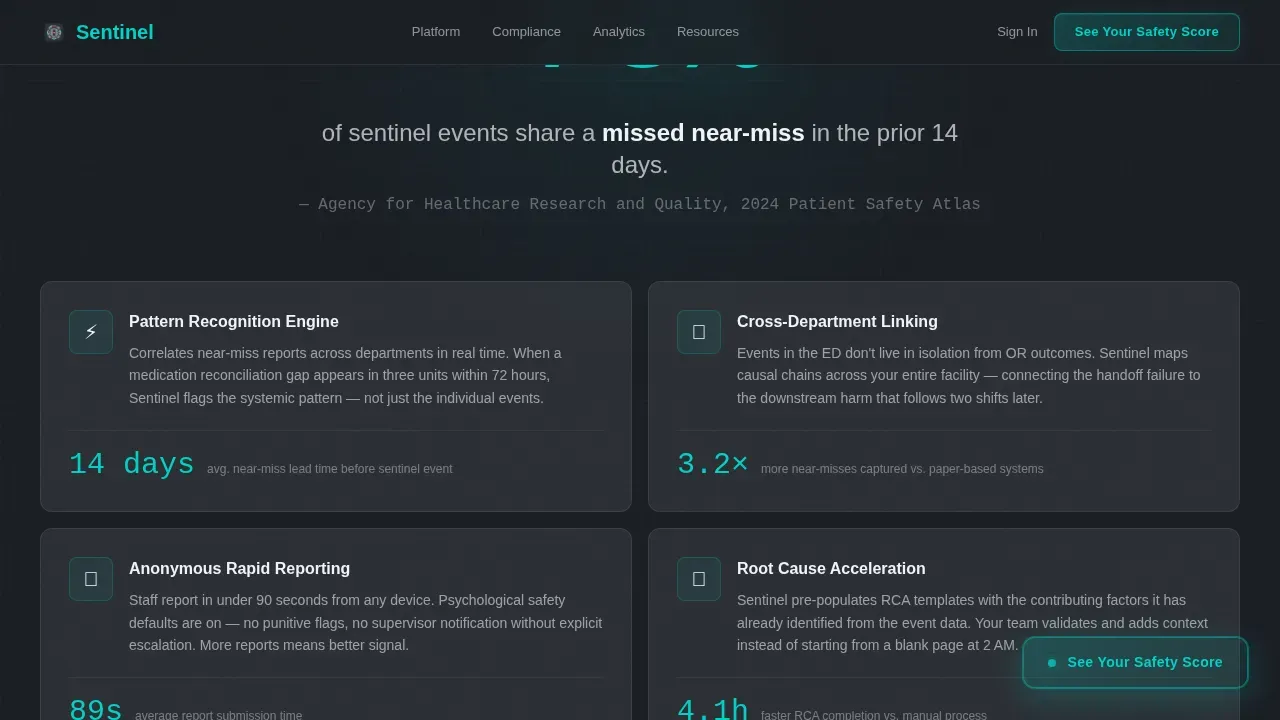
Each scroll section opens with a single oversized statistic before the surrounding cards populate with related features. This sequence proves value before naming it, escalating stakes from operational efficiency to regulatory survival to patient outcomes.
Click-Through Conversion Flow
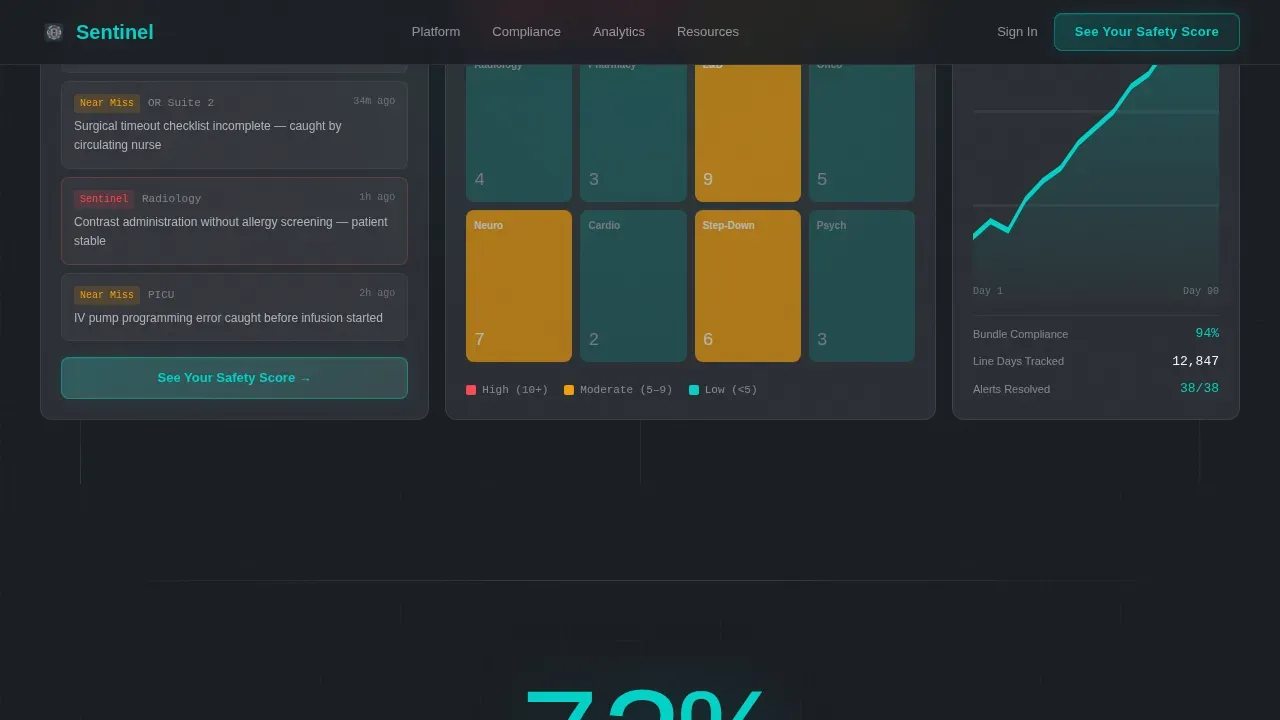
The primary call to action, "See Your Safety Score," appears first inside the header bento grid, then repeats as a persistent floating element after the second scroll section. No form appears on the page; the click routes users to a guided assessment.
Glassmorphic Data Command Design
Frosted card surfaces sit over a deep charcoal substrate. Clinical teal pulses on live metrics and active states. Vermillion is reserved exclusively for escalation indicators, creating an immediate visual hierarchy that mirrors real monitoring environments.
Monospaced Data Typography
Metrics and key numbers render in DM Mono for a clinical, data-terminal feel. Manrope handles interface text, and Fraunces carries the hero headline. The typographic system reinforces credibility for technical and clinical audiences alike.
Social Proof Section
Testimonials from patient safety officers, CNOs, and risk managers appear alongside facility-level outcome metrics and Joint Commission readiness scores. This section grounds the platform's claims in real-world accountability and peer recognition.
Page sections overview
| Section | Purpose |
|---|---|
| Hero Tab Switcher | Shows three live dashboard states: Incident Tracking, Compliance Readiness, Safety Analytics |
| Near-Miss Stats Block | Opens with "73% of sentinel events share a missed near-miss" and reveals intelligence features |
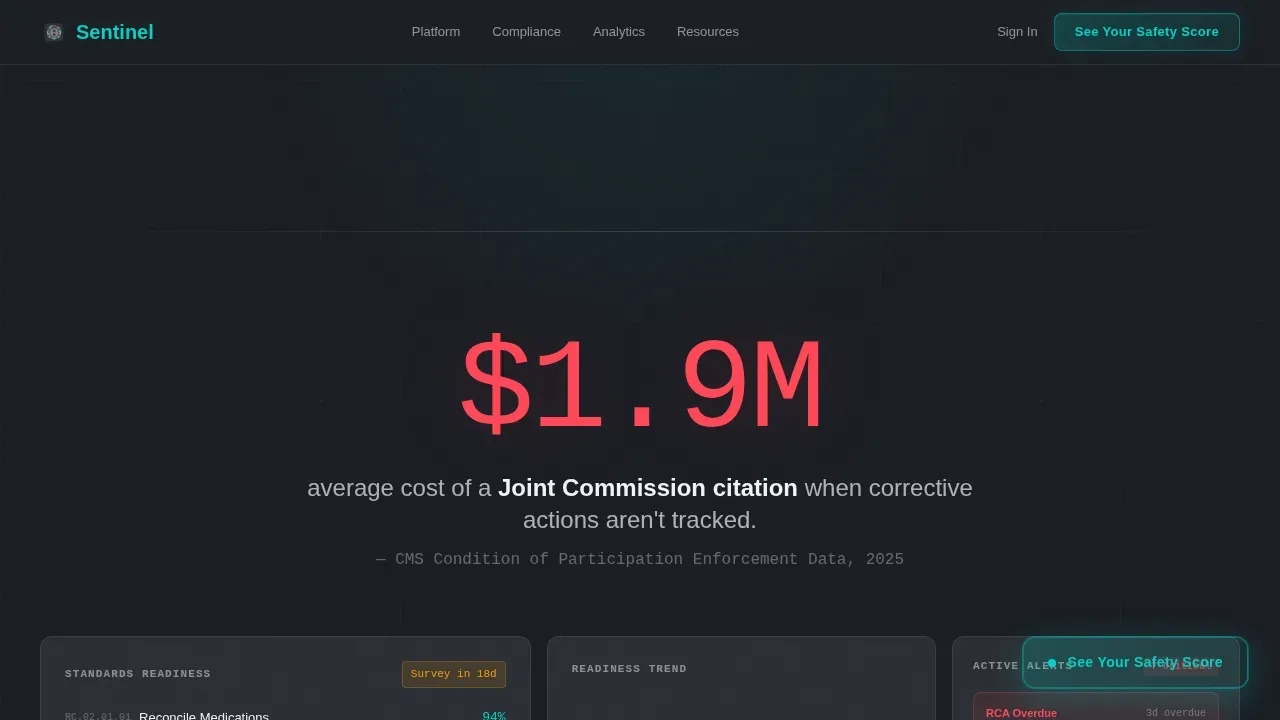
| Compliance Intelligence | Displays survey readiness scores and overdue corrective action tracking with escalating stakes |
| Social Proof | Presents role-specific testimonials and aggregate outcome metrics from real facility contexts |
| Final Call to Action | Drives Safety Score assessment click and captures email via Benchmark Report download |
| Footer | Uses a horizontal flow pattern with platform navigation and secondary links |
Design & branding system
The visual identity follows a Data Command theme. Every surface feels like looking through layers of smoked glass in a clinical monitoring station, with borders catching light like surgical steel edges.
- Color palette: deep charcoal substrate (#1A1D23), frosted translucent card surfaces (white at 8% opacity with 12px blur), clinical teal accent (#00D2C6), and critical alert vermillion (#FF4757)
- Typography stack: Fraunces for the hero headline, Manrope for interface copy, DM Mono for all data and metric displays
- Animation system: spotlight card effects, pulsing live metrics, beam drop animations, scroll-triggered section reveals, and glass-pane tab transitions
Mobile & speed optimization
The template is designed desktop-first, reflecting the operations room context where dashboard-heavy layouts demand screen real estate. A mobile fallback ensures usability across devices.
- Desktop-first layout prioritizes the bento grid experience for users working in clinical or administrative command center environments
- Client Components handle the tab switcher and animations; Server Components cover static sections to balance interactivity with load efficiency
- The floating call to action persists across scroll depth on both desktop and mobile, keeping the primary conversion path visible at all times
How this template helps you convert
This template is engineered around one conversion goal: get the visitor to click "See Your Safety Score." Every layout decision serves that outcome.
- The stats-first scroll sequence builds accumulated evidence, making visitors feel the cost of their current visibility gaps before they ever read a feature name
- The persistent floating call to action removes friction by keeping the primary action visible without requiring the user to scroll back up
- The secondary "Download the 2025 Patient Safety Benchmark Report" text link captures email addresses from leads not yet ready to engage directly, extending the conversion funnel without adding form friction to the main page
Other information about this template
This template is built to present and sell platforms that share architectural patterns with cloud-native security information and event management solutions. The layout logic, data display patterns, and automation storytelling draw from the same principles that govern enterprise-grade monitoring environments.
- Microsoft Sentinel is a cloud-native, artificial intelligence-powered security information and event management solution. The Sentinel template mirrors its real-time monitoring philosophy in a healthcare safety context.
- Azure Sentinel and Microsoft Sentinel both rely on connecting data sources, configuring analytics rules, and managing event management workflows. This template's tab switcher and bento layout visually communicate those same layered data relationships.
- Connecting data sources is critical for aggregating security data. The template's Incident Tracking dashboard state reflects this principle by showing live feeds from multiple sources simultaneously.
- The Log Analytics Workspace concept, central to Microsoft Sentinel, parallels the template's unified dashboard approach: collect data from various sources, normalize it, and surface insights in one environment.
- Configuring analytics rules in Microsoft Sentinel involves setting criteria for identifying significant security events. The template's compliance readiness tab echoes this by surfacing overdue corrective actions and survey readiness scores as active alerts.
- Playbook automation is a core Microsoft Sentinel capability. Automated responses triggered by analytics rules allow security teams to streamline incident response without manual intervention for every alert.
- Built-in connectors in Microsoft Sentinel allow organizations to bring security data from Azure services, network devices, firewall logs, and on premises systems into a single view. The template's multi-tab architecture communicates the same breadth of data ingestion.
- Threat intelligence integration, machine learning, and threat hunting capabilities make Microsoft Sentinel effective at detecting sophisticated threats. The template's stats-first layout is designed to communicate this level of analytical depth.
- Enabling Microsoft Sentinel in the Azure portal requires preparing an Azure subscription, creating a resource group, and linking a Log Analytics Workspace. The deployment process is structured to align with your existing Azure environment and security needs.
- Custom connectors extend Microsoft Sentinel coverage to systems not covered by built-in connectors, supporting on premises and hybrid infrastructure alongside cloud-based data sources.
- Security orchestration capabilities in Microsoft Sentinel reduce false positives and help security analysts focus on genuine potential threats. Playbook configuration enables automated responses that scale with your security operations volume.
Theme
Data Command
Creative direction
Stats-First Impact
Color system
Glassmorphic
Style
Bento Grid
Direction
Click-Through
Page Sections
Feature Tab Switcher Header
Stats-first Scroll Sequence
Persistent Click-through Call to Action
Glassmorphic Command Center Design
Monospaced Data Typography System
Role-specific Social Proof Section
Related questions
What type of platform is this template designed to showcase?
Can I customize the color palette and typography?
Does this template include a lead capture form?
How does the feature tab switcher work?
Is this template suitable for desktop-heavy audiences?



