Fitness Digital Presence Directory Website Template
Gymatlas is a fitness directory landing page template built around a dashboard and data grid layout. It features an interactive map-and-list header, real-time workout filters, a studio comparison panel, and a trending classes ticker. The design uses a dark, energized Teal Catalyst palette to drive app downloads without a single form to fill out.
by Rocket studio
Quick summary
Gymatlas is a single-page fitness directory landing page template. It combines an interactive map preview, filterable workout grids, a drag-and-drop studio comparison panel, and a trending classes ticker into one energized, scroll-driven experience. The goal is simple: let visitors use the product before they download it.
Who this template is for
This template is built for founders, developers, and product teams launching a fitness directory or gym listing app. If your product helps people find local gyms, studios, or trainers, this landing page is designed to earn the install.
- App developers building a gym finder or fitness listing platform
- Fitness marketplace founders who need a high-converting download page
- Digital agencies producing launch pages for health and wellness directory clients
What problem this template solves
Finding the right gym or fitness class in a new city is surprisingly frustrating. People scroll through generic search results, hit paywalled reviews, and still show up to the wrong studio on the wrong day. A plain landing page that just lists features does not fix that trust gap.
- Visitors leave before downloading because they cannot see what the app actually does
- Static screenshots and bullet-point feature lists fail to communicate a dynamic product
- No clear, frictionless path from interest to app store install
What you get with this template
You get a fully designed, interaction-rich landing page that doubles as a live product demo. Every section is built to pull visitors deeper into the experience until downloading feels like the obvious next step.
- An interactive header with a dark-mode city map, tappable pins, and a scrollable studio card stack
- Three progressive explorer sections covering workout filters, studio comparison, and trending classes
- A persistent mobile bottom bar and a desktop "Text Me the Link" secondary conversion path
Feature list
This template ships with six purpose-built components that work together to demonstrate the product and drive downloads.
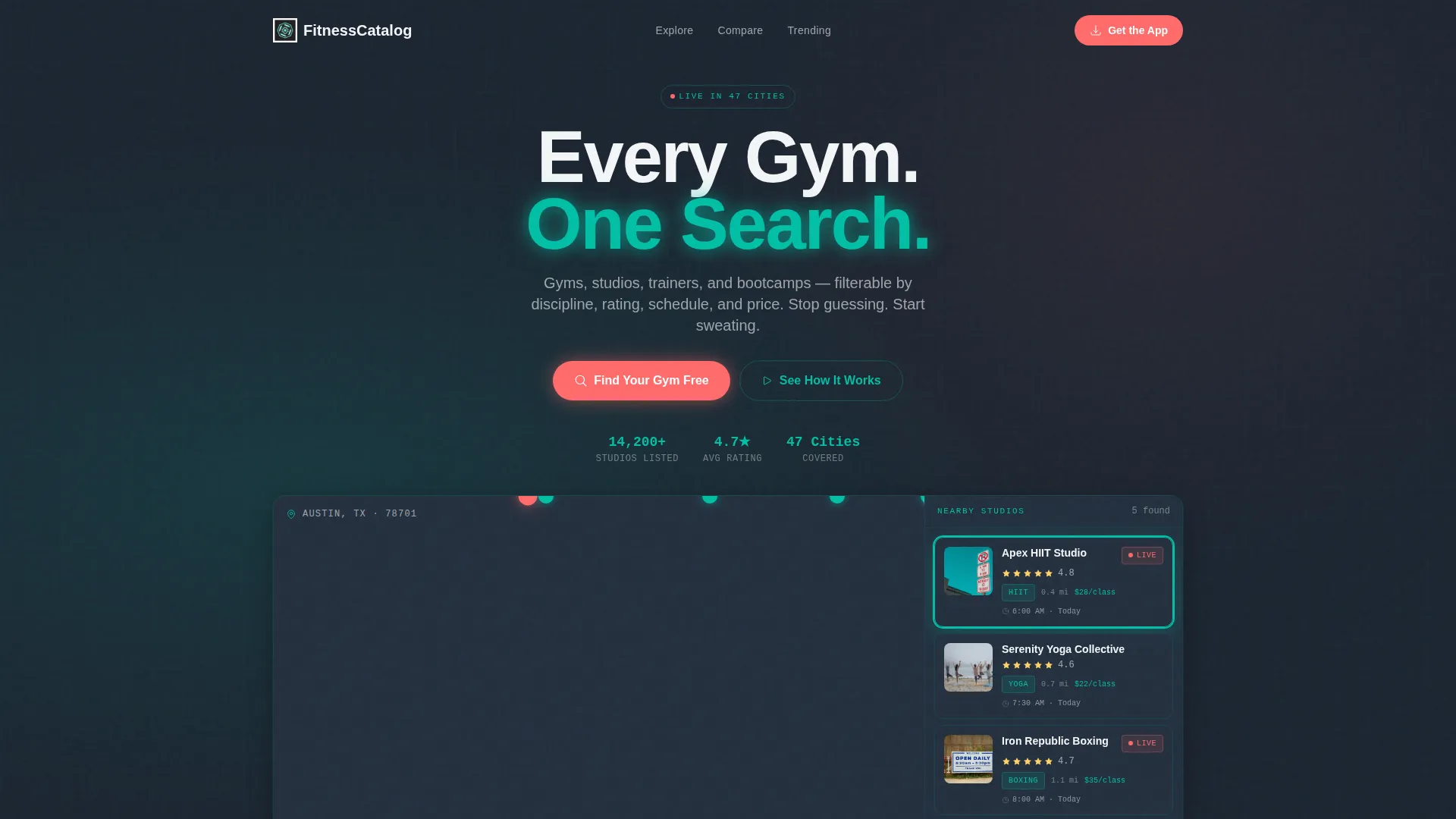
Interactive Map and List Header
The header renders a functioning micro-version of the directory directly in the browser. A dark-mode city map sits on the left with location pins. A scrollable card stack on the right shows studio names, star ratings, class tags, and distance badges. Tapping a pin highlights the matching card and slides up a mini-profile with hours, photos, and a "View in App" prompt.
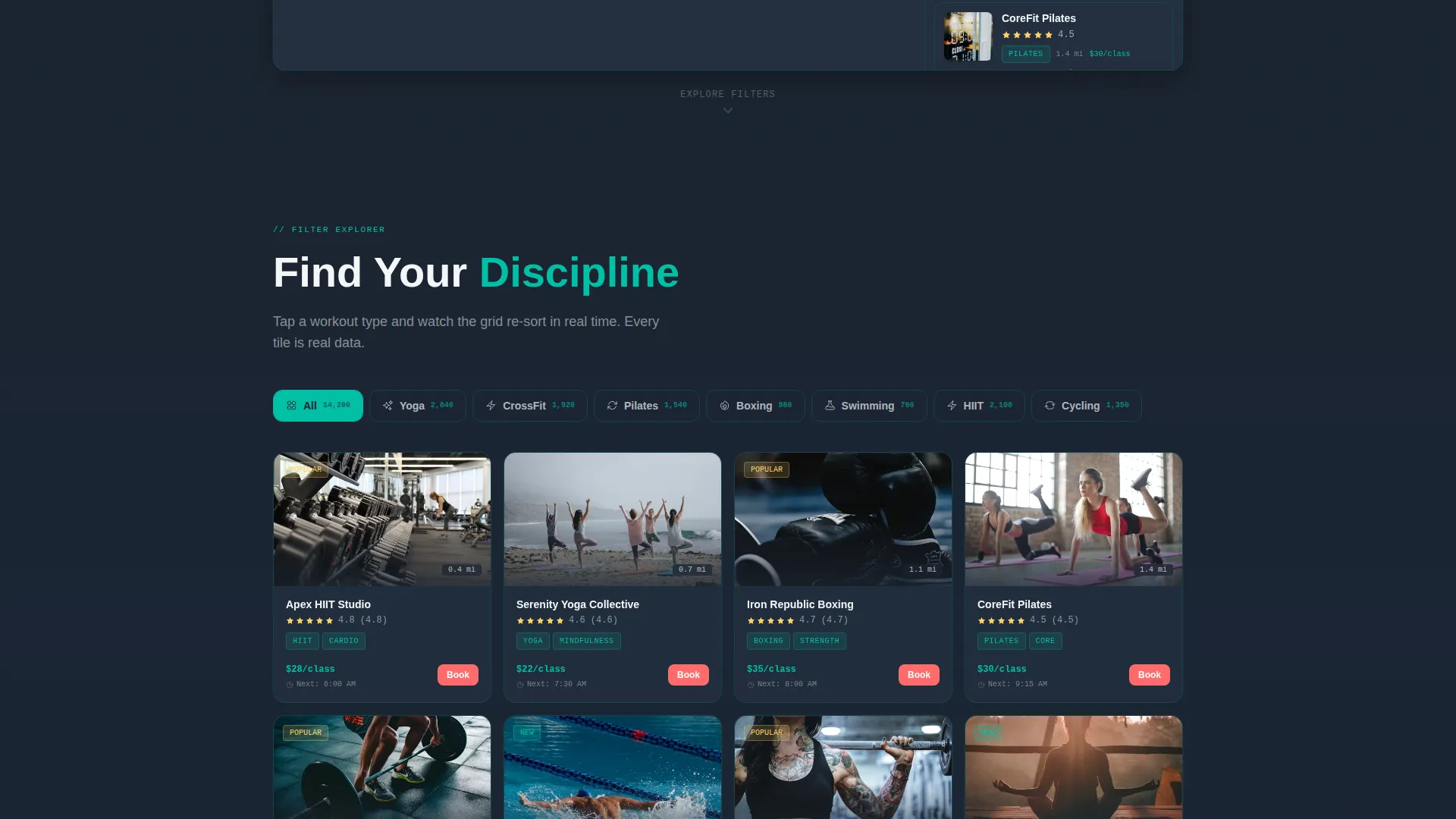
Real-Time Workout Filter Grid
Section one displays workout-type tiles for categories such as Yoga, CrossFit, Pilates, Boxing, and Swimming. Hovering over a tile triggers a ripple effect and re-sorts the studio grid below in real time. Visitors interact with the data immediately, which proves the directory is live and populated.
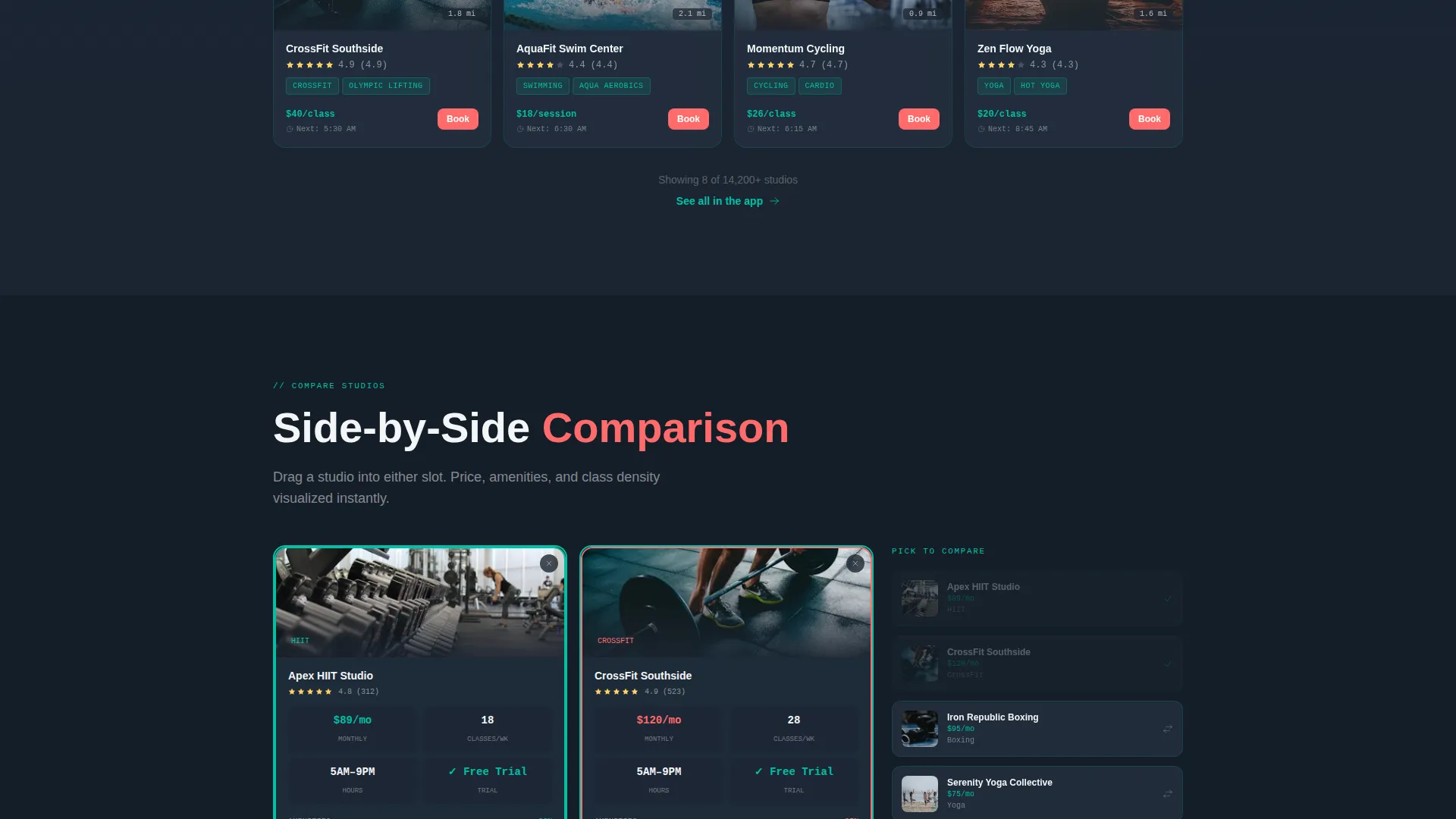
Drag-and-Drop Studio Comparison Panel
Section two lets visitors drag two studio cards into a side-by-side comparison view. Price, amenities, and class density are visualized using compact bar charts. The interaction is tactile and confidence-building, showing that the app holds the detail they need before they commit.
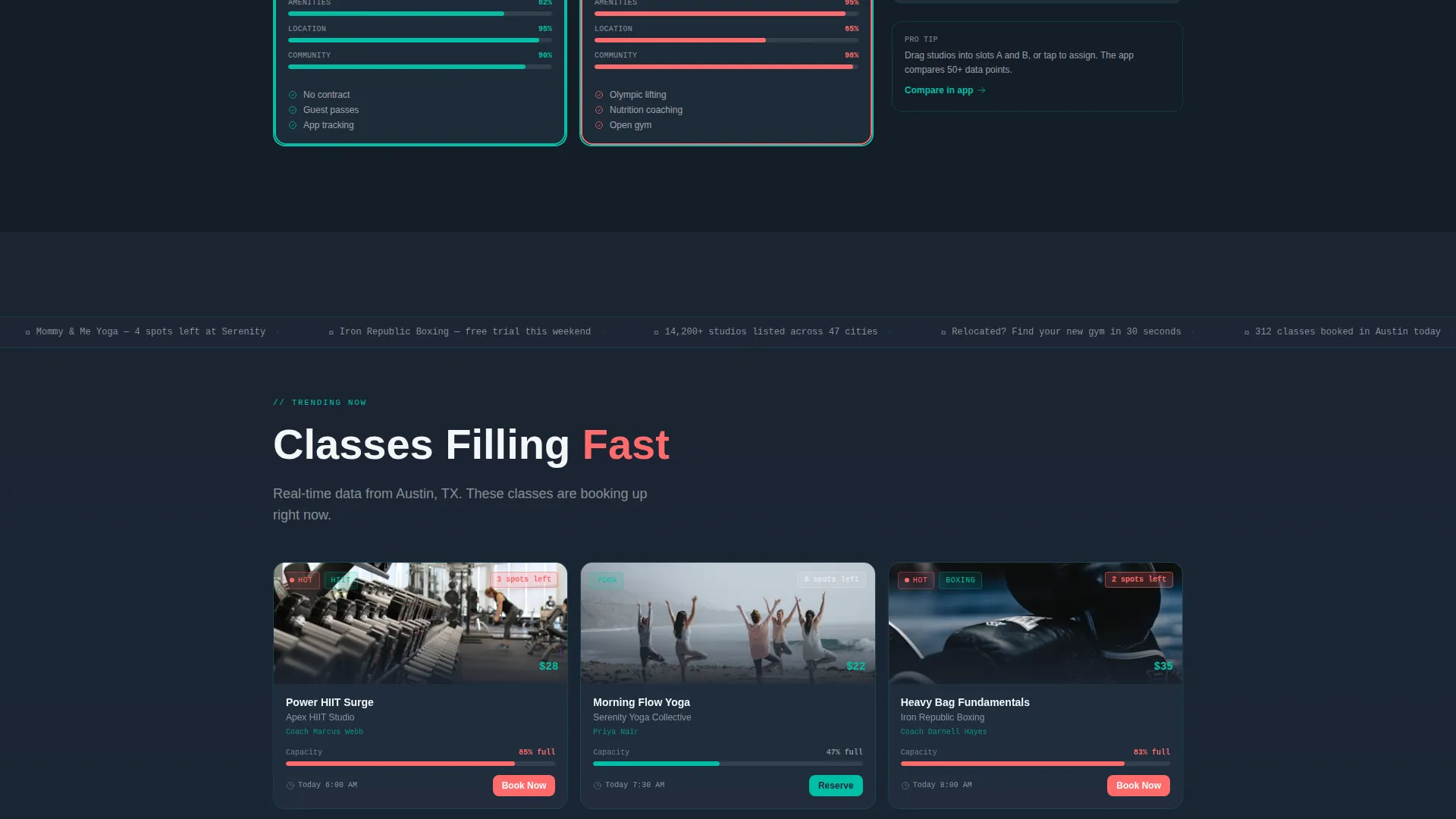
Trending Classes Ticker
Section three surfaces trending classes in the visitor's city as a horizontal scrolling ticker. It layers social proof alongside a sense of urgency, showing what is popular right now and creating the feeling that others are already choosing their next workout.
Persistent App Download Bar
On mobile, a fixed bottom bar mirrors the native app-install banner pattern. It carries the primary call to action, "Find Your Gym Free", paired with App Store and Google Play badges. There are no form fields; the tap routes directly to the appropriate store.
Desktop "Text Me the Link" Path
Desktop visitors see a secondary conversion option: a single phone-number input that sends the download link to their phone. It removes the friction of searching for the app manually and keeps the momentum built during the interactive scroll.
Page sections overview
| Section | Purpose |
|---|---|
| Interactive Map Header | Demonstrates the app live in browser |
| Workout Filter Grid | Lets visitors sort by discipline in real time |
| Studio Comparison Panel | Shows side-by-side studio detail |
| Trending Classes Ticker | Adds social proof and urgency |
| App Download Bar | Drives installs via persistent mobile call to action |
| Desktop Download Path | Converts desktop visitors via SMS link |
Design & branding system
The visual identity follows a Dynamic Motion theme powered by the Teal Catalyst color system. The palette is built to feel like the moment the cycling studio lights dim and the neon strips fire up: dark, focused, and impossible to ignore.
- Deep gym-floor charcoal (#1B2430) as the primary background, electric teal (#00BFA6) for active states and pulse indicators, and chalk-dust white (#F4F6F8) for card surfaces
- Searing coral (#FF6B6B) used exclusively for calls to action and live-class badges to draw the eye exactly where conversion happens
- Dashboard and data grid layout with card-based components, ripple hover effects, and compact bar chart data visualizations throughout
Mobile & speed optimization
The template is designed with a mobile-first interaction model. The bottom app-download bar mirrors native app-install banner behavior so the install prompt always stays in reach.
- Persistent bottom bar on mobile keeps the primary call to action visible at every scroll depth
- Touch-friendly pin tapping, card swiping, and tile filtering work naturally on smaller screens
- Horizontal ticker and card stack layouts adapt to narrow viewports without losing readability
How this template helps you convert
The conversion strategy is built around one principle: let visitors use the product before they install it. By the time someone reaches the third interactive section, opening the app feels like resuming a session rather than starting one.
- The interactive header gives visitors an immediate, hands-on preview of the directory so trust is built in the first few seconds of the visit.
- Progressive interactive sections deepen engagement at each scroll step, moving visitors from curiosity to confidence before they ever see the download prompt.
- The frictionless dual conversion path, a persistent mobile bar and a desktop SMS option, removes every remaining barrier between interest and the app store.
Other information about this template
This template is categorized under Technology with a subcategory focus on Fitness Digital Presence, making it directly suited for the fitness directory and listing site niche. It is built as a single landing page using a Dashboard and Data Grid template style.
- The template is part of the Gymatlas product line, designed specifically for energized fitness directory experiences
- The Interactive Explorer creative direction and Interactive Preview header concept are core to how this template tells its product story
- The App Download landing-page direction means every design decision, from color use to section order, exists to earn the install
Theme
Dynamic Motion
Creative direction
Interactive Explorer
Color system
Teal Catalyst
Style
Dashboard/Data Grid
Direction
App Download
Page Sections
Interactive Map and List Header
Real-time Workout Filter Grid
Drag-and-drop Studio Comparison
Trending Classes Ticker
Persistent Mobile App Download Bar
Desktop SMS Download Path
Related questions
Does this template require a real database to work?
Can I change the workout type categories in the filter grid?
Is this template suitable for a trainer listing site, not just gyms?
How does the mobile app download bar work?
Can desktop visitors also receive the download link?



