Space Station Engineering Landing Page Template
Habitat is a split-screen landing page template built for space station and habitat engineering firms. It pairs a mission-control Dashboard Pro aesthetic with a Charcoal and Amber color system, stats-first scroll storytelling, and a lead-generation flow that moves aerospace contractors, private station ventures, and national agencies from first impression to qualified inquiry.
by Rocket studio
Quick summary
Habitat is a 50/50 split-screen landing page template designed for pressurized module engineering firms. It leads every scroll with a bold amber metric, then reveals the engineering story behind it on the right panel. The result feels like walking through a real integration facility, with each section building confidence until the visitor submits a mission brief or downloads the spec sheet.
Who this template is for
This template is built for technically credible firms that need to earn trust fast. Visitors arrive knowing what they are looking for, and the page has to match that expertise level immediately.
- Habitat module designers and systems integrators pitching orbital and lunar contracts
- Private commercial station ventures that need to demonstrate engineering readiness to investors and partners
- National space agency procurement teams and aerospace contractors building sovereign habitat programs
What problem this template solves
Generic agency templates cannot carry the weight of a life-support engineering pitch. Buyers in this space evaluate credibility in seconds, and a template that looks like a marketing brochure will lose that evaluation immediately.
- Firms struggle to communicate deeply technical credentials without overwhelming visitors with walls of copy
- Lead capture forms on standard templates do not qualify mission type, module class, or timeline before a conversation begins
- Most templates lack the visual language that signals precision engineering to a technically trained audience
What you get with this template
You get a complete single-page lead generation flow structured around documentary photography, live-style telemetry callouts, and two distinct conversion paths. Every layout decision serves the mission-critical audience.
- A full 50/50 split-screen layout where the left panel locks a rotating amber metric and the right panel shows the engineering story behind it
- A primary "Request Mission Brief" call-to-action form collecting mission type, module class, target orbit date, and a secure preliminary requirements document upload field
- A secondary "Download Habitat Spec Sheet" gate requiring only name and agency email, giving early-funnel visitors a lower-commitment entry point
Feature list
This section describes the core components built into the Habitat template.
Stats-First Split Screen Layout
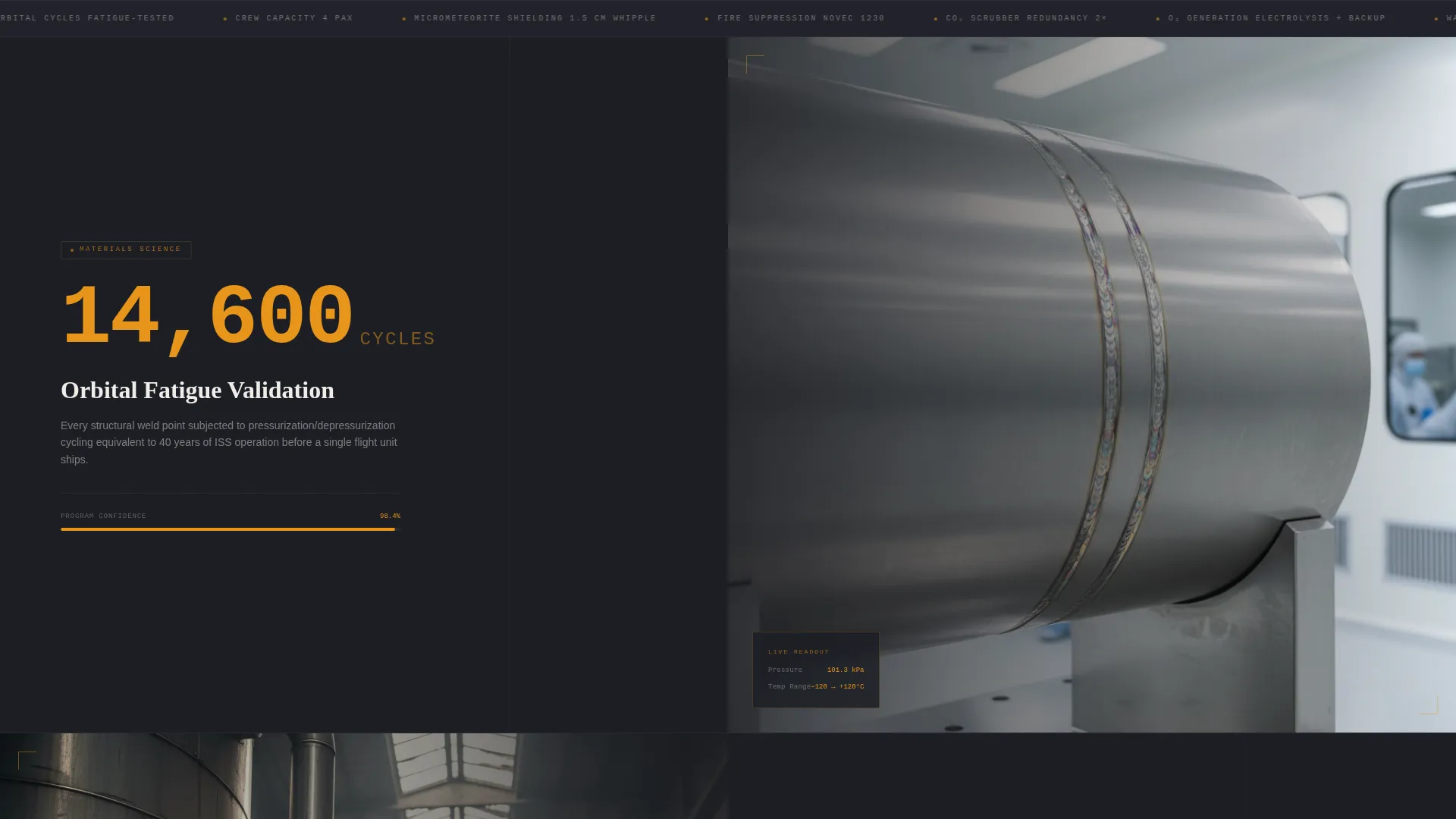
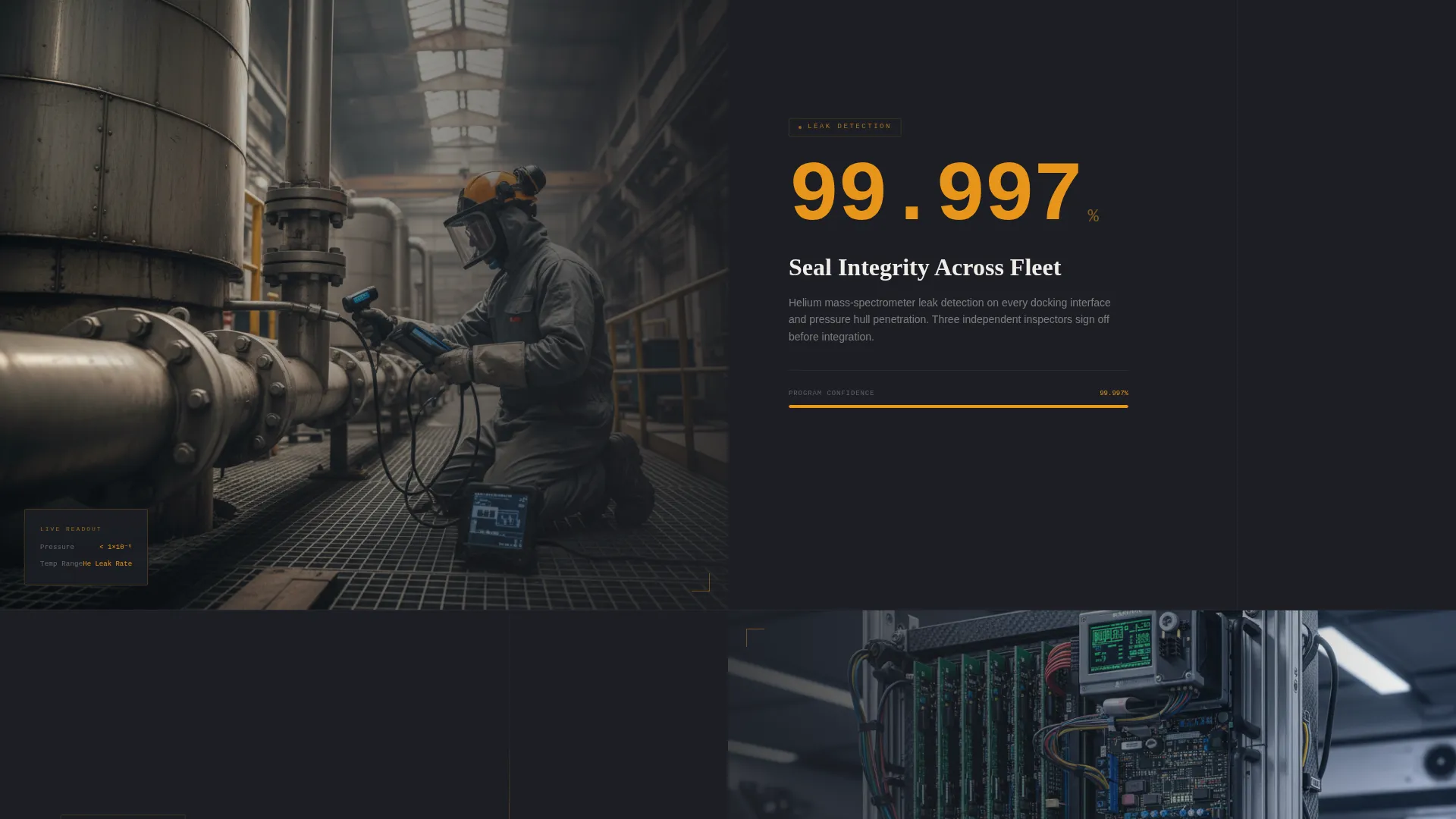
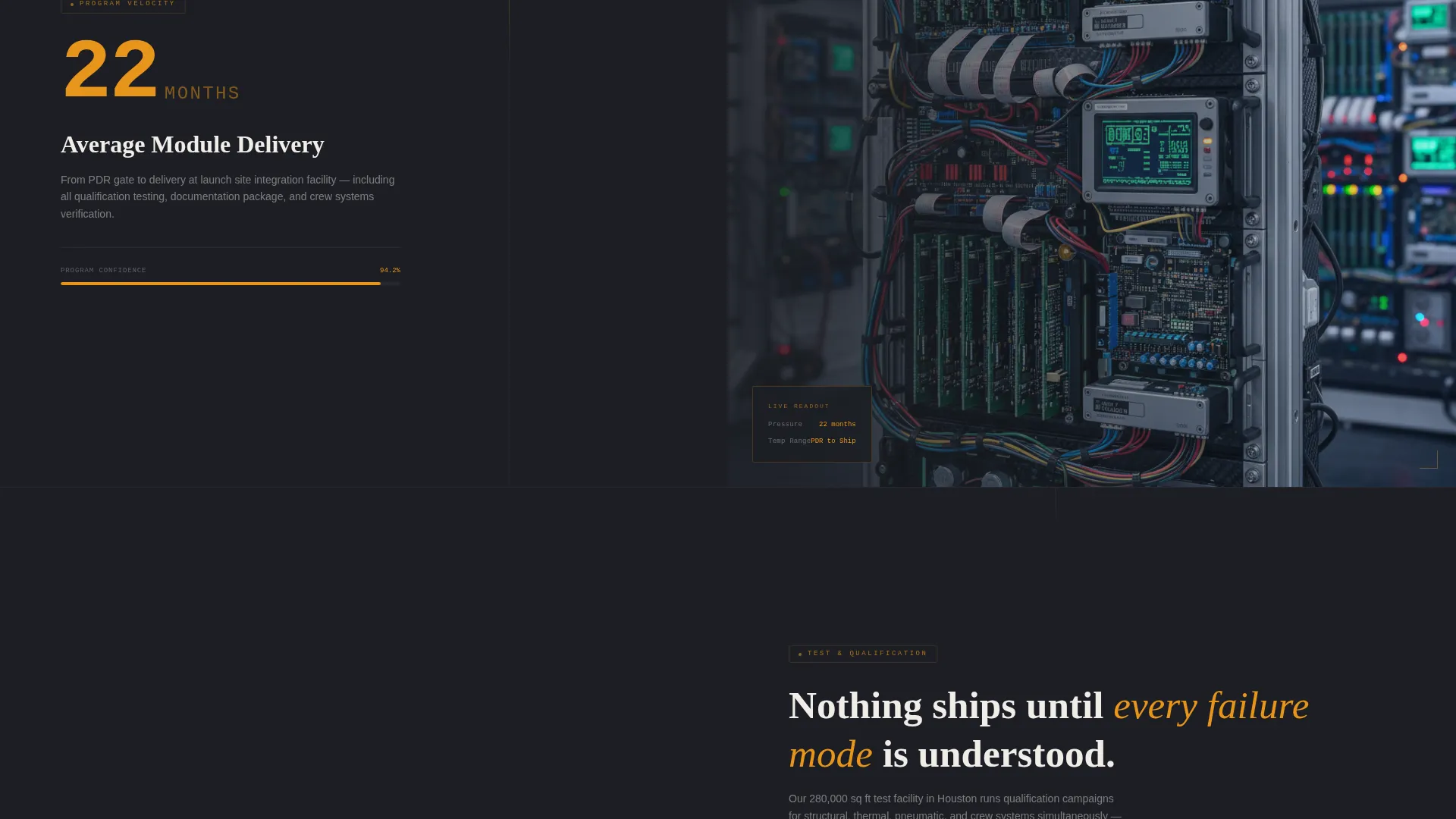
Each scroll section leads with a single bold amber statistic on the left panel. The right panel then reveals the documentary context: thermal cycling rigs, helium leak-detection bays, and integration timelapse footage. The pairing lets visitors absorb proof before narrative.
HUD Overlay Header
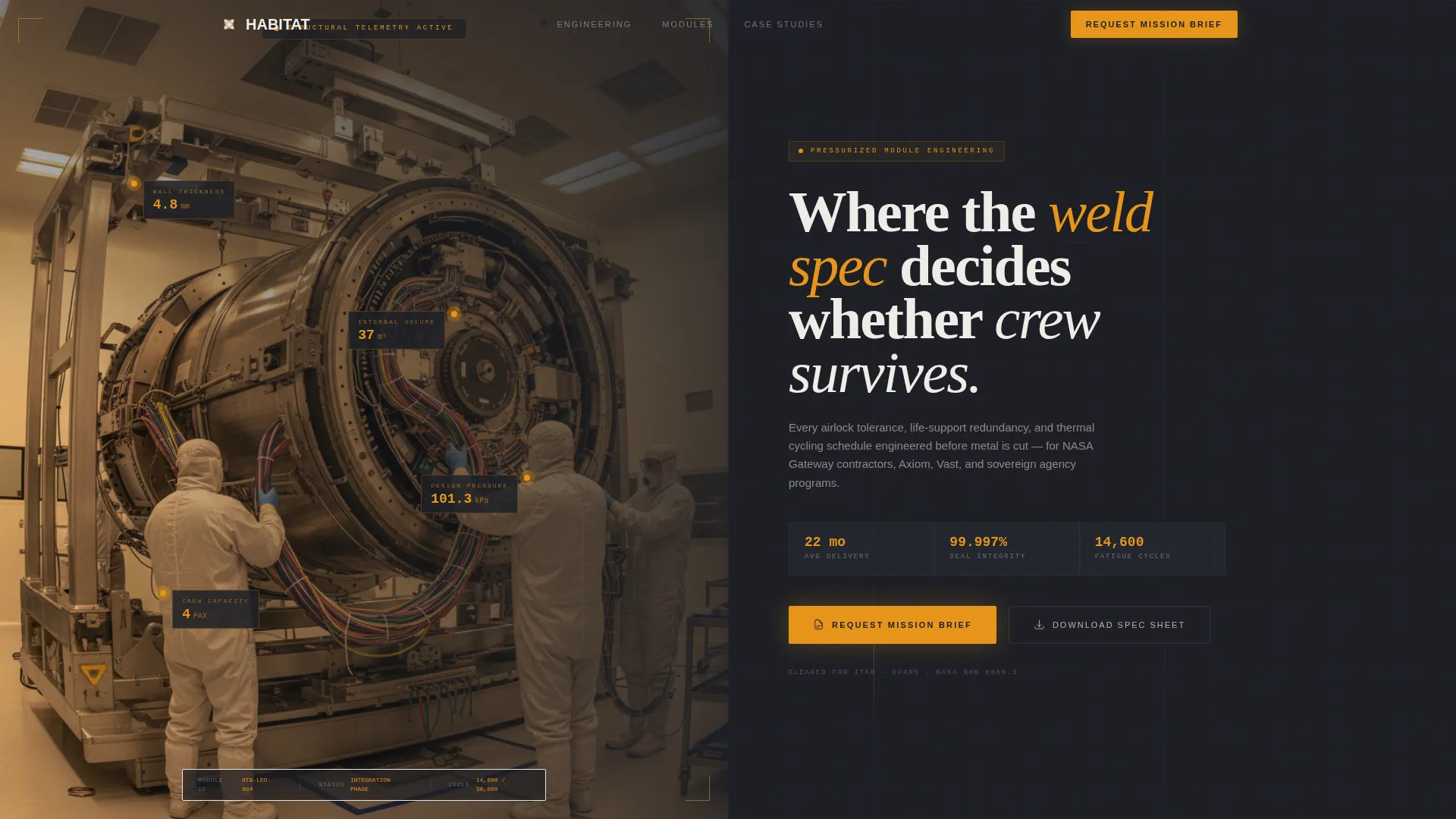
The header uses a behind-the-scenes clean-room photograph shot from inside the barrel of a habitat module. After two seconds, a translucent heads-up display overlay fades in, pinning live-style stat callouts to structural elements such as wall thickness, internal volume, design pressure, and crew capacity.
Dual Conversion Path Forms
The primary form captures four qualified fields: mission type (low Earth orbit commercial, lunar surface, or deep-space transit), module class (crew quarters, laboratory, or logistics), target orbit date, and a document upload field for preliminary requirements. The secondary gate collects name and agency email in exchange for the spec sheet.
Escalating Narrative Structure
Section stakes rise with every scroll. The page moves from materials science to full-system integration to on-orbit deployment simulation. This progression keeps technically trained visitors engaged and signals that the firm can speak to every phase of a habitat program.
Dashboard Pro Visual Theme
The entire page uses the Dashboard Pro theme with a Charcoal and Amber color system. Deep bulkhead charcoal backgrounds, mid-tone panel gray surfaces, caution amber data points, and EVA-white primary text create a mission control console atmosphere that resonates with the target audience.
Amber call to action Placement Strategy
The "Request Mission Brief" call-to-action appears in amber on charcoal at the header fold and again after the final case-study split screen. Repeating the call to action at two high-attention moments increases the chance a qualified visitor acts before leaving the page.
Page sections overview
| Section | Purpose |
|---|---|
| Header with HUD | Establish visual credibility and pin live-style stat callouts to the module photograph |
| Rotating Metrics Panel | Lock a key performance figure on the left while the right panel reveals engineering context |
| Materials Science Split | Introduce fatigue testing data paired with thermal cycling laboratory photography |
| Systems Integration Split | Present seal integrity figures alongside helium leak-detection bay documentation |
| Deployment Simulation Split | Show on-orbit deployment simulation data with integration timelapse imagery |
| Case Study Split | Deliver a final program story that builds complete trust before the closing call to action |
| Primary Lead Form | Capture mission type, module class, target orbit date, and requirements document upload |
| Spec Sheet Gate | Offer spec sheet download gated behind name and agency email for early-funnel visitors |
Design & branding system
The visual identity is built around a mission control console atmosphere at low-light working hours. Every color and typographic choice reinforces the sense that this firm operates at the highest precision level.
- Deep bulkhead charcoal (#1C1E24) for page backgrounds, mid-tone panel gray (#2E3039) for card and panel surfaces, caution amber (#E8951A) for every data point and interactive element, and EVA-white (#F0EDE8) for primary body text
- The behind-the-scenes header photograph is shot at shoulder height with a slightly wide-angle lens looking down the interior barrel of the module, giving depth and a sense of scale
- Amber overhead work lights in the photography align with the on-screen color palette, making the template feel like a unified visual system rather than a styled overlay
Mobile & speed optimization
The Habitat template is designed so the split-screen layout translates cleanly to smaller viewports without losing the data-forward hierarchy. Structural choices support this throughout.
- On mobile, the 50/50 split stacks vertically so the metric leads and the documentary context follows, preserving the stats-first reading order
- The HUD overlay is lightweight by design, fading in after two seconds without blocking the header photograph on any viewport
- Form fields are touch-friendly and clearly labeled, reducing friction for visitors who arrive on a tablet or phone from a conference or procurement review
How this template helps you convert
The Habitat template is engineered around a single goal: moving technically credible visitors from curiosity to qualified contact. Every layout and copy decision supports that path.
- The header fold places "Request Mission Brief" in amber at the first point of attention, so visitors who already know they need a conversation can act immediately without scrolling.
- The escalating split-screen narrative deepens commitment with each section, so visitors who need more evidence arrive at the closing call to action already convinced by the data they have seen.
- The dual conversion path captures both ready-to-engage prospects and early-funnel researchers in the same session, qualifying both groups by organizational affiliation before any live contact.
Other information about this template
This template sits inside the Aerospace and Defense category under the Space and Satellite subcategory, specifically targeting the Space Station and Habitat niche. It carries an intersection match score of 13, indicating a high degree of alignment between the template style and the niche requirements.
- The Dashboard Pro theme and Charcoal and Amber color system are matched intersection fields, meaning both were validated against the Space Station and Habitat niche before the template was built
- The Stats-First Impact creative direction, Behind-the-Scenes header concept, Split Screen 50/50 template style, and Lead Generation landing-page direction are all matched context fields confirmed for this niche
- The template is suitable for firms competing for contracts related to programs like NASA Gateway modules, private commercial station development, and sovereign national habitat initiatives, as described in the brief
Theme
Dashboard Pro
Creative direction
Stats-First Impact
Color system
Charcoal & Amber
Style
Split Screen (50/50)
Direction
Lead Generation
Page Sections
Stats-first Split Screen Layout
HUD Overlay Header
Dual Conversion Path Forms
Escalating Narrative Structure
Dashboard Pro Visual Theme
Repeated Amber Call to Action Placement
Related questions
Who is this landing page template designed for?
What are the two conversion paths included in this template?
Can I customize the form fields to match my own program intake process?
Does the template include the photography and HUD overlay shown in the design?
How does the split-screen layout behave on smaller screens?



