Minimalist Agriculture Funding Landing Page Template
Yield is a bold brutalist agriculture donor management landing page template built for agricultural nonprofits, co-ops, and land grant foundations. It combines a live donor impact calculator, a modular card grid of platform capabilities, and a direct app download flow into one industrial-strength page that turns visitor curiosity into committed action.
by Rocket studio
Quick summary
Yield is a single-page agriculture donor management platform template. It leads with a dark glass metrics wall and an interactive three-year donor impact calculator, then unfolds a modular card grid of core capabilities. The design follows a Bold Brutalist direction with a Carbon Fiber color system, built specifically for agricultural nonprofits and rural cooperatives.
Who this template is for
This template is built for organizations in the agricultural nonprofit space that need a serious, data-forward way to present their donor management platform. It speaks directly to development-side professionals who manage complex, multi-year funding relationships.
- Development directors at farmland trusts running multi-year capital campaigns
- Grant writers at soil conservation districts managing federal and private funders
- Executive directors of rural cooperatives tracking donor contributions to specific capital projects
What problem this template solves
Agricultural nonprofits often operate with donor data scattered across spreadsheets, verbal pledges, and disconnected grant records. There is no clear picture of pipeline health, retention, or campaign progress. This template positions a platform that solves exactly that.
- No single view of total donor relationships, pledge status, or campaign performance
- Difficulty demonstrating United States Department of Agriculture grant compliance to boards and funders
- No structured path from first visit to app download for a niche professional audience
What you get with this template
You get a fully structured, single-page layout with high interactivity and a clear conversion path. Every section is purpose-built for the agricultural donor management use case, from the opening metrics wall to the final call to action.
- A live donor impact calculator with a three-year projected revenue bar chart
- A modular card grid covering pledge tracking, campaign segmentation, grant compliance, board reporting, and event giving
- An app download modal with device detection and a secondary demo scheduling form
Feature list
This template includes a focused set of interactive and visual capabilities drawn directly from its design brief. Each feature below is built into the template structure.
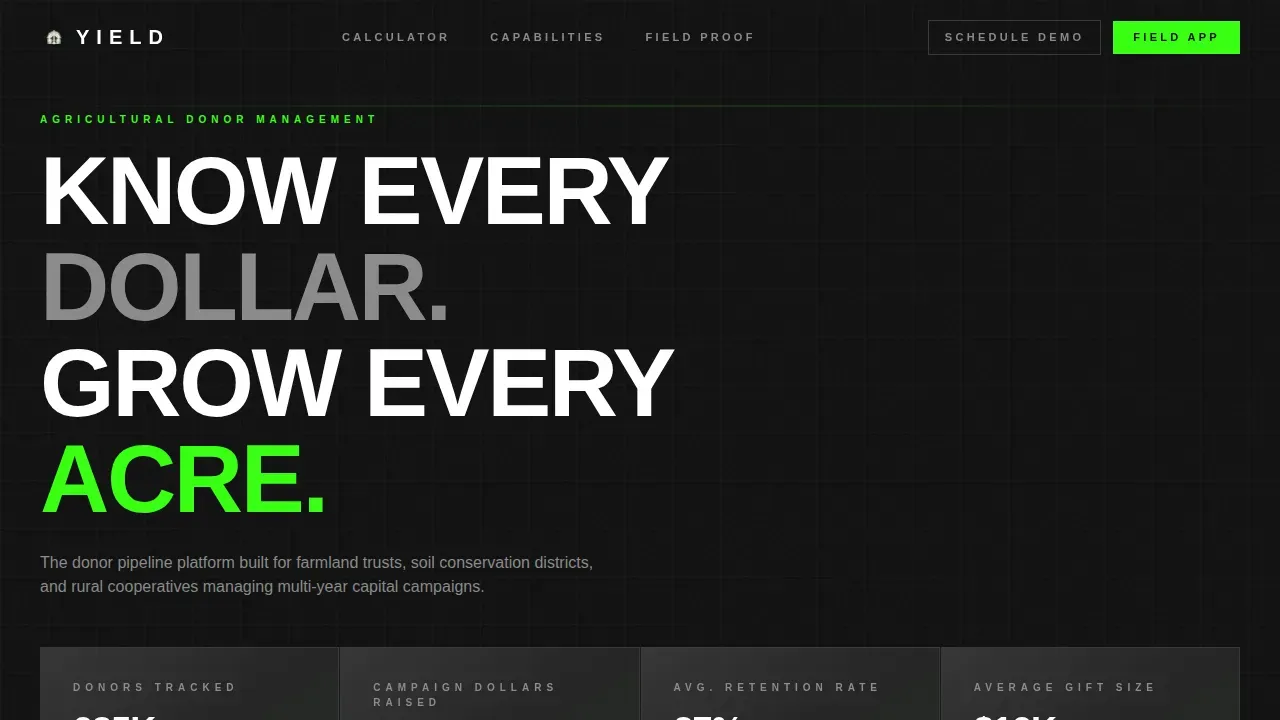
Dark Glass Metrics Wall
The header presents four translucent, smoke-tinted panel cards floating over a pure black field. Each panel displays a single live metric: total donors tracked, campaign dollars raised, retention rate, and average gift size. A faint diagonal light gradient gives the panels a server-room glow.
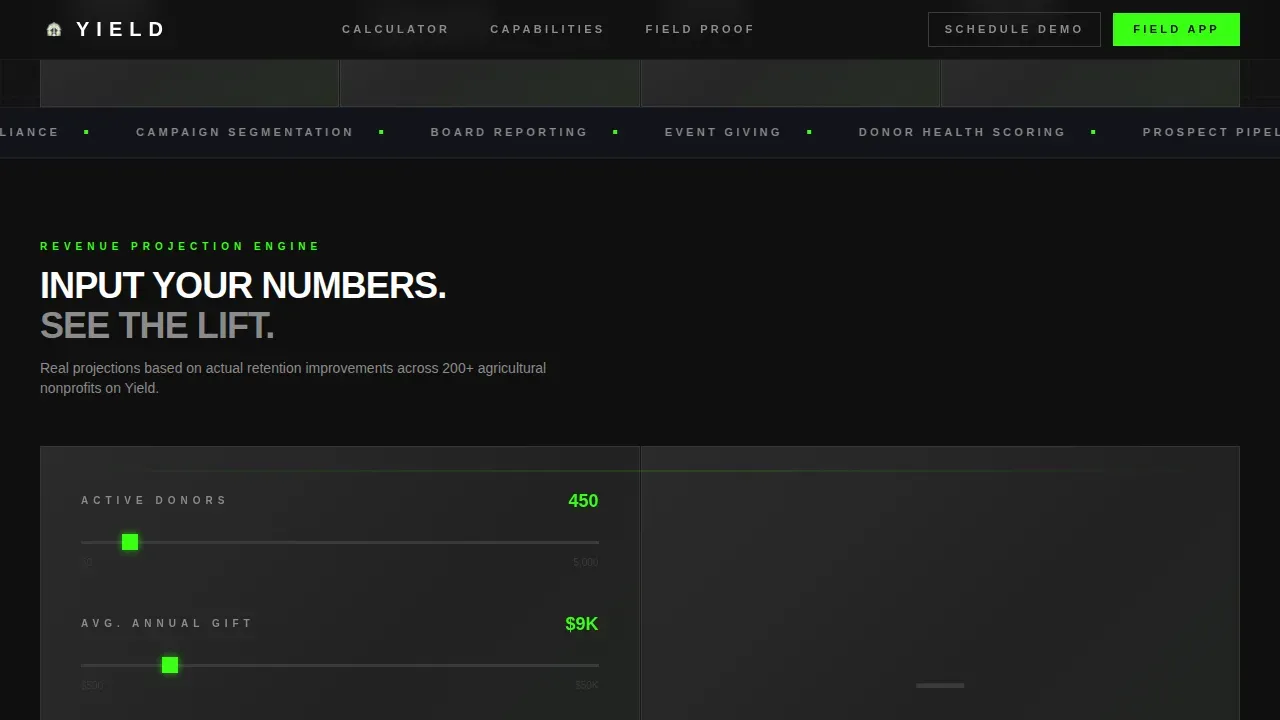
Interactive Donor Impact Calculator
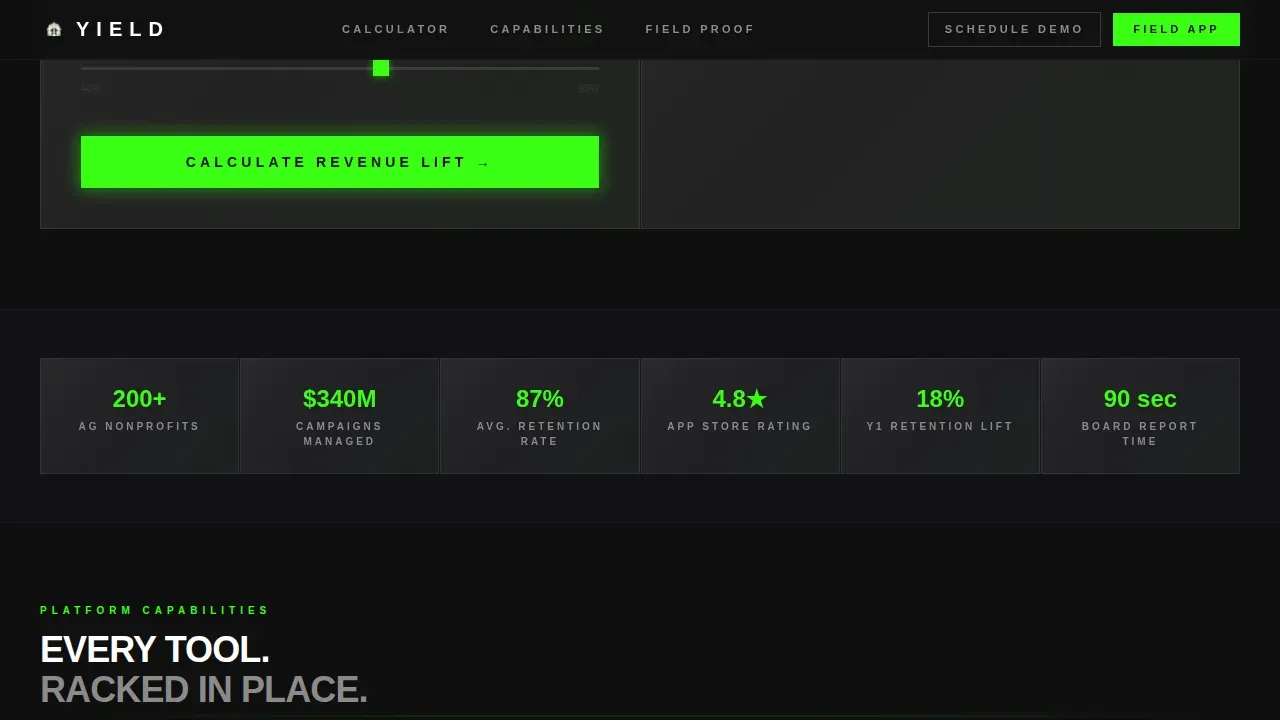
Immediately below the header, visitors input their organization's donor count, average annual gift, and current retention rate. The calculator instantly renders projected revenue lift across a three-year horizon, displayed as a brutalist bar chart. The primary call to action is locked to the bottom of the calculator results, earned only after interaction.
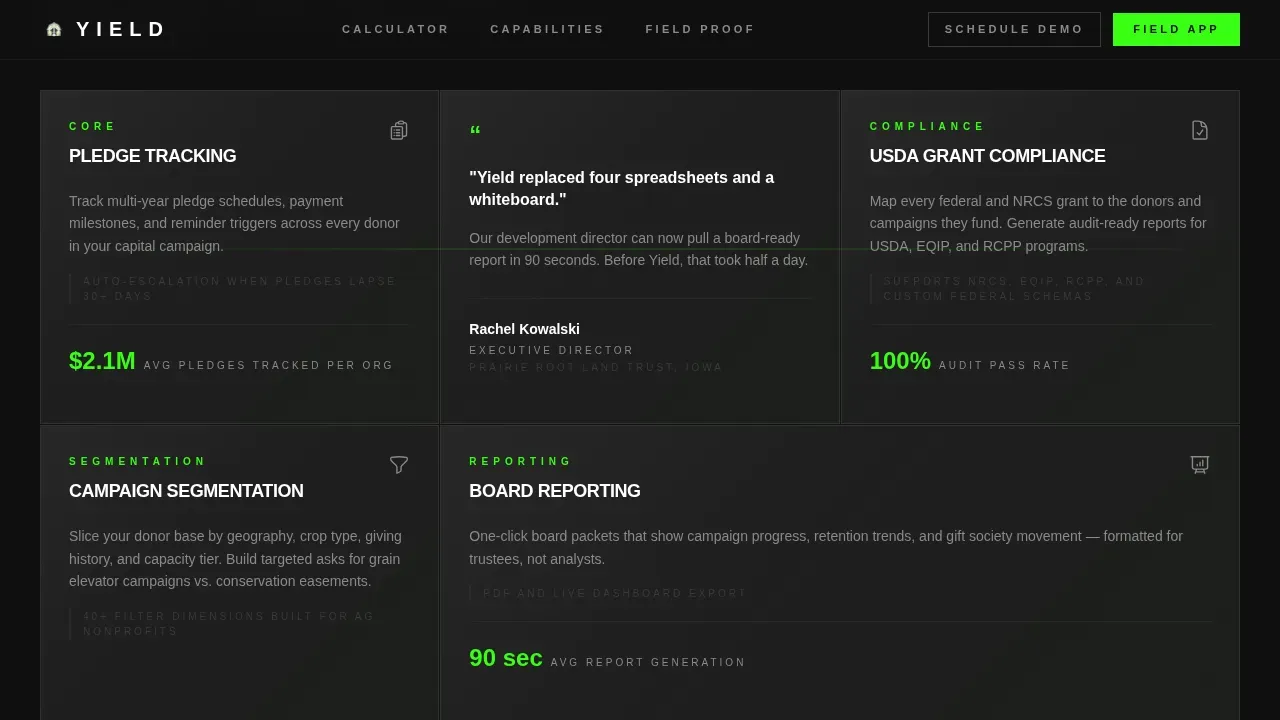
Modular Capability Card Grid
Below the calculator, the page unfolds as a self-contained card grid. Each card covers one platform capability: pledge tracking, campaign segmentation, USDA grant compliance, board reporting, and event giving. Cards are styled as dark glass tiles that reveal detail on hover with a high-voltage green underline effect.
Interspersed Testimonial Cards
Social proof cards from agricultural nonprofit directors are placed directly inside the card grid. They are styled identically to feature cards so they feel structural rather than decorative. This approach keeps trust signals embedded in the browsing experience rather than isolated in a separate section.
App Download Modal with Device Detection
The primary call to action, "Download the Field App," triggers a device-detection modal. The modal presents iOS and Android download badges plus a QR code for desktop visitors. This removes friction for any device type and keeps the conversion path clean.
Demo Scheduling Form
A secondary conversion path offers a two-field form for organizations that need a walkthrough before committing. Visitors enter their work email and organization name to schedule a demo. This path is labeled "Schedule a Harvest Demo" and runs alongside the primary download flow.
Page sections overview
| Section | Purpose |
|---|---|
| Dark Glass Header | Display four live metrics and brutalist headline |
| Impact Calculator | Render three-year donor revenue projections |
| Capability Card Grid | Browse modular platform feature tiles |
| Testimonial Cards | Embed social proof inside the card grid |
| App Download call to action | Trigger device-detection download modal |
| Demo Scheduling Form | Capture email and org name for demo |
| Linear Footer | Close page with single-row navigation |
Design & branding system
The visual identity is a Bold Brutalist direction built on a Carbon Fiber color palette. Every design decision reinforces an industrial, purposeful aesthetic with zero decorative softness.
- Color palette: deep graphite (#1A1A2E), carbon black (#0F0F0F), machined aluminum (#D0D0D0), and high-voltage accent green (#39FF14) reserved exclusively for interactive states, progress bars, and call-to-action pulses
- Typography: Plus Jakarta Sans at heavy weights with uppercase stamped headlines; body text in aluminum gray and headlines punching through in white
- Shapes and surfaces: zero border-radius on all cards and containers, sharp aluminum-edged frames, alternating graphite and true black backgrounds
Mobile & speed optimization
The template is structured desktop-first but includes a persistent mobile call to action bar so the app download path is never buried on smaller screens. Interactive sections use a defined component split to keep the page responsive.
- Persistent bottom bar on mobile keeps the "Download the Field App" call to action visible at all times
- Server Components handle static sections; Client Components power the live calculator and device-detection modal
- Scroll reveal animations, calculator live rendering, card hover states, and green pulse effects are built in at high interactivity
How this template helps you convert
The conversion strategy is built around earning trust through interaction before asking for a commitment. The calculator does the persuasive work so the download feels like a logical next step.
- The donor impact calculator delivers a personalized three-year revenue projection, making the value of the platform concrete before any call to action appears
- The modular card grid lets professional visitors self-select the capabilities most relevant to their role, keeping engagement high across different audience segments
- The app download modal removes device friction by detecting iOS, Android, or desktop and presenting the right path immediately
Other information about this template
This template is categorized under Technology, specifically within the Agriculture Software subcategory, targeting the Agriculture Donor Management niche. It is localized for United States audiences, using USD currency, imperial measurements, and federal grant terminology consistent with USDA program language.
- Template style is Card Grid (Modular), intersection match score of 13 against the Agriculture Donor Management niche
- Animation level is high throughout: scroll reveals, live calculator rendering, card hover state reveals, and green pulse effects on calls to action
- The footer follows a Pattern 1 Linear Single-Row layout to close the page cleanly without adding visual complexity
Theme
Bold Brutalist
Creative direction
Calculator/Tool First
Color system
Carbon Fiber
Style
Card Grid (Modular)
Direction
App Download
Page Sections
Dark Glass Metrics Wall
Interactive Donor Impact Calculator
Modular Capability Card Grid
Structural Testimonial Cards
Device-detection App Download Modal
Demo Scheduling Form
Related questions
Who is the Yield template designed for?
What is the primary call to action in this template?
Does the template include a secondary conversion path?
How does the interactive calculator work?
What design style does this template use?



