Headless Enterprise Software Specialist Professional Website Template
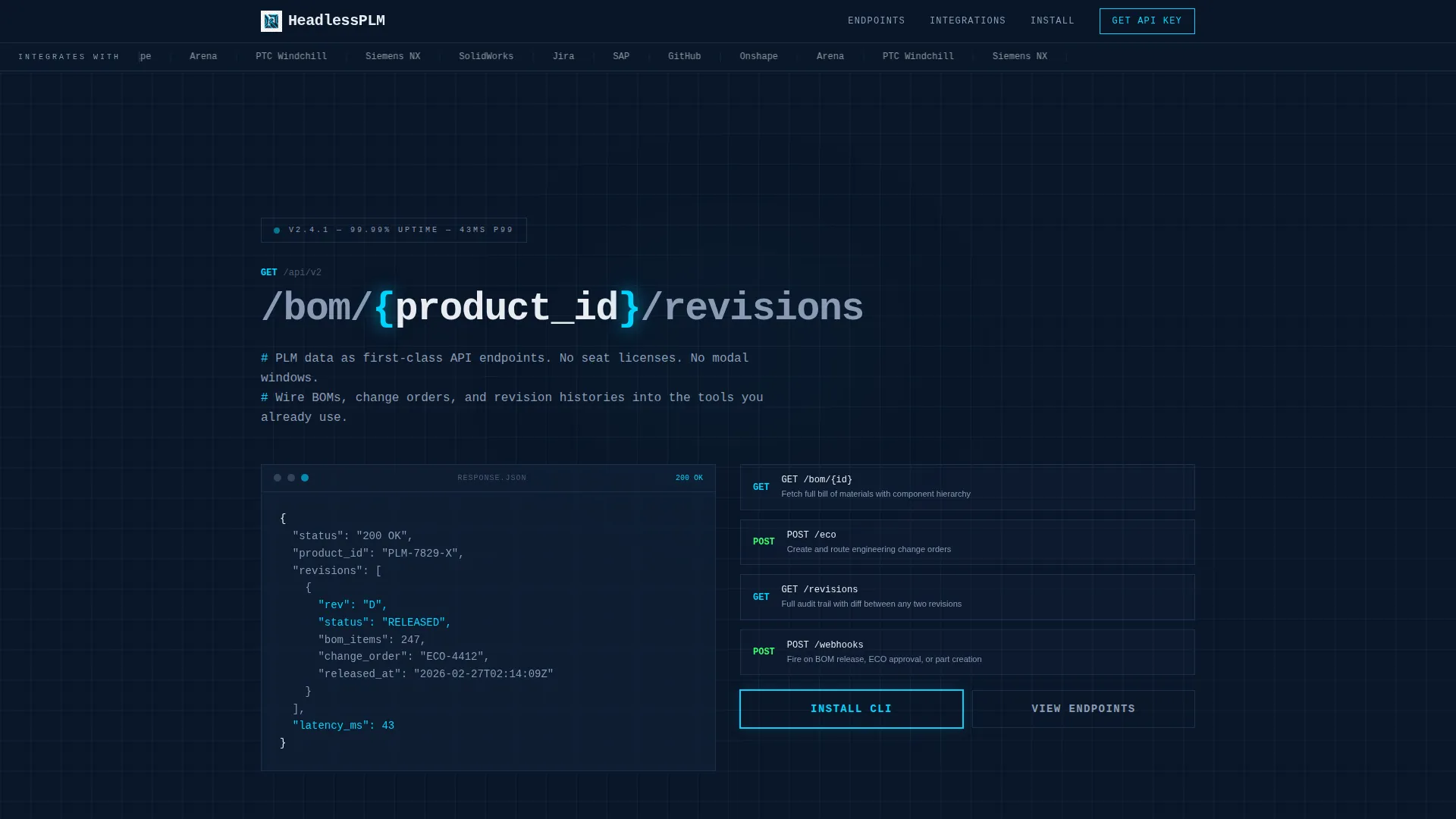
A bento grid landing page built for a headless product lifecycle management platform. It leads with a live API call as the headline, walks engineering teams through a dense feature matrix of endpoints, and closes with a CLI install flow. The design runs on Bold Brutalist structure and a Midnight Blue palette that feels like raw infrastructure.
by Rocket studio
Quick summary
This template is a single-page bento grid landing page for a headless PLM platform. It opens with an integration logo bar, uses a live API call as the primary headline, and drives visitors through a dense feature matrix before delivering a CLI install call to action. The visual language is deliberate: server-rack Midnight Blue, structural borders, and monospaced type throughout.
Who this template is for
This template speaks directly to technical builders who are done with bloated enterprise software. It is built for lean teams that want structured data access without paying legacy PLM prices or clicking through endless modal windows.
- Hardware startup CTOs running small engineering teams on tight budgets
- Systems integrators connecting tools like Jira, ERP systems, and CAD vaults
- Manufacturing engineers who want revision control wired into their existing workflow
What problem this template solves
Legacy PLM platforms hide data behind layered interfaces that slow teams down. Engineering teams waste time navigating software instead of building products. This template positions a headless PLM API as the direct answer.
- Removes the need to explain a complex API product without showing proof of capability
- Gives technical visitors a fast, friction-free path from curiosity to install
- Replaces generic hero imagery with actual endpoint output that proves value instantly
What you get with this template
You get a fully structured bento grid landing page that earns trust through density and precision. Every section is purpose-built to convert a technical audience that prefers evidence over marketing language.
- A logo bar header with integration partner marks rendered in monochrome
- A live API call headline with an animated JSON response payload beneath it
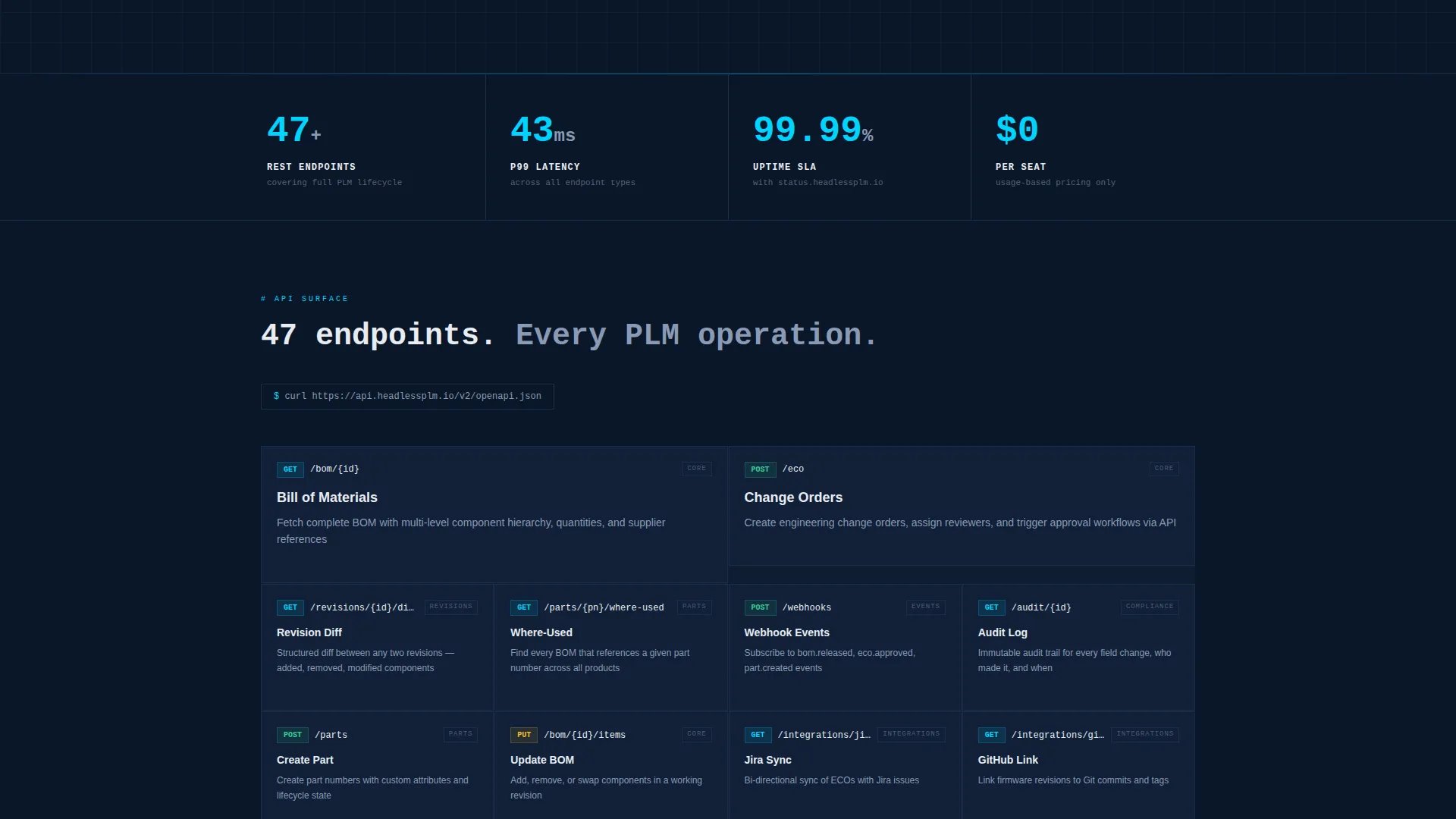
- A scrollable feature matrix of endpoint tiles, each expandable on hover
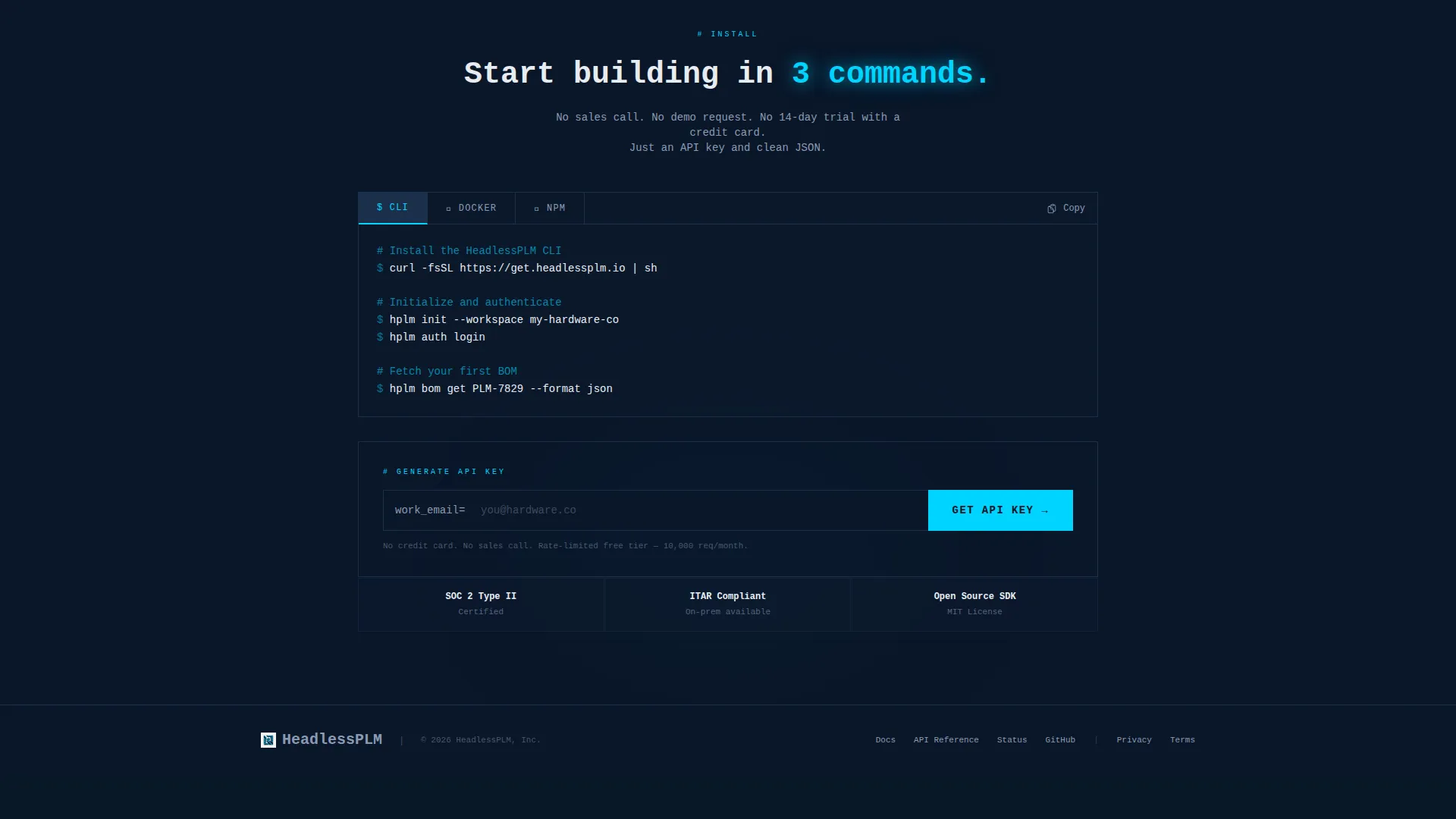
- A CLI install call to action with Docker and npm command tabs and a copyable code block
- A sticky bottom bar that appears after 60 percent scroll with a progress indicator
- An email input field that generates an API key on the spot
Feature list
This template packs a precise set of components that work together to communicate product depth without a single paragraph of marketing copy.
Live API Headline Block
The page opens with a monospaced API endpoint string as the headline. A blinking cursor sits at the end. Below it, a structured JSON response payload expands line by line, communicating value before the visitor reads a single sentence of copy.
Bento Grid Feature Matrix
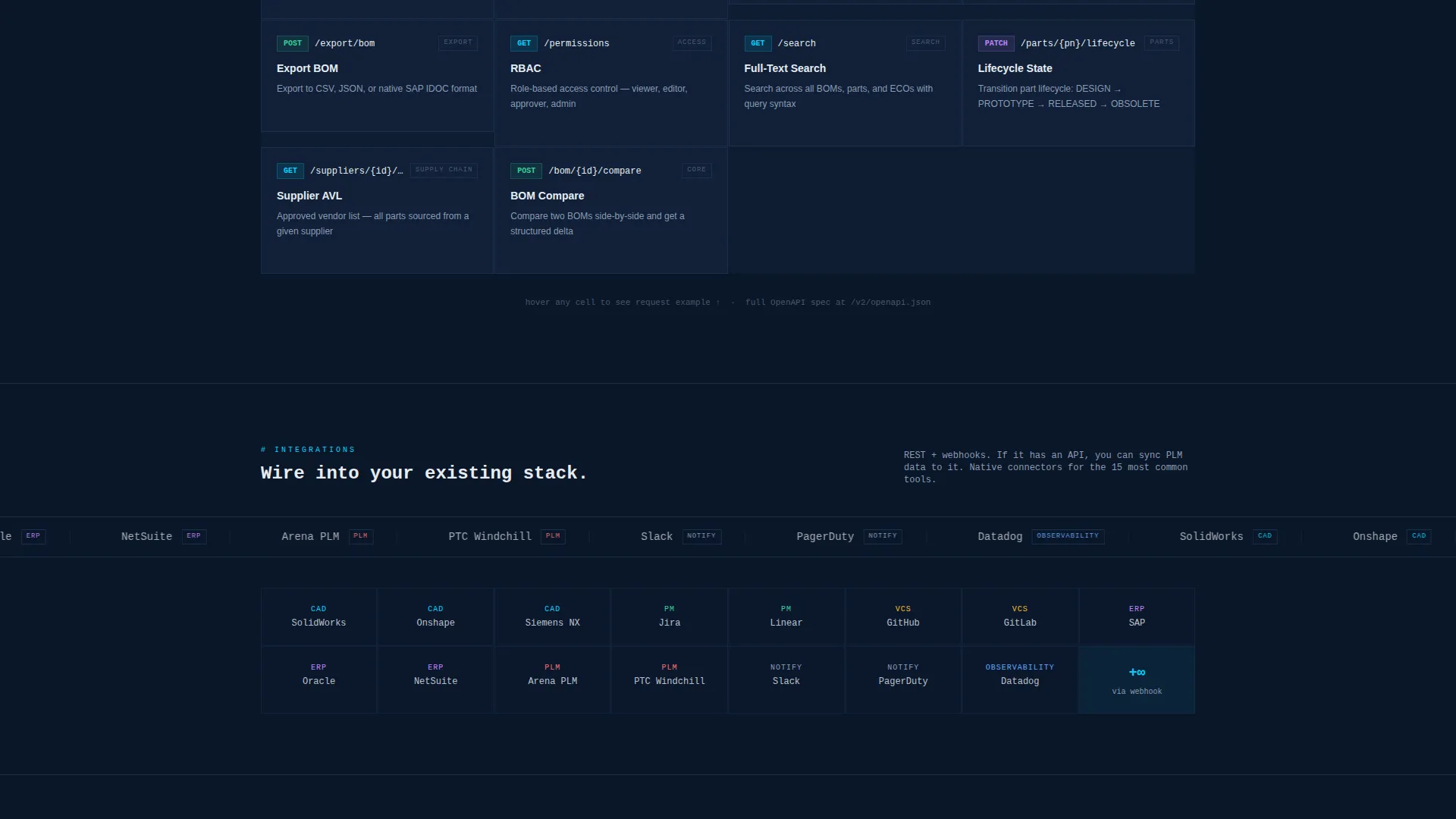
Every platform capability is presented as a discrete bento grid cell. Each tile shows the endpoint name and a one-line description. Double-width cells anchor core operations like bill of materials management, revision control, and change orders. Smaller tiles fill in integrations, webhooks, permissions, and audit logs.
Hover-Expand Endpoint Tiles
Any cell in the feature matrix expands on hover, pushing neighboring tiles aside and revealing a three-line code snippet. This interaction communicates API surface depth without requiring the visitor to leave the page or open documentation.
CLI Install Call to Action
The primary call to action prompts visitors to install the command-line interface. A tab toggle lets them switch between Docker pull and npm install commands. Each command displays in a copyable code block so the install path is one click away.
API Key Email Capture
Below the install commands, a single input field asks for a work email address. Submitting it generates an API key on the spot, reducing the time between interest and first authenticated request.
Sticky Progress Bar
After 60 percent of the page is scrolled, a sticky bottom bar appears. It displays the call to action "Start Building Now" alongside a terminal-style progress indicator that shows how close the visitor is to the install section.
Page sections overview
| Section | Purpose |
|---|---|
| Integration Logo Bar | Shows partner tools supported at a glance |
| API Headline Block | Delivers the core value proposition as a live endpoint |
| JSON Response Display | Proves API output quality before any copy |
| Core Operations Grid | Highlights BOM, revision, and change order endpoints |
| Integration Tiles | Covers webhook, permissions, and audit log capabilities |
| CLI Install Block | Provides the primary download and install call to action |
| API Key Capture | Converts interest into a first authenticated session |
| Sticky Bottom Bar | Re-engages scrollers with a persistent install prompt |
Design & branding system
The visual identity runs on a strict Midnight Blue color system. Every choice reinforces the feeling of clean infrastructure rather than polished marketing. No warmth, no illustration, no decoration.
- Background uses void-black navy (#0A1628), card surfaces use terminal-glow blue (#1B2F4B), and typography uses cold phosphor white (#E8ECF1)
- Electric signal cyan (#00D4FF) is reserved exclusively for interactive states and API response highlights
- Borders are 1px solid lines in (#1B2F4B) that separate each bento cell like structural concrete formwork, and all headlines use monospaced type
Mobile & speed optimization
The bento grid layout is structured to reflow cleanly across screen sizes. Technical visitors often move between a desktop terminal and a mobile screen, so the template accounts for both contexts.
- Bento grid cells stack vertically on smaller viewports without losing the structural border rhythm
- The sticky bottom bar and tab-toggle install block remain accessible and usable on touch devices
How this template helps you convert
This template earns the install before it asks for it. Every scroll event adds another proof point, so by the time a visitor reaches the call to action, they have already seen their integration problem solved.
- The API headline and live JSON response immediately signal that this is a product built by engineers for engineers, filtering out non-buyers in the first second
- The accelerating bento grid density shows forty-plus endpoints across the scroll journey, turning feature recognition into a conversion trigger before the call to action appears
- The one-field API key capture at the bottom reduces signup friction to a single input, shortening the path from page visit to first authenticated request
Other information about this template
This template is built under the Bold Brutalist theme with a Bento Grid layout style. It is suited for headless enterprise software products targeting technical buyers in the PLM space.
- The template style is Bento Grid, the theme is Bold Brutalist, and the header concept is a Logo Bar
- The landing page direction is App Download, making it suitable for CLI tools, developer platforms, and API-first products
- The color system is Midnight Blue, which pairs well with developer-focused products that want a serious, infrastructure-grade visual tone
- Designed for the headless PLM niche within the broader headless enterprise software subcategory
Theme
Bold Brutalist
Creative direction
Feature Matrix
Color system
Midnight Blue
Style
Bento Grid
Direction
App Download
Page Sections
Live API Call Headline
Bento Grid Feature Matrix
Hover-expand Code Snippets
CLI Install with Tab Toggle
API Key Email Capture
Sticky Scroll Progress Bar
Related questions
Who is this landing page template designed for?
Can I adapt the bento grid cells to show different API endpoints?
Does the template include the sticky bottom bar out of the box?
What install options does the call to action section support?
Is this template suitable for a product that is still in early access?



