Headless Enterprise Software Cost Calculator Website Template
Headless is a bold brutalist landing page template built for headless robotic process automation platforms. It combines a live workflow builder, an ROI calculator, modular sandbox execution cards, and a Selenium-to-headless converter into a single page that proves the product before asking for anything. Designed for DevOps engineers and enterprise architects who demand proof over promises.
by Rocket studio
Quick summary
Headless is a card-grid landing page template for browser-free, GUI-free robotic process automation platforms. It leads with a live, server-side workflow execution embedded above the fold. Every scroll step adds a new interactive proof point. The design runs on a void-black and ultraviolet palette with a terminal aesthetic built for technical audiences.
Who this template is for
This template is built for infrastructure-focused software products that need to earn the trust of deeply skeptical technical buyers. It works best when the product itself is the most convincing argument.
- DevOps and platform engineers who evaluate tools by running them, not reading about them
- Enterprise architects assessing concurrency, scale, and operational cost at the infrastructure level
- Developer-tooling and infrastructure-as-a-service teams launching freemium or free-trial acquisition funnels
What problem this template solves
Most developer-tool landing pages describe capabilities with bullet lists and screenshots. Technical buyers ignore those pages. They want to see real execution, real output, and real numbers before they commit to anything.
- Generic SaaS templates fail to communicate infrastructure-level value to engineers who distrust marketing copy
- There is no built-in path to convert Selenium-dependent users who have existing automation investments
- ROI is hard to communicate without letting the visitor calculate it themselves using their own numbers
What you get with this template
You get a fully structured, interaction-first landing page where every major section has a functional component. No placeholder diagrams. No mock terminal windows. The template is built so the product demonstrates itself.
- An interactive header with a drag-and-drop workflow builder, live server-side execution, and a collapsible JSON response tree
- A modular card grid with per-card sandbox execution buttons that return real output inline
- An ROI calculator, a Selenium converter tool, a scale metrics section, and a minimal developer-style footer
Feature list
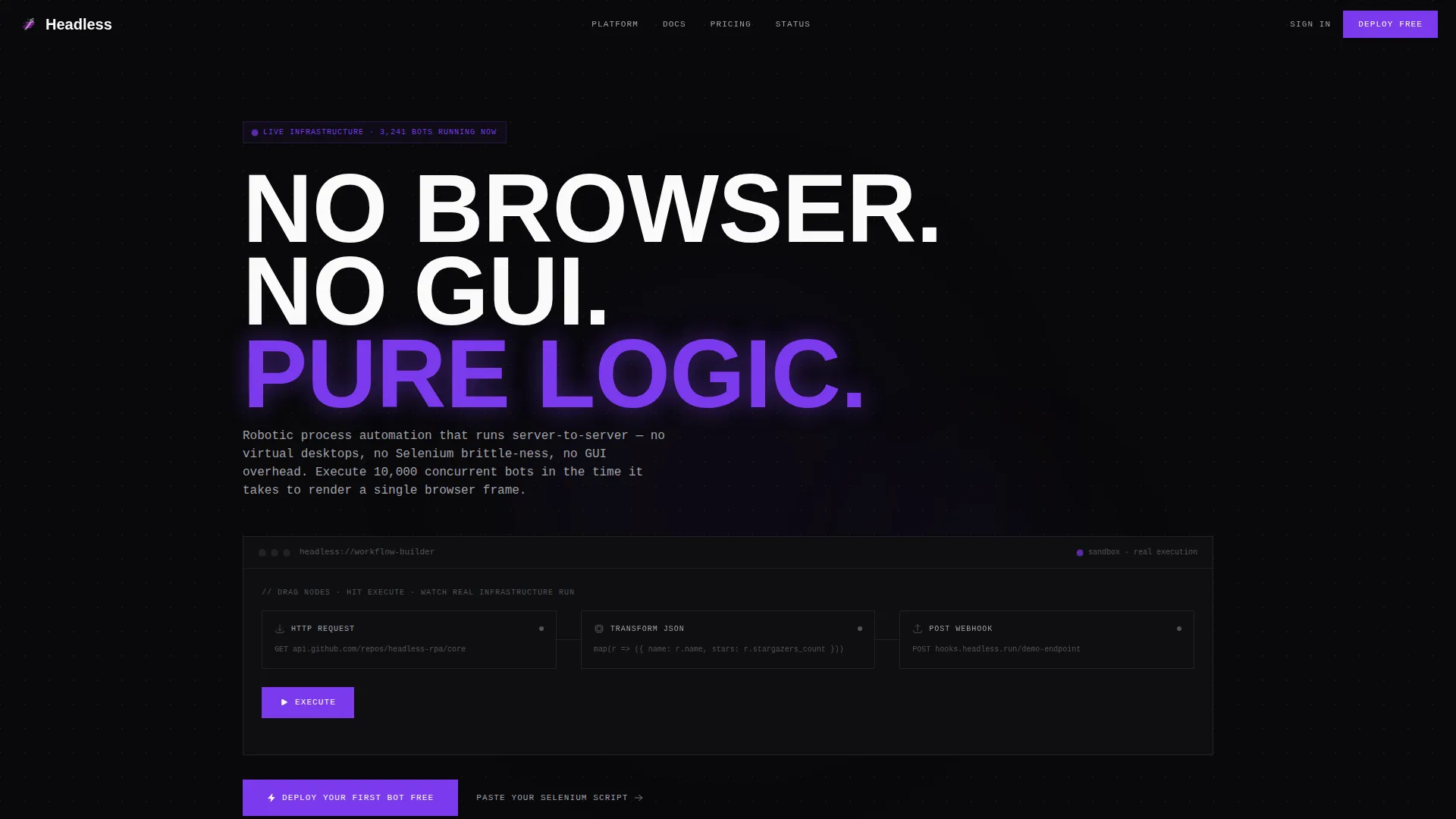
Live Workflow Builder Header
The header embeds a three-node workflow builder directly above the fold. Visitors drag an HTTP Request node, a Transform JSON node, and a POST to Webhook node, then hit Execute. The run completes server-side in under 800 milliseconds and renders the full response payload in a collapsible JSON tree with no page reload.
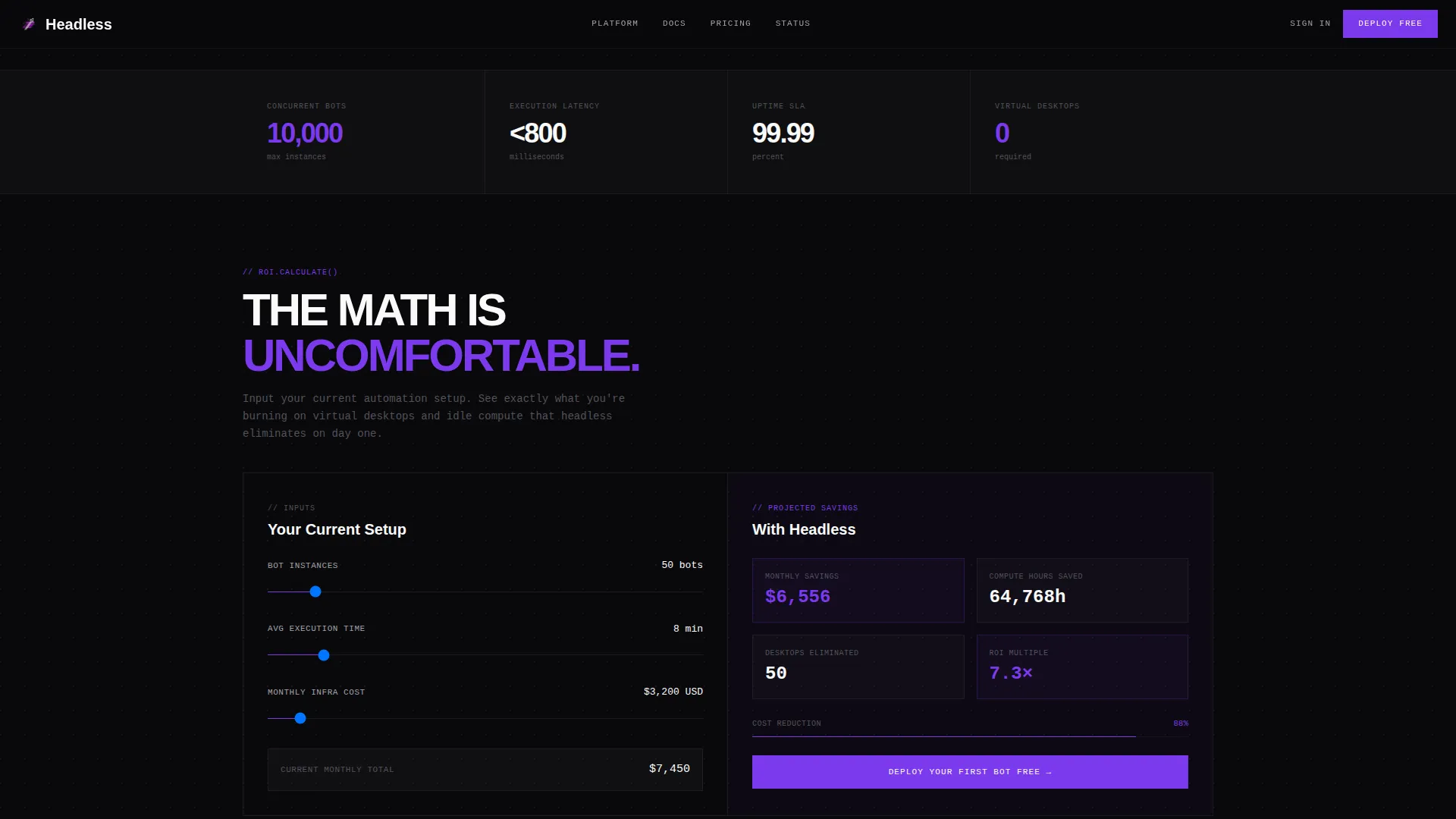
ROI Calculator Section
Visitors enter their current bot count, average execution time, and existing infrastructure cost. The calculator returns projected savings expressed in compute hours, dollars saved, and eliminated desktop licenses. The output updates in real time and gives enterprise evaluators a concrete business case before they speak to anyone on your team.
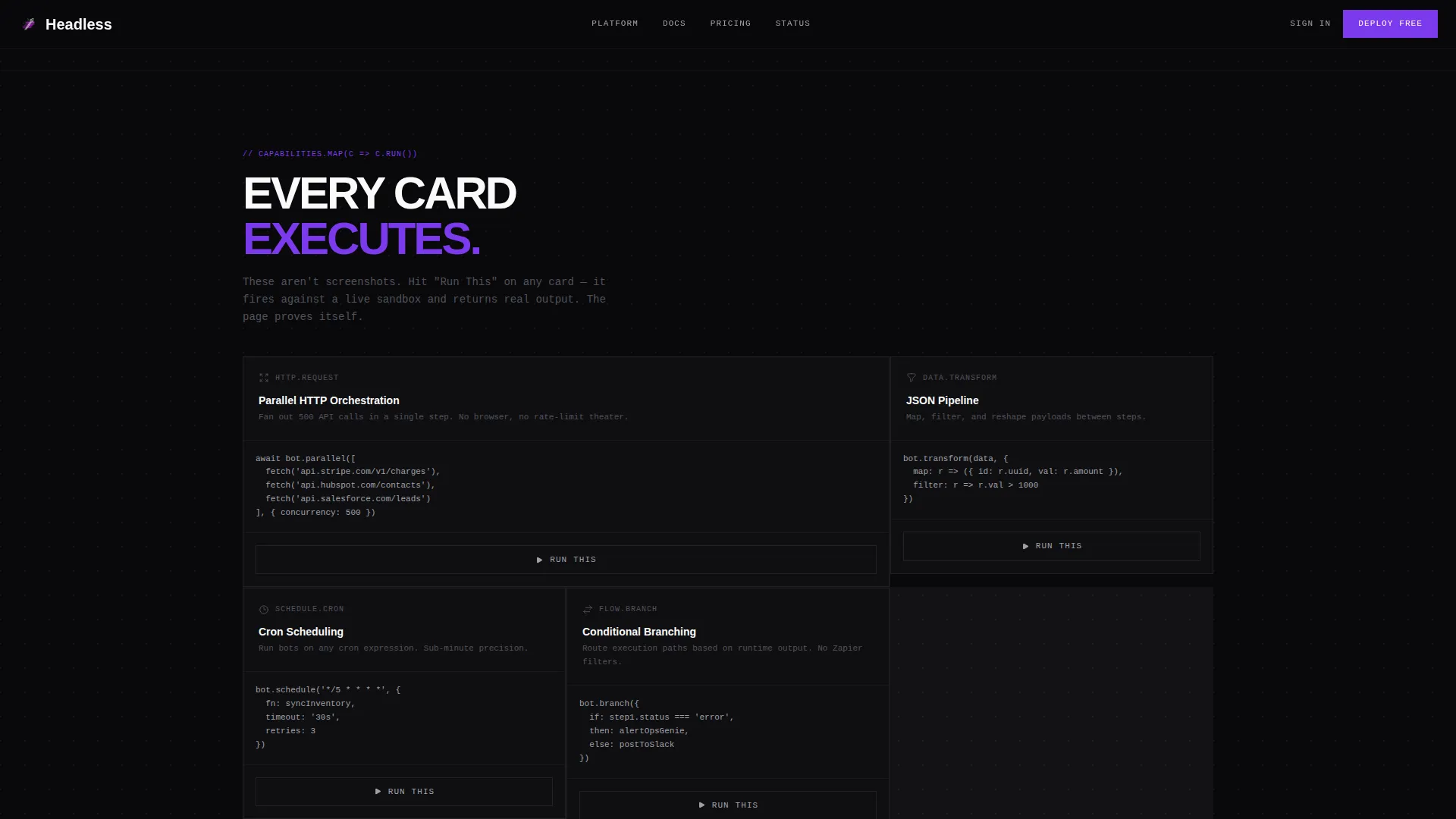
Modular Capability Card Grid
Each card in the bento-style grid is a self-contained code snippet paired with a Run This button. Clicking it executes the snippet against a sandbox application programming interface and renders the output inline. Cards escalate from simple webhook calls to multi-step orchestrations with conditional branching, walking visitors through increasing complexity without switching context.
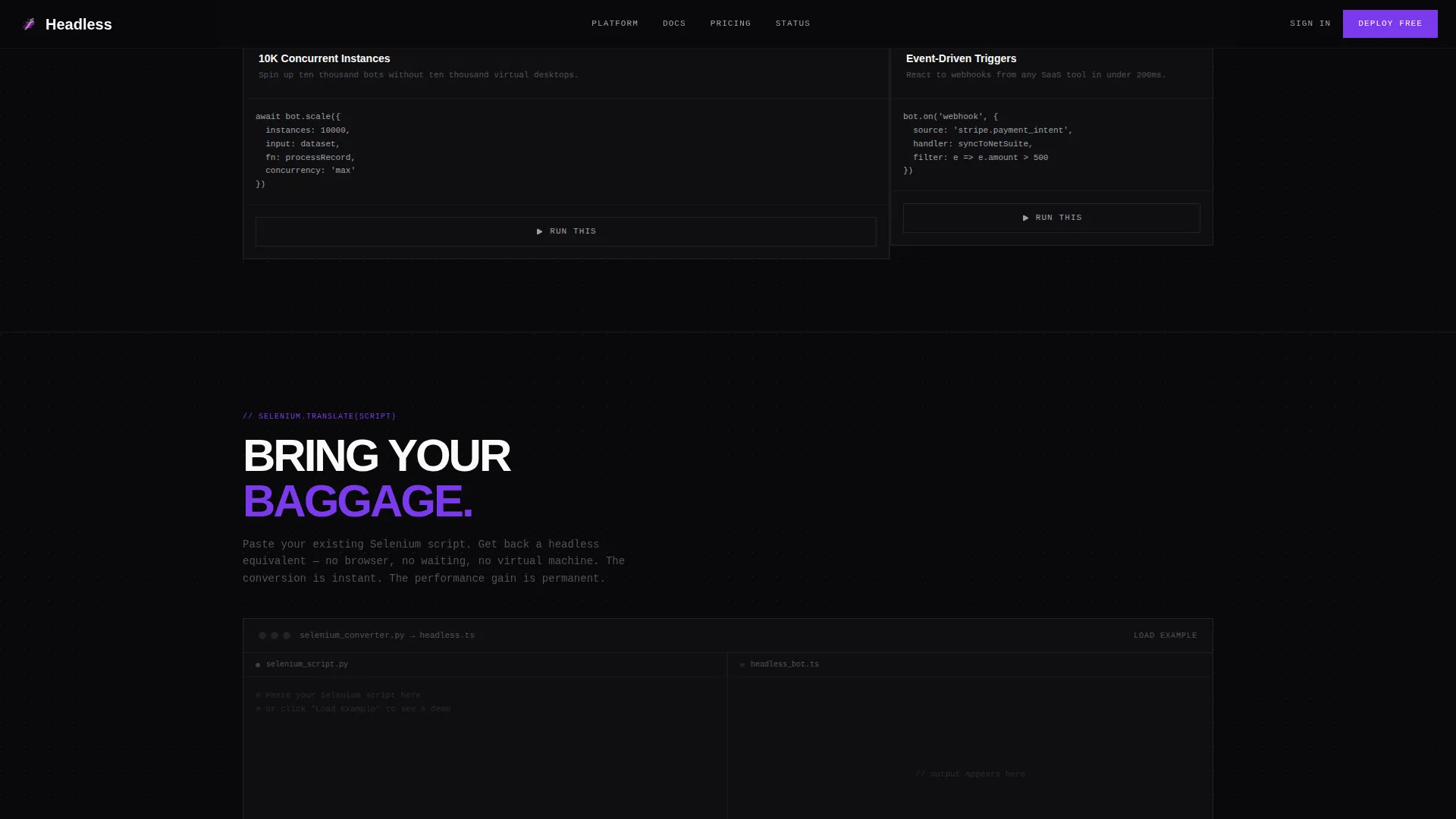
Selenium Script Converter
A secondary conversion path lets visitors paste an existing Selenium script directly into the page. The inline converter translates it into a headless equivalent on the spot. This creates an immediate value exchange for engineers who already have browser-based automation and are evaluating migration paths.
Sticky Freemium Call-to-Action Bar
A bottom bar with the primary call to action, Deploy Your First Bot Free, stays anchored to the viewport. It appears only after the visitor completes their first interactive execution. The signup flow asks for a work email address only, with no credit card and no additional form fields.
Scale Metrics Display
A dedicated section surfaces concurrency numbers, uptime figures, and latency statistics. The metrics are presented as hard data points in a terminal-style layout, giving enterprise architects the proof of scale they need without requiring a sales call.
Page sections overview
| Section | Purpose |
|---|---|
| Hero Workflow Builder | Live three-node execution with JSON response output |
| ROI Calculator | User-input savings projection in dollars and compute hours |
| Capability Card Grid | Per-card sandbox execution across escalating automation complexity |
| Scale Metrics | Concurrency, uptime, and latency data in terminal layout |
| Selenium Converter | Inline script translation from browser-based to headless |
| Developer Minimal Footer | GitHub-style footer with low-friction navigation |
Design & branding system
The visual system is Bold Brutalist with a terminal-native aesthetic. Typography pairs JetBrains Mono for all code elements with DM Sans for interface text, creating a clear hierarchy between logic and language. Every color in the palette carries a specific meaning and is never used decoratively.
- Void black (#09090B) covers all backgrounds; cards and terminal windows float against it with no surface competition
- Electric white (#FAFAFA) is used for primary text and hits as high contrast against the void; phosphor gray (#A1A1AA) handles secondary text and borders
- Deep ultraviolet (#7C3AED) appears only on interactive states, active cards, and running-process indicators, so every purple element signals live activity
Mobile & speed optimization
The template is built desktop-first to match how DevOps engineers and platform teams actually work. Large monitors and wide viewports are the primary context. Interactive components are implemented as client-side components only where interactivity is required, with server components handling all static sections.
- Static content sections use server-rendered components to keep initial load lean
- Interactive elements including the workflow builder, calculator, and card execution buttons are isolated as client components
- Animation includes scan lines, cursor blink, execution pulse effects, and stagger reveals, all scoped to avoid layout interference on the primary content flow
How this template helps you convert
The conversion architecture in this template is built around earned trust rather than interruption. Every interaction a visitor completes moves them closer to signup without asking for anything upfront.
- The live workflow execution in the header creates an immediate proof moment. Visitors see real output before they have read a single line of marketing copy, which removes the first and most common source of skepticism.
- The ROI calculator personalizes the value proposition with the visitor's own numbers. When someone calculates their own projected savings, the case for signing up is theirs, not yours.
- The sticky call-to-action bar appears only after the first execution is complete. Rewarding engagement rather than interrupting it means the visitor is already converted in mindset before they see the signup prompt.
Other information about this template
This template is part of a category of high-interactivity developer-tooling landing pages designed for infrastructure and automation products. It is built with a freemium and free-trial acquisition model in mind from the ground up.
- The footer follows a GitHub-style developer minimal pattern, which fits audience expectations for infrastructure tooling without adding marketing noise
- The color system and typography were designed to feel native to a high-contrast integrated development environment theme, making the page feel like a tool rather than a brochure
- The template supports English localization with United States dollar formatting and US date conventions throughout calculator outputs and metric displays
- Page animations including scan line overlays, blinking cursor effects, and execution pulse indicators reinforce the terminal aesthetic without requiring third-party animation libraries to be configured separately
Theme
Bold Brutalist
Creative direction
Calculator/Tool First
Color system
Void & Violet
Style
Card Grid (Modular)
Direction
Freemium/Trial
Page Sections
Live Above-the-fold Workflow Execution
Real-time ROI Calculator
Modular Sandbox Execution Card Grid
Inline Selenium Script Converter
Engagement-triggered Sticky Call to Action Bar
Terminal-style Scale Metrics Section
Related questions
Does this template require a real back-end API to show execution results?
Can this template be adapted for developer tools beyond robotic process automation?
How does the sticky call-to-action bar know when to appear?
Is the ROI calculator output adjustable for different pricing structures?
What does the Selenium converter section require to produce real output?



