Headless - Unified ERP Landing Page Template
A hub-and-spoke landing page built for headless ERP platforms. The template targets engineering-led buyers at growth-stage startups and presents each ERP module as a technical data sheet. Anchored by a dark full-bleed header and teal-accented design, it drives lead generation through a persistent "Request API Keys" call to action that feels like onboarding, not a sales pitch.
by Rocket studio
Quick summary
This template is a single-page, anchor-nav landing page designed for a headless, API-first enterprise resource planning platform. It presents Finance, Inventory, Procurement, HR, Webhooks, and Auth as discrete technical modules. The layout earns buyer trust by showing real endpoint paths, response payloads, and code snippets before asking for anything.
Who this template is for
This template is built for technical and operational decision-makers who need to evaluate an API-first ERP quickly and honestly.
- Chief Technology Officers at Series B-to-D startups scaling beyond their first patched-together stack
- Platform engineers looking to eliminate custom middleware built around legacy systems
- Operations leaders who have experienced repeated deploy failures breaking critical financial workflows
What problem this template solves
Engineering-led buyers distrust marketing pages that lead with adjectives. They need proof of depth before they fill in a single form field. This template addresses that gap directly.
- It replaces vague benefit statements with live-formatted code blocks, endpoint paths, and latency benchmarks
- It removes friction from the conversion path by framing access as an onboarding step rather than a sales qualification
- It gives technically skeptical visitors a secondary path to live documentation before they commit
What you get with this template
You get a fully structured, single-page layout organized around a pinned anchor navigation system. Each module section reads like a technical data sheet, not a brochure.
- A persistent anchor nav pinned to the left with a teal indicator dot showing the active module
- Six module sections covering Finance, Inventory, Procurement, HR, Webhooks, and Auth, each formatted as a spec sheet with code blocks on graphite cards
- A persistent bottom-bar call to action with an inline lead capture form and a ghost-outlined documentation link
Feature list
This template includes purpose-built layout components designed for technical product storytelling.
Anchor Navigation with Module Indicators
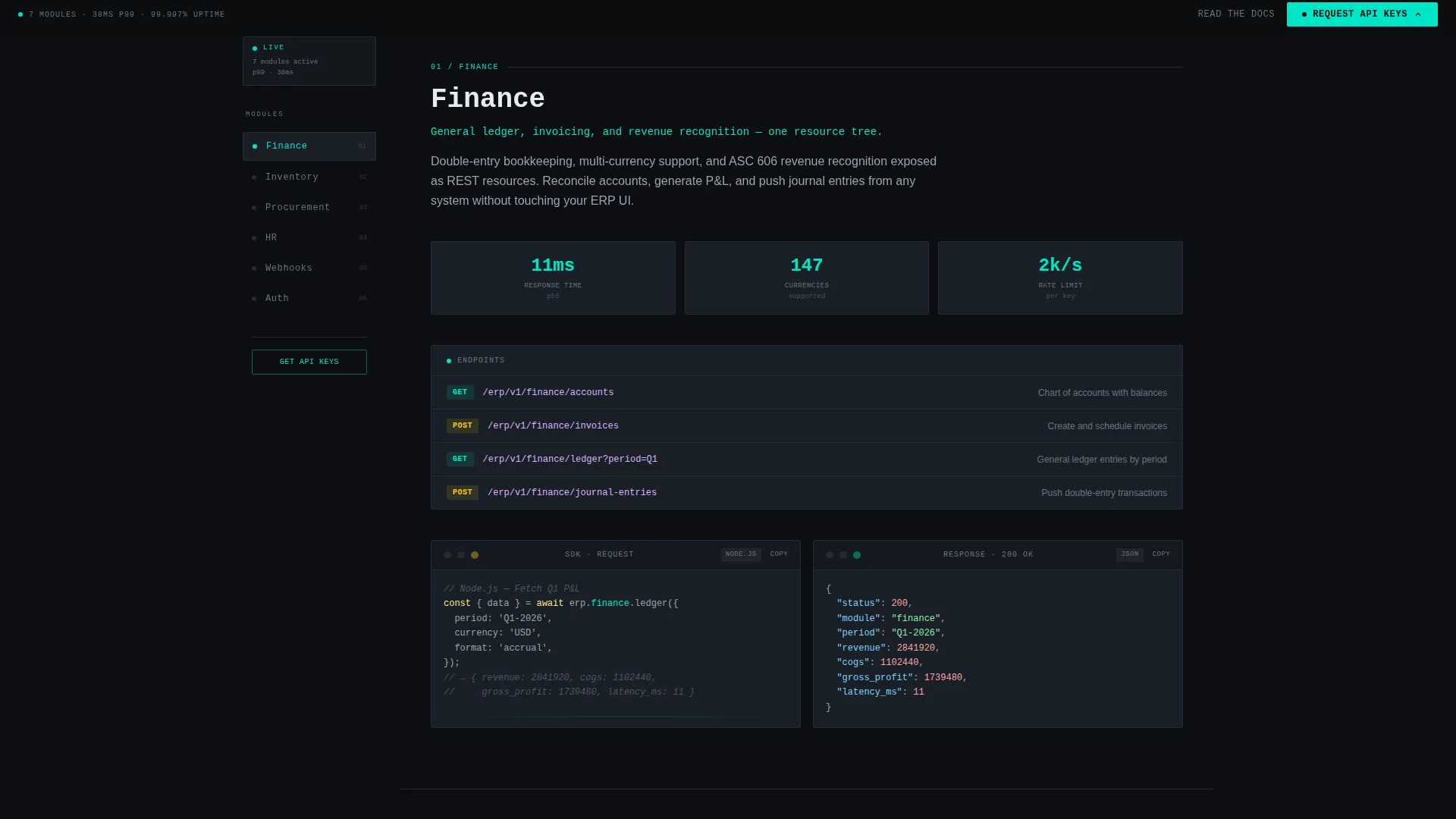
A left-pinned anchor nav links directly to each ERP module section. A reactor teal dot tracks the visitor's current position in the page architecture, keeping orientation clear at all times.
Spec Sheet Module Sections
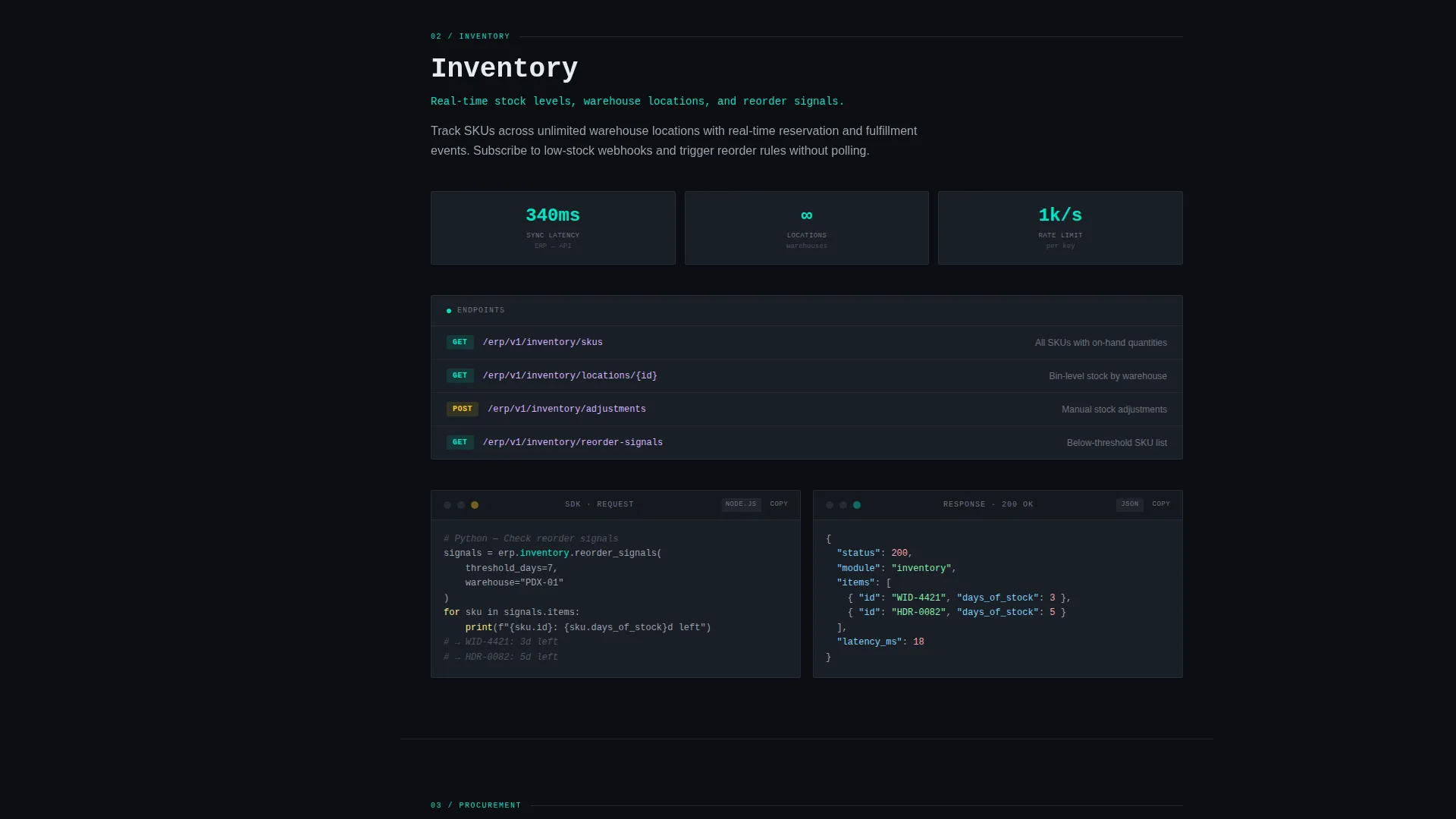
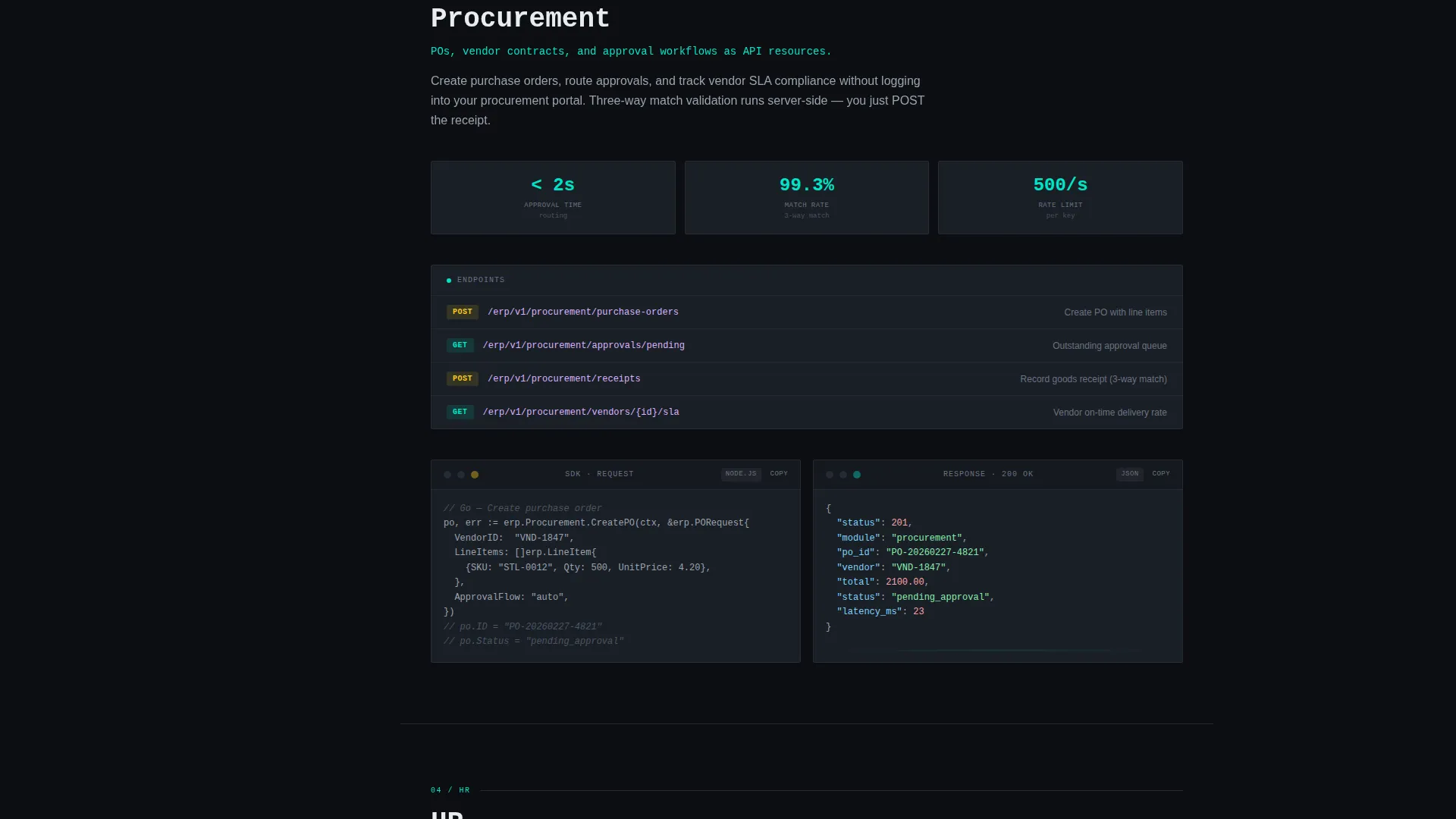
Each module is presented as a technical data sheet. Sections include real endpoint paths, sample response payloads, latency benchmarks, rate limits, and SDK code snippets formatted in Python, Node, and Go inside syntax-highlighted graphite card blocks.
Floating API Pulse Header
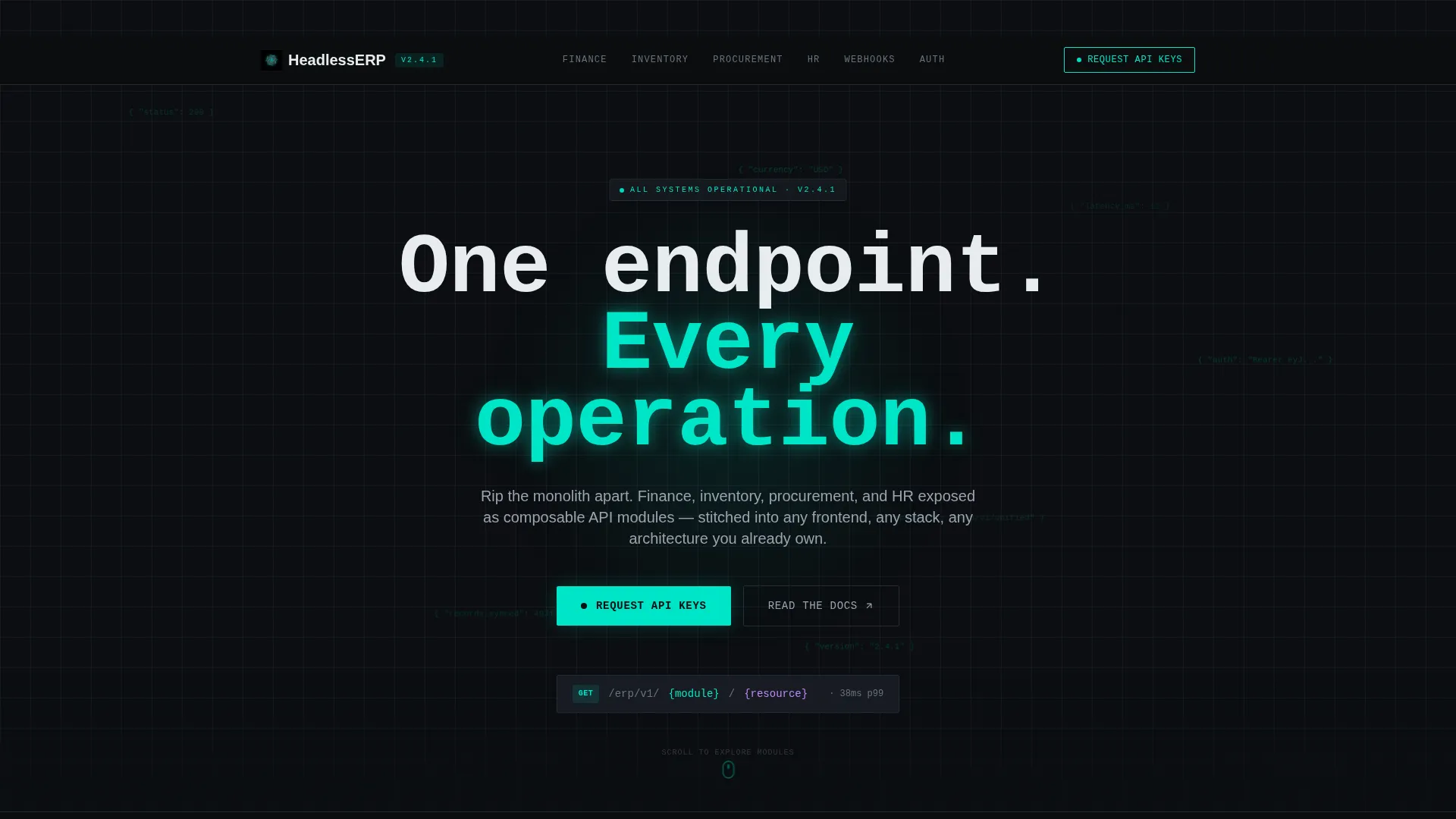
The full-bleed hero section uses a void black canvas with a radial teal glow at center. Semi-transparent JSON fragments drift slowly across the header, mimicking a live API stream. The headline reads in oversized monospace type: "One endpoint. Every operation."
Single-Stat Interstitial Callouts
Between module sections, isolated teal-lit stat blocks surface metrics such as p99 latency, uptime figures, and median integration time. Each callout is a quiet benchmark that invites direct comparison.
Persistent Bottom-Bar Lead Form
A fixed bottom bar displays the "Request API Keys" call to action at all times. Clicking expands an inline form asking for work email, company name, current ERP system via dropdown, and a free-text field labeled "What are you trying to replace first?"
Dual Conversion Path Design
A ghost-outlined "Read the Docs" link sits beside the primary call to action. Engineers who need to verify technical depth before committing are routed to live documentation. That documentation ends with the same API key request, closing the loop.
Page sections overview
| Section | Purpose |
|---|---|
| Full-Bleed Header | Establishes product identity and tone with drifting JSON fragments and the primary headline |
| Anchor Nav Bar | Keeps visitors oriented as they scroll through module sections |
| Finance Module | Presents finance endpoints, response payloads, and rate limits as a spec sheet |
| Inventory Module | Covers inventory API paths, SDK snippets, and latency benchmarks |
| Procurement Module | Details procurement endpoints and sample integration payloads |
| HR Module | Shows HR API structure, endpoint paths, and Go/Node/Python code blocks |
| Webhooks Module | Documents webhook event structure, delivery latency, and retry logic |
| Auth Module | Specifies authentication endpoints, token handling, and access scoping |
| Stat Callout Blocks | Surfaces benchmark metrics between modules to reinforce credibility |
| Bottom-Bar call to action | Drives lead generation with persistent API key request form and docs link |
Design & branding system
The visual identity follows a Startup Velocity theme using the Teal Catalyst color system. Every design decision is oriented toward making technical information the focal point.
- Void black (#0B0E11) forms the primary canvas, graphite (#1A1F27) surfaces card containers, reactor teal (#00E5C7) handles all glowing accents and interactive states, and signal white (#E8ECEF) carries body text
- Typography uses oversized monospace in the header and consistent mono-style formatting inside code blocks, reinforcing the dark-mode IDE aesthetic throughout
- The overall palette and layout feel cold, dense, and engineered, resembling a terminal environment where the only color signaling success is teal
Mobile & speed optimization
The layout is structured for clarity across screen sizes, keeping the anchor navigation and module content readable on smaller viewports.
- The left-pinned anchor nav adapts for mobile browsing so visitors on any device can jump directly to the module they care about
- Code block cards and stat callout sections are formatted to remain legible and well-spaced without horizontal scrolling
How this template helps you convert
The page is engineered to build technical credibility first and ask for contact details second. That sequence matters for an engineering-led audience.
- Visitors see real endpoint paths, live-formatted code snippets, and benchmark stats before any form appears, so trust is established through substance rather than claims
- The persistent bottom bar keeps the "Request API Keys" call to action visible at every scroll position without interrupting the reading experience
- The dual-path design catches both decision-ready buyers and research-phase engineers, routing each group toward the same API key request through different entry points
Other information about this template
This template is purpose-built for the headless enterprise software category and is structured to serve technical evaluation journeys from first scroll to form submission.
- The template style is Hub and Spoke with Anchor Nav, meaning each module functions as an independent spoke linked from a central navigation hub
- The lead generation form dropdown includes NetSuite, SAP, Odoo, Custom-built, and None as current ERP options, signaling familiarity with the actual competitive landscape buyers come from
- The creative direction is Spec Sheet, which means every module section prioritizes structured technical data over narrative marketing prose
Theme
Startup Velocity
Creative direction
Spec Sheet
Color system
Teal Catalyst
Style
Hub & Spoke (Anchor Nav)
Direction
Lead Generation
Page Sections
Pinned Anchor Navigation System
Spec Sheet Module Layout
API Pulse Hero Header
Teal Stat Callout Blocks
Persistent Bottom-bar Lead Form
Dual Conversion Path
Related questions
What kind of product is this template designed for?
Can I update the module sections to match my actual API specifications?
Why does the lead form ask what the visitor wants to replace first?
Does the template include a path for visitors who are not ready to request API keys?
Is this template a good fit if the platform is still in early development?



