Edtech Landing Page Template for Virtual Classrooms
Hearth is a card-grid landing page template built for virtual classroom and learning management system platforms. It opens with an interactive quiz that diagnoses a visitor's learning pain, then walks them through a problem-to-solution arc using warm, modular card sections. The Forest Trust color system and cohort-focused copy make it ideal for educators, corporate trainers, and nonprofit learning leads.
by Rocket studio
Quick summary
Hearth is a single-page, card-grid landing page template designed for virtual classroom and learning management system platforms. It leads with a diagnostic quiz, follows a problem-to-solution narrative arc, and closes with a personalized results screen. The Forest Trust color palette and seminar-room warmth make every section feel considered and human.
Who this template is for
This template is built for people who run structured, people-centered learning experiences online. It speaks directly to facilitators who know their learners are disengaging and need a landing page that names that problem out loud.
- Independent educators launching cohort-based courses with live sessions and threaded discussions
- Corporate learning and development managers onboarding distributed teams across locations
- Nonprofit directors training volunteer networks spread across multiple time zones
What problem this template solves
Most edtech landing pages open with a feature list. Visitors skim, feel nothing, and leave. The real problem is that online learning fatigue is invisible until someone names it precisely. Hearth solves this by leading with a question that makes the visitor feel understood before the pitch begins.
- Learners disengage silently, and generic pages never address the specific reason why
- Async course completion rates are devastatingly low, with research cited directly in the template copy
- Educators have no structured way to convert a skeptical visitor into an enrolled participant
What you get with this template
You get a fully modular, card-grid landing page structured around a five-question diagnostic quiz. Every section is designed to carry a visitor from frustrated to convinced through a deliberate narrative sequence.
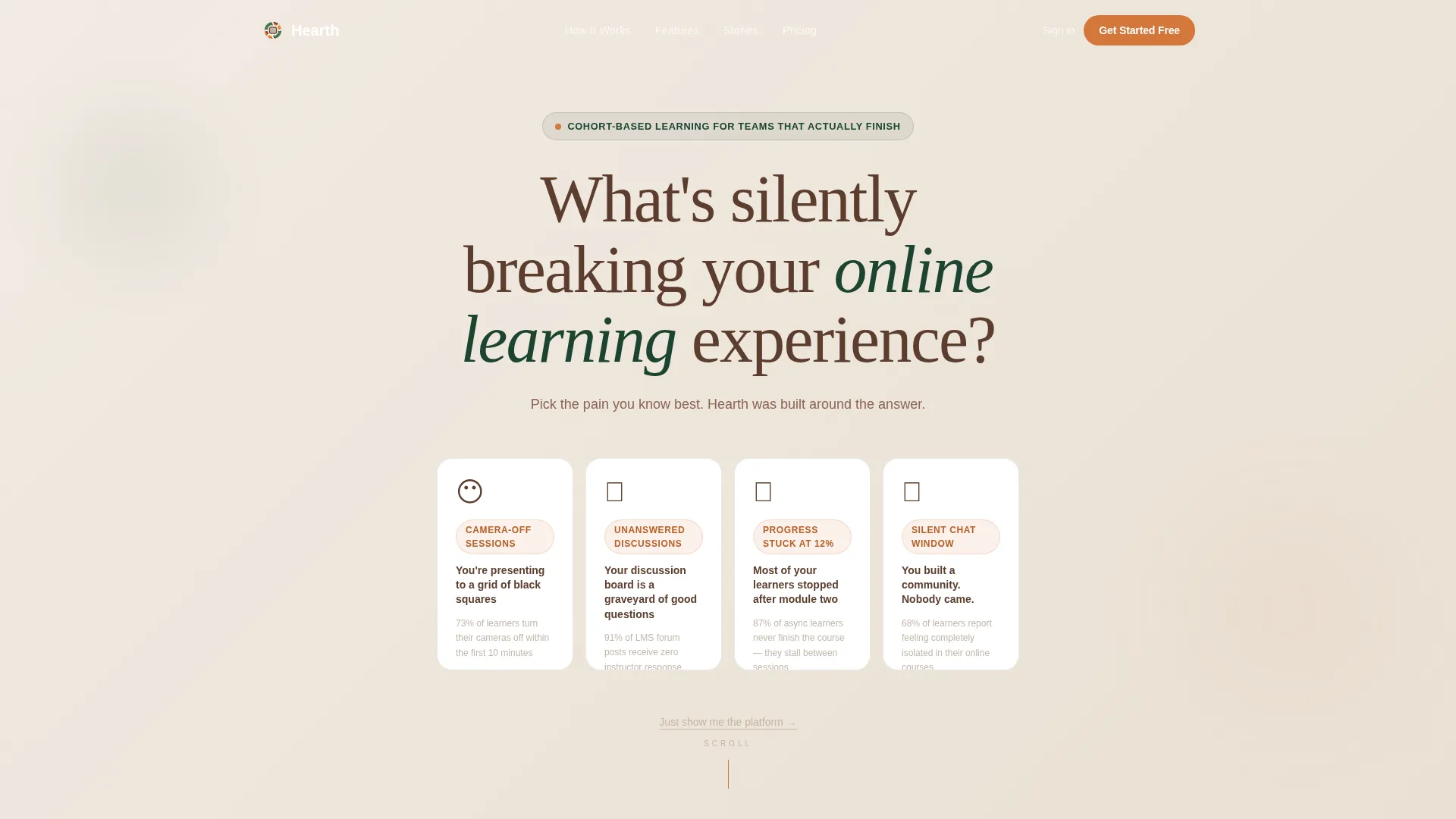
- An interactive quiz header with four illustrated pain cards, card-flip animation, and auto-scroll behavior
- A problem-to-solution arc where each pain card expands into a metric-backed section paired with a feature screenshot
- A personalized results screen with a primary call-to-action gated behind an email and organization-size field, plus a secondary skip-to-tour path
Feature list
This section describes the specific built-in components and design behaviors included in the Hearth template.
Interactive Quiz Starter Header
The page opens with a single provocative question set in large heartwood-brown serif type. Below it, four illustrated pain cards sit side by side. Each card depicts a recognizable learning frustration. When a visitor clicks a card, it flips, glows ember-orange at the edges, and the page begins to scroll itself automatically.
Five-Question Diagnostic Flow
After the opening card selection, the quiz continues with four follow-up questions. Examples include "How many learners drop off before module three?" and "Do your instructors see discussion activity in real time?" Each answer dynamically surfaces content relevant to the visitor's context, making the experience feel personal rather than scripted.
Problem-to-Solution Card Grid Arc
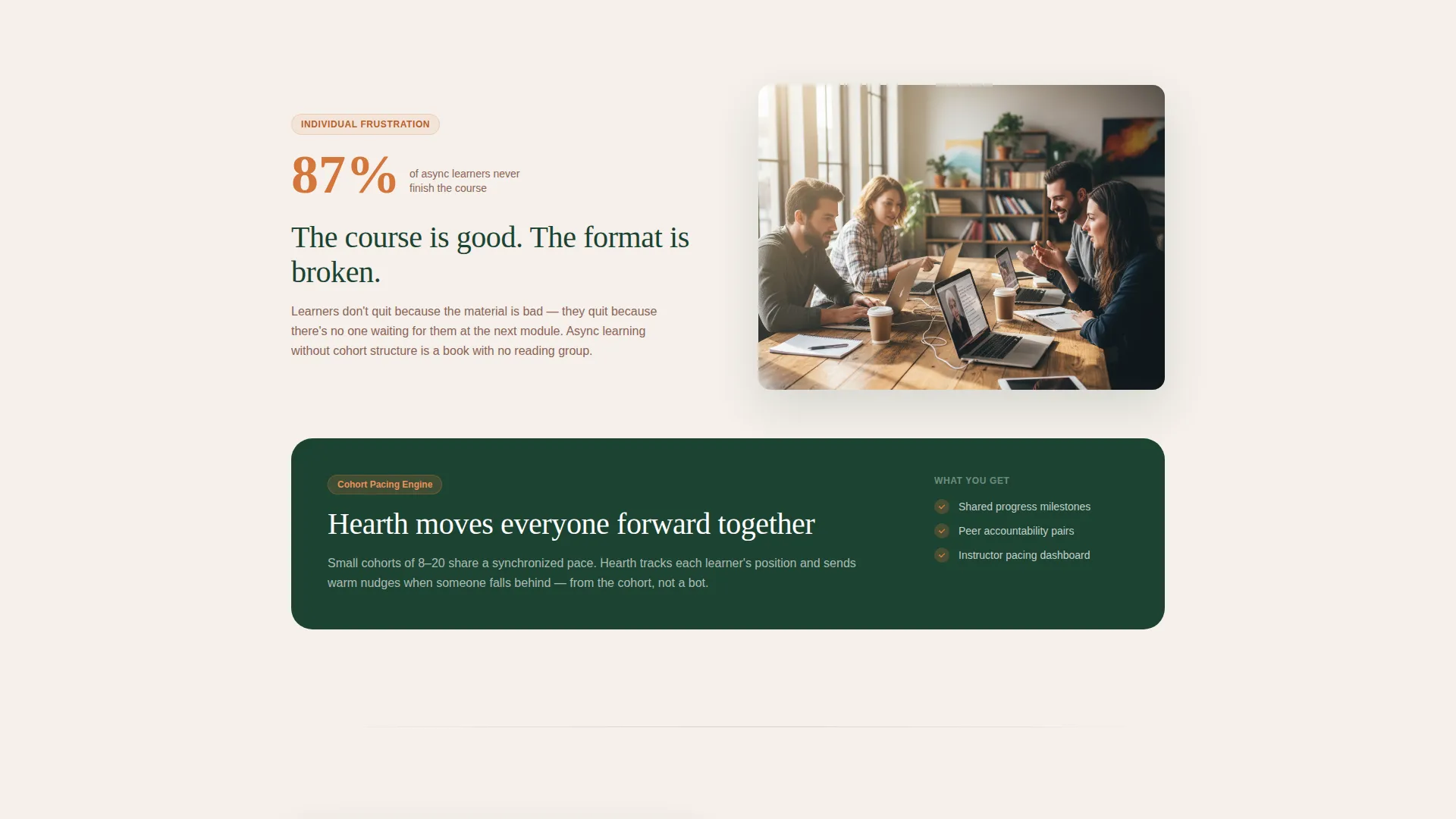
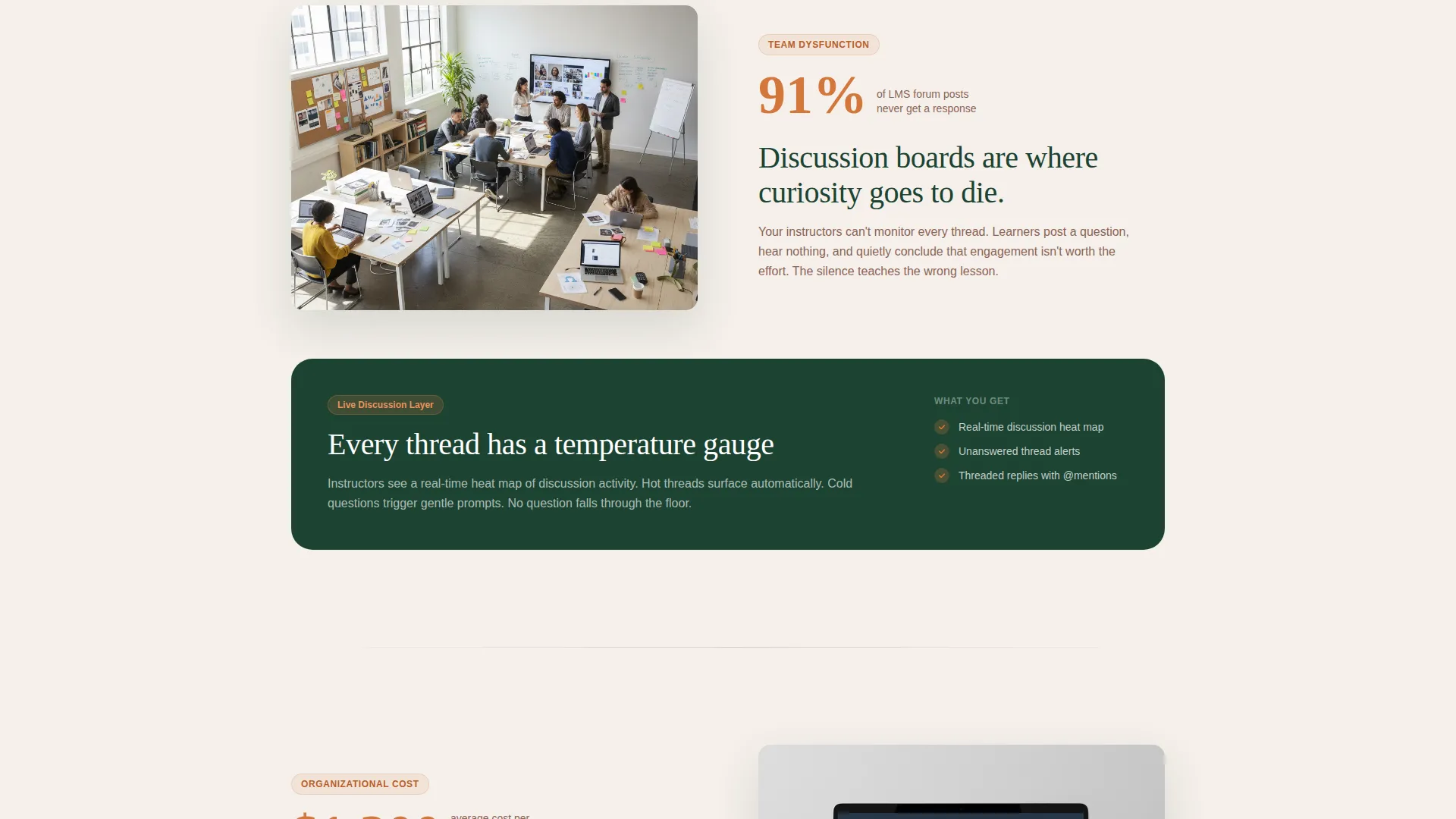
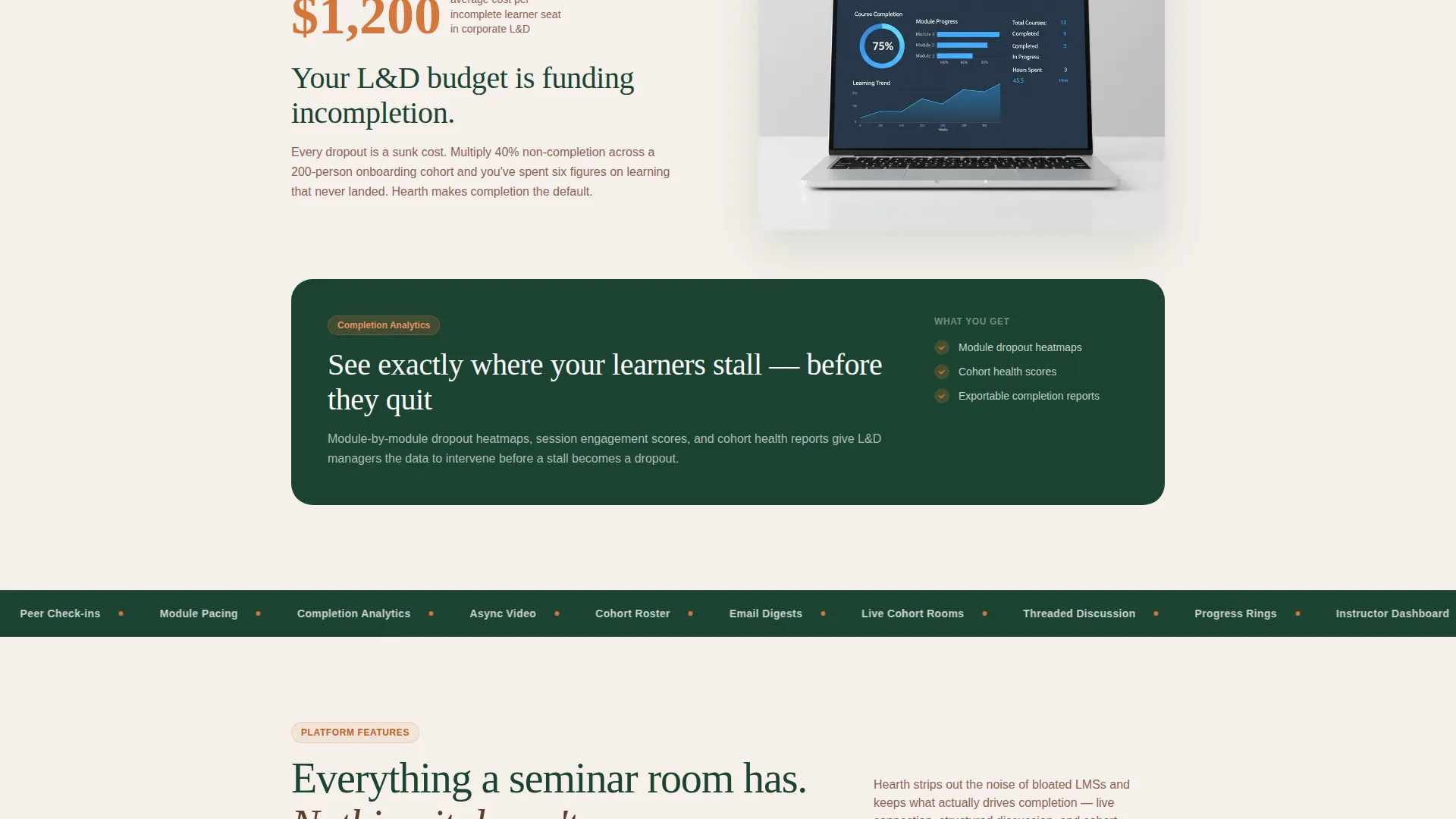
Each pain selected in the quiz expands into a full-width section. The section opens with a real metric, such as the stat that 87 percent of async learners never finish a course. The next scroll reveals a specific platform feature shown inside a warm, populated user interface screenshot. Card-grid rows escalate from individual frustration to team dysfunction to organizational cost, each resolving with a direct solution.
Personalized Results Screen with Gated call to action
The quiz ends on a custom results card built around the visitor's answers. The primary call-to-action reads "See Your Learning Fix" and gates a custom report behind an email address and an organization-size field. A secondary link labeled "Just show me the platform" routes visitors who prefer to skip the quiz directly to a feature tour section.
Modular Card Grid Layout
The entire page is built on a card-grid system. Sections stack and reorder cleanly. Each card carries its own visual weight using the Forest Trust color palette, making it straightforward to add, remove, or reorder modules without breaking the overall layout rhythm.
Page sections overview
| Section | Purpose |
|---|---|
| Quiz starter header | Opens the page with a diagnostic question and four illustrated pain cards |
| Card flip interaction | Triggers auto-scroll and reveals the problem arc on card selection |
| Pain expansion section | Shows a metric-backed cost statement for the selected learning problem |
| Feature solution reveal | Presents the matching platform feature inside a warm user interface screenshot frame |
| Escalating card rows | Progresses from personal frustration to team and organizational impact |
| Five-question diagnostic | Continues the quiz with follow-up questions that personalize the experience |
| Personalized results card | Delivers a custom summary and the primary gated call-to-action |
| Feature tour path | Offers a skip-quiz route directly to a structured platform walkthrough |
Design & branding system
The visual identity follows a Community Hearth theme rooted in the Forest Trust color system. Every color choice has a specific functional role, keeping the palette purposeful rather than decorative.
- Deep old-growth green (#1B4332) anchors the header and navigation; warm heartwood brown (#5C3D2E) carries body text; soft birch white (#F5F0EB) grounds card backgrounds
- Ember orange (#D4763B) is reserved strictly for buttons, progress indicators, active quiz states, and card-flip glow effects
- Typography uses large serif type for headline questions and readable body fonts for section copy, creating contrast between emotional pull and practical detail
Mobile & speed optimization
The card-grid structure is built to reflow naturally across screen sizes. Each module is self-contained, so the layout adapts without requiring separate mobile overrides for every section.
- Cards stack vertically on smaller screens, keeping the quiz flow intact and readable on mobile devices
- The auto-scroll behavior triggered by card selection works across both desktop and touch interfaces
- The gated results screen and its two-field form are sized for comfortable input on phones and tablets
How this template helps you convert
Hearth is designed to earn trust before it asks for anything. The quiz structure does most of the persuasive work by making the visitor feel diagnosed rather than marketed to.
- The opening quiz creates immediate personal relevance by asking the visitor to name their own pain point, which lowers resistance and builds forward momentum before any feature is shown
- The metric-backed problem sections, such as the 87 percent async course dropout stat, give the visitor a concrete reason to keep reading and to believe the platform addresses a real cost
- The gated results screen converts curiosity into a qualified lead by offering something specific in return for contact details, while the secondary skip path ensures no visitor leaves without a next step
Other information about this template
Hearth is categorized under Education and Training, specifically within the EdTech and Learning Platform subcategory. It targets the Virtual Classroom and Learning Management System niche.
- The template style is Card Grid (Modular), making individual sections easy to customize or reorder in your preferred page builder
- The landing page direction is Quiz and Assessment, meaning the conversion strategy is built around interactive diagnostic content rather than static copy
- The header concept is a Quiz Starter, a format proven to increase engagement by inviting participation from the very first scroll
- The Community Hearth theme and Forest Trust palette were selected specifically to contrast with the cold, corporate aesthetic common in edtech, positioning the platform as warm, human, and community-driven
Theme
Community Hearth
Creative direction
Problem→Solution Arc
Color system
Forest Trust
Style
Card Grid (Modular)
Direction
Quiz/Assessment
Page Sections
Interactive Quiz Starter with Card Flip
Five-question Diagnostic Flow
Metric-backed Problem Sections
Personalized Results Screen
Modular Card Grid Layout
Related questions
Who is this template best suited for?
Can I use this template without the quiz section?
Does the card-grid layout work on mobile screens?
What makes this landing page different from a standard edtech template?
What does the gated results screen collect from visitors?



