Horizon — Financial Solutions Landing Page Template
Ledger is a split-screen landing page template built for financial services project management consultancies. It presents complex program delivery credentials with the precision of a mission-critical dashboard. Designed around a Monochrome Steel palette and Industry Report structure, it guides high-stakes buyers from credibility to conversion through data-led narrative and two targeted lead capture paths.
by Rocket studio
Quick summary
Ledger is a single-page template for financial services project management consultancies that manage billion-dollar integrations, regulatory migrations, and platform rollouts. It uses a Data Command visual theme, a 50/50 split-screen layout, and an Industry Report scroll structure to move cautious, senior buyers from skepticism to a completed lead form.
Who this template is for
This template is built for consultancies that operate in high-complexity, high-stakes financial programs. If your clients are institutional decision-makers with zero tolerance for ambiguity, Ledger speaks their language from the first scroll.
- Chief Technology Officers at mid-tier banks managing legacy system replacements
- Compliance directors at insurance firms facing hard regulatory deadlines
- Transformation leads at asset managers recovering from a failed prior vendor
What problem this template solves
Senior financial services buyers do not trust generic agency pages. They have seen polished decks before, and they have been burned. Ledger solves the credibility gap by presenting your firm the way a Bloomberg terminal presents data: structured, precise, and completely undecorated.
- Visitors arrive skeptical; the page builds trust before asking for anything
- Complex service offerings get lost in vague copy; this template organizes them as findings, not features
- Most lead forms appear too early; Ledger places the primary call to action after three credibility-building sections
What you get with this template
You get a fully structured single-page layout that moves a cautious senior buyer through a deliberate credibility arc. Every section earns the next one before a contact request is ever made.
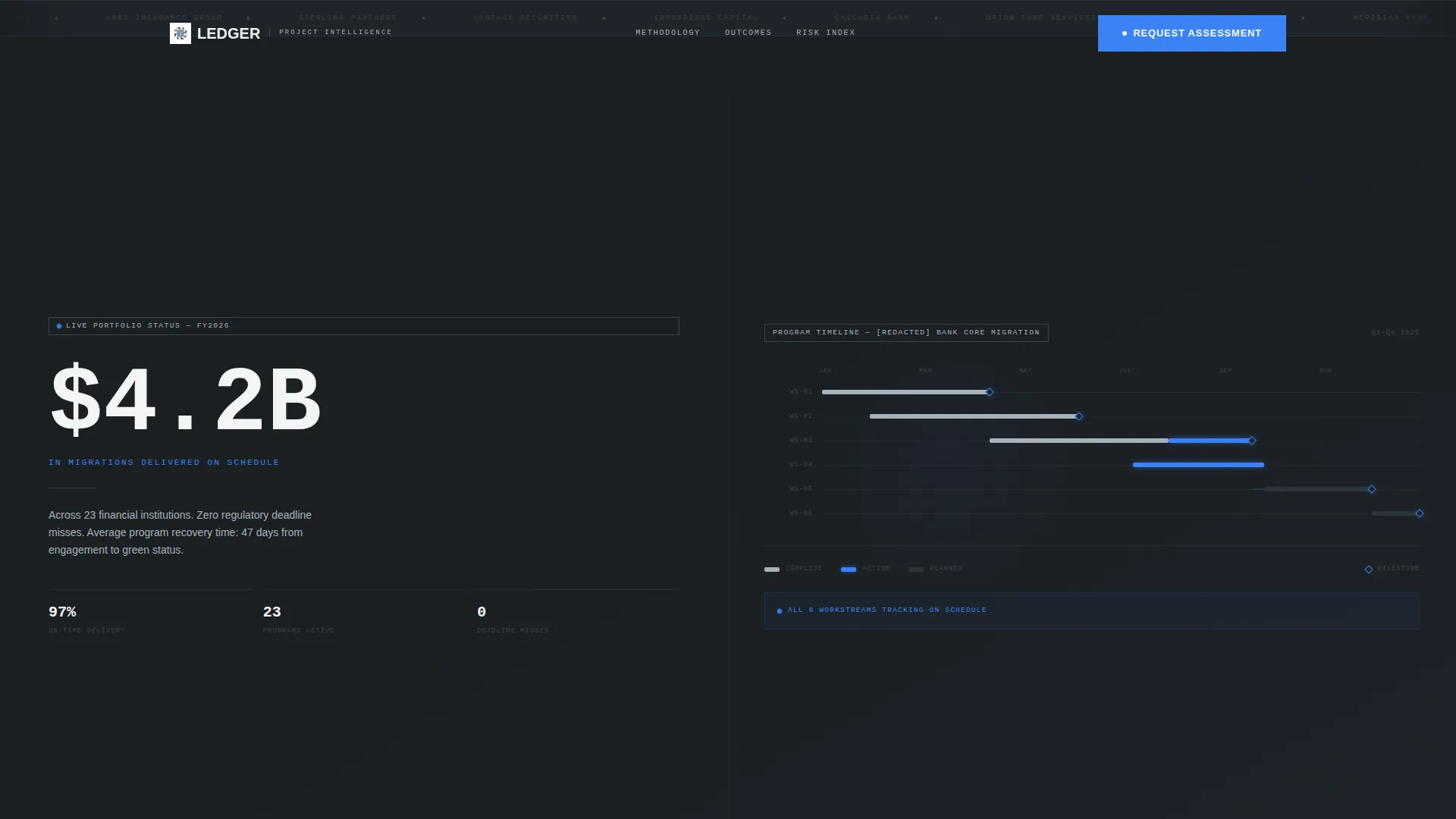
- A 50/50 split-screen hero with an oversized headline statistic and a Gantt-style timeline visualization
- A scrolling Logo Bar header featuring monochrome financial institution logos against deep charcoal
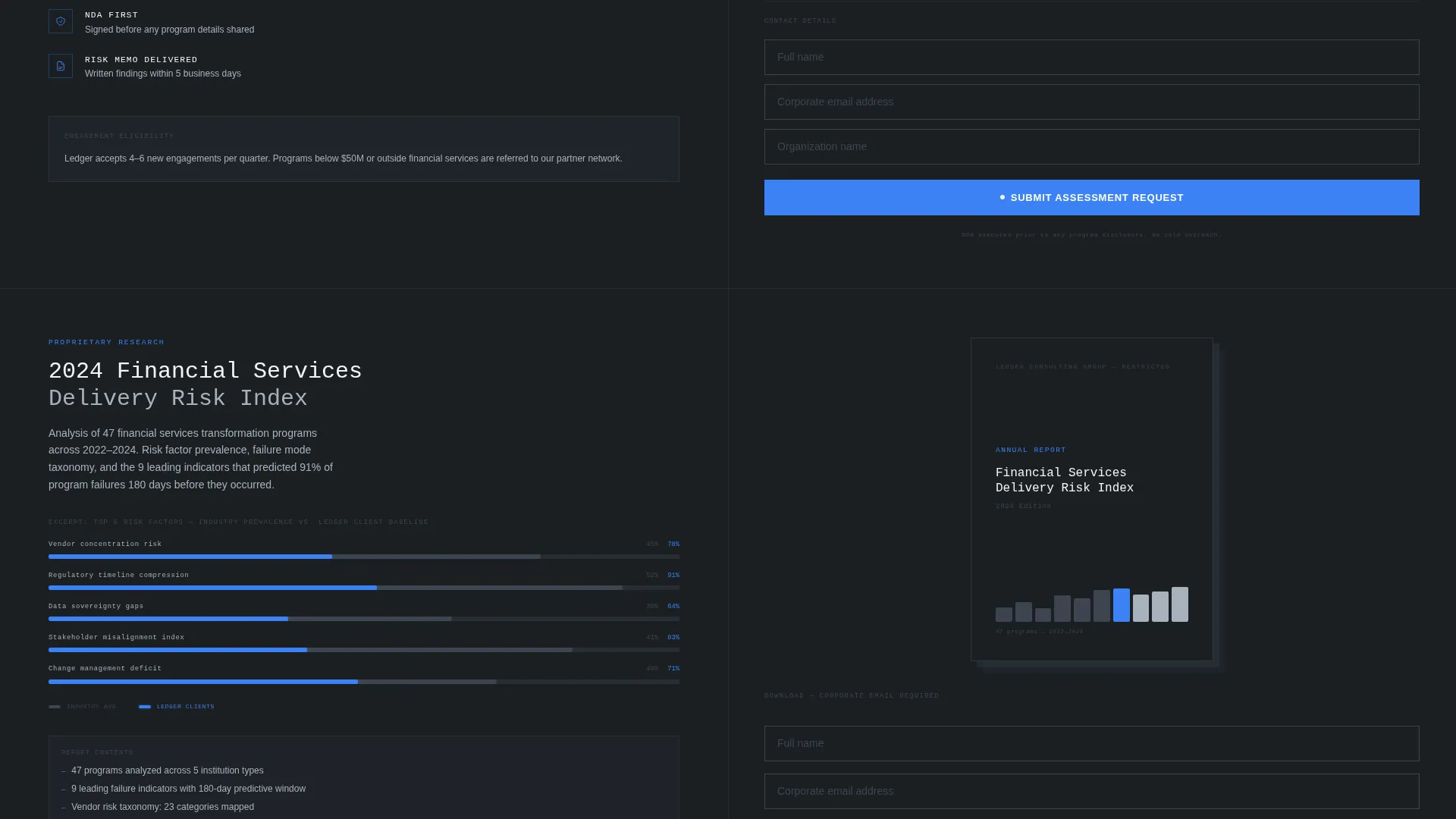
- A dual lead capture system: a primary complexity assessment form and a secondary gated PDF download
Feature list
This template includes a focused set of purpose-built components. Each one is designed to serve a specific role in the buyer journey of a high-stakes financial services audience.
Split-Screen Hero with Statistic Anchor
The hero divides the viewport evenly. The left side displays a single oversized typographic statistic, such as "$4.2B in migrations delivered on schedule." The right side holds a simplified Gantt-style timeline with anonymized workstreams and thin blue dependency lines connecting each milestone.
Scrolling Financial Logo Bar
The header opens with a horizontal strip of recognizable financial institution logos rendered in monochrome steel against deep charcoal. The logos scroll with restrained motion, establishing institutional credibility immediately without using client names.
Industry Report Scroll Structure
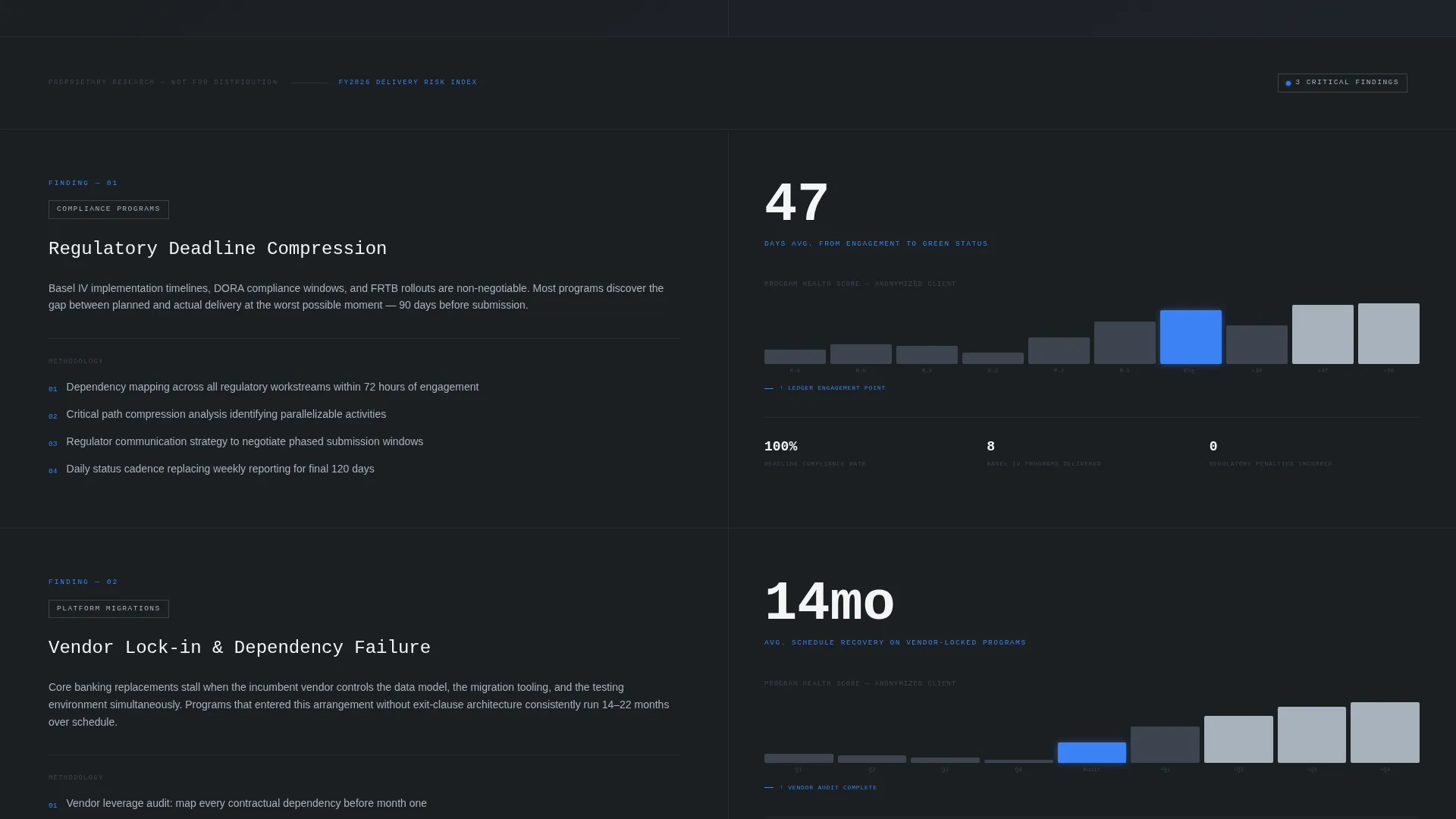
Each section of the page presents a named challenge on the left paired with methodology and outcome data on the right. The narrative escalates from common pain to uncommon rigor, structured to read like a proprietary whitepaper the visitor was not supposed to find.
Minimal Single-Axis Charts
Charts throughout the page use a single axis, monochrome rendering, and a signal-blue accent mark at the exact inflection point where the consultancy intervened. This keeps data readable without visual noise.
Primary Lead Capture Form
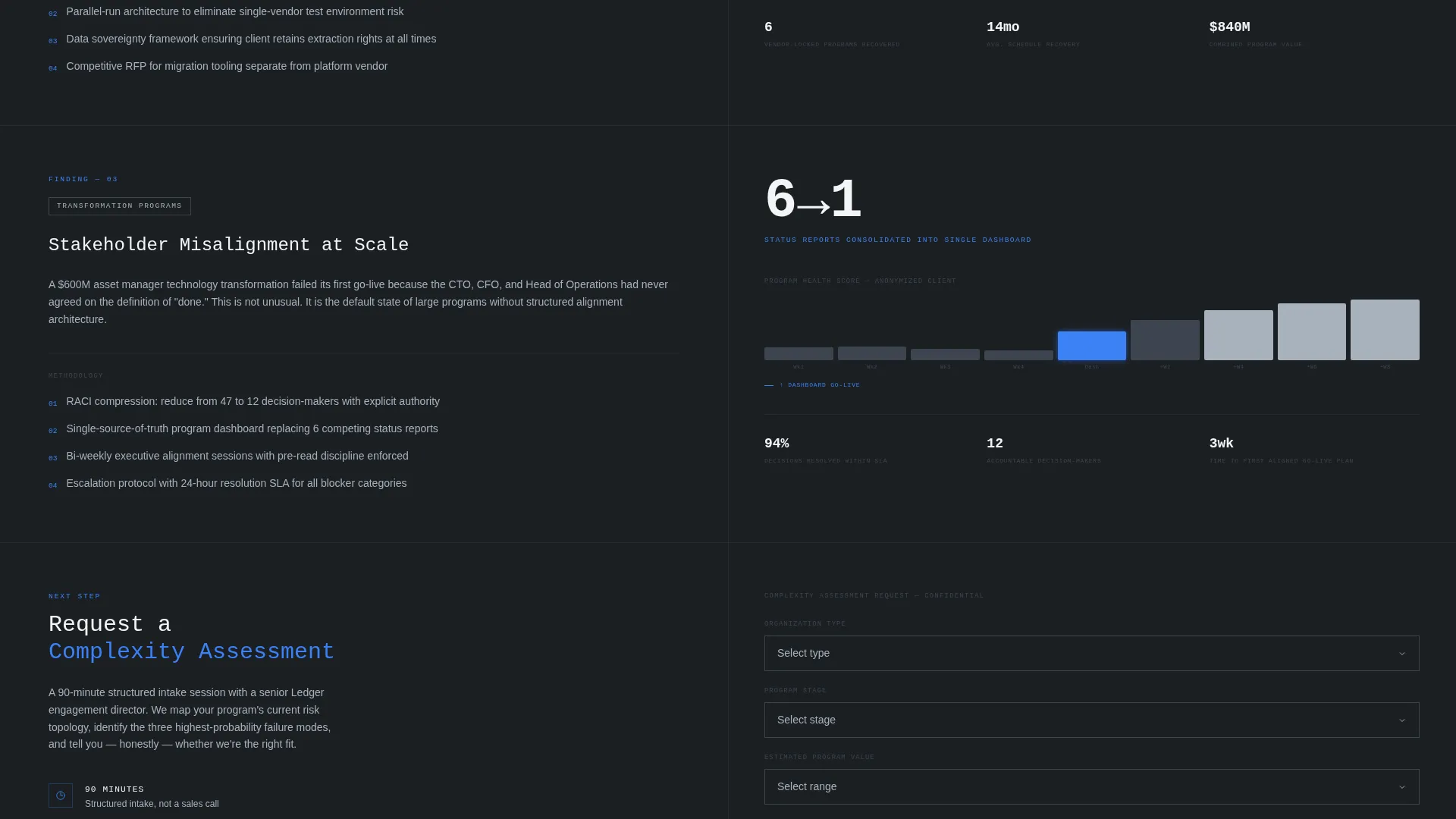
A "Request a Complexity Assessment" form appears after the third section. It collects organization type, program stage, and estimated program value via dropdown menus. Placement is deliberate: credibility is established before the form is shown.
Gated PDF Secondary Path
A secondary conversion path offers a downloadable report titled "The 2024 Financial Services Delivery Risk Index." It captures only a name and corporate email, giving time-pressured buyers a lower-commitment entry point.
Page sections overview
| Section | Purpose |
|---|---|
| Logo Bar Header | Establish institutional credibility through scrolling monochrome client logos |
| Split-Screen Hero | Lead with a defining statistic alongside a live-state Gantt timeline |
| Challenge Section One | Present regulatory deadline compression as a named finding with outcome data |
| Challenge Section Two | Address vendor lock-in with methodology details and results |
| Challenge Section Three | Cover stakeholder misalignment with supporting data on the right |
| Primary call to action Form | Capture qualified leads after three credibility-building sections |
| Gated PDF Download | Offer a secondary low-commitment conversion path for cautious buyers |
Design & branding system
The visual identity follows a Data Command theme built entirely on a Monochrome Steel color system. Every color choice is functional. Warmth and decoration are deliberately absent.
- Core palette: deep charcoal (#1B1F23), brushed gunmetal (#3D4450), cool silver (#A8B2BD), and clinical white (#F4F5F7)
- A single signal-blue accent (#3B82F6) is reserved exclusively for interactive elements and live-state indicators such as dependency lines and inflection markers
- Typography is oversized in the hero and tightens progressively down the page, reinforcing the dashboard-like information hierarchy
Mobile & speed optimization
The template is structured to translate its split-screen desktop layout into a logical single-column stack on smaller screens. The visual hierarchy is preserved even when the 50/50 split collapses.
- The hero statistic and Gantt timeline stack vertically on mobile, keeping both elements prominent
- Charts and data panels reflow cleanly without losing their minimal single-axis readability
- The lead capture forms remain accessible and uncluttered at every viewport width
How this template helps you convert
Ledger does not ask for trust before earning it. The page is engineered to move a cautious senior buyer through a deliberate sequence, so that by the time a form appears, the decision to engage already feels logical.
- The Logo Bar and hero statistic establish institutional authority in the first viewport, reducing early bounce from skeptical buyers.
- The Industry Report structure presents three named challenges with supporting data, building a cumulative case that positions your firm as a technical peer, not a vendor.
- Dual conversion paths serve different buyer readiness levels: the complexity assessment form captures active prospects, while the gated PDF captures buyers who are still in research mode.
Other information about this template
Ledger is built for a specific intersection of technology services and financial services project management. It is not a general consulting template. The design language, copy structure, and conversion logic are all calibrated for the financial services delivery context.
- The template sits within the Technology category and the Financial Services Software subcategory
- It is purpose-matched for the Financial Services Project Management niche, where buyer scrutiny and program stakes are both unusually high
- The color system and Data Command theme are drawn from the visual grammar of professional financial tools, giving the page an immediate sense of domain fluency
Theme
Data Command
Creative direction
Industry Report
Color system
Monochrome Steel
Style
Split Screen (50/50)
Direction
Lead Generation
Page Sections
Split-screen Hero with Statistic Anchor
Scrolling Financial Logo Bar
Industry Report Scroll Structure
Minimal Single-axis Data Charts
Qualified Lead Capture Form
Gated PDF Secondary Conversion Path
Related questions
Who is this template designed for?
Can I update the hero statistic and Gantt timeline with my own data?
How does the two-path lead capture work?
Is the template suited to presenting more than one service area?
Does the template come with placeholder content to guide setup?



