Daycare Digital Presence Cost Calculator Website Template
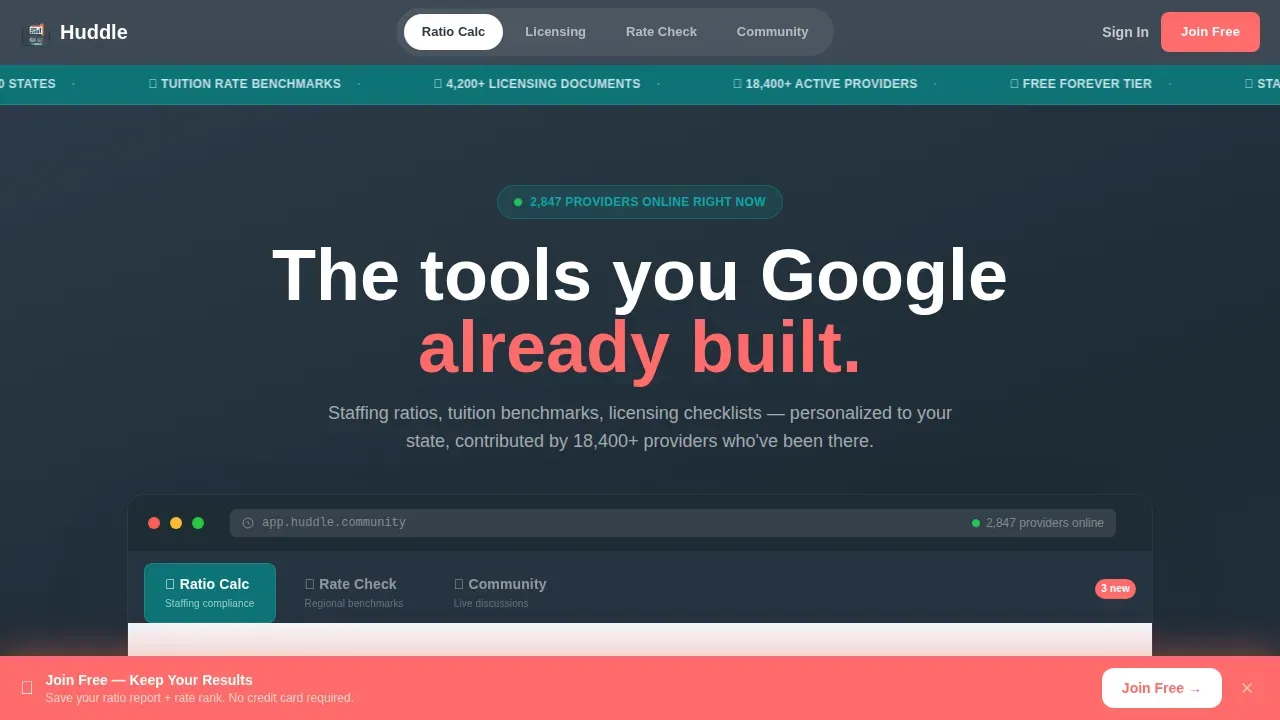
Huddle is a hub-and-spoke landing page template built for daycare community forums. It opens with an interactive staffing ratio calculator, then guides providers through a licensing library, tuition benchmarking tool, and live discussion feed. The freemium signup flow asks for just three fields and converts the moment visitors interact with real, personalized data.
by Rocket studio
Quick summary
The Huddle landing page is a single-page, anchor-navigated template purpose-built for daycare professional communities. It leads with a live ratio calculator, not a pitch. Every section below deepens one promise: useful tools, real benchmarks, and peer wisdom, all free to access before you sign up.
Who this template is for
This template is designed for the people who run childcare in the real world. It speaks directly to the operators managing compliance, tuition, and staff at the same time.
- Owner-operators of small centers or home-based programs who need state-inspection prep at any hour
- Assistant directors comparing tuition rates across zip codes and seeking rate benchmarks
- Newly certified providers searching for incident response templates and child safety guidance
What problem this template solves
Daycare providers face a challenge that most SaaS landing pages ignore: their audience needs real answers before they will sign up for anything. A generic hero section and a vague call to action button will not earn that trust.
- Providers leave pages that ask for commitment before showing value
- Compliance questions are urgent and state-specific, not one-size-fits-all
- There is no single channel where ratio rules, rate data, and peer advice live together
What you get with this template
This project delivers a fully coded, single-page layout with five anchor-linked spokes, each escalating visitor engagement. Every section is designed to view clearly at a glance and reward interaction.
- A Feature Tab Switcher header with three live-tool views: ratio calculator, rate heatmap, and community feed
- A freemium signup section with a sticky coral call-to-action bar and a three-field form
- A Pro trial toggle for county-level rate data, shown after the tuition benchmarking interaction
Feature list
This page is coded to build trust through tools, not promises. Each feature shown below is grounded in what the template brief specifies.
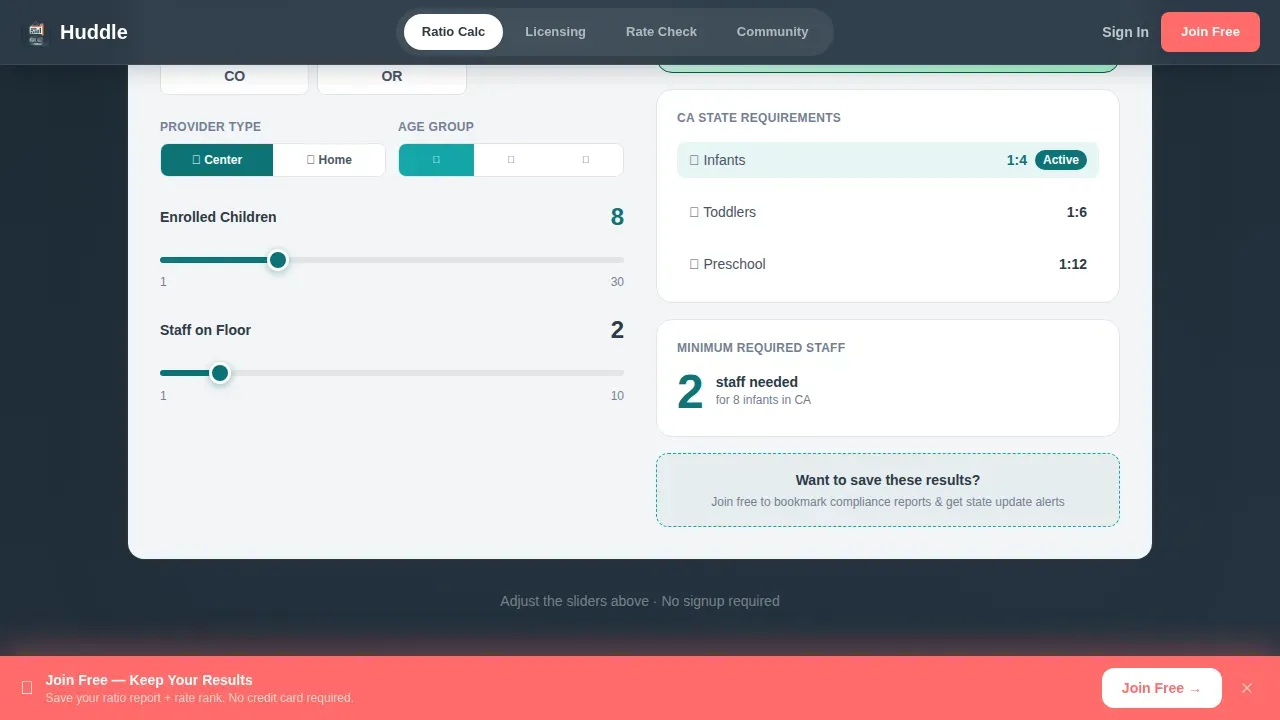
Interactive Staffing Ratio Calculator
The ratio calculator is the first interaction on the page. Visitors adjust a slider for enrolled children and see an instant compliant or non-compliant readout based on their detected state. No pitch paragraph precedes it.
Tuition Rate Benchmarking Tool
Providers enter their monthly tuition and view where they rank within their region. Real zip codes are visible in the heatmap view. A Pro trial toggle appears after interaction to unlock full county-level data.
Feature Tab Switcher Header
Three tabs sit inside a mock dashboard frame. Each tab reveals a different live tool view. Tab transitions feel like opening drawers in a desk that already belongs to the visitor.
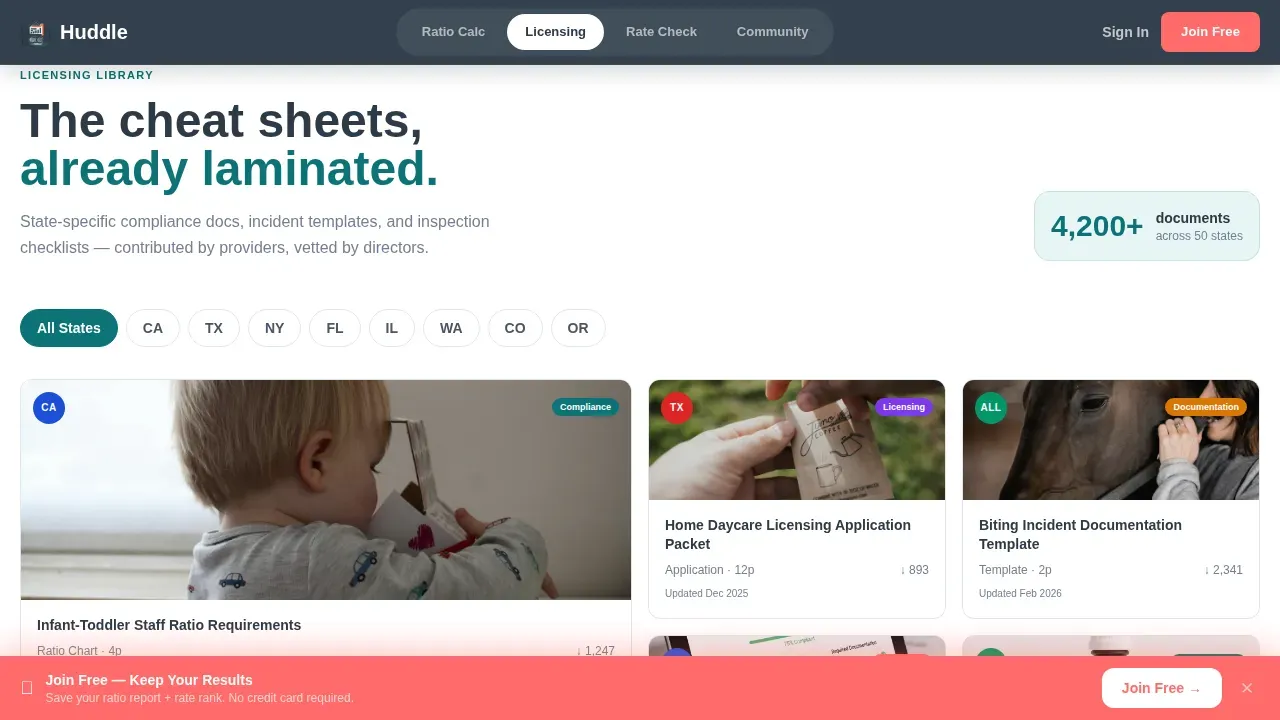
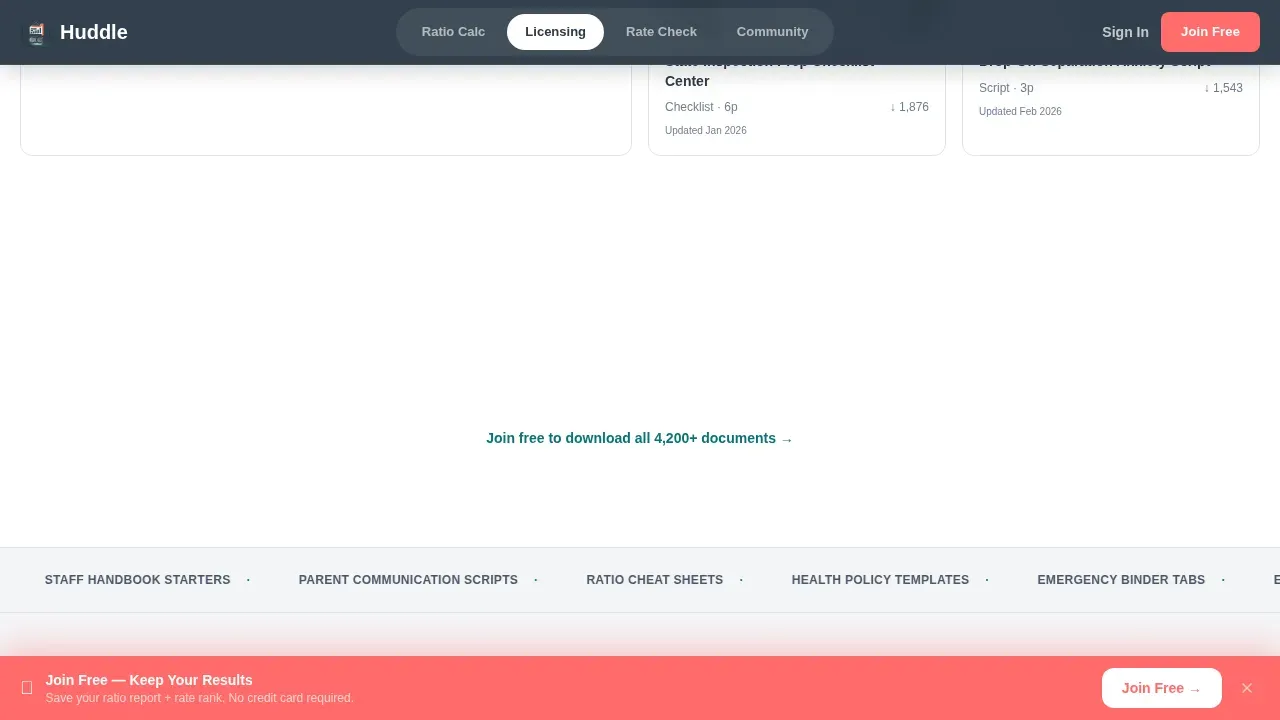
Licensing Library Section
Document thumbnails with state seals are shown in a filterable grid. Providers can step through their state's requirements without leaving the page.
Community Discussion Feed
Real thread titles with reply counts in the hundreds are surfaced and sorted by upvotes. This section lets visitors engage in genuine discussion or browse before they commit.
Sticky Freemium Signup Bar
A coral-colored bottom bar with the call-to-action "Join Free, Keep Your Results" appears the moment any calculator is used. The form asks only for email, state, and provider type, one step, three fields.
Page sections overview
| Section | Purpose |
|---|---|
| Tab Switcher Header | Launches ratio calculator, rate heatmap, community feed |
| Licensing Library | Browse state-specific compliance documents by seal |
| Rate Benchmarking | Input tuition, view regional rank, unlock Pro data |
| Community Threads | Upvoted peer discussions sorted by reply count |
| Freemium Signup | Three-field form with sticky coral call to action bar |
| Footer | Linear single-row links and legal text |
Design & branding system
The visual styles follow a Dashboard Pro theme using a Teal Catalyst color system. The palette feels like a well-organized classroom board, calm enough to think inside, bright enough that nothing critical gets missed.
- Deep classroom teal (#0D7377) for primary actions; chalkboard charcoal (#2C3A47) for body text and nav rails; soft nap-mat gray (#F4F5F7) for section backgrounds
- Catalyst coral (#FF6B6B) reserved exclusively for notification badges, alert states, and the single most important call-to-action button per viewport
- Typography uses Plus Jakarta Sans for bold headings and DM Sans for body text, with font size and font family choices that support scanning at a glance
Mobile & speed optimization
This landing page is built mobile-first because providers use their phones between nap rotations. The layout must deliver full value on a small screen before it expands for desktop views.
- The primary button is placed above the fold using contrasting coral for visibility across all screen sizes
- A single-column design ensures the layout works seamlessly on smartphones; media queries then adjust styles for larger screens
- Static sections are structured as Server Components while interactive tools run as Client Components, keeping the page responsive across different screen sizes
How this template helps you convert
The Huddle landing page earns the click by giving real, personalized data before asking for anything. Visitors already have something to lose by leaving.
- The ratio calculator creates immediate personal relevance, the visitor sees their own state's compliance status before any signup prompt appears
- The tuition benchmarking tool escalates commitment naturally, moving visitors from passive view to active input before surfacing the Pro upsell
- The sticky coral bar with "Join Free, Keep Your Results" captures the conversion moment at peak engagement, with a form short enough to complete in seconds
Other information about this template
This template is also a strong learning project for developers who want to sharpen their front-end skills. The structure and styles are clean enough to study, adapt, and share.
- The huddle smart daycare community forum landing page template is built with semantic HTML and CSS, making it approachable for developers who want to learn or train on real-world layouts
- Developers can download the starter code, review the style guide, and build the project to the designs provided, the HTML file and CSS are clearly organized with consistent margin and padding values
- The designs provided are shown in a format that makes it easy to write clean, well-spaced markup; the style guide covers font family, font size, colors, and spacing so nothing is left to guess
- This project is a practical challenge for anyone who wants to build skills in responsive layout, coded tab components, and interactive slider design
- You can share your solution with others for feedback, submit it to a portfolio, or use it as starter code for a real client build
- The community your fans and audience will love is built on genuine peer interaction, providers can engage, view active threads, and create connections across their channel without friction
- Frontend Mentor challenges follow a similar philosophy: build the community, sharpen your craft, and share what you learn; this template fits that spirit and can be used in free or commercial projects
- The Huddle Smart Portal and dynamic activity feed concepts mentioned in the brief explain how the platform can support real-time community discussions at scale
- Fans will love the warm, non-sterile look; Instagram and Twitter share links in the footer help spread the voice of the community organically
- This huddle landing project rewards builders who want to complete a realistic, coded single introductory section challenge across multiple weeks
Theme
Dashboard Pro
Creative direction
Calculator/Tool First
Color system
Teal Catalyst
Style
Hub & Spoke (Anchor Nav)
Direction
Freemium/Trial
Page Sections
Interactive Staffing Ratio Calculator
Tuition Rate Benchmarking Tool
Feature Tab Switcher Header
Licensing Library Section
Community Discussion Feed
Sticky Freemium Signup Bar
Related questions
Does this template require advanced coding skills to customize?
Is this landing page optimized for mobile users?
Can I use this template for a real client project or commercial work?
How does the freemium conversion flow work?
What coding tools or frameworks can I use with this template?



