School (K-12) Specialist Booking Website Template
Ignite is a sidebar companion landing page template built for hands-on science academies. It pairs a fixed quiz sidebar with a dynamically personalized main column, guiding parents to the right curriculum track in seconds. With a warm, grounded visual identity and a three-field trial booking form, this template turns curious scrollers into enrolled students.
by Rocket studio
Quick summary
Ignite is a single-page template designed for science and engineering academies targeting families. A fixed sidebar quiz personalizes the main content column based on each child's learning style. The result is a page that feels tailored, builds trust quickly, and drives parents toward booking a free trial class with minimal friction.
Who this template is for
This template was built for science academies and STEM enrichment programs that teach children in hands-on, project-based environments. It works especially well for independent programs run by professionals who want to connect with families rather than institutions.
- Parents scrolling late at night looking for engaging science programs for their children
- Homeschool families searching for structured STEM enrichment with real curriculum depth
- School administrators sourcing field-trip alternatives or supplemental science experiences
What problem this template solves
Most science program pages look the same: a wall of text, a generic photo, and a sign-up button buried at the bottom. Parents arrive with specific kids in mind and leave without finding what they need. Ignite fixes that mismatch directly.
- Parents cannot quickly tell whether a program suits their specific child's interests or age
- Generic pages force every visitor through the same content, regardless of their child's personality
- Long forms and unclear next steps create drop-off before parents reach the commitment point
What you get with this template
This template delivers a fully structured sidebar companion landing page with a built-in quiz engine, personalized content columns, and two distinct conversion paths. Everything is ready to populate with your academy's real content.
- A fixed sidebar housing a three-question quiz that reshuffles the main content column dynamically
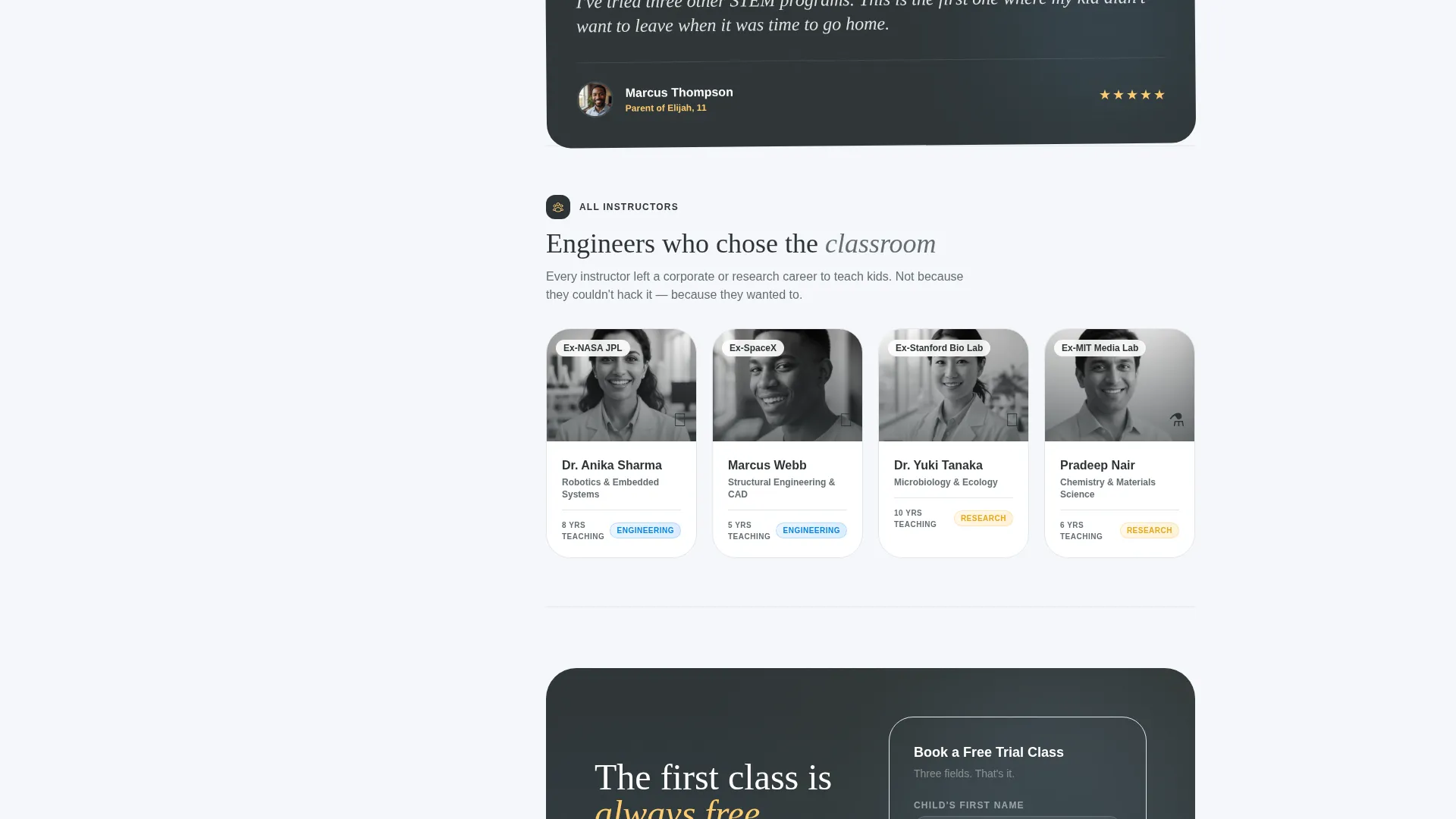
- Two curriculum tracks (Engineering and Research) with filtered instructor bios and matching parent testimonials
- A primary "Book a Free Trial Class" call to action and a secondary PDF download path for undecided parents
Feature list
This template is built around one core idea: a landing page that responds to the parent, not just the product. Each feature below works together to create that experience.
Fixed Quiz Sidebar
The sidebar stays anchored as the parent scrolls. It presents three short, personality-style questions covering the child's approach to learning, their age range, and their preferred schedule. Answers trigger immediate changes in the main content column without requiring a page reload.
Dynamic Content Personalization
Once quiz answers are submitted, the main column reshuffles to show the matched curriculum track, relevant instructor bios, and a testimonial from a parent whose child fits the same profile. The personalization creates a feeling of relevance that a static page cannot replicate.
Dual Curriculum Track Layout
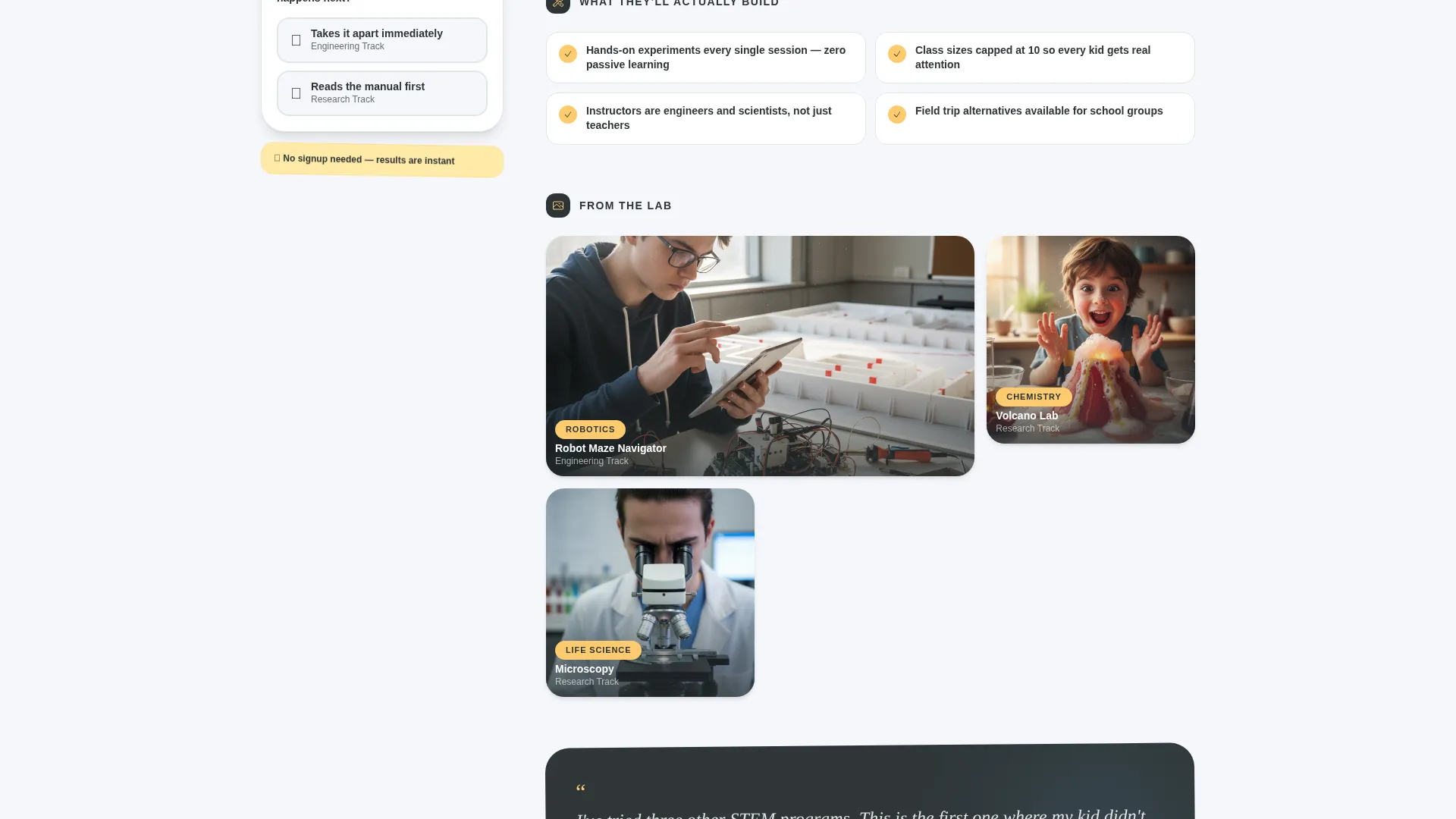
The template includes two distinct track presentations: the Engineering Track with robotics project photography and the Research Track featuring microscopy and lab-based content. Each track has its own curriculum detail section, instructor block, and testimonial.
Terminal-Style Animated Headline
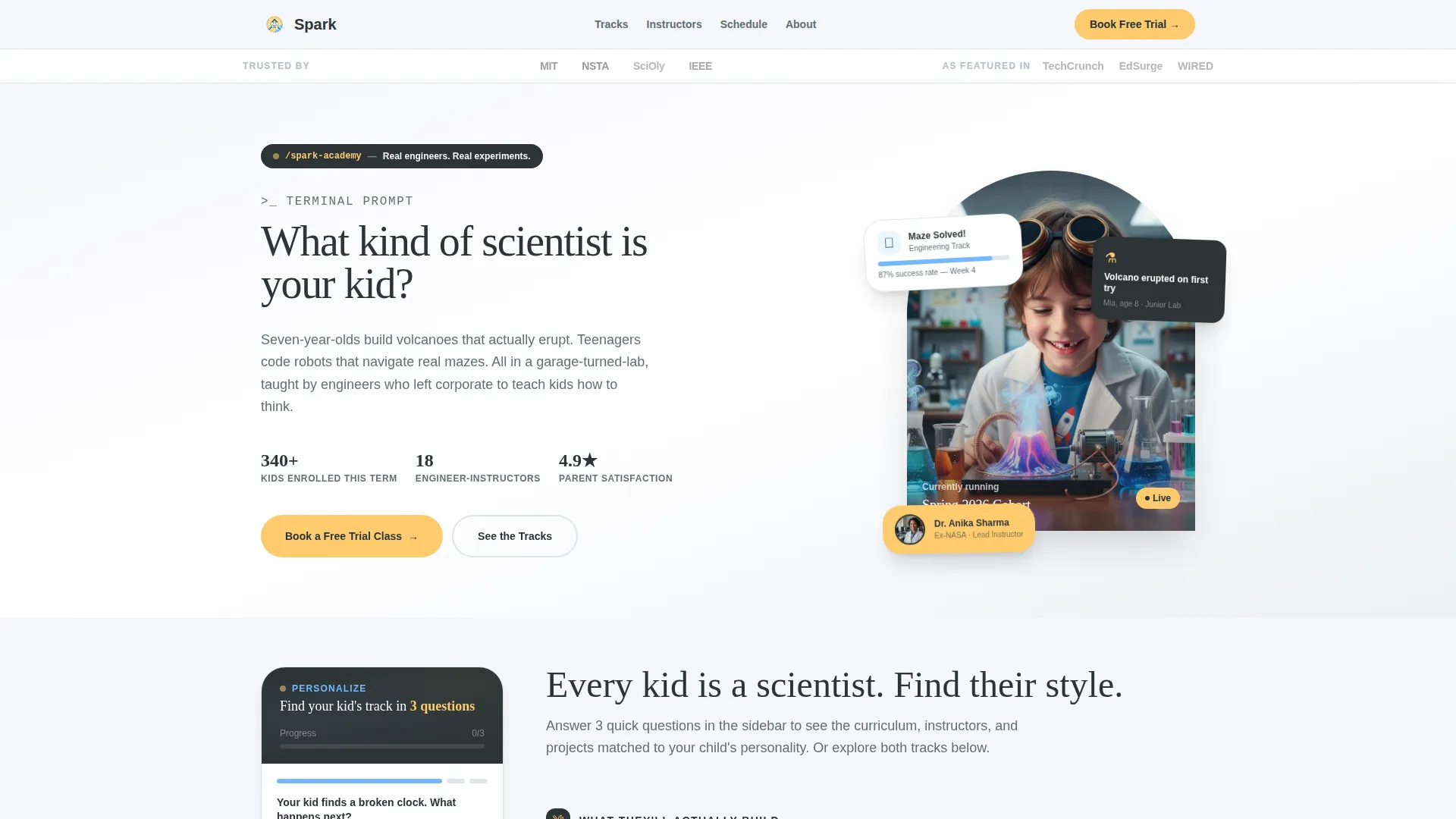
The header section features a headline that types in like a terminal prompt, reading "What kind of scientist is your kid?" This small interaction sets a curious, exploratory tone from the very first second on the page.
Trust Logo Header Bar
A clean horizontal logo bar sits at the top of the page. It displays partner school logos, science fair organization marks, and press badges under an "As Featured In" label. This establishes credibility before the parent reads a single word of body copy.
Low-Friction Trial Booking Form
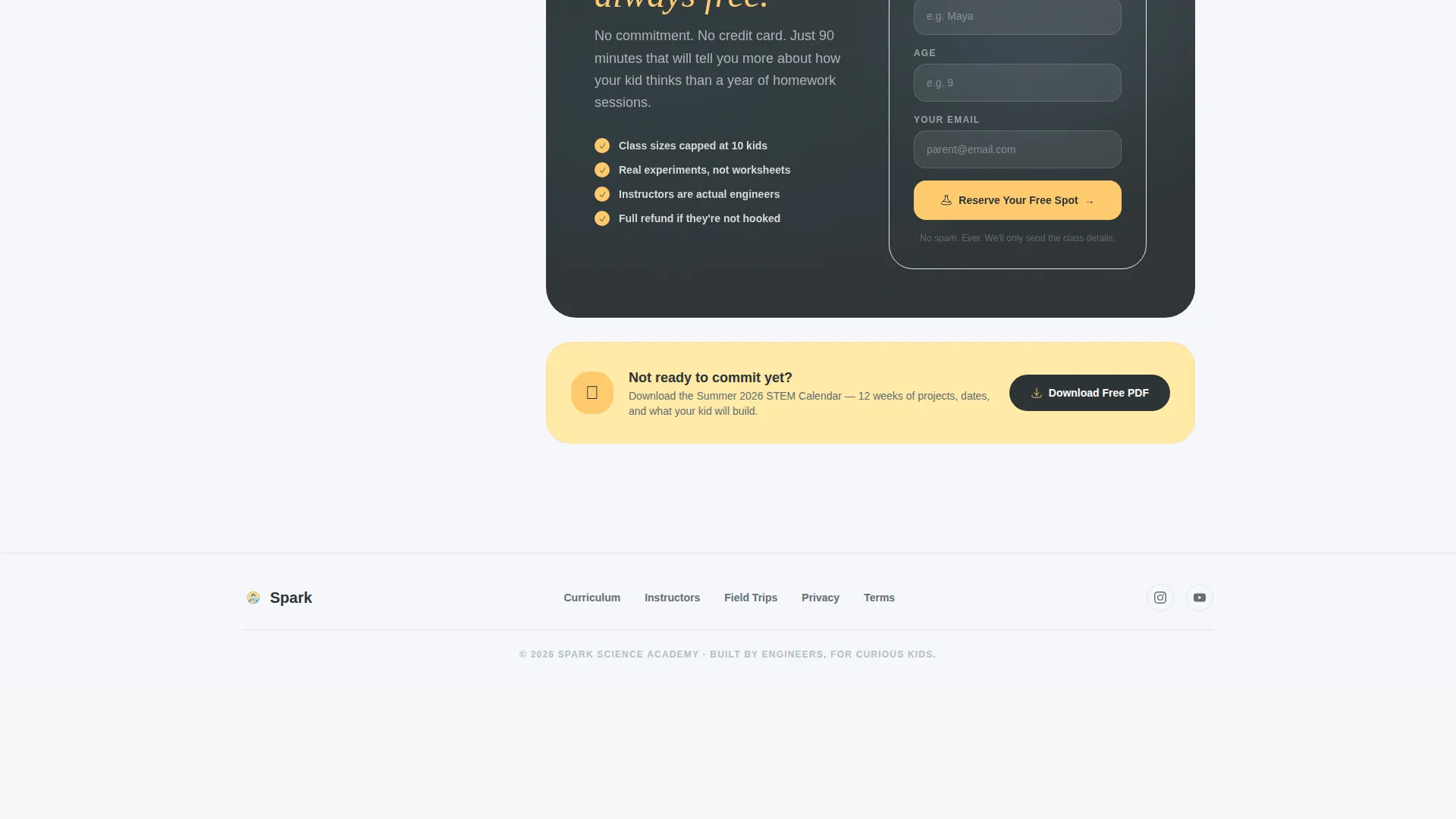
The primary conversion form asks for only three fields: the child's first name, age, and the parent's email address. The secondary path offers a downloadable Summer STEM Calendar PDF for parents who are not yet ready to book. Both paths are built into the template layout.
Page sections overview
| Section | Purpose |
|---|---|
| Trust Logo Bar | Shows partner schools, press badges, and the academy's own mark to build instant credibility |
| Hero Photograph | Anchors the page with a single image of a child mid-experiment to set emotional tone |
| Terminal Headline | Types in the question "What kind of scientist is your kid?" to open curiosity immediately |
| Fixed Quiz Sidebar | Collects three answers and dynamically personalizes the main content column |
| Engineering Track | Displays robotics curriculum, filtered instructor bios, and a matched parent testimonial |
| Research Track | Surfaces microscopy projects, relevant instructor bios, and a matched testimonial |
| Curriculum Details | Deepens the matched track with session structure, project types, and age ranges |
| Instructor Bios | Shows filtered profiles of real engineers who teach the selected track |
| Parent Testimonials | Presents a testimonial matched to the child profile selected in the quiz |
| Primary call to action Block | Presents the "Book a Free Trial Class" form with three fields only |
| PDF Secondary call to action | Offers the Summer STEM Calendar download for parents at an earlier decision stage |
Design & branding system
The visual identity follows a Family First theme built on the Slate and Sky color system. The palette feels serious enough to reassure parents and bright enough to promise real excitement for children.
- Deep chalkboard (#2D3436), soft graphite (#636E72), and open-sky blue (#74B9FF) anchor backgrounds and text across the page
- Warm chalk-dust white (#F5F6FA) provides breathing room between content sections
- Spark-yellow (#FDCB6E) is reserved specifically for buttons, quiz interactions, and progress indicators to draw the eye at the right moment
Mobile & speed optimization
The sidebar companion layout adapts thoughtfully for smaller screens. On mobile, the quiz sidebar transitions to an inline interaction so parents scrolling on their phones still experience the personalization without layout conflicts.
- Fixed sidebar collapses into a sticky inline quiz block on narrower viewports
- Section stacking preserves the quiz-first flow so the personalized experience works on any device
- Lightweight section structure keeps the page easy to load and navigate without heavy dependencies
How this template helps you convert
Ignite is designed so that by the time a parent sees the trial booking form, the page has already done most of the persuasion work. Conversion is the natural conclusion of the experience, not a hard ask.
- The quiz creates a sense of personalization early, so parents feel the page understands their child before they read the first curriculum line
- Matched testimonials and instructor bios reinforce trust at exactly the moment a parent is most engaged with the content
- The three-field form and the PDF download option give parents two clear paths forward, removing the pressure of a single high-commitment ask
Other information about this template
This template is part of the Ignite series, designed specifically for discovery-driven education programs. It fits naturally within the broader category of science academy and STEM enrichment web presences.
- The template style is classified as a Sidebar Companion, making it distinct from full-width or multi-column page layouts
- The creative direction follows a Quiz and Personalize approach, which is well-suited to programs offering multiple tracks or age-differentiated curricula
- The Freemium and Trial conversion direction means the primary goal is a low-stakes first step, not an immediate purchase
- The header concept is a Logo Bar, which is particularly effective for newer academies that carry press recognition or school partnerships they want to highlight early
- This template supports the Family First theme, meaning the tone and layout decisions are calibrated toward parent trust as the primary emotional driver
Theme
Family First
Creative direction
Quiz & Personalize
Color system
Slate & Sky
Style
Sidebar Companion
Direction
Freemium/Trial
Page Sections
Fixed Quiz Sidebar Engine
Dynamic Track Personalization
Terminal-style Typing Headline
Trust-building Logo Bar Header
Dual Conversion Path Layout
Matched Testimonial Blocks
Related questions
Can I use this template if my academy only offers one curriculum track?
Does the quiz sidebar work on phones and tablets?
How many form fields does the trial booking form include?
Is this template suitable for a small independent science program?
What if I want to add more than two curriculum tracks?



