Advanced Printing Digital Presence Cost Estimator Website Template
Press is a modular card-grid landing page built for printing equipment and services providers. It uses a Problem→Solution Arc to walk visitors from familiar pain points to hard-number solutions. The Tech Glass visual identity, an inline savings calculator, and a head-to-head demo form work together to qualify leads and move serious buyers toward a decision.
by Rocket studio
Quick summary
Press is a single-page, card-grid landing page designed for printing equipment and services providers. It opens with a dramatic product screenshot header, walks visitors through a structured Problem→Solution Arc, and closes with two conversion paths: an inline savings calculator and a demo request form. The design language feels precise, industrial, and confident.
Who this template is for
This template is built for businesses that sell or operate professional printing systems. It speaks directly to the buyers who are already comparing specs and need one final push.
- Sign shop owners and wide-format print operators evaluating new equipment
- Marketing managers with urgent print deadlines and tight turnaround windows
- Franchise operators who need consistent, high-volume output across multiple locations
What problem this template solves
Generic service pages lose technically literate buyers fast. A printing buyer who arrives comparing ink cost per square foot, dry time, and color accuracy needs evidence, not brochure copy. This template is structured to deliver that evidence in a logical, scrollable sequence.
- Visitors leave before seeing proof because the value case is buried or scattered
- Pain points like color drift, media jamming, and slow turnaround go unaddressed on most pages
- There is no easy way for buyers to calculate whether switching equipment actually saves money
What you get with this template
You get a fully structured, single-page layout built around the printing buyer's decision journey. Every section is purpose-built to move a skeptical visitor closer to a qualified conversion action.
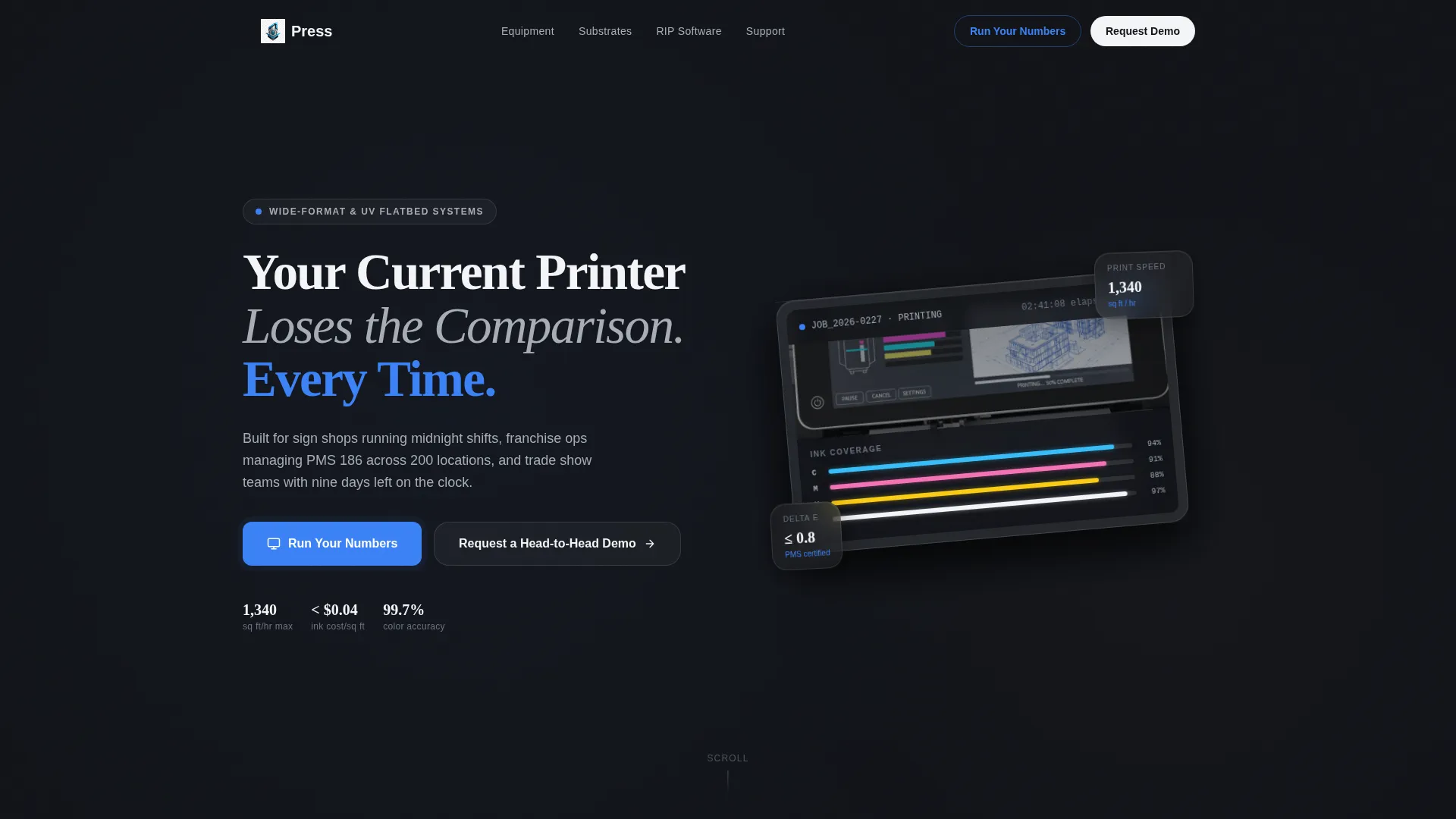
- A frosted-glass product screenshot header with a bold, comparison-framed headline
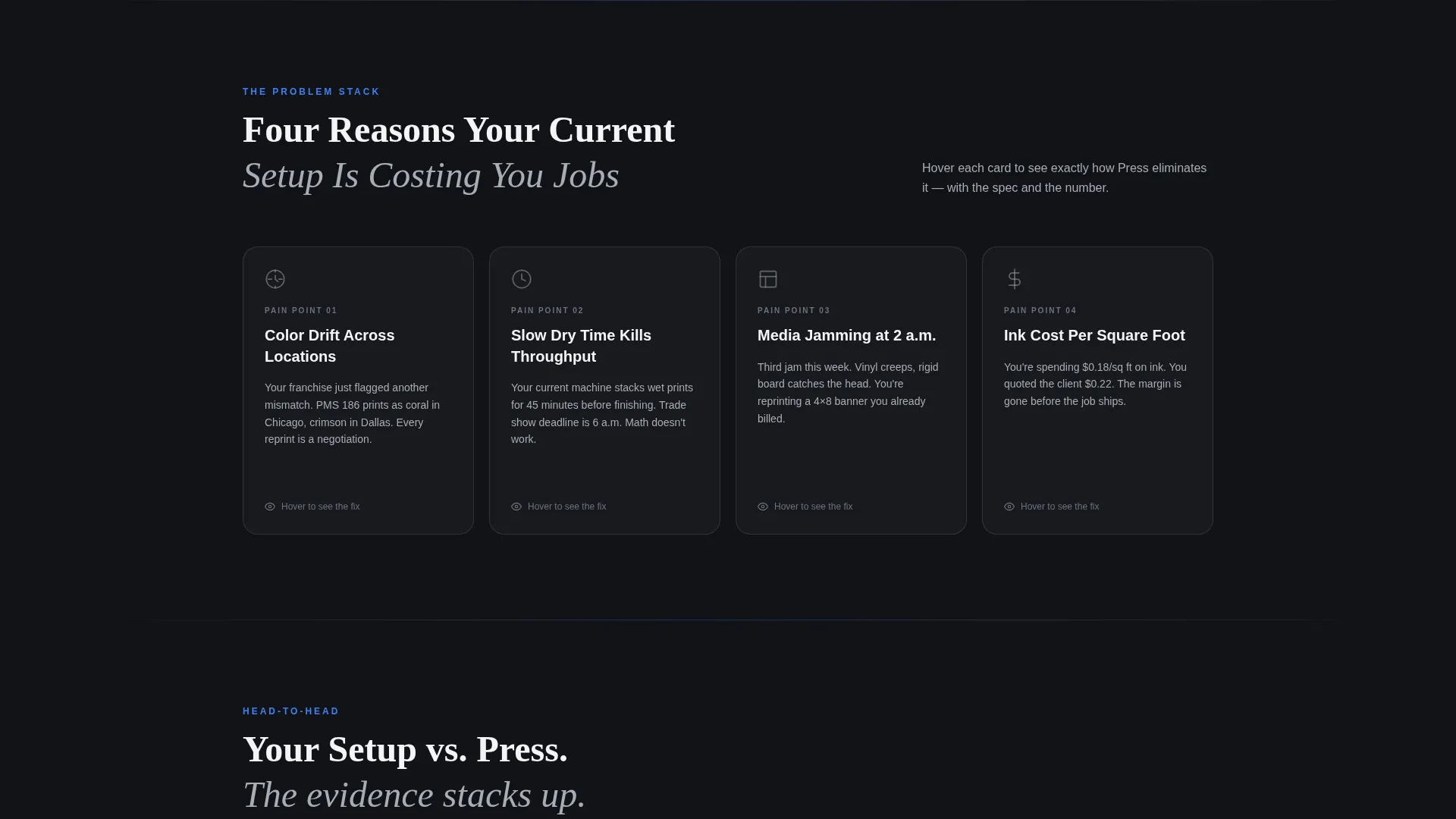
- A modular flip-card grid that pairs each pain point with a specific solution metric
- An inline savings calculator, a side-by-side versus panel, and a lead-qualifying demo request form
Feature list
This template delivers a focused set of components, each tied to a specific moment in the buyer's decision process.
Flip-Card Pain Point Grid
Each card names a specific printing problem in bold white text. On hover, the card flips to reveal the solution spec and a comparison metric. The interaction makes the value case feel immediate and concrete.
Inline Savings Calculator
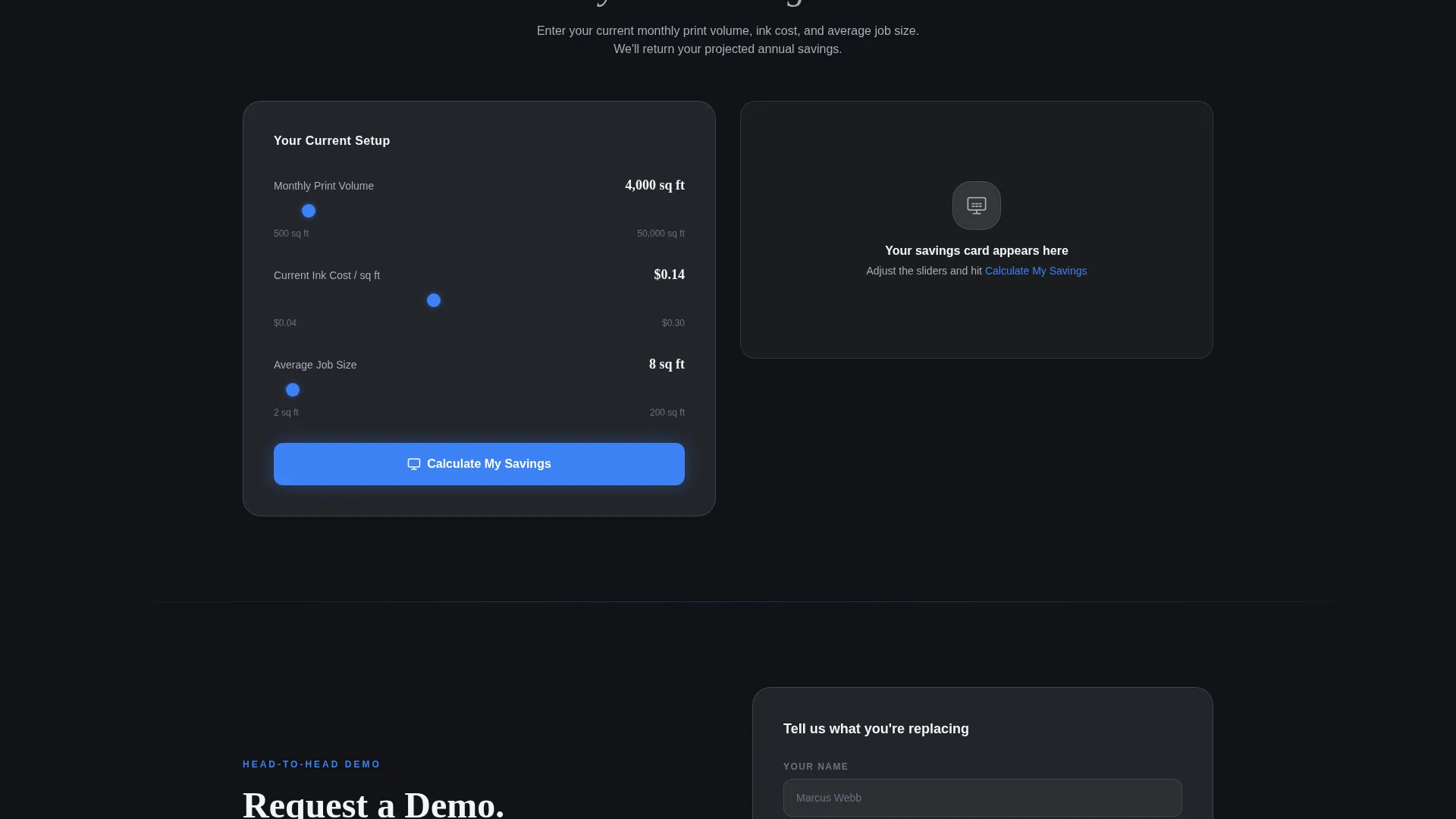
Visitors enter their current monthly print volume, ink cost, and average job turnaround time. The page returns a projected savings card based on those inputs. This keeps buyers engaged with their own numbers rather than generic claims.
Side-by-Side Versus Panels
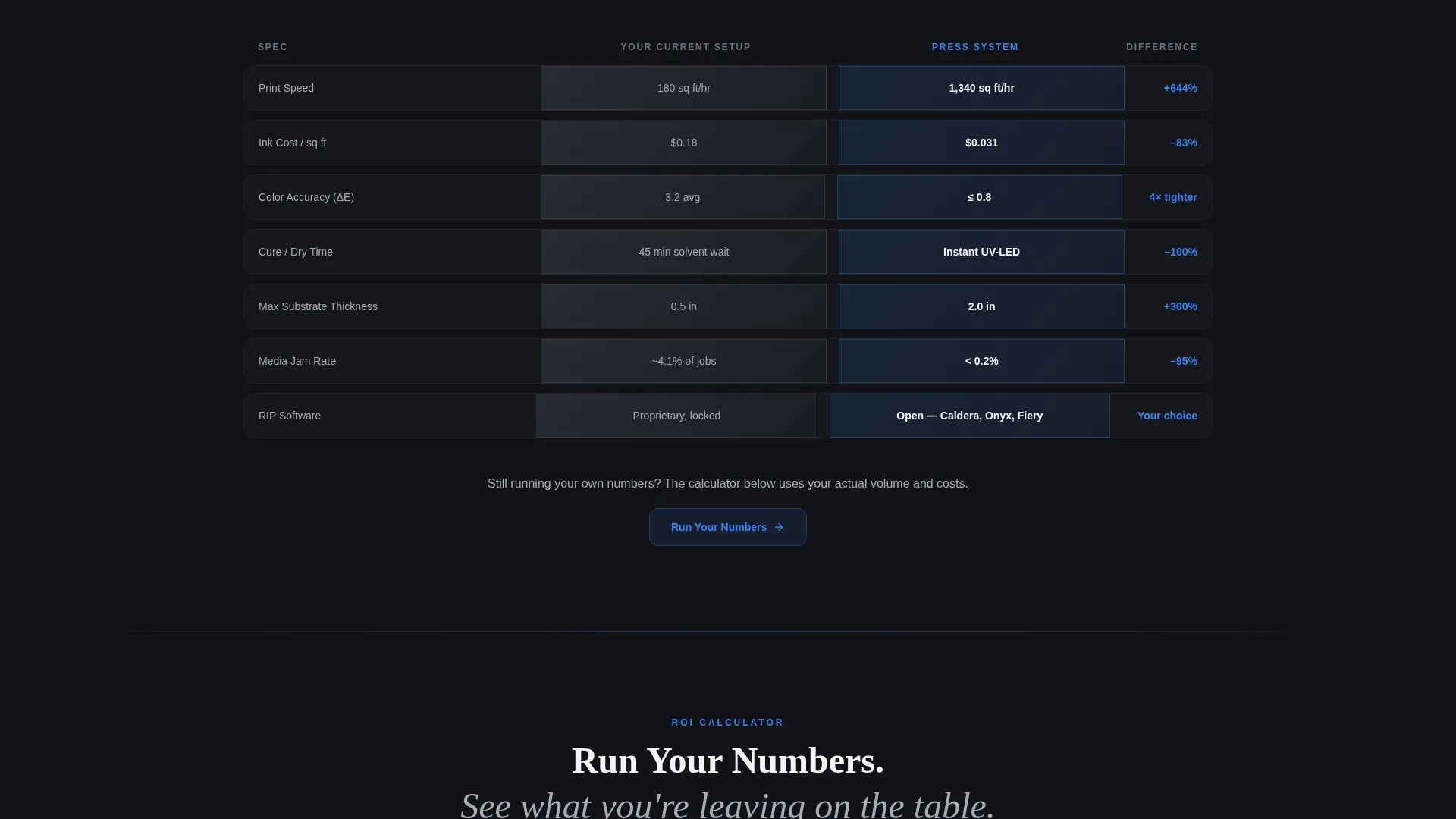
As the visitor scrolls deeper, single-stat cards grow into full comparison panels. The current setup appears on the left in muted steel. The featured system appears on the right in laser-guide blue. The layout stacks evidence progressively.
Product Screenshot Header
The header features a high-resolution capture of a printer control interface mid-job, framed inside a frosted-glass card with a subtle depth shadow. The card is tilted five degrees to create a tactile, hands-on impression. A fade-in headline frames the comparison immediately.
Lead-Qualifying Demo Request Form
The secondary conversion path collects the visitor's name, shop name, and current equipment model. That last field does important work: it qualifies the lead by revealing exactly what they are replacing before the conversation begins.
Tech Glass Visual Theme
The entire page uses the Monochrome Steel color system with laser-guide blue reserved for interactive states and call-to-action pulses. The result is a layout that feels as precise and controlled as the equipment it represents.
Page sections overview
| Section | Purpose |
|---|---|
| Screenshot Header | Opens with bold comparison headline and product interface visual |
| Pain Point Cards | Flip-card grid maps printing problems to solution specs |
| Versus Comparison Panels | Side-by-side layout builds the evidence case progressively |
| Savings Calculator | Inline tool lets visitors calculate projected cost savings |
| Demo Request Form | Qualifies leads by capturing current equipment model |
| Call-to-Action Block | Anchors both conversion paths with primary and secondary calls to action |
Design & branding system
The visual identity is built on a Tech Glass theme with a Monochrome Steel palette. Every color choice serves the feeling of precision manufacturing: cool, reflective, and engineered.
- Deep machine-bed black (#111318), brushed aluminum (#A8ADB5), and bright status-light white (#F4F5F7) form the base palette
- Laser-guide blue (#3B82F6) is used exclusively for hover states and call-to-action pulses, keeping the accent visually sharp
- Frosted-glass card components, depth shadows, and a five-degree tilt on the header screenshot reinforce the physical, hands-on feel
Mobile & speed optimization
The card-grid layout is modular by design, which means it adapts cleanly to smaller screens without breaking the visual logic of the comparison flow.
- Flip cards and versus panels restack vertically on mobile so the comparison sequence stays readable
- The inline calculator and demo form are sized for touch interaction, reducing friction on small screens
How this template helps you convert
The page is built around a Comparison/Versus conversion model. Every design decision pushes a hesitant, spec-comparing buyer toward one of two clear actions.
- The primary call to action, "Run Your Numbers," opens the inline calculator and turns the visitor's own data into a personalized savings projection, making the case in their own language.
- The secondary path, "Request a Head-to-Head Demo," captures the visitor's current equipment model in the form field, so every inbound lead arrives pre-qualified and ready for a targeted follow-up conversation.
Other information about this template
This template is part of the Printing Digital Presence subcategory under the Technology category on the marketplace. It is a strong fit for businesses in the printing landing page niche where buyers arrive with technical knowledge and need structured, evidence-based pages rather than general service overviews.
- Template style: Card Grid (Modular), designed for progressive disclosure of comparison content
- Creative direction: Problem→Solution Arc, moving visitors from named pain to quantified solution
- Header concept: Product Screenshot, grounding the page in operational reality from the first scroll
- Landing page direction: Comparison/Versus, purpose-built for buyers actively evaluating competing systems
Theme
Tech Glass
Creative direction
Problem→Solution Arc
Color system
Monochrome Steel
Style
Card Grid (Modular)
Direction
Comparison/Versus
Page Sections
Flip-card Pain Point Grid
Inline Savings Calculator
Side-by-side Versus Panels
Product Screenshot Header
Lead-qualifying Demo Request Form
Tech Glass Visual Identity
Related questions
Who is this landing page template designed for?
What are the two main conversion paths on this page?
Can I use this template if I offer printing services rather than sell equipment?
How does the flip-card grid work?
Is the color system customizable?



