Incident - Structured Reliability Landing Page Template
The Incident landing page template is built for engineering and reliability teams who need a structured, credible way to document and communicate system failures. It combines a Bold Brutalist visual style with a Glassmorphic color system, interactive section proofs, and a clear click-through flow, giving teams a fast path from chaotic outage to auditable record.
by Rocket studio
Quick summary
Incident is a single-page hub-and-spoke landing page template for teams that track system outages, manage incident response, and produce audit-ready reliability records. It uses a Bold Brutalist design with a Glassmorphic color system, interactive section anchors, and two focused calls to action, all built to earn the click by showing the product in motion.
Who this template is for
This template was designed for the people who are first on scene when a production system fails. It suits technical operators and compliance-aware managers equally well.
- On-call site reliability engineers (SREs) who need to log outages quickly and accurately under pressure
- Engineering managers compiling weekly reliability reports for leadership reviews
- Compliance officers who need documented, audit-ready proof of service-level adherence
What problem this template solves
Incident response is chaotic by nature. Teams lose time writing up what happened, tracking who did what, and pulling together documentation after the fact. This template gives that process a fixed structure.
- Outages often go underdocumented because there is no fast, consistent place to capture them as they unfold
- Postmortem reports take hours to assemble because data is scattered across chat threads and monitoring dashboards
- Compliance reviewers have no single source of structured, timestamped records to verify service-level adherence
What you get with this template
You get a fully structured, single-page landing page that walks visitors through the entire incident lifecycle, from detection to resolution, using interactive proof points at every step.
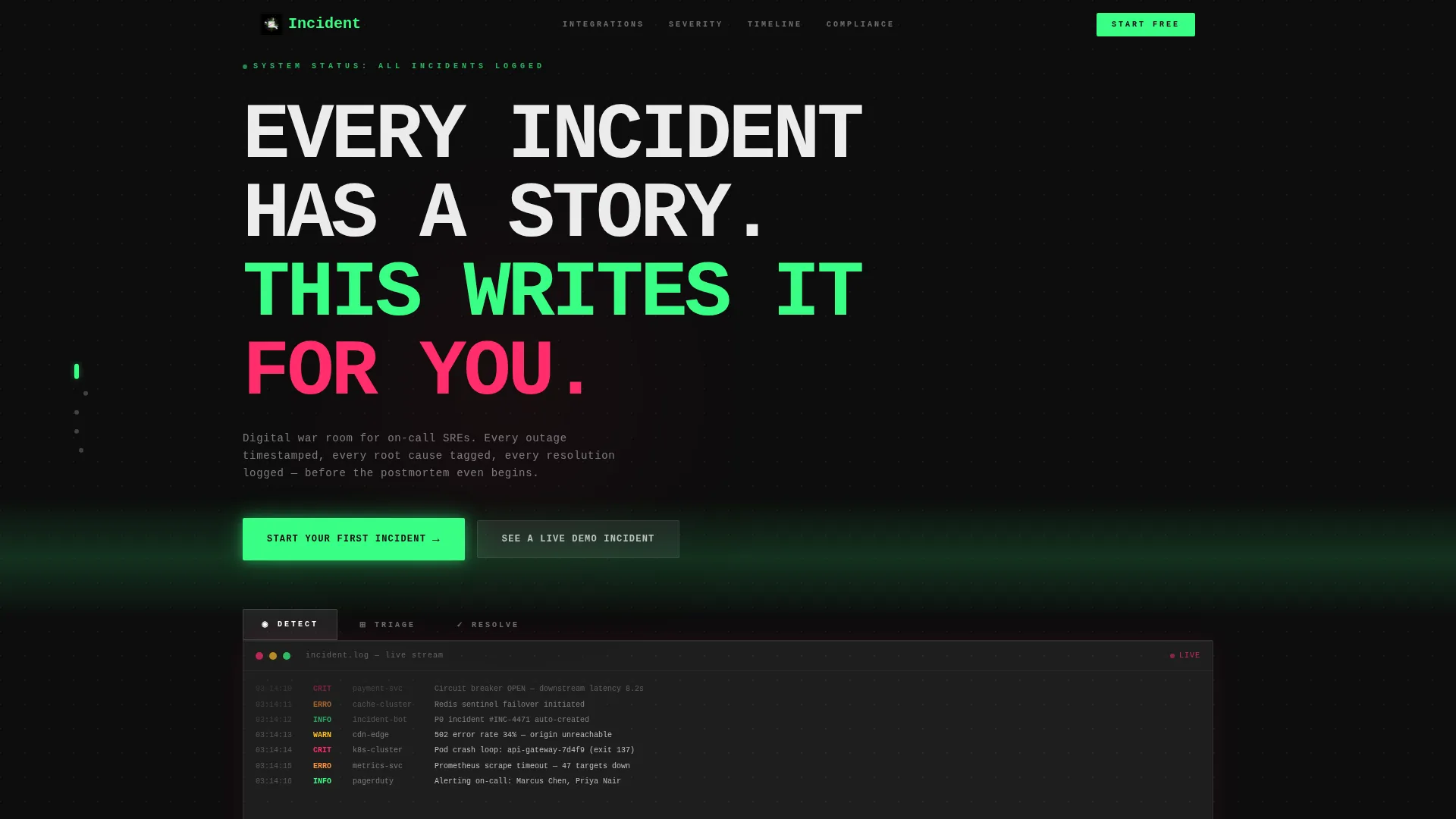
- A Feature Tab Switcher header with three frosted glass panels (DETECT, TRIAGE, RESOLVE) that simulate real incident views on click
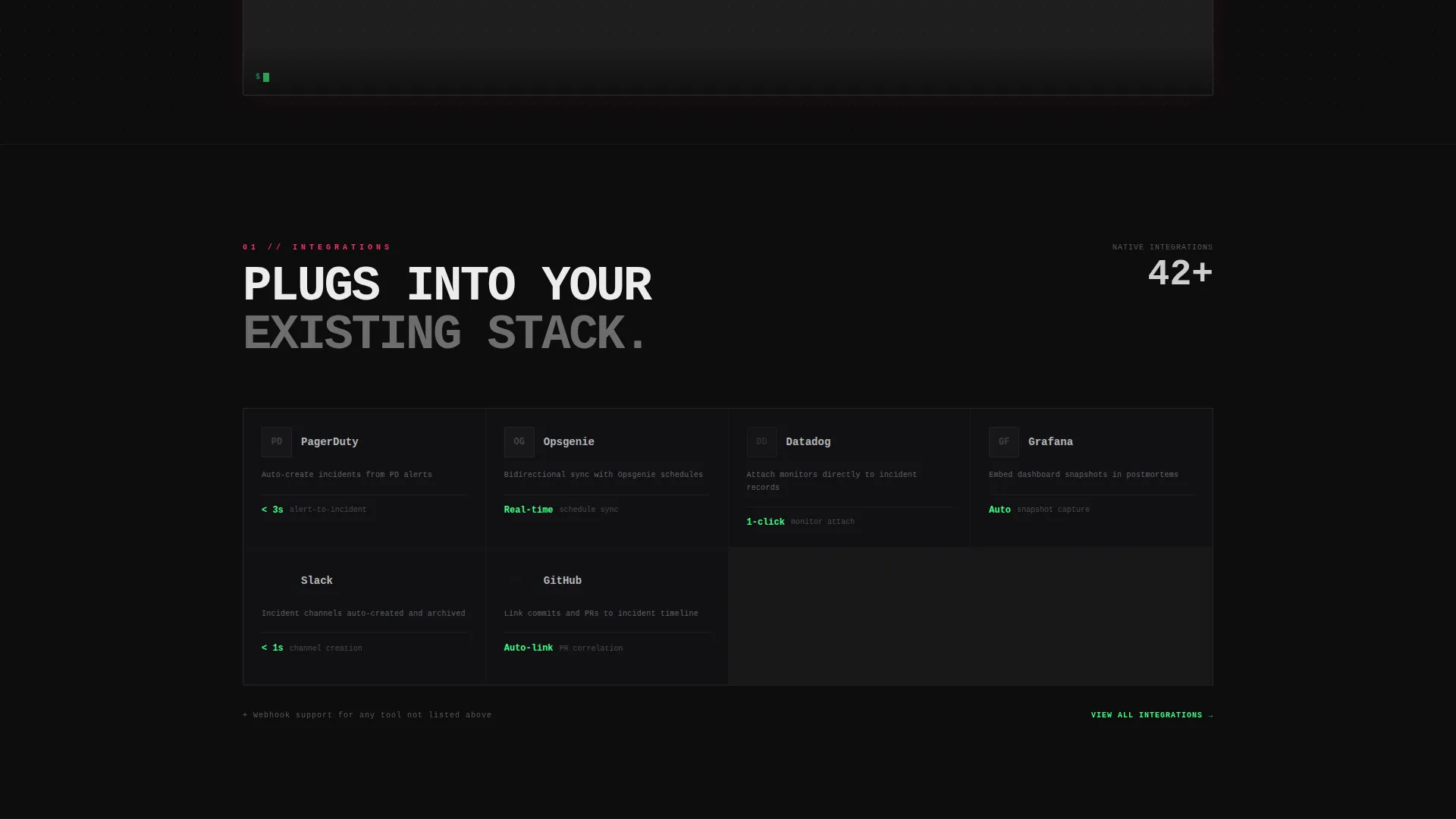
- Four anchored hub sections covering integrations, a severity framework, a timeline engine, and a compliance export area
- Two clear calls to action: a primary phosphor-green button and a persistent floating action button, plus a secondary modal walkthrough
Feature list
This template ships with purpose-built components designed for reliability and documentation use cases. Every piece earns its place.
Feature Tab Switcher Header
Three frosted glass panels sit side by side in the header, labeled DETECT, TRIAGE, and RESOLVE. Each tab reveals a different simulated incident view on click. DETECT shows a live-scrolling error log with red severity badges. TRIAGE displays a drag-and-drop assignment board with engineer avatars and priority columns. RESOLVE renders a completed incident timeline with root cause, impact radius, and duration metrics.
Severity Framework Matrix
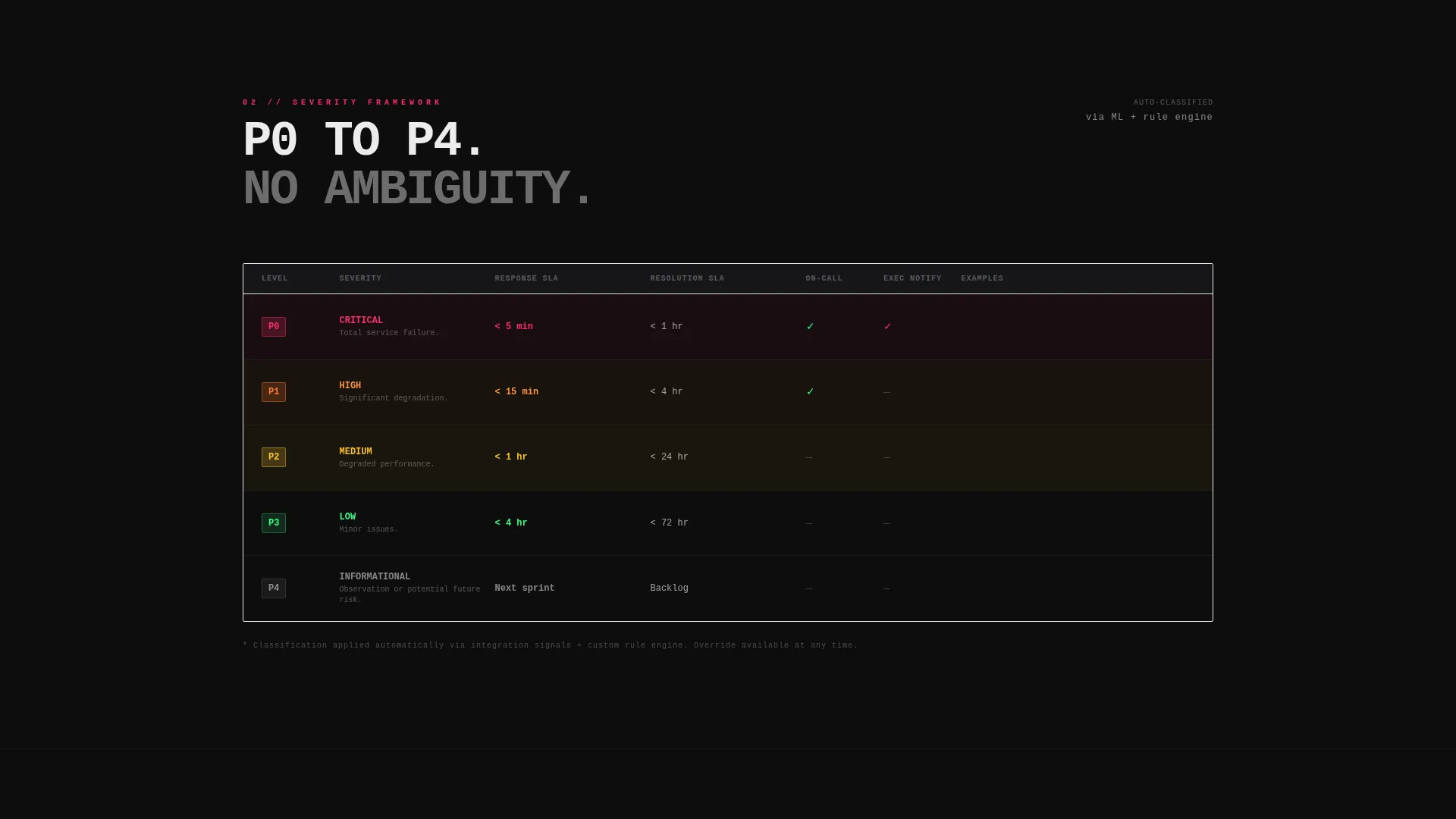
A visual matrix maps priority levels P0 through P4 to their corresponding response service-level agreements (SLAs). This section acts as a spec row in a datasheet, label on the left, evidence on the right. It gives visitors an instant, scannable view of how the platform classifies and escalates incidents.
Interactive Timeline Engine
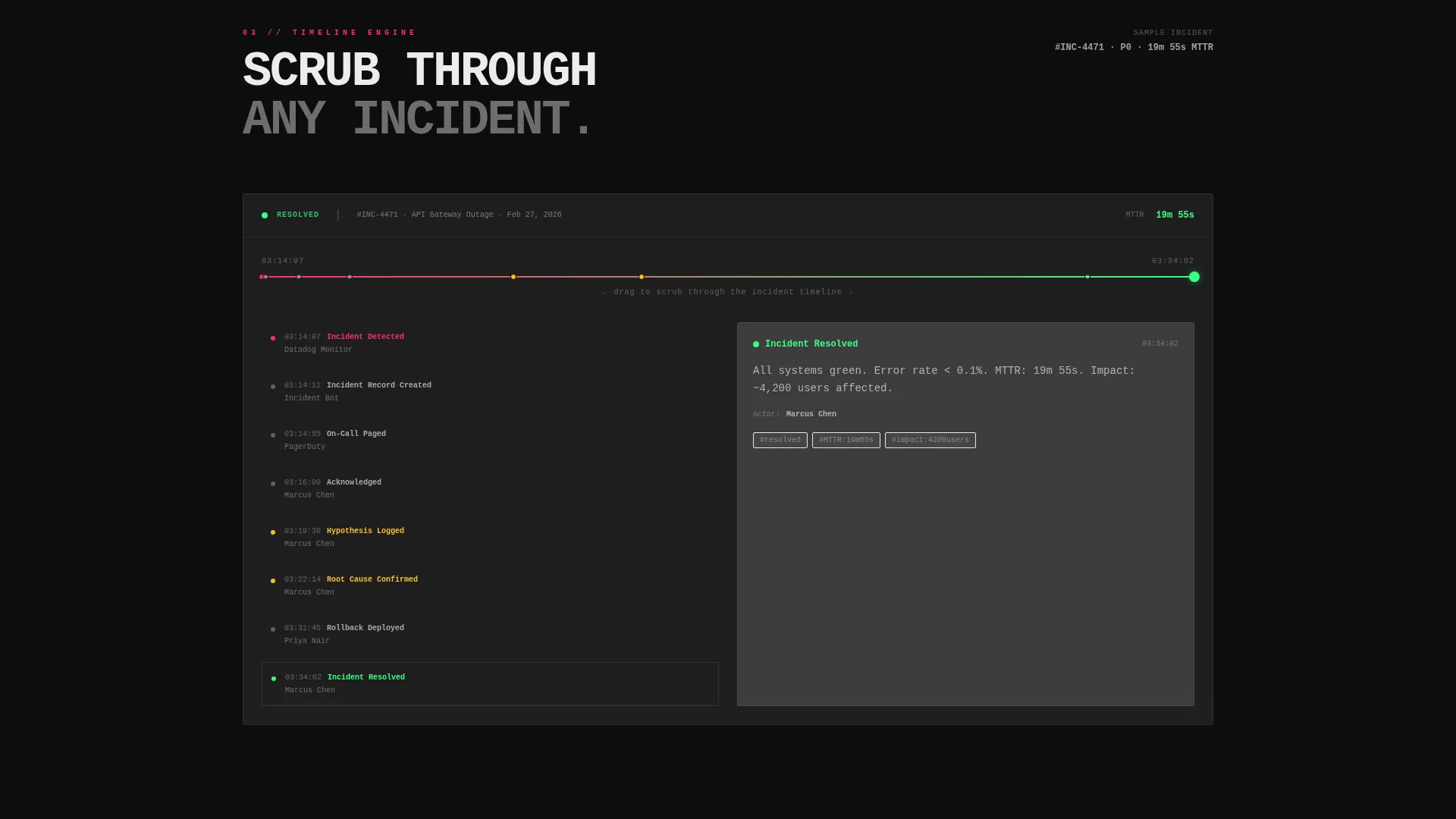
The timeline engine section lets users scrub through a simulated incident sequence. It shows how each event, escalation, and resolution step is recorded in order. This is one of the template's strongest proof points: visitors interact with the product concept before they ever sign up.
Compliance Export Preview
This section renders mock previews of PDF and CSV exports alongside compliance badge visuals for SOC 2 and ISO 27001. It speaks directly to compliance officers and audit stakeholders who need to see that documentation output is structured and ready to present.
Persistent Floating Call to Action
A floating action button follows the user through the entire scroll. It stays visible on every section and always reads "Start Your First Incident" in phosphor green. This removes friction at the moment of decision, regardless of where on the page the visitor makes up their mind.
Live Demo Modal
A secondary call to action labeled "See a Live Demo Incident" opens a modal walkthrough of a real P1 postmortem. Visitors get a concrete, detailed example of the platform in use before committing to sign up.
Page sections overview
| Section | Purpose |
|---|---|
| Feature Tab Header | Simulates DETECT, TRIAGE, RESOLVE incident views interactively |
| Sticky Side Nav | Anchors scroll to each hub section for fast navigation |
| Integrations Block | Displays integration partner logos in a grayscale spec layout |
| Severity Framework | Maps P0 to P4 priority levels to response SLA targets |
| Timeline Engine | Lets visitors scrub through a simulated incident sequence |
| Compliance Export | Shows PDF and CSV export previews with compliance badge visuals |
| Floating call to action Button | Persistent signup action that follows the user through scroll |
Design & branding system
The visual language is Bold Brutalist with a Glassmorphic color system. The palette is built for dark operations environments and high-contrast clarity.
- Base layer in void black (#0D0D0D), frosted panel white at 12% opacity (#FFFFFF1F), status-critical magenta (#FF2D6B) for severity and hover states, and phosphor green (#39FF85) for resolved and success elements
- Monospace typography throughout, with sharp card edges and translucent glassmorphic slabs that create a frosted HUD feel over a dark background
- Active tab panels glow softly at their borders; inactive tabs dim to 40% opacity to direct attention without removing context
Mobile & speed optimization
The template is structured with a single-page, anchor-nav layout that keeps the experience focused and fast to navigate on any screen size.
- Hub-and-spoke anchor navigation means the sticky side nav works cleanly on both desktop and mobile viewports without losing context
- Each section is self-contained as a data block, so content loads and renders in clear, predictable chunks rather than as one overwhelming scroll
- The floating call-to-action button is always reachable, so mobile visitors never have to scroll back to find the primary action
How this template helps you convert
Every design and structural decision in this template is pointed at one outcome: turning a curious visitor into an active user.
- The interactive header tabs, DETECT, TRIAGE, RESOLVE, let visitors engage with the product concept immediately, reducing hesitation before the scroll even begins.
- The spec sheet layout of each hub section delivers evidence in the format technical buyers trust: label, data, proof, no filler, no generic copy.
- The persistent floating button and the secondary demo modal work together to capture both ready-to-act visitors and those who need one more proof point before committing.
Other information about this template
This template sits within the Documentation and Support category, aligned to the Incident Report Page niche. A few additional details are worth noting before you decide.
- The no-form click-through flow routes visitors to a free-tier signup with single sign-on (SSO), which removes the main friction point for technical users who dislike lead-capture gates
- The template style is Hub and Spoke with anchor navigation, meaning each section is independently reachable by URL anchor as well as by scroll
- The creative direction follows a Spec Sheet cadence, which is well suited to engineering and compliance audiences who scan for facts before they read for narrative
- The header concept, the Feature Tab Switcher, is a standalone interactive component that can be adapted or extended to show additional workflow states beyond the three included tabs
Theme
Bold Brutalist
Creative direction
Spec Sheet
Color system
Glassmorphic
Style
Hub & Spoke (Anchor Nav)
Direction
Click-Through
Page Sections
Feature Tab Switcher Header
Severity Framework Matrix
Interactive Timeline Engine
Compliance Export Preview
Persistent Floating Call to Action Button
Live Demo Modal Walkthrough
Related questions
Who is this landing page template designed for?
Does this template require a form to capture leads?
Can I adapt the severity framework to match my own priority levels?
What does the interactive timeline engine actually show?
Is the compliance export section ready to show real data?



