Index - Lightning Search Landing Page Template
Index is a single-page landing page template built for search and indexing API products. It leads with an interactive latency estimator, a live code snippet header, and a modular card grid that walks developers through integration, pricing, and real metrics. The design runs on a deep terminal palette that speaks directly to backend engineers.
by Rocket studio
Quick summary
Index is a developer-focused landing page template for a search infrastructure API. It opens with a full-viewport terminal header and an interactive latency calculator before any marketing copy appears. A responsive card grid follows, covering SDK integrations, animated metrics, testimonials, and pricing. Every section is built to earn the install, not just announce the product.
Who this template is for
This template is built for teams and builders who ship developer tools and want a landing page that speaks in code, not buzzwords. If your product lives at the command line, this template fits.
- Backend engineers and platform teams launching or relaunching a search API product page
- Indie hackers and startup founders who need a credible, conversion-ready page for their developer tool
- Developer relations teams at Series B or growth-stage companies who want to reduce friction from first visit to SDK install
What problem this template solves
Developer tool landing pages often bury the proof. Visitors read three paragraphs before seeing a single line of code. Engineers lose trust fast when a page looks like it was written for a sales team, not for them.
- No working example appears above the fold, so developers leave before they see the value
- Latency and cost claims are vague, forcing engineers to run their own math before committing
- The path from interest to installation has too many steps, killing conversion before it starts
What you get with this template
You get a complete, modular landing page structured around developer trust signals. Every section earns its place by answering a real objection before asking for anything.
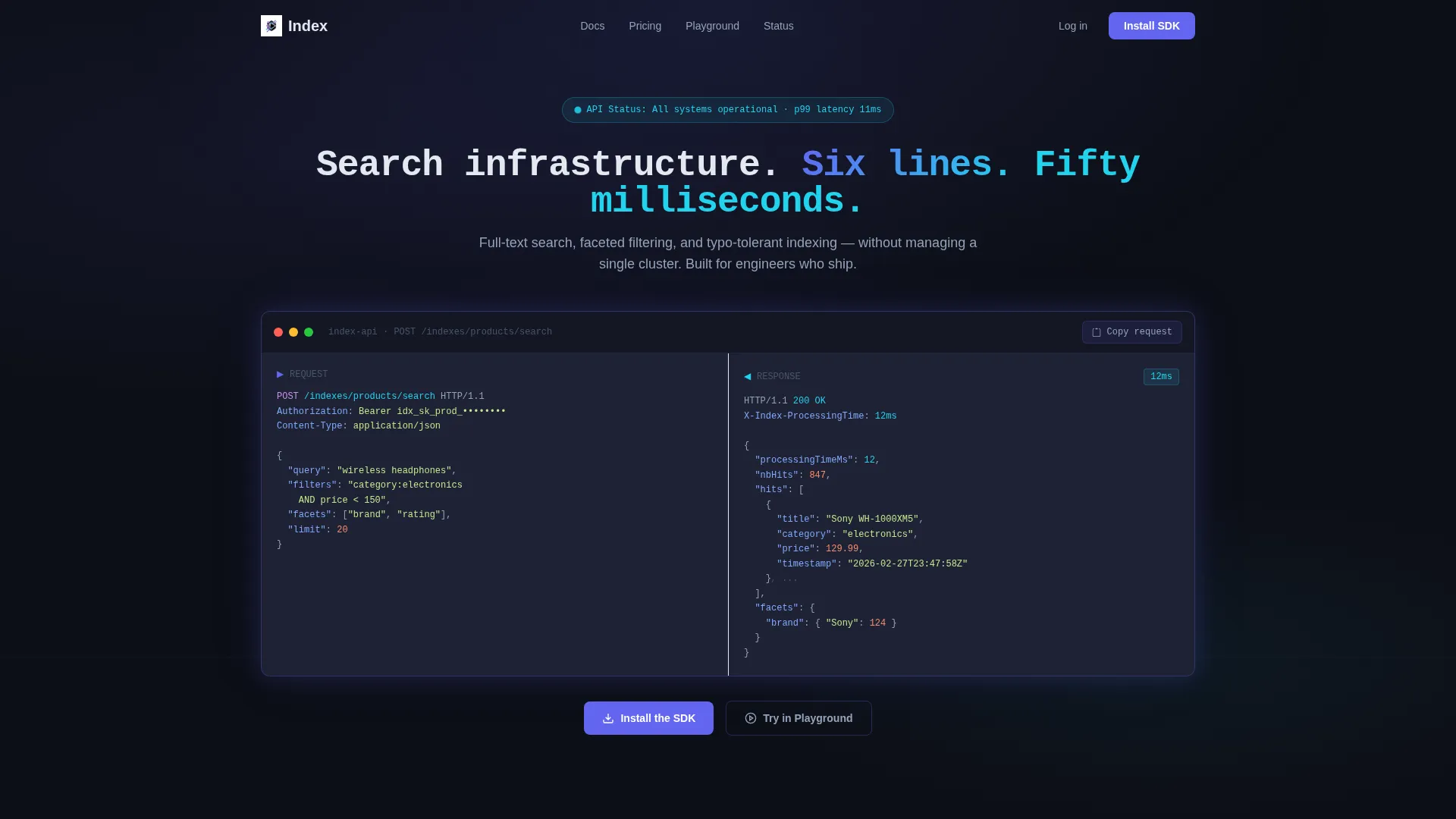
- A full-viewport terminal header with a live-typed code snippet showing a real API request and a streaming JSON response
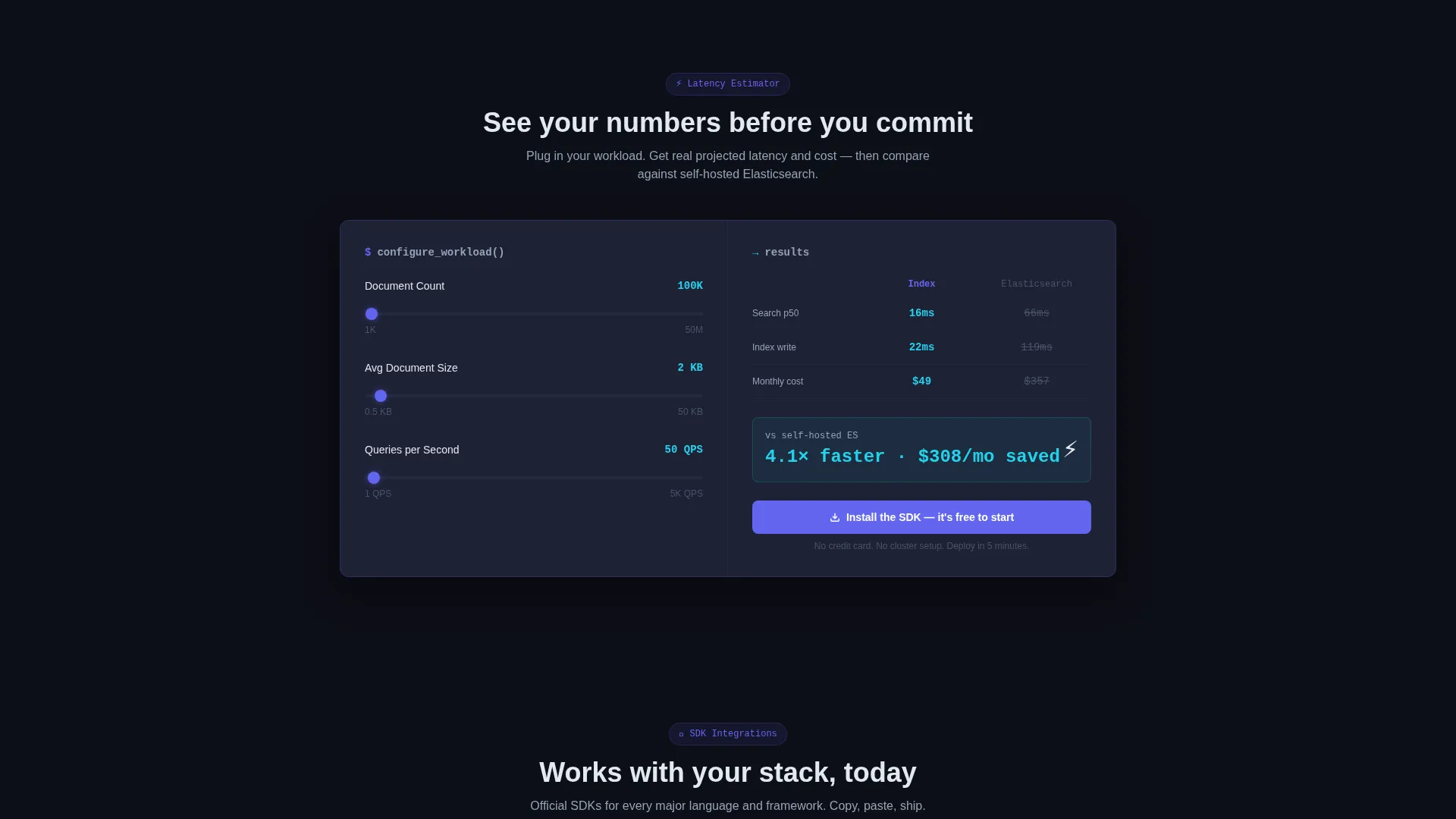
- An interactive latency estimator card where visitors input document count, document size, and query volume to see projected response times and cost
- A responsive card grid including SDK integration cards with real code snippets, animated metrics counters, testimonial cards, and pricing tier cards with billing period toggles
Feature list
This section covers the core built-in components and design capabilities that define the template.
Live Terminal Header
The header fills the full viewport with a dark terminal window. A real POST /indexes request appears on the left. A streaming JSON response builds on the right, with characters appearing as if typed in real time. The snippet is copy-pasteable and includes a visible "processingTimeMs": 12 field.
Interactive Latency Estimator
Before any marketing copy, visitors interact with a calculator card. They input document count, average document size, and query volume. The card instantly returns projected response times, estimated monthly cost, and a side-by-side comparison against a self-hosted alternative.
Modular SDK Integration Cards
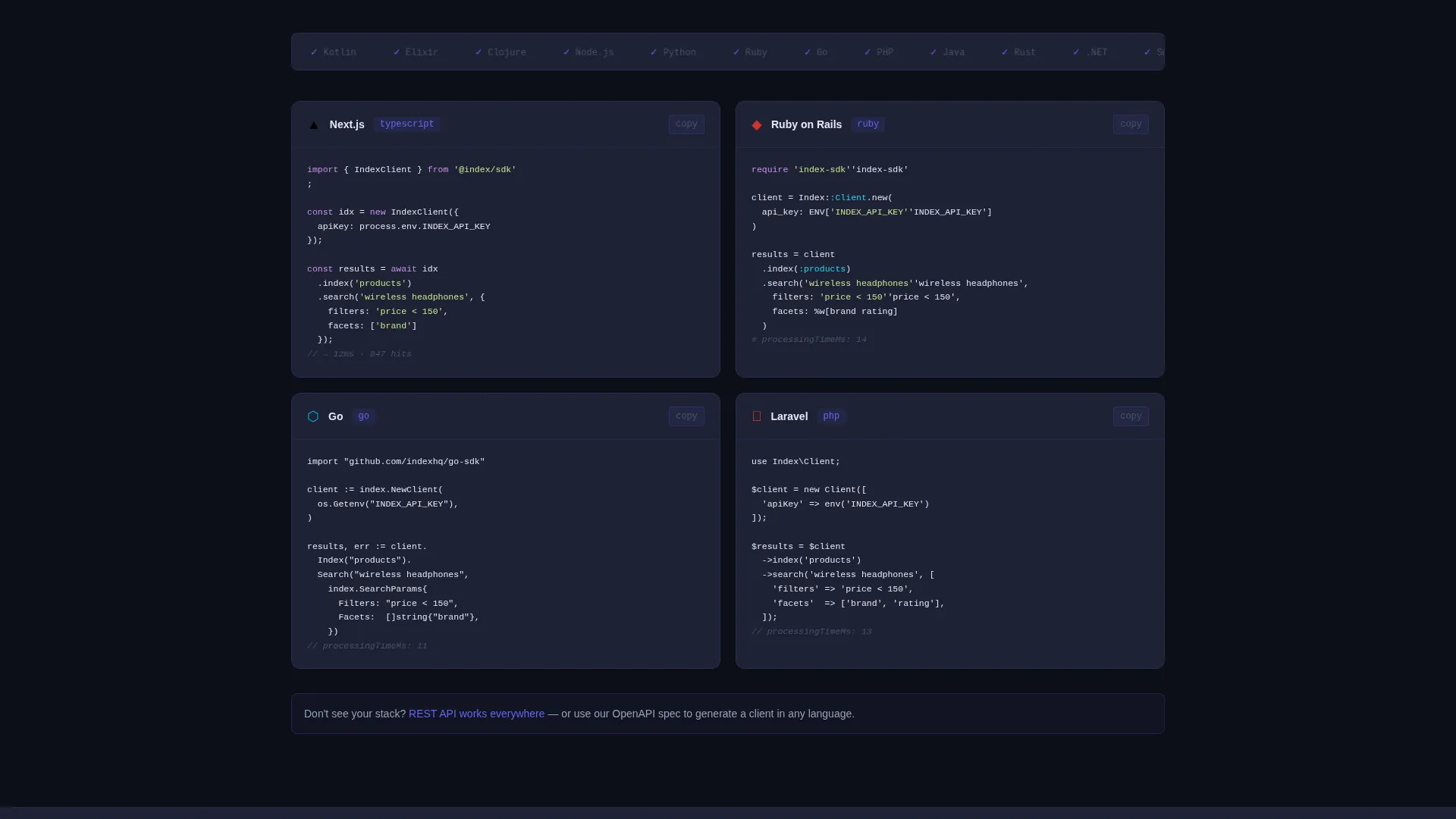
Each integration card targets a specific framework or language. Cards for Rails, Next.js, Laravel, and Go each display the real SDK snippet for that environment. Developers can read the actual code without leaving the page.
Animated Metrics Counter Card
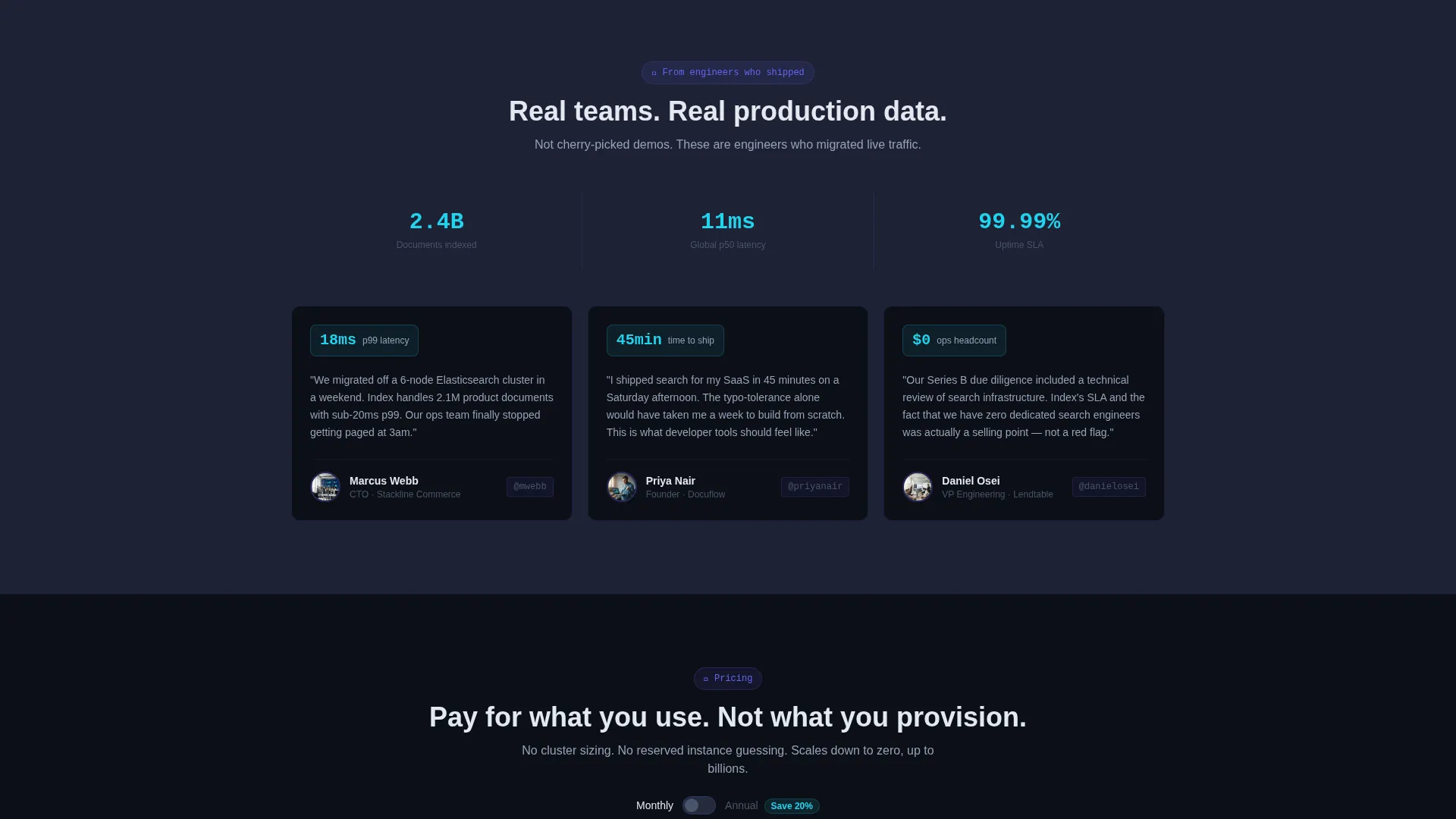
A dedicated metrics card displays live-style animated counters showing documents indexed, queries served, and uptime. The counters reinforce credibility through visible scale rather than static copy.
Pricing Tier Cards with Billing Toggle
Pricing cards present each tier clearly with a toggle to switch between billing periods. The layout removes ambiguity and keeps the decision-making process self-serve for technical buyers.
Multi-Step call to action Architecture
The primary call to action, "Install the SDK," appears three times: inside the calculator results, as a sticky bottom bar after the integration cards, and as a full-width terminal block at the page bottom showing the install command with a one-click copy button. A secondary path offers a sandbox playground via a single authentication step.
Page sections overview
| Section | Purpose |
|---|---|
| Terminal Header | Shows live API request and streaming response to prove speed instantly |
| Latency Calculator Card | Lets visitors estimate response time, cost, and compare to self-hosted search |
| SDK Integration Cards | Displays real code snippets for Rails, Next.js, Laravel, and Go |
| Animated Metrics Card | Shows indexed documents, queries served, and uptime with animated counters |
| Testimonial Cards | Presents named CTOs with avatars to add social proof from real practitioners |
| Pricing Tier Cards | Breaks down tiers with a billing period toggle for self-serve decision making |
| Sticky call to action Bar | Keeps the SDK install action visible after users scroll past integration cards |
| Full-Width Terminal Block | Closes the page with the install command and a one-click copy button |
Design & branding system
The visual identity is built around a terminal-dark palette that feels native to engineers who live in their code editor. Every color choice has a functional role, not just a decorative one.
- Deep terminal black (#0D0F17) as the base background, cool slate (#1E2235) for card surfaces, and electric indigo (#6366F1) as the primary accent for interactive elements and borders
- Reactive cyan (#22D3EE) reserved for live data states, success indicators, and hover sparks on interactive cards
- Monospace typography for headlines and code blocks, reinforcing the terminal aesthetic and keeping the developer context consistent throughout
Mobile & speed optimization
The card grid is fully responsive and adapts naturally to smaller viewports without losing the modular structure. Interactive components like the calculator and code snippets remain functional on touch devices.
- Cards reflow from a multi-column grid to a single-column stack on mobile, keeping each section readable without horizontal scrolling
- The sticky call to action bar and one-click copy button are touch-friendly and remain visible at the bottom of the viewport on mobile screens
How this template helps you convert
This template is structured to reduce friction at every stage of the developer decision journey. The goal is to make the install feel like the obvious next step, not a commitment.
- The latency calculator puts proof before the pitch. Visitors see their own numbers before reading a single marketing claim, which builds trust on their terms.
- Real SDK snippets in the integration cards let developers mentally preview the integration. Seeing six lines of actual code removes the biggest objection: "how hard is this to set up?"
- The three-point call to action structure keeps the install action visible without being aggressive. Each placement matches a different stage of intent, from curious to convinced.
Other information about this template
This template is part of a broader set of developer tool landing page designs built around the Startup Velocity theme. It is designed for single-page use and works well as a standalone product launch page or a dedicated API documentation entry point.
- The Electric Indigo color system is consistent with modern developer tool branding and can be customized to match a product's own palette
- The template style is Card Grid (Modular), meaning individual cards can be reordered, removed, or duplicated without breaking the overall layout
- The Calculator/Tool First creative direction is intentional: it positions the interactive estimator as the primary pitch before any descriptive copy appears
Theme
Startup Velocity
Creative direction
Calculator/Tool First
Color system
Electric Indigo
Style
Card Grid (Modular)
Direction
App Download
Page Sections
Live-typed Terminal Header
Interactive Latency Estimator
SDK Integration Card Grid
Animated Metrics Counter
Pricing Cards with Billing Toggle
Three-point Call to Action Architecture
Related questions
Can I customize the latency calculator with my own pricing data?
Do the SDK integration cards support languages beyond the four included?
Is the terminal header code snippet copy-pasteable out of the box?
Can this template work for a developer tool that is not a search API?
Where does the secondary 'Try in Playground' call to action link?



