Advanced Tech & AI Platforms Professional Website Template
Infer is a scroll-reveal landing page template built for AI inference optimization platforms. It opens with an animated metrics cockpit, guides visitors through an interactive optimization stack, and funnels every scroll toward a single frictionless call to action. The dark Data Command visual identity and progressive interactive sections make complex performance gains feel immediate and credible.
by Rocket studio
Quick summary
Infer is a single-page, scroll-reveal landing page template designed for AI inference optimization platforms. It pairs a live metrics header with four interactive optimization-layer sections, a persistent call-to-action button, and a void-black Data Command visual identity. The result is a page that demonstrates technical value as visitors scroll rather than simply describing it.
Who this template is for
This template is built for technical teams and platform leaders who need to communicate serious inference performance gains to an equally technical audience. It speaks the language of production systems, not marketing fluff.
- Machine learning platform leads deploying real-time recommendation engines at scale
- Computer vision engineers optimizing object detection for edge devices
- Chief technology officers managing high cloud compute costs while throughput stagnates
What problem this template solves
Most AI platform landing pages describe performance improvements with static numbers and vague claims. Visitors with engineering backgrounds dismiss these pages quickly because nothing proves the technology in action.
- Static pages fail to convey dynamic, real-time optimization in a credible way
- Long text-heavy layouts lose technical decision-makers before they reach the call to action
- Generic designs make specialized inference platforms look indistinguishable from broader cloud services
What you get with this template
You get a fully structured, scroll-reveal landing page that layers interactive proof on top of a bold visual identity. Every section is pre-built and purposefully sequenced.
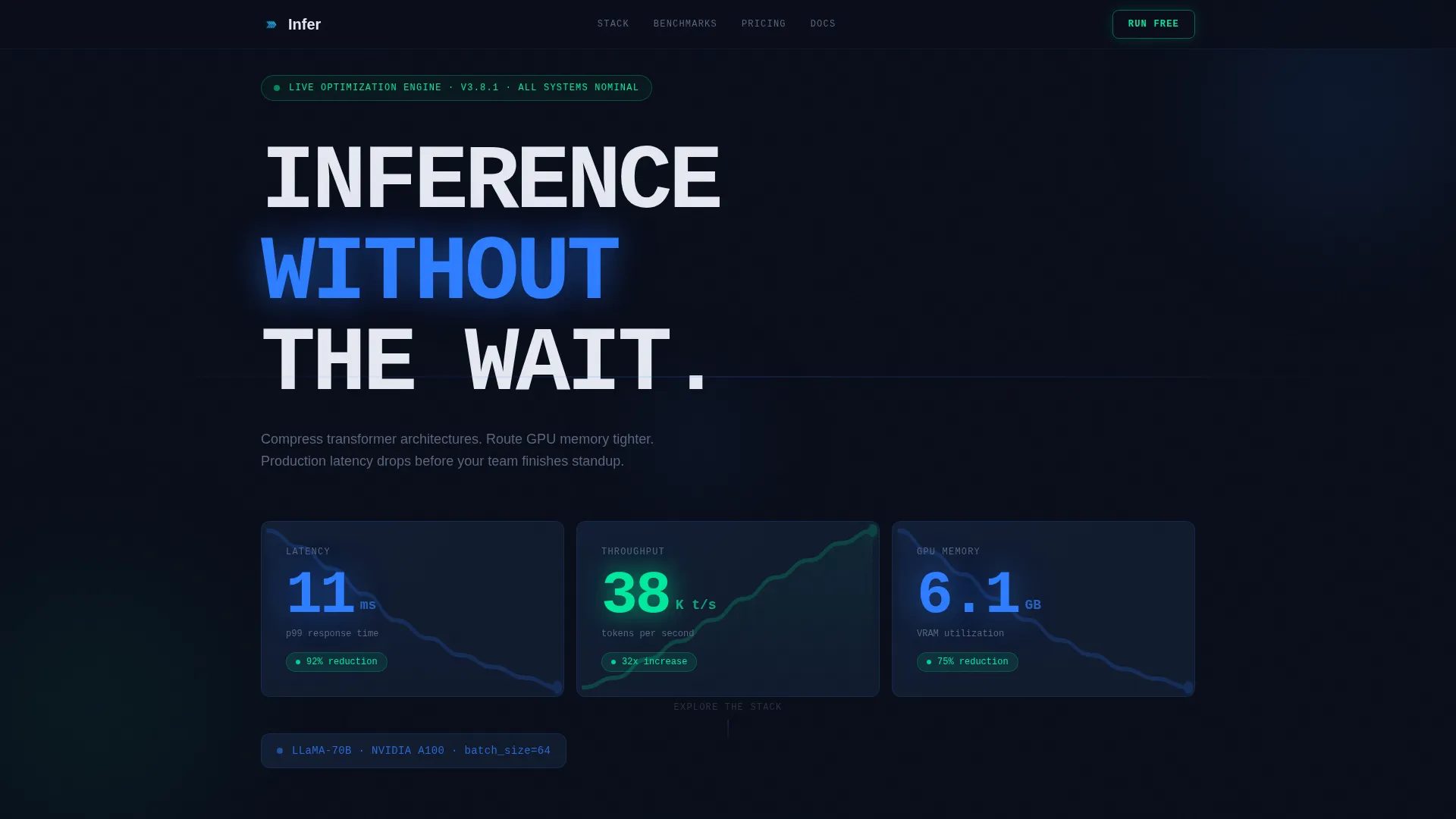
- An animated metrics cockpit header showing live latency, throughput, and memory figures
- Four interactive optimization sections covering quantization, graph fusion, kernel auto-tuning, and dynamic batching
- A persistent signal-green call-to-action button fixed to the viewport bottom after the second interactive section
Feature list
This template includes six pre-built functional components drawn directly from the source brief. Each one serves a specific role in the visitor journey.
Animated Metrics Header
Three large numbers animate on page load: latency drops from 142 ms to 11 ms, throughput climbs from 1.2K to 38K tokens per second, and GPU memory compresses from 24 GB to 6.1 GB. A faint sparkline traces the optimization curve behind each figure, and a monospaced hardware label grounds the demo in a real model configuration.
Progressive Scroll Reveal Layout
The page uses a scroll-reveal structure where each optimization layer appears as the visitor reaches it. Complexity builds deliberately, starting from a single operation and escalating to a full deployment scenario, so the visitor constructs a mental model of the entire pipeline as they scroll.
Interactive Optimization Layer Sections
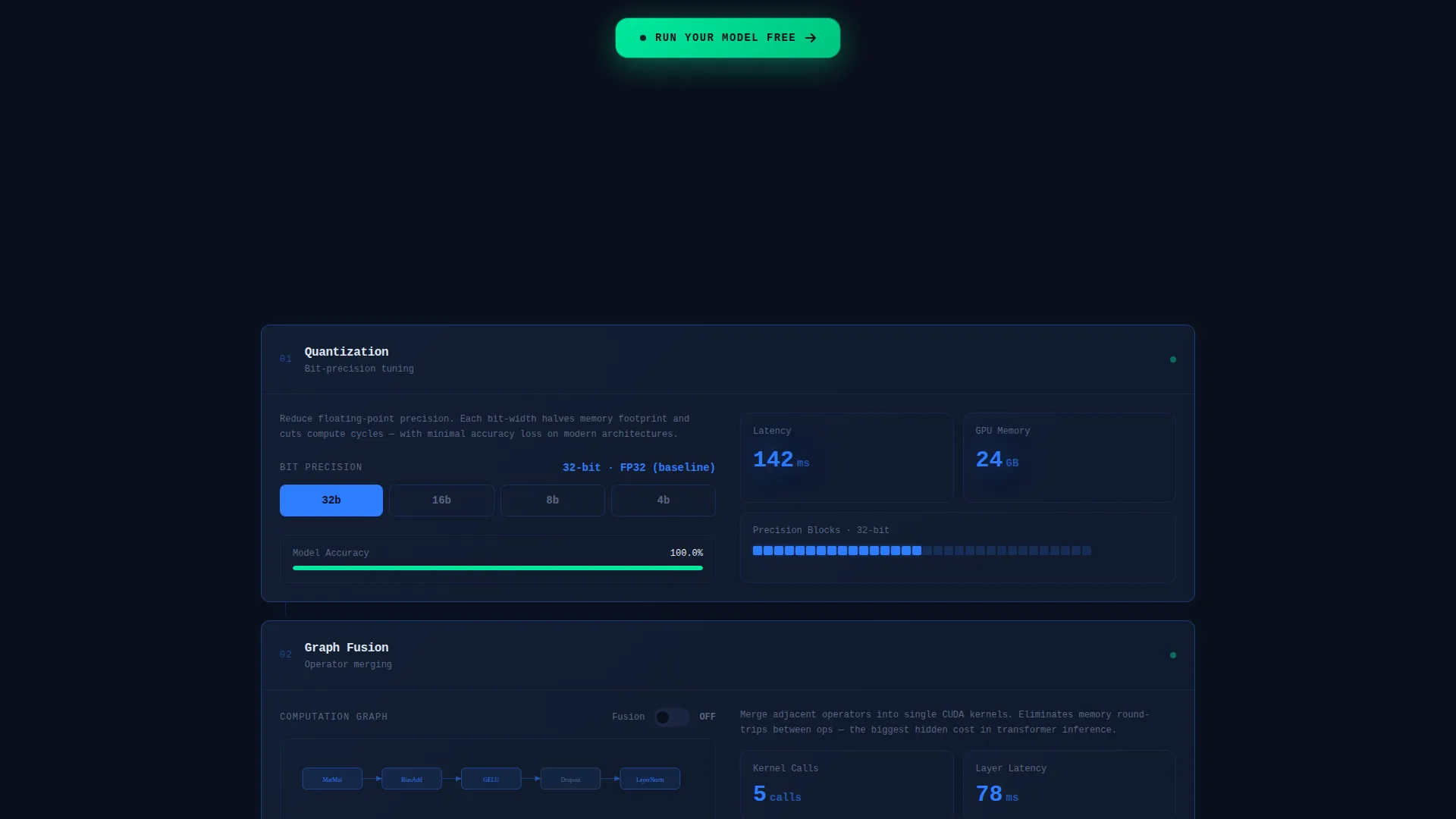
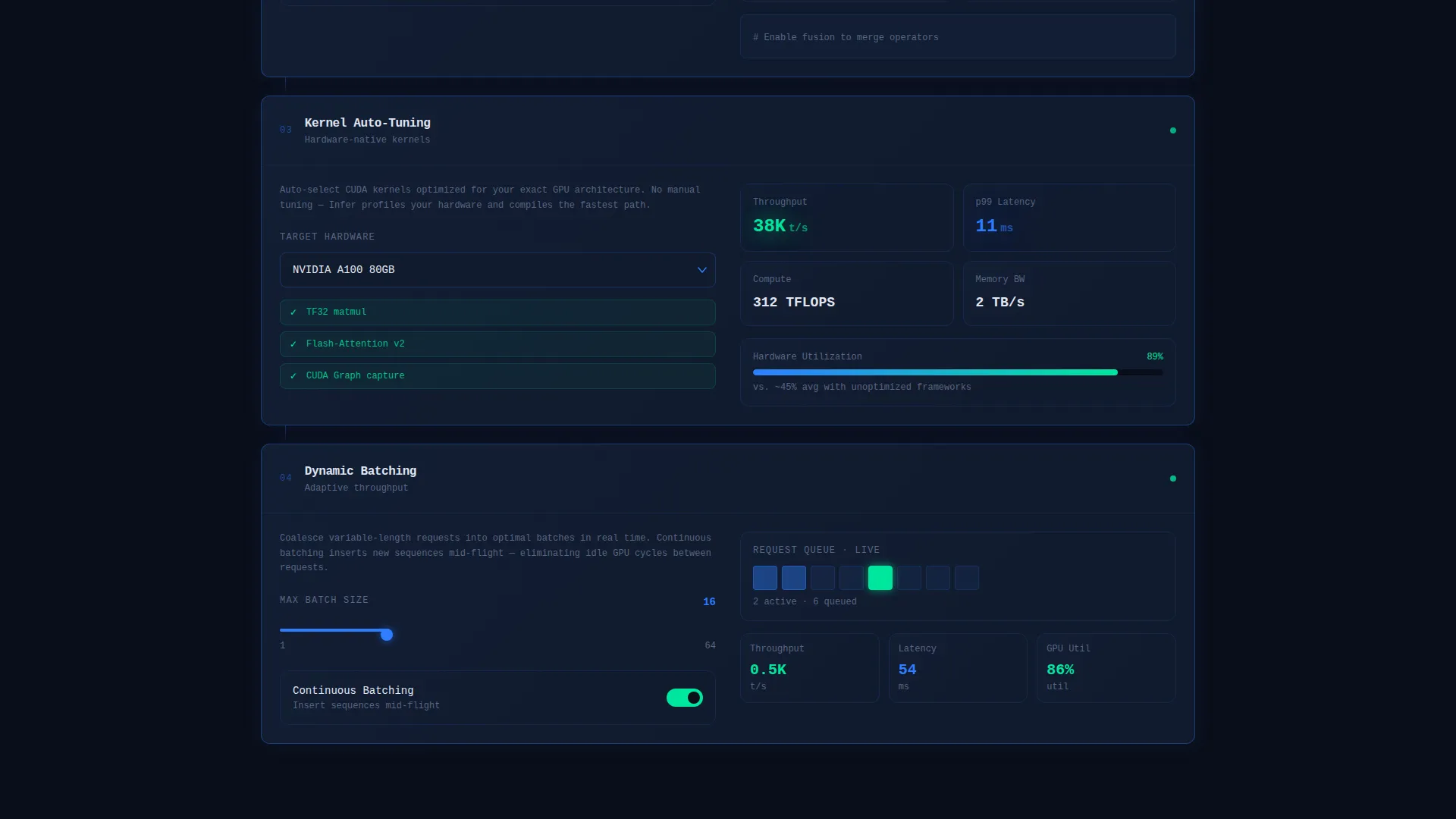
Each of the four optimization sections contains a small interactive element. A precision slider adjusts bit-level quantization and reflects latency change in real time. A fusion toggle redraws a computation graph. A hardware dropdown recalculates throughput across different targets. These elements prove capability through interaction rather than assertion.
Persistent Click-Through Call to Action
A "Run Your Model Free" button rendered in signal green first appears after the second interactive section. It then stays fixed to the bottom of the viewport for the rest of the scroll. One click routes the visitor to a sandbox environment where they can paste a model identifier and see projected optimization results.
Data Command Visual Identity
The color system is built around void-black as the primary canvas, deep command-line navy for structural layers, electric inference blue for live data and interactive highlights, and cold phosphor white for all body text. Metric pulses use signal green to draw immediate attention to performance numbers.
Zero-Form Lead Capture Flow
There are no form fields on the landing page itself. The interactive sections do the convincing, and the sandbox on the other side of the call to action captures the lead. This keeps the on-page experience completely frictionless and removes any hesitation before the click.
Page sections overview
| Section | Purpose |
|---|---|
| Animated Metrics Header | Opens with live latency, throughput, and GPU memory figures animating on load |
| Quantization Layer | Interactive bit-precision slider shows real-time latency impact |
| Graph Fusion Layer | Operator fusion toggle redraws computation graph on interaction |
| Kernel Auto-Tuning Layer | Demonstrates kernel selection and its effect on execution speed |
| Dynamic Batching Layer | Visitor configures batch behavior and sees throughput response |
| Persistent call to action Strip | Fixed signal-green button stays visible from section two onward |
Design & branding system
The visual identity follows a Data Command theme that treats the screen as a live terminal rather than a marketing canvas. Every color choice reinforces the idea that the platform is precise, fast, and built for engineers.
- Void-black (#0A0E1A) primary canvas, deep command-line navy (#111B2E) for structural depth, electric inference blue (#2E7DFF) for interactive highlights, and cold phosphor white (#E4E8F1) for typography
- Signal green (#00E89D) reserved exclusively for metric pulses and the primary call-to-action button to create instant visual hierarchy
- Monospaced typography for hardware labels and model identifiers, keeping the terminal aesthetic grounded and authentic
Mobile & speed optimization
The scroll-reveal and interactive elements are structured to remain functional and readable across screen sizes. The template is built with performance in mind so the animated header and interactive sliders do not create heavy load delays.
- Scroll-reveal sections stack vertically on smaller screens without losing the progressive disclosure sequence
- Interactive elements scale to touch input so sliders, toggles, and dropdowns remain usable on mobile devices
- The fixed call-to-action strip adapts to viewport height on both desktop and mobile without obscuring content
How this template helps you convert
The template is engineered as a click-through funnel. Every design and content decision points toward one outcome: getting the visitor to click "Run Your Model Free."
- The animated header creates immediate credibility by showing real model configurations and moving performance numbers before the visitor reads a single word of copy.
- The four interactive optimization sections progressively build confidence by letting visitors manipulate variables and observe outcomes, so they arrive at the call to action already convinced.
- The frictionless, form-free call to action removes the last barrier. The fixed button stays in view throughout the scroll, making the next step always visible and always one click away.
Other information about this template
This section covers additional practical details about the template that support your build and customization decisions.
- The template is categorized under Technology, Advanced Tech and AI Platforms, within the AI inference optimization niche
- The interactive elements are designed for teams building products around transformer architecture optimization, large language model serving, and edge inference deployment
- The sandbox call-to-action flow is pre-structured to accept a model identifier input, making it straightforward to connect to your own optimization environment on the destination page
- The template style is Scroll Reveal (Progressive) with an Interactive Explorer creative direction, aligned to a Click-Through landing page funnel structure
Theme
Data Command
Creative direction
Interactive Explorer
Color system
Midnight Blue
Style
Scroll Reveal (Progressive)
Direction
Click-Through
Page Sections
Animated Live Metrics Header
Progressive Scroll Reveal Structure
Four Interactive Optimization Sections
Persistent Frictionless Call to Action Button
Data Command Visual Identity
Zero-form Lead Capture Flow
Related questions
Who is this landing page template designed for?
Can I customize the animated metrics in the header?
Do I need to add forms or lead capture fields to the page?
How do the interactive optimization sections work?
Is the call-to-action button always visible during the scroll?



