AIOps Technology Professional Website Template
Inference is a split-screen AIOps landing page template built for autonomous operations intelligence research labs. It pairs syntax-highlighted SDK code with a live dependency graph, front-loads hard benchmarks, and drives engineers straight to a one-command CLI install. The Void & Violet color system and Spec Sheet creative direction make every section feel earned and technical.
by Rocket studio
Quick summary
Inference is a single-page template designed for AIOps research labs that need to communicate serious technical credibility fast. It opens with a hero-scale code snippet, builds trust through escalating benchmark sections, and converts visitors with a frictionless one-command install. The Void & Violet palette keeps every element sharp and intentional.
Who this template is for
This template speaks directly to technical buyers who evaluate tools by reading the code before the marketing copy. It is built for teams that have outgrown basic threshold-based monitoring and need something that proves itself before asking for a commitment.
- Platform engineering leads at Series B startups overwhelmed by alert noise
- Site Reliability Engineering managers running hundreds of microservices on cloud-native infrastructure
- DevOps architects evaluating intelligent, topology-aware anomaly detection systems
What problem this template solves
Most developer-facing landing pages bury the proof. They lead with taglines, hide benchmarks in documentation, and ask for an email before showing a line of code. Engineers see through this immediately and bounce.
- Alert fatigue is real: visitors need to see latency numbers and root-cause depth before they trust a tool
- Signup friction kills installs: a form between the user and the download is a conversion killer
- Generic design signals generic product: a template that looks like a SaaS marketing site destroys credibility with infrastructure teams
What you get with this template
You get a technically precise, single-page layout that earns the install by front-loading evidence. Every section is structured to move a skeptical engineer one step closer to running the CLI command.
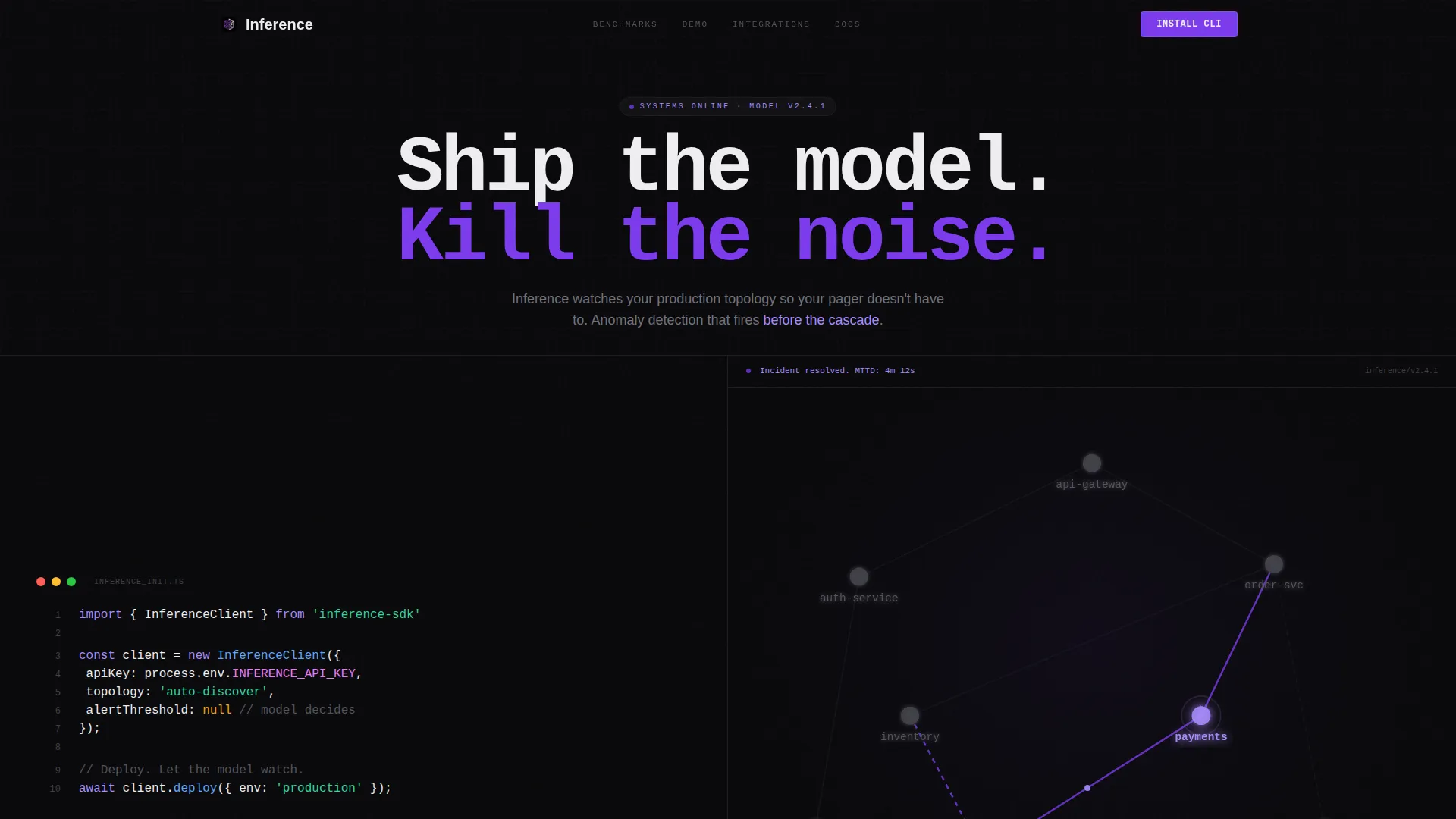
- A split-screen hero with a syntax-highlighted SDK initializer on the left and a pulsing dependency graph on the right
- Spec Sheet sections pairing capability labels with large-format hard metrics, benchmark tables, and an embedded live inference demo
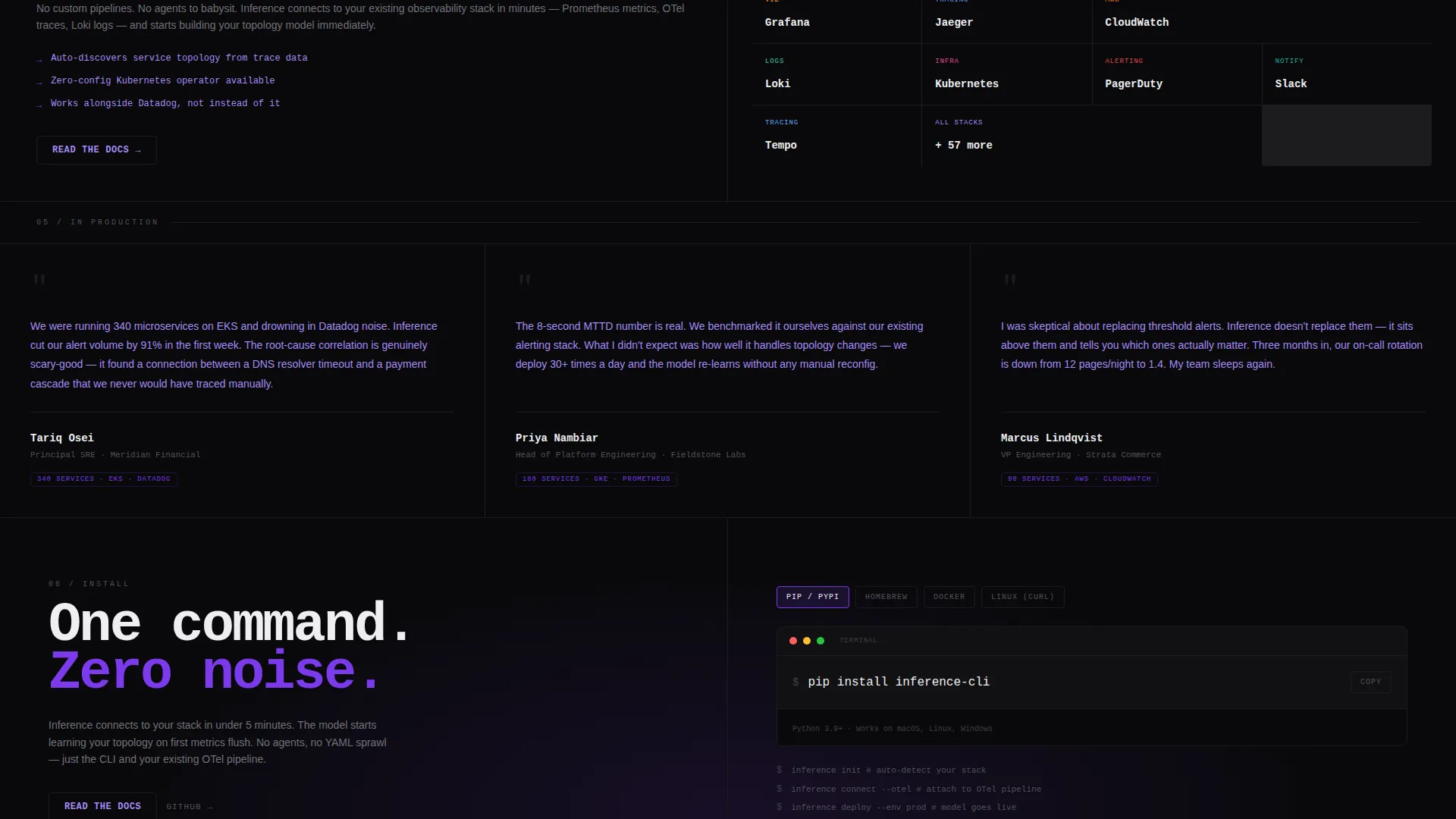
- A primary call-to-action block with a one-click copy-to-clipboard terminal command and platform toggle tabs for macOS, Linux, and Docker
Feature list
This template is built around a set of deliberate design and structural decisions drawn directly from the source brief.
Hero-Scale Code Snippet Header
The left half of the opening split screen renders a real, syntax-highlighted SDK initializer in a monospaced font at hero scale. Three lines cover import, configure, and deploy. The code is the first thing a visitor reads, establishing technical credibility before any marketing copy appears.
Live Dependency Graph Panel
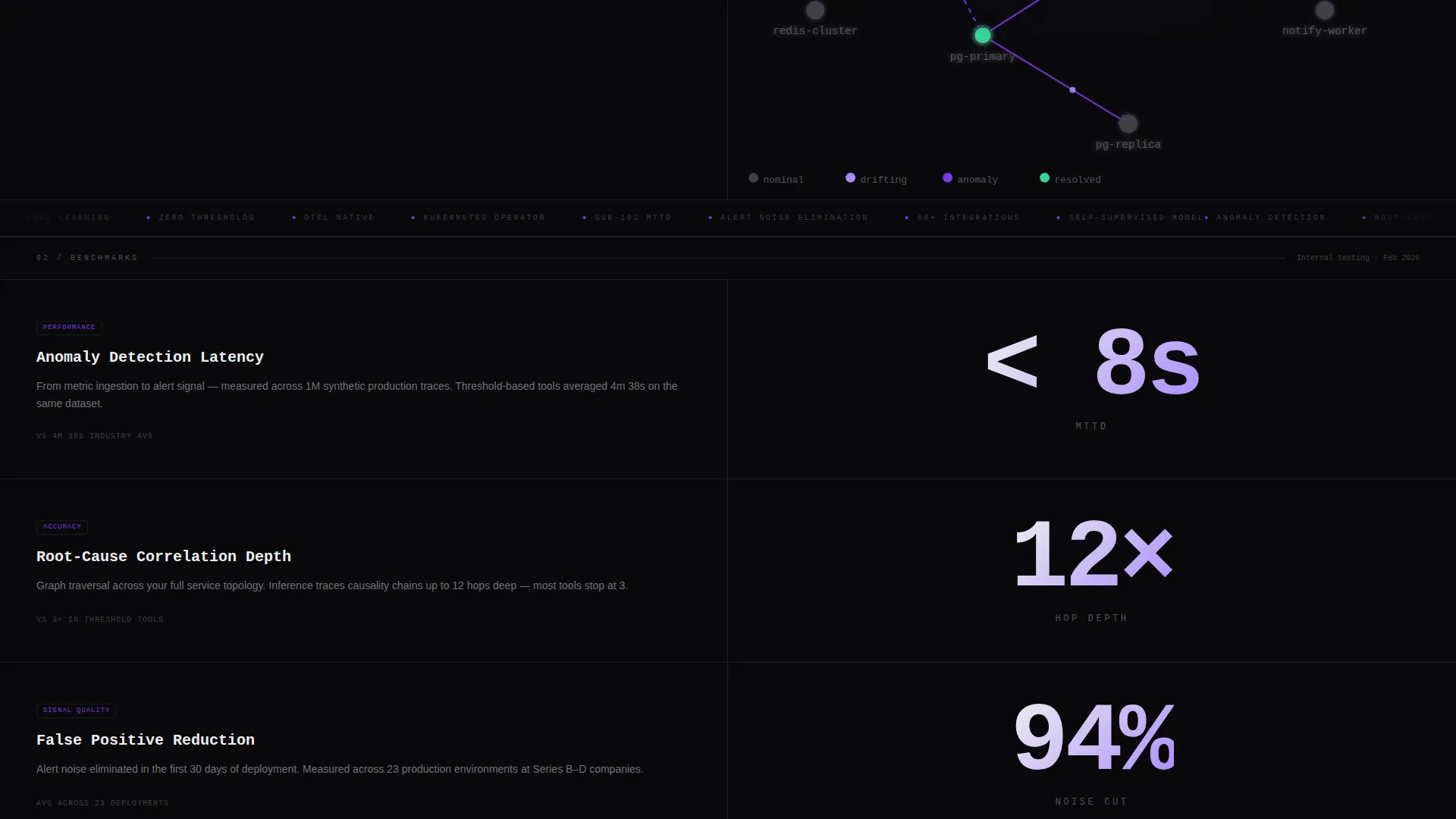
The right half of the hero split shows a live-updating dependency graph. Nodes pulse in deep terminal violet when the model detects drift. There are no stock images or illustrations because the product visualization is the visual.
Spec Sheet Metric Sections
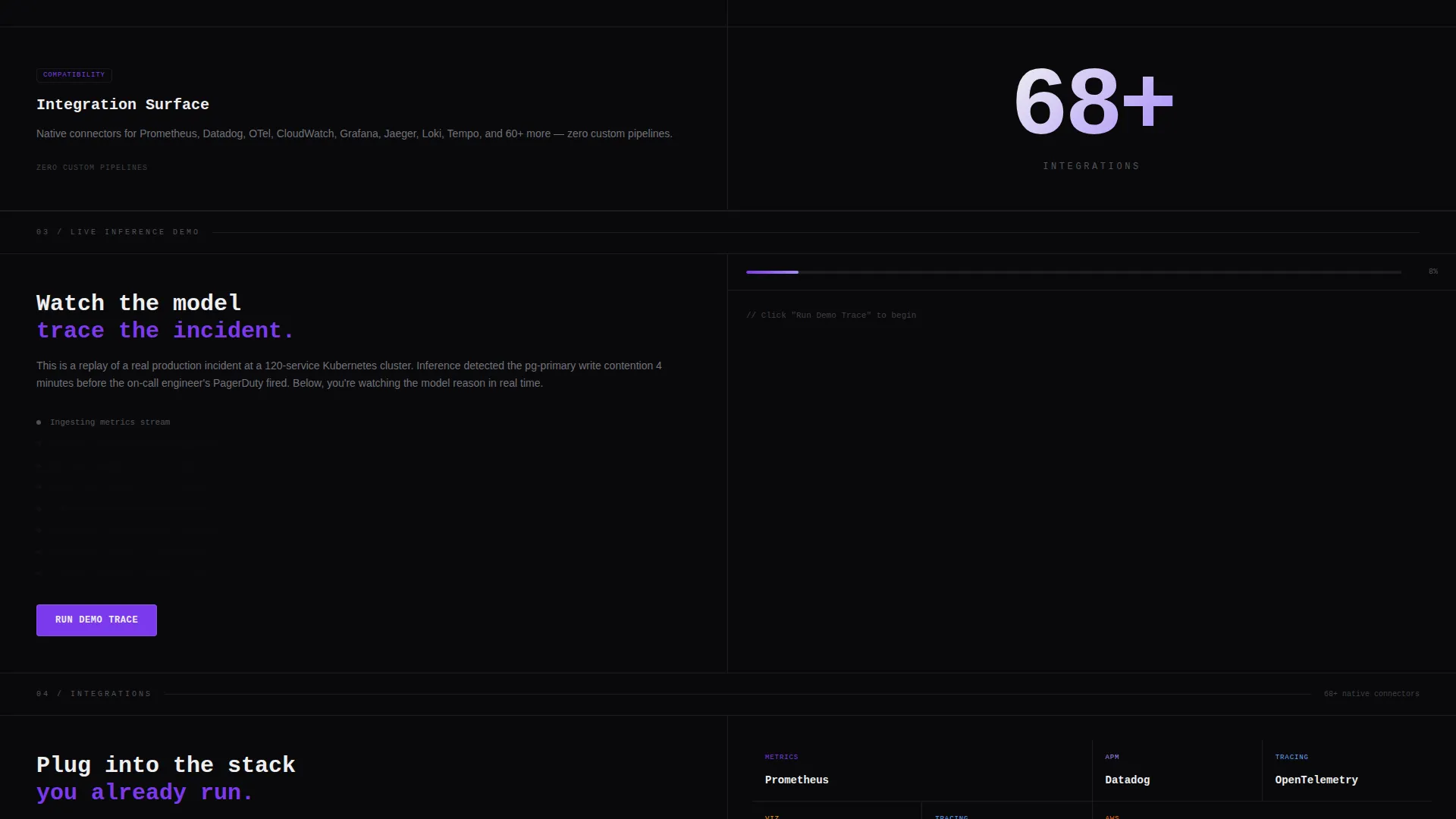
Each scrolling section pairs a named capability on the left with its hard metric rendered large on the right. Anomaly detection latency, root-cause correlation depth, and integration count are shown at a scale readable from across a room. Scroll momentum builds through escalating specificity.
Embedded Live Inference Demo
A live inference demo is embedded directly in the page after the benchmark tables. Visitors can see the model working without leaving the page or clicking through to external documentation.
Frictionless CLI Install Block
The primary call-to-action renders pip install inference-cli as a one-click copy-to-clipboard terminal command. Platform toggle tabs let visitors switch between macOS, Linux, and Docker instructions without reloading the page.
Secondary Documentation Path
A secondary call-to-action labeled "Read the Docs" gives architecture-oriented engineers a low-commitment next step. This captures visitors who need to review system diagrams before they commit to an install.
Page sections overview
| Section | Purpose |
|---|---|
| Split Screen Hero | Anchors credibility with code and live graph |
| Headline Block | Delivers the core message: "Ship the model. Kill the noise." |
| Anomaly Detection Metrics | Shows detection latency with a hard number |
| Root-Cause Correlation | Displays correlation depth at large-format scale |
| Integration Count | Quantifies ecosystem reach with a single metric |
| Architecture Overview | Explains system topology in a structured layout |
| Benchmark Tables | Provides side-by-side performance comparisons |
| Live Inference Demo | Embeds a working model demo in-page |
| CLI Install Block | Drives the primary install action with one command |
| Docs Secondary Path | Offers architecture diagrams for deeper evaluation |
Design & branding system
The Void & Violet color system is built to feel like an IDE at midnight. Color appears only when something needs attention, which mirrors exactly how the product itself operates. The Startup Velocity theme keeps the layout lean, fast, and signal-forward.
- Core palette: absolute void black (#09090B) as the base, deep terminal violet (#7C3AED) for interactive and alert states, phosphor lilac (#A78BFA) for secondary text and graph lines, and electric white (#EEEEF0) for primary typography
- Typography is monospaced throughout the code sections and shifts to a high-contrast sans-serif for metric displays, keeping the reading experience consistent with a terminal environment
- Visual decoration is intentionally minimal: no stock imagery, no illustrations, no gradients for their own sake
Mobile & speed optimization
The split-screen layout is structured to reflow cleanly on smaller viewports. Technical buyers often evaluate tools on mobile during commutes or in on-call windows, so the layout accounts for that context.
- The 50/50 split collapses into a stacked single-column layout on narrow screens, preserving the code snippet and graph panel in sequence
- Metric sections maintain large-format number rendering on mobile so the data remains readable at a glance
How this template helps you convert
The conversion strategy is built on earned trust rather than persuasion patterns. Every section proves something measurable before asking for anything in return.
- Front-loading benchmarks and working code removes the biggest objection engineers have: "show me it works before I install anything."
- The one-command CLI install with platform toggle tabs reduces download friction to near zero, making the conversion action feel like running a command rather than filling out a form.
Other information about this template
This template is part of a broader set of Startup Velocity themed layouts designed for technical product companies. It is well suited for teams building in the AIOps, observability, and infrastructure intelligence space who need a landing page that reads like a technical whitepaper without losing conversion intent.
- The template style is Split Screen (50/50), a layout approach that works well for products where the interface or output is itself the most persuasive visual element
- The Spec Sheet creative direction makes this template adaptable for machine learning infrastructure tools, developer tooling launches, and open-source project pages where benchmarks matter more than brand storytelling
- The App Download landing page direction means the entire page hierarchy points toward a single install action, keeping the experience focused and reducing decision paralysis
Theme
Startup Velocity
Creative direction
Spec Sheet
Color system
Void & Violet
Style
Split Screen (50/50)
Direction
App Download
Page Sections
Hero-scale SDK Code Snippet
Pulsing Dependency Graph Panel
Spec Sheet Capability Metrics
Embedded Live Inference Demo
One-command CLI Install Block
Secondary Documentation Path
Related questions
Who is the primary audience for this template?
Does the template include real code or placeholder code?
Can I adapt the metric sections to show my own benchmark data?
What does the CLI install block include?
Is this template suitable for an open-source project launch?



