Cloud-Native Enterprise Software Specialist Pricing Website Template
Ingest is a cloud-native SIEM landing page template built for security operations platforms. It opens with a live cost estimator, unfolds into a modular capability card grid, and drives leads through two focused conversion paths. The Data Command visual theme pairs void black backgrounds with phosphor green data flows and magenta call-to-action triggers for a command-center feel.
by Rocket studio
Quick summary
Ingest is a single-page landing page template for cloud-native security information and event management (SIEM) platforms. It leads with an interactive cost estimator, expands into a modular feature card grid, and closes with two distinct lead generation paths. The design follows a Data Command theme with an Acid Digital color palette built to feel like a live security operations center (SOC).
Who this template is for
This template is built for teams selling or promoting cloud-native SIEM and security operations technology. It speaks directly to the buyers who live inside these decisions every day.
- SOC managers evaluating platform costs and looking to reduce tool sprawl
- Chief Information Security Officers (CISOs) migrating from legacy on-premises SIEMs to multi-cloud environments
- DevSecOps leads who need detection-as-code capabilities integrated into continuous integration and delivery (CI/CD) pipelines
What problem this template solves
Security platforms are complex, and most landing pages fail to translate that complexity into a clear, credible value story. Buyers arrive with hard questions about cost and capability, and they leave without answers.
- Visitors cannot quickly compare their current SIEM spend against a new platform without a structured tool
- Feature-heavy platforms lose prospects who cannot see which capabilities matter most to their environment
- Generic landing page designs undermine trust for technical buyers who expect precision and signal over noise
What you get with this template
This template delivers a full single-page layout purpose-built for cloud-native SIEM lead generation. Every section is designed to earn attention, build credibility, and move visitors toward one of two conversion actions.
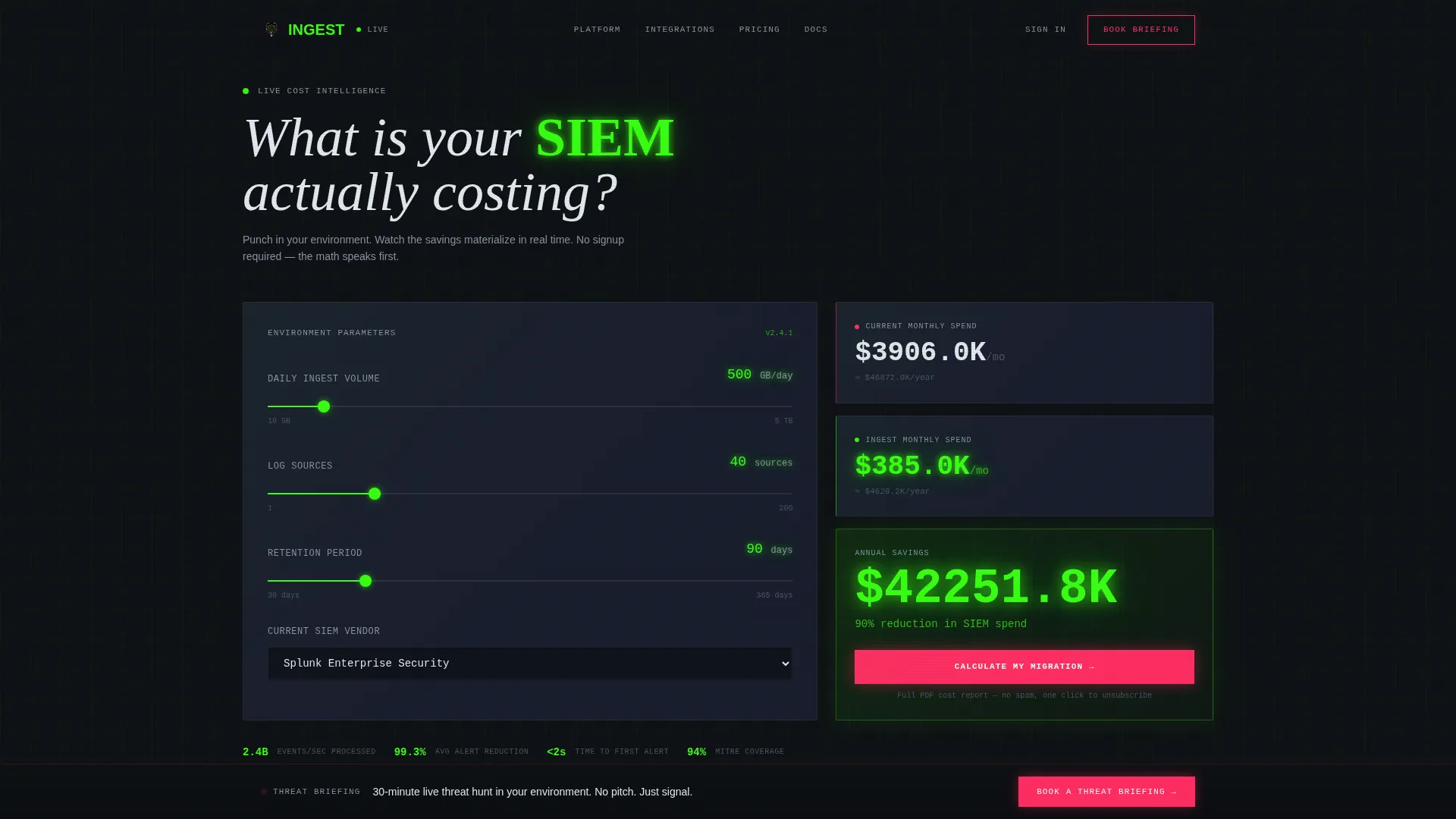
- An interactive live cost estimator that takes ingest volume, log source count, and retention period as inputs and outputs a real-time cost comparison
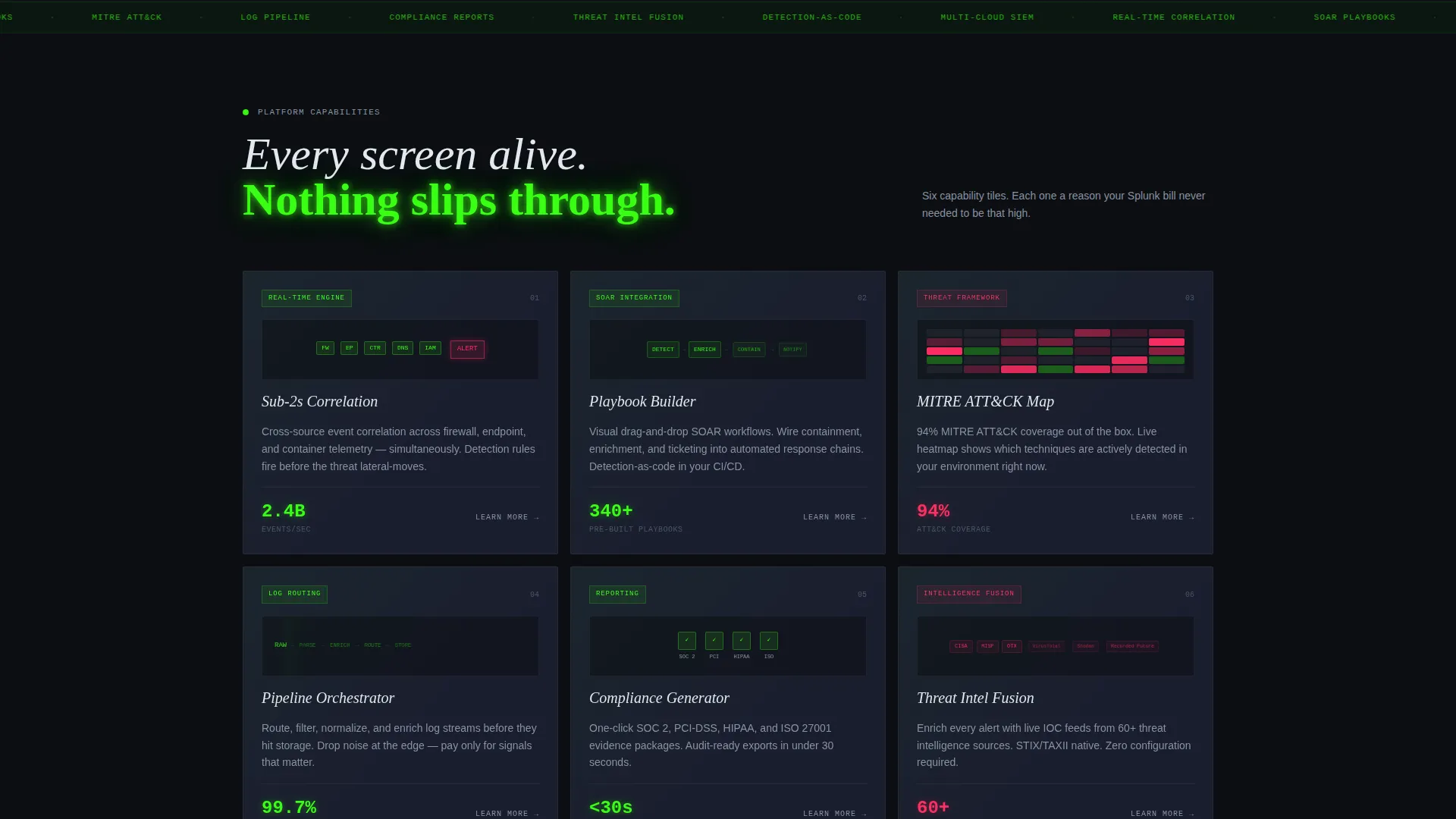
- A modular card grid of six capability tiles, each with a micro-animation representing a distinct platform feature
- A two-path lead funnel: a gated PDF cost report behind the primary call-to-action and a sticky bottom bar with a three-field booking form
Feature list
This template includes purpose-built sections and interactive components grounded in how technical security buyers evaluate platforms.
Live Cost Estimator Header
The page opens with a dark calculator interface. Visitors input their daily ingest volume in gigabytes (GB), number of log sources, and retention period. As sliders move, animated green digits show a real-time comparison between their current SIEM spend and projected costs on the new platform. The savings figure renders in oversized phosphor green type as the visual anchor of the entire page.
Modular Capability Card Grid
Below the estimator, six uniform capability tiles form a scrollable grid. Each card represents a distinct platform feature: real-time correlation engine, security orchestration, automation and response (SOAR) playbook builder, MITRE ATT&CK coverage map, log pipeline routing, compliance report generator, and threat intelligence fusion. Cards share a consistent size while each hosts its own micro-animation.
Persistent Savings Comparison Row
A comparison row pins to the top of the viewport after the visitor scrolls past the estimator. It keeps the personalized savings figure visible throughout the entire card grid exploration. Every capability tile the visitor reads is framed against the cost context they already established.
Two-Path Lead Generation Funnel
The primary path gates a full PDF cost report behind a short form inside the estimator: email address, company name, and current SIEM vendor. The secondary path is a sticky bottom bar labeled "Book a Threat Briefing" that opens a three-field form covering work email, environment type, and average daily ingest volume.
Micro-Animation Capability Tiles
Each card in the grid contains a contained micro-animation. Examples include a miniature detection rule firing, a log pipeline diagram routing events, and an ATT&CK heatmap pulsing with activity. These animations reinforce each feature's purpose without requiring the visitor to read lengthy descriptions.
No-Image Hero Section
The estimator itself serves as the hero section. There are no stock photographs or hero illustrations. The interactive tool delivers immediate, personalized value before any form is shown, which earns the subsequent lead capture request.
Page sections overview
| Section | Purpose |
|---|---|
| Live Cost Estimator | Hero interaction that delivers a personalized SIEM cost comparison using visitor-provided inputs |
| Persistent Savings Row | Pinned comparison strip that keeps the savings figure visible as visitors scroll the card grid |
| Capability Card Grid | Six modular feature tiles with micro-animations covering core platform capabilities |
| Primary call to action Gate | In-estimator form gating the full PDF cost report behind email, company, and vendor fields |
| Sticky Booking Bar | Bottom bar with a three-field form to schedule a threat briefing |
Design & branding system
The visual identity follows a Data Command theme executed through an Acid Digital color palette. Every color decision carries deliberate intent, so the page reads like a live SOC dashboard rather than a marketing brochure.
- Void black (#0B0E11) dominates all backgrounds, and cool slate (#1A1E2E) lifts card surfaces just enough to create depth without breaking the dark command atmosphere
- Terminal phosphor green (#39FF14) traces data flows, active-state borders, animated digit readouts, and all positive-signal moments across the page
- Alert magenta (#FF2E63) is reserved strictly for critical alert states and primary call-to-action triggers, so every appearance commands immediate visual attention
Mobile & speed optimization
The modular card grid layout adapts naturally to narrower viewports. Each capability tile is self-contained, which means the grid reflows without losing the visual hierarchy or micro-animation context.
- Slider inputs in the cost estimator are touch-friendly and sized for accurate interaction on mobile screens
- The sticky bottom bar and persistent savings row remain functional and visible across device sizes, keeping both conversion paths accessible throughout the scroll
How this template helps you convert
This template is structured to generate qualified leads by delivering value before asking for anything. The funnel architecture is intentional and sequential.
- The live cost estimator gives every visitor a personalized number first. By the time the gated form appears, the visitor already understands their potential savings, which makes the ask feel like a natural next step rather than an interruption.
- The sticky "Book a Threat Briefing" bar maintains a secondary conversion path throughout the entire page. Visitors who are not ready to share their cost data can still commit to a lower-stakes conversation, keeping both high-intent and mid-funnel prospects engaged.
Other information about this template
This template is categorized under Technology and Cloud-Native Enterprise Software, with a specific niche focus on cloud-native SIEM platforms. It is designed for teams that sell into security-conscious enterprise and mid-market buyers.
- The template style is a Card Grid (Modular) layout, making it straightforward to add, remove, or reorder capability tiles without disrupting the overall page structure
- The header concept is a Calculator or Estimator, a format that works well for platforms where pricing is complex and buyers need to see a number before they will engage further
- The creative direction follows a Feature Matrix approach, meaning each card communicates one clear capability rather than mixing multiple ideas in a single section
- The lead generation direction supports two distinct conversion paths simultaneously, allowing the page to serve both high-intent visitors ready to share vendor details and exploratory visitors still forming their shortlist
Theme
Data Command
Creative direction
Feature Matrix
Color system
Acid Digital
Style
Card Grid (Modular)
Direction
Lead Generation
Page Sections
Live Cost Estimator Hero
Modular Capability Card Grid
Persistent Savings Comparison Row
Two-path Lead Generation Funnel
Micro-animation Capability Tiles
Related questions
Can I customize the cost estimator inputs for my platform's pricing model?
Do I need design experience to work with the card grid layout?
Is this template suitable for a platform targeting enterprise security teams?
How does the two-path lead funnel work in practice?
Can the micro-animations on the capability cards be replaced or turned off?



