Headless Enterprise Software Professional Website Template
Ingest is a headless Security Information and Event Management (SIEM) landing page template built for technical audiences. It features a live code-snippet header in JetBrains Mono, an interactive card-grid explorer, and a frictionless CLI install flow. The Midnight Blue palette and terminal-style design speak directly to platform engineers, SOC leads, and DevSecOps teams.
by Rocket studio
Quick summary
Ingest is a single-page landing page template for a headless SIEM platform. It opens with a live-typed YAML detection rule, flows through an interactive modular card grid, and closes with a one-click CLI install prompt. Every design decision targets the engineer who reads code before reading copy.
Who this template is for
This template is built for technical teams who ship security tooling and need a landing page that earns trust through depth, not decoration.
- Platform engineers building internal detection and log-ingestion pipelines
- SOC leads who have moved past per-gigabyte pricing models and need API-first tooling
- DevSecOps teams routing alerts directly into tools like PagerDuty and Slack without a graphical interface
What problem this template solves
Most security platform pages waste engineers' time with marketing speak and stock photography. Engineers arrive with specific, technical questions and leave when those questions go unanswered.
- Generic hero sections that never show the actual product behavior
- Long feature lists that require reading before a visitor can evaluate fit
- Friction-heavy conversion flows that ask for a form fill before offering any value
What you get with this template
You get a fully structured, single-page layout that communicates a headless SIEM platform with precision and visual clarity. Every section is built to let the product demonstrate itself.
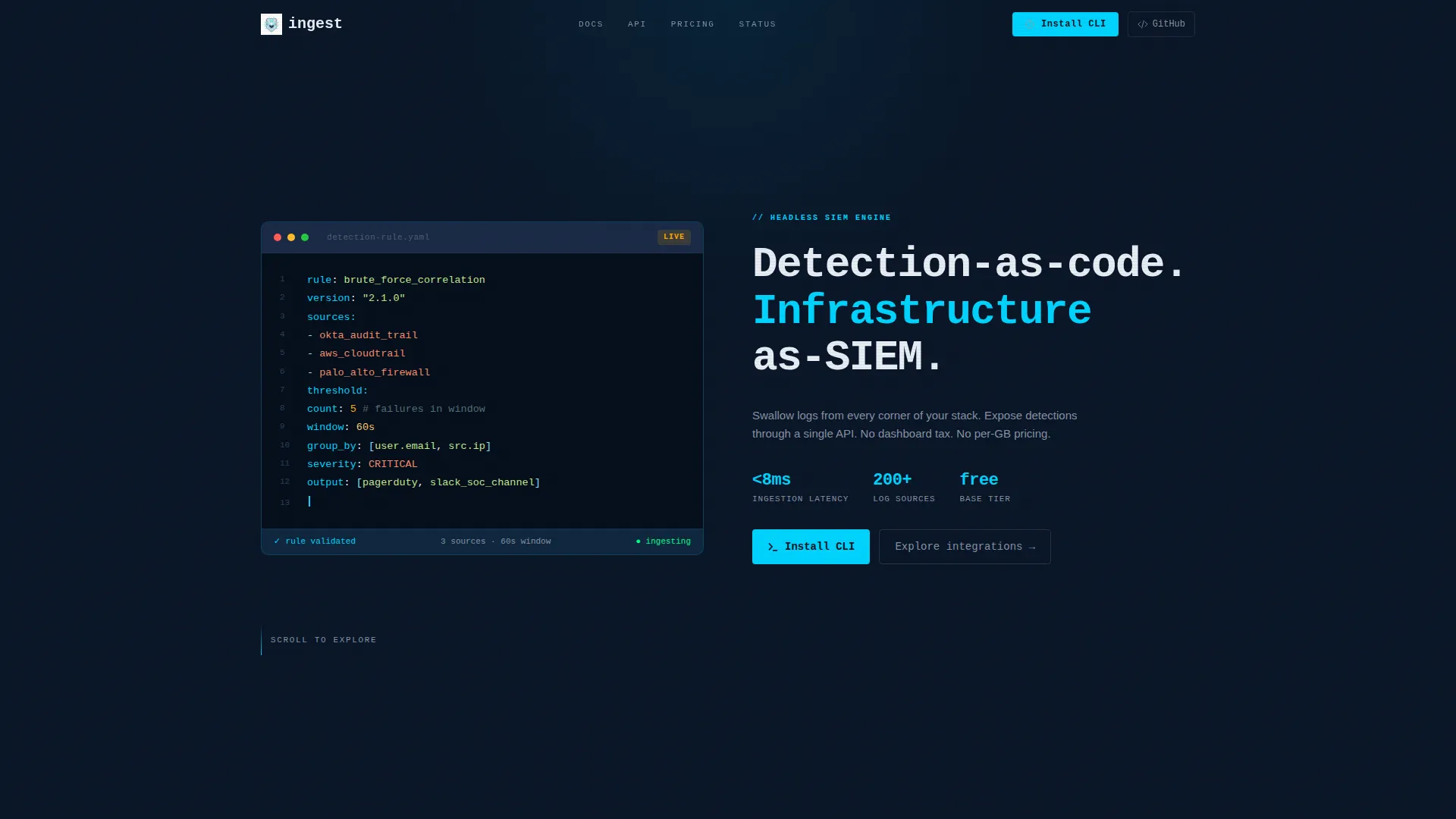
- A live code-snippet header that types out a YAML detection rule in real time
- A three-row interactive card grid where visitors can click, expand, and explore integrations, detection rules, and output destinations
- A frictionless CLI install section with a copy-to-clipboard terminal command and OS-aware download options
Feature list
This template ships with a carefully considered set of components, each designed to match how engineers evaluate developer tooling.
Live Typed Code Header
The top viewport fills with a syntax-highlighted YAML detection rule that scrolls into frame line by line, as if being typed live. JetBrains Mono renders each token in electric cyan on a void-black background. No hero image is needed because the code itself is the product demonstration.
Interactive Integration Card Grid
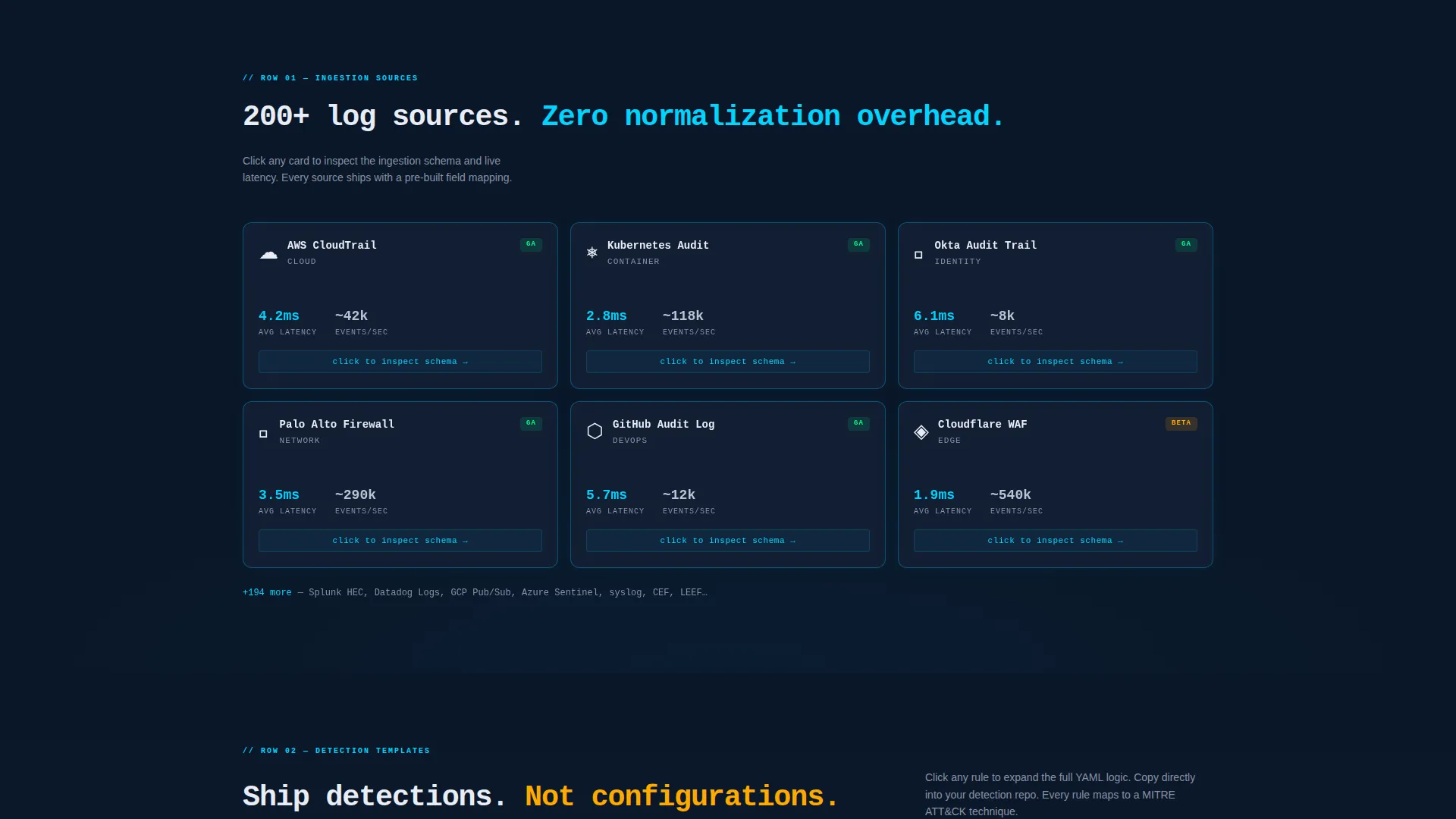
The first card row displays integration sources such as AWS CloudTrail, Kubernetes pods, and legacy firewall logs. Clicking a card flips it to reveal the ingestion schema and a latency badge. Visitors can verify compatibility before reading a single line of documentation.
Expandable Detection Rule Cards
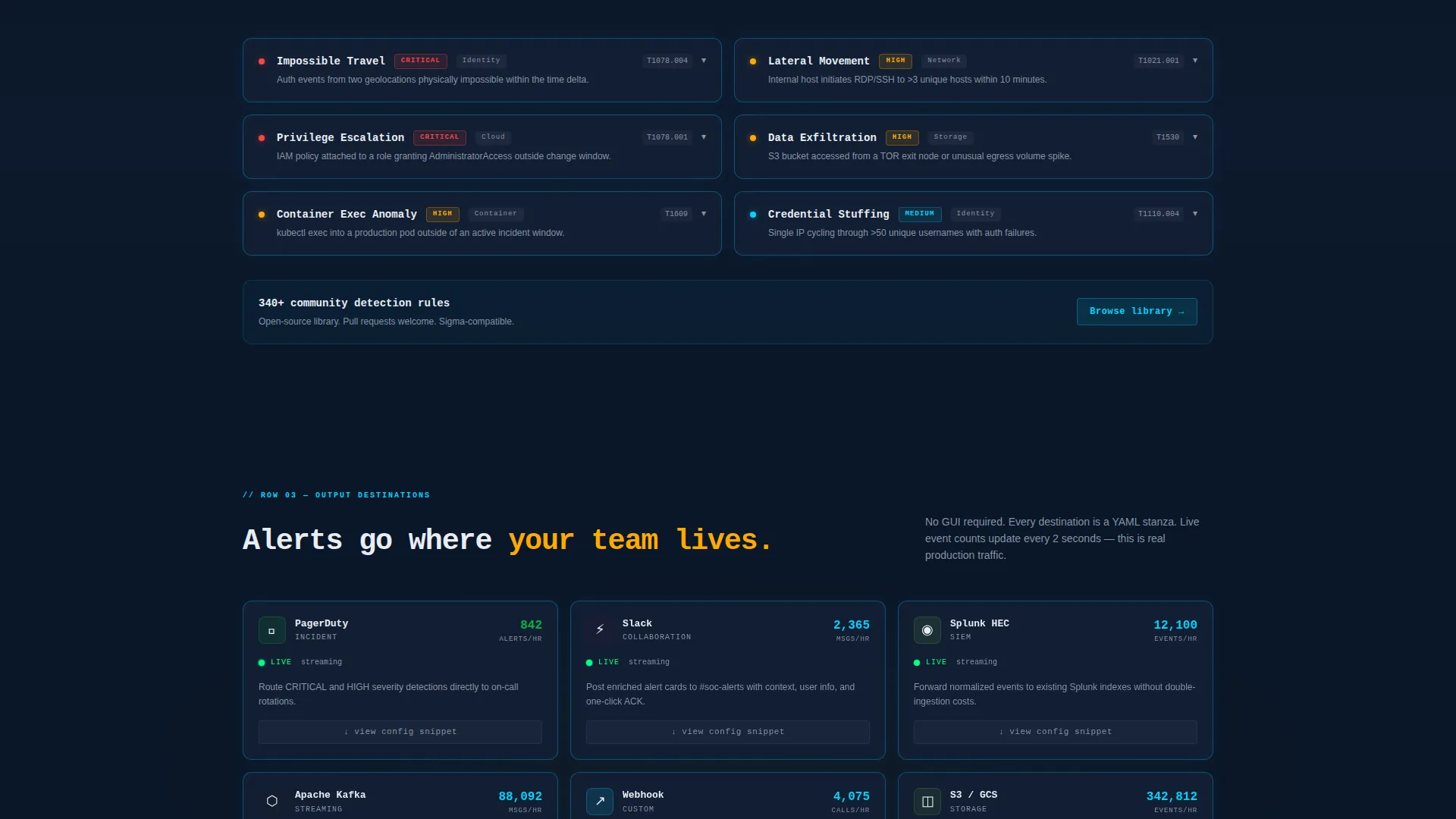
The second card row shows detection rule templates. Clicking a rule like "Impossible Travel" expands a mini code editor inline, exposing the full rule logic. Complexity reveals itself progressively, so the page rewards curiosity rather than demanding patience.
Live Output Destination Cards
The third card row displays alert output destinations. Each card pulses subtly to suggest real-time event counts, reinforcing the platform's live, streaming nature without requiring a backend connection in the template itself.
Terminal-Styled CLI Install Block
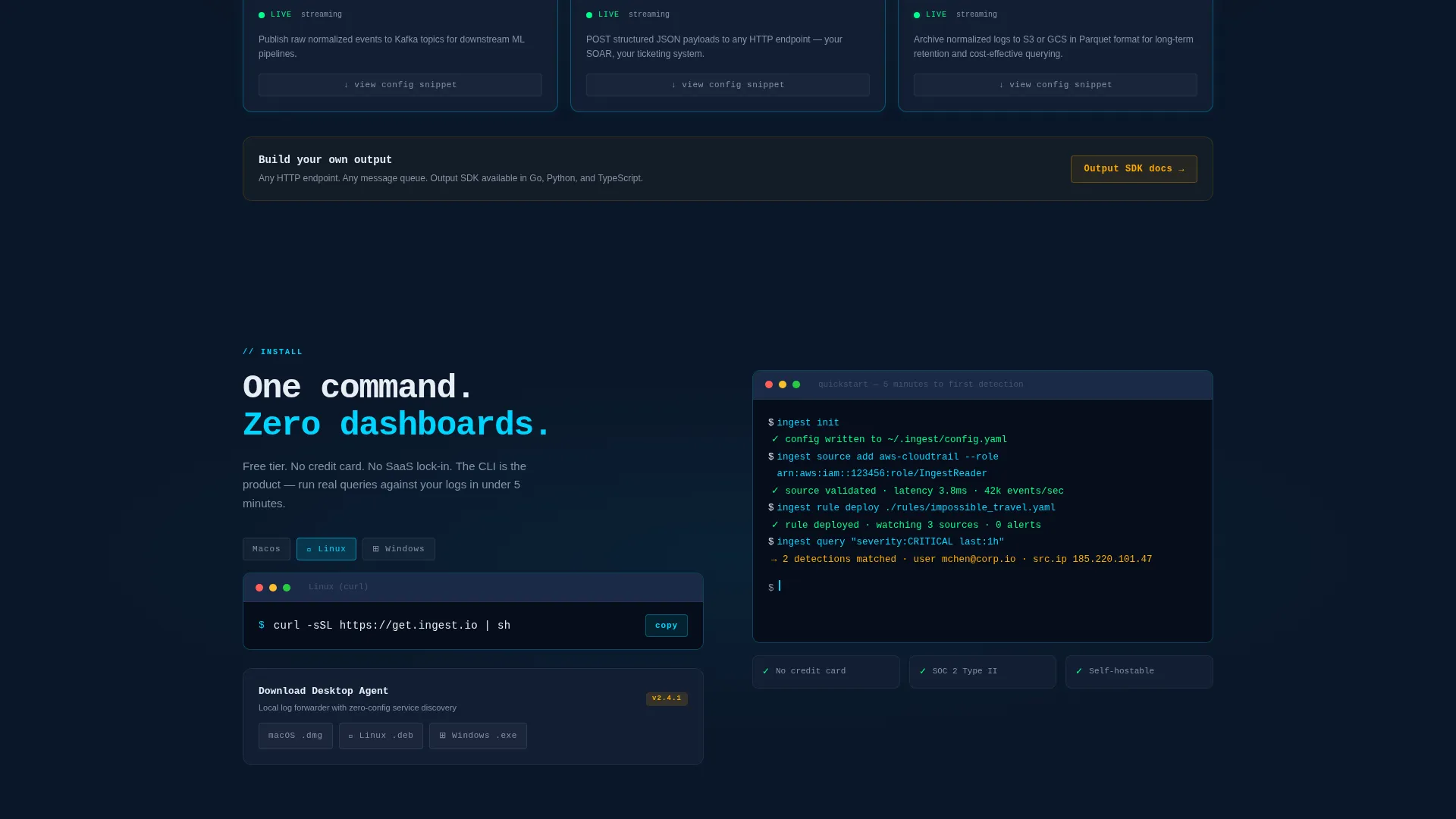
The primary conversion section renders a terminal box containing a one-click copy-to-clipboard install command. A secondary path detects the visitor's operating system and surfaces the appropriate macOS, Linux, or Windows download option automatically.
Sandbox Query Explorer
Selected cards embed a sandbox dataset that lets visitors run real queries before installing anything. This pre-installation exploration builds genuine confidence in the platform's detection-as-code model.
Page sections overview
| Section | Purpose |
|---|---|
| Live Code Header | Establish technical credibility immediately |
| Headline Fade-in | Deliver the core value proposition |
| Integration Card Row | Show supported log sources interactively |
| Detection Rules Row | Let visitors inspect rule logic inline |
| Output Destinations Row | Demonstrate alert routing with live pulse |
| Sandbox Query Explorer | Enable hands-on evaluation before install |
| CLI Install Block | Drive frictionless primary conversion |
| OS-Aware Download | Serve the secondary download path |
Design & branding system
The visual identity follows a Directory and Discovery theme built entirely around the Midnight Blue color system. The palette feels like a SOC floor after hours, with monitors glowing blue in a dark room.
- Void-black (#0A1628) as the primary background, deep command-line navy (#121E33) on card surfaces, and electric cyan (#00D4FF) for interactive borders and syntax highlights
- Muted silver (#8892A4) keeps body text readable across long technical paragraphs without competing with the cyan accents
- Alert amber (#FFAA00) surfaces on status badges to signal triggered rules and warning states, providing the only warm tone in an otherwise cold palette
Mobile & speed optimization
The modular card grid is structured to reflow cleanly at smaller viewport widths, keeping the interactive explorer usable on any screen size.
- Card rows stack vertically on narrow screens so the flip and expand interactions remain accessible without horizontal scrolling
- The terminal install block and copy-to-clipboard command are sized for touch targets, ensuring the primary conversion action works on mobile without pinching or zooming
How this template helps you convert
The conversion strategy removes every barrier between arrival and installation. There are no forms, no gated trials, and no pricing negotiations.
- The live code header and interactive card grid let visitors self-qualify and explore the product before the call to action ever appears, so the install prompt arrives after trust is already established.
- The one-click copy-to-clipboard terminal command and OS-aware download options make the conversion action feel like a natural next step in a terminal session, not a marketing handoff.
Other information about this template
This template is categorized under Technology and specifically targets the Headless Enterprise Software subcategory, making it well-suited for developer-tool and infrastructure-platform marketing contexts.
- The template style is a Card Grid (Modular) layout, meaning individual card components can be reordered or swapped to match a different set of integrations or rule templates
- The header concept is a Code Snippet, and the creative direction is an Interactive Explorer, both of which align with how technical buyers evaluate API-first security tooling
- The landing page direction is App Download, so the entire page funnel is optimized around a CLI install or agent download rather than a demo request or lead form
- JetBrains Mono is specified as the display typeface throughout, reinforcing the terminal aesthetic consistently from the header through the install block
Theme
Directory & Discovery
Creative direction
Interactive Explorer
Color system
Midnight Blue
Style
Card Grid (Modular)
Direction
App Download
Page Sections
Live Typed YAML Code Header
Interactive Flip Card Grid
Inline Detection Rule Editor
Pulsing Output Destination Cards
Terminal CLI Install Block
Embedded Sandbox Query Explorer
Related questions
Does this template require a working backend to display the interactive cards?
Can I replace the default integration cards with different log sources?
Is the CLI install command editable?
What typeface does this template use throughout?
Who is this landing page template designed for?



