Print Shop Booking System Landing Page Template
Inkwell is a hub-and-spoke landing page template built for print shop booking software. It uses a dark Tech Glass visual identity, a five-spoke anchor navigation, and animated live-system panels to convert production managers, shop owners, and corporate print buyers into app downloads before they reach the bottom of the page.
by Rocket studio
Quick summary
Inkwell is a single-page template designed to market a print shop booking and job-tracking application. Five anchor-nav spokes guide visitors through booking, tracking, proofing, shipping, and growth metrics. Every section opens with an animated stat, then delivers a focused product demo. The page builds momentum and closes on a free app download.
Who this template is for
This template is built for founders, product teams, and marketers who are bringing a paper and printing booking system to market. It speaks directly to the buyers who will download the app, while giving the marketing team a page that earns trust fast.
- Print shop owners and production managers who need a convincing product page for a press-scheduling tool
- Corporate print buyers and large-format house operators evaluating a job-tracking application
- SaaS teams in the paper and printing vertical who need a high-energy app download landing page
What problem this template solves
Selling a vertical SaaS product to print professionals is hard when the page looks like every other software landing page. Print buyers are skeptical. Production managers are busy. The page has to show the product working before asking for a download.
- Generic software landing pages fail to communicate real-time job visibility, press scheduling, and proof-to-delivery tracking in a way that resonates with print shop operators
- Static hero images do not convey the live-system energy that distinguishes a booking engine from a basic scheduler
- Long, feature-heavy pages lose busy production managers before they reach the call to action
What you get with this template
You get a fully structured hub-and-spoke landing page with a persistent left-side anchor navigation and five clearly defined content spokes. Every section is purpose-built for a print shop booking application audience.
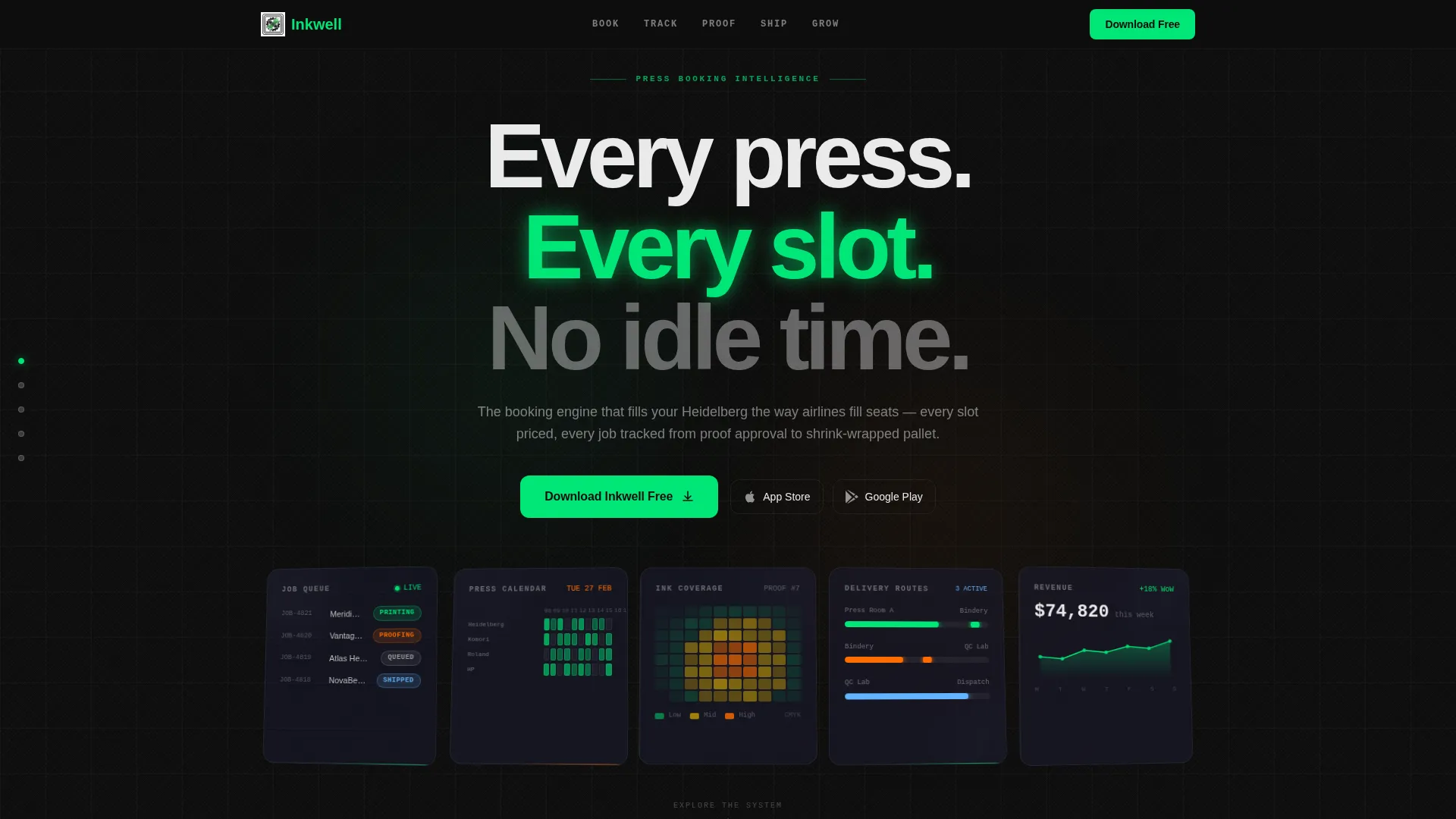
- A Dark Glass Panels header with five floating, tilted 3D-angled cards showing live system views: job queue, press calendar, ink coverage heatmap, delivery route map, and revenue dashboard
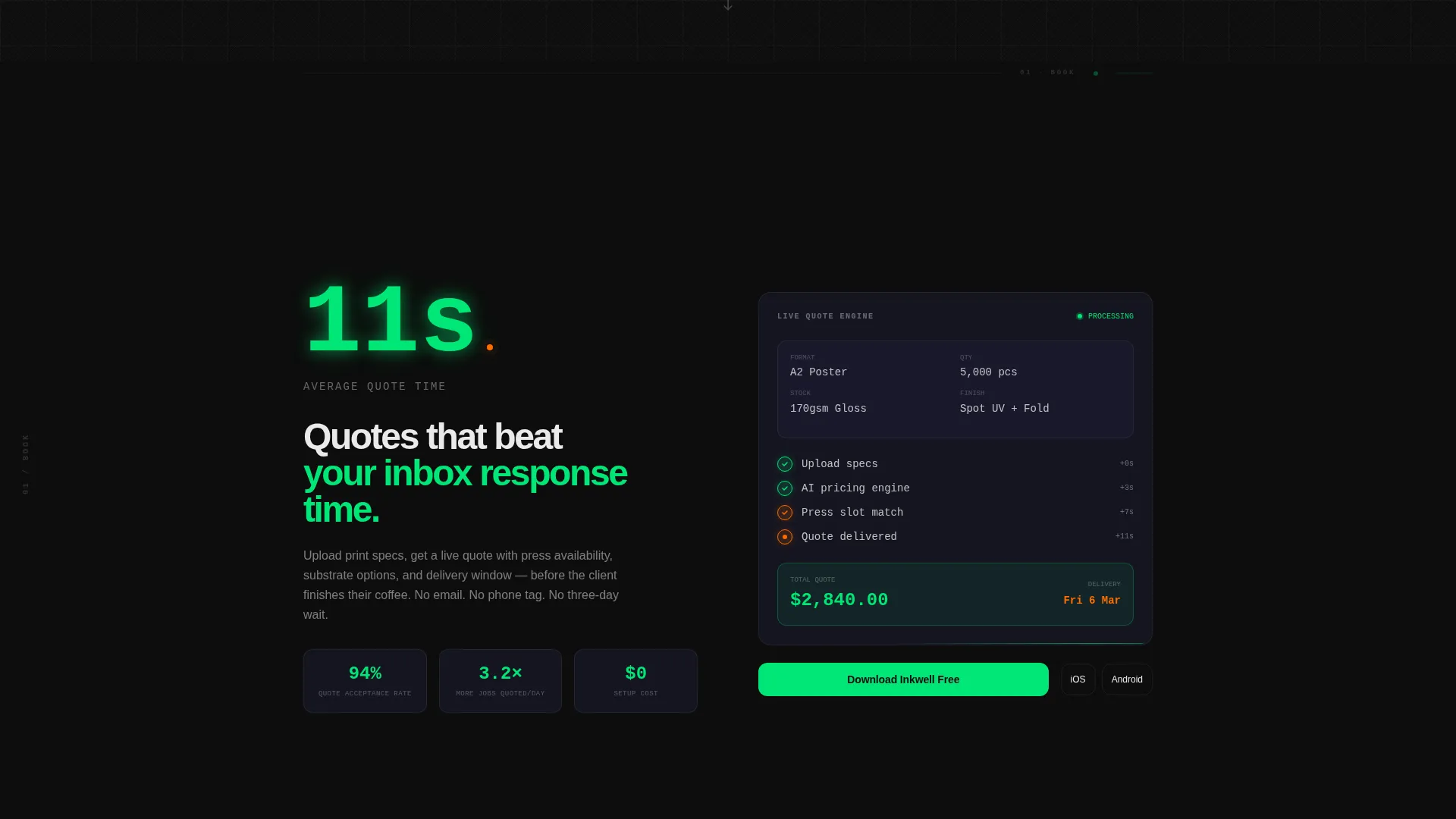
- Five spoke sections (Book, Track, Proof, Ship, Grow), each opening with an explosive animated stat and expanding into a product demo area
- Dual conversion paths: a primary "Download Inkwell Free" call to action with App Store and Google Play badge slots, and a secondary single-field email form for a personalized demo with a three-option print-category toggle
Feature list
This section describes the core built-in components and layout capabilities included in the Inkwell template.
Dark Glass Panel Header
Five translucent, frosted-glass cards float over the deep black background. Each card is tilted at a slight 3D angle and catches directional light from the upper left. The panels display distinct live system views, making the product itself the visual hero of the page.
Persistent Anchor Navigation
A left-side anchor navigation bar stays visible as the visitor scrolls. Five nav dots correspond to the five content spokes: Book, Track, Proof, Ship, and Grow. Interactive dots glow in machine-status green and flare to press-heat amber on hover, reinforcing the control-room visual language.
Animated Entry Statistics
Each spoke section opens with a single large stat that animates into view on scroll entry. The animation pacing is calibrated so each section feels shorter and punchier than the one before, compressing the visitor toward the download call to action.
Product Demo Sections
Each spoke expands after its entry stat into a dedicated demo area. The template provides layout space for screen recordings, micro-interaction displays, or animated diagrams relevant to that spoke's function.
Dual Conversion Path Layout
The primary call-to-action block pairs a "Download Inkwell Free" button with App Store and Google Play badge placements. It repeats at the header hub and at the end of every spoke. The secondary path is a single email-input form with a three-option toggle for commercial offset, large format, or digital short-run print categories.
Escalating Testimonial Section
The final Grow spoke is structured for fast-cut social proof. The layout supports short, high-impact testimonial blocks from shop owners citing revenue numbers, press utilization figures, and hours saved, delivering a data-dense closing argument before the terminal download prompt.
Page sections overview
| Section | Purpose |
|---|---|
| Dark Glass Header | Introduces live system views via five floating 3D panels |
| Anchor Nav Hub | Provides persistent left-side spoke navigation throughout scroll |
| Book Spoke | Opens with quote-time stat and press scheduling demo layout |
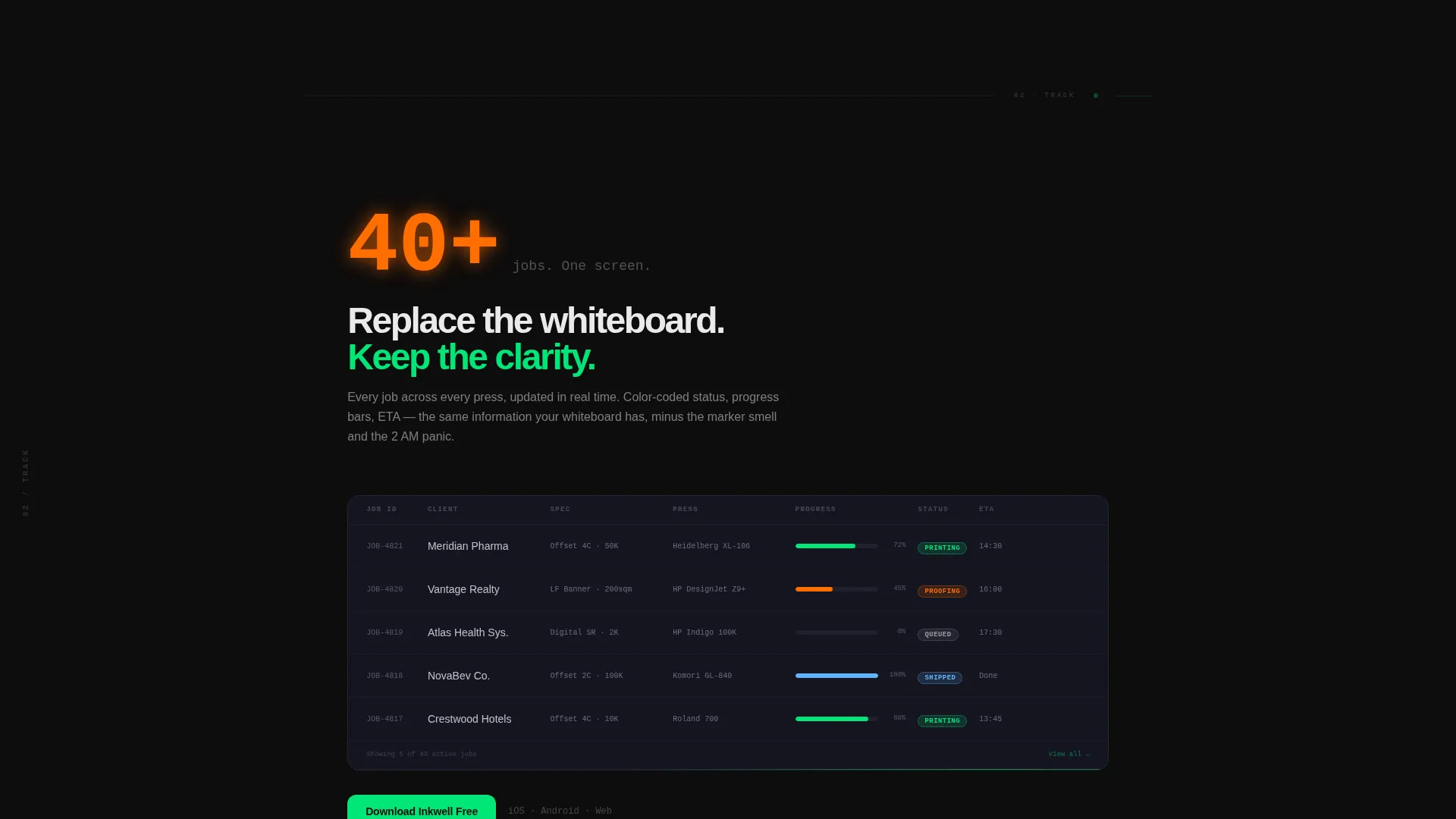
| Track Spoke | Shows job queue and color-coded status tracking demo area |
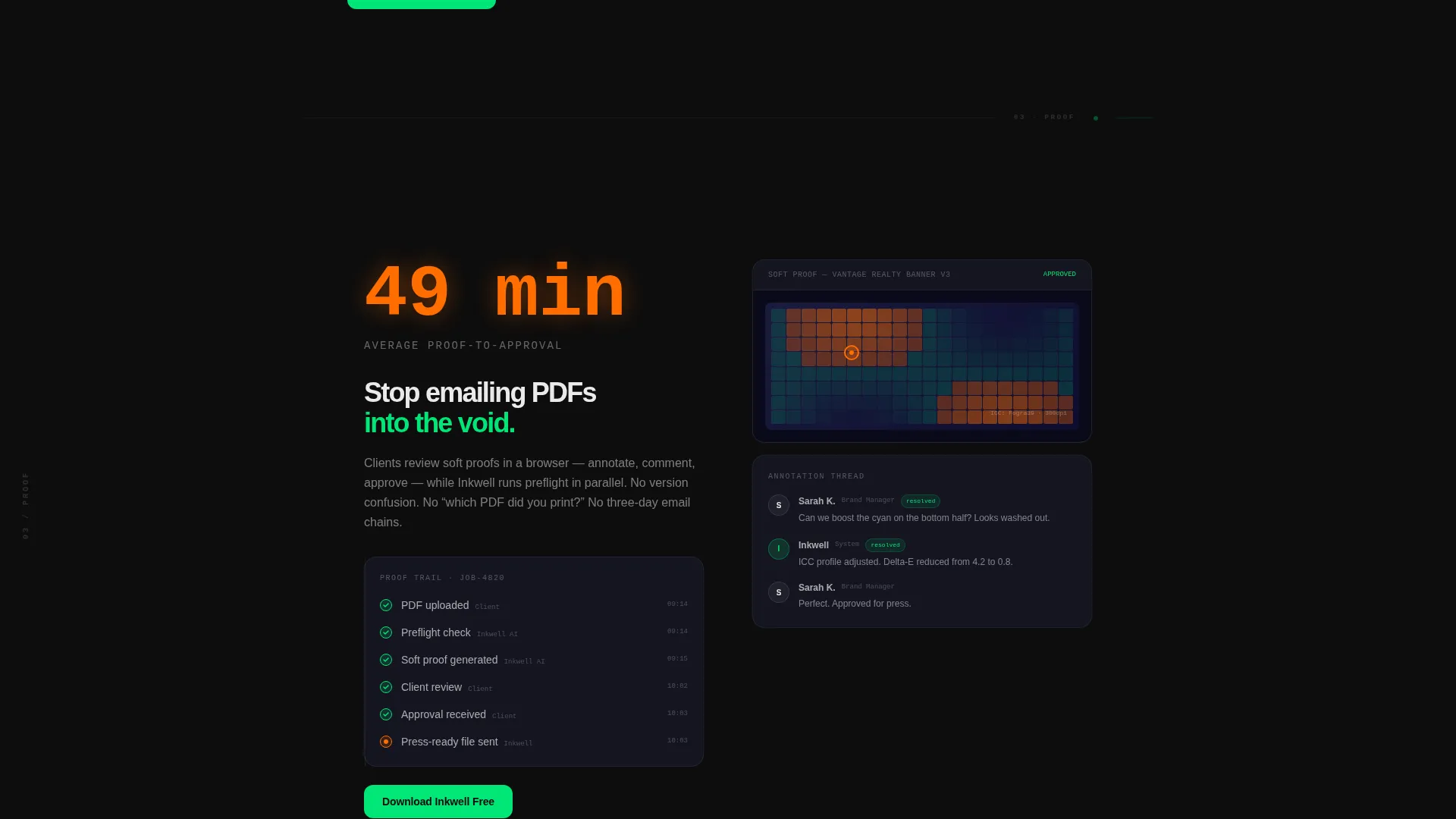
| Proof Spoke | Displays ink coverage heatmap and proof approval workflow |
| Ship Spoke | Presents delivery route map and pallet-tracking visual |
| Grow Spoke | Delivers revenue dashboard stats and fast-cut testimonials |
| App Download call to action | Repeating primary conversion block with app badge placements |
| Demo Request Form | Single email field with three-option print-category toggle |
Design & branding system
The visual identity uses a Tech Glass theme built on a Carbon Fiber color palette. Every color choice is intentional: darkness creates focus, and each accent color carries a specific functional meaning.
- Background layers stay within the deep cockpit black (#0D0D0D) to woven carbon gray (#1A1A2E) range; typography is set in laser-cut white (#EAEAEA) for sharp legibility against dark surfaces
- Interactive elements including nav dots, toggles, and buttons render in machine-status green (#00E676) at rest and flare to press-heat amber (#FF6D00) on hover, mimicking a press roller reaching operating temperature
- The frosted-glass card treatment, subtle directional lighting, and slight 3D panel tilt give the header a tactile, cockpit-dashboard quality without relying on photography
Mobile & speed optimization
The template is structured for responsive display across screen sizes. The hub-and-spoke layout adapts so the anchor navigation and spoke sections remain readable and functional on smaller viewports.
- The five Dark Glass Panel cards in the header reflow gracefully on tablet and mobile breakpoints without losing the layered depth effect
- The persistent anchor navigation collapses or repositions on mobile so it does not obscure spoke content during scroll
- The dual conversion path blocks, including the app badge placements and the email toggle form, are sized and spaced for touch interaction on mobile devices
How this template helps you convert
The page architecture is engineered to remove hesitation and build desire through visible product proof before asking for any commitment.
- The Dark Glass Panel header shows five live system views immediately, so print professionals see their own workflow reflected in the product before reading a single feature claim.
- Each spoke's animated entry stat creates a specific, credible benefit moment ("Average quote time: 11 seconds") that lands harder than a generic headline, moving the visitor closer to the download with each scroll.
- The escalating section pace and the repeated download call to action at every spoke terminus mean the visitor is never more than one screen away from converting, regardless of where they stop reading.
Other information about this template
Inkwell is matched to the Paper and Printing Vertical SaaS intersection in the Technology category, with a niche focus on paper and printing booking system use cases. It carries an intersection match score of 13, indicating strong alignment between the template structure and the target product category.
- The template is classified as a Hub and Spoke (Anchor Nav) layout, making it suitable for any vertical SaaS product that benefits from a guided, section-by-section demonstration flow
- The App Download landing page direction means primary conversion optimization targets mobile app installs, with secondary conversion capturing email leads for demo scheduling
- The Launch Energy creative direction informs the pacing logic: sections intentionally shorten and accelerate toward the page terminus, a pattern that suits high-intent buyers who scan before they commit
- The Carbon Fiber color system and Tech Glass theme are reusable across other industrial-tech or production-tech SaaS products with minimal palette adjustment
Theme
Tech Glass
Creative direction
Launch Energy
Color system
Carbon Fiber
Style
Hub & Spoke (Anchor Nav)
Direction
App Download
Page Sections
Dark Glass Panel Header
Persistent Anchor Navigation
Animated Entry Statistics
Five-spoke Product Demo Layout
Dual Conversion Path Blocks
Escalating Testimonial Section
Related questions
Who is the Inkwell template designed for?
Can I use this template for a product other than a print shop app?
Does the template include live data feeds or actual app store connections?
How does the secondary demo request form work?
Is the Dark Glass Panel header effect included in the template?



