Consulting Firm Software Comparison Website Template
Dispatch is a field service management consulting landing page built for operations leaders who need to show prospects exactly what live route intelligence delivers. The template uses a Tech Glass design, animated comparison rows, count-up metric cards, and a three-step audit modal to turn site visitors into qualified consulting leads fast.
by Rocket studio
Quick summary
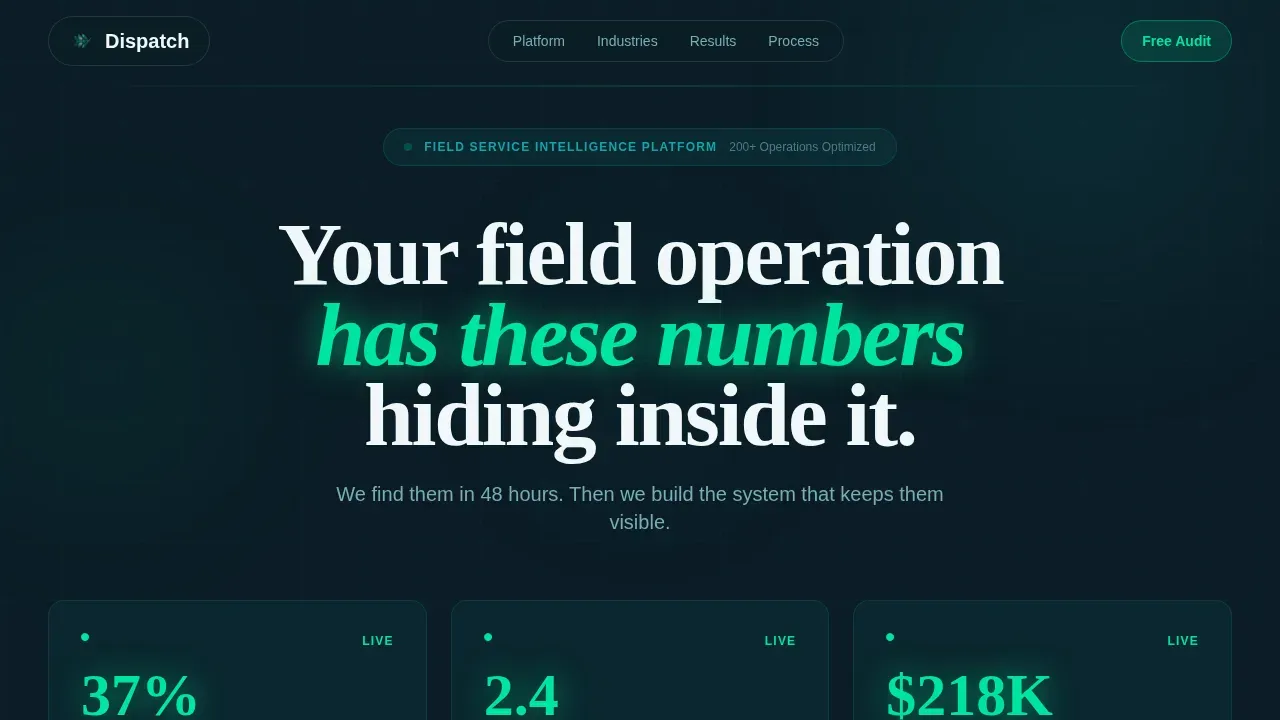
Dispatch is a single-page consulting landing page template purpose-built for field service management firms. It combines a Stats wall header, an animated Before/After comparison table, and a four-phase engagement timeline to move operations directors from skeptical visitors to booked audit leads. The design language is Tech Glass: dark, luminous, and data-rich.
Who this template is for
This template is built for consulting firms that sell operational transformation to field service businesses. It speaks directly to buyers drowning in manual scheduling and missed service windows.
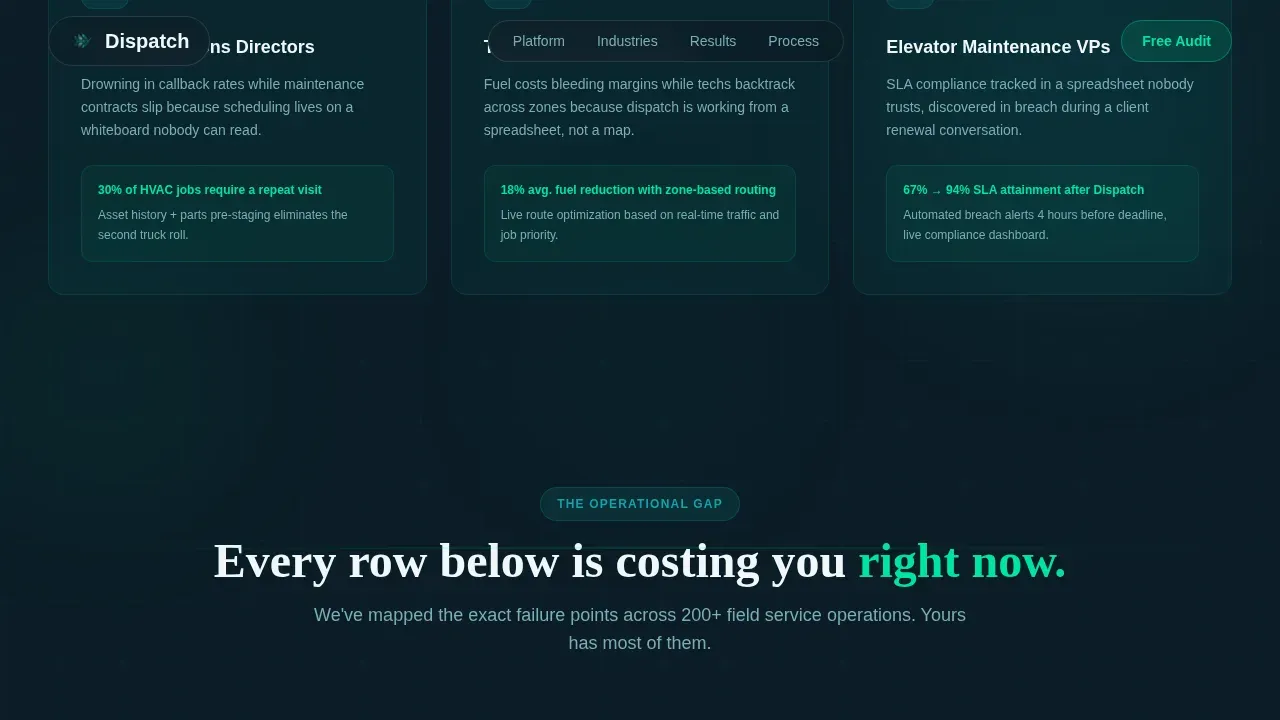
- Operations directors at HVAC companies fighting high callback rates
- Fleet managers at telecom installers watching fuel costs erode margins
- Regional vice presidents at elevator maintenance firms whose service-level agreement compliance lives in a spreadsheet nobody trusts
What problem this template solves
Field service consulting firms struggle to communicate complex ROI quickly. A generic consulting landing page loses high-level decision-makers before the value proposition lands. This template solves that by leading with proof, not promises.
- Manual errors, lack of real-time visibility, and inefficient routing are common pain points buyers recognize instantly
- Most consulting pages bury the outcome; this template states the primary benefit in the first visible section
- Decision-makers need trust signals and urgency before they fill in any form
What you get with this template
You get a complete, ready-to-use consulting landing page with every section pre-structured and every copy block pre-positioned for conversion. Replace the placeholder text with your firm's real numbers and you are ready to publish.
- A Stats wall header with three count-up metric cards and a single primary call-to-action
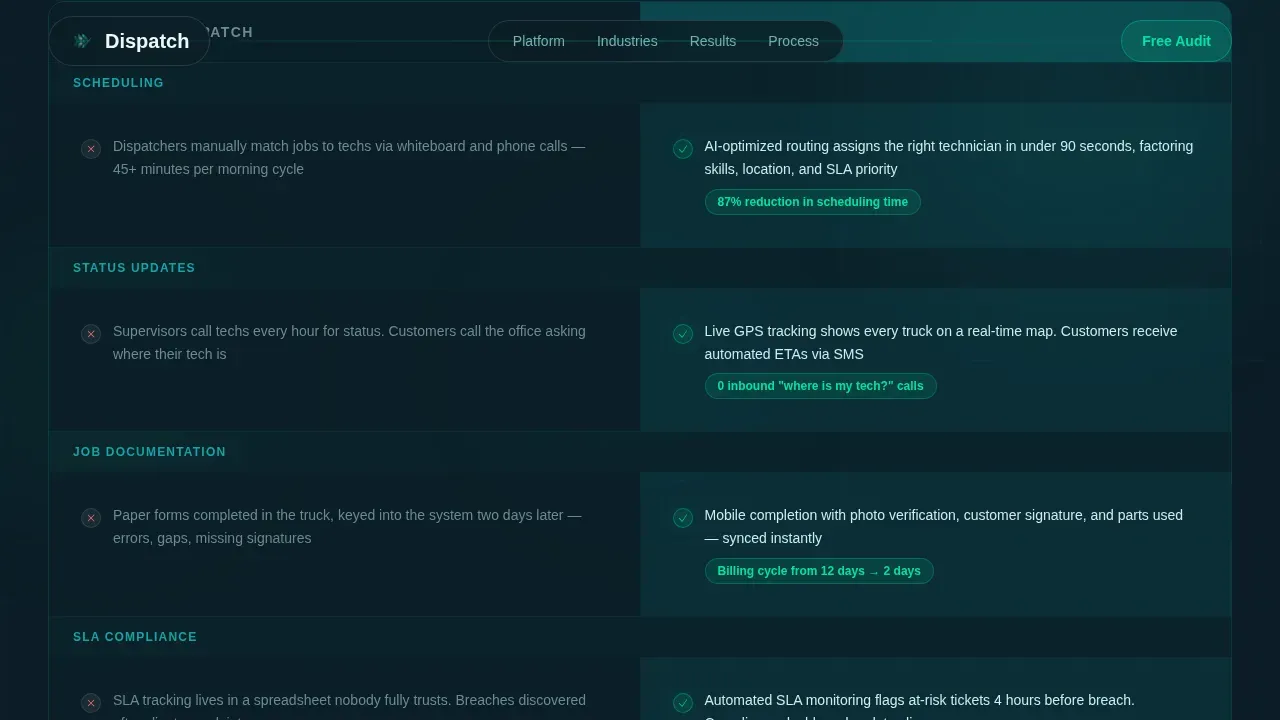
- An animated Before/After comparison table with gray-to-green scroll cascade rows
- A horizontal four-phase engagement timeline (Audit, Configure, Deploy, Optimize) with click-open deliverable panels
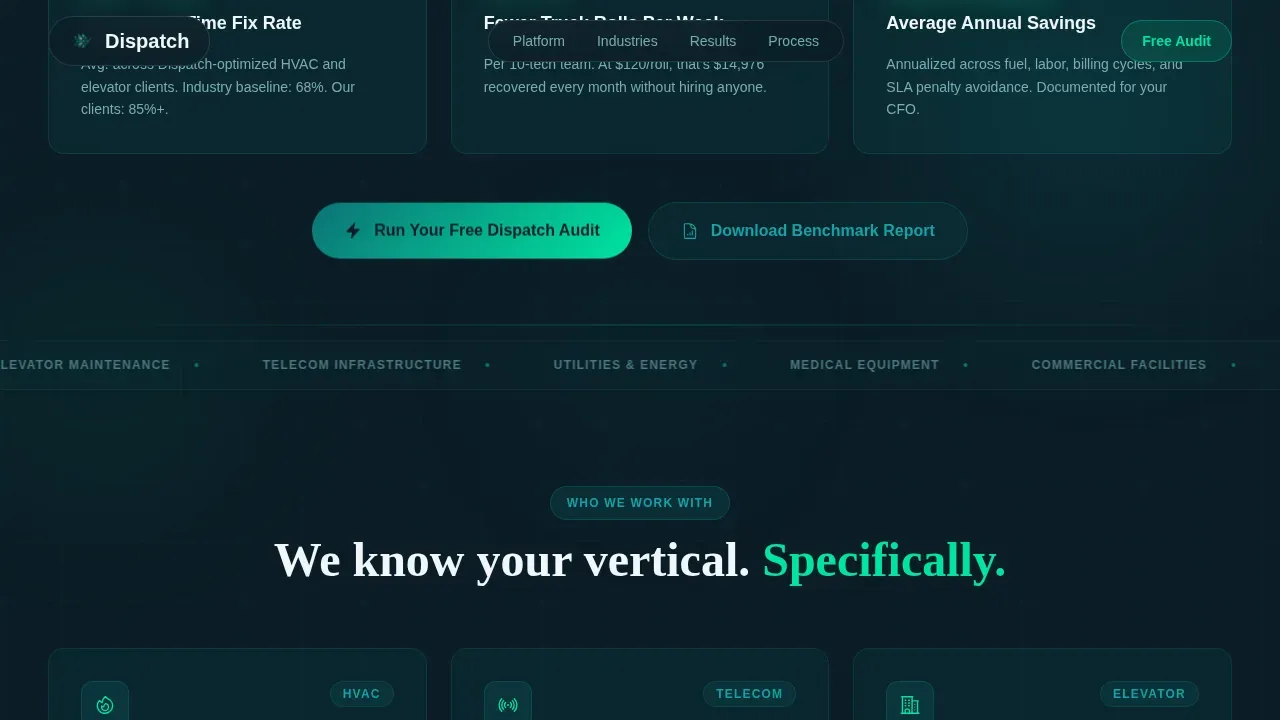
- A dual-conversion closing section: a primary audit request modal and a gated benchmark report download
- A progressive three-step glass modal form collecting company size, technician count, name, and work email
Feature list
This consulting landing page template ships with purpose-built components. Each one earns its place in the conversion flow.
Animated Stats Wall Header
Three oversized glass-panel metric cards display key performance numbers. Each digit counts up from zero on page load using catalyst electric green typography. The numbers anchor the page's value proposition before the visitor reads a single word of body copy.
Scroll-Triggered Comparison Table
The Before/After table is the structural core of the landing page. Each row addresses a specific operational problem: manual scheduling versus AI-optimized routing, phone-tag status updates versus live technician GPS, paper forms versus mobile completion with photo verification. Rows animate from muted gray to catalyst green as the visitor scrolls, creating a cascade of visible wins.
Four-Phase Engagement Timeline
The consulting methodology is visualized as a horizontal glass pipeline. The four phases, Audit, Configure, Deploy, and Optimize, each click open to display deliverables. This illustrates the consulting process clearly and sets expectations before the visitor commits.
Progressive Three-Step Audit Modal
The primary call-to-action opens a glass modal form across three steps. Step one collects company size and industry vertical via dropdown. Step two uses a slider to capture daily technician count. Step three asks for name and work email only. Keeping the form minimalist improves completion rates.
Gated Benchmark Report Download
A secondary conversion path offers a downloadable Field Service Efficiency Benchmark Report. Visitors not ready to book an audit can access the report with an email address only. This captures leads at an earlier stage of the decision process.
Tech Glass Visual System
The design uses frosted teal panels, midnight navy backgrounds, and catalyst electric green accents. Hover states pulse in green. Scroll-triggered counters animate in green. Every color signal carries operational meaning, making the page feel like a live control dashboard rather than a static consulting brochure.
Page sections overview
| Section | Purpose |
|---|---|
| Stats Wall Header | Display three count-up metric cards and primary call-to-action above the fold |
| Before/After Table | Animate operational pain-to-solution rows to build conviction row by row |
| Engagement Timeline | Visualize the four-phase consulting process with click-open deliverable panels |
| Social Proof Section | Showcase industry-specific testimonials with named companies and quantified outcomes |
| Closing Call to Action | Anchor the audit request modal and benchmark report download as dual conversion paths |
| Footer | Linear single-row pattern with brand links and essential site information |
Design & branding system
The Tech Glass design system gives this consulting landing page a dark, luminous, data-rich identity that stands apart from standard business consulting landing page templates. Every visual decision reinforces operational authority.
- Color system: deep operational teal (#0D7377) for headers and primary actions, catalyst electric green (#00E5A0) for live data points and success states, midnight system navy (#0B1D26) for body text, and translucent panel white (#F0F7F8) for frosted glass card surfaces
- Typography: DM Sans handles all body and interface copy for clean legibility; Fraunces renders display numerals on metric cards for high-impact contrast
- Backgrounds stack in semi-transparent teal-tinted panels with subtle blur, creating depth without visual weight; illustrations and graphic elements use the same glass-panel language throughout
Mobile & speed optimization
The template is built desktop-first to match how operations directors review vendor options on workstations. It scales responsively to tablet viewports without breaking the comparison table layout or animation sequences.
- The comparison table reflows cleanly across screen sizes so every row remains readable on any device
- Animations use scroll-triggered Client Components, keeping static structure rendered server-side for faster initial page load performance
- The progressive modal form is touch-friendly on tablet, ensuring the three-step flow works without requiring precise pointer input
How this template helps you convert
This consulting landing page is designed around a single conversion goal: book the free dispatch audit. Every section builds the case before asking for a keystroke.
- The Stats wall communicates value instantly above the fold, so visitors understand the outcome before they scroll; the design of a landing page is crucial in capturing attention in the first three seconds
- The animated comparison table proves your consulting expertise row by row, turning operational pain points into visible before-and-after victories that build trust and urgency with high-level decision-makers
- Three strategically placed calls-to-action and a secondary benchmark report download create two conversion paths, so both ready-to-commit leads and early-stage visitors can engage without friction
Other information about this template
This template is designed to support a wide range of deployment and customization needs. Here is additional context for teams evaluating whether this consulting landing page fits their build workflow.
- You can edit all placeholder text directly in the template files; no coding background is needed to update copy, swap in your firm's real metrics, or select new color values within the Teal Catalyst system
- The template supports integration with business tools such as CRM platforms and online scheduling tools, and its clean structure makes it straightforward to set up tracking with Google Analytics for ad campaigns and lead performance monitoring
- Client logos, industry accreditations, and testimonials from recognizable companies in the field services space can be added to the social proof section to build authority; case studies that showcase specific, quantified results perform best here
- The page structure follows a single-goal focus: external navigation menus and unrelated links are removed by design so users stay focused on the primary call-to-action
- Google tag support and cookie consent can be configured in the site settings panel; security basics such as HTTPS and cookie information handling should be set up at the hosting level before you go live
- Payments are not processed on this landing page; if your consulting firm needs to collect deposits or run paid ad campaigns to this URL, connect a payment processor and your ad campaigns destination at the platform level
- AI-powered no-code tools allow users to build and customize this template without traditional programming skills; no-code platforms let you get started in minutes and create production-ready pages from your existing content
- The template is optimized for clarity, professionalism, and performance, helping position your consulting firm as a credible, authoritative brand in the field service management space; a professionally designed website that showcases your expertise builds confidence before a single word is read
- Use the illustrations and glass-panel graphic elements as-is or replace them with your own visuals to match your brand identity
Theme
Tech Glass
Creative direction
Problem→Solution Arc
Color system
Teal Catalyst
Style
Comparison Table
Direction
Freemium/Trial
Page Sections
Animated Stats Wall Header
Scroll-triggered Comparison Table
Four-phase Engagement Timeline
Progressive Three-step Audit Modal
Gated Benchmark Report Download
Tech Glass Visual System
Related questions
Can I edit the comparison table rows to match my firm's specific services?
Does this template support a secondary lead capture path?
How does the four-phase timeline section work?
Is this template suitable for paid ad campaign destinations?
Do I need development experience to get started?



