Education Software Booking Website Template
Intake is a bold brutalist landing page built for K-12 school health professionals who are done with paper chaos. It showcases a digital command center for immunization tracking, nurse visit logs, medication schedules, and state compliance reports. The page drives district app downloads using a hub and spoke layout, electric indigo design, and lime-green calls to action that are impossible to miss.
by Rocket studio
Quick summary
Intake is a single-page, anchor-nav landing page designed for school health management software. It replaces the clipboard-and-spreadsheet nightmare with a brutal, efficient digital platform. The page earns app downloads by front-loading social proof, then proving speed through five spoke sections that escalate in energy from immunization tracking to one-click state report submission.
Who this template is for
This landing page is built for EdTech and HealthTech teams serving K-12 institutions. It speaks directly to the people doing the hardest work in school health, and it does so without softening the message.
- K-12 school nurses triaging students before second period
- District health coordinators reconciling state compliance data
- Special-education teams managing medication schedules across multiple buildings
What problem this template solves
School health staff have long been trapped in a paper-based, spreadsheet-driven system that cannot keep up with the real demands of medical record management. This landing page communicates the cost of that broken system instantly, then positions the app as the only credible fix.
- Disconnected health records, immunization deadlines missed, and visit logs buried in filing cabinets
- Compliance reports assembled manually from scattered sources the night before a state deadline
- Medication schedules managed across buildings with no shared, reliable system
What you get with this template
This website landing page delivers a complete, ready-to-build structure for a school health app download campaign. Every section is purposeful, and every design decision earns its place on the page.
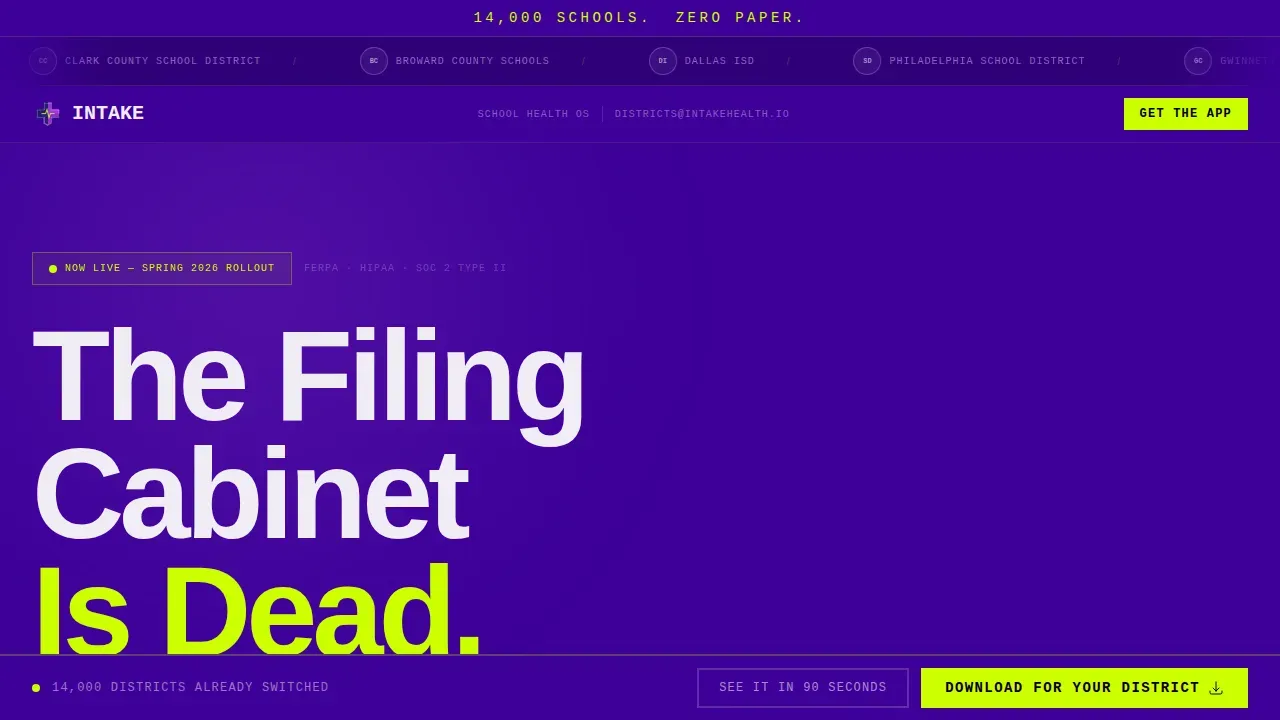
- A hero section with a massive brutalist headline and a scrolling district logo marquee for instant social proof
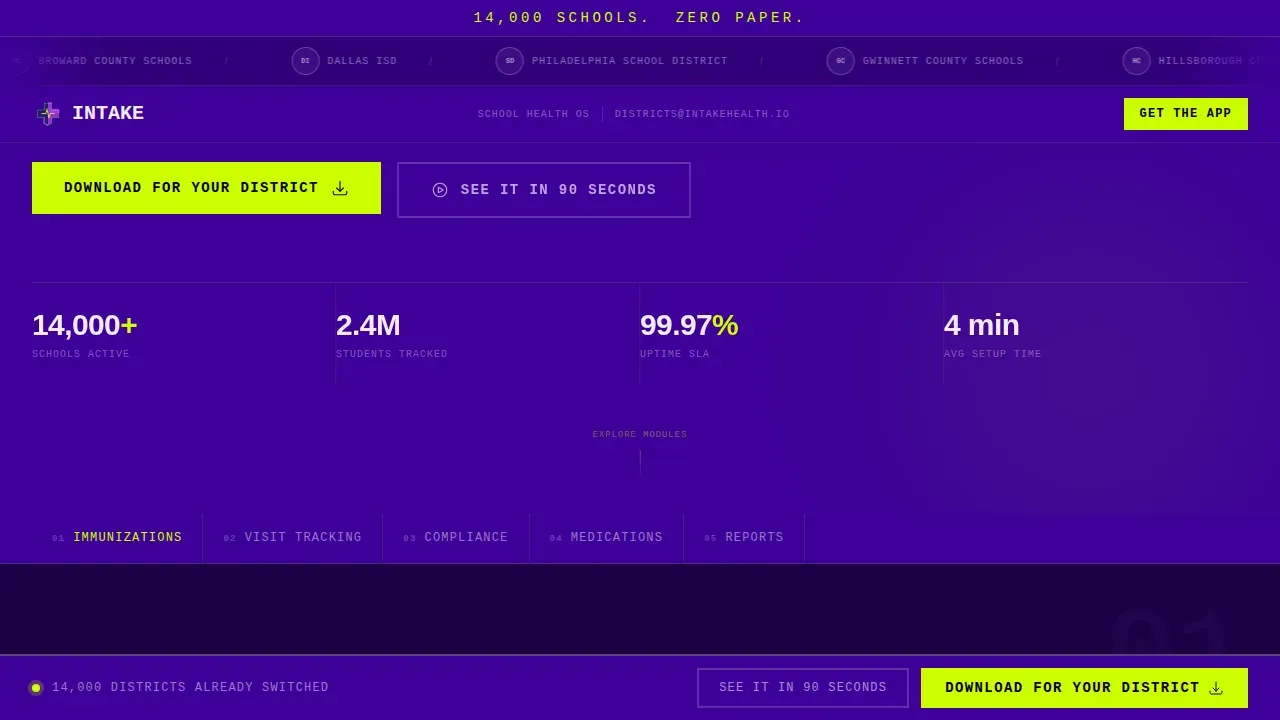
- A sticky five-spoke anchor nav covering Immunizations, Visit Tracking, Compliance, Medications, and Reports
- Five escalating spoke sections, each opening with a lime stat reveal, a screen recording in a brutalist device frame, and a clear call to action
Feature list
This landing page design delivers six core capabilities drawn directly from the product brief, each structured to move healthcare landing page visitors closer to a download.
Scrolling District Logo Marquee
The header runs a slow, confident ticker of school district seals, state department of education logos, and nursing association badges rendered in monochrome on slab indigo. Prominently displaying certification logos and state-mandated credentials in a grid-like format supports credibility before a single word of copy is read. The sheer number of logos creates institutional peer pressure that no headline could replicate.
Five-Spoke Sticky Anchor Nav
A non-collapsible navigation bar locks to the top of the page for the entire scroll. Clicking any of the five spoke labels rockets the viewport to that module. This simple, persistent structure ensures quick access to critical health management information without requiring visitors to scroll blindly.
Escalating Spoke Sections with Stat Reveals
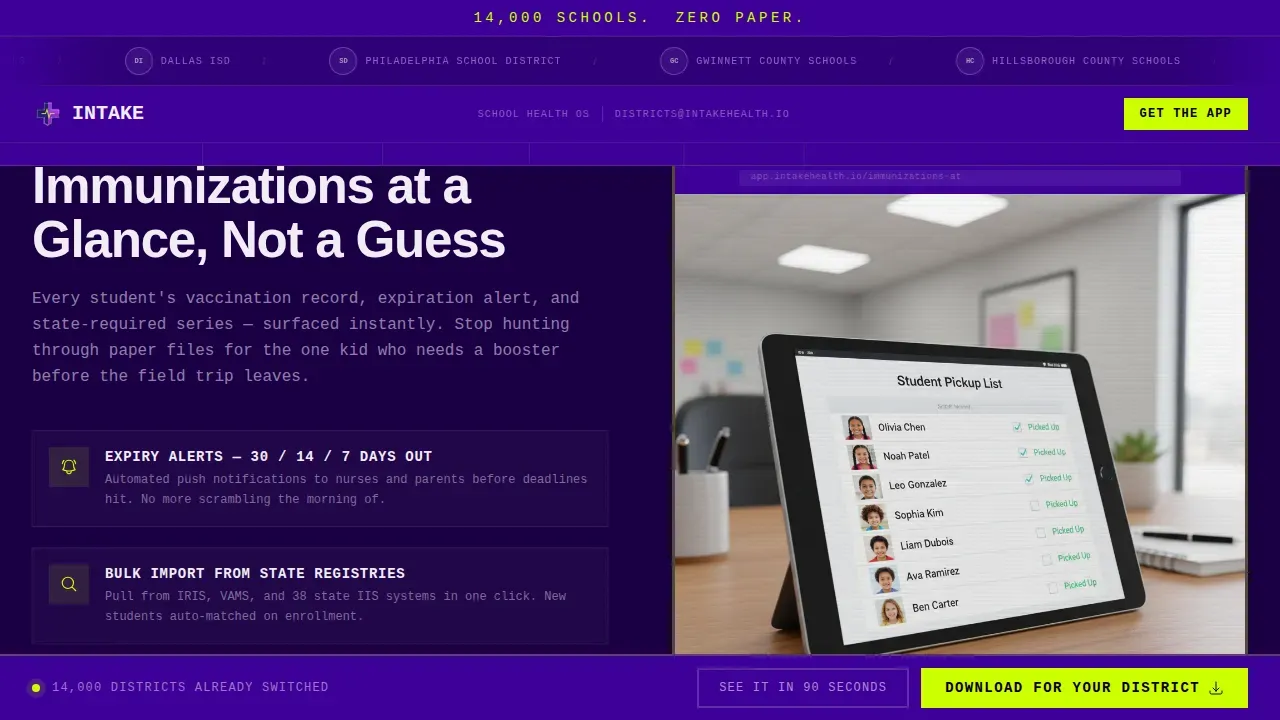
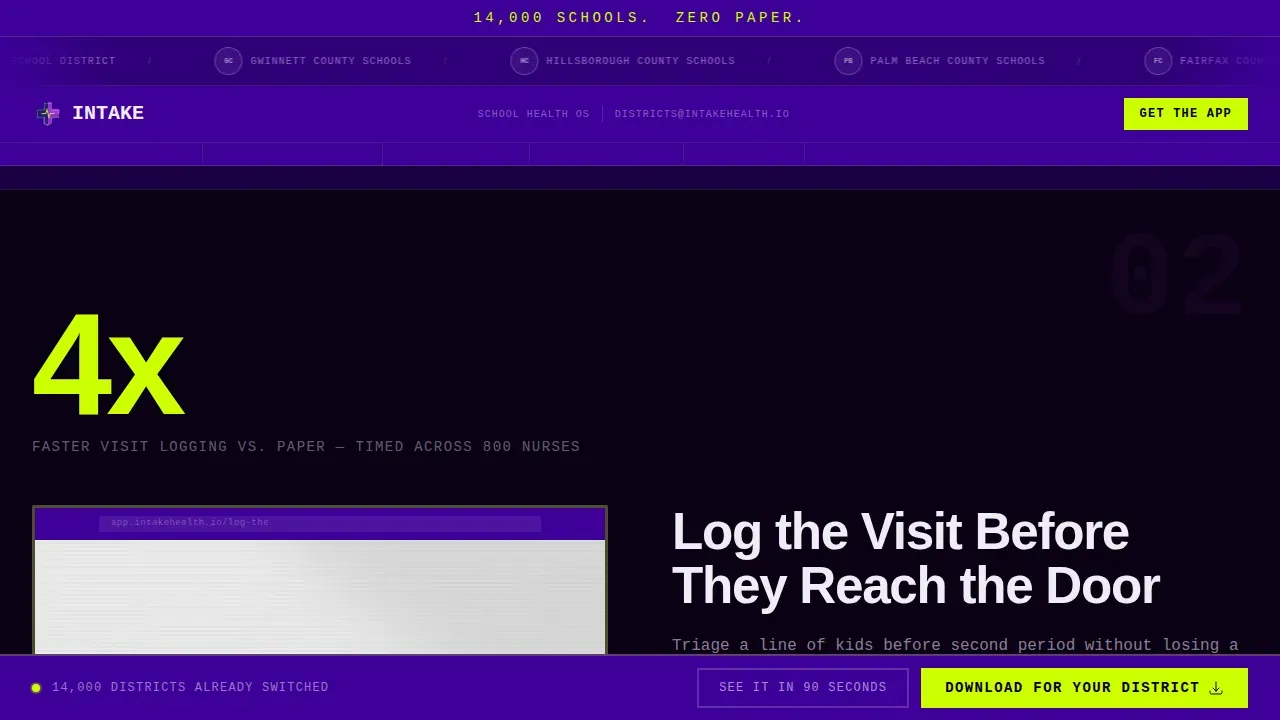
Each of the five spoke sections opens with a massive statistic in electric lime, then reveals the feature through a short looping screen recording inside a brutalist device frame. The energy builds deliberately, with lime accents pulsing more frequently as users reach the final spoke, Reports.
Two-Step App Download Modal
The primary call to action reads "Download for Your District" and appears first after the third spoke, then fixes to the bottom bar for the rest of the scroll. Tapping it opens a two-step modal: first select platform (iOS, Android, or Desktop), then enter district name and role. This focused flow reduces friction and guides users toward a fast decision.
Inline Demo Video with Email Capture
A secondary path labeled "See It in 90 Seconds" triggers an inline demo video for visitors not yet ready to commit. The video pauses to capture an email address, creating a lower-stakes conversion point that retains medical professionals who need more time before signing up.
One-Click State Report Submission Demo
The final spoke section, Reports, demonstrates a single action that collapses hours of compliance work into seconds. This live screen demo is the emotional payoff of the entire page, showing coordinators checking off their last manual task for good.
Page sections overview
| Section | Purpose |
|---|---|
| Hero Headline | Delivers brutal impact with oversized type and the district logo marquee |
| Sticky Anchor Nav | Locks five spoke labels to the top for instant section access |
| Spoke 1: Immunizations | Lime stat reveal plus looping screen demo in brutalist device frame |
| Spoke 2: Visit Tracking | Animated counter plus brutalist card grid showing nurse visit data |
| Spoke 3: Compliance | Feature showcase with first primary call-to-action insertion |
| Spoke 4: Medications | Bento grid layout with medication schedule visualization |
| Spoke 5: Reports | One-click submission demo and final download call to action |
| Page Footer | Linear single-row footer with essential links and contact information |
Design & branding system
The landing page design follows a Bold Brutalist visual identity that rejects glossy, over-designed elements in favor of a clear, utilitarian aesthetic. A high-contrast color palette directs attention to core functionality. The monochromatic base palette uses one vibrant accent color exclusively for calls to action, which is a proven approach to directing user attention in high-stakes health page design.
- Slab Indigo (#3D0099) for section backgrounds and the persistent anchor nav, Voltage Purple (#7B2FBE) for hover states, Clinical White (#F0EDF5) for card surfaces, and Electric Lime (#CCFF00) reserved for calls to action and notification badges
- Oversized, heavy Manrope headings stacked in brutalist blocks, with JetBrains Mono used for functional data display, creating immediate visual impact through bold, geometric sans-serif typography
- A raw, asymmetrical grid layout with visible structure conveys utilitarian honesty, embracing an unpolished look with blocky sections devoid of unnecessary gradients or complex decorative animation
Mobile & speed optimization
This landing page is designed desktop-first for coordinators working late, but is fully mobile-critical for nurses triaging students on the floor. The landing page design keeps interactivity purposeful: counter animations, scroll-scrub effects, sticky nav active states, marquee scroll, and pulse badges are used where they serve the user, not just for visual decoration. Brutalist page design naturally supports faster navigation by reducing cognitive load through clear, stark structure.
- Mobile-optimized layouts with large tap targets enhance usability for smartphone users checking records between visits
- A single-column section flow on smaller screens maximizes mobile usability and reduces cognitive load for medical staff in fast-paced settings
- Focused, action-oriented copy removes all unnecessary text, delivering direct instructions to visitors on any device
How this template helps you convert
This healthcare landing page is structured as a product launch countdown. Every scroll builds momentum and earns the final download request. The page follows the proven hierarchy: compelling headline, trust indicators, health service benefits, testimonials, and a prominent download action.
- Front-load trust with the district logo marquee and hard data stats so visitors feel peer pressure from institutions that already made the switch, building confidence before any feature is shown
- Escalate the emotional stakes through five spoke sections, with each module making the solution feel faster and more inevitable, until the Reports demo lands as the satisfying final proof
- Capture the undecided visitor with the inline demo video and email gate, protecting conversion even when a visitor is not ready to sign up for a full download on the first visit
Other information about this template
This landing page can support a range of health and medical website design goals beyond school health. The Intake brutalist school health management landing page template is a strong reference point for any healthcare landing page that needs institutional credibility without sacrificing urgency. Landing page templates for health professionals can be customized to suit specific needs, and this page design is no exception.
- The page design is relevant for medical services teams, therapy and counseling services, and wellness programs that need a clear information hierarchy and trust-building structure on their landing page
- Testimonials and high-impact feedback from staff or parents can be integrated into the spoke sections, as short, bold direct quotes build credibility and reduce anxiety about adopting new medical software
- Secure access points on a healthcare website landing page should provide clearly marked links to sensitive data portals, and this template design leaves clear, logical space for those sign-in elements
- Health services such as wellness visits and chronic condition management can be outlined clearly using the modular block structure already built into this page design
- Successful healthcare landing pages integrate with broader digital marketing strategies, and this page design is built to sign users into a download funnel that supports ongoing medical outreach
Theme
Bold Brutalist
Creative direction
Launch Energy
Color system
Electric Indigo
Style
Hub & Spoke (Anchor Nav)
Direction
App Download
Page Sections
Scrolling District Logo Marquee
Five-spoke Sticky Anchor Nav
Escalating Stat Reveals and Screen Demos
Two-step App Download Modal
Inline Demo Video with Email Capture
One-click Compliance Report Demo
Related questions
Can I customize the color palette and typography for my district?
Is this landing page suitable for non-school healthcare services?
How does the two-step download modal work in the template?
Does the page include a secondary conversion path for undecided visitors?
Where do testimonials and social proof appear on the page?



