Dental AI Voice Assistant Landing Page Template
Intake is a split-screen landing page template built for dental AI voice assistant products. It opens with a live revenue estimator that turns visitor data into personalized ROI numbers instantly. Designed for multi-location dental groups and solo practices, the template uses a Data Command visual theme to build trust fast and convert curiosity into qualified leads.
by Rocket studio
Quick summary
Intake is a single-page, lead-generation landing page template purpose-built for dental AI voice assistant products. The hero section is a live calculator split down the viewport center. Visitors enter their own practice data and watch missed-revenue numbers update in real time. Every scroll section after that reinforces one idea: every call gets answered, and every unanswered call costs money.
Who this template is for
This template is built for companies selling or marketing AI-powered phone solutions to dental practices. It speaks directly to the people who feel the pain of missed calls every single day.
- Multi-location dental service organizations (DSOs) managing high inbound call volumes across several sites
- Solo dental practitioners losing implant consultations and high-value appointments to voicemail during busy hours
- Office managers who spend a large portion of their day handling repetitive phone inquiries
What problem this template solves
Dental practices lose revenue every time a phone call goes unanswered. The challenge for AI voice assistant companies is making that abstract loss feel real and immediate to a visitor who lands on the page cold.
- Visitors struggle to connect a product's value to their own practice numbers without a personalized hook
- Standard hero sections with stock photography fail to communicate urgency for a data-driven dental technology product
- Lead forms placed too early create friction before trust has been established
What you get with this template
The template delivers a fully structured, section-by-section landing page designed for dental AI voice assistant lead generation. Every section is built to a specific conversion role and visual identity.
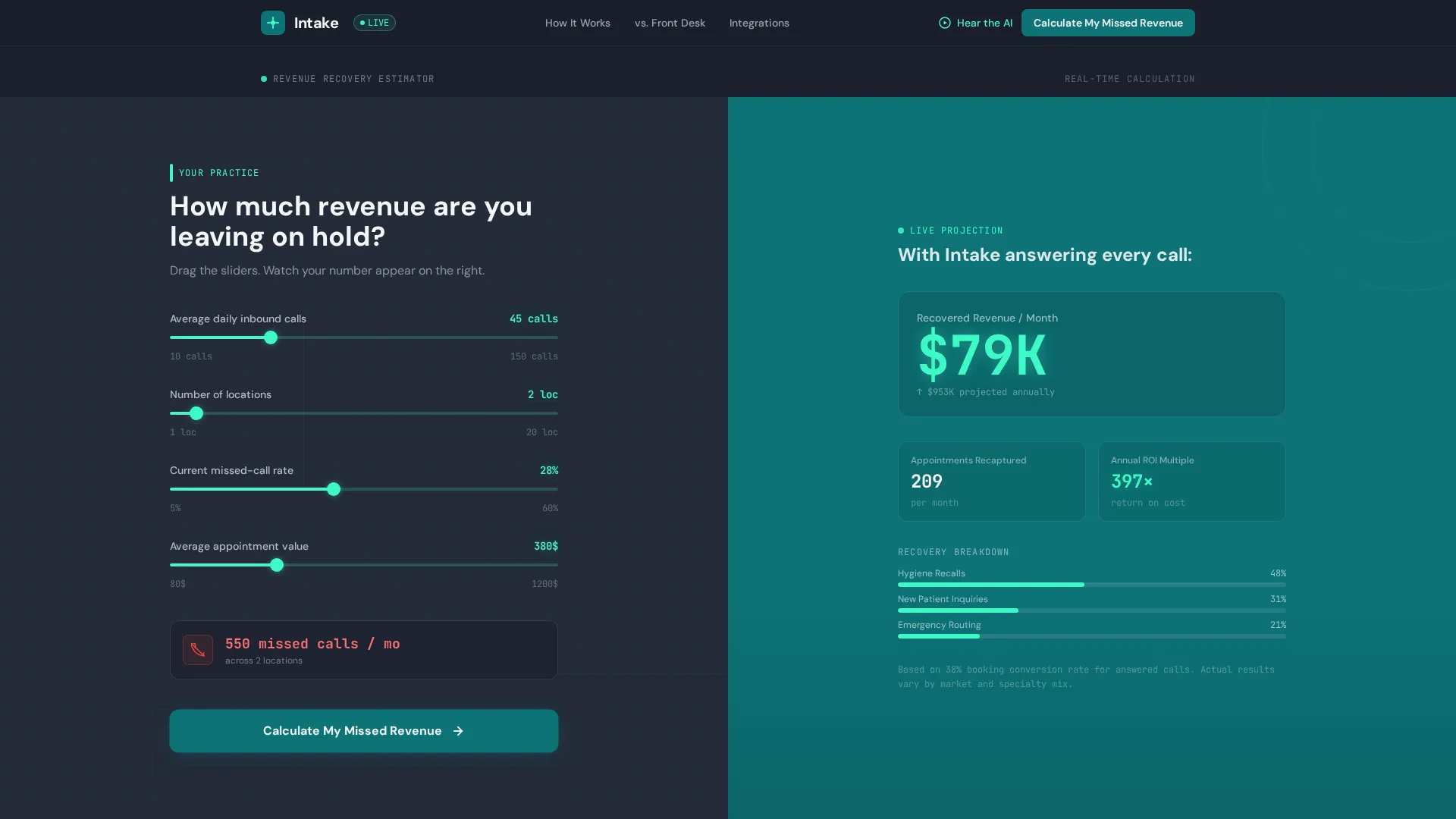
- A split-screen hero with an interactive revenue estimator on one side and a live results panel on the other
- Four distinct scroll sections that move from problem demonstration to product proof to integration context
- Two carefully placed calls to action that earn the click before asking for contact details
Feature list
This template includes the following built-in design and layout features, each grounded in the source brief.
Live Revenue Estimator Hero
The header splits the viewport 50/50. The left panel holds mint-glowing sliders and input fields where visitors enter average daily inbound calls, number of locations, and current missed-call percentage. The right panel responds instantly, displaying recovered revenue per month, estimated appointments recaptured, and projected annual return on investment using counter animations that tick upward as sliders move.
Slide-In Lead Capture Panel
After a visitor completes the calculator, a slide-in panel appears asking for practice name, number of operatories, and email address. The panel positions itself as unlocking a full savings report, so the exchange feels like a reward rather than a barrier.
AI Conversation Waveform Section
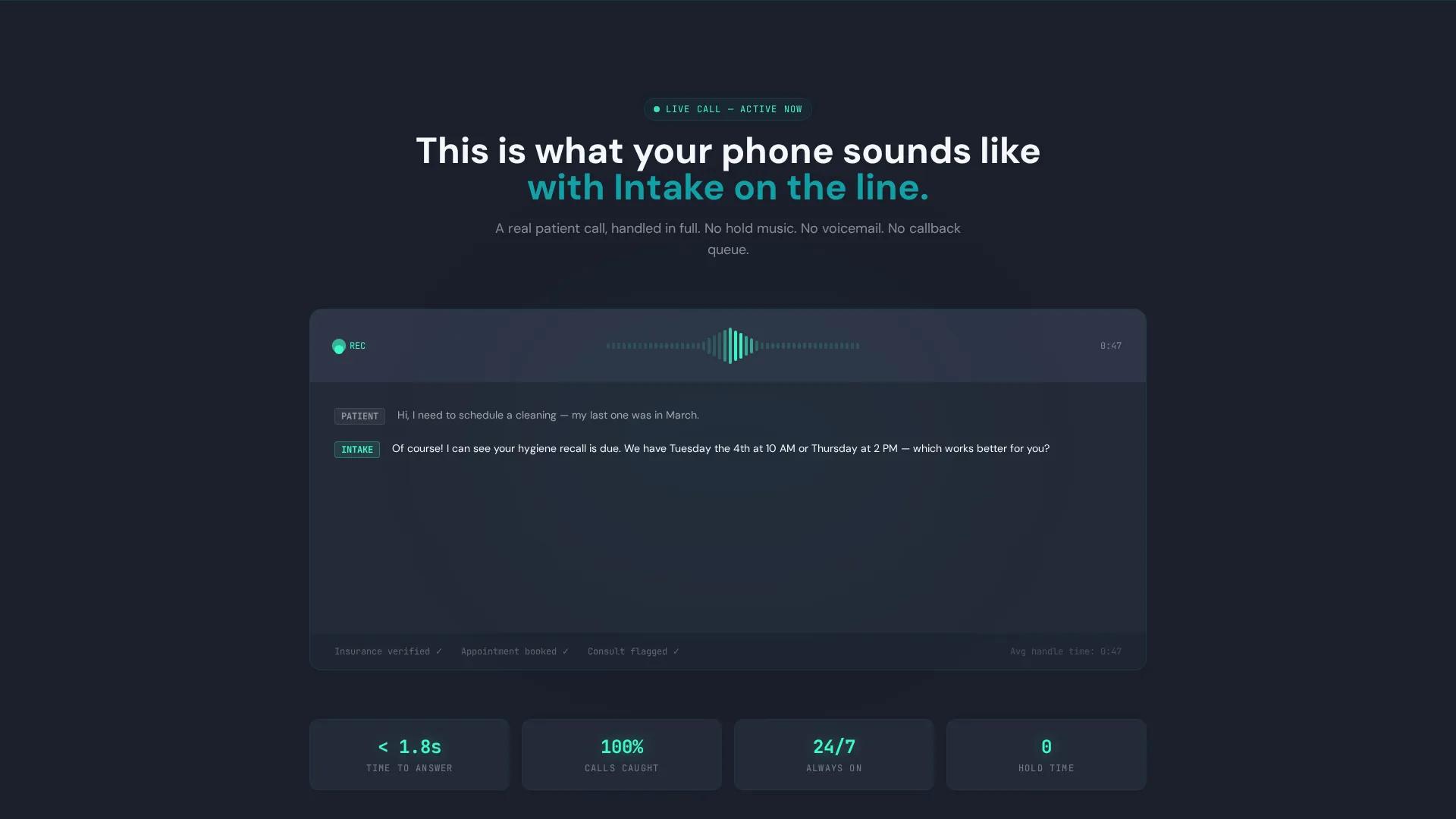
The second scroll section displays a live waveform visualization of the AI mid-conversation. A real patient call transcribes in real time on screen, giving visitors a concrete sense of how the product sounds and behaves during an actual interaction.
Before-and-After Split Screen
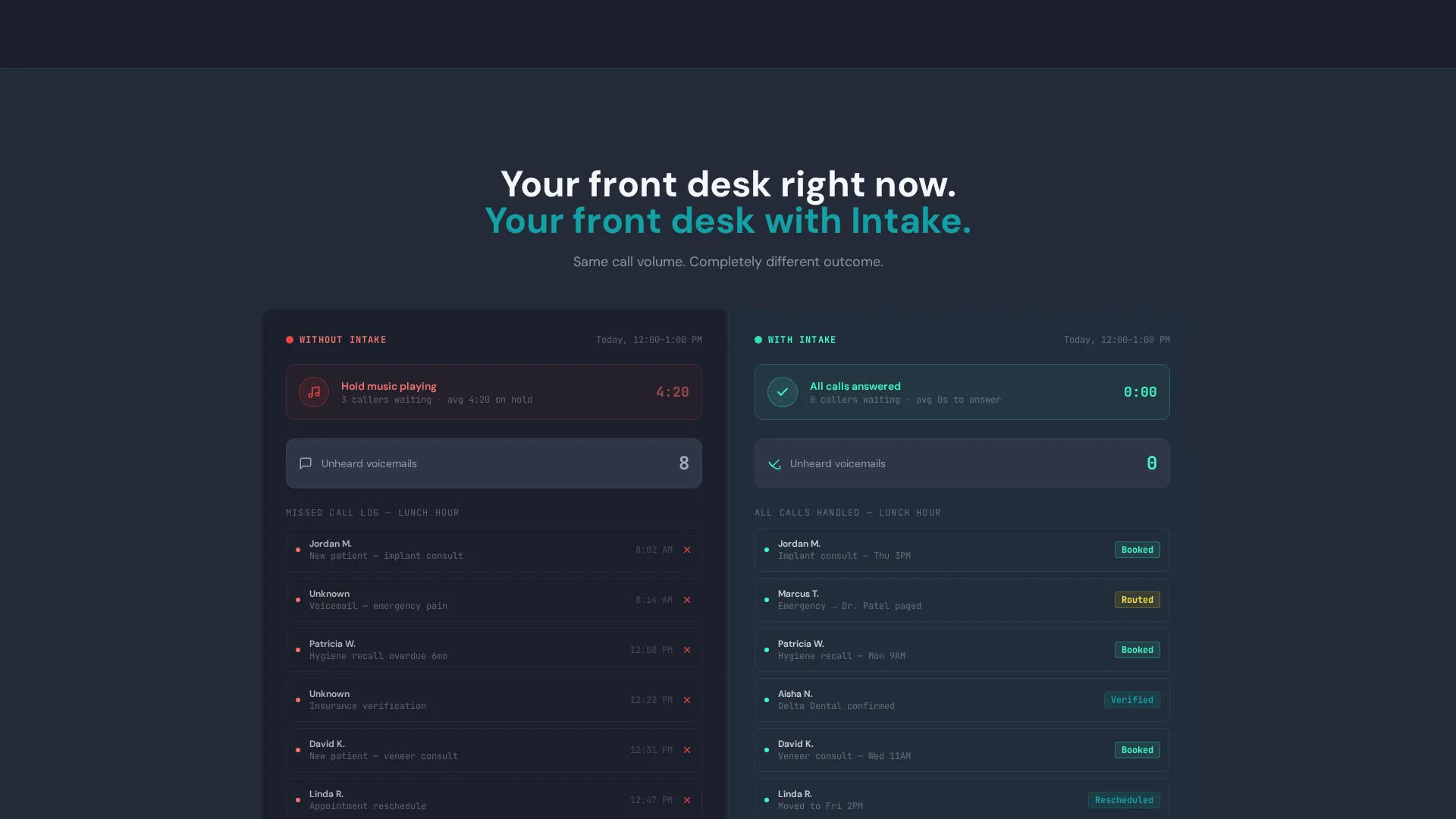
The third section divides the screen between two scenarios. The left side shows a traditional front-desk overload: hold music icons, a voicemail counter climbing, and a missed-call log filling up. The right side shows the AI-handled equivalent: every call answered, tagged, and routed with zero wait time.
Integration Grid Module
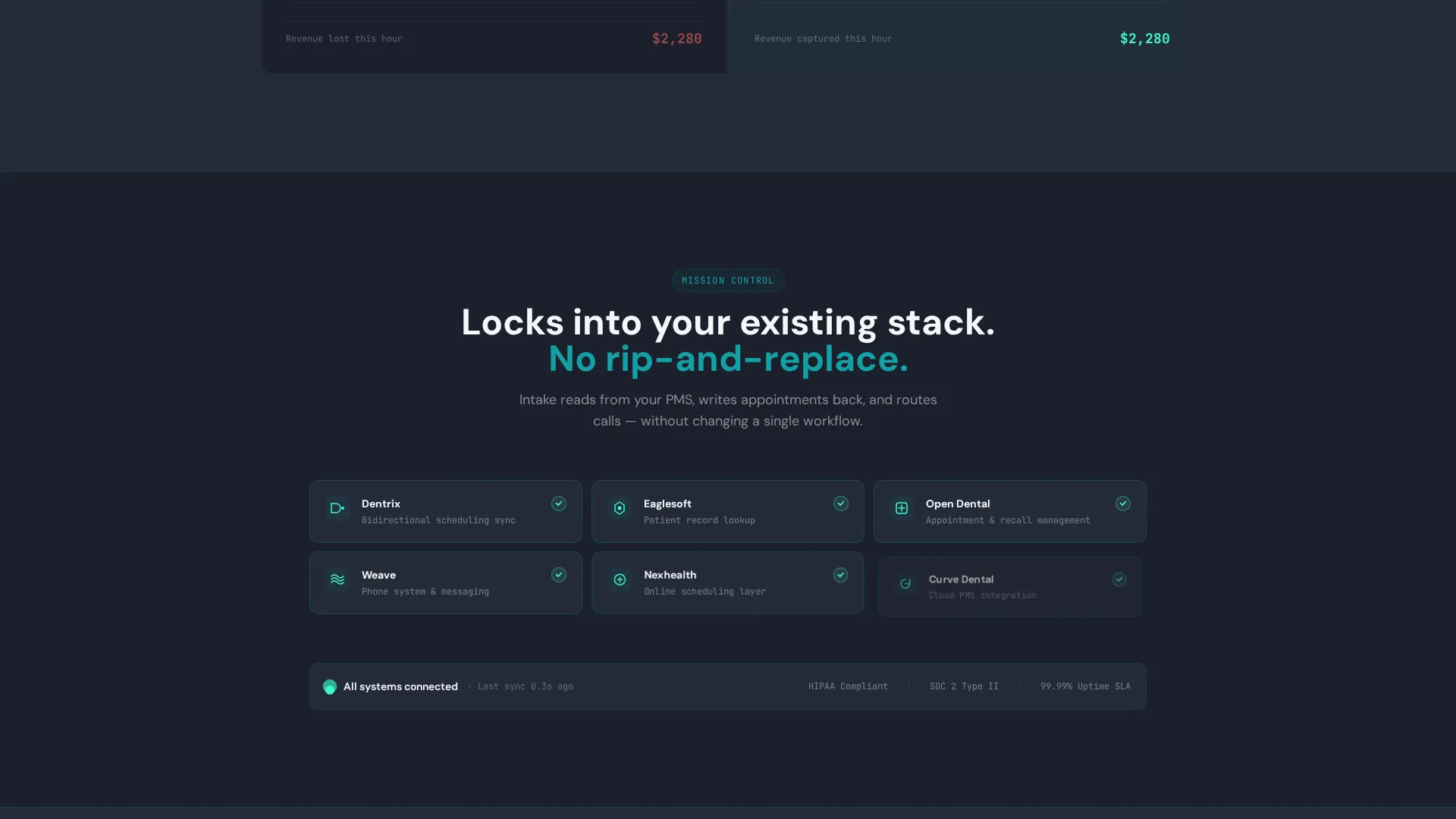
The fourth section presents practice management software logos snapping into a connected grid layout. The animation style mirrors mission-control modules locking into place, reinforcing the idea of a reliable, connected system.
Dual Call-to-Action Structure
The primary call to action, "Calculate My Missed Revenue," sits inside the estimator and converts visitor curiosity into data input before they recognize it as a lead entry point. The secondary call to action at the page bottom, "Hear the AI Handle a Call," links to a recorded demo.
Page sections overview
| Section | Purpose |
|---|---|
| Revenue Estimator Hero | Hooks visitors with personalized missed-revenue data using live sliders and animated results |
| AI Waveform Demo | Shows the AI voice agent transcribing a live patient call to build product credibility |
| Before versus. After | Contrasts front-desk chaos with the AI-handled version to make the value gap visceral |
| Integration Grid | Displays practice management software compatibility in a locking mission-control layout |
| Secondary call to action Footer | Closes the page with a recorded demo link to convert remaining hesitant visitors |
Design & branding system
The template follows a Data Command theme using the Teal Catalyst color system. The overall feel is a monitoring dashboard inside a spotless server room: cool, efficient, and entirely numbers-driven.
- Deep operational teal (#0D7377) anchors section backgrounds and dividers; dark command-center charcoal (#1A1F2B) frames data visualizations; clinical bright mint (#3EFAC5) pulses on live metrics and interactive elements; crisp ceramic white (#F4F7F9) is used for typography and card surfaces
- No stock photography appears anywhere on the page; the numbers, waveforms, and data panels are the visual hero throughout
- The Launch Energy creative direction drives the scroll pacing, building from the calculator hook through a countdown-style sequence that accelerates as sections reveal more solved problems
Mobile & speed optimization
The split-screen layout is designed with responsive behavior in mind so the estimator and results panels restack cleanly on smaller viewports. The template keeps the data-forward visual identity intact across screen sizes.
- Slider inputs and counter animations are built to remain usable and readable when the two-column split collapses to a single-column mobile layout
- Section pacing is preserved on mobile so the countdown-style scroll sequence retains its urgency even on a smaller screen
How this template helps you convert
The conversion architecture in this template is deliberate. Every element earns attention before asking for anything in return.
- The estimator hero converts passive browsing into active data entry by showing visitors their own potential missed revenue, turning the act of completing the form into a personally motivating step rather than a chore.
- The slide-in panel after the calculator frames the email capture as unlocking a personalized savings report, which reduces friction and increases the perceived value of sharing contact details.
- The secondary call to action at the page bottom, linking to a forty-five-second recorded demo, gives skeptical visitors a low-commitment way to hear the product in action before committing to a full conversation.
Other information about this template
This template is categorized under Technology, specifically the AI for Dental subcategory, targeting the dental AI voice assistant niche. It is suited for companies whose products connect with dental practice management systems commonly used across the industry.
- The integration grid section is designed to accommodate logos from practice management platforms such as Dentrix, Eaglesoft, and Open Dental, which are referenced in the brief as the intended integration display targets
- The template style is Split Screen (50/50), and the header concept is a Calculator/Estimator, both of which are core to the visual and conversion strategy
- The landing page direction is Lead Generation, and the theme is Data Command with a Teal Catalyst color system and Launch Energy creative direction
Theme
Data Command
Creative direction
Launch Energy
Color system
Teal Catalyst
Style
Split Screen (50/50)
Direction
Lead Generation
Page Sections
Live Revenue Estimator Hero
Slide-in Lead Capture Panel
AI Waveform Visualization Section
Before-and-after Comparison Layout
Integration Grid with Lock-in Animation
Dual Call-to-action Architecture
Related questions
Who is this landing page template designed for?
Can I customize the calculator inputs and result metrics?
Does the template include the actual AI voice demo recording?
What makes this template different from a standard SaaS landing page?
Is this a single page or a multi-page template?



