Nutrition Vertical SaaS Booking Website Template
Intake is a scroll-reveal landing page template built for nutrition professionals who need a smarter booking engine. It targets registered dietitians, nutrition coaches, and corporate wellness coordinators. The design uses a dark Void and Violet palette, animated data counters, and an interactive no-show cost calculator to move visitors toward a two-step lead capture form.
by Rocket studio
Quick summary
Intake is a single-page, scroll-reveal landing page template designed for nutrition booking systems. It combines a metrics-driven header, research-styled content sections, and a two-step lead generation form. The Void and Violet visual identity feels urgent and focused. Every scroll reveal unfolds a new data finding, guiding visitors from problem awareness to conversion.
Who this template is for
This template is built for nutrition professionals who manage client scheduling and intake paperwork. It fits practitioners across practice sizes and service models, from solo telehealth sessions to large corporate wellness programs.
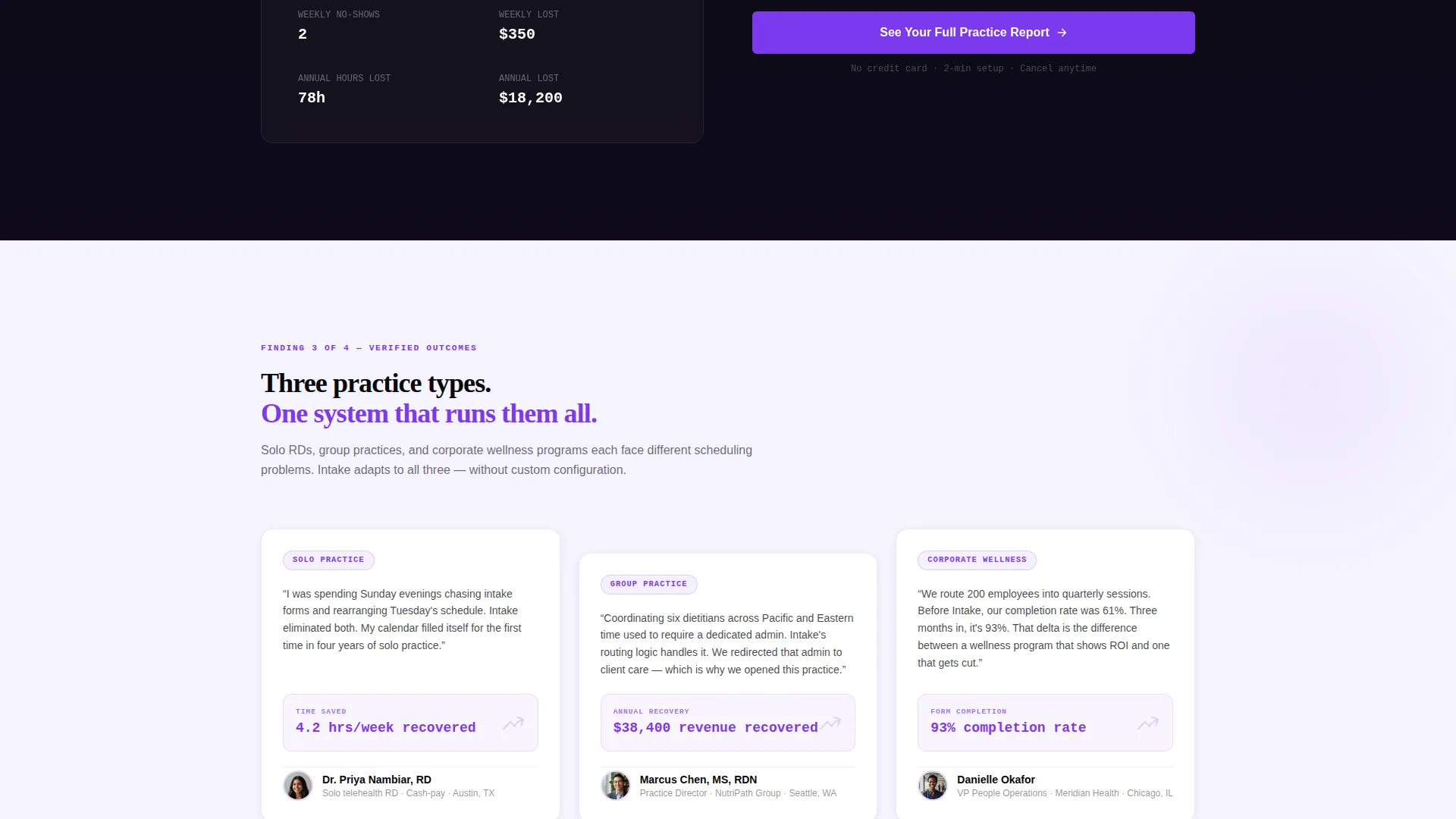
- Solo-practice registered dietitians (RDs) running cash-pay telehealth sessions
- Group-practice owners coordinating multiple clinicians across time zones
- Corporate wellness coordinators managing high-volume quarterly nutrition consults
What problem this template solves
Nutrition professionals lose hours every week to scheduling back-and-forth, missed appointments, and intake forms spread across multiple disconnected apps. This template is built to present a booking engine as the direct solution to those specific, measurable pain points.
- Scheduling ping-pong and no-shows that drain billable time each week
- Incomplete intake forms arriving after the first session has already started
- No clear way to show prospective clients the real cost of practice inefficiency
What you get with this template
You get a complete, ready-to-customize landing page that combines interactive elements, data-led storytelling, and a dual-path conversion structure. The layout is designed to move visitors through a logical journey from pain point to product proof.
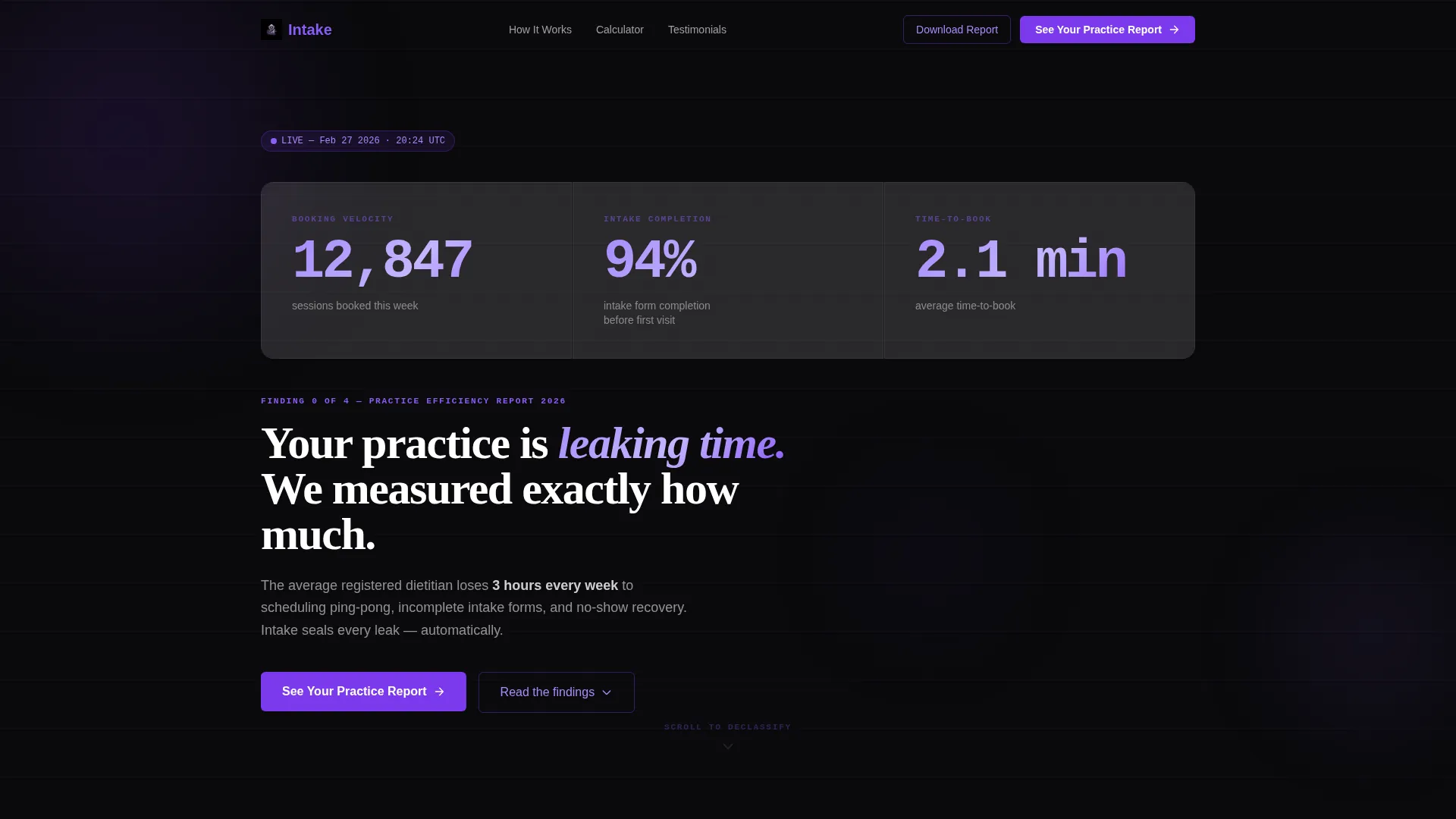
- An animated stats header with three live-feeling data counters
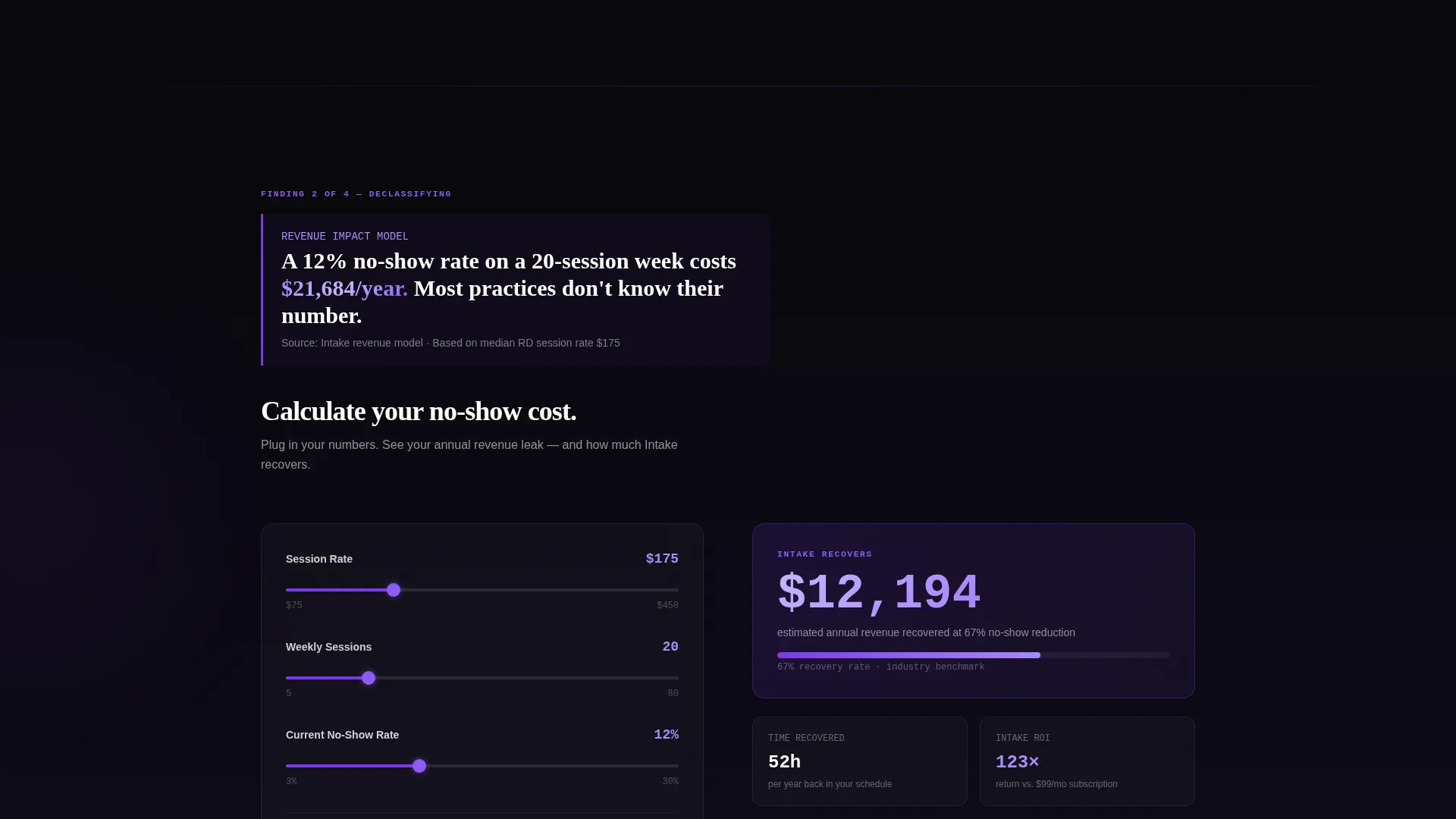
- An interactive no-show cost calculator tied to a sticky call-to-action bar
- A progressive two-step lead capture form and a secondary email-gated PDF download
Feature list
This template packs purpose-built components that serve a nutrition booking system audience. Each element connects directly to a real practitioner frustration.
Animated Metrics Header
Three oversized counters tick upward in real time, displaying stats like sessions booked, intake form completion rates, and average time-to-book. The monospaced typeface gives the header a mission-control readout feel against a void black background.
Scroll-Reveal Section Flow
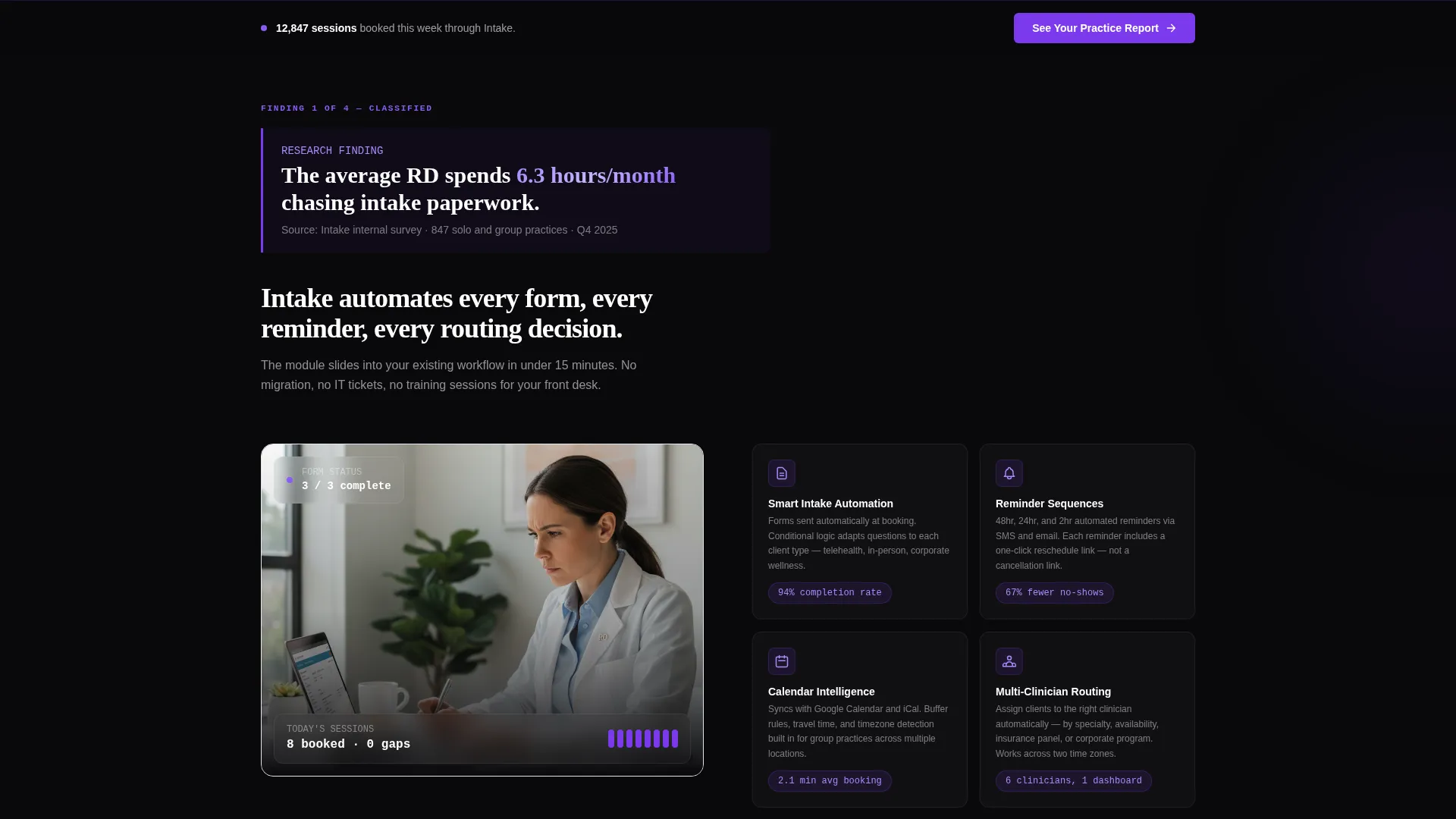
Each section unlocks progressively as the visitor scrolls. The layout follows an Industry Report creative direction, presenting a quantified finding first and then revealing the feature that solves it. This creates a sense of classified data being disclosed one finding at a time.
Interactive No-Show Cost Calculator
Visitors enter their session rate and weekly appointment volume to see their estimated annual revenue lost to no-shows. This interactive tool personalizes the pain point and primes the visitor for the primary call-to-action directly below.
Two-Step Lead Capture Form
The primary conversion form is split into two steps. Step one asks for practice type and weekly session volume. Step two collects name and email. No credit card or demo scheduling is required, reducing friction at the point of conversion.
Sticky Bottom Call-to-Action Bar
A persistent bar stays anchored at the bottom of the viewport throughout the scroll journey. It carries the primary call-to-action, "See Your Practice Report," so the conversion entry point is always one tap or click away.
Secondary PDF Download Path
A second conversion route offers a downloadable report gated behind email only. This catches visitors who are not yet ready to commit to the main form but still want the data, expanding the overall lead pool.
Page sections overview
| Section | Purpose |
|---|---|
| Stats metrics header | Opens with three animated counters and a single headline |
| Intake paperwork finding | Quantifies time lost to intake paperwork before revealing automation module |
| No-show calculator | Interactive tool shows annual revenue lost to missed appointments |
| Feature proof section | Connects each data finding to the corresponding product feature |
| Primary call to action block | Houses the two-step lead capture form after the calculator |
| Sticky bottom bar | Persists the primary call-to-action across the full scroll journey |
| PDF download gate | Secondary conversion path for visitors who want the report first |
Design & branding system
The Void and Violet color system creates a dark, focused visual identity that feels like a product dashboard in active use. The palette shifts as the visitor scrolls, moving from heavy darkness above the fold toward lighter lavender tones deeper in the page.
- Core colors: absolute void black (#09090B), deep ultraviolet (#7C3AED), muted lavender mist (#EDE9FE) for card surfaces, and electric violet-white (#F5F3FF) for section backgrounds
- Interactive accent states glow in bright violet (#8B5CF6), creating clear visual focus on clickable elements
- Typography uses a monospaced typeface for counter figures and data labels, reinforcing the terminal-screen, data-dashboard aesthetic
Mobile & speed optimization
The scroll-reveal structure and progressive section unlocking are designed to work across screen sizes. The layout adapts naturally to narrower viewports without losing the data-led narrative flow.
- The sticky bottom call-to-action bar remains visible and tappable on mobile screens throughout the scroll
- The two-step form is compact enough to complete on a smartphone without excessive scrolling within the form itself
How this template helps you convert
This landing page is structured to move visitors through a deliberate journey from problem recognition to action. Every section is designed to raise urgency before presenting a low-friction exit.
- The animated metrics header immediately establishes credibility with real-feeling data, framing the practice efficiency problem before any feature is mentioned.
- The interactive no-show calculator personalizes the revenue loss calculation, making the cost of inaction concrete and specific to each visitor's own practice.
- The dual conversion structure captures both high-intent visitors through the two-step form and lower-intent visitors through the email-gated PDF download, maximizing total lead volume from a single page visit.
Other information about this template
This template was built under the Startup Velocity theme using the Scroll Reveal (Progressive) template style. The creative direction is Industry Report, meaning content is framed as research findings rather than traditional marketing copy. The lead generation direction shapes both the primary and secondary conversion paths throughout the page.
- The template suits nutrition vertical SaaS products and booking system platforms targeting professional practitioners
- The Void and Violet palette is fully defined with hex values, making brand customization straightforward for design teams
- The header concept is Stats and Metrics, meaning no hero image is used; the animated data counters serve as the visual anchor above the fold
Theme
Startup Velocity
Creative direction
Industry Report
Color system
Void & Violet
Style
Scroll Reveal (Progressive)
Direction
Lead Generation
Page Sections
Animated Metrics Header
Scroll-reveal Section Flow
Interactive No-show Cost Calculator
Two-step Lead Capture Form
Sticky Bottom Call-to-action Bar
Email-gated PDF Download Path
Related questions
Who is this landing page template designed for?
Does this template include actual booking engine or calculator logic?
Can I use this template for a group practice with multiple clinicians?
How does the two-step form reduce friction for new leads?
What is the secondary conversion path on this page?



