Integromat - Comprehensive Automation Landing Page Template
A hub-and-spoke automation reference landing page built for developers, consultants, and ops teams who need fast, deep access to every module in a visual API directory. The glassmorphic terminal aesthetic pairs with an interactive anchor nav, expandable module cards, inline comparison modals, and a gated PDF export, creating a reference experience that earns trust before asking for anything.
by Rocket studio
Quick summary
This landing page template is a fully structured, interactive API reference directory styled as a glassmorphic terminal. It maps automation modules into a hub-and-spoke layout with a fixed anchor nav, expandable parameter cards, side-by-side comparison modals, and a gated PDF export. The page is built to prove encyclopedic depth before asking for a single click.
Who this template is for
This template is designed for anyone who works closely with automation APIs and needs a reference page that can hold real technical complexity without sacrificing clarity or usability.
- Freelance automation consultants who manage client tech stacks across multiple tools
- SaaS operations teams replacing brittle single-path automation chains with multi-branch scenarios
- No-code builders who have hit their first API wall and need to understand what a function like
iterateArrayactually returns
What problem this template solves
Most automation documentation is either too shallow to be useful or buried in a format that makes exploration painful. Developers and consultants need a single browsable surface that maps every endpoint, parameter, and response schema without forcing them through a login gate just to read the basics.
- Reference pages that lack inline expandability force users to navigate away, losing context mid-build
- Comparison information is rarely accessible without a sales call or a paywall, reducing trust before conversion
- No-code builders have no clear entry point when they first encounter API-level automation concepts
What you get with this template
You get a single, deeply interactive landing page that organizes automation module documentation into a visual, scroll-driven reference directory. Every major section is pre-structured and ready to populate with real endpoint data.
- A fixed-left anchor nav with frosted pill buttons that glow on active state, linking to each module category
- Inline expandable module cards showing parameter tables, response schemas, and real scenario snippets
- A persistent comparison bar with glassmorphic modals for side-by-side API feature tables
- A gated PDF export section that collects email and role after the visitor has already experienced the reference depth
Feature list
This template includes a carefully considered set of interactive and structural features, each grounded in the hub-and-spoke navigation model and the glassmorphic visual system.
Fixed Anchor Navigation with Active States
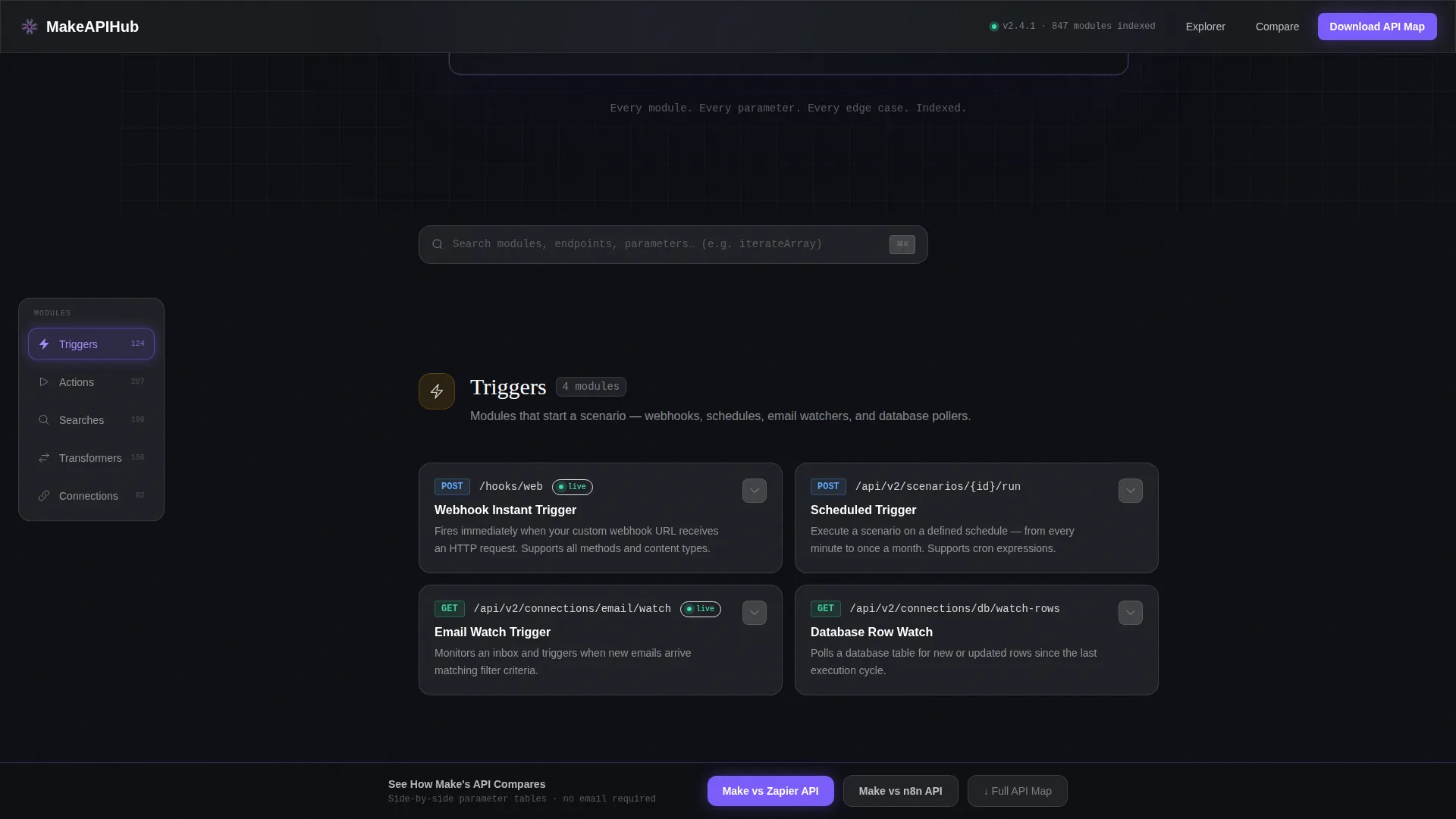
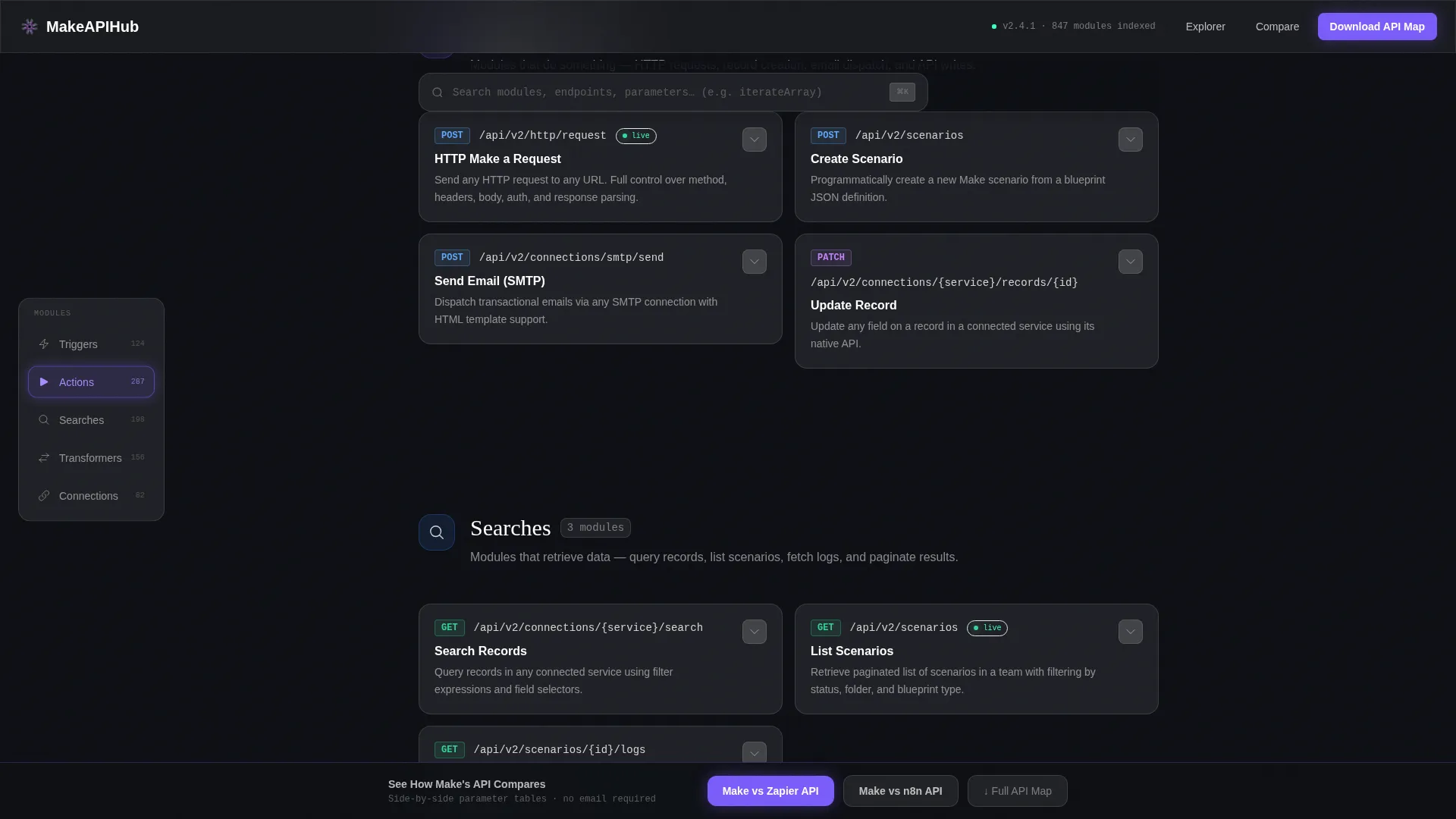
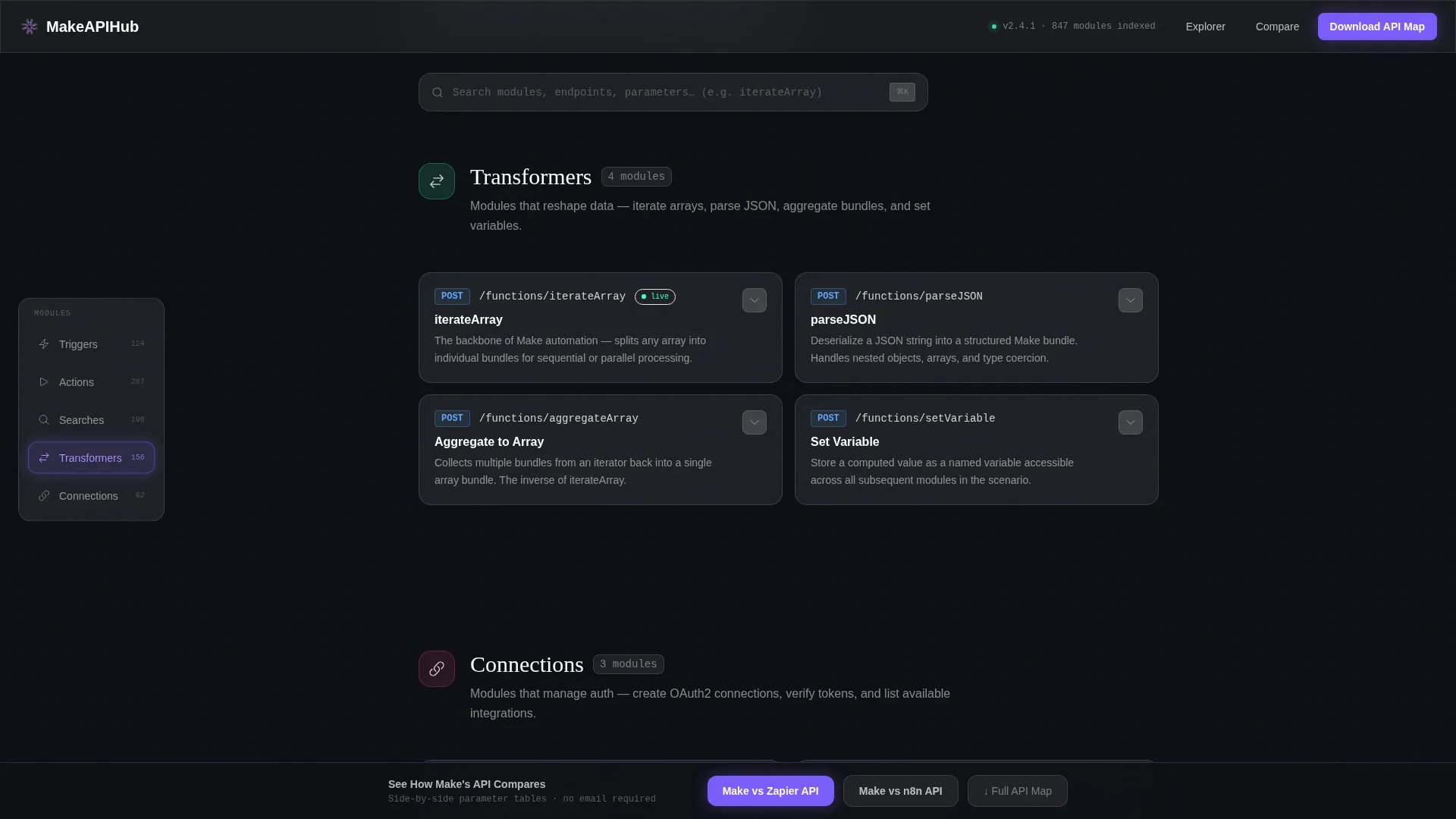
The left-side anchor nav lists module categories as frosted pill components. Each pill glows electric violet when active, giving users a persistent sense of location as they scroll through the reference.
Spoke Fan-Out Card Layout
Clicking a category animates module cards into view using a spoke fan-out transition. Cards radiate from the hub anchor, making the relationship between categories and individual endpoints visually explicit.
Inline Expandable Module Cards
Each module card expands in place to reveal its full parameter table, response schema, and a real-world scenario snippet. Users never need to leave the page to get the full picture.
Side-by-Side Comparison Modals
A persistent bottom bar surfaces two comparison triggers. Clicking either one opens a glassmorphic modal with a structured parameter table comparing API features side by side. No email gate on the comparison itself.
Gated PDF Export Flow
After the visitor has explored the reference and used the comparison modals, a download prompt collects email and role. The gate appears only after value has been demonstrated, making the conversion feel earned rather than forced.
Annotated Hero Screenshot
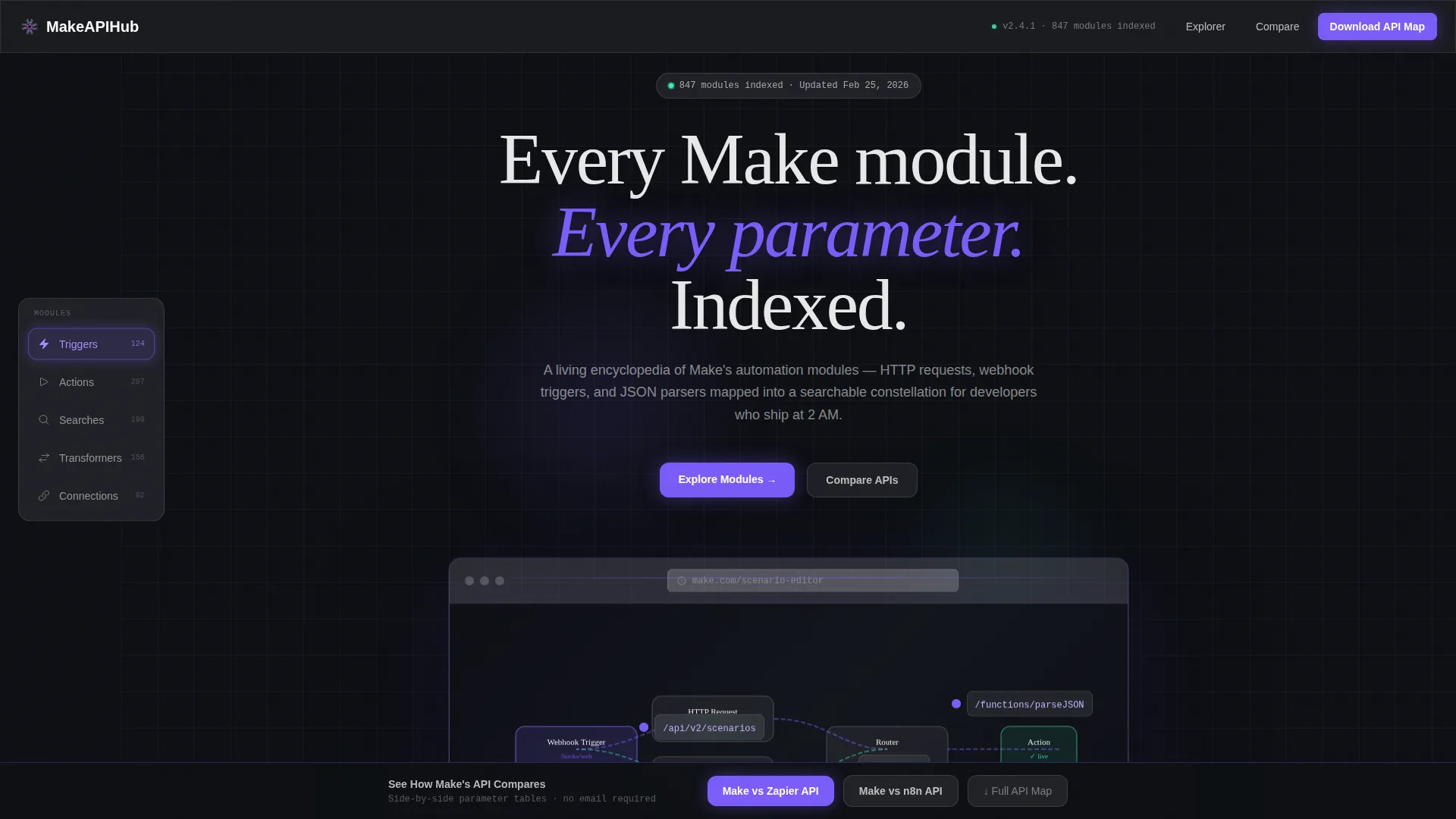
The hero section displays a product screenshot inside a frosted glassmorphic browser frame. Three pulsing violet annotation dots sit on different modules, each labeled with the endpoint it references, giving visitors immediate context for the page's purpose.
Page sections overview
| Section | Purpose |
|---|---|
| Hero with annotation | Establishes context with an annotated product screenshot in a frosted browser frame and a monospace tagline |
| Module Explorer nav | Provides a fixed left anchor nav with frosted pill buttons for each module category |
| Spoke card layout | Fans module endpoint cards out from the selected hub category with animated transitions |
| Module Detail cards | Expands inline to show parameter tables, response schemas, and real scenario snippets |
| Comparison bar | Persists at the bottom of the viewport with two API comparison triggers |
| Comparison modals | Opens side-by-side glassmorphic tables comparing API rate limits, webhook formats, auth methods, and pagination |
| PDF Download gate | Collects email and role after value is proven; triggers PDF export of the full API map |
| Footer | Follows a horizontal flow pattern with standard navigation and branding elements |
Design & branding system
The visual identity is built around a glassmorphic terminal aesthetic. Every surface reads as a frosted panel floating above a deep void background, backlit by structured neon accents.
- Color palette: void black (#0D0F14) as the base canvas, frosted panel white (white at 8% opacity) for all cards and containers, electric violet (#7B5CFA) for active states and anchor highlights, and cool mint (#3DFFC0) reserved for success badges and live-status indicators
- Typography stack: JetBrains Mono for all monospace and code-adjacent text, DM Sans for interface labels and body copy, Fraunces for display headings that anchor major sections
- Visual depth is created through layered transparency, a 24-pixel blur shadow on the hero browser frame, and scroll-linked reveals that progressively expose content structure
Mobile & speed optimization
This template is built desktop-first, reflecting the complexity of the terminal layout and the multi-column card structures it contains. The interaction model assumes a keyboard-and-cursor environment.
- CSS animations and Intersection Observer power the scroll-linked reveals and staggered card entries, keeping animation logic lightweight and frame-consistent
- Server Components handle static reference content, separating rendering concerns from interactive client-side behavior
- The spoke fan-out, modal transitions, and anchor nav active states are all CSS-driven to minimize JavaScript overhead
How this template helps you convert
The conversion model on this template is deliberately sequenced. Trust is built through depth of reference before any ask is made.
- The annotated hero and expandable module cards demonstrate encyclopedic completeness upfront, so the visitor arrives at the comparison bar already convinced the source is credible
- The comparison modals open without an email gate, letting users experience the value of side-by-side API analysis before the PDF download prompt introduces the lead capture step
Other information about this template
This template is categorized under Documentation and Support, specifically within the Make (formerly Integromat) API reference niche. It is designed as a single landing page with a hub-and-spoke anchor navigation structure.
- The template theme follows a Directory and Discovery model, making it suitable for any tool or platform that needs a browsable, categorized reference index
- The creative direction is Interactive Explorer, meaning the scroll experience is non-linear and rewards lateral movement through related module links
- The header concept is a Product Screenshot rendered inside a branded browser frame, a proven pattern for developer-tool landing pages that need to communicate complexity at a glance
- Localization defaults are English, USD currency formatting, and MM/DD/YYYY date formatting for a US-centric audience
- The template style is Hub and Spoke with an anchor nav, making it straightforward to adapt for other API reference directories beyond automation tooling
Theme
Directory & Discovery
Creative direction
Interactive Explorer
Color system
Glassmorphic
Style
Hub & Spoke (Anchor Nav)
Direction
Comparison/Versus
Page Sections
Fixed Anchor Nav with Active Glow
Spoke Fan-out Card Animation
Inline Expandable Module Cards
Glassmorphic Comparison Modals
Gated PDF Export Sequence
Annotated Hero Browser Frame
Related questions
What kind of content goes inside the module cards?
Is the comparison modal content editable?
When does the email gate appear?
Can this template be adapted for other API reference use cases?
Does the template include actual API documentation data?



