Advanced Tech & AI Platforms Privacy Policy Website Template
Interpret is a bold, brutalist-styled landing page template built for AI explainability platforms. It presents a full-viewport dashboard screenshot, a scrollable feature matrix with micro-animations, and a zero-friction install flow. Designed for machine learning engineers, data science leads, and compliance officers, it turns technical credibility into instant, defensible trust.
by Rocket studio
Quick summary
Interpret is a single-page, dashboard-style landing page template for AI explainability tools. It opens with a heavy mono headline and enterprise logo bar, then walks visitors through a feature matrix that demonstrates SHAP values, attention maps, counterfactual traces, and compliance exports. The primary call to action is a one-click terminal install command, keeping the conversion path completely frictionless.
Who this template is for
This template is built for technical teams and compliance-facing professionals who need to show, not just say, that their model decisions are defensible. It speaks directly to the people who get the audit call.
- Machine learning engineers handling regulatory audit requests at banks and financial institutions
- Data science leads at healthtech companies who need structured model documentation for regulatory review
- Compliance officers at insurance firms who are responsible for explaining algorithmic decisions
What problem this template solves
Most AI platform pages try to explain explainability with abstract diagrams and feature bullet points. That approach loses the engineers and frustrates the compliance buyers before they reach the install button.
- Visitors leave before understanding what the product actually does, because the page talks about the tool rather than showing it
- Technical buyers distrust marketing copy and need to see real output, such as SHAP waterfall charts and decision paths, before committing
- Regulated-industry buyers need to feel the product is auditable and serious, not polished for a general software audience
What you get with this template
This template delivers a complete, single-page layout built around demonstration and immediate action. Every section earns scroll by showing the product rather than describing it.
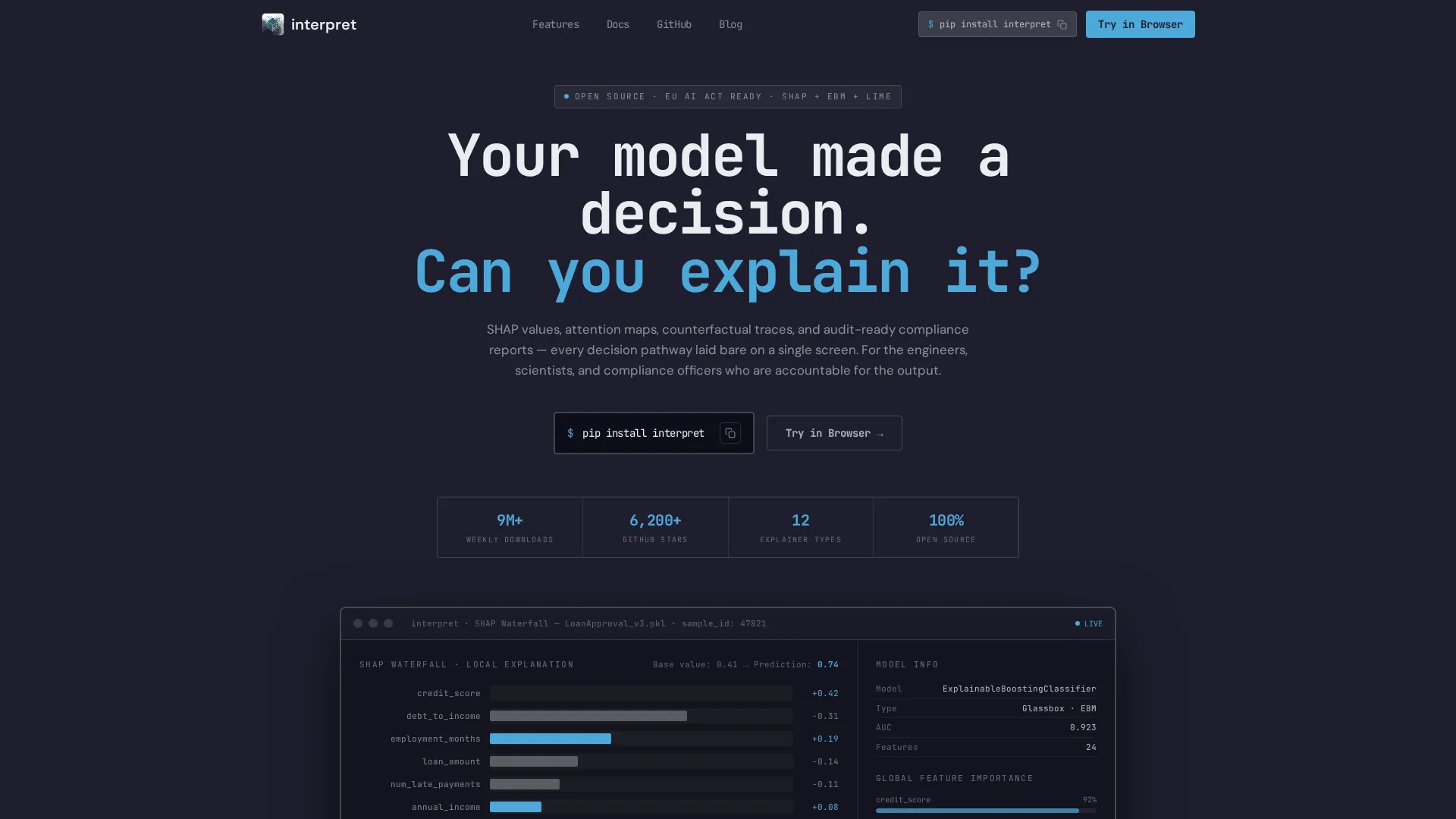
- A full-viewport static dashboard screenshot showing a live SHAP waterfall chart and highlighted decision tree node
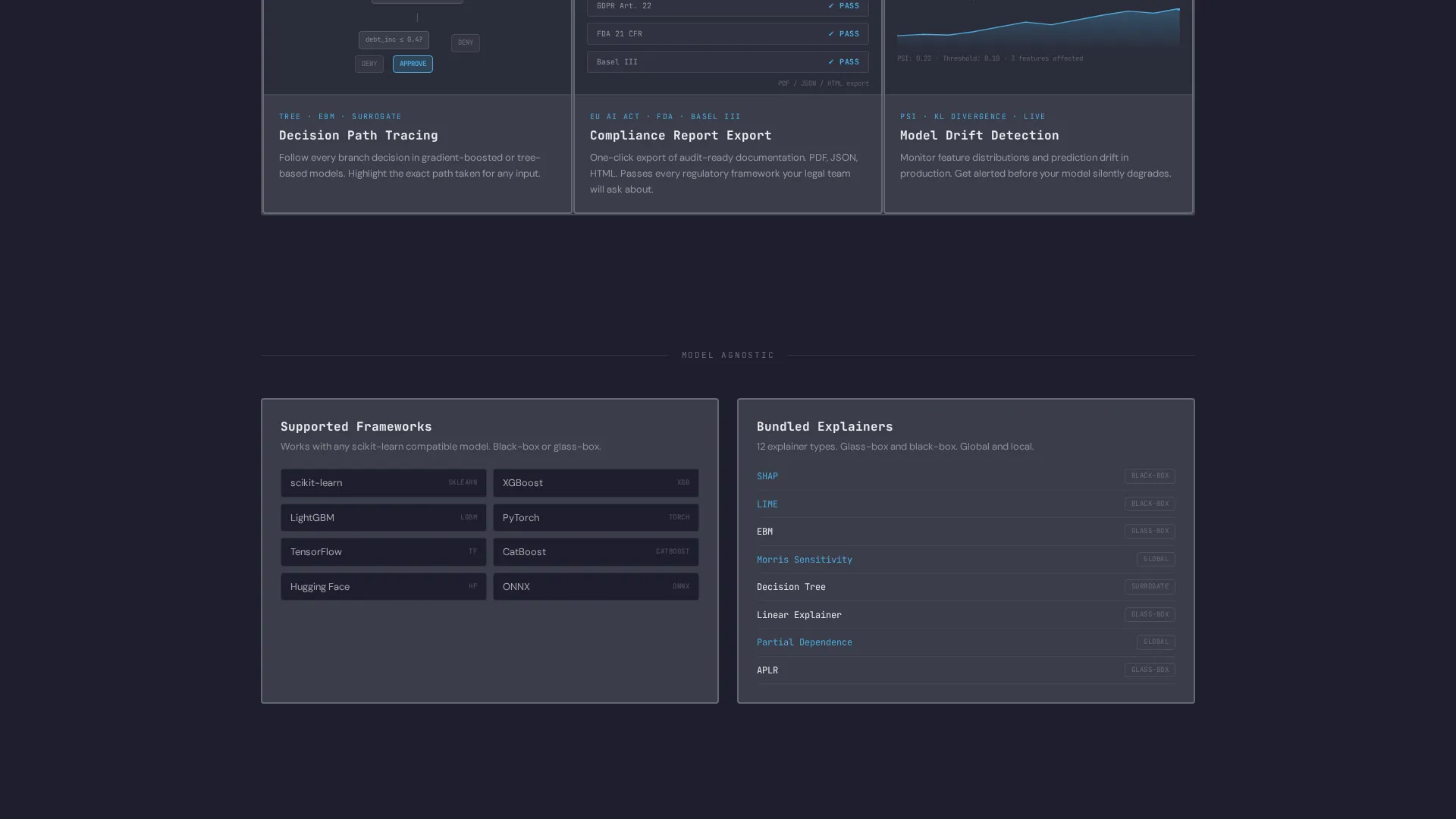
- A 3x2 feature matrix with brutalist borders and hover-expand cells, each containing a micro-animation of the feature in action
- A repeating install call-to-action block with a one-click clipboard command, platform toggle tabs for Python, R, and Docker, and a secondary browser sandbox link
Feature list
This template is structured around components that demonstrate technical depth and reduce time to first install.
Full-Viewport Dashboard Hero
The hero section fills the screen with a static dashboard screenshot mid-explanation. A real SHAP waterfall chart is visible, feature importance bars are partially rendered, and a decision tree node is highlighted in sky blue. The image communicates product depth before a single word is read.
Enterprise Logo Bar Header
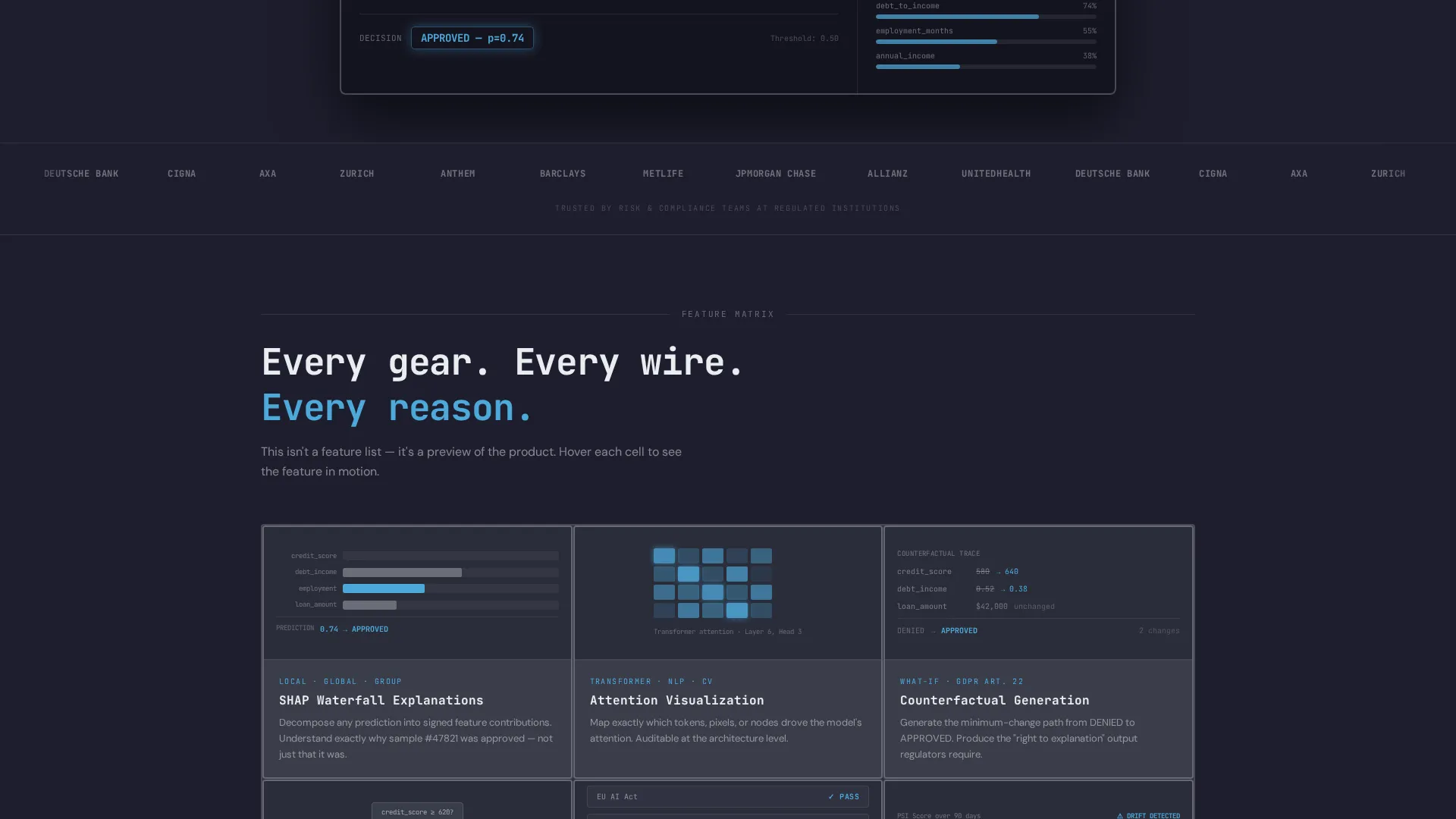
A horizontal strip of enterprise logo silhouettes sits above the brutalist headline. Logos render in chalk white on deep graphite with no gradients. The strip establishes institutional trust in a narrow band without distracting from the dashboard below.
Interactive Feature Matrix Grid
Five feature cells arranged in a 3x2 data grid expand on hover or tap. Each cell contains a micro-animation: a waterfall chart building bar by bar, a decision path lighting node by node. The grid covers Attention Visualization, Counterfactual Generation, Compliance Report Export, Model Comparison, and Drift Detection.
Zero-Friction Install Block
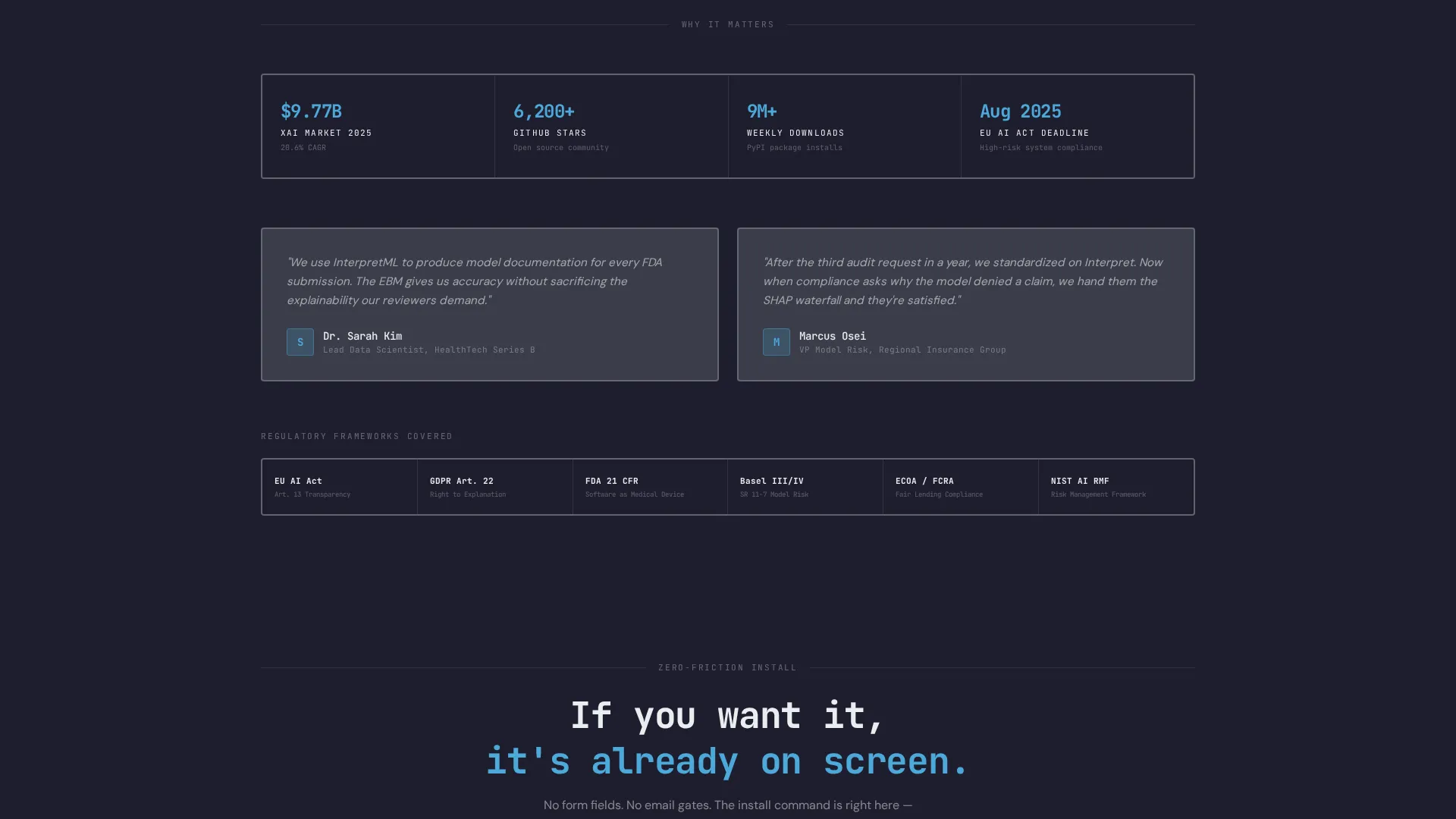
The primary call to action is a terminal command block with one-click copy-to-clipboard. Platform toggle tabs let the visitor switch between Python, R, and Docker install instructions. This block repeats at the header, mid-scroll, and footer so the install path is always visible.
Secondary Sandbox Entry Point
A secondary call to action labeled "Try in Browser" links to a sandbox environment. Access requires only a GitHub OAuth connection. There are no form fields and no email gates anywhere on the page.
Brutalist Typography System
Headlines are set in a heavy monospace typeface that carries the weight of a technical specification sheet. Section dividers use thick 2-pixel chalk-white borders. The typographic system makes the page feel like navigating a real dashboard, not reading a product brochure.
Page sections overview
| Section | Purpose |
|---|---|
| Enterprise Logo Bar | Establish institutional trust above the fold |
| Brutalist Hero Headline | State the core accountability challenge immediately |
| Dashboard Screenshot Hero | Show real product output at full viewport width |
| Feature Matrix Grid | Demonstrate each capability with micro-animations |
| Mid-Scroll Install Block | Repeat the install command at natural pause points |
| Platform Toggle Tabs | Let visitors choose Python, R, or Docker instructions |
| Browser Sandbox call to action | Offer a no-gate trial path via GitHub OAuth |
| Footer Install Repeat | Ensure the install command is visible at exit intent |
Design & branding system
The visual identity follows a Bold Brutalist theme using a Slate and Sky color palette. The system communicates weight, precision, and a single point of trustworthy action.
- Deep graphite (#1E1E2E) as the primary background, mid-slate (#3A3D4A) for card surfaces and grid cells, open-sky blue (#4DA8DA) for interactive highlights and live-state indicators
- Chalk white (#EAEDF0) for all typography and data labels, keeping legibility strong against the dark surfaces
- Heavy monospace typeface for headlines and terminal blocks, thick 2-pixel white borders as section dividers, and no gradients or decorative color anywhere in the layout
Mobile & speed optimization
The template is designed to remain navigable and credible on smaller screens. The dashboard-first layout scales without losing its technical character.
- The feature matrix grid collapses to a single-column scroll on mobile, so each cell remains fully readable and tappable
- The install command block and clipboard copy function are preserved at every breakpoint, keeping the conversion path intact on touch devices
How this template helps you convert
This template replaces the traditional lead-capture funnel with a demonstrate-first, install-now flow. Every layout decision reduces friction for the technical buyer.
- The feature matrix lets visitors preview the full product before taking any action, so trust is built through demonstration rather than persuasion
- The install command is visible at three points on the page and requires no sign-up, no form, and no email, so the path from interest to action takes seconds
- The secondary sandbox link via GitHub OAuth gives hesitant visitors a low-commitment entry point that still requires no personal data
Other information about this template
This template is category-matched to the Advanced Tech and AI Platforms subcategory within the Technology vertical. It is optimized for teams building in the AI explainability space.
- The template style is Dashboard and Data Grid, making it a strong fit for developer-facing products that need to show data output rather than describe it
- The Bold Brutalist theme and Slate and Sky color system are designed to signal precision and institutional credibility to regulated-industry buyers
- The App Download landing page direction means the entire layout is oriented toward a single conversion action: getting the engineer to run the install command
- The Feature Matrix creative direction ensures the page functions as a live product preview, not a static brochure
Theme
Bold Brutalist
Creative direction
Feature Matrix
Color system
Slate & Sky
Style
Dashboard/Data Grid
Direction
App Download
Page Sections
Full-viewport Dashboard Hero
Enterprise Logo Bar Header
Interactive Feature Matrix Grid
Zero-friction Install Block
Secondary Sandbox Entry Point
Brutalist Typography System
Related questions
Who is this landing page template designed for?
Can I adapt the feature matrix cells to match my own product features?
Does this template require visitors to submit a form or email address?
What install platforms does the template support showing?
Is this template suitable for compliance-heavy industries like finance or healthcare?



