Serverless Computing Technology Specialist Professional Website Template
Invoke is a hub-and-spoke landing page template built for serverless computing open source projects. It leads with animated stats, a dark glass panel header, and a sticky anchor navigation rail. The layout guides developers from hard proof to hands-on code, ending at a single CLI install command. It is designed for projects that need to earn trust fast.
by Rocket studio
Quick summary
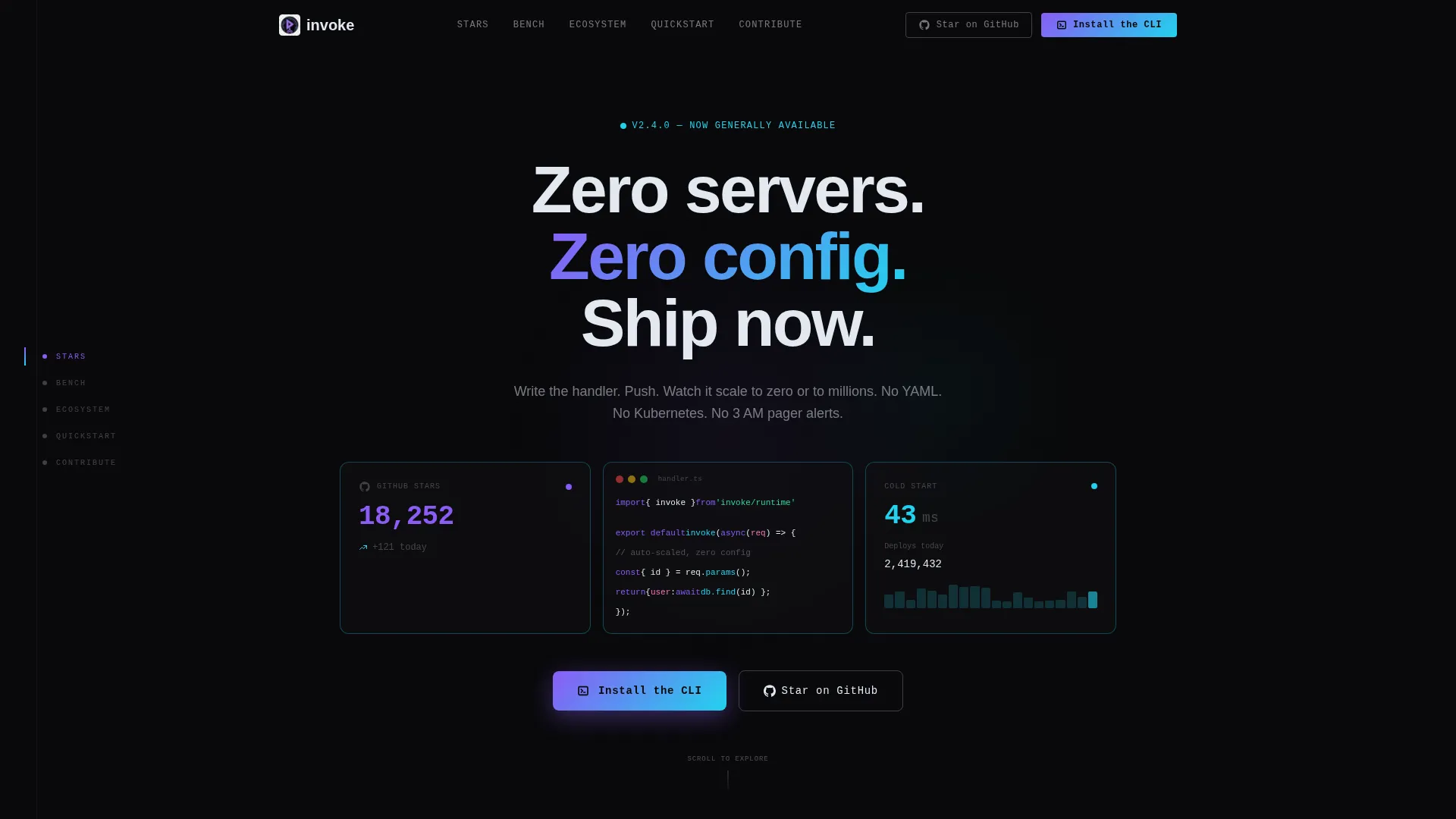
Invoke is a single-page hub-and-spoke template for serverless computing open source projects. It opens with a three-panel glass header showing live stats and a syntax-highlighted code snippet. Sticky anchor navigation connects five spoke sections. Every section leads with a bold metric before any explanation, then closes with a CLI install call to action.
Who this template is for
This template is built for technical teams who need to present a serverless computing project with credibility and speed. It speaks directly to developers who evaluate tools by reading code first and marketing copy last.
- Backend engineers and startup CTOs launching or promoting an open source serverless framework
- Platform teams replacing complex infrastructure configurations with a leaner deployment model
- Open source maintainers who want contributor and community stats front and center
What problem this template solves
Most project landing pages bury their best proof inside long paragraphs. Developers scroll past walls of text looking for a benchmark number or a code example, and they leave before finding either. This template reverses that pattern entirely.
- Stats appear before explanations, so proof comes before pitch
- The CLI install path is visible from the first scroll, removing friction at the moment of decision
- A sticky navigation rail keeps orientation clear across five distinct spoke sections
What you get with this template
You get a complete, section-led landing page built around the hub-and-spoke structure. Each piece of the layout is designed to move a skeptical developer from curiosity to installation in a single scroll.
- A three-panel dark glass header with a live GitHub stars counter, a seven-line syntax-highlighted code snippet, and a cold start latency metric
- Five anchor-linked spoke sections: Stars, Bench, Ecosystem, Quickstart, and Contribute
- A persistent floating "Install the CLI" button with a copy-to-clipboard one-liner and operating system auto-detection tabs for macOS, Linux, and Windows
Feature list
This section covers the core components built into the Invoke template. Each one is grounded in the layout and interaction design described for this project.
Dark Glass Panel Header
Three frosted, semi-transparent cards float over a void-black background. Each panel has an iridescent border that shifts hue on scroll. The left panel shows a real-time GitHub stars counter. The center panel holds a complete serverless function in seven syntax-highlighted lines. The right panel displays a live cold start latency metric that refreshes every few seconds.
Sticky Anchor Navigation Rail
A persistent left-rail navigation stays visible as the user scrolls through all five spoke sections. Labels use developer shorthand: Stars, Bench, Ecosystem, Quickstart, and Contribute. Active spoke links are marked in phosphor violet, giving the user a clear sense of position at all times.
Stats-First Spoke Sections
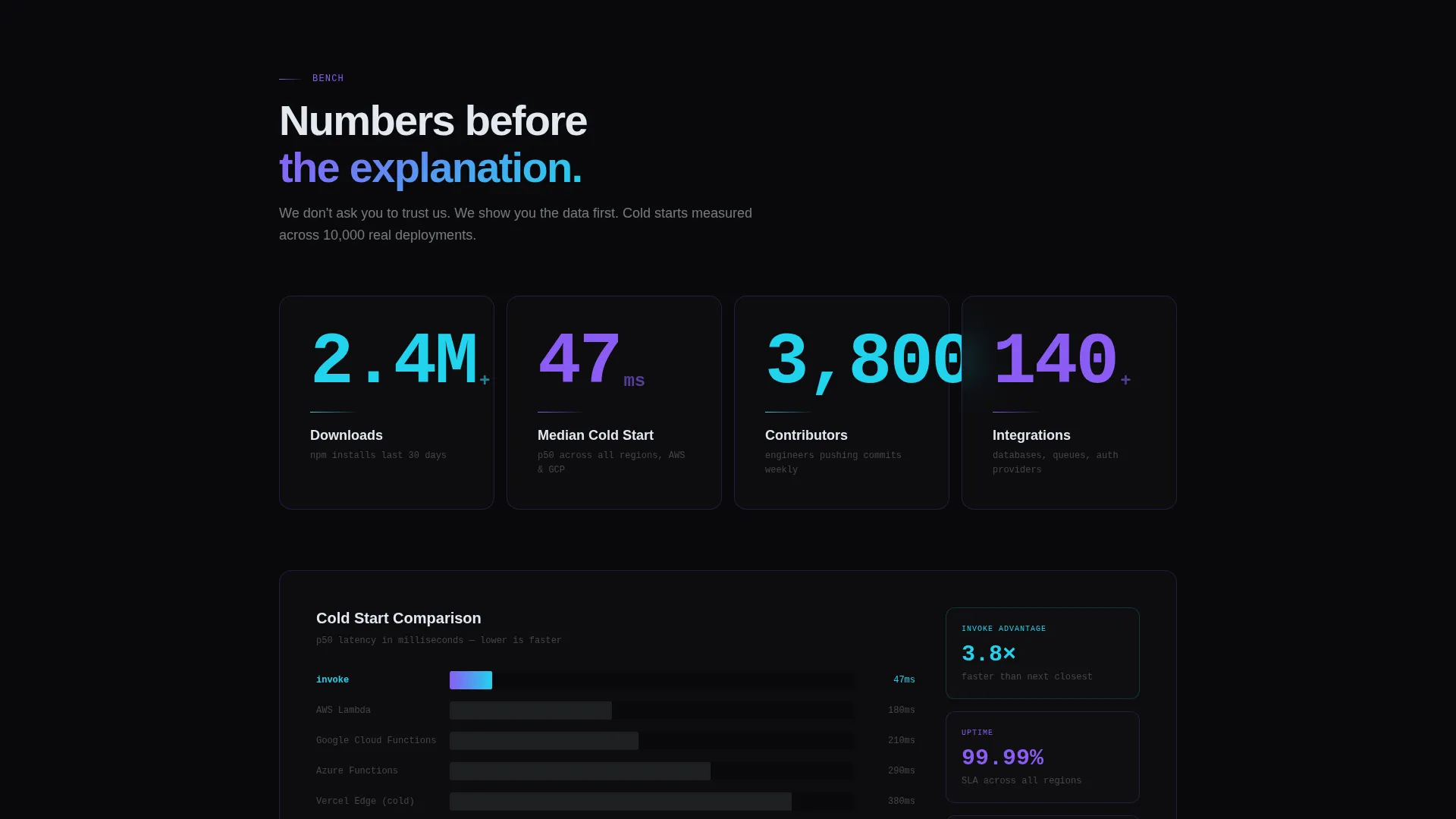
Every spoke section opens with a large animated number before any supporting copy. Examples include download counts, median cold start time, contributor totals, and integration counts. This structure lets the data do the persuading before the explanation arrives.
Terminal-Style Quickstart Walkthrough
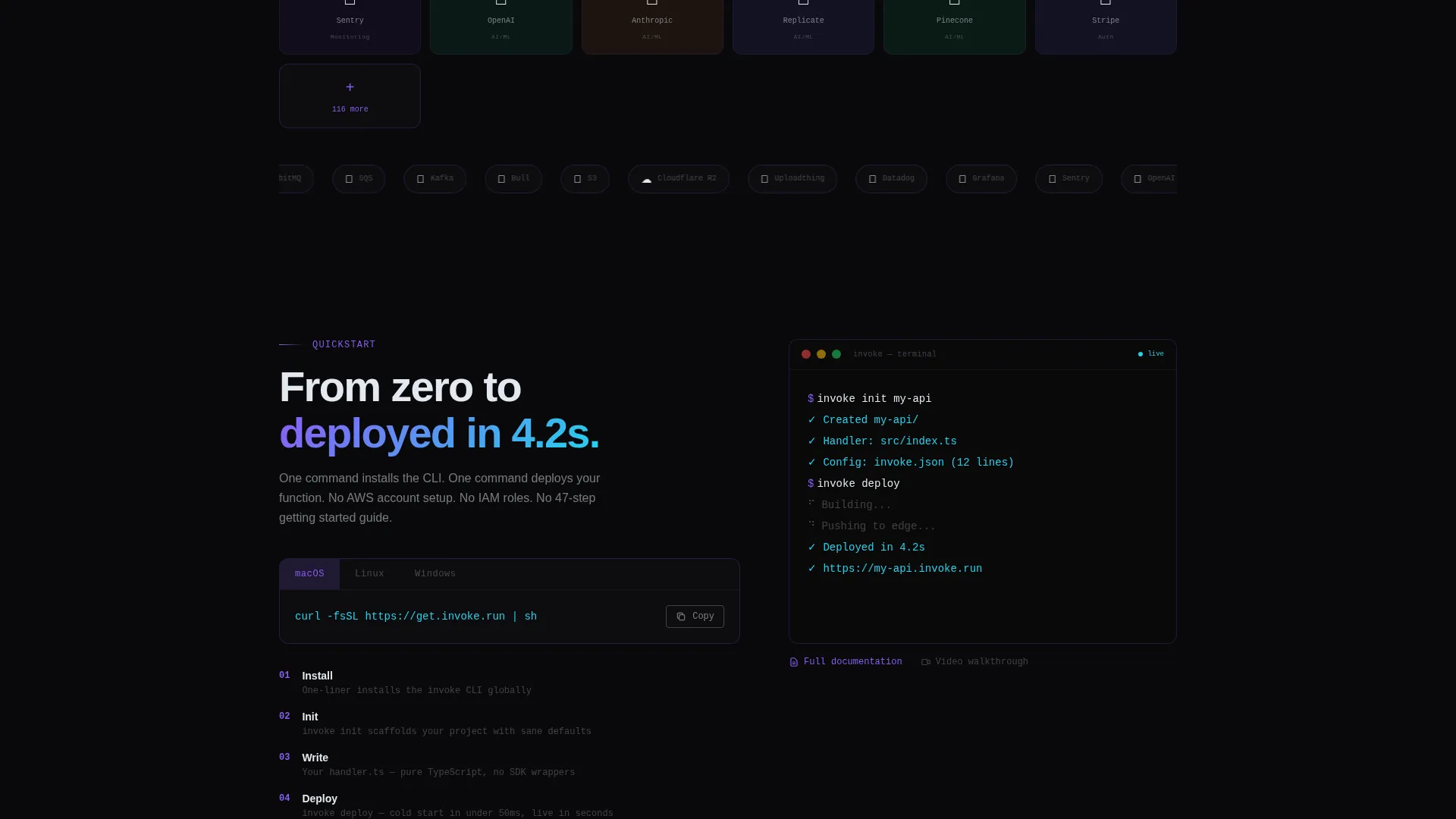
The Quickstart spoke renders a self-typing terminal sequence that walks through the installation and first deploy line by line. The rhythm mirrors an actual terminal session, making the onboarding feel immediate and hands-on rather than abstract.
Filterable Integration Grid
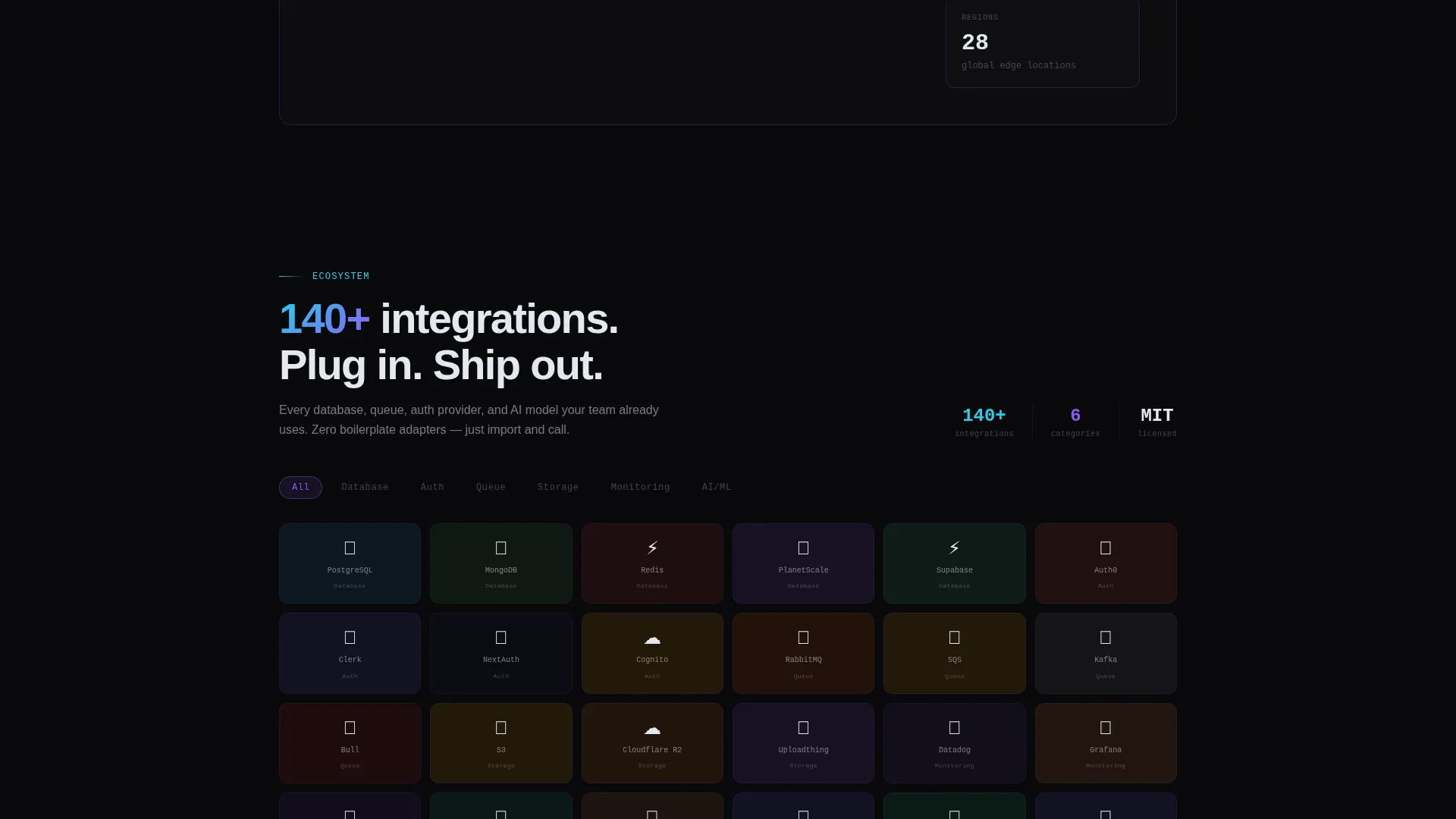
The Ecosystem spoke displays integration logos inside a filterable grid layout. Developers can narrow the view to find relevant tools quickly without leaving the page.
CLI Install Call to Action
The primary call to action is a copy-to-clipboard install command using a one-line curl script. Operating system detection shows the correct tab for macOS, Linux, or Windows automatically. A secondary "Star on GitHub" option keeps less-ready visitors engaged in the ecosystem.
Page sections overview
| Section | Purpose |
|---|---|
| Glass Panel Header | Anchor the page with live stats, a code sample, and a cold start metric |
| Stars Spoke | Show community size and GitHub traction with an animated counter |
| Bench Spoke | Present benchmark data with a headline latency figure |
| Ecosystem Spoke | Display the integration landscape through a filterable logo grid |
| Quickstart Spoke | Walk through CLI installation with a self-typing terminal sequence |
| Contribute Spoke | Highlight contributor count and invite new open source participation |
Design & branding system
The visual identity follows a Directory and Discovery theme built on an AI Iridescent color system. The palette is designed to feel like light refracting through a prism inside a dark room, with color appearing only when the user interacts.
- Void black (#09090B) dominates all backgrounds; liquid silver (#E2E8F0) handles body text; phosphor violet (#8B5CF6) marks primary actions and active navigation states
- Refracted cyan (#22D3EE) highlights stats, counters, and code syntax tokens, while a violet-to-cyan gradient accent appears across hover states and active navigation indicators
Mobile & speed optimization
The template layout is structured to stay readable and navigable on smaller screens. The anchor navigation rail and floating call-to-action button are both designed to remain accessible across viewport sizes.
- The sticky navigation and persistent floating button adapt to mobile viewports so the install path is never buried
- Code snippet panels and stat counters are sized to remain legible without horizontal scrolling on standard mobile screen widths
How this template helps you convert
The page is built around a single conversion goal: getting a developer to run the install command. Every structural decision moves toward that moment.
- Leading each spoke with a large animated metric builds trust before any copy is read, so the developer arrives at the call to action already convinced by the numbers.
- The floating "Install the CLI" button with a one-liner curl command and operating system auto-detection removes every remaining barrier between interest and action.
Other information about this template
The Invoke template is well-suited for any open source serverless computing project that wants to present itself with the confidence of a mature, production-ready framework. It is equally useful for early-stage projects that want to signal momentum through community metrics.
- The hub-and-spoke structure with anchor navigation makes the page easy to share by section, useful for linking directly to benchmarks or the quickstart from documentation or community forums
- The secondary "Star on GitHub" call to action keeps developers who are not ready to install connected to the project, supporting longer-term community growth
- The self-typing terminal walkthrough in the Quickstart spoke can be adapted to reflect any project's actual installation command and first-deploy sequence
Theme
Directory & Discovery
Creative direction
Stats-First Impact
Color system
AI Iridescent
Style
Hub & Spoke (Anchor Nav)
Direction
App Download
Page Sections
Dark Glass Panel Header
Sticky Anchor Navigation Rail
Stats-first Spoke Sections
Terminal-style Quickstart Walkthrough
Filterable Integration Grid
CLI Install Call to Action
Related questions
Is this template suitable for a project that is still in early beta?
Can I change the spoke section labels in the anchor navigation?
Does the CLI install section support more than three operating systems?
How is the filterable integration grid populated?
What is the purpose of the secondary Star on GitHub call to action?



