Serverless Enterprise Software Specialist Cost Calculator Website Template
Invoke is a bento grid landing page template built for a serverless ERP platform. It combines a void-black visual identity with violet data accents, an embedded cost calculator, and module-level bento tiles. The layout guides lean technical teams and operations leaders from first interaction to free-tier signup through a clear, tool-first persuasion flow.
by Rocket studio
Quick summary
Invoke is a single-page bento grid landing page template for a serverless ERP platform. It opens with a full-bleed void-black header, a live cost calculator tile, and modular bento cards for Finance, Supply Chain, HR, and Analytics. The design uses a Void and Violet color system, frosted glass surfaces, and three strategically placed call-to-action buttons to move visitors from curiosity to signup.
Who this template is for
This template speaks directly to technical and operational buyers who are tired of over-engineered infrastructure and bloated legacy contracts. It is built for people who evaluate software by its real cost and deployment speed, not its brochure.
- Series A engineering leaders running lean teams who need full ERP coverage without dedicated DevOps headcount
- Operations managers at mid-market direct-to-consumer brands who are managing business processes across disconnected spreadsheets
- Finance directors facing steep legacy ERP renewal costs who are actively evaluating modern, cloud-native alternatives
What problem this template solves
Most ERP marketing pages bury the pricing, delay the demo, and never answer the one question every buyer has: "What will this actually cost us?" This template solves that problem by putting a live cost calculator at the very top of the page, before the visitor has to scroll.
- Buyers leave ERP pages without converting because the value proposition takes too long to become concrete
- Traditional ERP landing pages rely on scheduled demos and long sales cycles instead of immediate, self-serve proof
- Technical audiences distrust marketing copy that avoids specifics, so generic benefit statements kill credibility early
What you get with this template
You get a fully structured, single-page bento grid layout that guides a highly skeptical technical buyer from the header all the way to a free-tier signup. Every section has a defined purpose in the conversion flow.
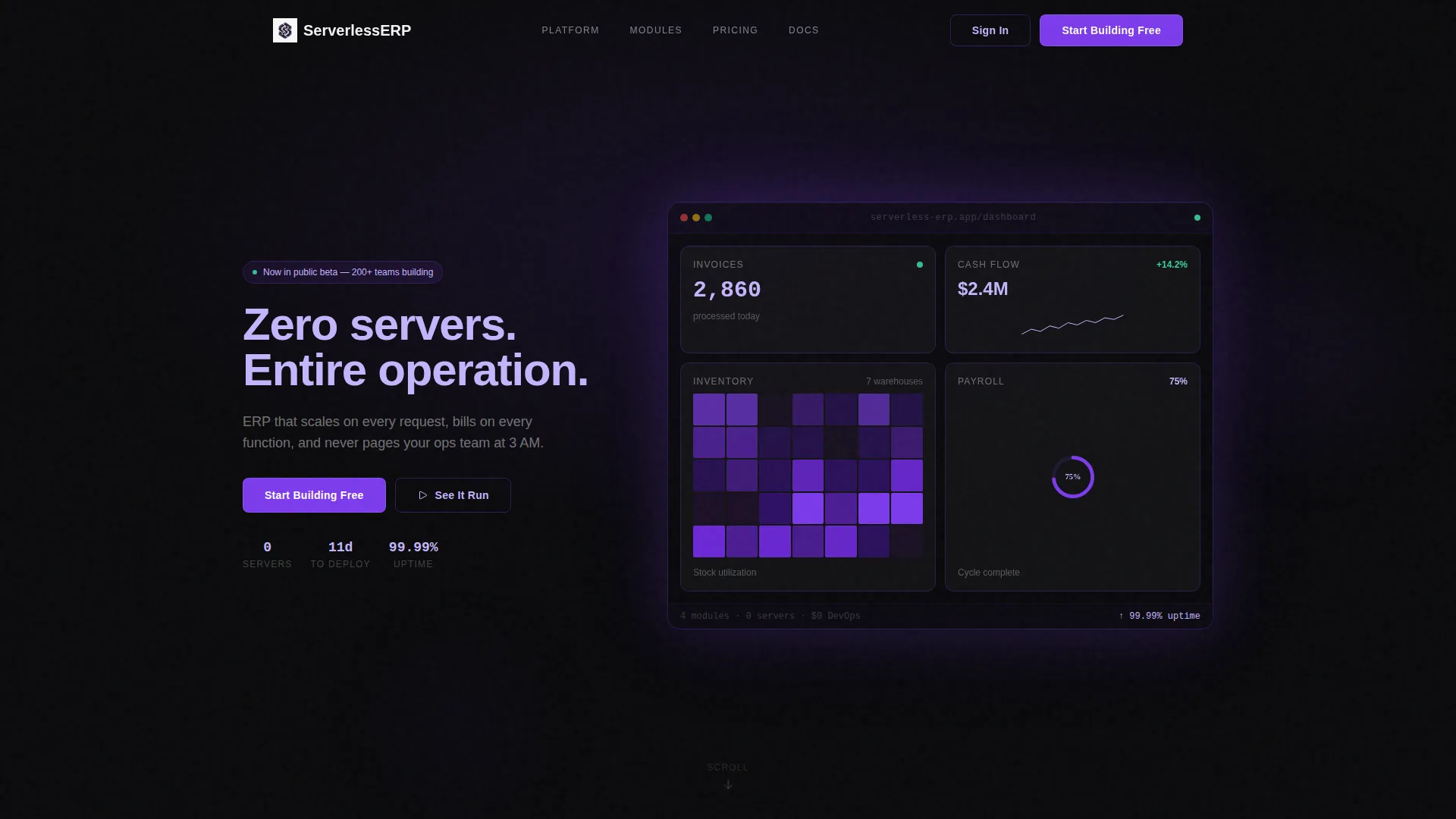
- A dark full-bleed header with a floating bento dashboard showing live module tiles, a phosphor lilac headline, and a muted subline
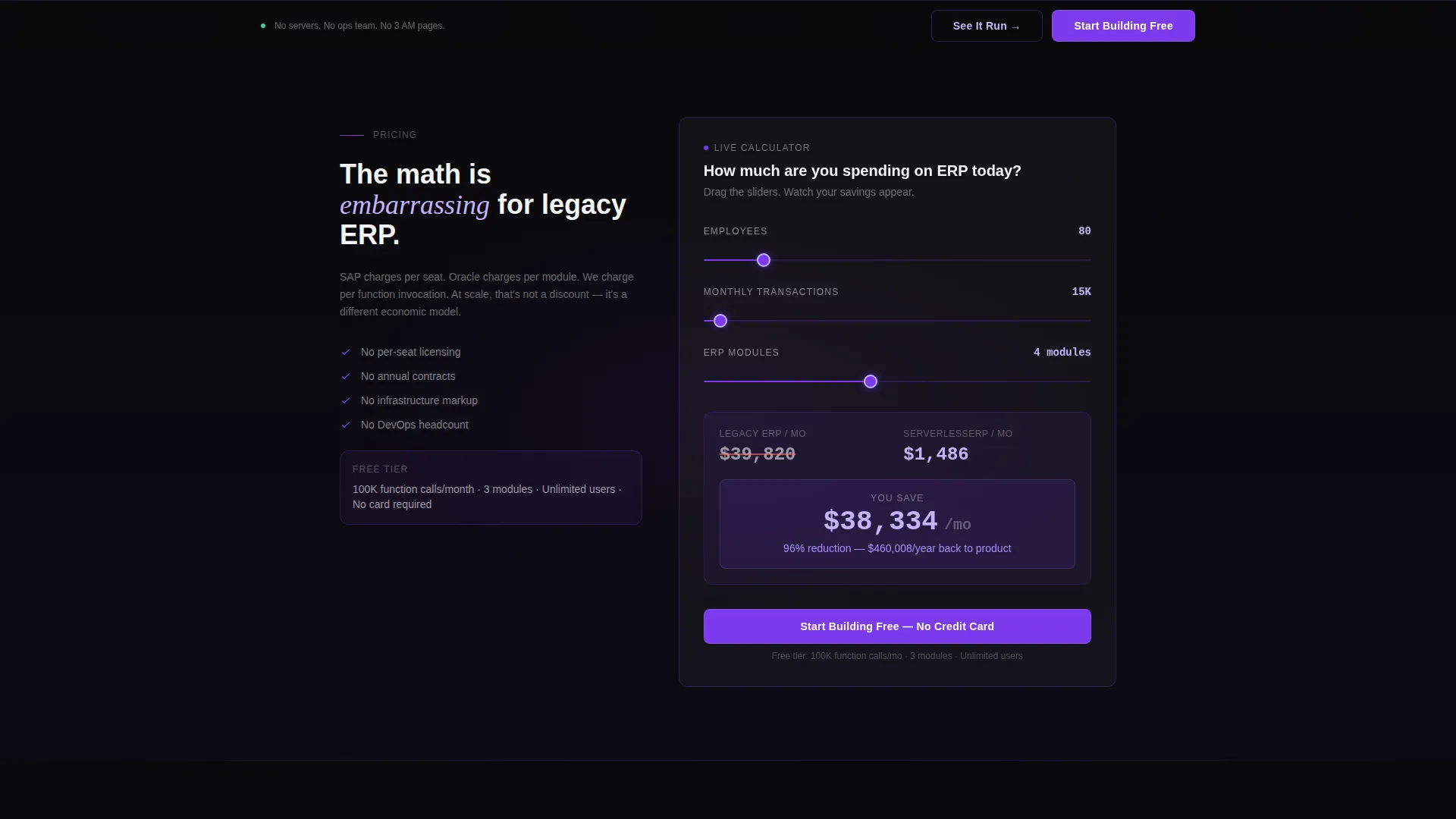
- An embedded cost calculator tile with three sliders and real-time serverless versus traditional ERP cost output with animated number transitions
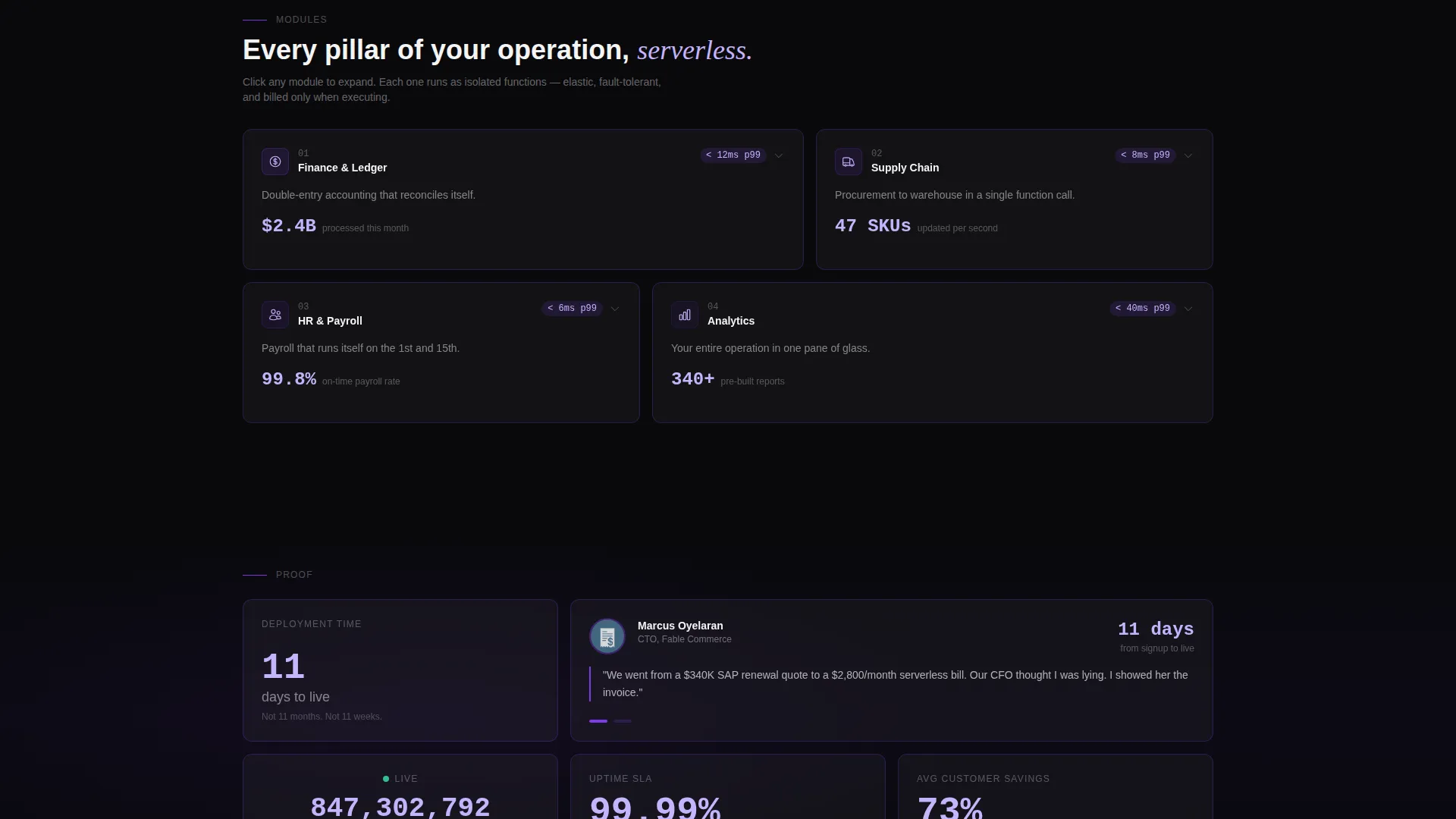
- Module bento cards for Finance, Supply Chain, HR, and Analytics, each with hover-expand interactions, integration logo clusters, and latency metrics
- Social proof tiles including a deployment-time stat, a CTO quote with headshot and company logo, and a live API call counter
- Three placements of the primary call-to-action button and a secondary interactive demo trigger
Feature list
This section covers the core built-in components and interaction patterns that make the Invoke template functional and distinctive.
Full-Bleed Void Header with Dashboard Hero
The header spans the full viewport in absolute void black. A luminous bento dashboard floats center-frame with live module tiles showing an invoice count, a cash-flow spark line, an inventory heatmap, and a payroll status ring. Edges emit a soft violet glow, making the product interface itself the visual anchor.
Embedded Live Cost Calculator
A dedicated bento tile directly below the header houses an interactive cost calculator. Three sliders control employee count, monthly transactions, and number of modules. The output updates in real time, displaying projected serverless cost against traditional ERP licensing with animated violet number transitions.
Modular Bento Grid Layout
Below the calculator, the page unfolds as a responsive bento grid. Each tile represents one ERP pillar. On hover, a tile expands to reveal a feature list, integration logos, and a latency metric. The grid reflows as the visitor interacts, making the layout feel elastic and responsive.
Three-Placement Call-to-Action System
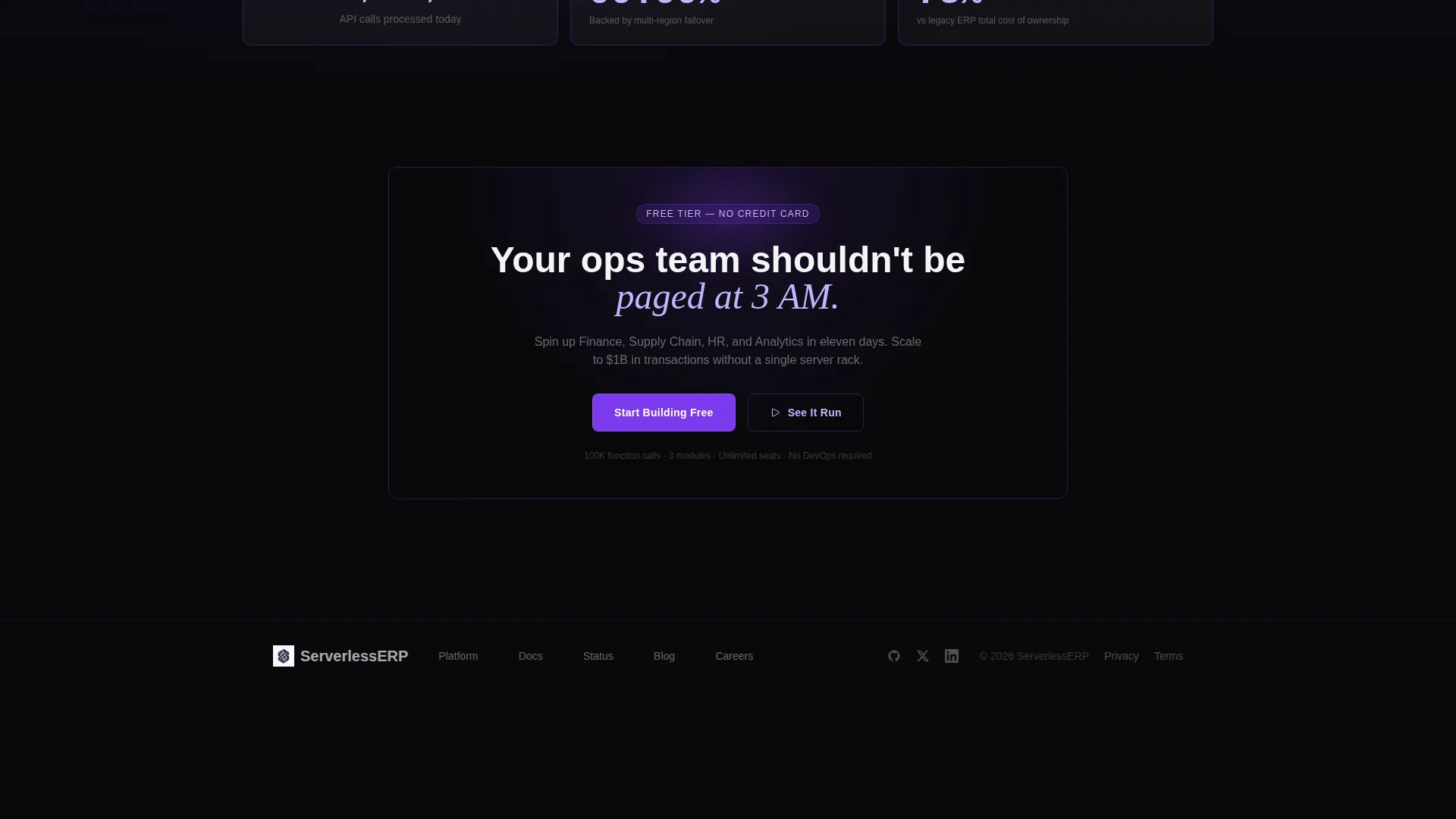
The primary call-to-action button appears in three precise locations: locked to the bottom of the viewport as a persistent bar, directly below the calculator after the savings number renders, and inside the final bento tile. Each placement is timed to match a distinct moment in the visitor's decision process.
Social Proof Bento Tiles
Interspersed throughout the bento grid are dedicated social proof tiles. These include a deployment-time stat, a real customer quote with headshot and company logo, and a live counter showing API calls processed today. Each tile uses the same frosted glass surface treatment as the module cards.
Interactive Demo Entry Point
A secondary call-to-action labeled "See It Run" triggers an embedded interactive demo environment. Visitors can click through a pre-loaded ERP instance using sample data without signing up first. This gives technical buyers a hands-on proof path alongside the calculator.
Page sections overview
| Section | Purpose |
|---|---|
| Full-Bleed Header | Establishes product as hero with floating bento dashboard and violet glow |
| Cost Calculator Tile | Delivers immediate, personalized savings output before the visitor scrolls further |
| Module Bento Grid | Showcases Finance, Supply Chain, HR, and Analytics pillars with hover interactions |
| Social Proof Tiles | Builds credibility through deployment stats, a CTO quote, and a live API counter |
| Persistent call to action Bar | Keeps the primary signup action visible throughout the entire scroll journey |
| Final call to action Tile | Closes the page with a third call-to-action placement inside the last bento card |
Design & branding system
The Invoke template uses a Tech Glass visual identity built around the Void and Violet color system. Every surface decision reinforces the feeling of a high-precision, infrastructure-native product.
- Core palette: absolute void black (#09090B) for backgrounds, deep ultraviolet (#7C3AED) for interactive elements and glow accents, phosphor lilac (#C4B5FD) for headline text and data highlights, and frosted glass white (#F4F4F5) for surface cards
- Cards use frosted glass backgrounds with 1-pixel violet border traces, generous negative space, and OLED-crisp typography that floats on near-black surfaces
- Interactive elements pulse with a soft violet luminance on hover, and every data accent in the dashboard and calculator uses violet tones to direct the eye
Mobile & speed optimization
The bento grid layout is designed to reflow naturally as viewport width changes. Tiles resize and reorganize so the interactive elements remain accessible and readable at any screen size.
- The cost calculator and its three sliders are designed to function as the primary interactive element on smaller screens, keeping the conversion hook intact on mobile
- The persistent call-to-action bar at the bottom of the viewport is always visible regardless of device, ensuring the signup path is never buried
How this template helps you convert
Every structural decision in this template is made to shorten the distance between a skeptical visitor and a confident signup click.
- The cost calculator fires before any other content demands attention, turning an abstract value proposition into a specific, personal savings number that the visitor generated themselves
- The bento grid paces the reveal of module depth and social proof, so each scroll delivers new evidence rather than repeating the same pitch in different words
- Three call-to-action placements appear at the exact moments when visitor intent peaks: after the savings number, mid-scroll through module proof, and at the natural end of the page journey
Other information about this template
The Invoke template is built for a niche where trust is earned through specificity, not polish. A few additional details round out the full picture of what this template supports.
- Template style: Bento Grid, suited for modular, scannable content structures common in enterprise software marketing
- Creative direction: Calculator and Tool First, meaning the interactive element leads the page rather than sitting below a long pitch section
- The "See It Run" demo path gives buyers a self-serve proof option, which is particularly valuable for technical audiences who prefer to evaluate before speaking to sales
- The template is designed as a single landing page, not a multi-page site, keeping all conversion momentum on one scrollable surface
- The header concept is Dark Full-Bleed with Glow, which uses the product dashboard as the literal hero image, avoiding stock photography entirely
Theme
Tech Glass
Creative direction
Calculator/Tool First
Color system
Void & Violet
Style
Bento Grid
Direction
Click-Through
Page Sections
Full-bleed Void Header with Glow Dashboard
Embedded Interactive Cost Calculator
Hover-expand Module Bento Cards
Three-placement Call-to-action System
Social Proof Bento Tiles
Secondary Interactive Demo Entry Point
Related questions
Who is the Invoke template designed for?
Can I customize the cost calculator sliders?
Does the template include the interactive demo environment?
Is this template suitable for a product that is not serverless ERP?
How many call-to-action placements does the template include?



