Voice-Activated ITSM Resolution Landing Page Template
Invoke is a Bold Brutalist bento grid landing page designed for a voice-activated IT service management platform. It puts an interactive ROI calculator and live dashboard preview front and center, helping overworked service desk teams and IT operations managers see exactly how speaking to a terminal beats clicking through legacy portals.
by Rocket studio
Quick summary
Invoke is a single-page bento grid landing page designed for a voice-activated IT service management platform. The layout opens with a live dashboard preview, moves into an embedded ROI calculator, then walks visitors through head-to-head comparison tiles. Every section is designed to earn trust before asking for anything.
Who this template is for
This landing page is designed for B2B software teams marketing an enterprise voice-activated IT service management solution. It suits any business ready to challenge legacy portal workflows with a faster, spoken alternative.
- Service desk analysts at the L1 and L2 roles who handle high ticket volumes daily
- IT operations managers and enterprise technology leaders evaluating mean-time-to-resolution improvements
- Product and marketing teams at voice-driven IT service management software businesses
What problem this template solves
Legacy IT service management portals are built for a mouse-and-keyboard world. Analysts waste minutes per ticket navigating dropdown menus when they could speak a single command. This landing page is designed to make that gap impossible to ignore.
- Visitors can skip persuasion copy and go straight to a live ROI calculator that quantifies hours saved
- Head-to-head comparison tiles show the old way losing before a visitor scrolls past the first cluster
- The gated comparison section converts curiosity into qualified pipeline without aggressive friction
What you get with this template
You get a fully structured bento grid landing page designed around one conversion goal: turning a skeptical IT buyer into a qualified lead. The layout uses tile clusters that reveal in sequence, each one building the case for voice-first incident resolution.
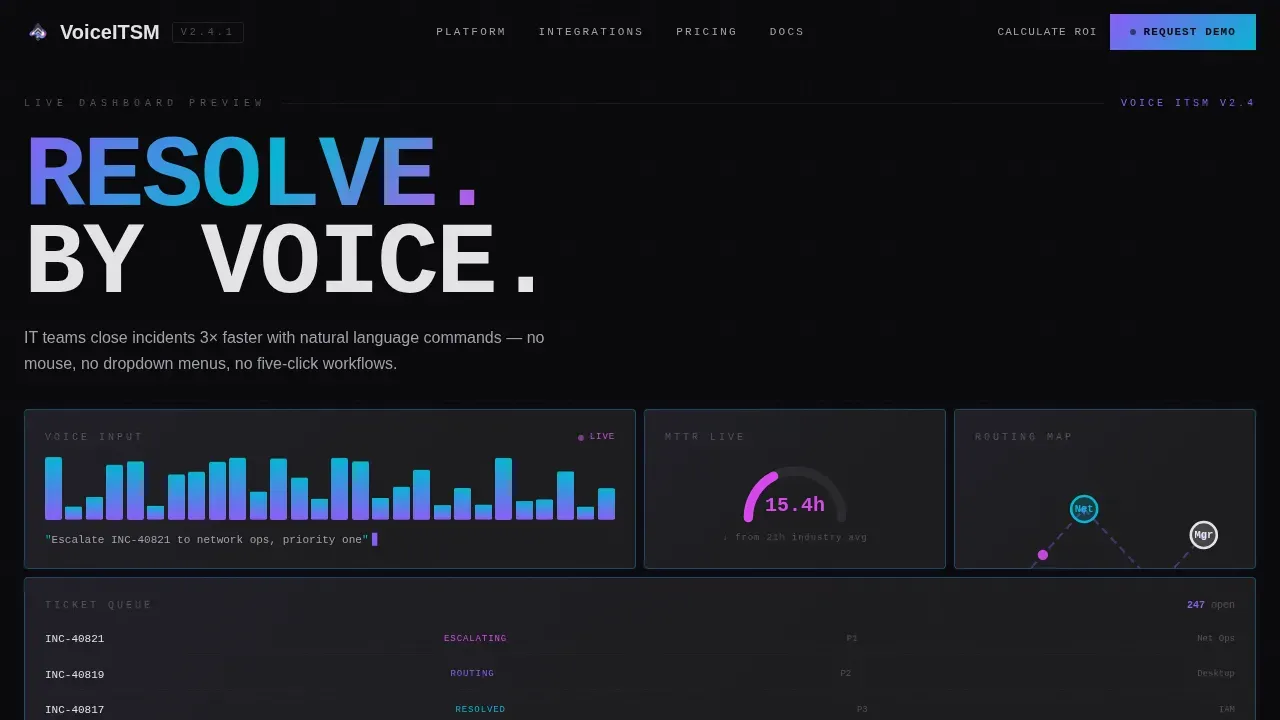
- A hero dashboard preview tile with open ticket queue, waveform visualizer, resolution-time gauge, and routing map
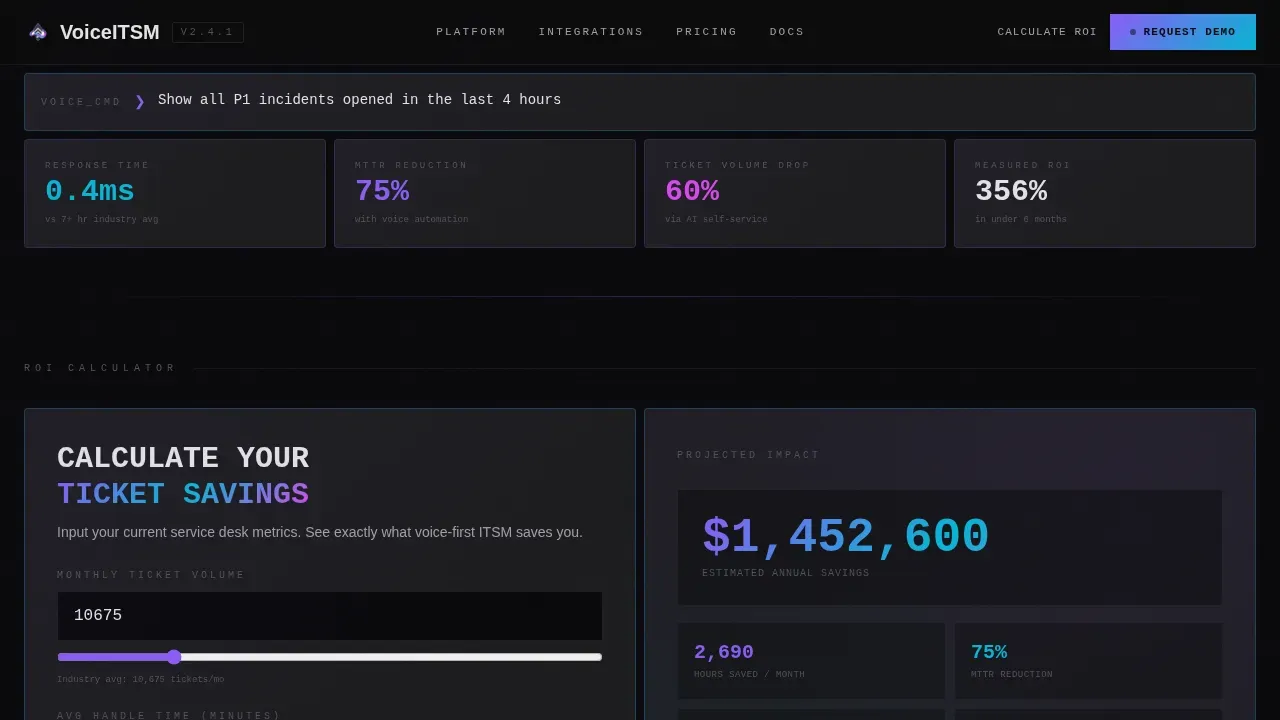
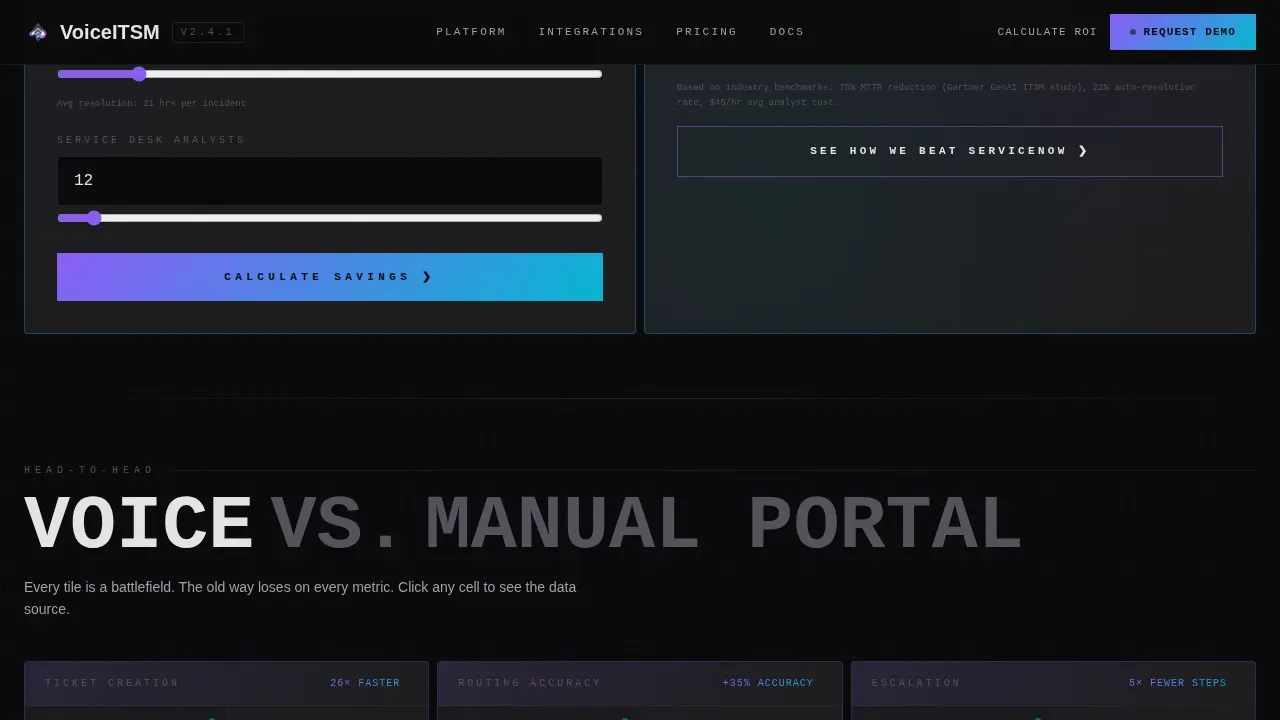
- An embedded ROI calculator tile where visitors input ticket volume, handle time, and analyst headcount
- A linear single-row footer and a gated side-by-side feature comparison modal
Feature list
This landing page includes the components listed below, each designed to move a specific type of IT buyer closer to action.
Live Dashboard Hero Tile
The header tile renders the product as its own hero. It displays an open ticket queue, a voice-waveform visualizer mid-command, a real-time resolution-time gauge, and a routing map. A blinking cursor and a typed command demonstrate the voice interaction in context.
Embedded ROI Calculator
Visitors select their monthly ticket volume, average handle time, and analyst headcount. The calculator instantly surfaces hours saved, cost reduction, and projected resolution-time improvement. Results render before any lead form appears, making the value tangible before asking for anything.
Comparison Bento Grid Cells
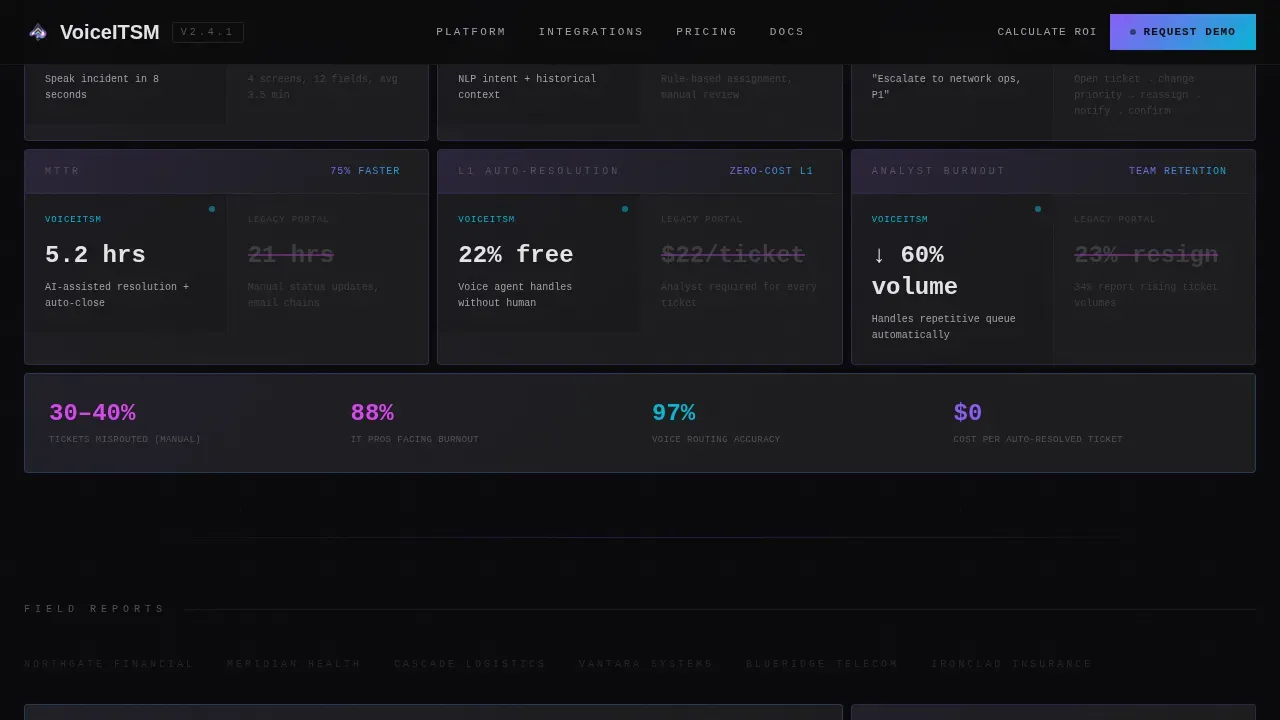
Each comparison tile is designed as a direct head-to-head: voice resolution versus manual portal, natural language routing versus rule-based assignment, spoken escalation versus a five-click workflow. Tiles reveal in clusters, giving each contrast its own moment.
Gated Feature Matrix Modal
Once the ROI results are viewed, a secondary call to action opens a side-by-side feature comparison. Visitors provide a work email and their current IT service management platform to unlock full access, qualifying themselves as pipeline in the process.
AI-Driven Visual Feedback Layer
The interface is designed so every tile displays interpreted text alongside voice commands, keeping the interaction readable at a glance. A hybrid display shows spoken ticket statuses and live data simultaneously, so the landing page never relies on sound alone.
Voice Command Prompt System
Suggestive prompts across the landing page educate visitors on actionable commands. The design displays a list of common voice inputs, such as "Escalate INC-40821 to network ops, priority one," so buyers understand the interaction model before they ever sign up.
Page sections overview
| Section | Purpose |
|---|---|
| Hero Dashboard Preview | Open bento tiles show live ITSM data and voice waveform |
| ROI Calculator Tile | Quantifies business savings before any lead form appears |
| Voice versus. Manual Grid | Head-to-head comparison cells built for Comparison/Versus action |
| Social Proof Metrics | Analyst quotes, MTTR reduction stat, and ROI benchmark figures |
| Gated Comparison Modal | Feature matrix unlocked by work email and platform select |
| Linear Footer Row | Single-row footer with navigation and legal links |
Design & branding system
The visual identity is Bold Brutalist meets AI Iridescent. Raw concrete weight meets algorithmic shimmer across every tile surface. Typography uses JetBrains Mono for terminal and data displays, and DM Sans for body and headlines.
- Void black (#09090B) and poured-concrete gray (#1C1C1E) form all backgrounds; concrete-white (#E4E4E7) handles all text
- Holographic violet (#8B5CF6) shifts to spectral cyan (#06B6D4) across gradients on interactive tile surfaces
- Iridescent pink (#D946EF) is reserved for active-state flashes; every tile edge carries a thin iridescent border that pulses faintly
Mobile & speed optimization
The landing page is designed desktop-first, matching the workstation environment of IT operations managers. Mobile support is included so the page can be viewed and acted on across devices.
- GSAP ScrollTrigger powers tile reveal clusters and waveform animation without blocking the main thread
- GPU-accelerated transforms handle all motion; static sections use server components while interactive tiles use client rendering
- The tab order and keyboard navigation are designed to keep interactions accessible and logical for all users
How this template helps you convert
This landing page is designed around a specific conversion sequence that earns the click before requesting any information.
- The ROI calculator delivers immediate business value, giving visitors a concrete reason to stay and engage with the rest of the landing page
- Comparison tiles use designed contrast to make the cost of inaction visible, pushing the visitor toward the secondary call to action
- The gated feature matrix converts interest into a qualified lead by asking only for work email and current platform, keeping the action low-friction
Other information about this template
This template is built on a no-code-friendly structure, meaning a business does not need extensive programming knowledge to deploy it rapidly. No-code and low-code tools are designed to reduce the time and cost of launching a polished landing page, which is particularly beneficial for startups and small businesses. The template includes customizable elements so teams can select colors, swap copy, and update calculator defaults to match their own branding and audience needs.
- AI-driven design decisions are baked into the layout: the landing page is structured around the fact that AI-powered templates enhance user engagement and conversion rates when clarity and action are prioritized
- The template can support voice-bot context familiar to teams working with platforms where bots are invoked from a business object linked to a configuration item record, making the comparison content immediately relevant to that audience
- The Invoke voice activated ITSM resolution landing page template is listed and viewed in the Technology category under the Voice-Activated Enterprise Software subcategory on the marketplace
Theme
Bold Brutalist
Creative direction
Calculator/Tool First
Color system
AI Iridescent
Style
Bento Grid
Direction
Comparison/Versus
Page Sections
Live ITSM Dashboard Hero
Embedded ROI Calculator Tile
Head-to-head Comparison Grid
Ai-driven Visual Feedback Layer
Gated Feature Comparison Modal
Voice Command Prompt System
Related questions
Can I customize the ROI calculator inputs and outputs?
Does the landing page support both voice and visual interaction patterns?
Is this template suitable for a team without coding experience?
How does the gated comparison section qualify leads?
Can I open and edit this template without switching between separate tools?



