Voice-Activated RPA Workflow Automation Landing Page Template
Invoke is a voice-activated Robotic Process Automation (RPA) landing page template built for enterprise SaaS platforms. It uses a Tech Glass design with a Void & Violet color system to display animated comparison tables, a live voice-input preview, and freemium trial conversion flows. Teams can show prospects how AI workflow automation works without writing a single line of code.
by Rocket studio
Quick summary
The Invoke landing page template turns a complex AI workflow pitch into something visitors feel immediately. An interactive voice-input bar fires up in the header, animated comparison tables stack evidence across the scroll, and a lightweight two-field modal closes the deal. The design is void black and deep violet, built for operations teams who are tired of drag-and-drop automation platforms.
Who this template is for
This landing page is ideal for teams launching or marketing a voice-activated AI automation platform. It speaks directly to buyers who have lived through failed automation rollouts and tool sprawl.
- Mid-market operations managers and RevOps leads buried in disconnected automated workflows
- IT directors who need to rebuild trust in AI workflow automation after a painful implementation
- Marketing and sales teams at companies that want to show prospects a faster, code-free process
What problem this template solves
Most landing page templates for AI tools bury the product under static screenshots and vague benefit claims. Visitors leave before they understand the value. This template solves that by making the ai workflow experience tangible above the fold.
- It replaces passive hero images with a live interactive preview that simulates voice-to-automation in real time
- It frames traditional drag-and-drop automation platforms as slow and painful through animated comparison tables
- It removes friction from the signup process with a two-field modal and no credit card requirement
What you get with this template
You get a full single-page landing design with high interactivity and a clear freemium trial conversion path. Every section is purposeful and structured to build confidence and urgency.
- An interactive voice input bar in the header that assembles automation nodes live as a simulated command plays
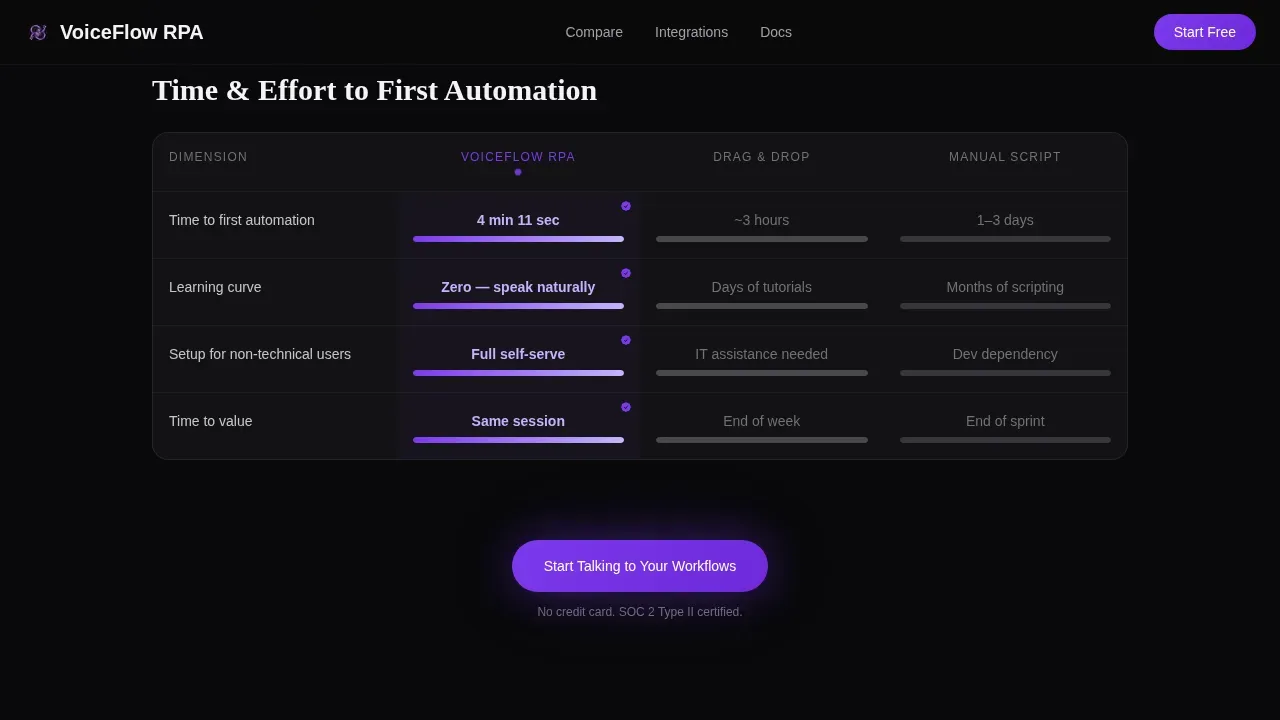
- Three animated glass-panel comparison tables that pit voice-activated automation against drag-and-drop builders and manual scripting across dimensions like time-to-first-automation, handling complexity, and integration count
- A sticky call-to-action bar, a full-width conversion closer, and a two-field modal with no credit card required
Feature list
This landing page template is built around six core design and content features grounded in the source brief.
Interactive Voice Input Header
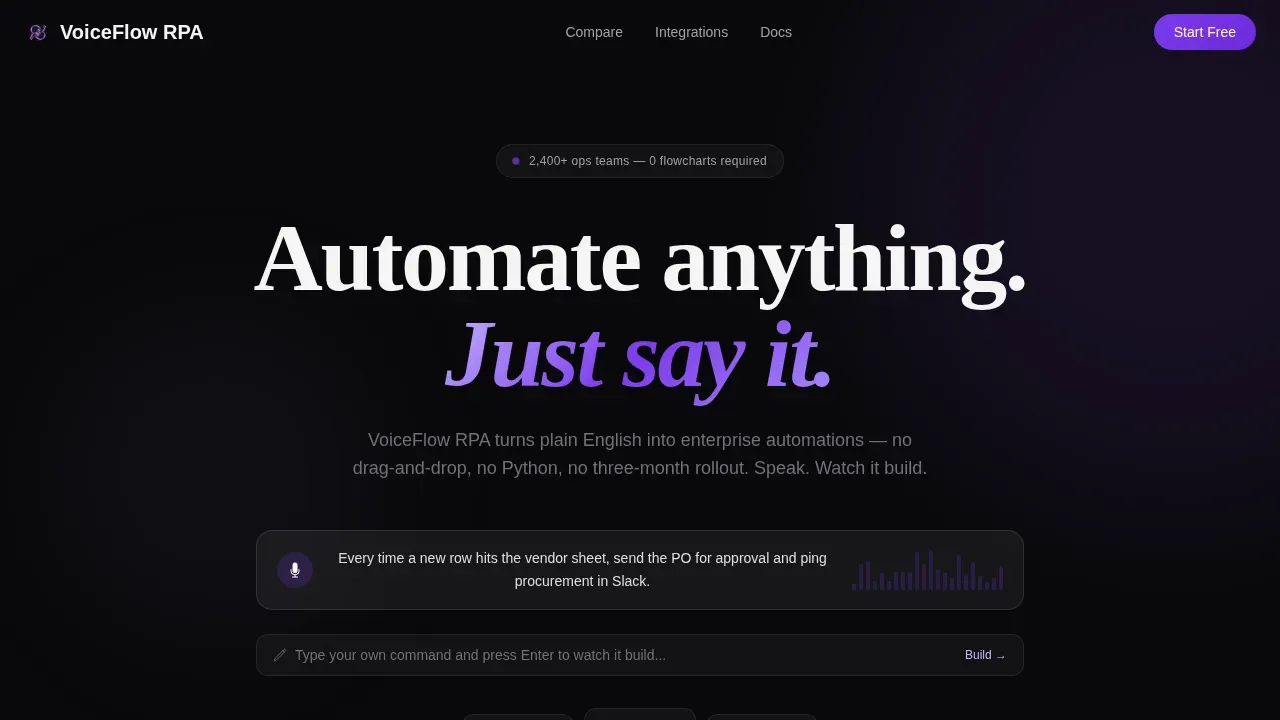
The header is the product demo. A live voice input bar sits centered on a black glass panel. A waveform ripples in violet as a pre-loaded command plays. Automation nodes, including a spreadsheet trigger, an approval gate, and a Slack notification, materialize and connect in real time. Visitors can also type or speak their own command to watch a new ai workflow assemble on screen.
Animated Feature Matrix Tables
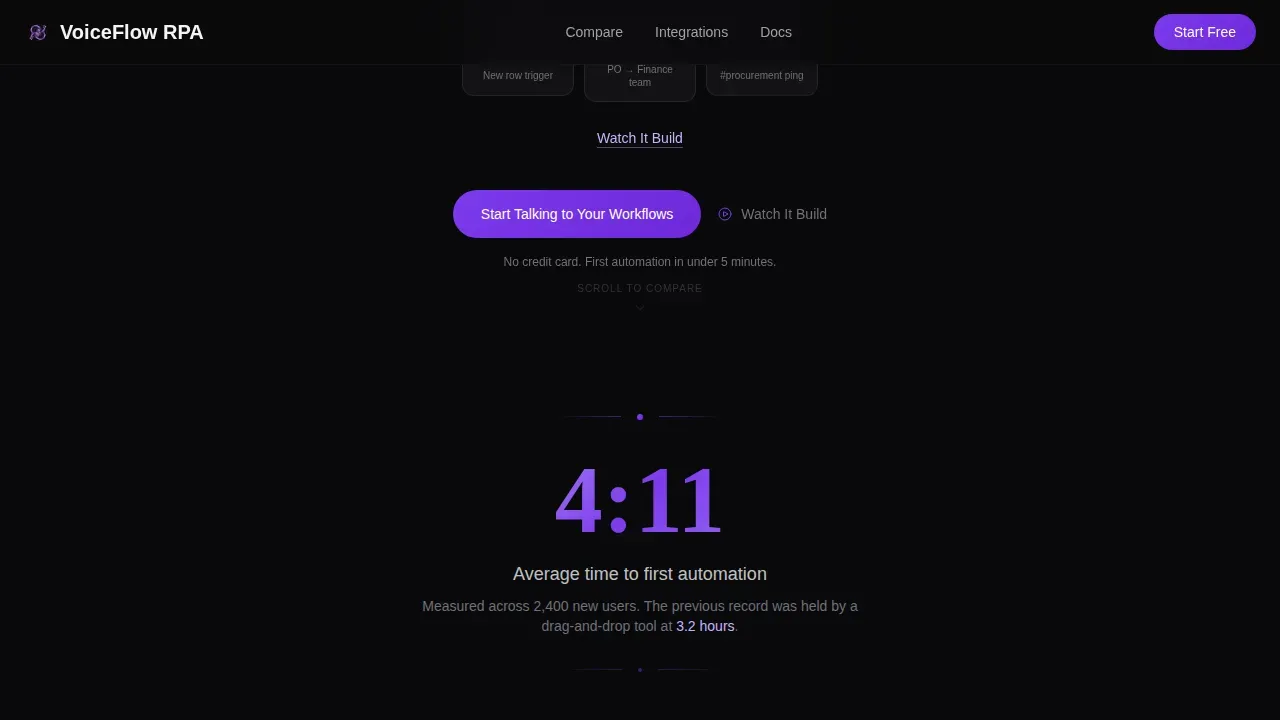
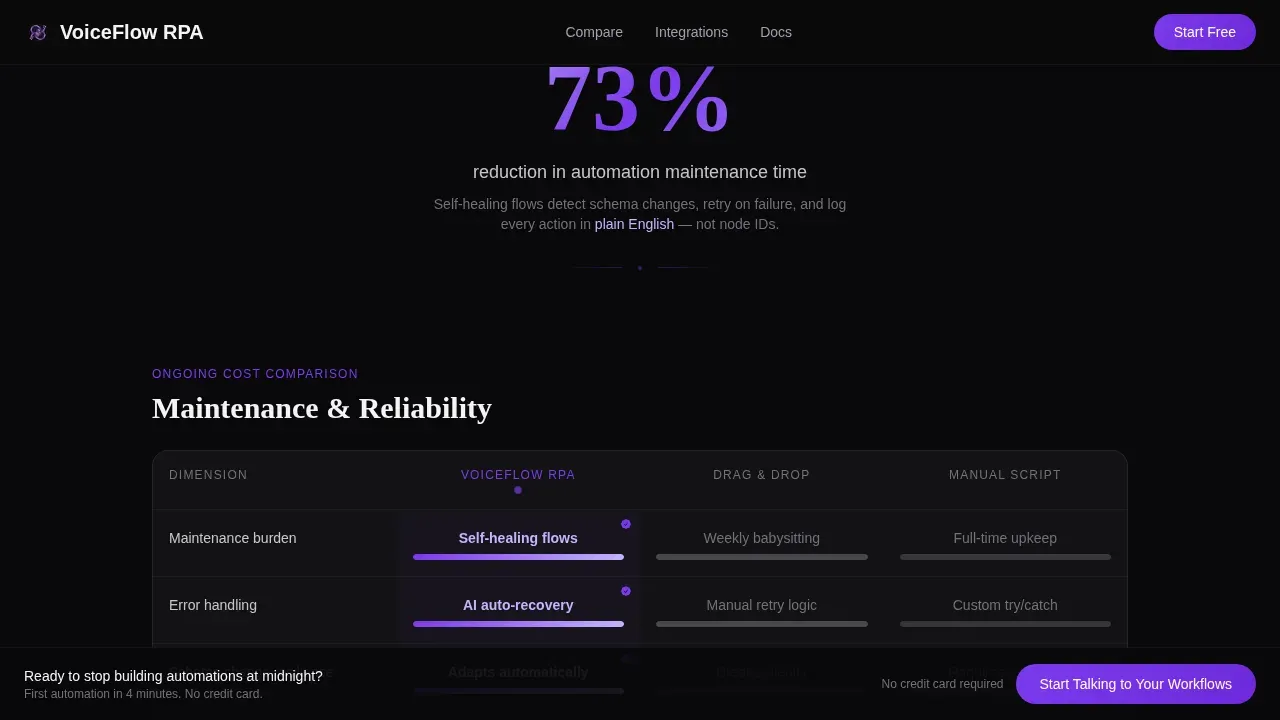
Three glass-panel comparison tables scroll in sequence. Each row animates on entry: the voice column fills immediately in violet while competitor columns load with deliberate slowness. Dimensions covered include time-to-first-automation, learning curve, maintenance burden, error handling, and integration count. Between tables, single-stat interstitials display impact metrics like average first automation time.
Multi-Stage Call-to-Action System
The primary call to action, "Start Talking to Your Workflows," appears after the first table, again in a sticky bottom bar after the third, and as a full-width section closer. Each instance opens a two-field glass modal: work email and a free-text field asking what the visitor would automate first. This doubles as onboarding context for the ai automation platform.
Stat Interstitials and Social Proof Strip
Between comparison tables, bold single-stat callouts display hard impact metrics. A social proof strip features named testimonials with roles, company sizes, and specific results. Testimonials are designed to highlight quantifiable results like time saved and error reduction, giving clients and prospects real evidence to review before signing up.
Integration Wall Section
A dedicated section displays 60-plus connector logos in a grid layout, visualizing the breadth of the ai workflow integrations available. The section anchors a sticky call-to-action bar that persists as visitors scroll through the integration details, keeping the conversion path visible without interrupting the browsing experience.
Freemium Trial Modal
Clicking any primary call-to-action triggers a two-field glass modal. The fields are work email and a plain-text prompt asking the visitor's first intended automation. No credit card is needed. This frictionless entry process is ideal for capturing high-intent leads across sales, operations, and customer support workflows use cases.
Page sections overview
| Section | Purpose |
|---|---|
| Hero Voice Bar | Display interactive voice input and live node assembly |
| Stat Interstitial Block | Show first-automation impact metrics and social proof |
| Comparison Table One | Compare voice automation versus. drag-and-drop builders |
| Primary call to action Banner | Trigger freemium trial modal after first table |
| Comparison Table Two | Compare voice automation versus. manual scripting steps |
| Comparison Table Three | Highlight integration count and error handling dimensions |
| Sticky call to action Bar | Persistent sign-up prompt after third comparison table |
| Integration Wall Grid | Display 60-plus connector logos with anchored call to action |
| Full-Width Closer | Final conversion section with modal trigger |
| Linear Footer Row | Single-row footer with essential links and resources |
Design & branding system
The design language is Tech Glass with a Void & Violet palette. Every surface feels like looking through a tinted spacecraft visor, dark but alive with violet intelligence.
- Colors: void black (#09090B) as the base, deep nebula violet (#7C3AED) for calls-to-action and waveform pulses, frosted glass panels at low opacity over blur, and phosphor lilac (#C4B5FD) for hover states and active indicators that trace interaction paths
- Typography: DM Sans for body text and user interface elements; Fraunces for display headlines that add editorial weight to key comparisons and metrics
- Animation: high-density scroll-triggered reveals, waveform visualizer, node assembly sequence, and table row stagger effects that make the ai workflow process feel alive
Mobile & speed optimization
The template is designed desktop-first for operations managers working at workstations, with a solid mobile fallback to maintain responsiveness across devices.
- Static sections use server-side rendering patterns to support fast page loading, while interactive components like the voice demo and modal load as client-side elements
- Optimized image handling and layout structure aim to reduce unnecessary render steps and support a snappy page preview experience for all visitors
- The mobile layout preserves the core comparison table clarity and call-to-action visibility without sacrificing the glassmorphic design aesthetic
How this template helps you convert
The entire page is engineered to make the old way feel exhausting before it ever asks for a sign-up. Every scroll step adds pressure toward a single low-friction action.
- The interactive header preview creates an immediate emotional connection to the product. Visitors see ai powered workflow automation happen in real time before reading a single feature description, which builds trust faster than any static hero could.
- The Feature Matrix tables generate conviction through comparison. By the third table, the result of switching from drag-and-drop automation platforms to voice-activated ai workflow automation is arithmetic, not argument. The sticky call-to-action bar then catches visitors at peak motivation.
- The two-field modal removes every barrier to entry. No credit card, no lengthy forms, no commitment. Visitors who need one more look can watch the header demo again through the "Watch It Build" secondary link before they decide.
Other information about this template
This template covers a specialized use case inside the broader voice-activated enterprise software category. A few additional details are worth noting for teams evaluating it.
- The Invoke voice activated RPA workflow automation landing page template is designed for the Technology category within the Voice-Activated RPA niche, making it one of the most targeted pre built templates available for this use case
- The page structure supports use cases across finance (invoice approval automation), operations (automated follow ups and report generation), and customer support workflows like lead qualification and document processing
- CRM integration messaging is built into the comparison tables, reflecting real ai workflow capabilities like connecting to tools that handle calendars, sales pipelines, and payment processors
- The design system uses folders of reusable glass-panel components that developers and marketers can adapt without needing to write new code from scratch
- The template is ideal for companies that want to add an ai automation platform landing page to their website quickly, using the pre built design to generate a professional result immediately
Theme
Tech Glass
Creative direction
Feature Matrix
Color system
Void & Violet
Style
Comparison Table
Direction
Freemium/Trial
Page Sections
Interactive Voice Input Header
Animated Feature Matrix Comparison Tables
Multi-stage Call-to-action System
Social Proof and Testimonials Strip
Integration Wall with Sticky Call to Action
Two-field Freemium Trial Modal
Related questions
Who is this landing page template built for?
Does this template require coding knowledge to use?
What conversion features does the template include?
Can this template display industry-specific automation examples?
How does the interactive header work for first-time visitors?



