Invoke - Voiceactivated LMS Landing Page Template
Invoke is a split-screen landing page template built for a voice-activated learning management system. It targets corporate learning and development directors, accessibility coordinators, and field operations managers. The page uses a Midnight Blue visual system with electric cyan accents, a feature matrix layout, and an app download call to action, all designed to prove the voice interaction model before asking visitors to commit.
by Rocket studio
Quick summary
Invoke is a single-page landing page template for a voice-activated learning management system. It pairs a 50/50 split-screen header with a scrolling feature matrix that compares traditional mouse-driven learning against hands-free voice navigation. The design runs on a deep Midnight Blue palette with electric cyan highlights, giving every interactive element a precise, high-contrast glow.
Who this template is for
This template is built for teams that need to present a voice-first learning platform to decision-makers and end users in demanding environments. It speaks directly to professionals who cannot afford to pause work for a screen.
- Corporate learning and development directors rolling out compliance training across warehouse floors
- Accessibility coordinators at universities adapting curricula for visually impaired students
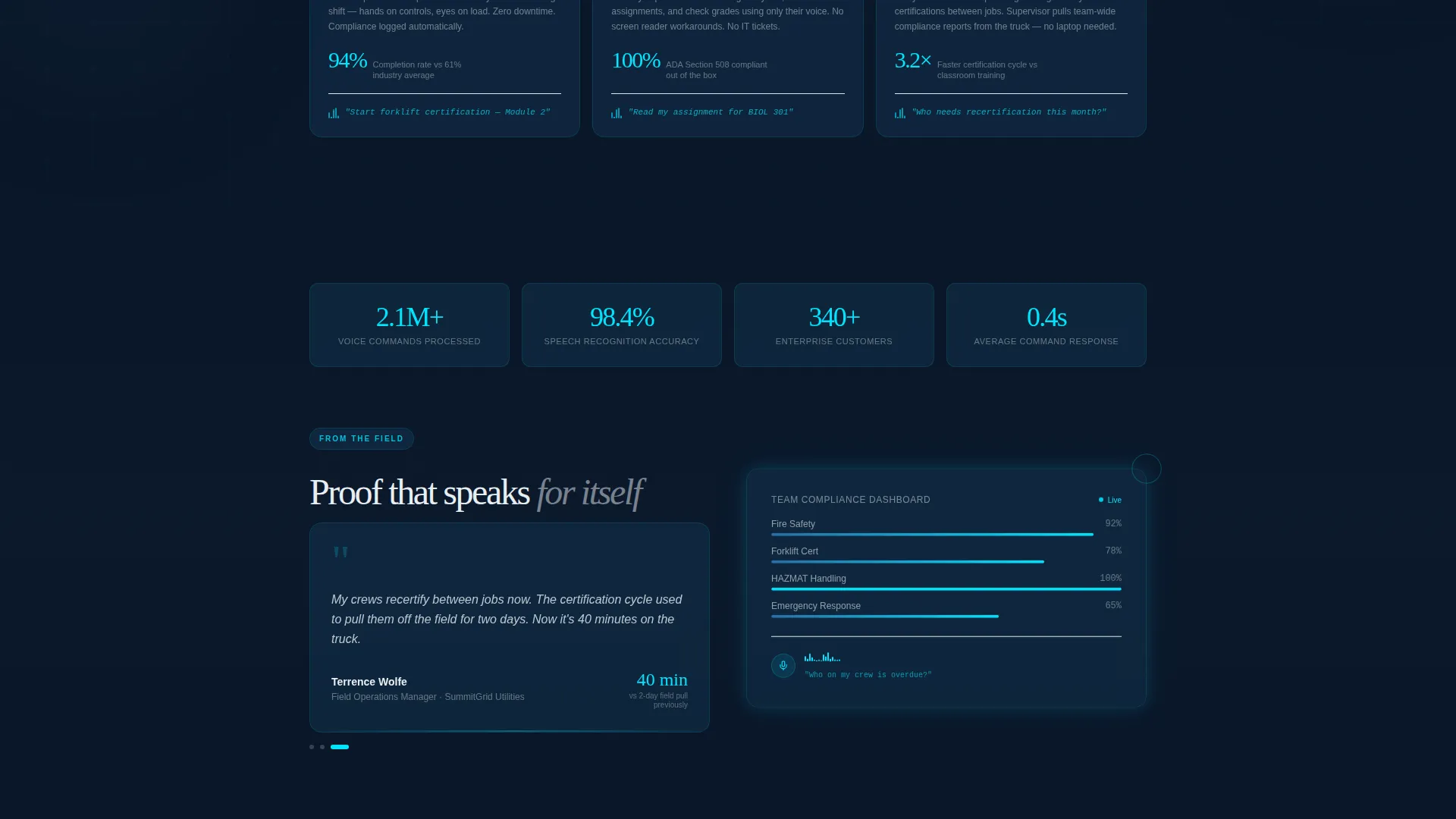
- Field operations managers who need crews certified while their hands stay on equipment
What problem this template solves
Most learning management system landing pages assume every learner has a free hand, a quiet desk, and a mouse. That assumption fails entire categories of users. Invoke removes that assumption from the first scroll.
- Workers in physical environments cannot stop tasks to click through training menus
- Visually impaired learners need a navigation model that never requires a screen
- Standard landing pages cannot demonstrate hands-free interaction before asking for a download
What you get with this template
You get a fully structured, single-page layout ready to present a voice-activated learning platform with visual confidence. Every section is designed to build trust before the call to action appears.
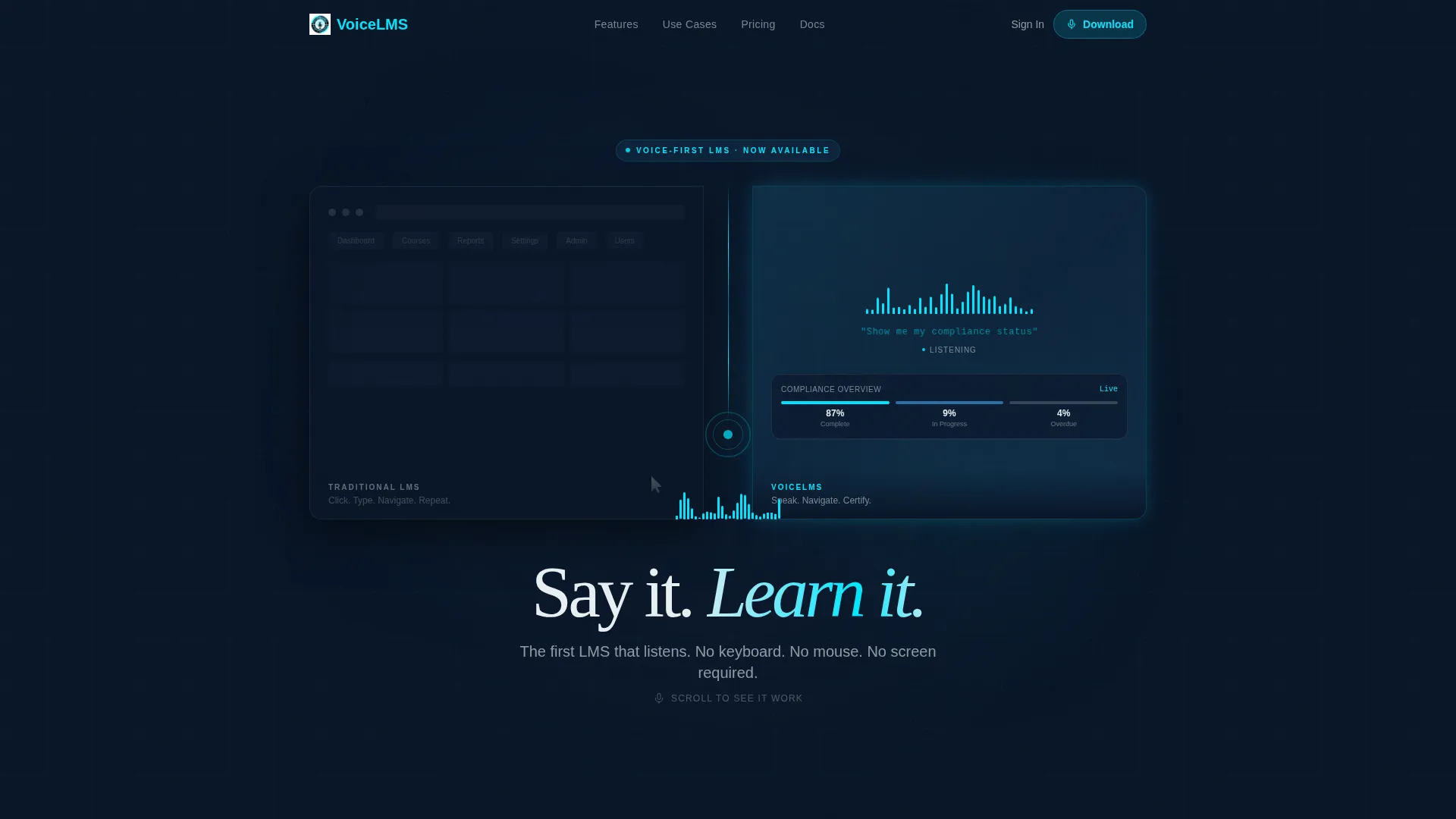
- A Dark Glass Panels split-screen header with an animated sound wave between two frosted-glass rectangles
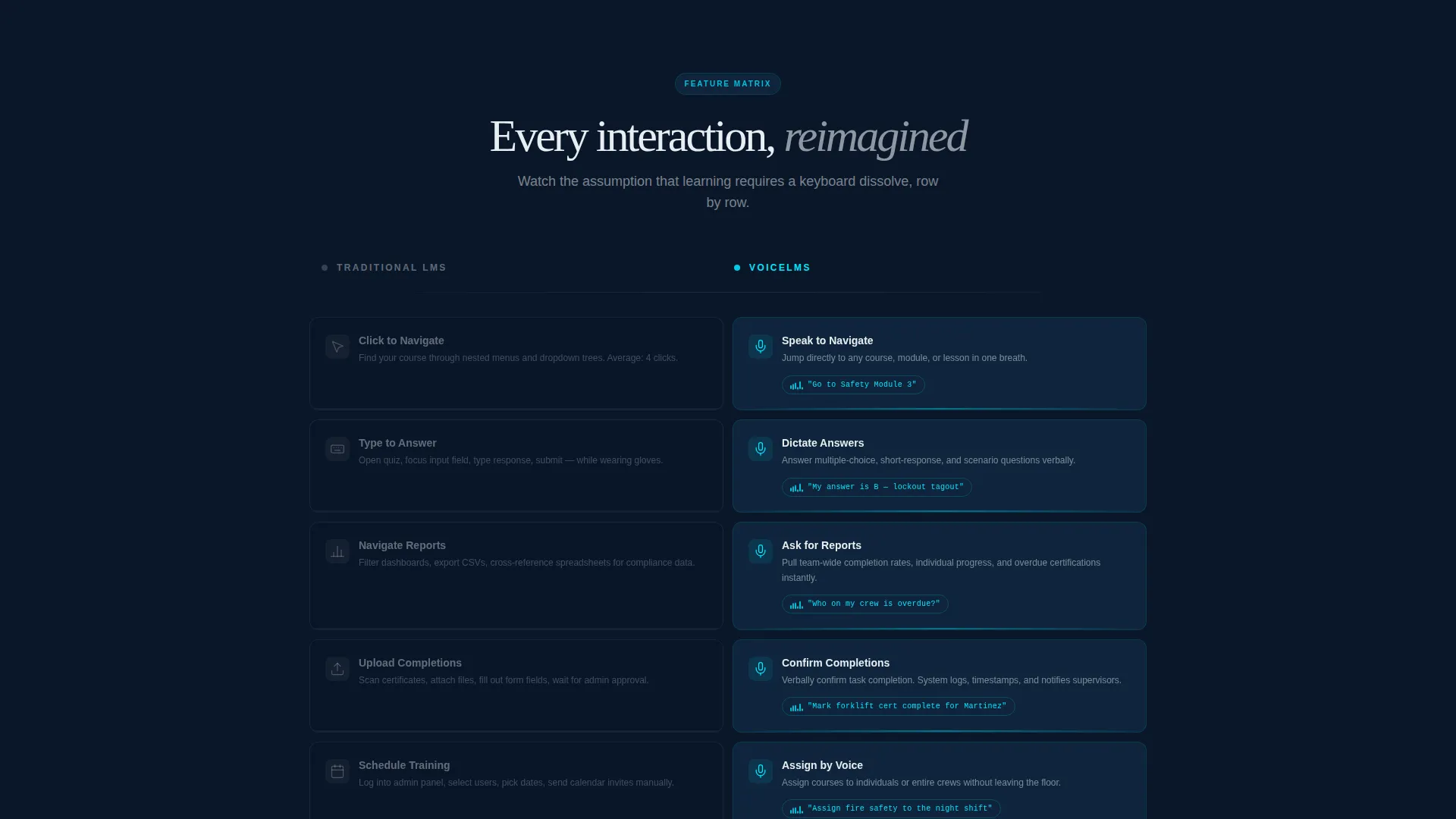
- A scrolling feature matrix that rows through twelve voice-versus-click comparisons, each animating on entry
- A full-width audio spectrogram break midway through the matrix, plus an embedded live microphone prompt for visitor interaction
- Paired app download buttons rendered in electric cyan against dark glass, with a secondary "Try a Voice Command Live" prompt
Feature list
The template includes a focused set of purpose-built components that work together to demonstrate the voice interaction model and drive app downloads.
Split-Screen Header Panel
Two frosted-glass rectangles float side by side against the abyssal navy background. The left panel shows a cluttered mouse-driven dashboard. The right panel shows the same dashboard reorganized by a single voice waveform. A live-animated sound wave pulses between them, and the headline fades in over the waveform once the animation settles.
Scrolling Feature Matrix
The core discovery section uses a structured grid where each row compares a traditional LMS action on the left against its voice-activated equivalent on the right. Left-column items appear static and gray. Right-column items pulse with cyan waveforms as each row animates into view during scroll, building a systematic argument row by row.
Full-Width Audio Spectrogram
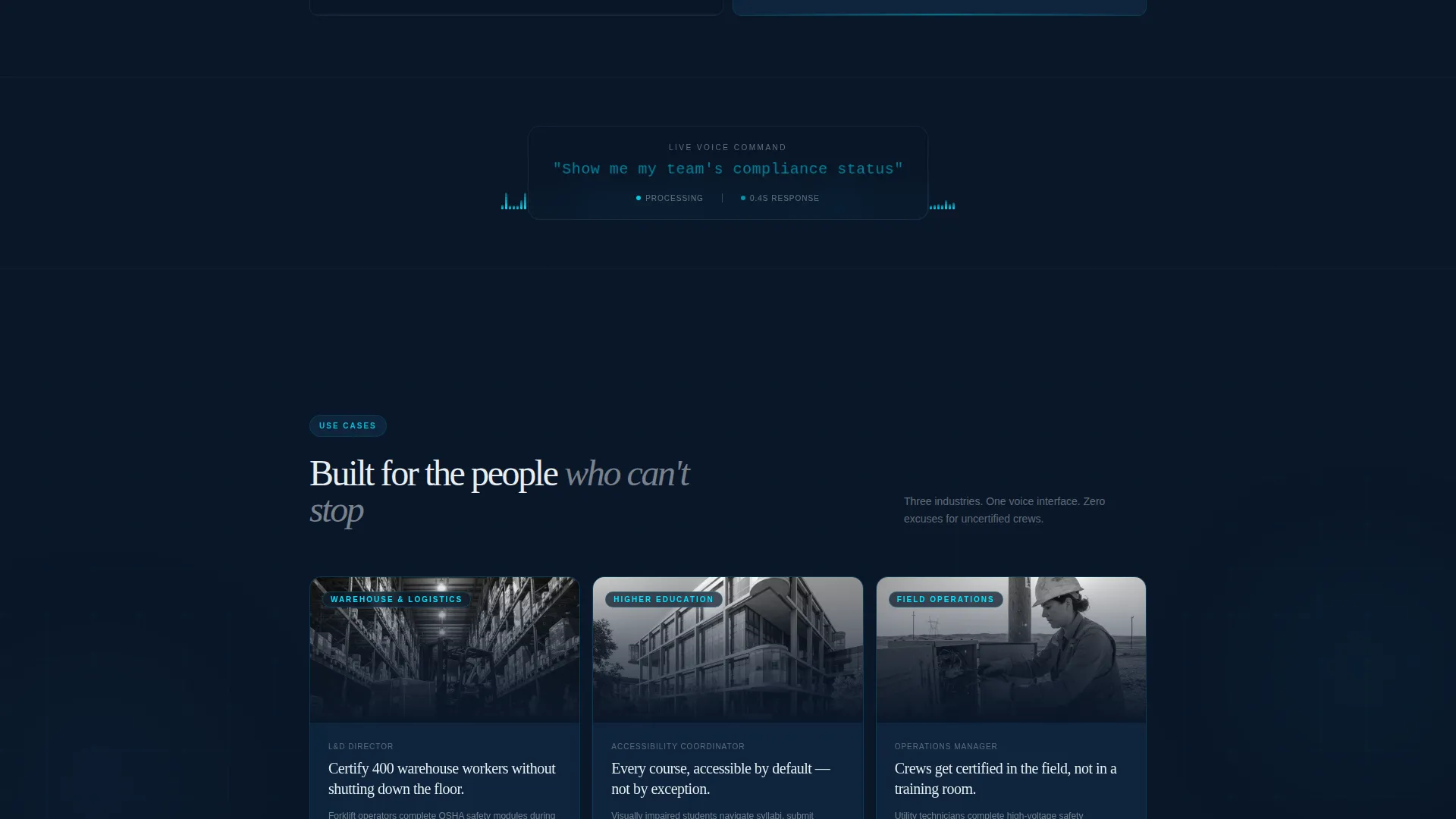
A full-width visual break midway through the matrix displays a real voice command alongside a simulated dashboard response. The spectrogram visualizes the spoken command "Show me my team's compliance status" and shows the platform responding in real time, grounding the concept in a practical compliance use case.
Live Microphone Prompt
A secondary call-to-action element invites visitors to speak a sample query directly into an embedded microphone prompt. The interface returns a simulated dashboard response, letting visitors experience the voice model personally before they reach the download section.
App Download Call to Action
The primary call to action reads "Download and Start Talking" and pairs App Store and Google Play badges in electric cyan against dark glass. The placement follows the full feature matrix, so visitors arrive at the download section having already seen the interaction model demonstrated multiple times.
Voice-Activated Dashboard Concept Sections
Each section of the page uses the same design language: dark backgrounds, faintly glowing interactive elements, and hover states that bloom like sonar returns. The layout makes the interface feel like it responds to presence, reinforcing the voice-first product concept at every scroll depth.
Page sections overview
| Section | Purpose |
|---|---|
| Dark Glass Header | Introduce the voice-versus-click concept with split panels and a pulsing waveform |
| Animated Waveform Headline | Deliver the core message "Say it. Learn it." as the waveform settles |
| Feature Matrix Grid | Compare traditional LMS actions against voice equivalents row by row |
| Audio Spectrogram Break | Demonstrate a real compliance voice command at full width |
| Live Microphone Prompt | Let visitors try a voice query and see a simulated response |
| App Download Section | Present the primary and secondary calls to action with store badges |
Design & branding system
The template follows a Directory and Discovery theme expressed through a Midnight Blue color system. Every visual decision reinforces the idea that the interface is dark until it matters, then lit with precision.
- Core palette: abyssal navy (#0A1628) as background, sonar blue (#1B4F72) for card surfaces and panel dividers, pale signal white (#E8EEF2) for all body and heading typography, and electric cyan (#00E5FF) exclusively for active states, waveform animations, and call-to-action pulses
- Visual texture: frosted-glass panel surfaces, hover states that bloom like sonar pings, and faintly glowing interactive elements that stay dark until they are needed
- Typography and motion: headlines fade in over animated waveforms, scroll-triggered row animations define the feature matrix rhythm, and the spectrogram section uses a full-bleed layout to break the grid's pacing
Mobile & speed optimization
The split-screen layout and scroll-driven animation system are designed with mobile viewing in mind. The 50/50 panel structure adapts so each panel reads clearly at smaller screen widths.
- The Dark Glass Panels header stacks cleanly on smaller viewports without losing the left-versus-right narrative contrast
- Scroll-triggered row animations in the feature matrix activate progressively, keeping the experience smooth as content loads into view
- The embedded microphone prompt and app badge section are sized for thumb-friendly interaction on mobile devices
How this template helps you convert
Invoke earns the download by proving the interaction model before the call to action appears. The page is structured so that skepticism is resolved by scroll depth, not by copy alone.
- The feature matrix dismantles the keyboard assumption row by row before visitors ever see a download button, so they arrive at the call to action already convinced the interface works
- The live microphone prompt turns passive reading into active experience, giving visitors personal proof of the voice model at the exact moment their interest peaks
- Paired App Store and Google Play badges with the "Download and Start Talking" headline reduce friction at the final step by making the next action immediate and clear
Other information about this template
This template is categorized under Technology and the Voice-Activated Enterprise Software subcategory, making it a strong fit for showcasing a voice-activated learning management system to enterprise buyers.
- The template style is Split Screen (50/50), a layout approach well suited to before-and-after product comparisons
- The header concept, Dark Glass Panels, and the Feature Matrix creative direction work together to give the page a cohesive narrative arc from entry to download
- The Directory and Discovery theme means the page feels like a discovery tool, not a static brochure
- The Midnight Blue color system is consistent across all components, so teams can adapt brand colors without breaking the visual logic
- This template can support use cases across compliance training, accessibility-focused curricula, and field certification programs, as long as the underlying product is voice-driven
Theme
Directory & Discovery
Creative direction
Feature Matrix
Color system
Midnight Blue
Style
Split Screen (50/50)
Direction
App Download
Page Sections
Split-screen Dark Glass Header
Row-by-row Feature Matrix
Full-width Audio Spectrogram
Embedded Live Microphone Prompt
App Download Call to Action
Related questions
Who is this landing page template designed for?
Does the template include the live microphone functionality?
Can the feature matrix rows be customized?
Is the app download section flexible for web-only platforms?
What makes this template different from a standard LMS landing page?



