Construction Company Booking Website Template
Ironframe is a hub-and-spoke landing page template built for industrial construction companies. It opens with hard-number credentials in a pinned logo bar, then smooth-scrolls visitors through stat-led spoke sections covering active projects, portfolio, and contact. Every section ends with a single "Get on the Schedule" call to action that clicks through to a dedicated intake page.
by Rocket studio
Quick summary
Ironframe is a single-page, anchor-navigation construction landing page. It leads with quantified credentials, organizes content into stat-first spoke sections, and pushes every visitor toward one focused call to action. The Carbon Fiber color system and industrial type hierarchy make the page feel like a jobsite briefing, not a brochure.
Who this template is for
This template is built for construction businesses that need to convert trade-savvy visitors fast. It works best when credibility is the primary selling point and the goal is a single, deliberate next step.
- General contractors and specialty subcontractors looking to win new bids
- Construction company owners who want a contact page that earns trust before asking for it
- Property managers and developers scouting reliable trade partners for active punch lists
What problem this template solves
Most construction company contact pages bury the proof. Visitors arrive skeptical and leave before the credentials appear. Ironframe flips that sequence by putting numbers front and center, so trust is established before a single line of body copy is read.
- No proof upfront means visitors bounce before reaching the call to action
- Scattered navigation leaves general contractors and homeowners unsure where to look
- Generic layouts feel mismatched for an industrial, field-proven brand identity
What you get with this template
You get a fully structured hub-and-spoke landing page where every section is anchored to a quantified proof point. The layout is production-ready and built around one conversion goal.
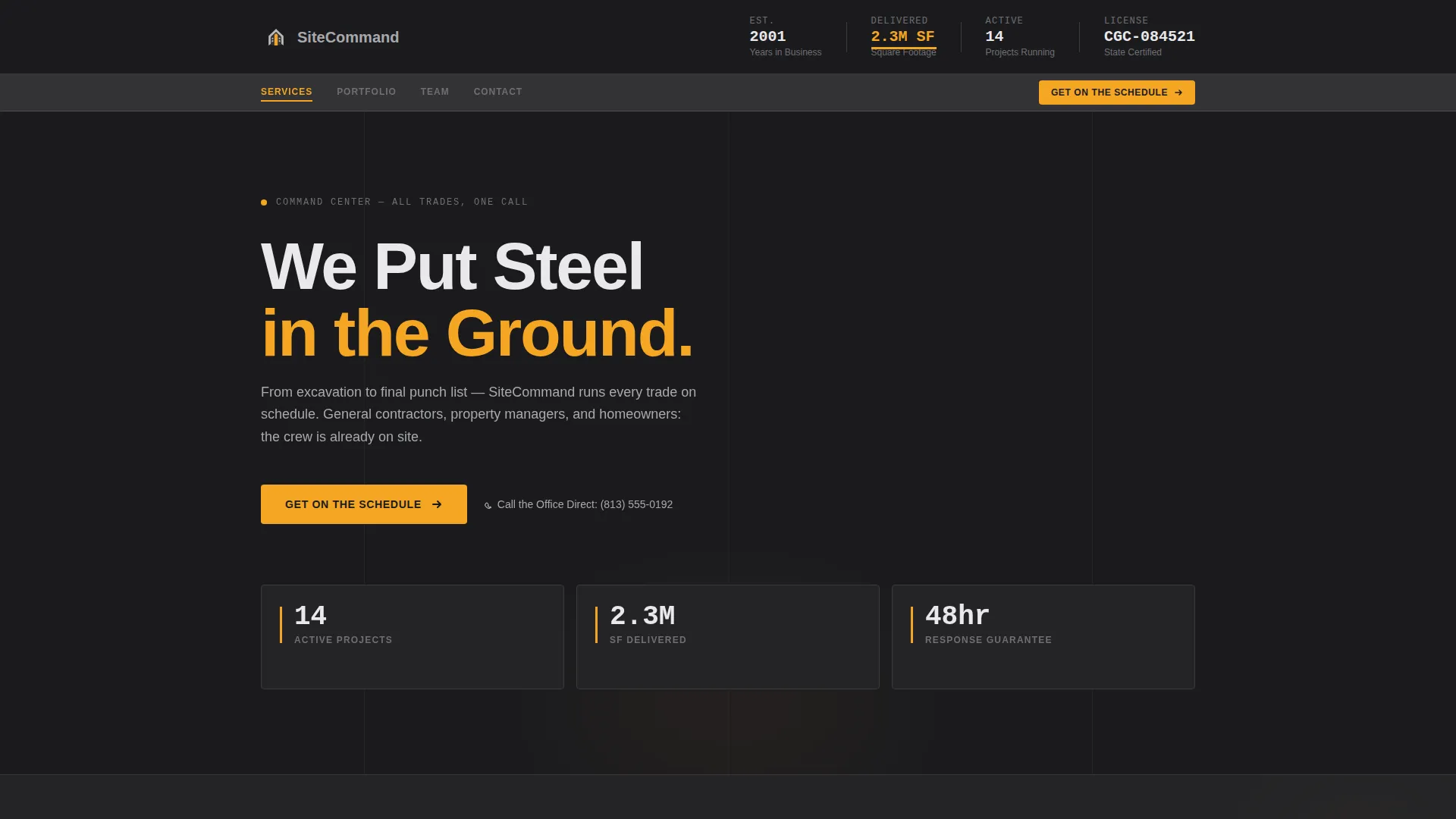
- A pinned logo bar header showing years in business, square footage completed, active project count, and license number
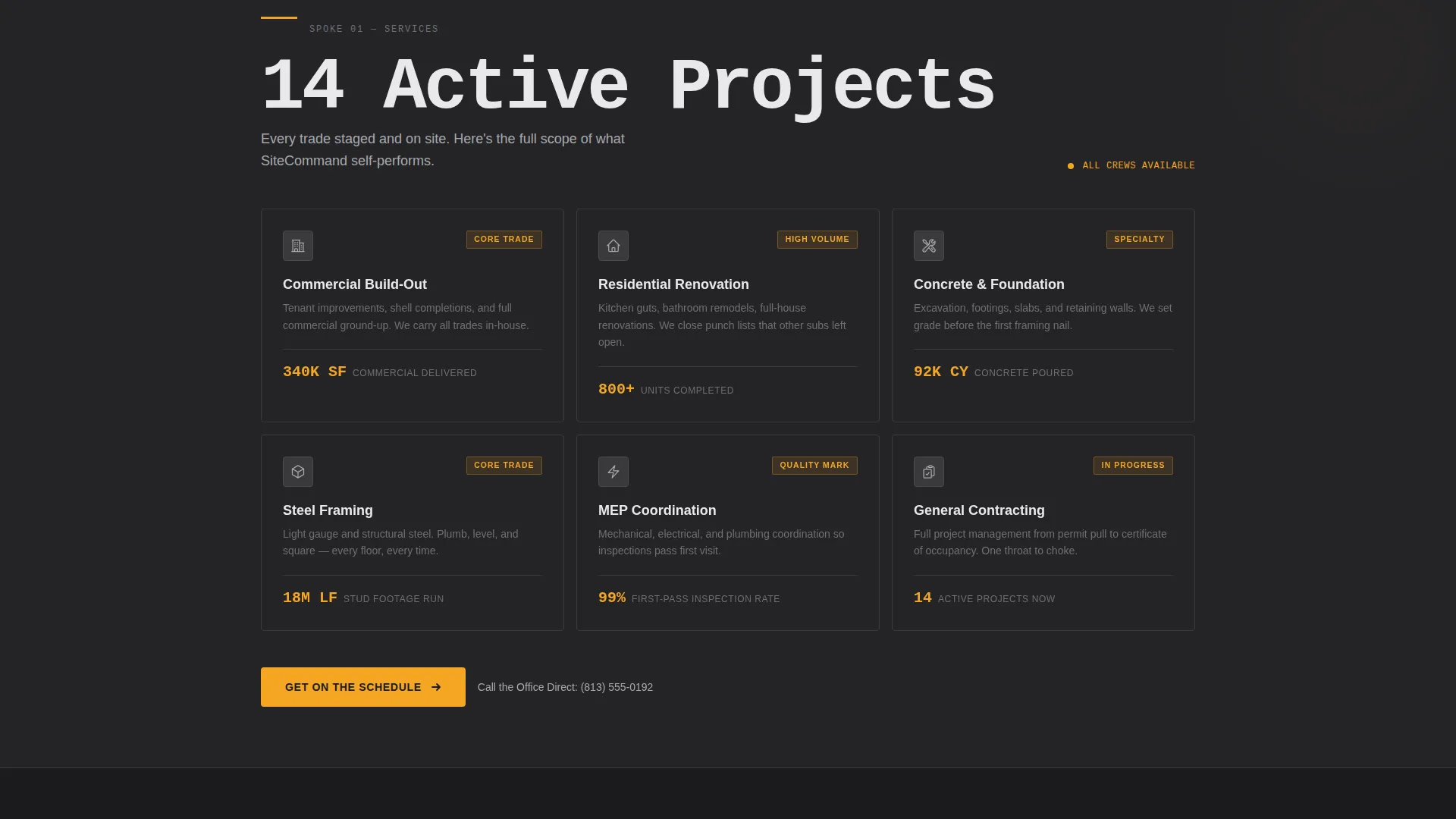
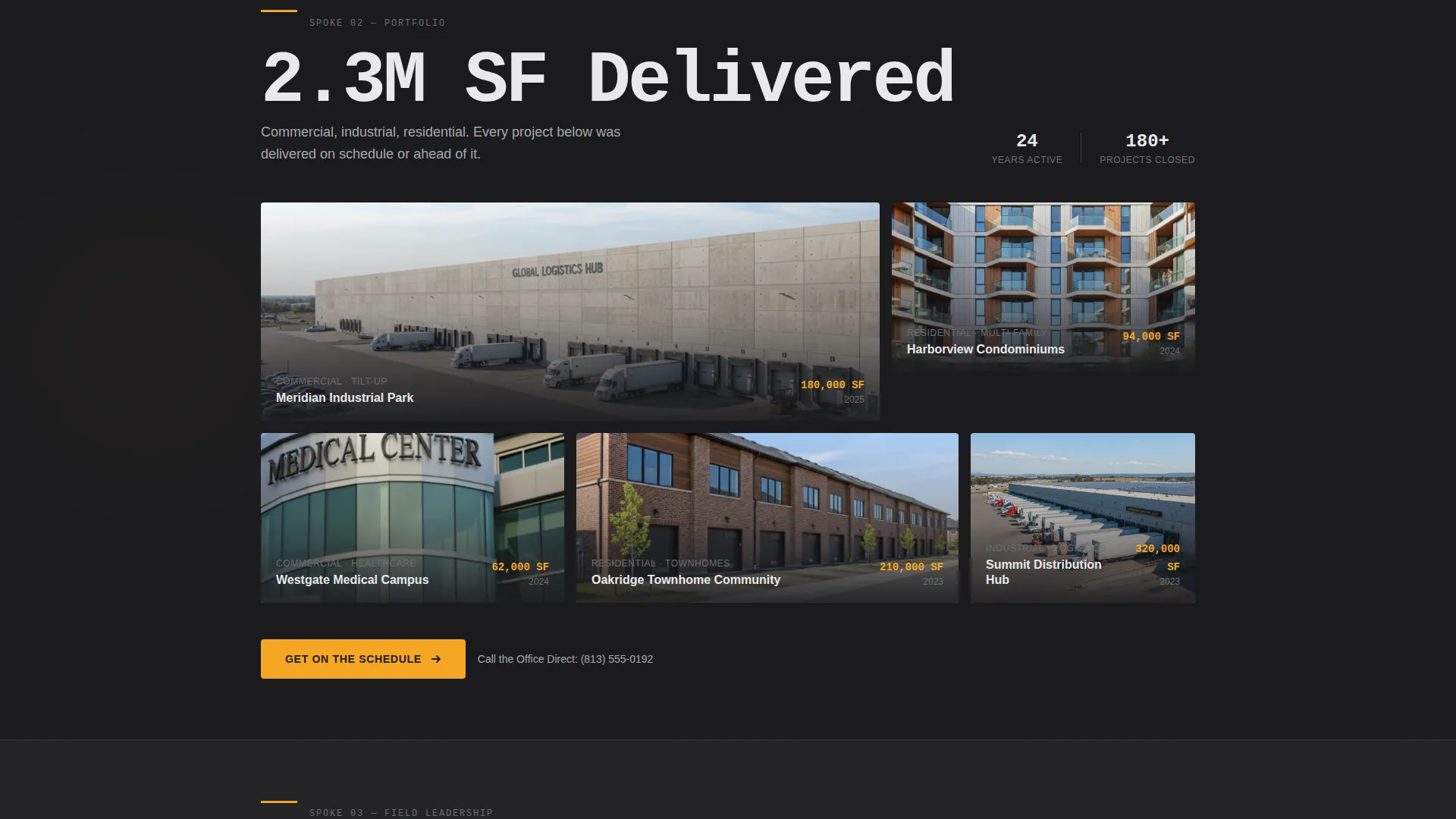
- Spoke sections for current work, portfolio, and contact, each opening with an oversized stat and expanding into supporting detail
- A persistent anchor navigation bar with smooth-scroll links and a repeating "Get on the Schedule" primary call to action at every spoke close
Feature list
This section covers the core structural and design capabilities built into the Ironframe template.
Pinned Logo Bar Header
The header is a horizontal strip fixed to the top of the page. It displays the company mark alongside hard-number credentials rendered in oversized tabular figures. The amber accent underscores the standout stat, making the first impression feel like a spec sheet bolted to the front of the building.
Hub-and-Spoke Anchor Navigation
A persistent navigation bar maps each anchor link to a corresponding spoke section. Clicking any anchor smooth-scrolls the visitor directly to that section, keeping orientation clear on a long single-page layout.
Stats-First Spoke Sections
Every spoke section opens with an oversized quantified proof point before any narrative copy appears. The rhythm is number-then-narrative, repeated across active projects, portfolio, and contact spokes, building cumulative credibility as the visitor scrolls.
Click-Through Call to Action System
The primary call to action, "Get on the Schedule," appears at the hub center and repeats at the close of every spoke. No form lives on the page. The button clicks through to a dedicated intake page, keeping the landing page lean and the conversion path direct.
Secondary Tap-to-Dial Link
A secondary text link, "Call the Office Direct," sits beside the primary call to action with a tap-to-dial phone number. This gives mobile visitors an immediate alternative without cluttering the layout.
Carbon Fiber Color System
The palette uses deep asphalt black, rebar charcoal, wet-concrete silver, and safety-vest amber. Amber is reserved exclusively for interactive elements, hover states, and call-to-action buttons, so every clickable element stands out instantly against the dark industrial background.
Page sections overview
| Section | Purpose |
|---|---|
| Pinned Logo Bar | Display company mark and hard-number credentials |
| Hub Anchor Nav | Persistent smooth-scroll navigation across all spokes |
| Hub Center call to action | Primary "Get on the Schedule" button with tap-to-dial link |
| Active Projects Spoke | Opens with project count stat, expands into current work detail |
| Portfolio Spoke | Opens with square footage stat, expands with project thumbnails |
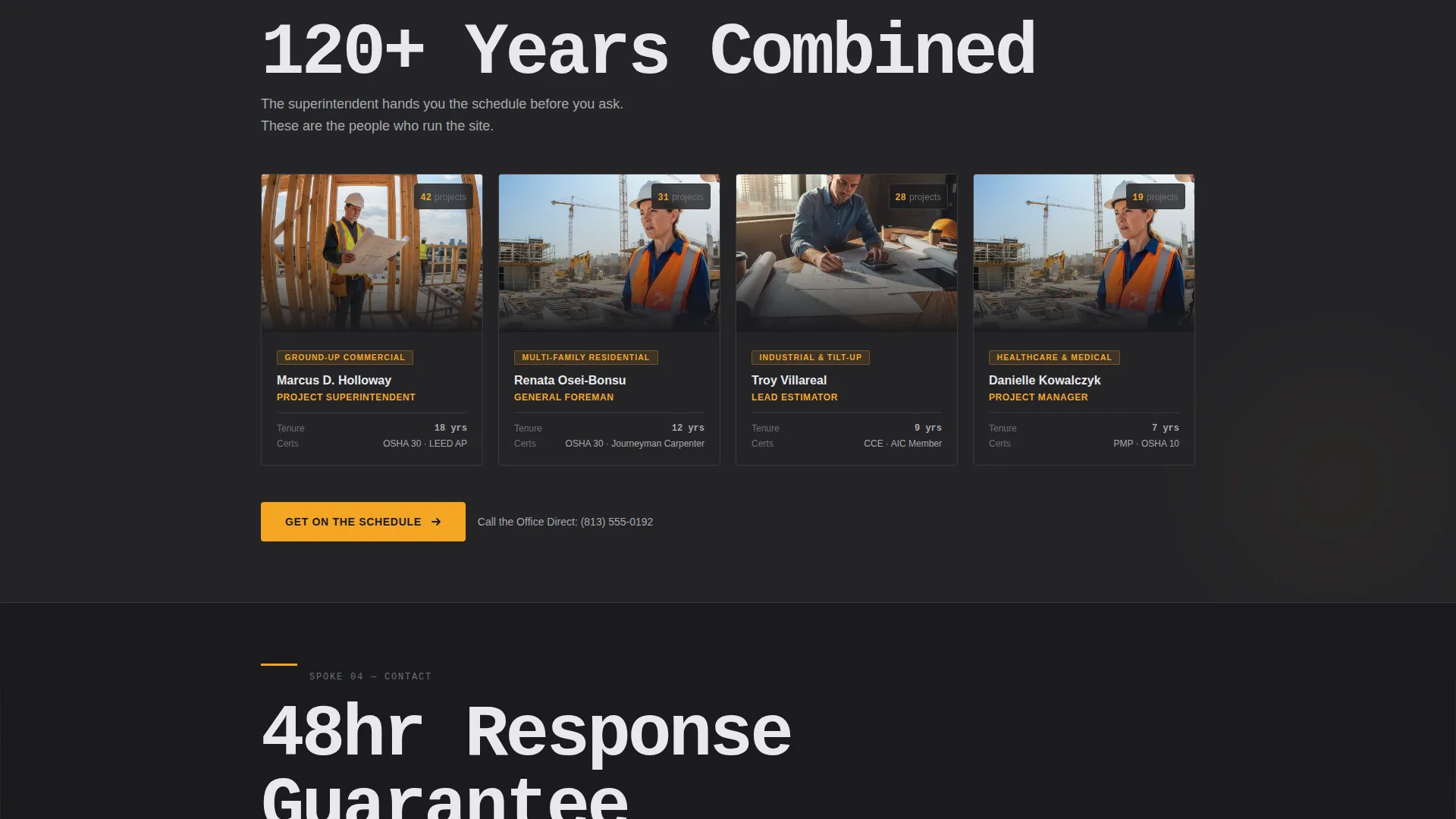
| Contact Spoke | Opens with response guarantee stat, closes with repeat call to action |
Design & branding system
The Carbon Fiber color system gives Ironframe a look that feels earned on a real jobsite. Every color decision serves a functional role, and decoration is kept to zero.
- Backgrounds stay in the asphalt black to rebar charcoal range, with body text in wet-concrete silver for legibility against dark fields
- Safety-vest amber fires only on interactive anchors, hover states, and call-to-action buttons, making every clickable element feel like a caution light demanding attention
- Oversized tabular figures carry the visual weight in each spoke, replacing decorative imagery with raw numbers that read like line items on a cost estimate
Mobile & speed optimization
Ironframe is built for visitors arriving on a phone from a jobsite or a tablet in a site trailer. The layout prioritizes fast orientation and minimal friction on small screens.
- The pinned logo bar and persistent anchor navigation remain accessible on mobile, keeping credentials and section links within one tap at all times
- Tap-to-dial is integrated directly into the secondary call to action link, removing extra steps for mobile callers
- The single-page structure with no embedded forms and no heavy media reduces the number of elements a browser needs to load before the page is usable
How this template helps you convert
Ironframe is engineered around one outcome: getting qualified visitors to click through to the intake page. Every design and copy decision supports that goal.
- Credentials appear before copy. The pinned logo bar and stats-first spoke structure mean visitors absorb proof points before they read a single sentence, so trust is built passively as they scroll.
- One clear action, repeated consistently. "Get on the Schedule" appears at the hub and at the close of every spoke, so the next step is always visible without the visitor having to hunt for it.
- The tap-to-dial secondary link captures mobile visitors who prefer a call, reducing the number of potential contacts lost because a form felt like too much friction.
Other information about this template
Ironframe fits naturally into a broader digital presence for construction businesses. A few additional details are worth noting before you get started.
- The template is designed as a single landing page and works as a standalone construction company contact page or as a hub that links out to deeper pages
- The hub-and-spoke structure can support as many spoke sections as the project scope requires, with each spoke following the same stat-then-detail pattern
- The "Get on the Schedule" call to action is designed to link to a separate intake or scheduling page, keeping the landing page focused and the intake process contained on its own dedicated URL
- This template suits construction company website templates in the industrial and commercial build space, where proof-first positioning is more persuasive than lifestyle imagery
Theme
Directory & Discovery
Creative direction
Stats-First Impact
Color system
Carbon Fiber
Style
Hub & Spoke (Anchor Nav)
Direction
Click-Through
Page Sections
Pinned Logo Bar with Hard-number Credentials
Hub-and-spoke Anchor Navigation
Stats-first Spoke Sections
Repeating Click-through Call to Action
Tap-to-dial Secondary Link
Carbon Fiber Industrial Color System
Related questions
Does this template include a contact form?
Can I add or remove spoke sections?
Is the amber accent color used anywhere besides buttons?
Who supplies the content for each spoke section?
Does this template work for specialty subcontractors, or only general contractors?



