Pet Care ERP Landing Page Template
Kennel is a pet care ERP landing page template built for grooming salons, veterinary clinics, boarding facilities, and daycare operators. It presents a live dashboard concept that unifies appointments, vaccination schedules, boarding calendars, invoicing, and pet-parent messaging in one place. The dark, neon-accented design communicates operational confidence from the first scroll.
by Rocket studio
Quick summary
Kennel is a single-page, card grid landing page template designed for pet care ERP platforms. It brings together every core operational module, scheduling, boarding, invoicing, vaccination tracking, and messaging, into a cohesive dark dashboard layout. The design is sharp, energetic, and built to convert first-time visitors into free trial sign-ups.
Who this template is for
This template speaks directly to the operators who run demanding, multi-animal facilities every day. It is built for businesses that have outgrown fragmented tools and need to show potential customers a credible, all-in-one solution.
- Grooming salon owners managing high daily dog volumes across multiple stylists
- Veterinary clinic managers tracking vaccination records across thousands of patient files
- Boarding and daycare operators who need real-time headcounts, yard assignments, and temperament groupings
What problem this template solves
Pet care businesses often run on a tangle of disconnected tools. Appointment books live in one app, invoices in another, and vaccination reminders get buried in group chats. This template gives software products a landing page that makes the case for consolidation visually and immediately.
- Shows scattered workflows replaced by a single live dashboard
- Communicates operational clarity to owners who are tired of sticky notes and spreadsheet workarounds
- Frames the product as the control room view operators need the moment their day starts
What you get with this template
The template delivers a full-length, scroll-driven landing page built on a modular card grid. Each section adds proof, capability, and urgency without ever breaking the visual rhythm.
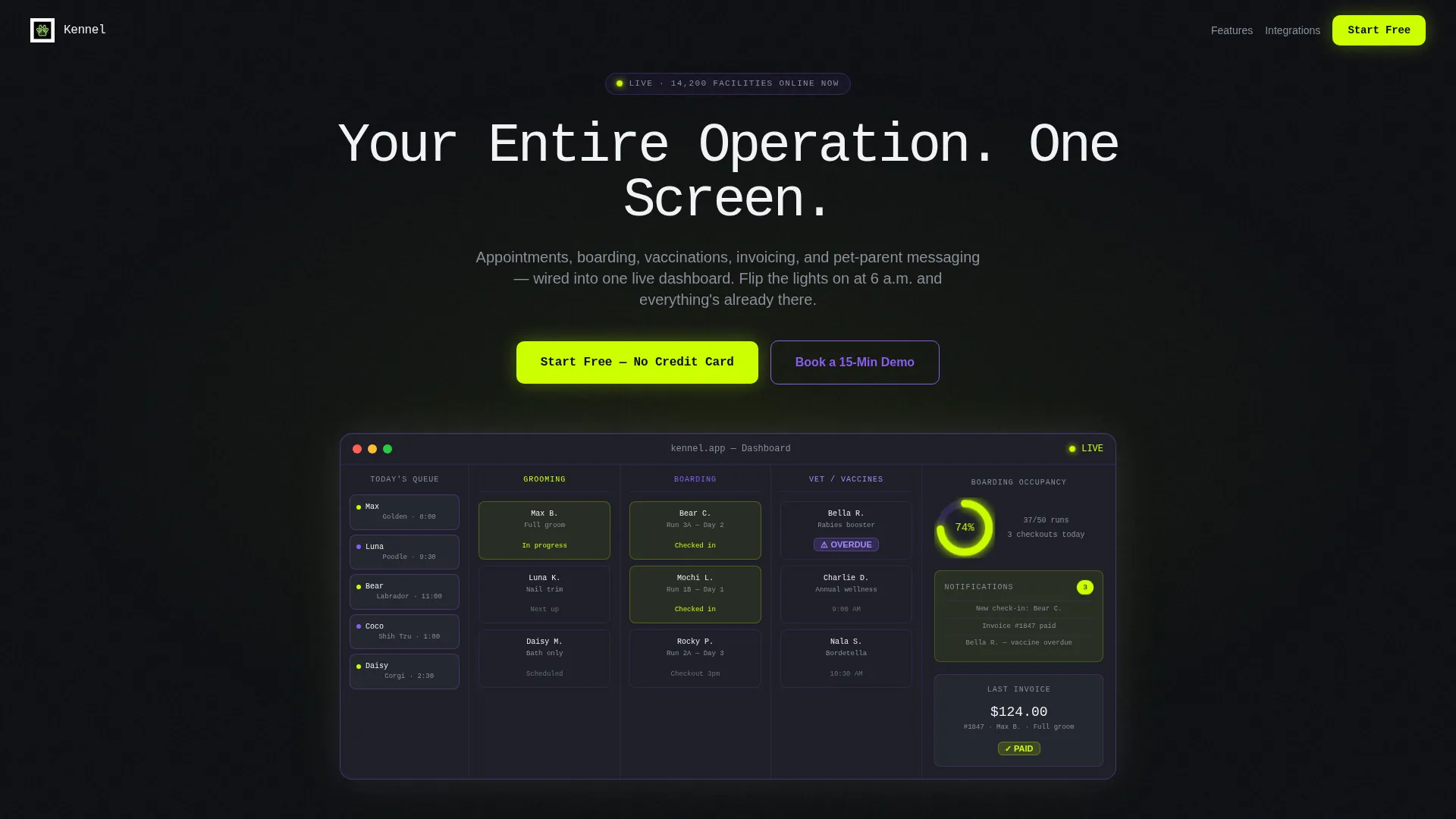
- A dark full-bleed header with a glowing dashboard user interface mockup, monospace headline, and primary call-to-action button
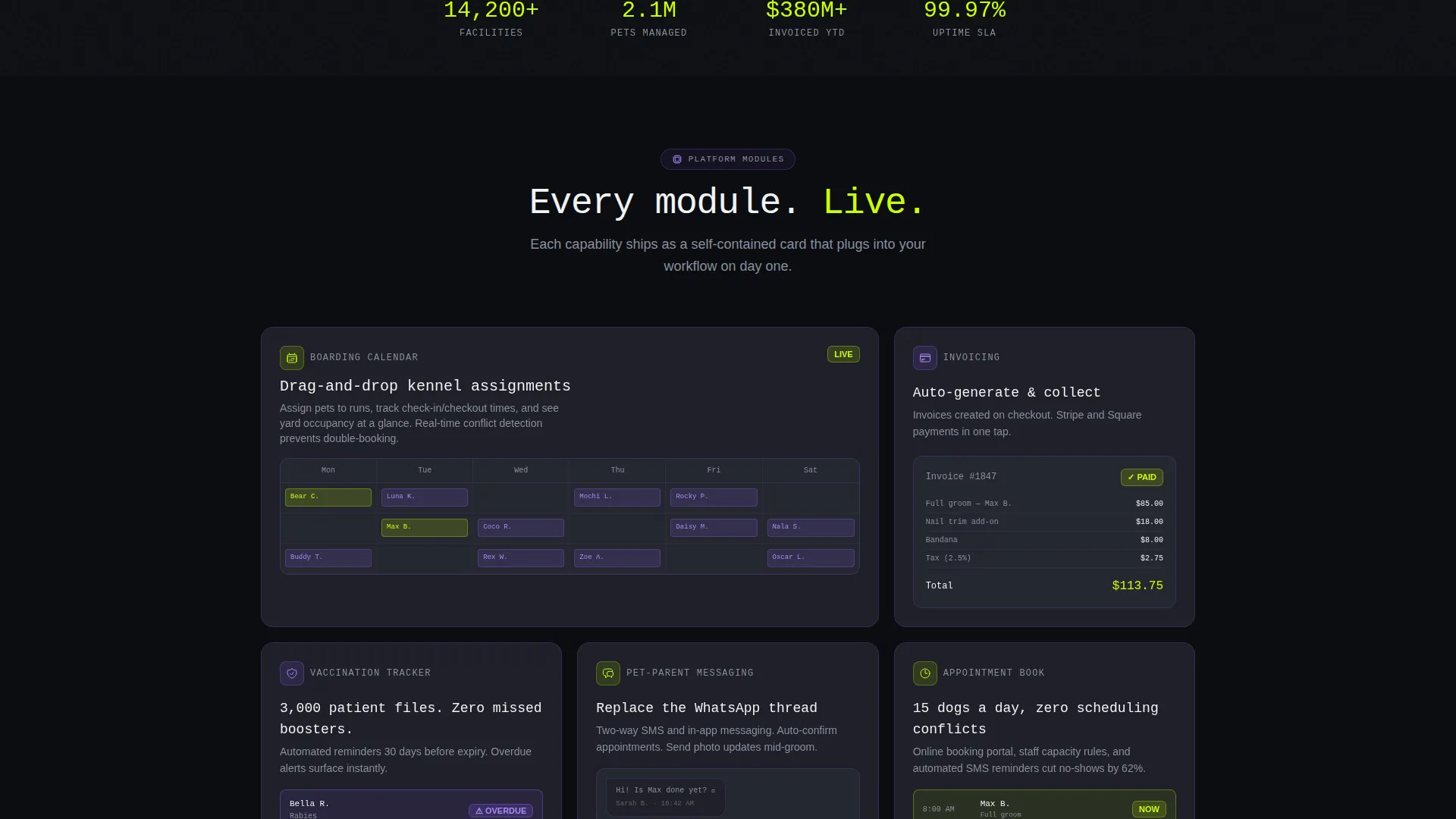
- A responsive cascade of feature capsule cards covering boarding, invoicing, vaccination tracking, and messaging
- A sticky conversion bar, a social proof interrupt, an inline sign-up form, and a secondary demo booking path
Feature list
This section breaks down the key components baked into the Kennel template.
Glowing Dashboard Header
The header fills the full viewport in void black. A central dashboard mockup glows outward with a chartreuse radial gradient, showing appointment columns, a live occupancy ring chart, a notification badge, and a grooming queue sidebar. The headline types itself in monospace: "Your Entire Operation. One Screen."
Modular Feature Card Grid
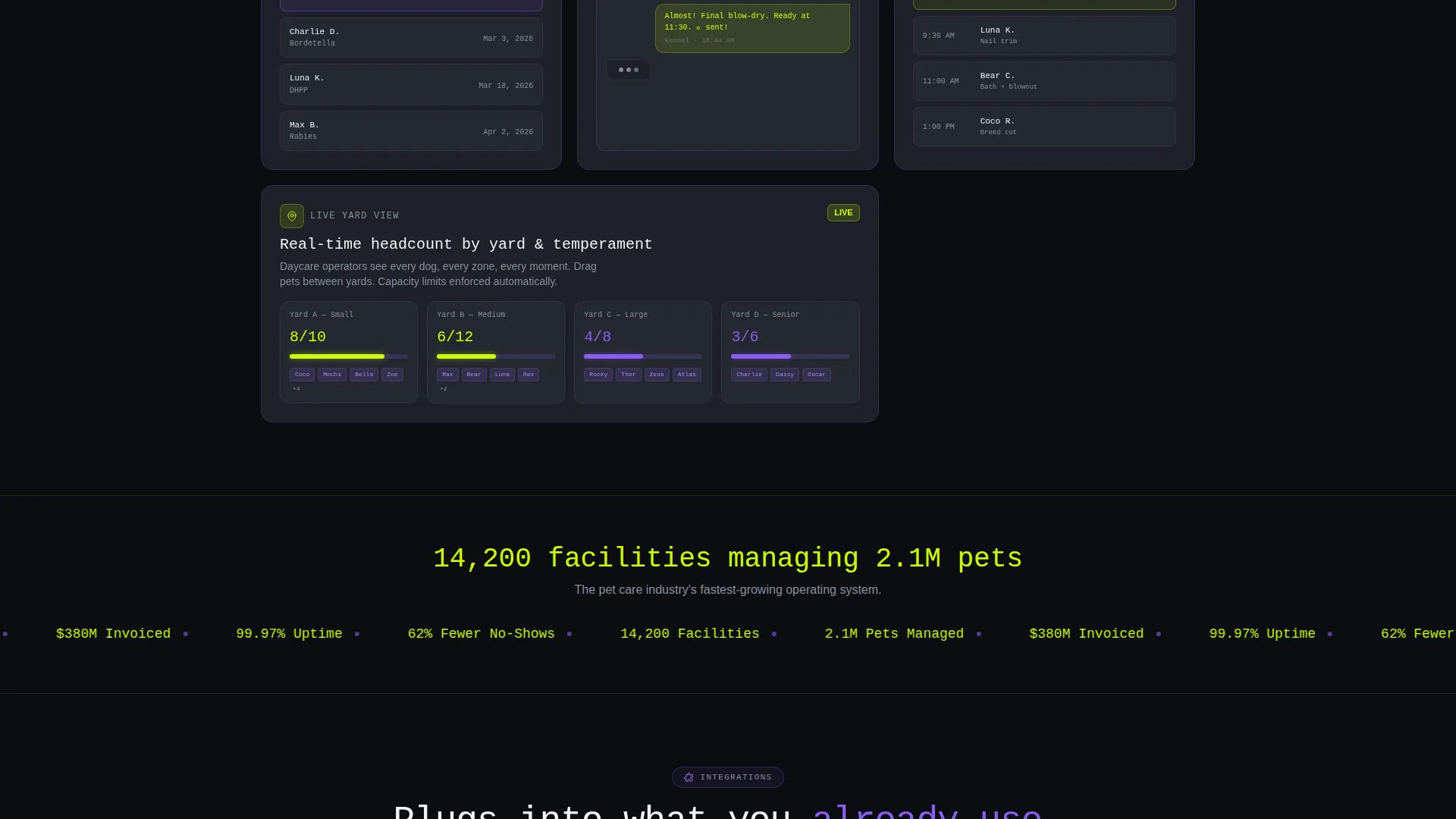
Below the header, feature capsule cards tile across a responsive grid. Each card represents one operational module: a boarding calendar with drag-and-drop kennel assignments, an invoicing card with a completed payment state, a vaccination tracker with an overdue alert badge, and a messaging card mid-conversation. Cards animate in with a micro-scale pop as they enter the viewport.
Social Proof Interrupt Bar
A full-width bar breaks the card grid midway. It displays "14,200 facilities managing 2.1M pets" in chartreuse on void black. This single moment of social proof resets visitor confidence before the grid continues.
Sticky Conversion Bar
After one scroll depth, a slim sticky bar pins to the top of the viewport. It carries the primary call-to-action so the sign-up option is never out of reach, regardless of how far the visitor has scrolled.
Inline Sign-Up Form
The primary conversion path uses a three-field inline form: facility name, email address, and a facility type selector with options for grooming, veterinary, boarding, daycare, and multi-service. No credit card is required to start.
Secondary Demo Booking Path
Below the feature grid, a violet outline button invites operators managing fifty-plus animals to book a fifteen-minute guided walkthrough. This gives high-intent visitors a lower-pressure entry point before committing to self-serve sign-up.
Page sections overview
| Section | Purpose |
|---|---|
| Full-Bleed Header | Introduce the product with a glowing dashboard mockup and headline |
| Primary call to action Button | Drive immediate free trial sign-ups from the header area |
| Feature Card Grid | Present each operational module as a live, animated capability card |
| Social Proof Bar | Reinforce trust with a facility and pet count milestone |
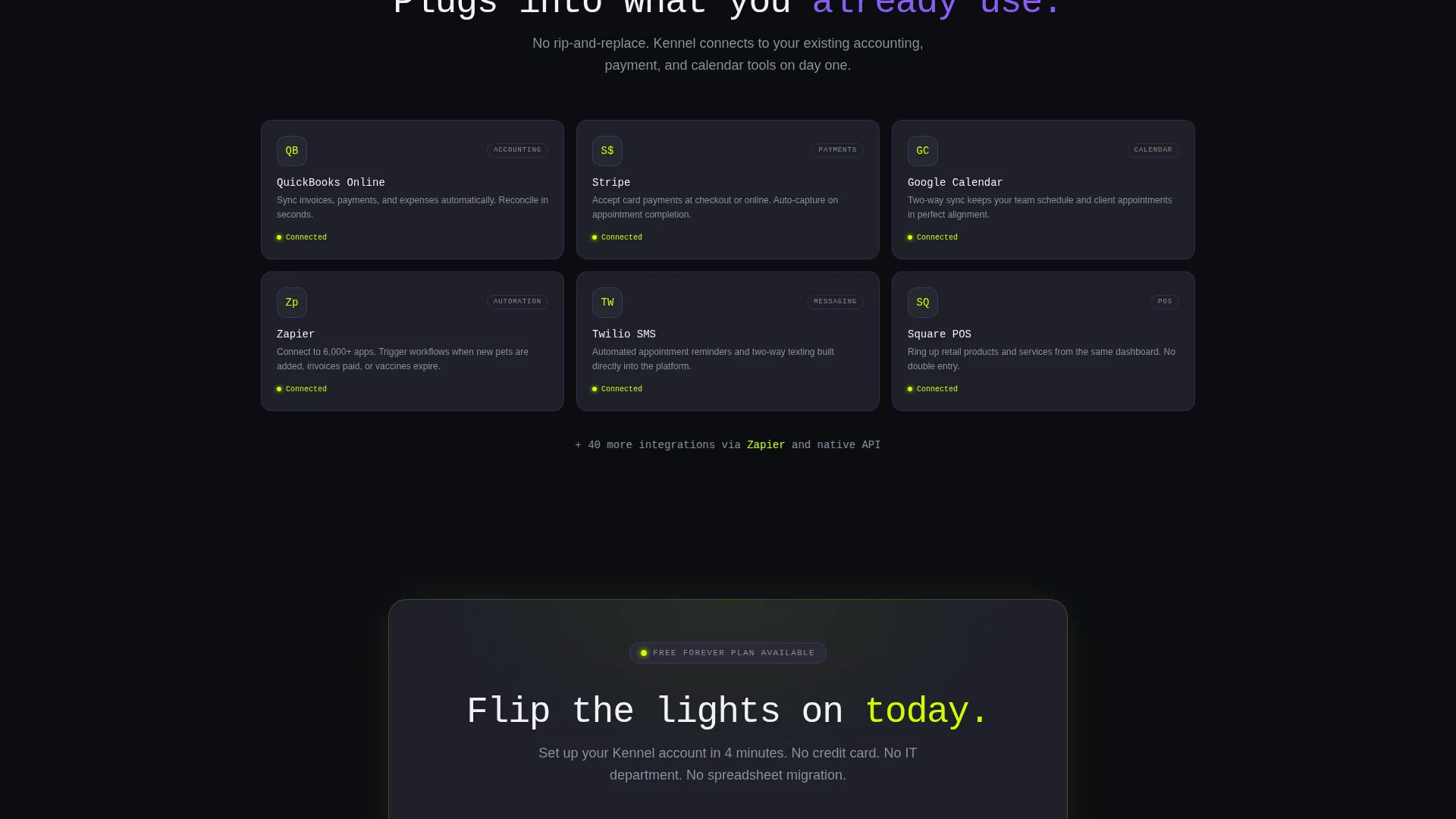
| Integration Cards | Show compatibility with tools operators already use |
| Sticky Conversion Bar | Keep the sign-up option visible throughout the entire scroll |
| Inline Sign-Up Form | Capture facility name, email, and facility type with no credit card |
| Demo Booking call to action | Offer a guided walkthrough for larger or more complex operations |
Design & branding system
The visual identity follows a Dashboard Pro theme using an Acid Digital color system. The palette feels dark, luminous, and unmistakably digital. Every color decision serves a functional purpose in guiding the eye.
- Void black (#0B0D11) dominates the background; interface gray (#1E2028) lifts card surfaces off the base layer with 1px synthetic violet (#8B5CF6) borders that brighten on hover
- Electric chartreuse (#CCFF00) is reserved exclusively for live data points, active toggles, and primary buttons so the eye always knows where action lives
- Typography uses monospace for the headline to reinforce the control-room, operational software aesthetic
Mobile & speed optimization
The card grid layout is fully responsive and adapts cleanly to smaller screens. The modular structure means each feature capsule stacks gracefully without losing its visual impact.
- The sticky conversion bar and inline form remain accessible on mobile viewports throughout the scroll
- Card entrance animations are lightweight and do not depend on heavy JavaScript libraries, keeping the experience smooth on lower-powered devices
How this template helps you convert
The page is structured around a freemium and free trial conversion strategy. Visitors see the product working before they are ever asked for anything.
- The header shows a live dashboard mockup first, making the product feel real and already operational before any copy is read
- The social proof interrupt mid-scroll resets trust at the exact moment a visitor might hesitate, using hard facility and pet-count numbers in high-contrast chartreuse
- The three-field inline form with no credit card requirement removes the most common friction point at sign-up, while the secondary demo path catches high-intent operators who want a human touchpoint first
Other information about this template
This template is part of a broader family of Dashboard Pro designs built for SaaS and operational software products. A few additional details worth noting:
- The template style is Card Grid (Modular), making it straightforward to reorder, add, or remove feature cards as the product evolves
- The creative direction is Launch Energy, meaning every scroll position is designed to feel like the system is already live and proven, not a pitch in progress
- The header concept is Dark Full-Bleed with Glow, a treatment that works especially well for software products that lead with a visual product demo rather than static copy
- Integration cards in the lower grid reference tools commonly used by pet care businesses, showing that the platform connects with existing workflows rather than replacing them entirely
Theme
Dashboard Pro
Creative direction
Launch Energy
Color system
Acid Digital
Style
Card Grid (Modular)
Direction
Freemium/Trial
Page Sections
Glowing Full-bleed Dashboard Header
Animated Modular Feature Cards
Social Proof Interrupt Bar
Sticky Conversion Bar
Three-field Inline Sign-up Form
Secondary Demo Booking Path
Related questions
What type of business is this template designed for?
Can I customize the feature cards to match my actual product modules?
What conversion paths does this template include?
Does the template include a persistent call-to-action element?
Is this template suitable for a freemium product launch?



