Pet Care Digital Presence Cost Estimator Website Template
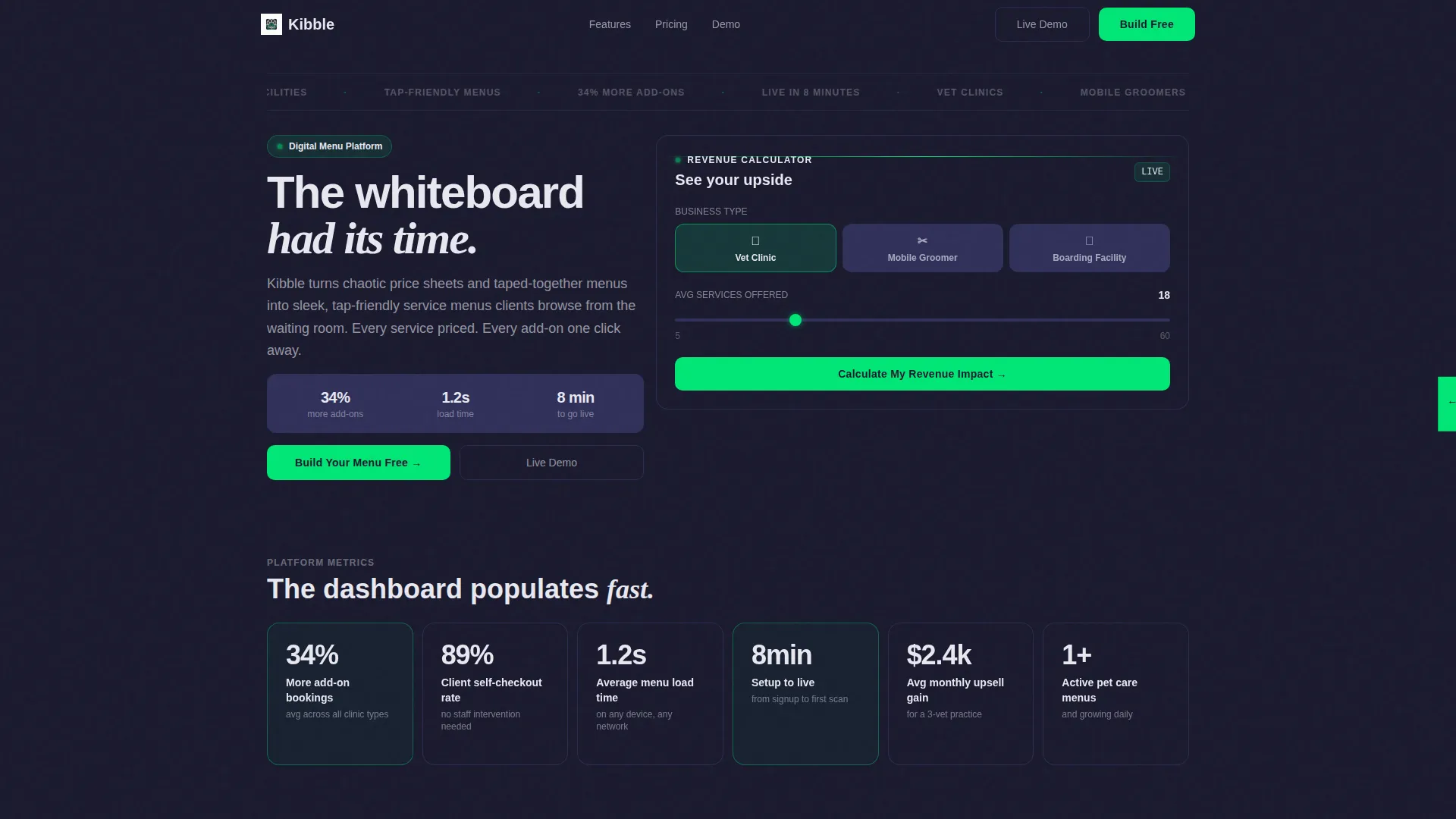
Kibble is a bento grid landing page template built for pet care digital menu platforms. It pairs a live revenue calculator header with stat-driven metric tiles, a side-by-side contrast section, and a frictionless click-through funnel. The Dashboard Pro visual identity uses a Carbon Fiber color system to make every number feel credible and every call to action feel urgent.
by Rocket studio
Quick summary
Kibble is a single-page bento grid landing page template designed for a pet care digital menu platform. It opens with a functioning revenue estimator, builds trust through animated metric tiles, and closes with a clear click-through call to action. The dark Carbon Fiber palette and Dashboard Pro theme make data feel premium and instantly readable.
Who this template is for
This template is built for pet care service businesses that want a polished, data-forward web presence to promote their digital menu platform. It is equally useful for the teams building and selling those platforms.
- Independent veterinary clinics replacing handwritten price boards with tap-friendly digital menus
- Mobile groomers and boutique boarding facilities that offer tiered services and add-on upsells
- Platform founders or product teams launching a pet care digital menu product to a service-business audience
What problem this template solves
Pet care businesses still rely on taped-together price sheets and whiteboard menus that confuse clients and slow down checkout. A landing page that leads with hard numbers and a live estimator removes skepticism before it forms.
- Clinics and groomers struggle to communicate service pricing clearly in a waiting-room context
- Potential platform customers need to see revenue impact before they commit to signing up
- Generic landing page layouts do not match the data-dense, app-like feel a modern digital menu product demands
What you get with this template
You get a fully structured bento grid landing page that leads with proof and ends with a signup prompt. Every section is purpose-built to move a pet care business owner from curiosity to conversion.
- A live calculator header tile where visitors select their business type and see projected menu views and upsell revenue animate in real time
- A grid of isolated metric tiles, each with a viewport-triggered micro-animation that surfaces a single persuasive stat
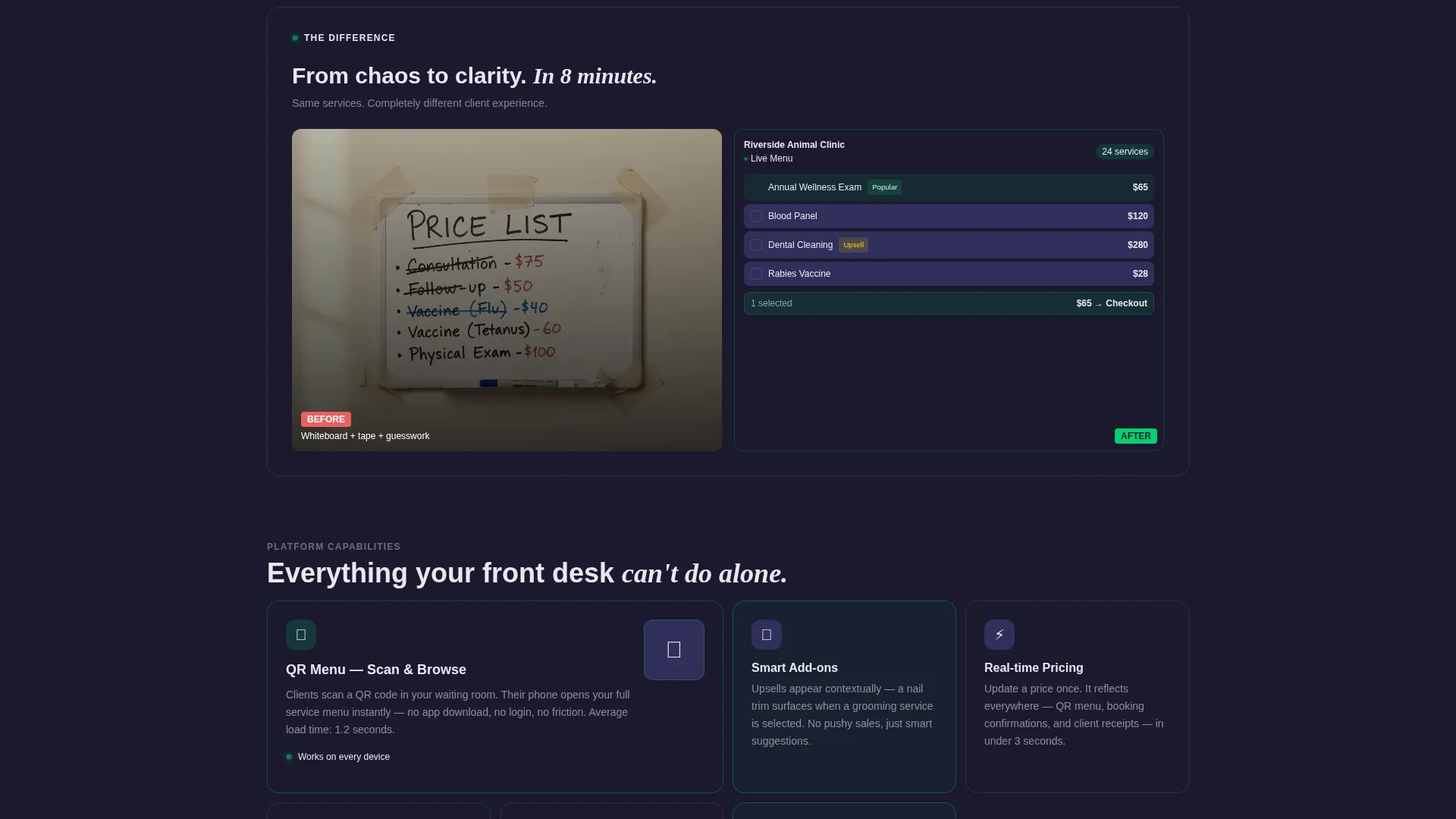
- A wide contrast tile showing a handwritten clinic menu beside the polished digital menu user interface, doing the persuasion work without a word
Feature list
This section covers the core built-in capabilities that define the Kibble template and make it work as a conversion-focused landing page.
Live Revenue Calculator Header
The header is a functional bento tile, not a static banner. Visitors choose their business type, such as vet clinic, groomer, or boarding facility, and enter their average number of services. Projected monthly client interactions, menu views, and estimated upsell revenue then animate upward in status-green, each digit ticking like a live dashboard gauge.
Animated Metric Tile Grid
Each scroll step reveals a new stat card inside the bento grid. Stats like a 34 percent average increase in add-on bookings and an 89 percent client self-checkout rate appear in isolated tiles with micro-animations that fire on viewport entry. The rhythm builds cumulative evidence the way a real dashboard populates on login.
Side-by-Side Contrast Section
A single wide tile breaks the bento rhythm at the midpoint of the page. One side shows a photo of a handwritten menu taped to a clinic counter. The other renders the same services inside the digital menu interface. The visual contrast handles the persuasion without requiring extra copy.
Click-Through Funnel Structure
There is no form on this page. The primary call to action, "Build Your Menu Free," appears first inside the calculator tile after results display. It then repeats as a sticky bottom bar on mobile and a fixed sidebar button on desktop. A secondary text link, "See a Live Demo Menu," opens an interactive sample in a modal overlay.
Dashboard Pro Bento Grid Layout
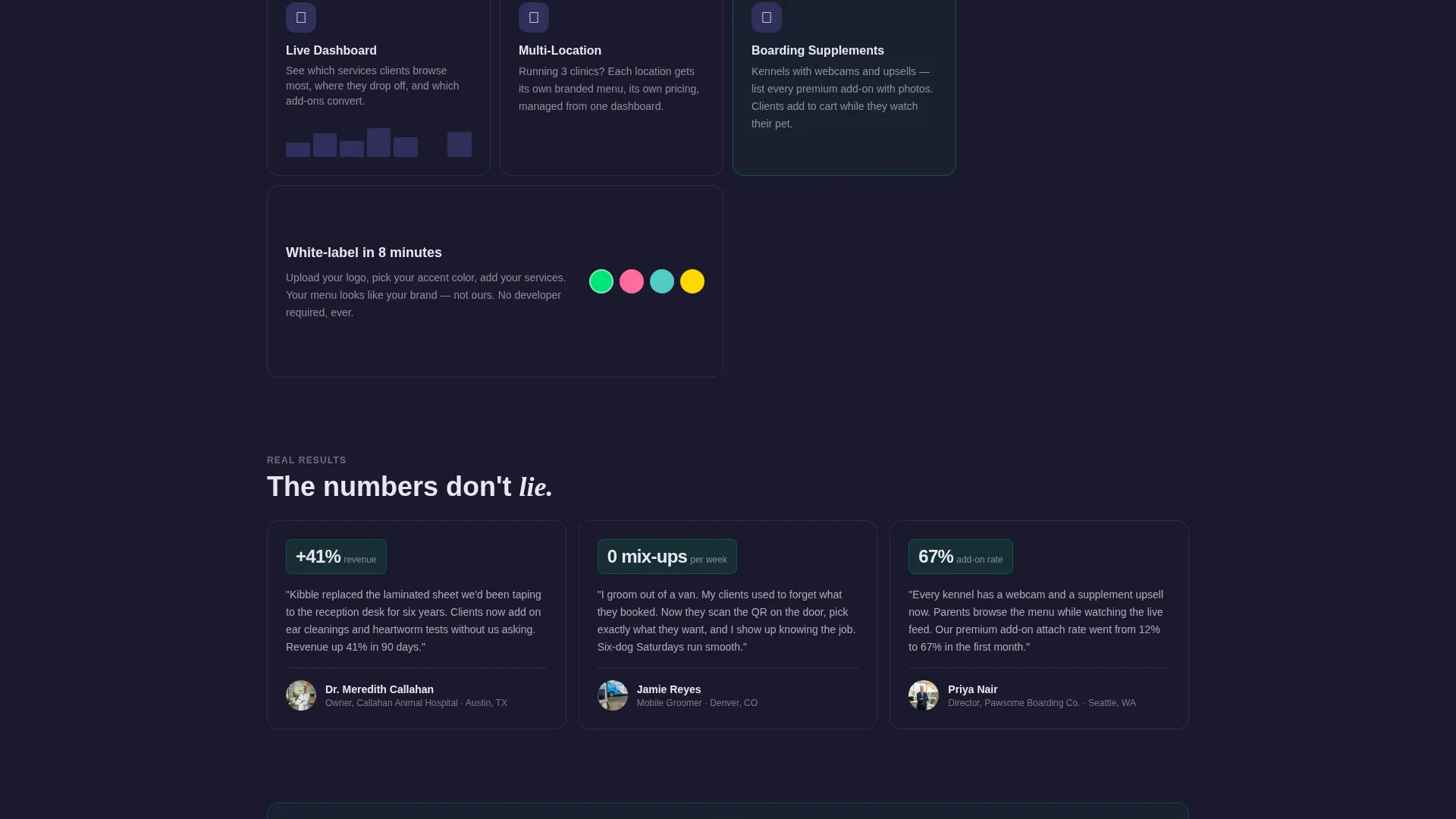
The page uses a structured bento grid where every tile has a defined role. Carbon-black base tiles sit inside faint titanium borders. Status-green pulses only on interactive elements and live metric numbers. The layout feels like opening a well-designed app, not scrolling a marketing page.
Stats-First Creative Direction
The creative direction is built around data proving itself before asking for anything. Every section reveals another metric. The calculator earns the click by showing revenue impact first. This approach matches the expectations of business-minded clinic owners and groomers who want evidence, not promises.
Page sections overview
| Section | Purpose |
|---|---|
| Calculator Header Tile | Lets visitors input business type and services to see live projected revenue and menu metrics |
| Metric Tile Grid | Surfaces key platform stats one tile at a time with viewport-triggered animations |
| Side-by-Side Contrast | Shows handwritten menu versus digital menu user interface to make the upgrade feel obvious |
| Primary call to action Tile | Presents the "Build Your Menu Free" action directly after the calculator result |
| Demo Link Modal | Opens an interactive sample pet care menu without leaving the page |
| Sticky Mobile Bar | Keeps the primary call to action visible while scrolling on smaller screens |
| Fixed Desktop Sidebar | Maintains a persistent action button on larger viewports throughout the scroll |
Design & branding system
The visual identity follows a Dashboard Pro theme built on a Carbon Fiber color system. Every palette decision is engineered for data legibility and a premium, cockpit-like feel.
- Deep carbon black (#1A1A2E) forms the base, titanium panel gray (#30305A) defines tile borders and panel surfaces, and cool white (#E8E8F0) handles all body and heading typography
- Status-green (#00E676) is reserved for active metrics, animated digit counters, interactive hover states, and pulsing indicators so the eye always knows where to look
- No stock photography of animals appears anywhere; the visual weight comes entirely from data tiles, contrast imagery, and the live calculator output
Mobile & speed optimization
The template is designed to feel like tapping open a well-organized app on a phone, not pinching and zooming a desktop layout. Mobile performance is a first-class concern in the Kibble design.
- The sticky bottom bar keeps "Build Your Menu Free" within thumb reach at every scroll position on mobile devices
- Bento tiles reflow into a single-column stack on smaller screens, preserving the tile-by-tile reveal rhythm without losing the data-dense structure
- Micro-animations are tied to viewport entry events so they trigger correctly on both desktop and mobile scroll behavior
How this template helps you convert
The entire page is structured as a click-through funnel where every element earns the next click rather than demanding it upfront.
- The calculator header shows personalized revenue projections before presenting any call to action, so the visitor arrives at "Build Your Menu Free" already convinced by their own numbers.
- The cascading metric tiles build layered credibility as the visitor scrolls, replacing the need for long testimonial blocks with fast, digestible proof points.
- The persistent call-to-action placements on both mobile and desktop ensure the action is always one tap or click away, no matter where the visitor pauses in their scroll.
Other information about this template
Kibble is built for the pet care digital presence space, covering technology-forward solutions for clinics, groomers, and boarding facilities that want to move beyond paper-based menus.
- The template sits inside the Technology category with a Pet Care Digital Presence subcategory, making it relevant for platform founders targeting the independent pet care service market
- The bento grid format is adaptable: tile copy, stat figures, and color accents can be updated to match a specific brand or product offering without restructuring the layout
- The "See a Live Demo Menu" modal link is designed to reduce friction for visitors who want proof of the product before committing to the signup flow

Theme
Dashboard Pro
Creative direction
Stats-First Impact
Color system
Carbon Fiber
Style
Bento Grid
Direction
Click-Through
Page Sections
Live Revenue Calculator Header
Animated Metric Tile Grid
Side-by-side Contrast Section
Click-through Funnel with Persistent Ctas
Dashboard Pro Bento Grid Layout
Interactive Demo Menu Modal
Related questions
Who is this landing page template designed for?
Does this template include a signup form?
Can I update the stats and calculator figures?
What makes the Calculator Header different from a standard hero section?
Is the Carbon Fiber color palette customizable?



