Consulting Firm Software Cost Calculator Website Template
A property management consulting landing page built for landlords who need clarity fast. This template features a live three-tier service comparison table, an interactive state-by-state compliance explorer, a maintenance calendar simulator, and a revenue leakage calculator. It is designed to capture qualified leads through a diagnostic intake form and a gated compliance checklist download.
by Rocket studio
Quick summary
This single-page template is built for property management consulting firms. It opens with a live comparison table showing three service tiers, then walks visitors through interactive tools covering compliance, maintenance, and revenue loss. Every section hands the visitor something actionable. The primary goal is generating qualified leads through a diagnostic intake form.
Who this template is for
This template was designed for consulting firms that serve landlords and property owners directly. It fits businesses where the prospect needs to understand scope before committing to a call.
- Mid-portfolio landlords managing twelve to forty residential or mixed-use units
- First-time commercial landlords who have recently acquired a strip mall or similar asset
- HOA boards navigating deferred maintenance backlogs and compliance uncertainty
What problem this template solves
Most consulting firm pages describe services in vague paragraphs. That approach leaves prospective clients unsure whether the firm handles their specific situation. This template replaces passive reading with active discovery.
- Visitors cannot immediately tell which service tier fits their portfolio size and property type
- Landlords need state-specific compliance context before they trust a consulting firm enough to submit a form
- Revenue loss is abstract until a calculator shows a real annual figure tied to their own vacancy and repair data
What you get with this template
The template delivers a full single-page layout structured around interactive tools rather than static copy blocks. Each section is self-contained and designed to move a hesitant visitor closer to a conversion action.
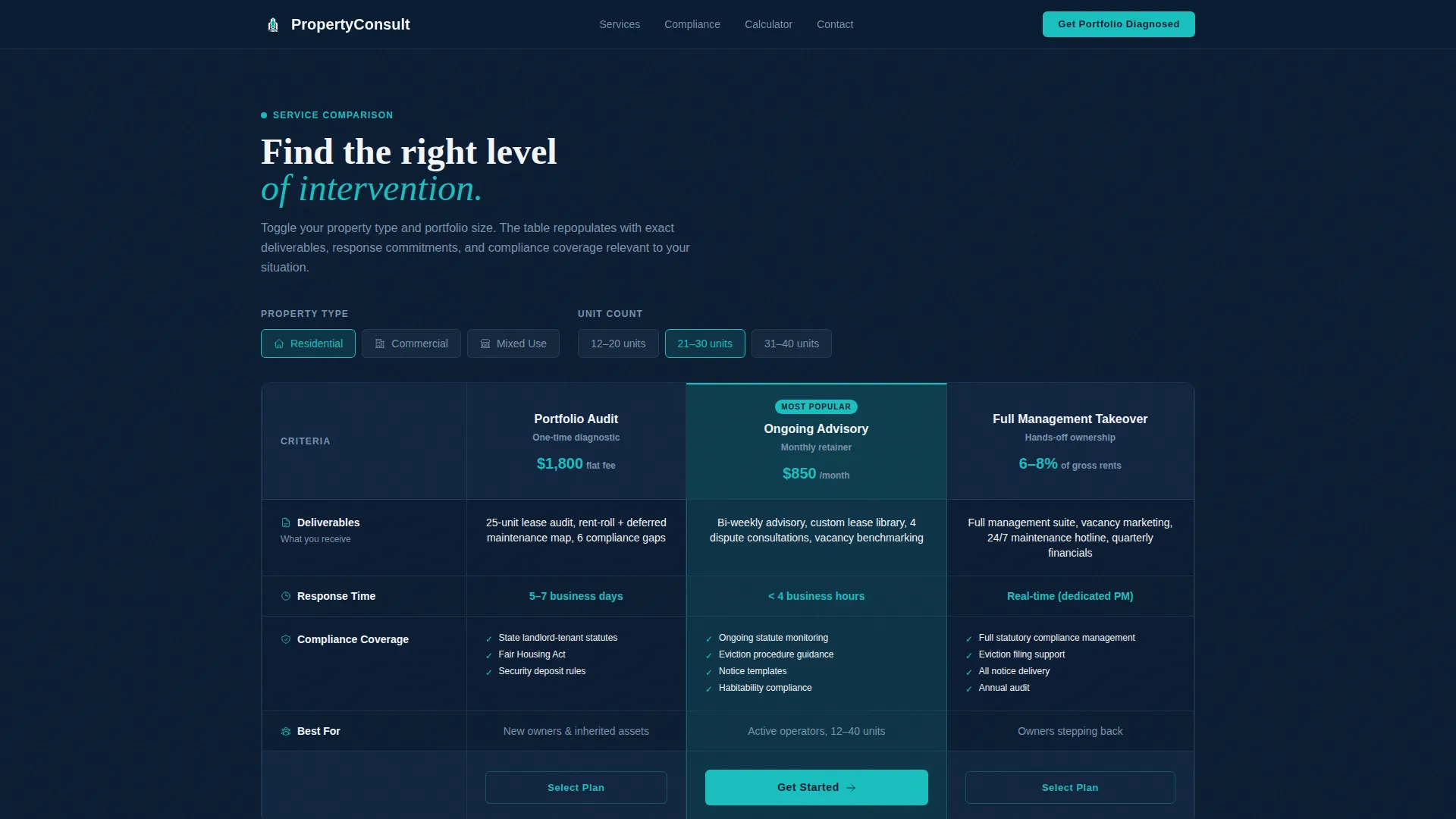
- A three-tier service comparison table with live toggles for property type and unit count
- A regulatory compliance explorer, a maintenance calendar simulator, and a revenue leakage calculator built into the page flow
- A lead generation form with a unit count field, a property type selector, a pain point dropdown, and a gated PDF download as a secondary conversion path
Feature list
This template includes six core interactive and design features drawn directly from the project brief.
Live Three-Tier Comparison Table
The header section loads a fully functional comparison table showing Portfolio Audit, Ongoing Advisory, and Full Management Takeover tiers. Visitors toggle property type and unit count, and the table cells repopulate with relevant deliverables, response times, and compliance coverages in real time.
Regulatory Compliance Explorer
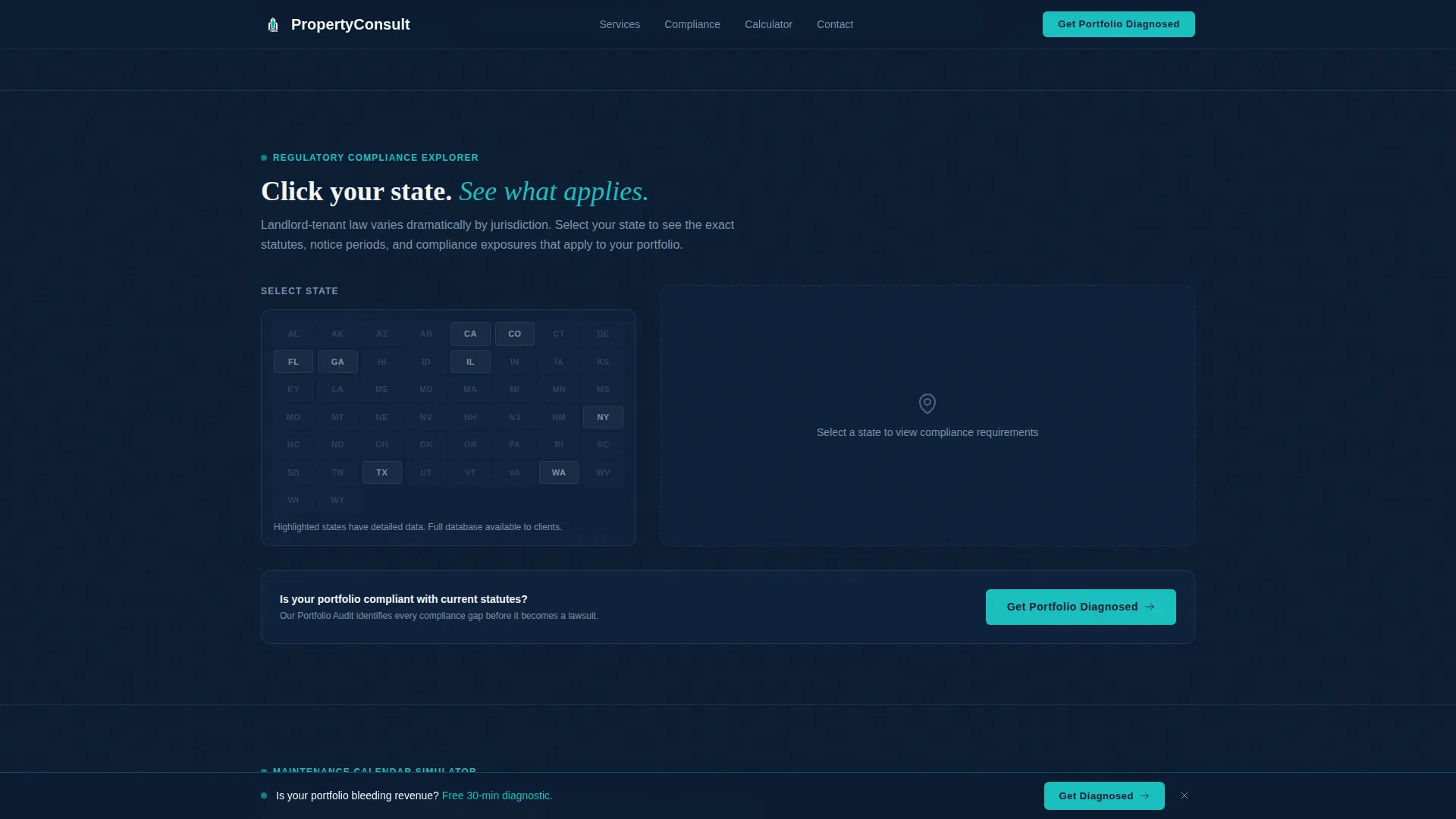
A clickable United States map or state selector reveals the landlord-tenant statutes that apply to the chosen state. This tool gives prospective clients immediate, location-specific value before they ever fill out a form.
Maintenance Calendar Simulator
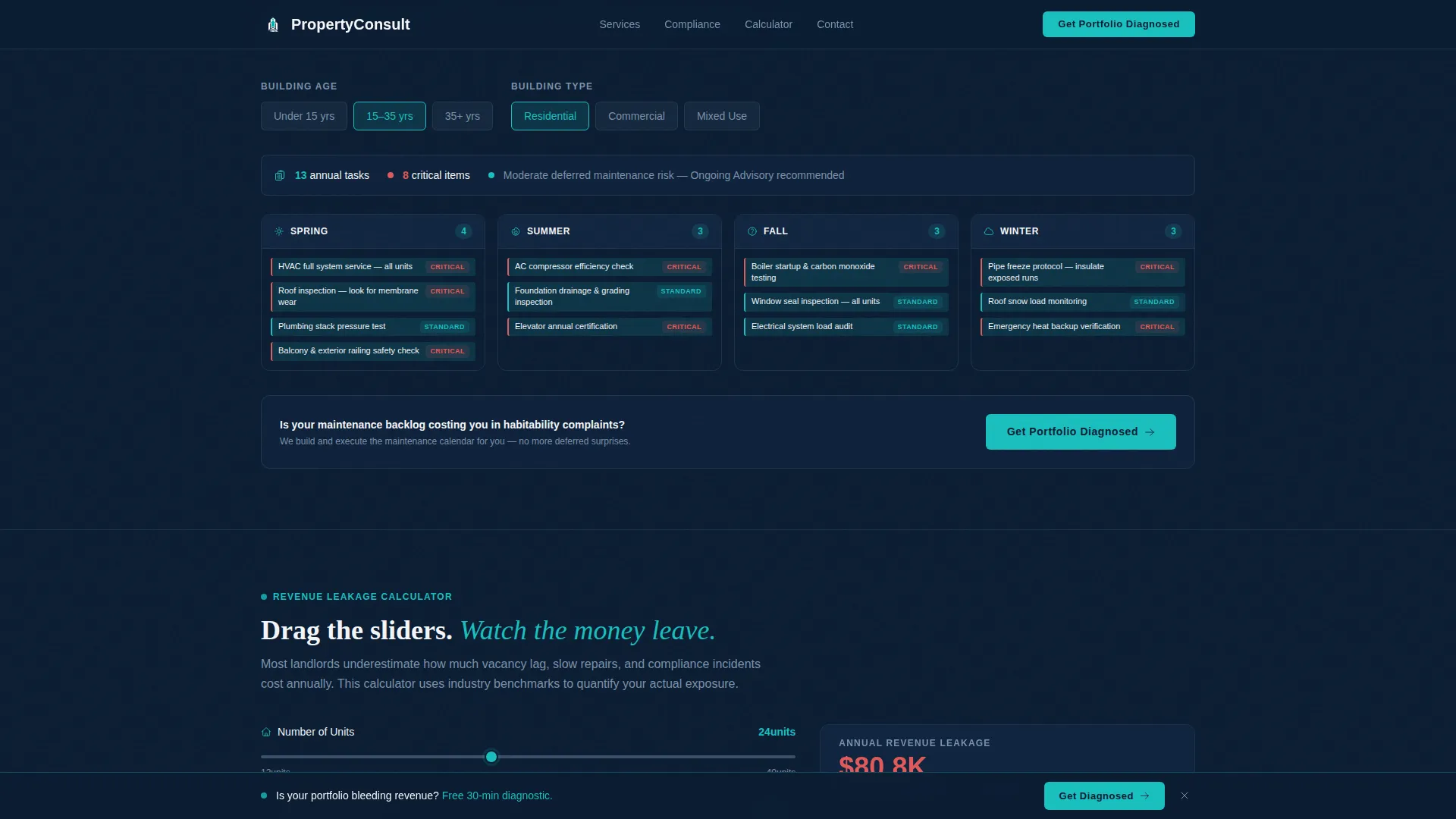
Visitors input building age and property type, and the simulator populates a seasonal task calendar. This makes the consulting firm's expertise tangible by showing prospects exactly what proactive management looks like for their asset.
Revenue Leakage Calculator
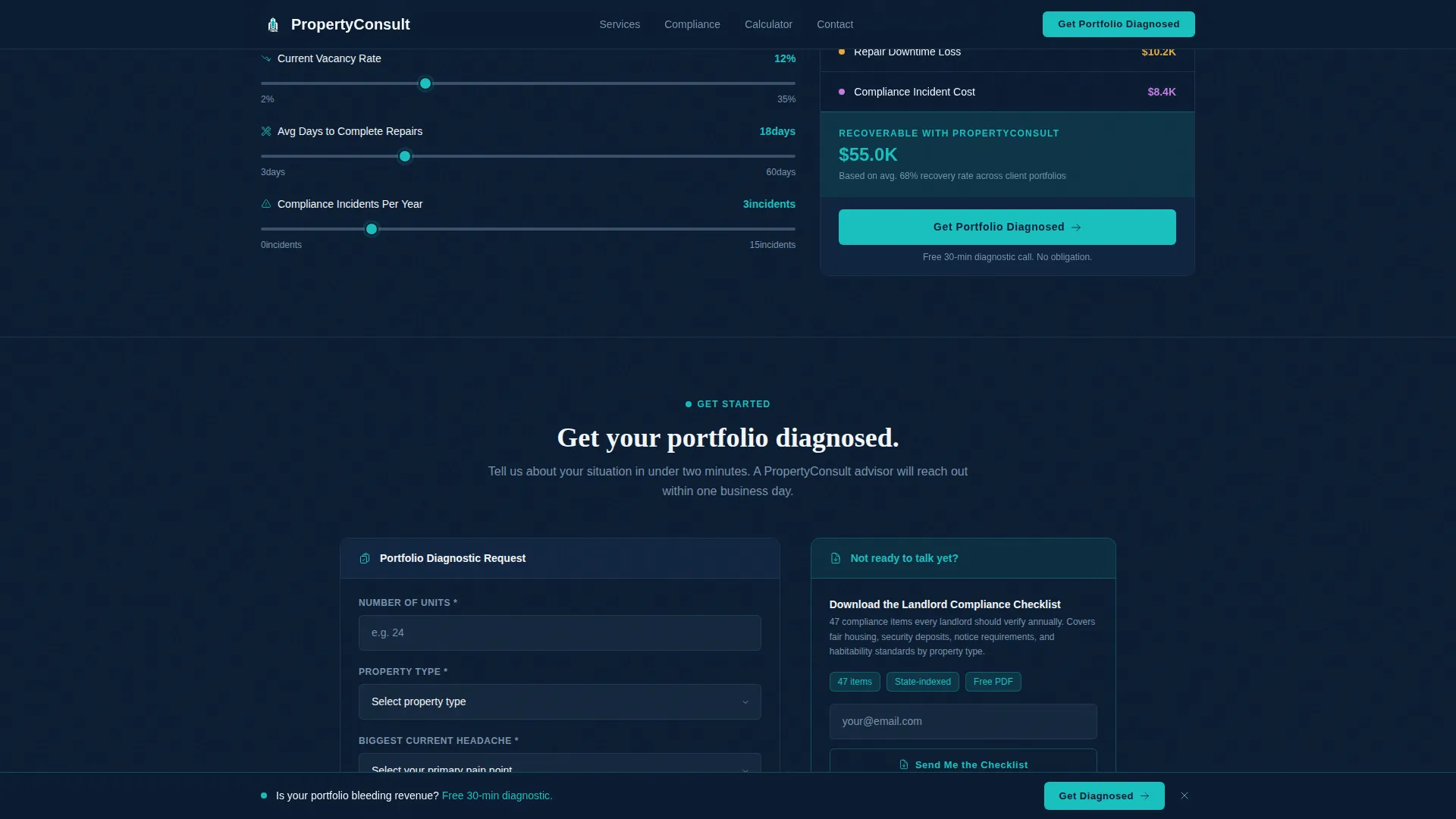
Drag sliders for vacancy rate and average days-to-repair, and the calculator tallies estimated annual revenue loss in real time using United States dollar figures. Inline social proof metrics appear alongside the results to reinforce the firm's credibility.
Diagnostic Lead Generation Form
The primary call to action form collects number of units, property type, and the visitor's biggest current pain point from a preset dropdown. The form is anchored at the bottom of each interactive section and fixed in a slim bottom bar after the first scroll.
Gated Compliance Checklist Download
Visitors not yet ready to book a call can download a landlord compliance checklist PDF by submitting their email. This secondary path captures leads while delivering immediate, niche-specific value to cautious prospects.
Page sections overview
| Section | Purpose |
|---|---|
| Hero Comparison Table | Introduce three service tiers with live toggles for unit count and property type |
| Compliance Explorer | Let visitors select their state and view applicable landlord-tenant statutes |
| Maintenance Calendar Simulator | Populate seasonal maintenance tasks based on building age and type |
| Revenue Leakage Calculator | Show annual loss estimates using adjustable vacancy and repair sliders |
| Lead Generation Form | Capture qualified prospects through a structured diagnostic intake flow |
| Footer | Provide a single linear row of navigation and contact references |
Design & branding system
The visual identity follows a Directory and Discovery theme with a Midnight Blue color system. The overall feel is a corporate command center at midnight: organized, authoritative, and immediately legible.
- Deep command-center navy (#0B1D33) dominates backgrounds and table headers, polished slate (#3A4F6A) carries body text and row dividers, and crisp document white (#F4F6F9) fills content cells
- Signal-flare teal (#1ABFBF) activates on hover states, toggle switches, selected comparison columns, and the pulsing call to action button on the middle service tier
- Typography pairs DM Sans for body text and user interface elements with Fraunces for display headings, creating contrast between functional readability and editorial authority
Mobile & speed optimization
The template is desktop-first by design, built to support the complex interactive tables and multi-slider calculators that make the page work. A responsive mobile fallback is included so the layout remains usable on smaller screens.
- The static shell uses client-side interactivity so the page structure loads fast before dynamic table data populates
- Server components handle the layout layer, keeping the rendered shell lightweight even as slider and toggle logic runs in the browser
- Table cell transitions, scroll reveals, slider updates, and pulse animations are set to a medium intensity that keeps the experience lively without degrading load performance
How this template helps you convert
Every section of this template is structured to reduce friction and move a skeptical landlord toward submitting the diagnostic form.
- The interactive comparison table lets visitors self-qualify by toggling their own portfolio size and property type, so they arrive at the form already understanding which tier fits them.
- The revenue leakage calculator makes the cost of inaction personal and visible, giving the visitor a concrete financial reason to act rather than a general pitch about consulting value.
- The gated compliance checklist creates a lower-commitment second conversion path, capturing email addresses from visitors who want value before they are ready to speak with the firm.
Other information about this template
This template is categorized under Technology and Consulting Firm Software, with a niche focus on Consulting Firm Property Management. It is localized for the United States market, using USD currency formatting and MM/DD/YYYY date display throughout the interactive tools.
- The Intersection Match Score for this template is 13, reflecting a tightly aligned combination of lead generation direction, Interactive Explorer creative direction, and Comparison Table template style
- Animation intensity is set to medium, covering table cell transitions, slider value updates, pulse animations on the featured tier button, and scroll reveals for each calculator section
- The footer uses Pattern 1, a linear single-row layout, keeping the bottom of the page clean and distraction-free after the final call to action
Theme
Directory & Discovery
Creative direction
Interactive Explorer
Color system
Midnight Blue
Style
Comparison Table
Direction
Lead Generation
Page Sections
Live Service Tier Comparison Table
State-by-state Compliance Explorer
Maintenance Calendar Simulator
Revenue Leakage Calculator
Diagnostic Lead Generation Form
Gated Compliance Checklist Download
Related questions
Who is this template built for?
Can I change the three service tiers to match my firm's offerings?
Does the revenue calculator use real financial data?
Is this template suitable for a commercial property consulting firm?
What is the secondary conversion path in this template?



