Launch - Dynamic Shopify Landing Page Template
Launch is a split-screen landing page template built for first-time founders ready to open a Shopify store. It combines an interactive brand-name preview, a personalized Readiness Score calculator, and a lead-capture flow into one focused page. The result is a guided, action-driven experience that turns a product idea into a concrete launch plan in a single weekend.
by Rocket studio
Quick summary
Launch is a single-page, split-screen template designed to guide first-time store owners from idea to live Shopify setup. An interactive header lets visitors type their brand name and watch a mock storefront appear in real time. A Readiness Score calculator then delivers a personalized twelve-day launch timeline, making every scroll feel like forward momentum.
Who this template is for
This template is built for people who are ready to sell but unsure where to begin. It speaks directly to early-stage founders who need structure, not theory.
- Side-hustlers with existing inventory who want a clear path to their first online sale
- Etsy sellers and market vendors ready to move beyond a platform they have outgrown
- Instagram and social media creators who want to turn an audience into a revenue-generating storefront
What problem this template solves
Starting an online store feels overwhelming when every tutorial assumes you already know the next step. This template removes that paralysis by making the journey visual and personal from the first second on the page.
- Visitors arrive without a plan and leave with a week-by-week milestone timeline built around their own answers
- The split-screen layout pairs every action step with a matching Shopify admin view, so nothing feels abstract
- Two conversion paths capture leads at different levels of commitment, reaching visitors who are ready now and those who need more time
What you get with this template
The template delivers a complete, ready-to-customize landing page built around a guided launch experience. Every section is purposeful and sequenced to move a visitor from curiosity to commitment.
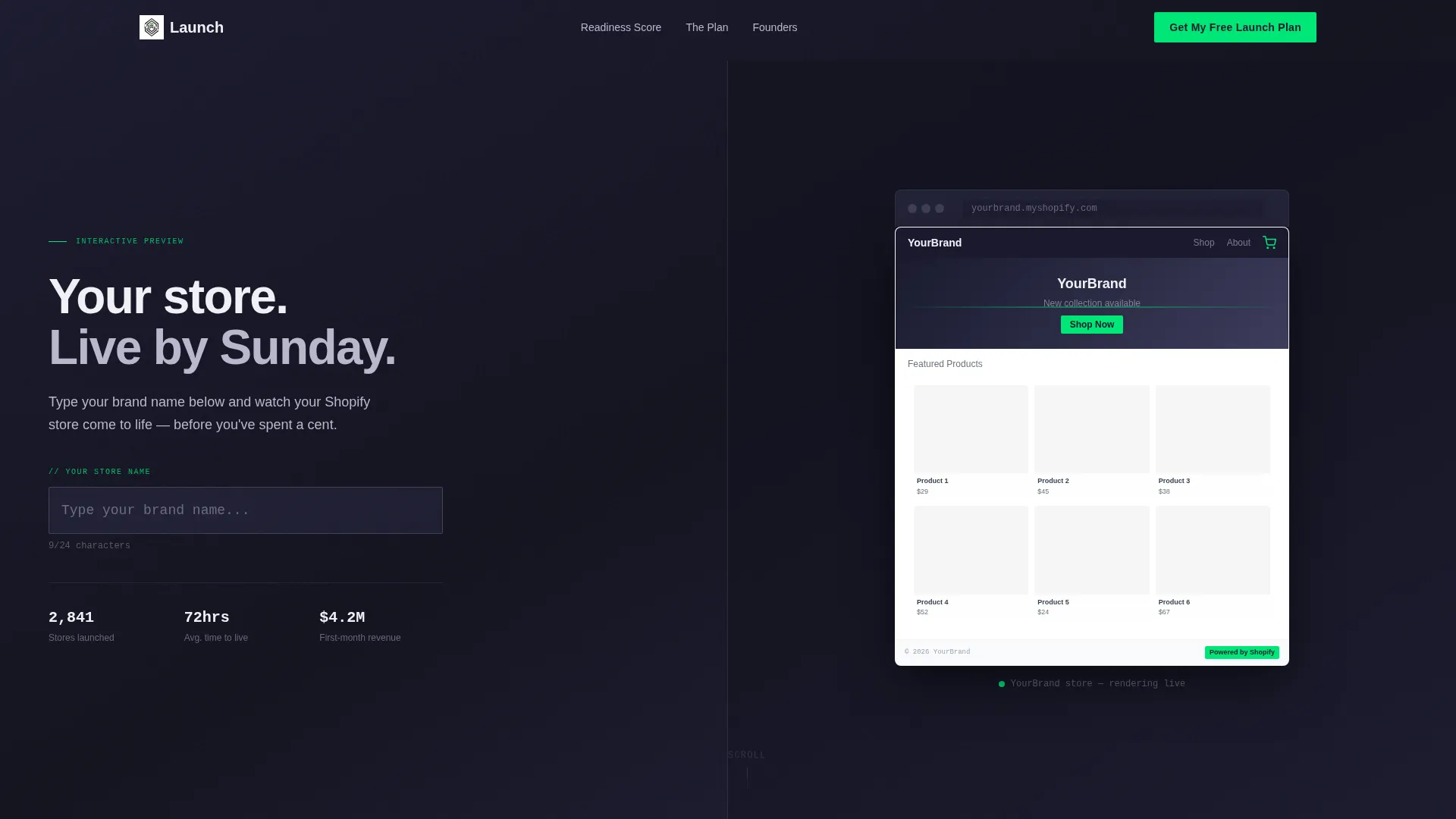
- An interactive header with a live brand-name input that renders a mock storefront in real time on the right panel
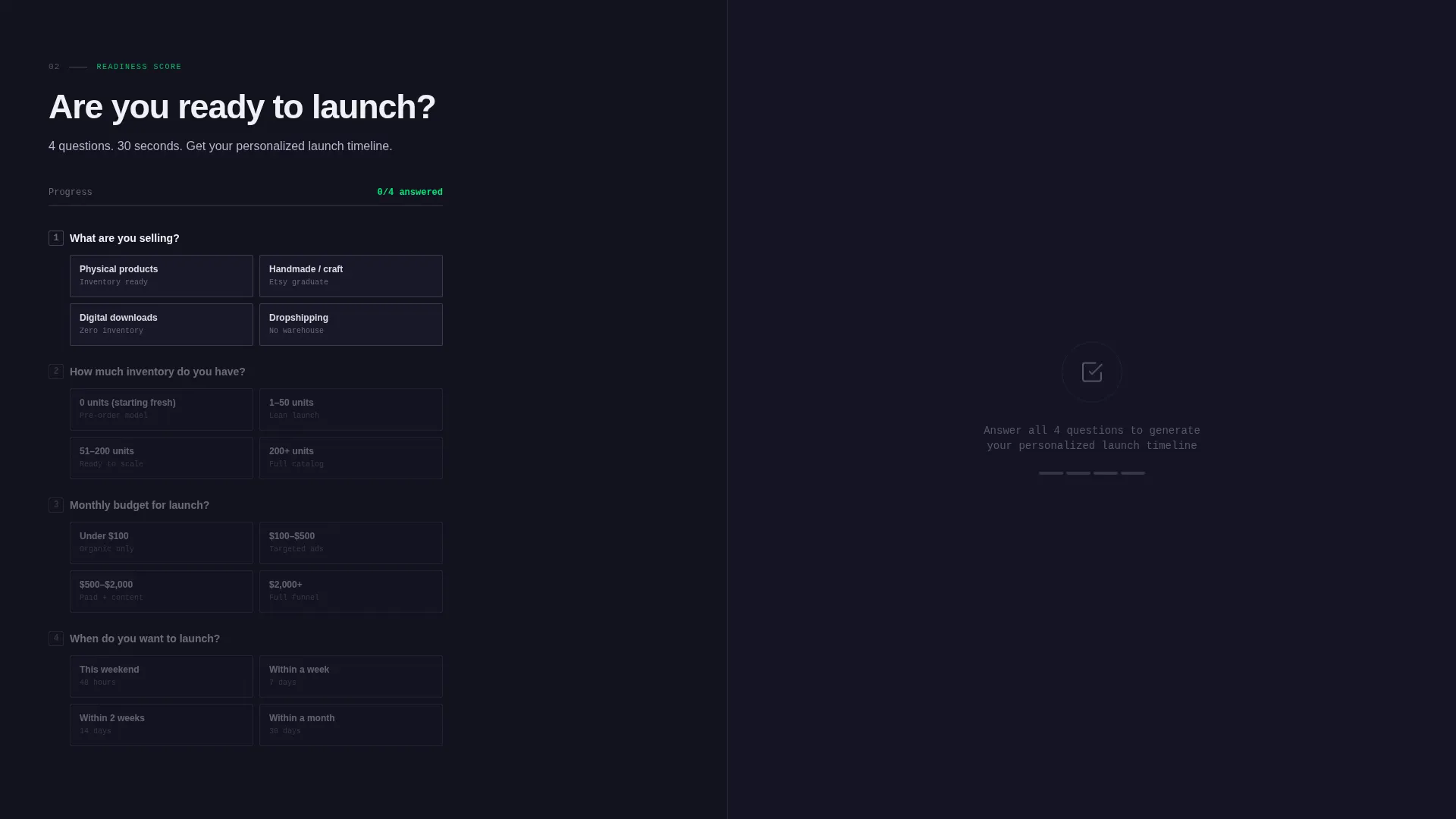
- A four-question Readiness Score calculator that outputs a personalized launch timeline with week-by-week milestones
- A primary lead-capture form collecting email, pre-filled store name, and product category, plus a secondary PDF checklist opt-in gated by email only
Feature list
This template packages several purpose-built components into one cohesive page. Each feature earns its place by doing specific work in the conversion flow.
Live Brand Name Preview
Visitors type their store name into an input field in the left panel. The right panel renders a mock storefront in real time, complete with their name in the header, a placeholder product grid, and a bouncing cart icon. The interaction creates immediate personal investment before any commitment is made.
Readiness Score Calculator
Four quick questions covering product type, current inventory count, monthly budget, and launch deadline feed into a personalized output. The calculator returns a twelve-day launch timeline with week-by-week milestones tailored to each visitor's answers. It is the most persuasive element on the page because it gives something useful before asking for anything in return.
Split-Screen Section Layout
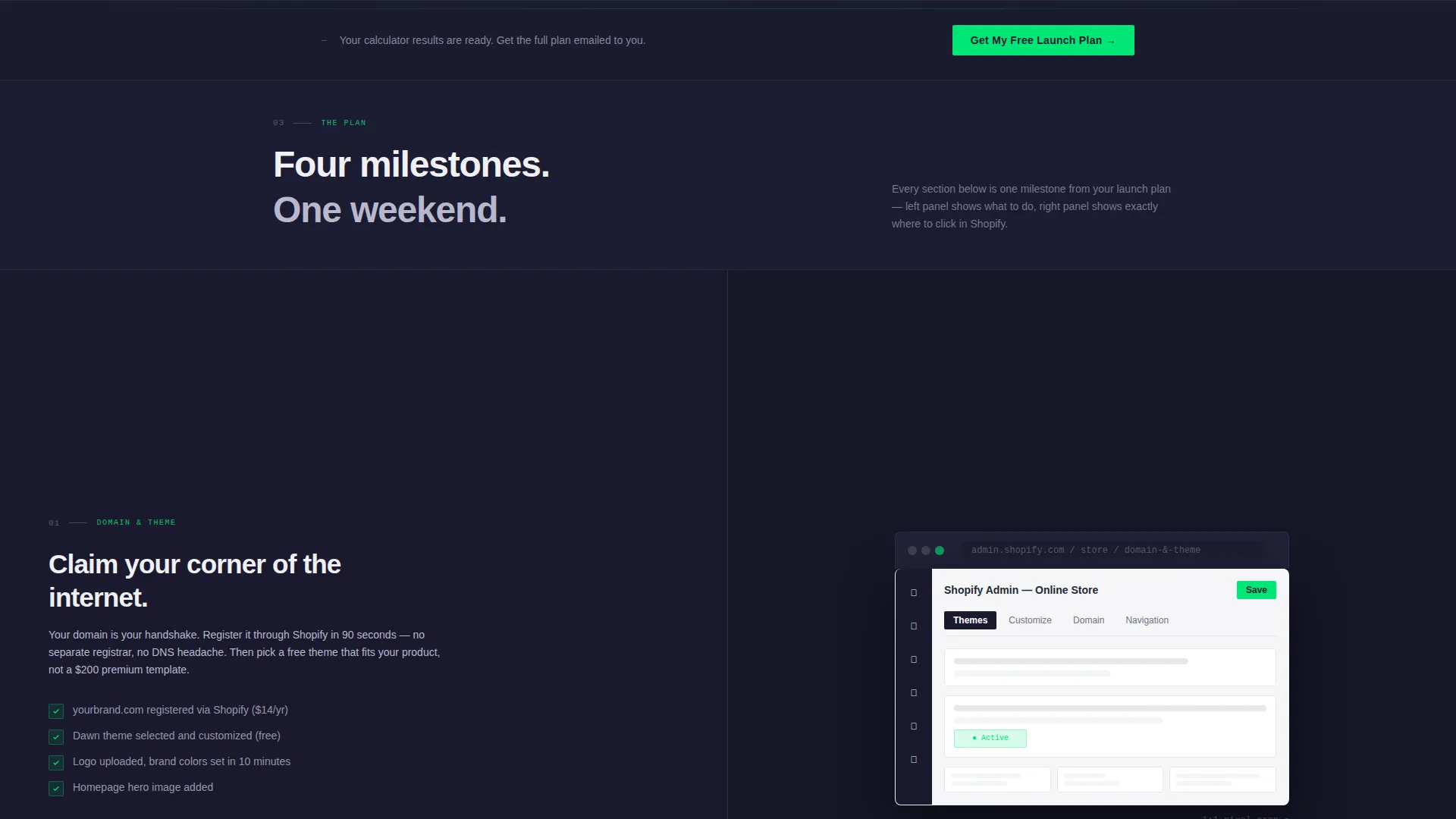
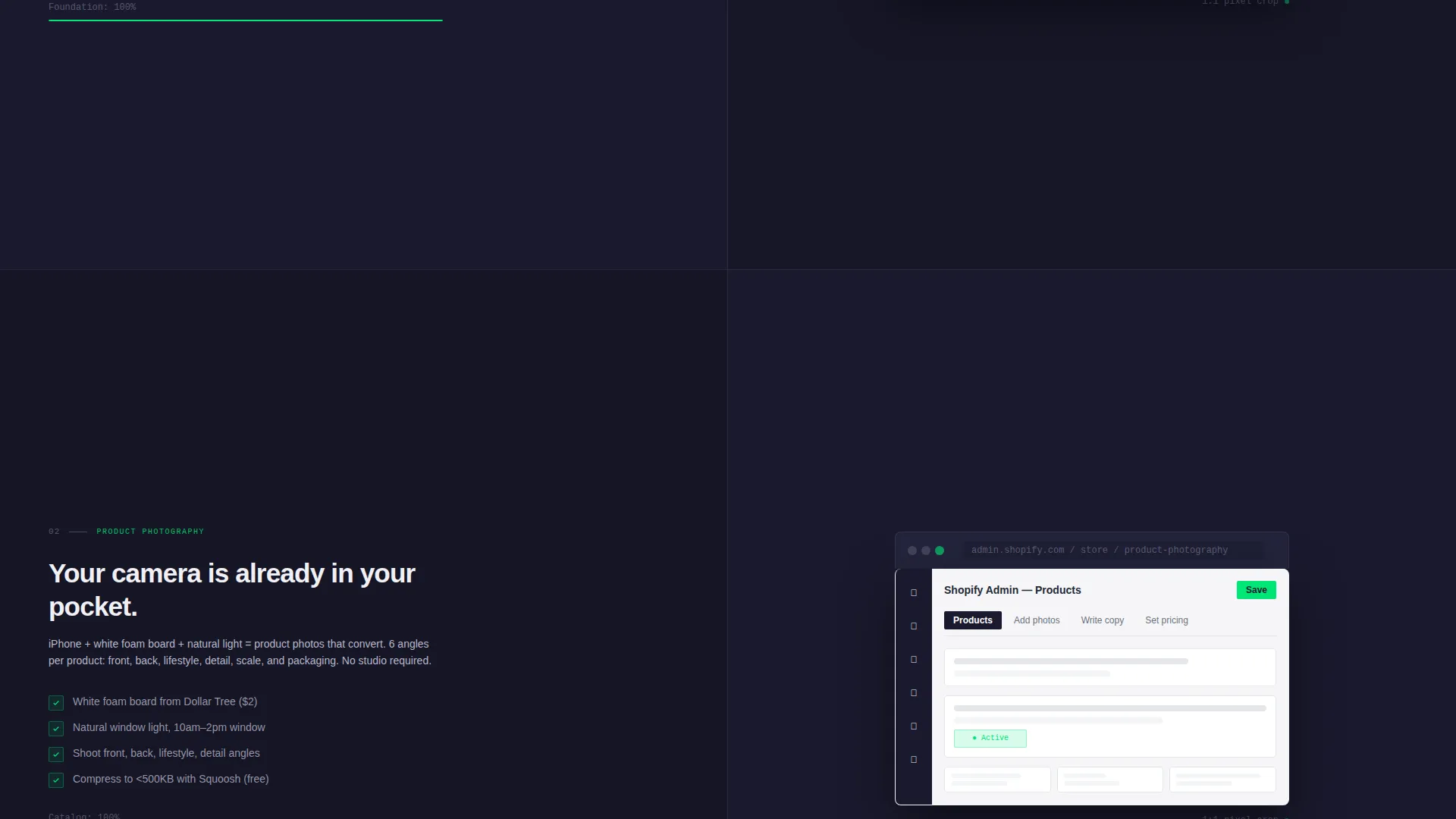
Every milestone section below the calculator follows a consistent 50/50 split. The left panel shows the action step and the right panel shows the corresponding Shopify admin screen mid-click. This pairing keeps abstract instructions grounded in recognizable, real-world context.
Scroll-Driven Progress Indicators
Progress bars fill as the visitor scrolls through each milestone section. Panels slide into position and screenshots zoom to full-pixel crops as the reader moves down the page. The motion creates a kinetic sense of building something in real time rather than simply reading a guide.
Dual Lead Capture Flow
The primary call to action, labeled "Get My Free Launch Plan," pins itself below the Readiness Score calculator and reappears after every two sections. A secondary path offers a downloadable checklist gated behind only an email field, giving hesitant visitors a lower-commitment entry point. The form pre-fills the store name captured during the header interaction.
Milestone-Structured Content Sections
Each section below the calculator unpacks one launch milestone in sequence: domain and theme setup, product photography tips, payment gateway walkthrough, and a first-sale marketing playbook. The structure means visitors never feel lost because the page itself acts as the roadmap.
Page sections overview
| Section | Purpose |
|---|---|
| Interactive Header Panel | Let visitors preview their own mock storefront by typing a brand name live |
| Readiness Score Calculator | Deliver a personalized launch timeline based on four quick answers |
| Domain and Theme Setup | Walk through the first technical milestone with a side-by-side admin view |
| Product Photography Tips | Show best practices for shooting inventory with a visual reference panel |
| Payment Gateway Walkthrough | Guide visitors through connecting a payment method using a mirrored admin screen |
| First-Sale Marketing Playbook | Outline the initial marketing steps needed to drive the first sale |
| Primary call to action Blocks | Recapture attention with the "Get My Free Launch Plan" form after every two sections |
| PDF Checklist Opt-In | Offer a lower-commitment download gated behind a single email field |
Design & branding system
The visual identity follows a Dynamic Motion theme built on a Monochrome Steel color system. Every color choice is intentional and functional, leaving no room for decoration that does not serve the user.
- The core palette uses forge black (#1A1A2E) and brushed gunmetal (#3D3D5C) for dark panels, polished chrome (#B8B8CC) and electric white (#F0F0F5) for light panels, and signal green (#00E676) reserved exclusively for calls to action and progress indicators
- Backgrounds alternate between forge black and chrome across sections, with text in electric white on dark panels and gunmetal on light ones, keeping contrast consistent throughout
- Motion is constant but disciplined: panels slide into view, screenshots zoom to pixel-level crops, and progress bars animate on scroll to reinforce the sense of active progress
Mobile & speed optimization
The split-screen layout is designed to adapt without losing the parallel storytelling that makes each section work. On smaller screens, the two-panel format stacks into a single-column flow that preserves reading order.
- Left and right panels reflow into a top-and-bottom stack on mobile so action steps always appear before their corresponding admin view
- The Readiness Score calculator and both lead-capture forms remain fully functional and clearly laid out on touch devices
- Scroll-triggered animations and progress bar fills are scoped to avoid layout shifts that would disrupt the reading experience on narrower viewports
How this template helps you convert
The page is engineered around a single insight: people commit when they can already picture the outcome. Every structural decision reinforces that principle.
- The live brand-name preview in the header creates personal attachment before the visitor has read a single instruction, making the rest of the page feel relevant to their specific store rather than a generic guide.
- The Readiness Score calculator delivers a concrete, personalized twelve-day plan before asking for an email address, so the lead-capture form feels like a fair exchange rather than a cold ask.
- Two conversion paths, the full launch plan form and the PDF checklist opt-in, ensure that both ready-to-act visitors and early-stage browsers have a natural next step that matches their current level of commitment.
Other information about this template
This template sits in the Documentation and Support category under the Shopify Documentation subcategory, making it a strong fit for Shopify getting started guide use cases. It is built for the specific moment when a founder has a product but no storefront.
- The template style is Split Screen (50/50), meaning the two-panel layout is a structural constant, not a decorative choice
- The creative direction is Calculator/Tool First, which means the Readiness Score calculator is the page's primary value delivery mechanism and should be treated as the centrepiece of any customisation work
- The header concept is Interactive Preview, and preserving the live brand-name input is essential to the page's emotional hook and conversion logic
- The lead-generation direction means both the primary form and the secondary checklist opt-in should be kept intact and tested independently to understand which entry point performs best for a given audience
Theme
Dynamic Motion
Creative direction
Calculator/Tool First
Color system
Monochrome Steel
Style
Split Screen (50/50)
Direction
Lead Generation
Page Sections
Live Brand Name Preview Header
Readiness Score Calculator
Milestone-structured Split-screen Sections
Scroll-driven Motion and Progress Bars
Dual Lead Capture Flow
Related questions
Who is this landing page template designed for?
Can I customize the Readiness Score calculator questions?
How does the store name pre-fill work across the page?
What are the two conversion paths included in this template?



