E-Commerce Store Coming Soon & Waitlist Website Template
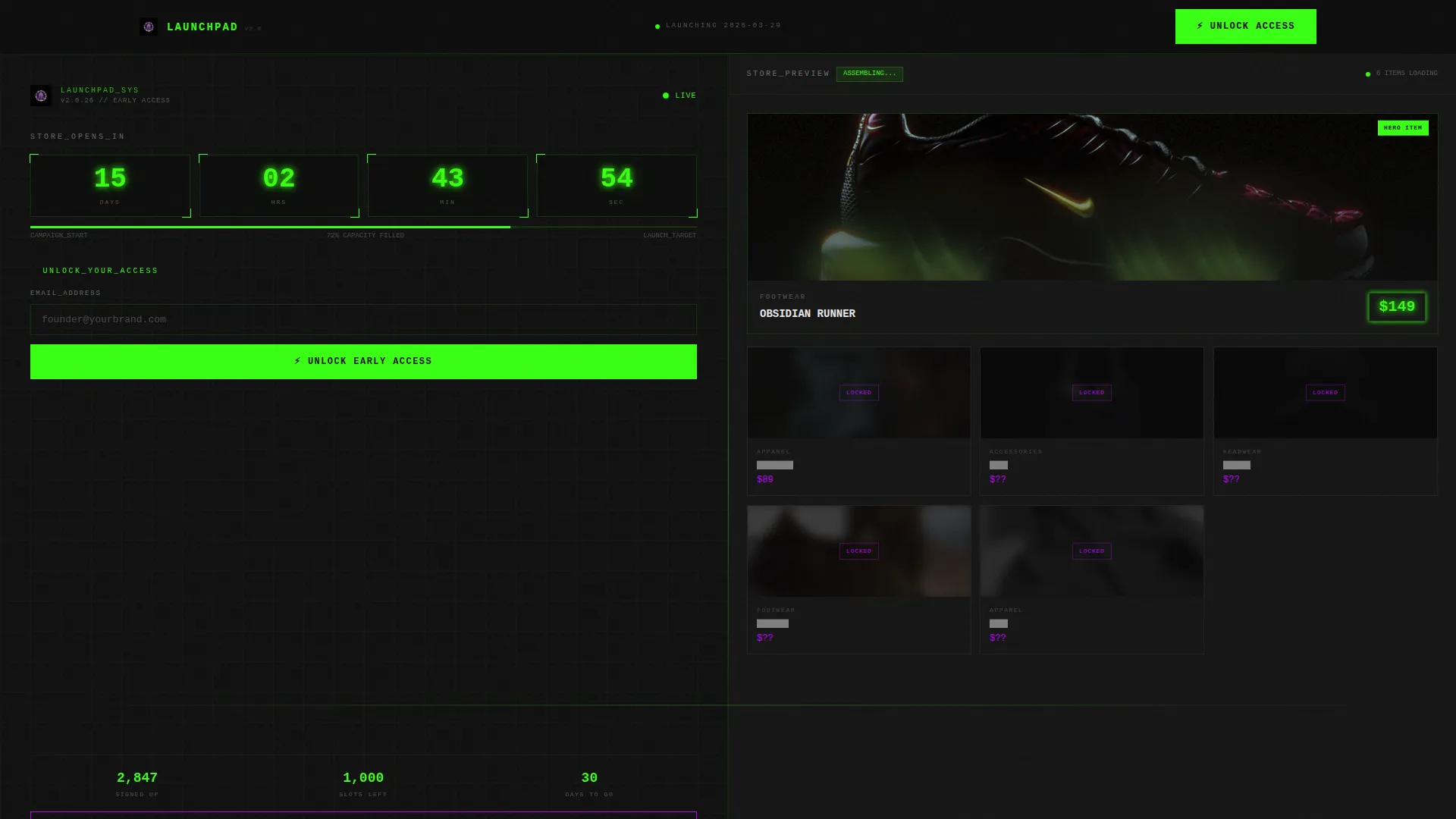
Launchpad is a split-screen eCommerce coming soon landing page built for store owners who want to generate excitement before opening day. It pairs an interactive launch calculator on the left with a staggered product preview grid on the right. The Dashboard Pro theme and Acid Digital color system create a high-voltage visual identity that keeps every visitor locked in.
by Rocket studio
Quick summary
Launchpad is a single-page, split-screen coming soon template for eCommerce stores. The left panel hosts an interactive launch calculator that rewards email submissions with a live countdown, a projected shipping date, and a personalized early-bird discount. The right panel reveals a product grid that loads in stages, building curiosity before the store goes live.
Who this template is for
This template is built for store owners and product entrepreneurs who need to build an audience before their store opens. It suits anyone who wants more than a static placeholder page.
- Entrepreneurs preparing a new online store launch and collecting early-access sign-ups
- Shopify store builders who want to tease products and create pre-launch urgency
- Brand founders looking to reward their first visitors with a personalized discount offer
What problem this template solves
Most coming soon pages do nothing except confirm a store is not ready yet. They waste real traffic from social media, early followers, and curious shoppers. Launchpad turns that waiting period into an active sign-up campaign.
- Visitors arrive with interest but have no reason to stay or return without an incentive
- A static countdown gives no personal value, so visitors leave without converting
- Product teasers with no interaction fail to build the desire that drives early purchases
What you get with this template
You get a fully designed, single-page layout with a split-screen structure and every core section built out. The template includes interactive user interface components, a staged product preview, and a clear path to a dedicated sign-up flow.
- A 50/50 split-screen layout with an interactive calculator panel and a product teaser grid
- A sticky "Unlock Early Access" call-to-action bar that appears after the first scroll
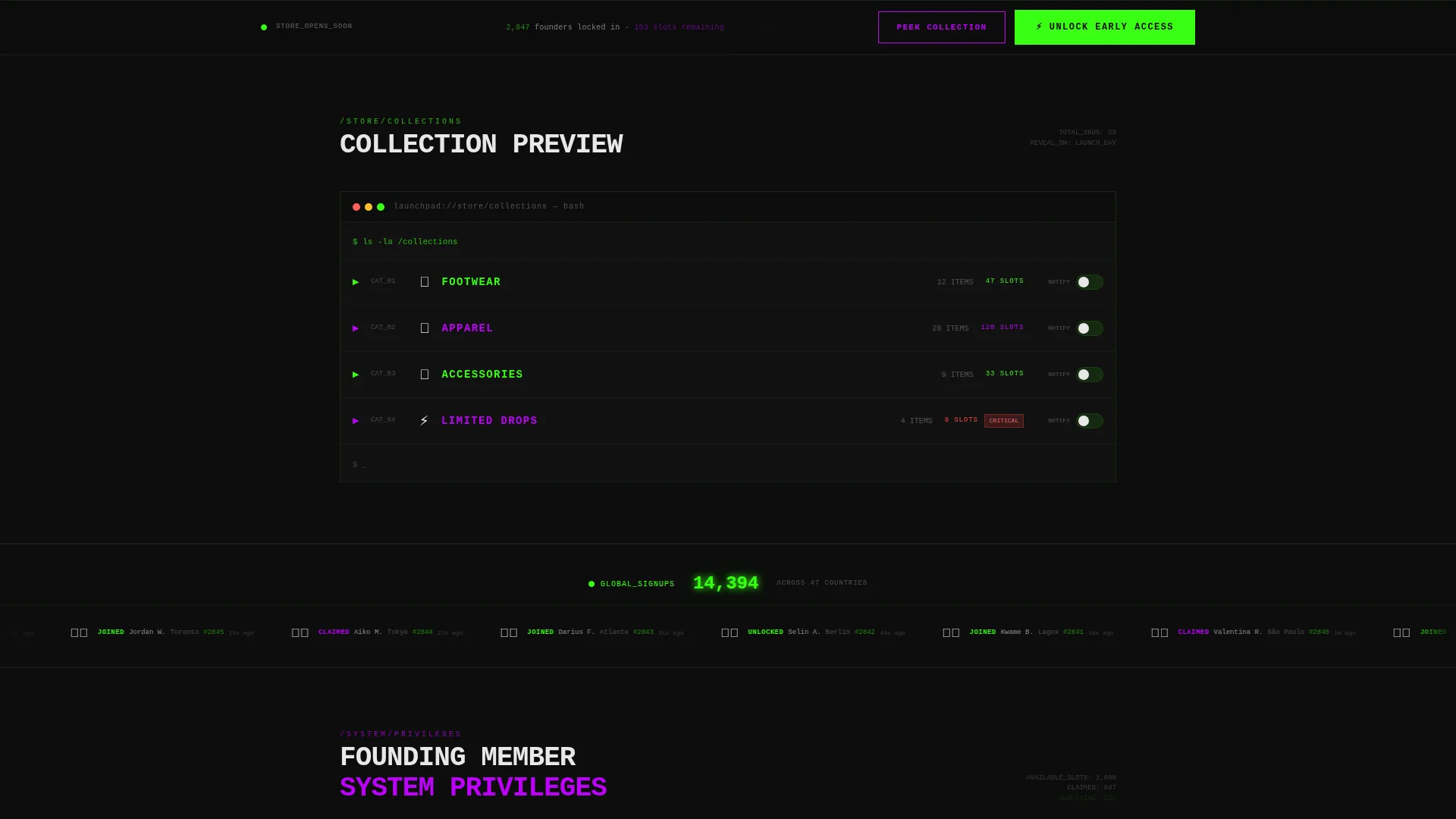
- Category teaser rows that unfold in sequence, revealing product silhouettes, colors, names, and notify-me toggles
Feature list
This template is built around one core idea: earn attention before asking for anything. Every feature below serves that principle directly.
Interactive Launch Calculator
Visitors enter their email to unlock a live countdown tied to a real launch date, an estimated shipping date, and a randomized early-bird discount percentage. Each result feels personal because the discount generates on the spot for every visitor.
Staggered Product Preview Grid
The right panel loads product images in a timed sequence, starting with blurred placeholders and ending with one fully sharp hero product. The price tag renders in terminal green, signaling that this store is nearly ready.
File-Directory Category Teasers
Scroll sections below the header unfold like file directories opening. Each row adds one layer of detail: a silhouette, then a color, then a product name, then a "notify me" toggle. The reveal sequence builds desire row by row.
Live Global Sign-Up Ticker
A live ticker displays sign-up activity happening across the page in real time. Seeing other visitors commit creates social proof and adds urgency without any extra copy.
Sticky Click-Through Call-to-Action Bar
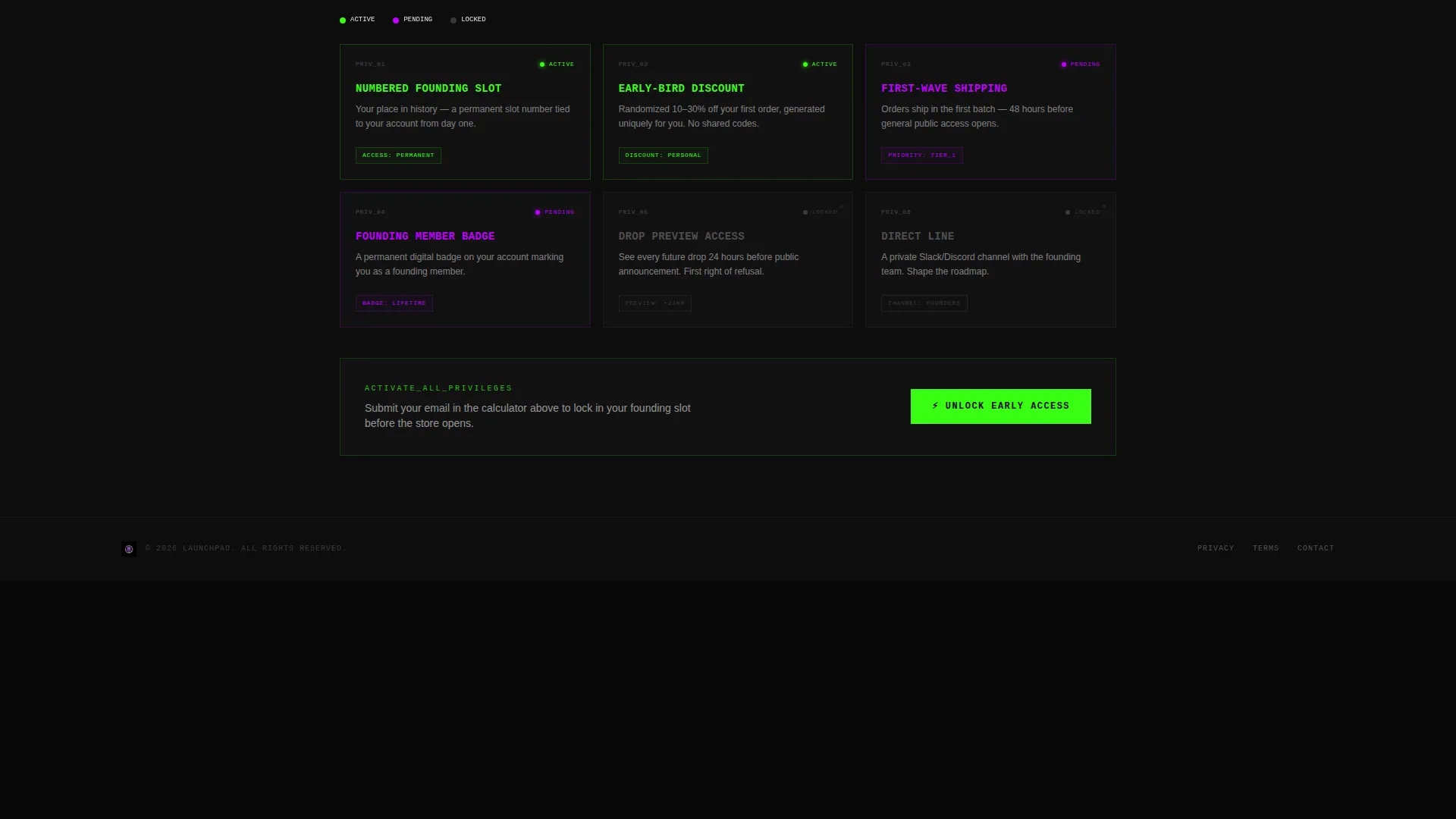
After the first scroll, a sticky bar repeats the primary "Unlock Early Access" call to action in acid green. It keeps the conversion path visible no matter how deep a visitor scrolls into the teaser grid.
Founding-Member Perks and Quantity Signals
As visitors scroll, the template surfaces limited quantity signals and founding-member benefits. These details escalate the stakes and give motivated visitors a concrete reason to act before the store opens.
Page sections overview
| Section | Purpose |
|---|---|
| Split-Screen Header | Pairs calculator panel with product grid reveal |
| Launch Calculator Panel | Captures email and delivers personalized launch details |
| Hero Product Spotlight | Showcases one sharp product with glowing price tag |
| Category Teaser Rows | Unfolds product details layer by layer on scroll |
| Limited Quantity Signals | Surfaces scarcity and founding-member perks |
| Global Sign-Up Ticker | Shows live sign-up activity to build social proof |
| Sticky Access Bar | Keeps primary call to action visible after first scroll |
Design & branding system
The template uses the Acid Digital color system inside a Dashboard Pro theme. The overall feeling is synthetic and urgent, like a neon sign reflected in a rain-slicked screen at 2 a.m.
- Void black (#0D0D0D) fills every background, keeping the focus on active elements
- Terminal green (#39FF14) pulses on counters, progress bars, price tags, and primary call-to-action labels
- Electric violet (#BF00FF) marks interactive hotspots and hover states throughout the page
- Status-bar white (#E8E8E8) carries all body and heading typography, floating clean against dark backgrounds
Mobile & speed optimization
The split-screen layout is designed to restack cleanly on smaller screens so the calculator panel and product grid each receive full-width treatment on mobile. Every interactive element is sized for touch use.
- The staggered image loading sequence is built into the design so placeholders fill space while sharp images appear
- Sticky bar positioning adapts to mobile viewport height so the call to action stays accessible without covering content
- Touch-friendly toggle sizes on "notify me" controls keep the sign-up path smooth on any device
How this template helps you convert
The entire layout is structured as a conversion funnel. Visitors are pulled in by the interactive tool, warmed by product teasers, and nudged by urgency signals before they ever reach the sign-up button.
- The launch calculator creates a personal result for each visitor, making the discount and countdown feel earned rather than generic, which raises the incentive to submit an email.
- The scroll-reveal teaser sequence builds product desire progressively, so visitors reach the bottom of the page more invested in the store than when they arrived.
- The sticky call-to-action bar and the secondary "Peek the Full Collection" path give two distinct routes to conversion, capturing both high-intent visitors and those who need more browsing time.
Other information about this template
This template fits naturally into a pre-launch workflow for eCommerce brands that plan to drive traffic from social media before the store is publicly open. It is designed as a click-through landing page, routing visitors to a dedicated sign-up flow on the next page rather than handling submissions inline.
- The template style is Split Screen (50/50), with the left panel dedicated to the interactive tool and the right panel dedicated to the visual product reveal
- The creative direction is Calculator/Tool First, meaning the interactive experience is the primary hook and every other section supports it
- The header concept is Interactive Preview, combining a functional tool with a partially rendered storefront aesthetic
- The landing page direction is Click-Through, so the primary call to action routes visitors forward rather than completing an action on this page

Theme
Dashboard Pro
Creative direction
Calculator/Tool First
Color system
Acid Digital
Style
Split Screen (50/50)
Direction
Click-Through
Page Sections
Interactive Launch Calculator
Staggered Product Grid Reveal
Scroll-reveal Category Teasers
Live Global Sign-up Ticker
Sticky Click-through Call-to-action Bar
Founding-member Perks and Scarcity Signals
Related questions
What kind of store launch is this template designed for?
Can I customize the discount percentage shown in the calculator?
Does the template handle email submissions directly on the page?
How does the product grid work before I have finalized product images?
Is this template tied to a specific eCommerce platform?



