Printing Digital Presence Comparison Website Template
Launchpad is a single-page comparison table landing page built for printing online stores. It features a live drag-and-drop mockup preview, a scroll-animated comparison table, and a zero-cost sample flow that removes every barrier between a visitor's design and a finished printed product. Built for fast-moving founders, small teams, and event coordinators who need print on demand without friction.
by Rocket studio
Quick summary
Launchpad is a focused landing page for a printing online store. It opens with an interactive file-preview engine, moves into a punchy comparison table that exposes every traditional print-shop pain point, and closes with a pinned free-sample call to action. The goal is simple: let visitors see their own design on a real product before asking for anything in return.
Who this template is for
This template is built for printing businesses that serve time-pressed, design-ready customers. It works especially well when your audience already knows what they want to print and just needs a frictionless path to ordering.
- Startup founders and two-person teams who need business cards, banners, or pitch decks before a funding meeting
- Etsy sellers and small product businesses that need branded packaging quickly after a surge in orders
- Event coordinators printing conference lanyards, flyers, or signage under tight deadlines
What problem this template solves
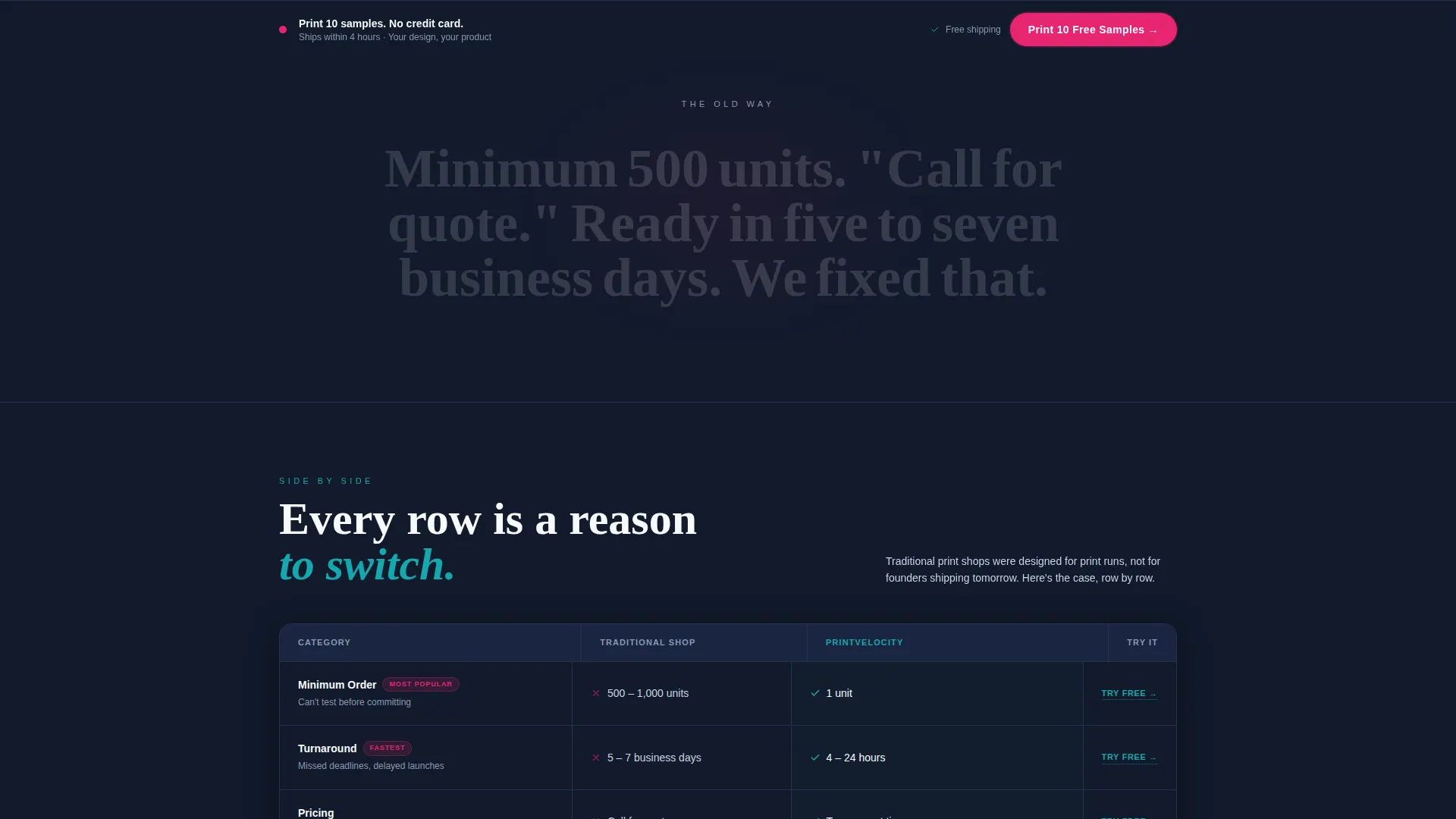
Traditional print shops create unnecessary friction. Minimum order quantities, multi-day turnarounds, and opaque "call for quote" pricing push small buyers away or slow them down at exactly the wrong moment.
- Visitors have no way to visualize their design on a product before committing to an order
- Comparison between old-way printing and a modern store is never clearly laid out
- There is no low-risk entry point that lets a new customer try before they pay
What you get with this template
You get a complete single-page layout built around three conversion moments: the live preview that makes the page feel personal, the comparison table that builds rational trust, and the free-sample flow that removes financial risk entirely.
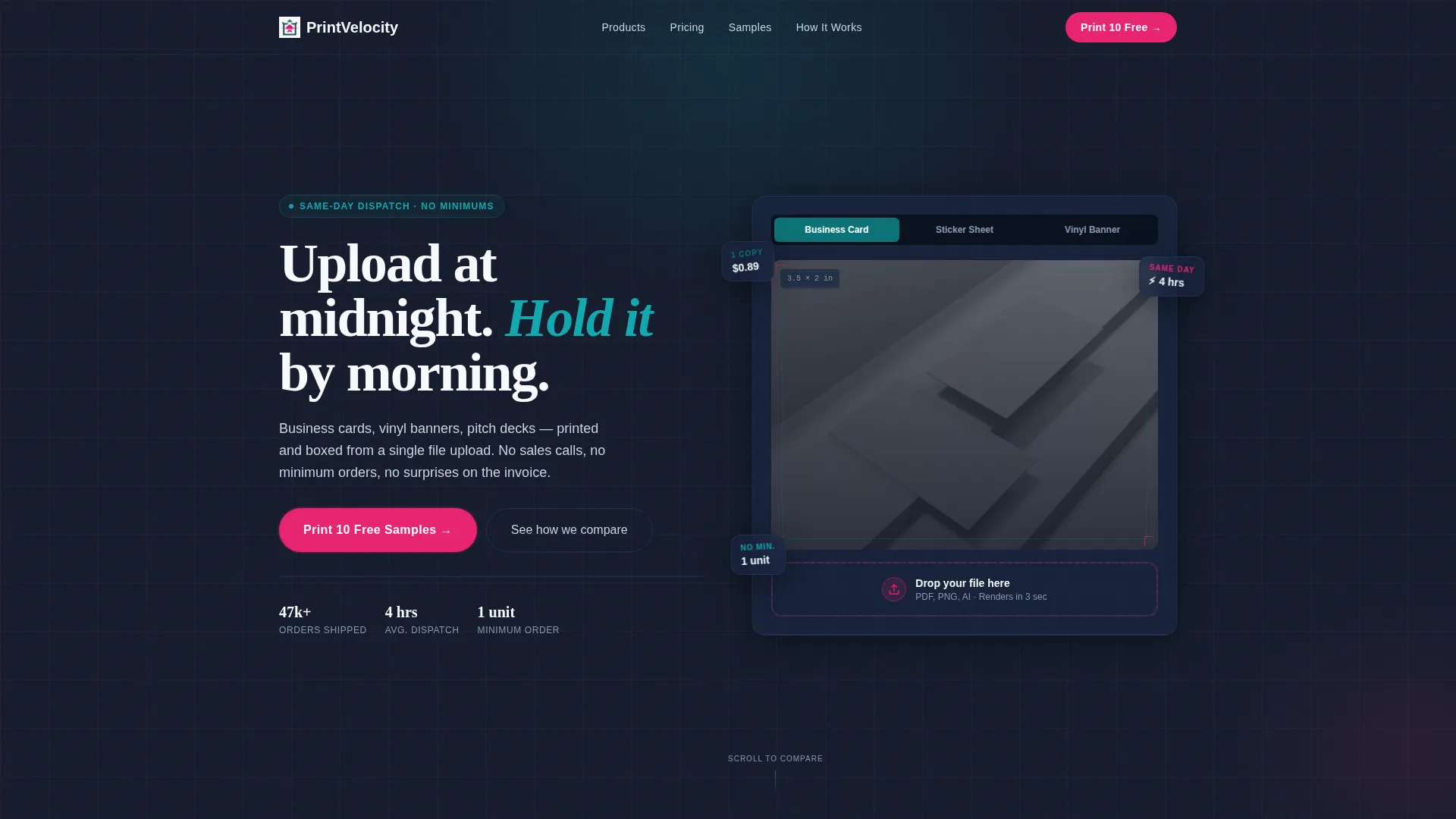
- An interactive header where visitors drag and drop their own file onto a product mockup and see it render with bleed lines and trim marks
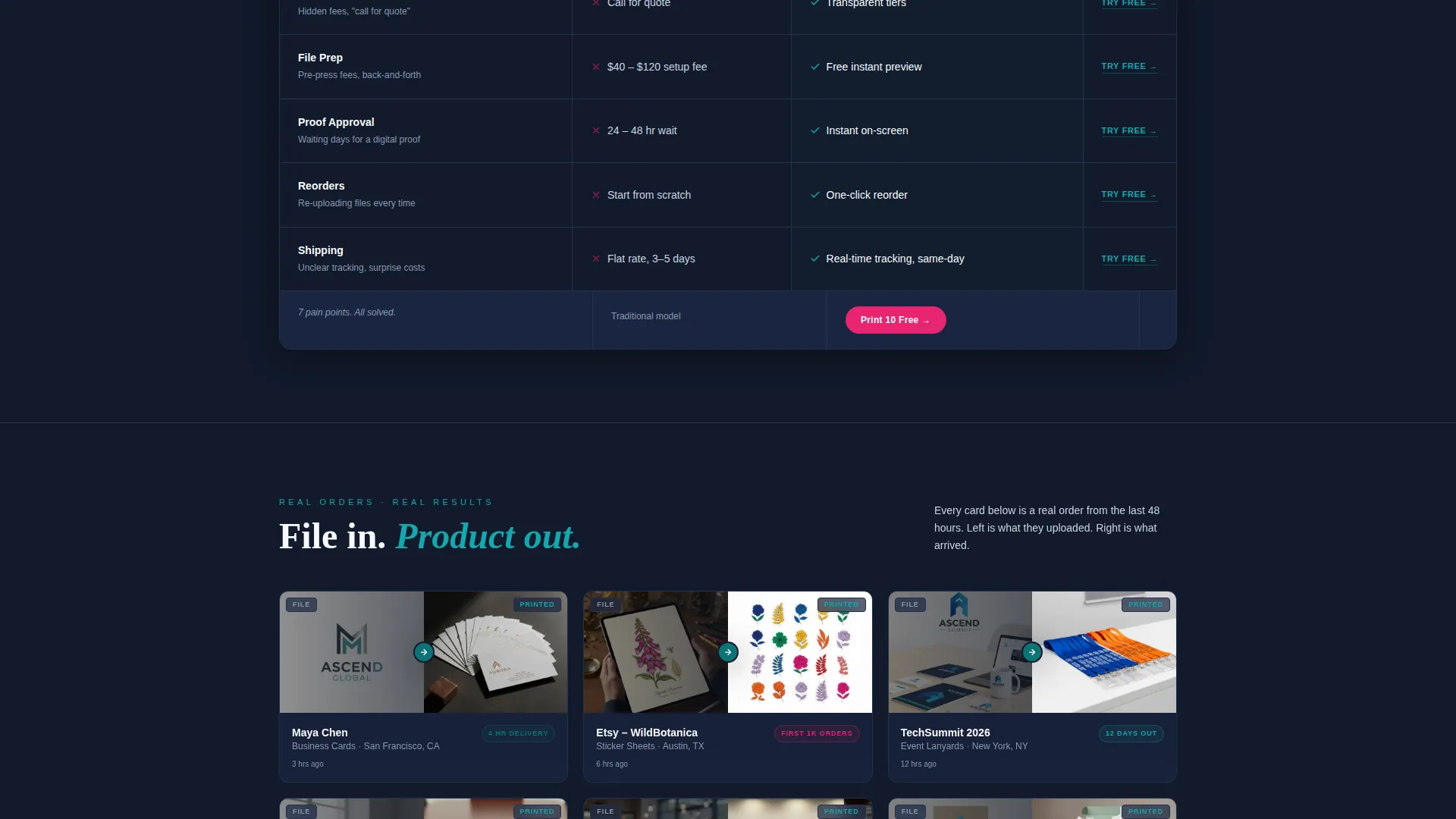
- A scroll-animated comparison table with rows covering order minimums, turnaround time, and pricing transparency, each with an inline free-trial link
- A two-step sample request form with no credit card field, pre-loading the chosen product category automatically from the comparison table
Feature list
This template is built around a tightly coordinated set of interactive and visual components. Each one serves a specific role in moving a visitor from curiosity to a confirmed sample request.
Live Drag-and-Drop Preview Engine
Visitors drop their own artwork file onto a product mockup directly above the fold. The preview renders in real time with accurate bleed lines and trim marks, making the page feel immediately relevant to that specific visitor's project.
Scroll-Animated Comparison Table
Each row in the comparison table animates into view as the visitor scrolls. The table contrasts traditional print shops against this store across order minimums, turnaround time, and pricing clarity. Every row in the store's column includes a subtle inline link that launches the sample flow pre-loaded for that product.
Pinned Free-Sample Call to Action
After the visitor scrolls past the comparison table, a sticky call-to-action bar appears at the bottom of the viewport. It reads "Print 10 Free Samples" and stays visible as the visitor continues reading, creating a persistent low-pressure conversion prompt.
Two-Step Sample Request Form
Clicking the primary call to action opens a two-step form. Step one lets the visitor choose a product category such as cards, stickers, flyers, or packaging. Step two collects artwork and a shipping address with no credit card field required.
Customer Order Proof Grid
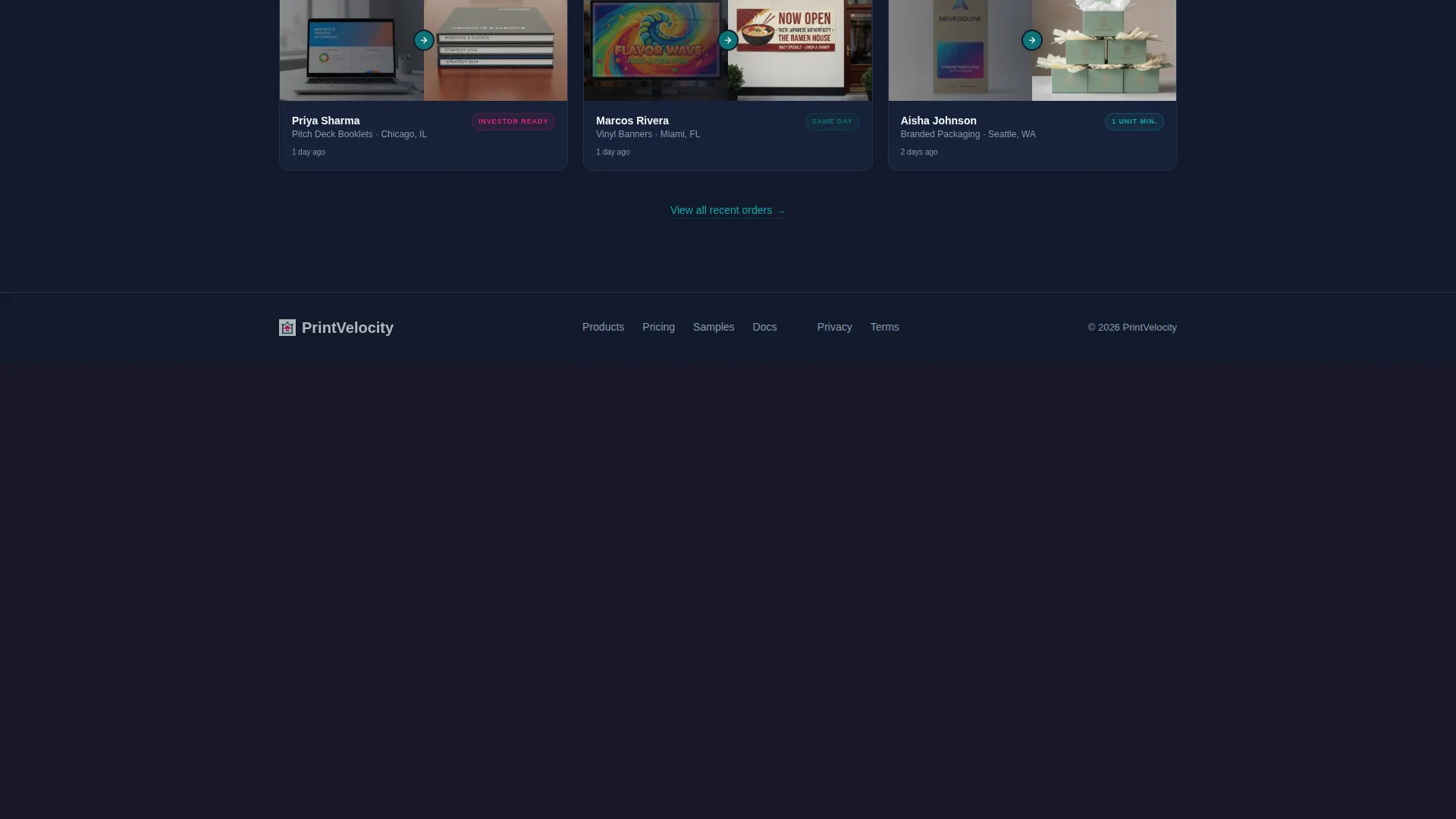
Below the comparison table, a rapid-fire grid shows real order thumbnails. Each tile pairs the uploaded artwork file with a finished product photo, giving social proof that the store's promise is already being delivered for people like them.
Reactor Magenta Urgency Layer
A dedicated accent color is reserved exclusively for calls to action and urgency badges. The upload zone in the header pulses softly in this color, drawing attention without overwhelming the calm dark background palette.
Page sections overview
| Section | Purpose |
|---|---|
| Interactive Header Preview | Let visitors render their own artwork on a product mockup above the fold |
| Problem Statement Line | Single punishing sentence that names traditional print-shop frustrations |
| Comparison Table | Animate pain-point rows and expose the difference between old and new |
| Inline Trial Links | Pre-load the sample flow directly from each comparison table row |
| Customer Order Grid | Show uploaded files next to finished products as tangible social proof |
| Pinned Sample call to action | Keep the free-sample offer visible throughout the full scroll |
| Two-Step Sample Form | Collect product choice, artwork, and shipping address without a credit card |
Design & branding system
The color system is called Teal Catalyst. It pairs a focused dark background with electric accent colors to create the feeling of a lit screen in a dark room at 2 a.m. Every color has a specific job and does not stray from it.
- Deep launchpad teal (#0D7377) anchors the brand and appears in primary headings and active user interface elements
- Midnight workspace (#121A2B) fills backgrounds and dense content areas to keep focus on the content
- Hot-white stock (#F7F9FC) is used for open space, table cells, and body text areas to maximize contrast
- Reactor magenta (#E6256F) appears only on calls to action and urgency badges, preserving its visual punch
Mobile & speed optimization
The layout is built to remain fully usable on smaller screens. The drag-and-drop preview, comparison table, and sticky call-to-action bar each adapt to narrower viewports without losing their core function.
- The comparison table collapses gracefully on mobile so each row remains readable without horizontal scrolling
- The pinned call-to-action bar adjusts its position and sizing for thumb-friendly tapping on touch devices
- The two-step form is designed to require minimal input, reducing drop-off on mobile keyboards
How this template helps you convert
The page is structured around a deliberate sequence of trust-building and friction removal. Each section earns the next click before asking for anything.
- The interactive preview makes the page feel personal within three seconds, removing the mental gap between a visitor's design and a finished printed product
- The comparison table builds a compounding rational case by animating each pain-point row, with inline trial links that let interested visitors act immediately at the exact moment they are persuaded
- The free-sample flow removes the final financial objection by asking only for a product choice, artwork, and shipping address, with no credit card required at any point
Other information about this template
This template is categorized under the Technology and Printing Digital Presence intersection, with a Startup Velocity theme. It is designed as a Freemium/Trial landing page with a Comparison Table layout and an Interactive Preview header concept. These structural choices reflect a specific niche: printing online stores that compete on speed, transparency, and low minimum orders.
- The template style is a comparison table, making it well suited for printing businesses that want to position directly against slower, less transparent competitors
- The Startup Velocity theme supports the visual energy of a fast-moving early-stage audience while staying professional enough for event and packaging buyers
- The template supports a print on demand positioning with an order minimum of one unit, contrasted against traditional minimums of one thousand or more
- No stock photography is used in the header; the visitor's own uploaded file becomes the hero image, which makes the page feel uniquely relevant to each person who lands on it
Theme
Startup Velocity
Creative direction
Problem→Solution Arc
Color system
Teal Catalyst
Style
Comparison Table
Direction
Freemium/Trial
Page Sections
Live Drag-and-drop Mockup Preview
Scroll-animated Comparison Table
Pinned Free-sample Call to Action Bar
Two-step No-card Sample Form
Customer Order Proof Grid
Related questions
Does this template require visitors to create an account before seeing the preview?
Can the comparison table rows be edited to match my store's products?
What happens when a visitor clicks 'Print 10 Free Samples'?
Who is this landing page best suited for?
Is the sticky call-to-action bar visible throughout the entire page?



