Local Restaurant Software Cost Estimator Website Template
Leasedash is a split-screen landing page template built for restaurant lease management platforms. It opens with a live Rent Estimator as the hero, guides visitors through interactive portfolio and timeline modules, and drives them toward an app download. The Acid Digital color system gives it a charged, terminal-style look that feels built for operators who think in numbers.
by Rocket studio
Quick summary
Leasedash is a single-page, split-screen landing page template designed for restaurant property management platforms. The page opens with a working Rent Estimator, moves visitors through interactive data modules, and closes with a two-step app download flow. Every section teaches something useful before asking for anything in return.
Who this template is for
This template is built for companies that help restaurant operators manage commercial lease complexity. It speaks directly to the people those companies serve, and it earns trust by giving real value upfront.
- Multi-unit franchise operators tracking multiple lease expirations across locations
- Independent restaurateurs navigating their first long-term lease without legal counsel
- Hospitality real estate investment trusts managing rent rolls across mixed-use food halls
What problem this template solves
Restaurant operators lose time and money to lease complexity they were never trained to handle. Common area maintenance (CAM) reconciliations, triple-net (NNN) obligations, rent escalation clauses, and landlord amendments pile up fast. This template gives a platform the right visual language to show it has already solved those problems.
- Operators lack a fast way to benchmark their lease deal against current market rates
- Lease timelines and compounding rent escalations are hard to visualize without purpose-built tools
- Dense legal clause language creates confusion and delays critical decisions
What you get with this template
You get a fully structured, interactive landing page built around a Dashboard Pro theme with an Acid Digital color system. Every section is a functional module, not a static block of text. The layout guides visitors from curiosity to commitment without a single passive scroll moment.
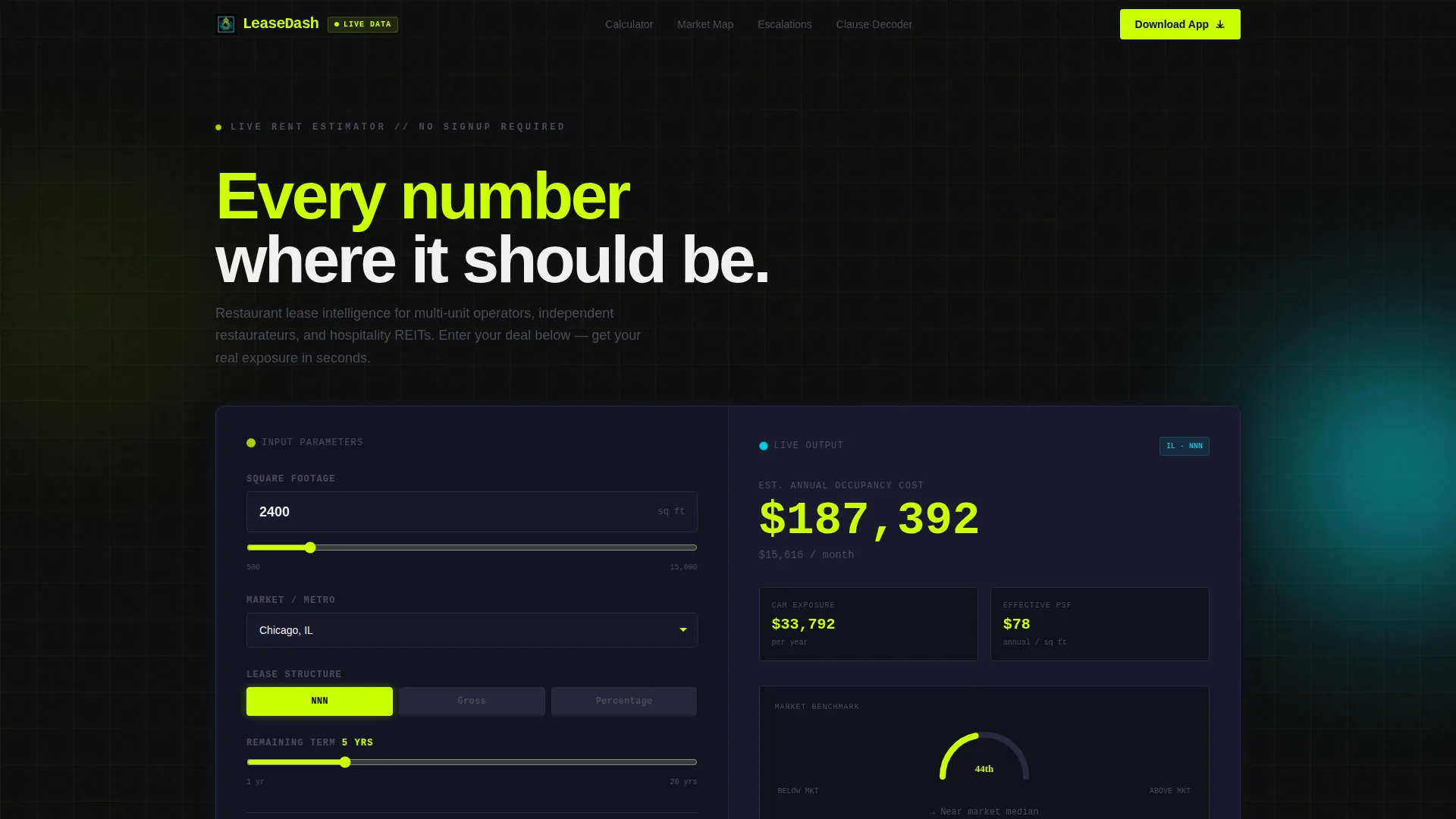
- A split-screen Rent Estimator hero with live-updating dashboard output on the right panel
- An interactive portfolio map, a lease-timeline simulator, and a clause decoder section
- A two-step app download conversion flow with a secondary email capture path
Feature list
This template ships with six purpose-built interactive sections. Each one is designed to demonstrate platform intelligence before asking visitors to take action.
Live Rent Estimator Hero
The header splits 50/50. The left panel holds a calculator where visitors enter square footage, select a metro market from a fifty-city dropdown, choose a lease type (NNN, gross, or percentage), and set their remaining term. The right panel instantly renders estimated annual occupancy cost, CAM exposure, and a benchmark gauge against the market median. Numbers animate on every input change.
Interactive Portfolio Map
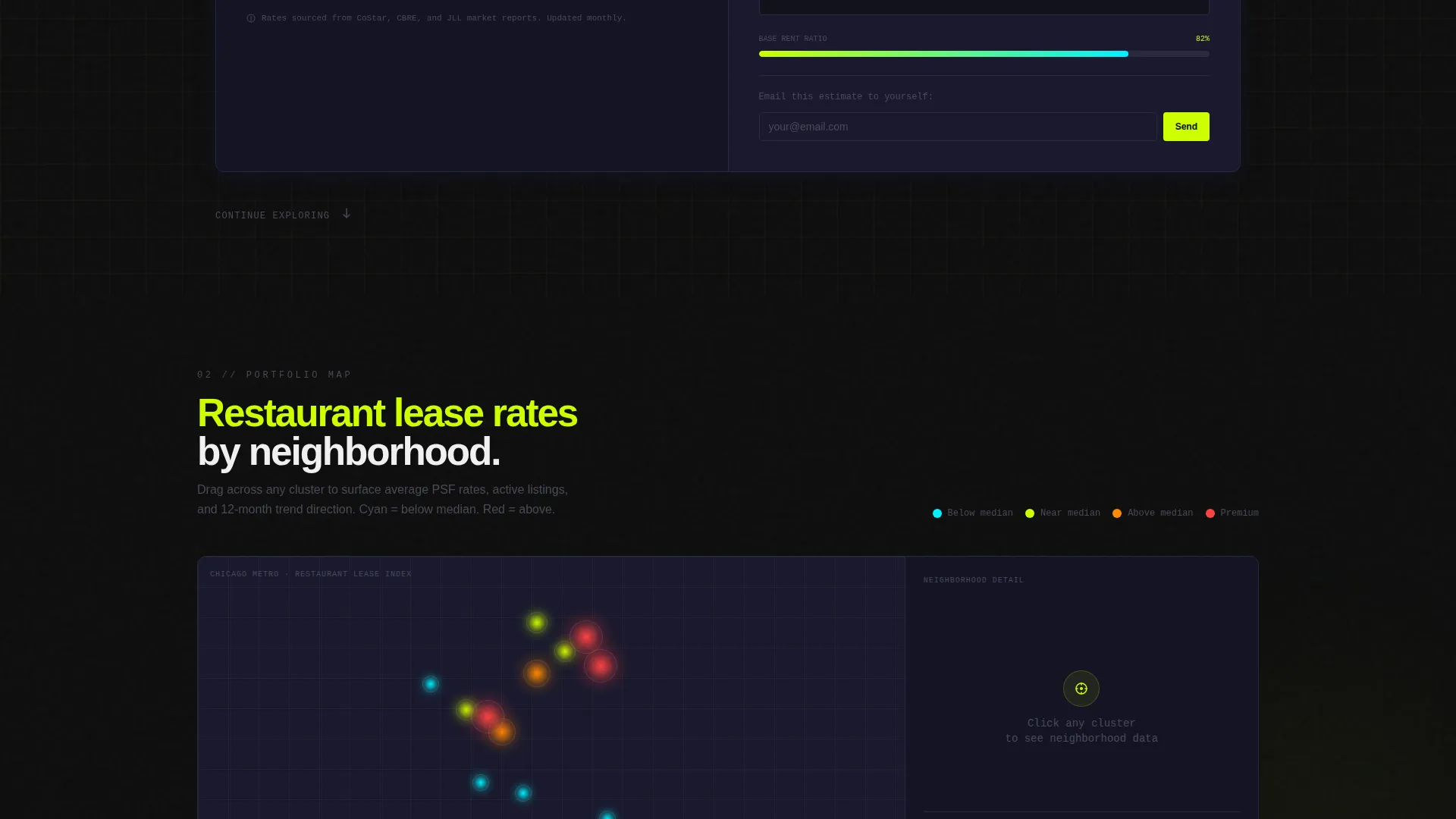
Positioned directly below the estimator, this section lets visitors drag across neighborhoods to see average restaurant lease rates rendered as glowing cyan data clusters. It makes geographic lease variance tangible and keeps visitors engaged beyond the hero section.
Lease Timeline Simulator
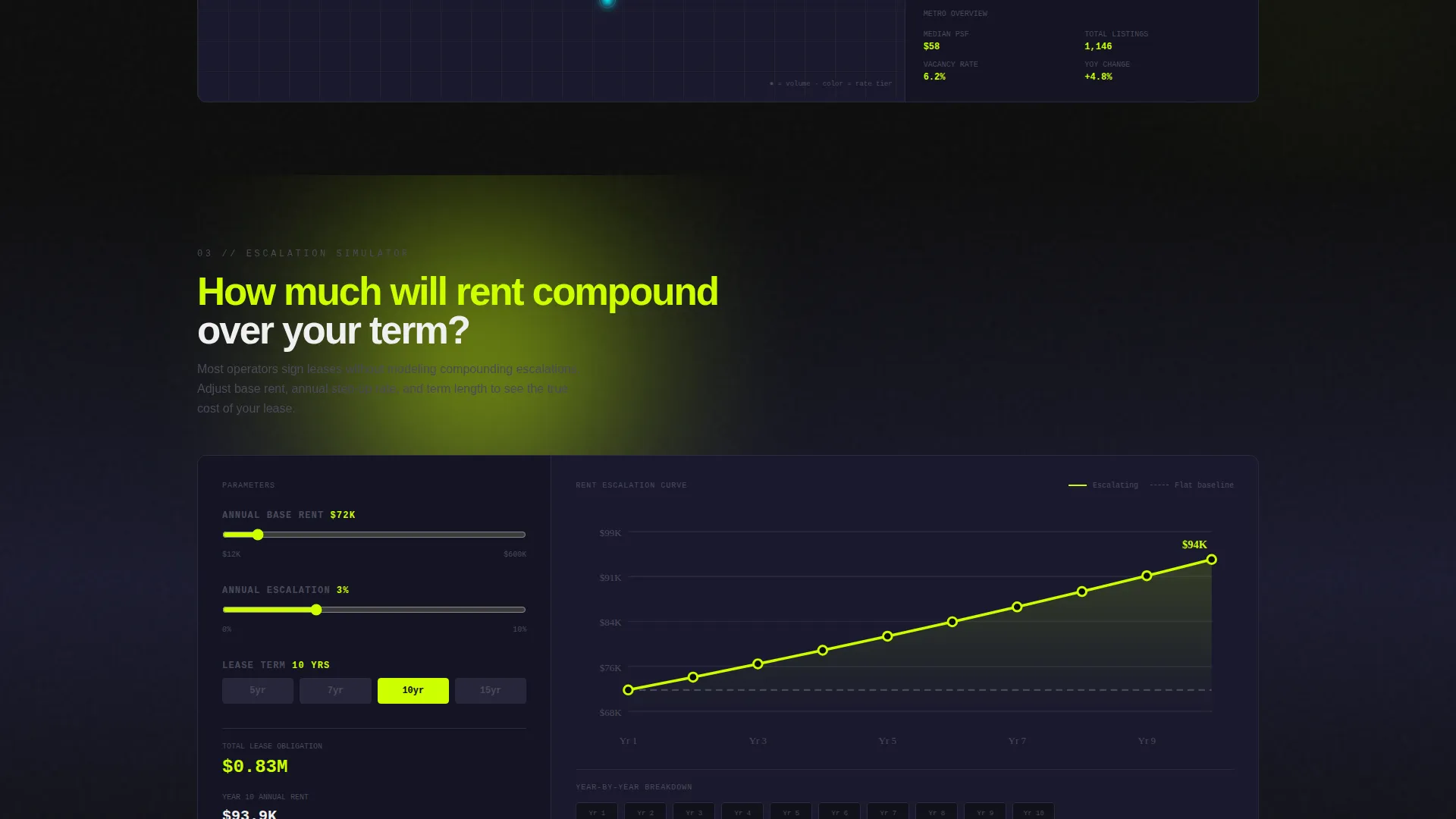
This module visualizes how rent escalations compound over five, ten, and fifteen years. A chartreuse line climbs against a gray baseline, making the financial weight of long lease terms immediately visible. Operators can see their exposure at a glance without reading a single clause.
Clause Decoder Module
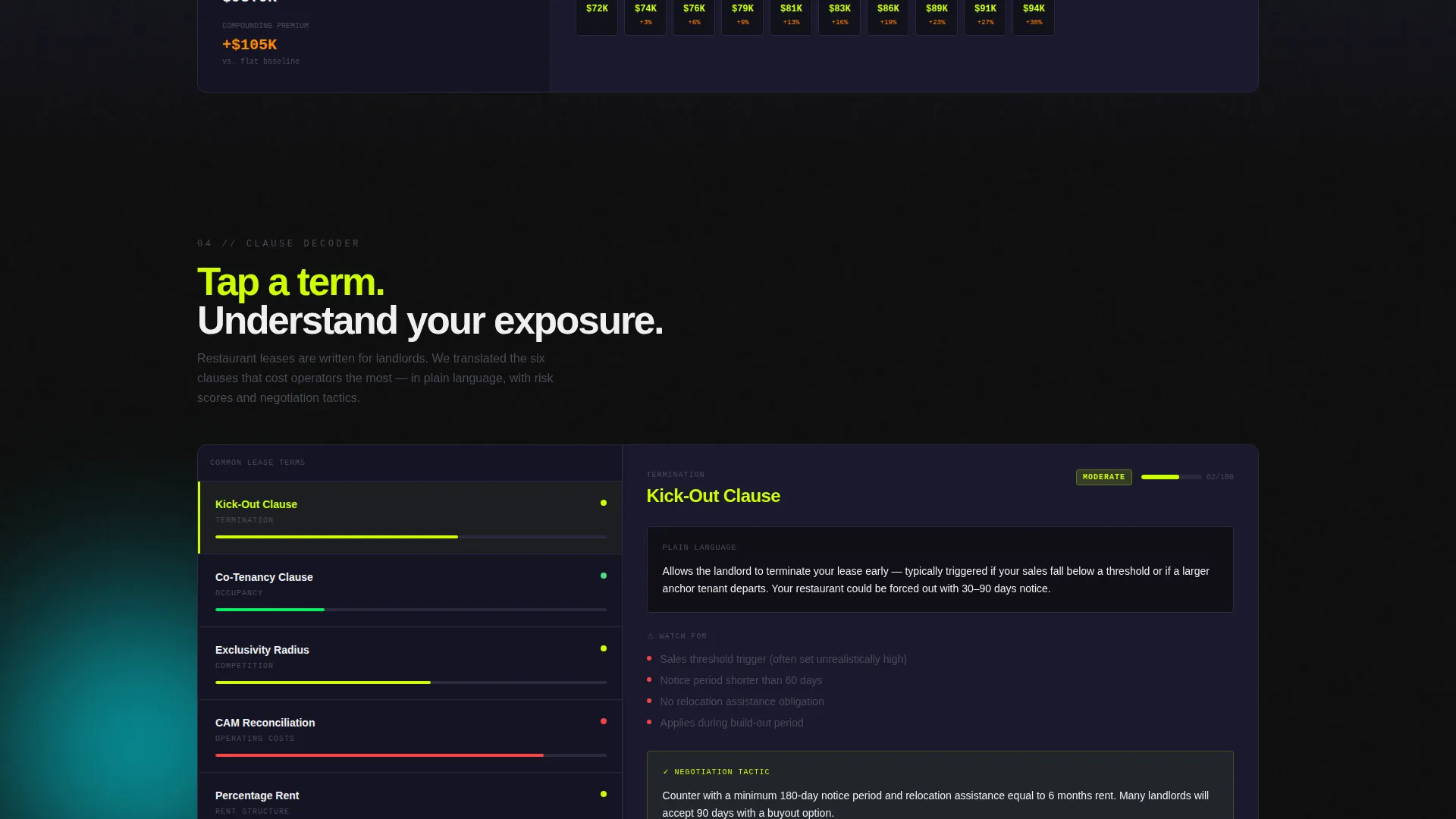
Visitors tap common lease terms such as kick-out clause, co-tenancy provision, and exclusivity radius. The right panel responds with plain-language explanations and a risk score for each term. This section reduces legal intimidation and builds confidence in the platform.
Floating App Download Bar
After the estimator interaction, a chartreuse-on-black call-to-action bar pins to the page. It stays visible as visitors scroll. Tapping opens a two-step flow: platform selection (iOS or Android, with device detection pre-selecting the right option), followed by a mobile number field or a live QR code for direct install.
Email Estimate Capture Path
Visitors who engaged the calculator but are not ready to install can choose "Email My Estimate." This secondary conversion path requires only an email address and automatically attaches their estimator inputs to the outbound message. It captures the lead without friction.
Page sections overview
| Section | Purpose |
|---|---|
| Rent Estimator Header | Delivers instant lease cost benchmarking as the hero |
| Portfolio Map Module | Shows geographic lease rate variance interactively |
| Lease Timeline Simulator | Visualizes rent escalation over multiple lease terms |
| Clause Decoder Panel | Translates complex lease language into plain risk scores |
| Floating call to action Bar | Keeps the app download action visible at all times |
| Email Capture Path | Converts calculator-engaged visitors not ready to install |
Design & branding system
The template uses the Acid Digital color system built on four specific values. The palette feels synthetic and charged, like a neon sign in a dark alley behind a restaurant. Every color has a defined role and does not stray from it.
- Void black (#0D0D0D) and deep terminal gray (#1A1A2E) lock in all backgrounds
- Electric chartreuse (#CCFF00) owns every headline, active metric, progress bar, and primary call-to-action
- Signal cyan (#00F0FF) fires exclusively on hover states and live-data interaction pulses, rewarding the click
Mobile & speed optimization
The two-step app download flow is built with mobile behavior in mind. Device detection pre-selects the correct platform option, reducing friction for visitors arriving on a phone or tablet. The layout adapts to narrower viewports without breaking the split-screen logic.
- The floating call to action bar remains pinned and accessible across all screen sizes
- The QR code render path gives desktop visitors a frictionless route to mobile install
- Interactive modules are designed to remain operable on touch input, not just mouse-click
How this template helps you convert
This template earns the conversion by proving product value before making a request. Visitors arrive with a lease question and leave with a partial answer, creating a natural reason to download the app and get the full picture.
- The Rent Estimator answers a real question in under ten seconds, building trust before any sign-up prompt appears
- Each interactive module below the hero adds a new layer of value, keeping visitors engaged and moving toward the download call to action
- The dual conversion path (app download or email capture) ensures no engaged visitor leaves without a follow-up touch point
Other information about this template
This template is categorized under Technology, with a subcategory of Restaurant Software and a niche focus on restaurant property management. It is built as a single landing page using a Split Screen (50/50) layout with a Dashboard Pro theme. The creative direction is Interactive Explorer, meaning each section functions as a manipulable module rather than a passive content block. The header concept is a Calculator/Estimator, and the primary landing page direction is App Download.
- Template style: Split Screen (50/50) with a Dashboard Pro theme
- Primary call-to-action direction: App Download with a two-step install flow
- Secondary conversion path: Email estimate capture tied to calculator inputs
- Color system: Acid Digital with four locked palette values and strict role assignments
Theme
Dashboard Pro
Creative direction
Interactive Explorer
Color system
Acid Digital
Style
Split Screen (50/50)
Direction
App Download
Page Sections
Split-screen Rent Estimator Hero
Interactive Portfolio Map
Lease Timeline Simulator
Clause Decoder with Risk Scores
Two-step App Download Flow
Email Estimate Capture Path
Related questions
Who is this landing page template designed for?
Does the Rent Estimator actually run live calculations?
Can I adjust the template if my platform focuses on a specific lease type?
What happens after a visitor taps the app download call-to-action?
Is there a way to capture leads who are not ready to install the app?



