Accounting Digital Presence Pricing & Packages Website Template
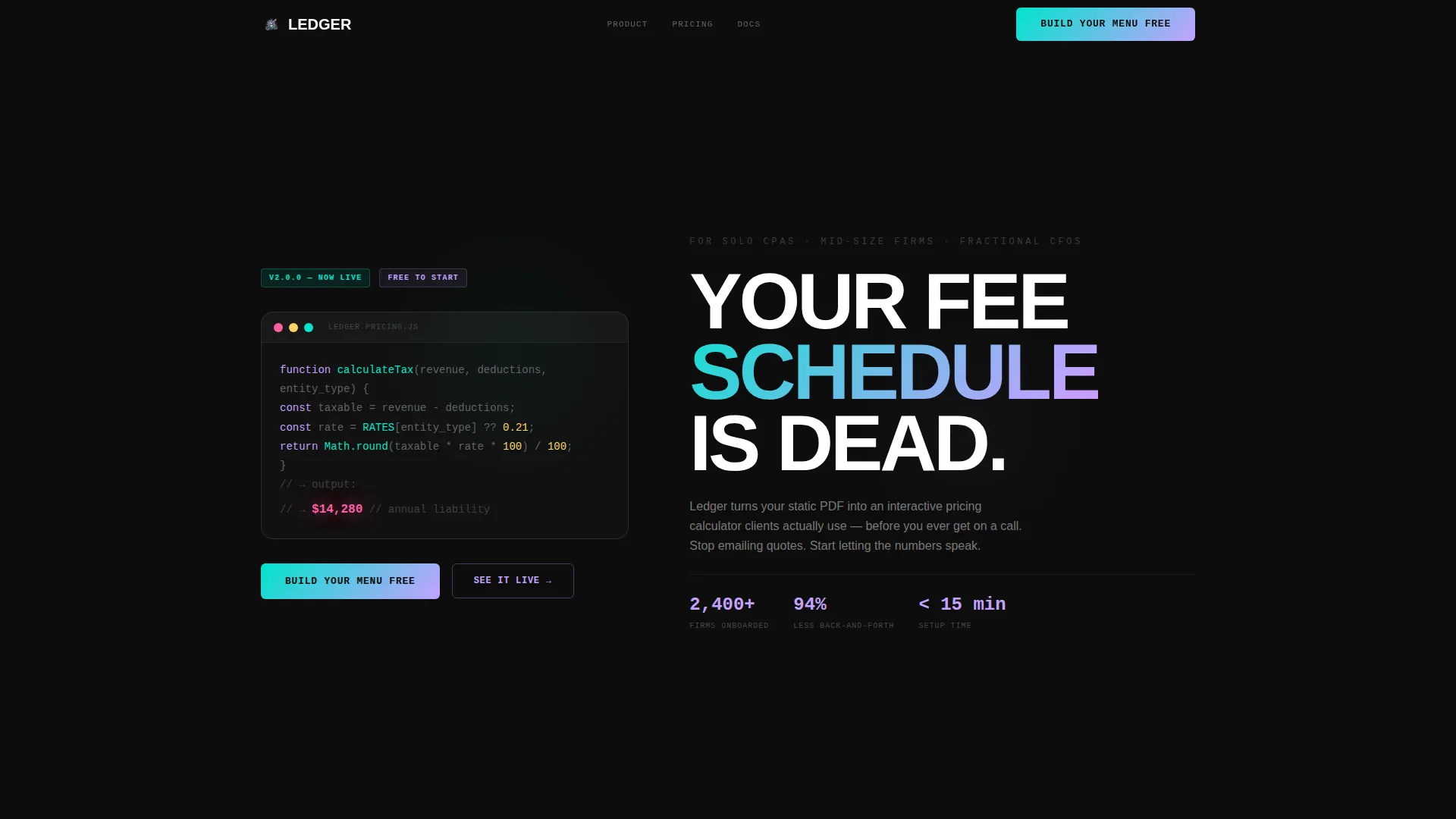
Ledger is a bold brutalist bento grid landing page template built for accounting firms that want to replace static PDF fee schedules with interactive pricing calculators. It features a live code-snippet header, a working mini-calculator as the first interactive cell, and a lead capture form, all styled in a striking AI iridescent color system that makes financial data feel alive.
by Rocket studio
Quick summary
Ledger turns a standard accounting firm landing page into a fully interactive pricing tool. The template combines a brutalist bento grid layout with a live calculator, animated code-snippet header, and a focused lead generation flow. Firms stop emailing static quotes and start letting prospects self-qualify before the first call.
Who this template is for
Ledger is built for accounting professionals who want prospects to arrive informed and ready to buy. It suits firms where the pricing conversation starts before any human interaction.
- Solo CPAs who are tired of manually emailing individual quotes to every new inquiry
- Mid-size accounting firms that onboard large volumes of seasonal tax clients and need a scalable first touchpoint
- Fractional CFO practices that want prospects to self-qualify on service fit and price range before a discovery call
What problem this template solves
Static PDF fee schedules create friction. They sit in inboxes, go unread, and force accountants to repeat the same pricing conversation over and over. Ledger replaces that dead document with a living tool clients actually interact with.
- Prospects receive no immediate price signal, so they arrive on calls unqualified and unprepared
- Emailing one-off quotes is time-consuming and impossible to scale across hundreds of seasonal clients
- A generic landing page gives no sense of the firm's service range or pricing logic before the first conversation
What you get with this template
Ledger delivers a complete single-page layout structured around interaction and conversion. Every section is a purposeful bento cell, not decorative filler.
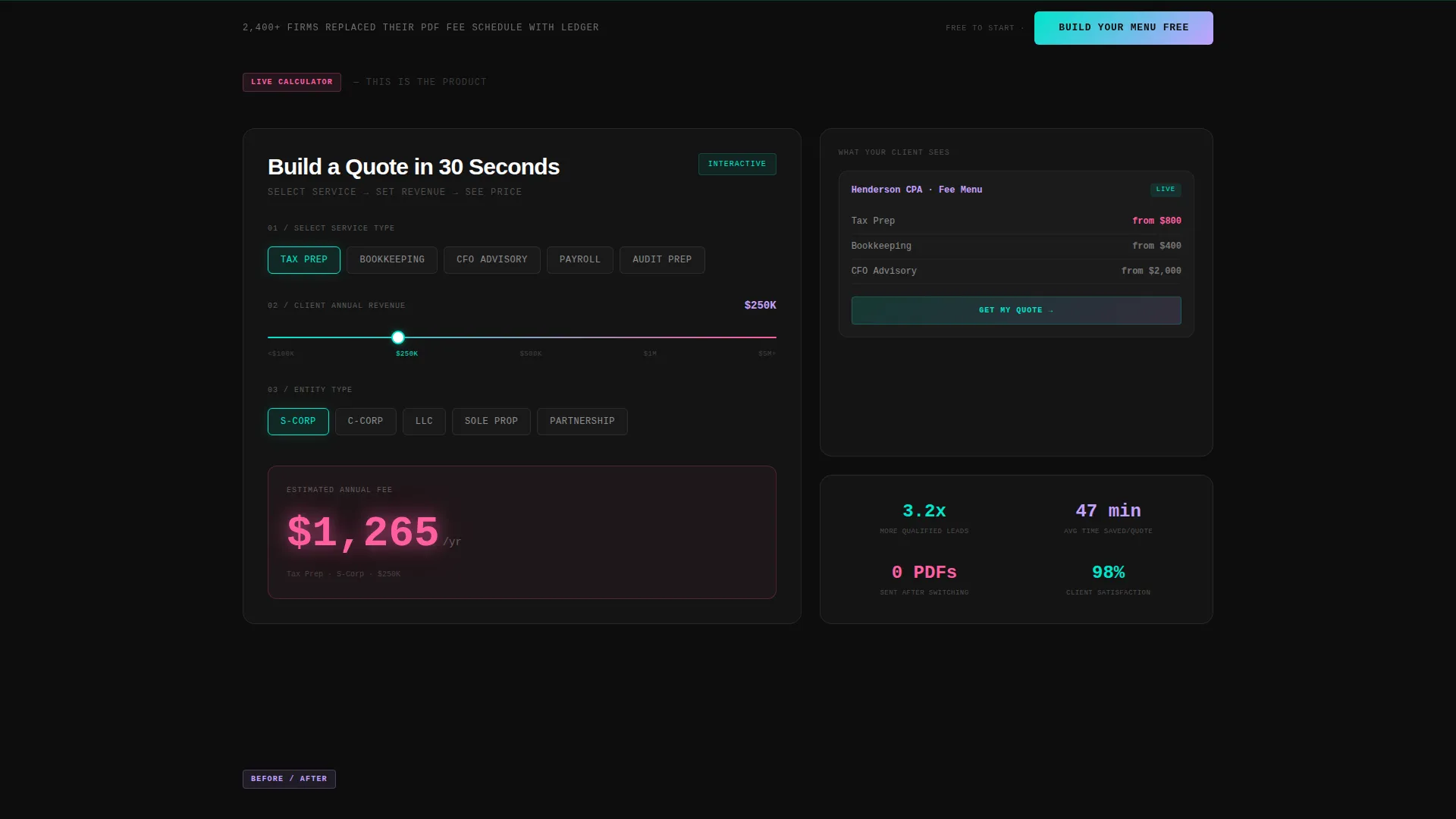
- A live mini-calculator as the first interactive element below the header, letting visitors select a service and revenue range to see a sample price render instantly
- A bold brutalist design system with an AI iridescent color palette, monospaced typography, and glowing bento cell borders that respond to hover and interaction states
- A three-field lead capture form and a secondary input path where visitors can paste their existing fee schedule URL for an instant audit preview
Feature list
Ledger is built around a small set of high-impact components. Each one earns its place by doing real work in the conversion flow.
Live Pricing Calculator Cell
The very first interactive bento cell below the header functions as a working mini-calculator. Visitors pick a service category, tax preparation, bookkeeping, or advisory, then input a rough revenue range. A sample menu price renders instantly in hot chrome pink, making the product's value immediately tangible before any form is filled.
Animated Code-Snippet Header
The header is a monospaced pseudocode block that auto-types a live accounting function, calculateTax(revenue, deductions, entity_type), and returns a glowing output number that ticks upward. A faint iridescent circuit-grid pulses behind it. No stock photography, no filler imagery, just raw computational logic as the opening statement.
Brutalist Bento Grid Layout
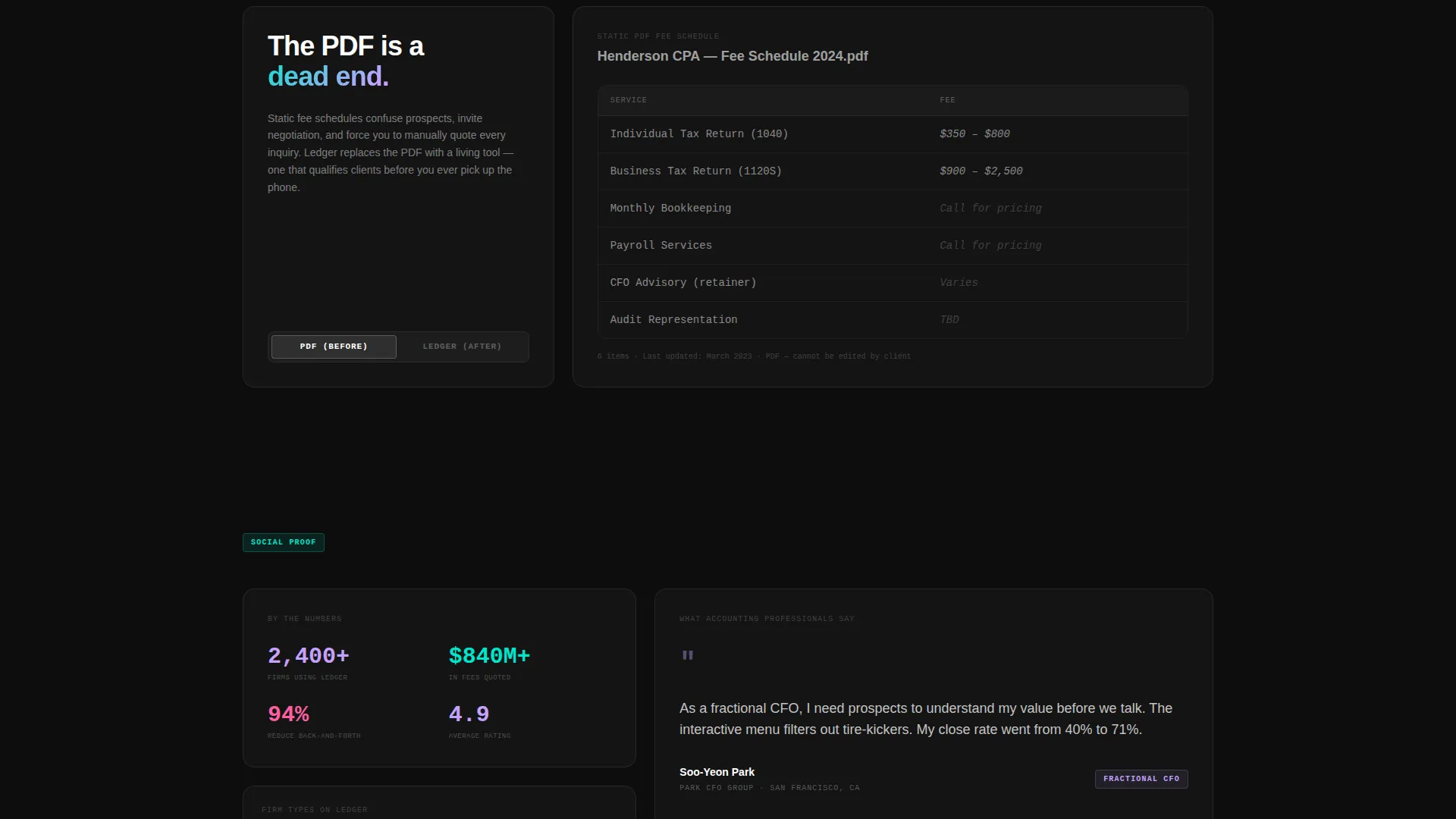
The page is structured as a grid of independent bento cells, each revealing a distinct content layer on scroll. Cells include a live embed demo panel, a before-and-after comparison of a static PDF versus the animated digital menu, and a firm logo grid. Each cell border glows with a teal-to-pink gradient on hover.
Interactive Micro-Transitions
Passive readers see bold brutalist typography and stark claims. Visitors who click unlock animated outputs, sliding panels, and iridescent micro-transitions. The scroll rewards interaction, each opened cell feels like pulling open a drawer to find the next layer of information.
Dual Lead Capture Flow
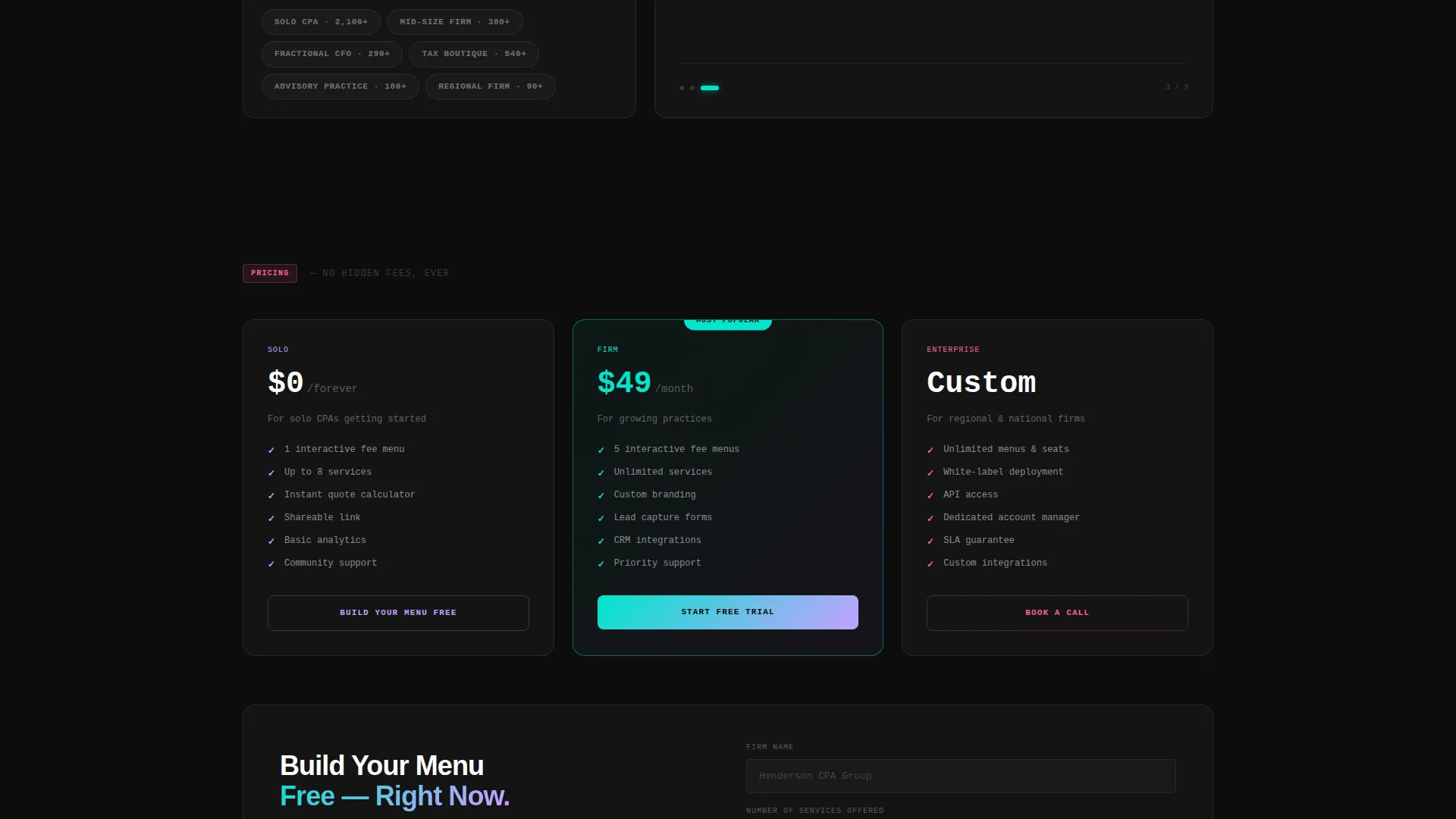
The primary call to action, "Build Your Menu Free," appears inside the calculator output after first interaction and again in a pinned bottom bar. The sign-up form captures three fields: firm name, number of services offered, and email. A secondary path accepts a pasted fee schedule URL for an AI audit preview, giving hesitant prospects a lower-commitment entry point.
AI Iridescent Visual System
The color system uses void black as the base, with phosphor lilac for primary text, holographic teal for structural accents, and hot chrome pink reserved for interactive states and calculator outputs. The palette shifts and pulses when numbers change, making the data feel animated and alive rather than static.
Page sections overview
| Section | Purpose |
|---|---|
| Code Snippet Header | Sets the terminal-logic tone and auto-types a live accounting function with a glowing output |
| Mini-Calculator Cell | Lets visitors select a service and revenue range to see a sample price render immediately |
| Live Embed Demo | Shows the digital menu product working in context, moving from abstract claim to visible proof |
| PDF versus. Menu Comparison | Contrasts a static fee schedule with the animated digital menu to make the value shift clear |
| Firm Logo Grid | Builds credibility through social proof from recognizable accounting firm names |
| Lead Capture Form | Collects firm name, service count, and email via a three-field form with a pinned call to action bar |
| Fee Schedule Audit Path | Offers a secondary lower-friction entry point by accepting a pasted fee schedule URL |
Design & branding system
Ledger's visual identity is built on a Bold Brutalist foundation pushed into the future by an AI iridescent color system. The result feels like a spreadsheet that gained sentience, precise and monospaced until the numbers move, then suddenly electric.
- Color palette: void black (#0D0D0D) for all backgrounds, stark white and phosphor lilac (#C4A1FF) for text, holographic teal (#00E5CC) for structural glows and borders, and hot chrome pink (#FF5FA2) reserved for interactive states and live calculator outputs
- Typography: oversized grotesque type for brutalist headlines, monospaced fonts for the code-snippet header and calculator logic, creating a deliberate contrast between raw data and bold claim
- Interaction language: every bento cell border transitions to a teal-to-pink gradient glow on hover; calculator outputs pulse with iridescent micro-transitions when numbers change
Mobile & speed optimization
The bento grid layout adapts across screen sizes so the interactive cells remain usable on any device. The calculator and lead form are the priority components, and they stay fully functional at smaller widths.
- Bento cells reflow into a single-column stack on mobile without losing their individual hover and interaction states
- The pinned bottom bar with the primary call to action remains visible across all scroll positions on mobile, keeping the conversion path accessible throughout the page
How this template helps you convert
Ledger converts by making the product the pitch. Visitors do not read about the calculator, they use it. By the time a prospect reaches the lead form, they have already seen their own service categories rendered in the tool.
- The mini-calculator delivers a personalized price signal in the first scroll, creating an immediate sense of relevance that passive landing pages cannot match
- The dual call-to-action placement, inside the calculator output and in the pinned bottom bar, keeps the "Build Your Menu Free" prompt visible at every stage of the page without being intrusive
- The secondary fee schedule audit path lowers the barrier for hesitant visitors, giving them a reason to engage before committing to a sign-up
Other information about this template
Ledger was designed specifically for the accounting digital presence niche, where most firms rely on outdated PDF documents or generic website contact forms to communicate pricing. The template's interactive menu board concept sits at the intersection of accounting technology and client self-service tools.
- The template style is a bento grid, which organizes information into modular, scannable cells rather than a top-to-bottom narrative scroll
- The bold brutalist theme is intentionally unconventional for the accounting space, making Ledger memorable in a category known for conservative visual design
- The AI iridescent color system is a deliberate design system choice, not a decorative afterthought, each color in the palette has a specific functional role tied to interaction states or content hierarchy
Theme
Bold Brutalist
Creative direction
Calculator/Tool First
Color system
AI Iridescent
Style
Bento Grid
Direction
Lead Generation
Page Sections
Live Pricing Mini-calculator
Auto-typing Code Snippet Header
Brutalist Bento Grid Structure
Dual Call-to-action Placement
Fee Schedule Audit Entry Path
AI Iridescent Interaction System
Related questions
Who is this landing page template built for?
Does the calculator in this template actually do the math?
Can I use this template if my firm already has a fee schedule?
What does the lead capture form collect?
Is this template suitable for a firm with a conservative brand?



