Specialist Consulting Firm Software Pricing & Packages Website Template
Ledger is a dynamic consulting firm payment processing landing page template built for consultants who work with milestones, retainers, and change orders. It leads with a live metrics header and an interactive fee calculator, then guides visitors through animated modular card sections toward a single clear goal: downloading the payment app and sending their first invoice.
by Rocket studio
Quick summary
Ledger is a single-page template designed specifically for consulting firm payment processing platforms. It opens with a live stats wall, moves immediately into a savings calculator, and flows through animated card sections that build trust and drive app downloads. Every section is modular, motion-driven, and structured to turn a consultant's curiosity into a confident click.
Who this template is for
This template is built for payment platforms that serve the consulting industry. It speaks directly to the billing realities consultants face every day, from milestone invoicing to multi-partner fee splits.
- Solo strategy advisors managing net-30 invoices across multiple time zones
- Boutique consulting firms splitting project fees across two or three partners
- Fractional CFOs handling twelve or more client accounts from a single dashboard
What problem this template solves
Most payment platform pages are built around simple cart checkouts. Consultants do not work that way. They need a page that communicates fluency in retainers, change orders, and milestone billing before the visitor even reads a headline.
- Generic payment pages fail to address the complexity of consulting billing cycles
- Visitors leave before trusting the platform because the page never speaks their language
- No clear visual proof of value means the download call to action arrives too early and without conviction
What you get with this template
You get a fully structured, motion-rich landing page template with every section already designed and sequenced. The layout moves visitors from live proof to personal savings to social proof, then delivers a frictionless app download moment.
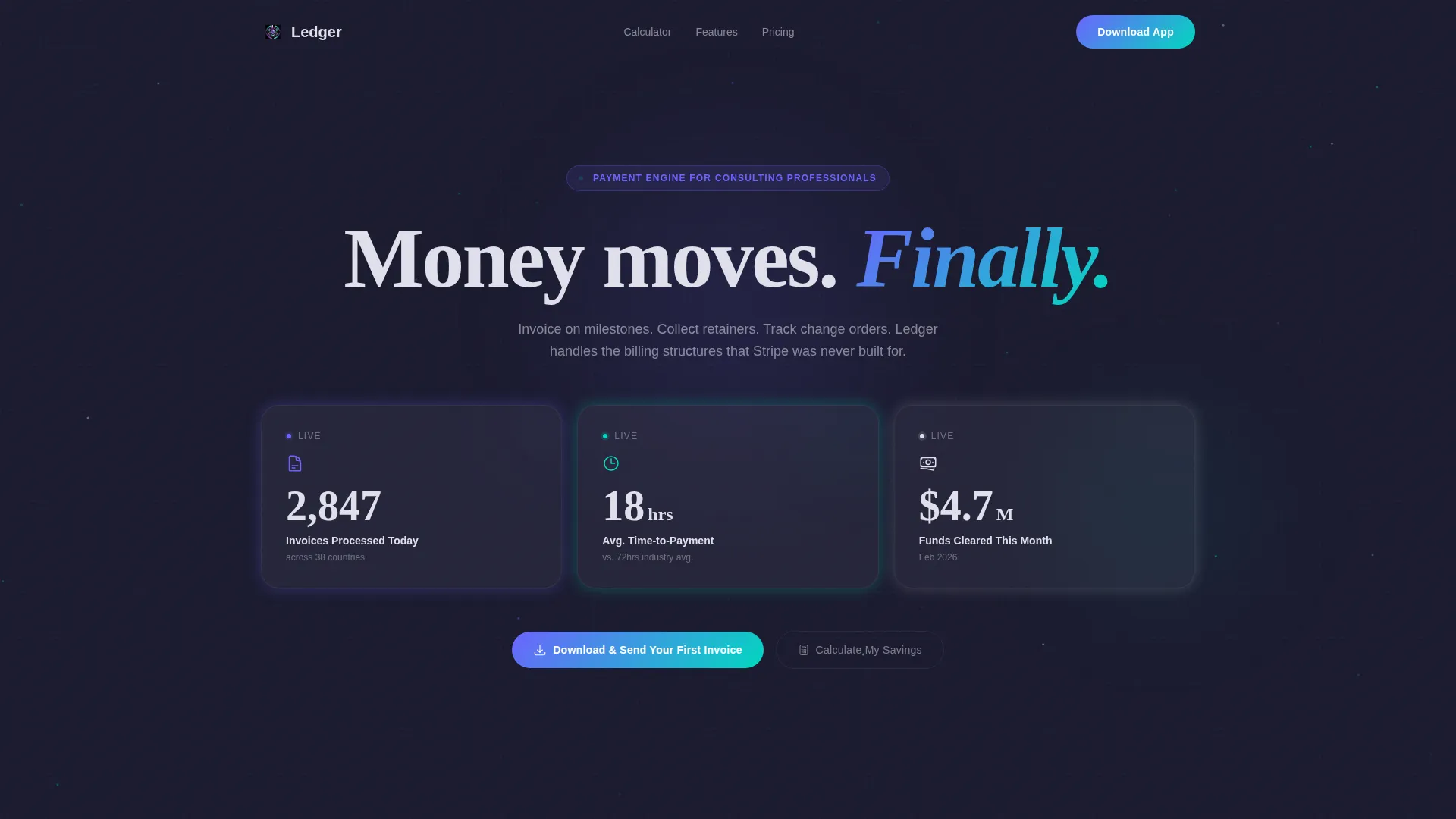
- A live metrics header with three animated stat cards showing real-time payment data
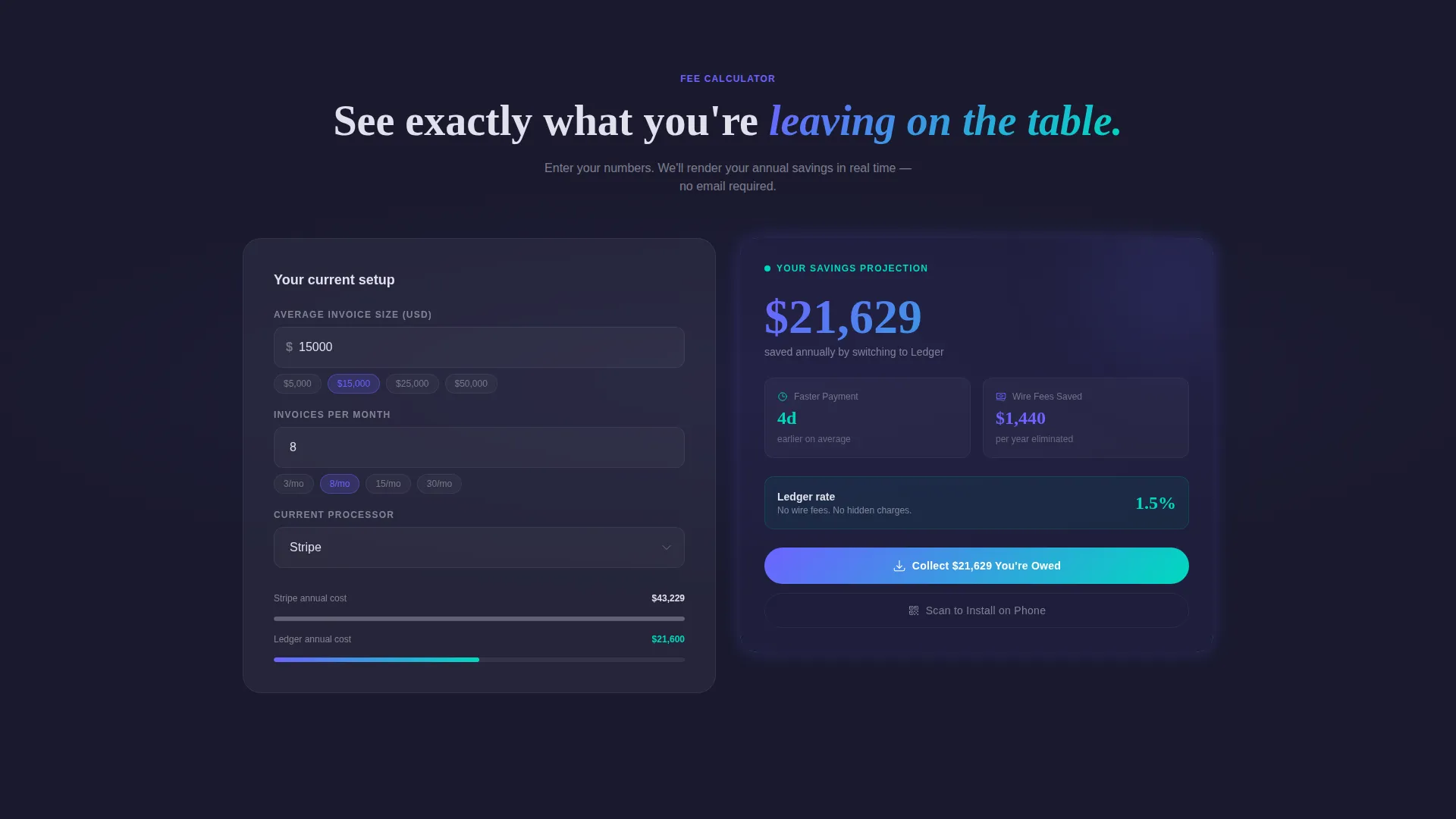
- An interactive fee calculator embedded in the first scroll section
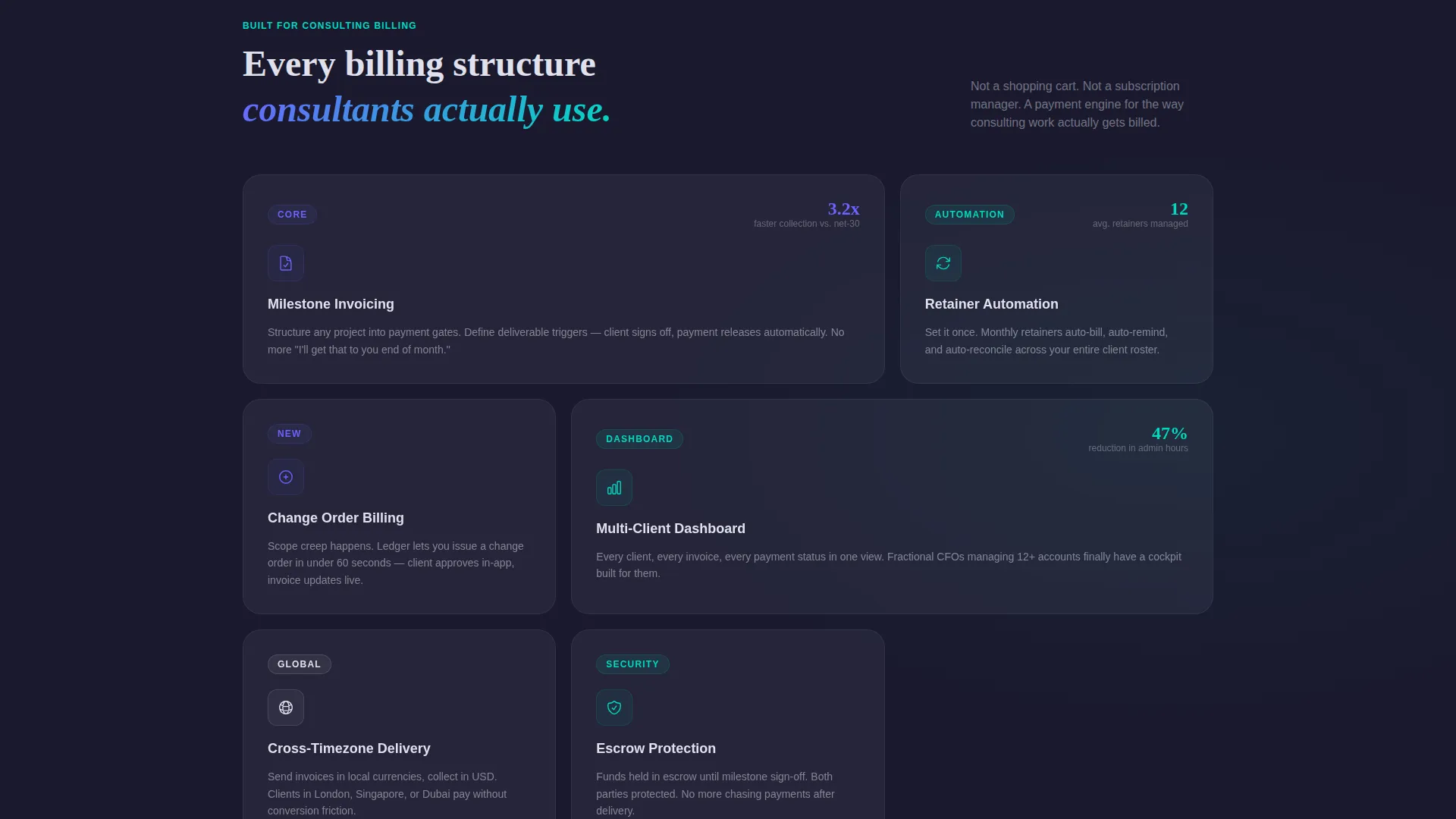
- A modular card grid of testimonial, feature, and comparison sections with kinetic micro-interactions
- Dual call-to-action paths: App Store and Google Play badges plus a scannable QR code card
Feature list
This template includes a focused set of purpose-built components. Each one is designed to do a specific job in the conversion flow.
Live Stats Metrics Header
Three oversized metric cards float against a deep graphite background. Each card animates upward in real time, displaying total invoices processed today, average time-to-payment in hours, and funds cleared this month. Numbers tick like an exchange board, with an animated particle trail connecting each card like current through a circuit.
Interactive Fee Calculator
Visitors enter their average invoice size, monthly volume, and current processor. The calculator instantly renders a results card showing estimated annual savings, faster payment timelines, and eliminated wire fees. This component earns the conversion before any pitch copy asks for it.
Animated Modular Card Grid
Every scroll section below the calculator is a self-contained card. Cards subtly breathe, shift, and respond to cursor movement, keeping the grid feeling alive throughout the entire page experience.
Testimonial Cards with Dollar Figures
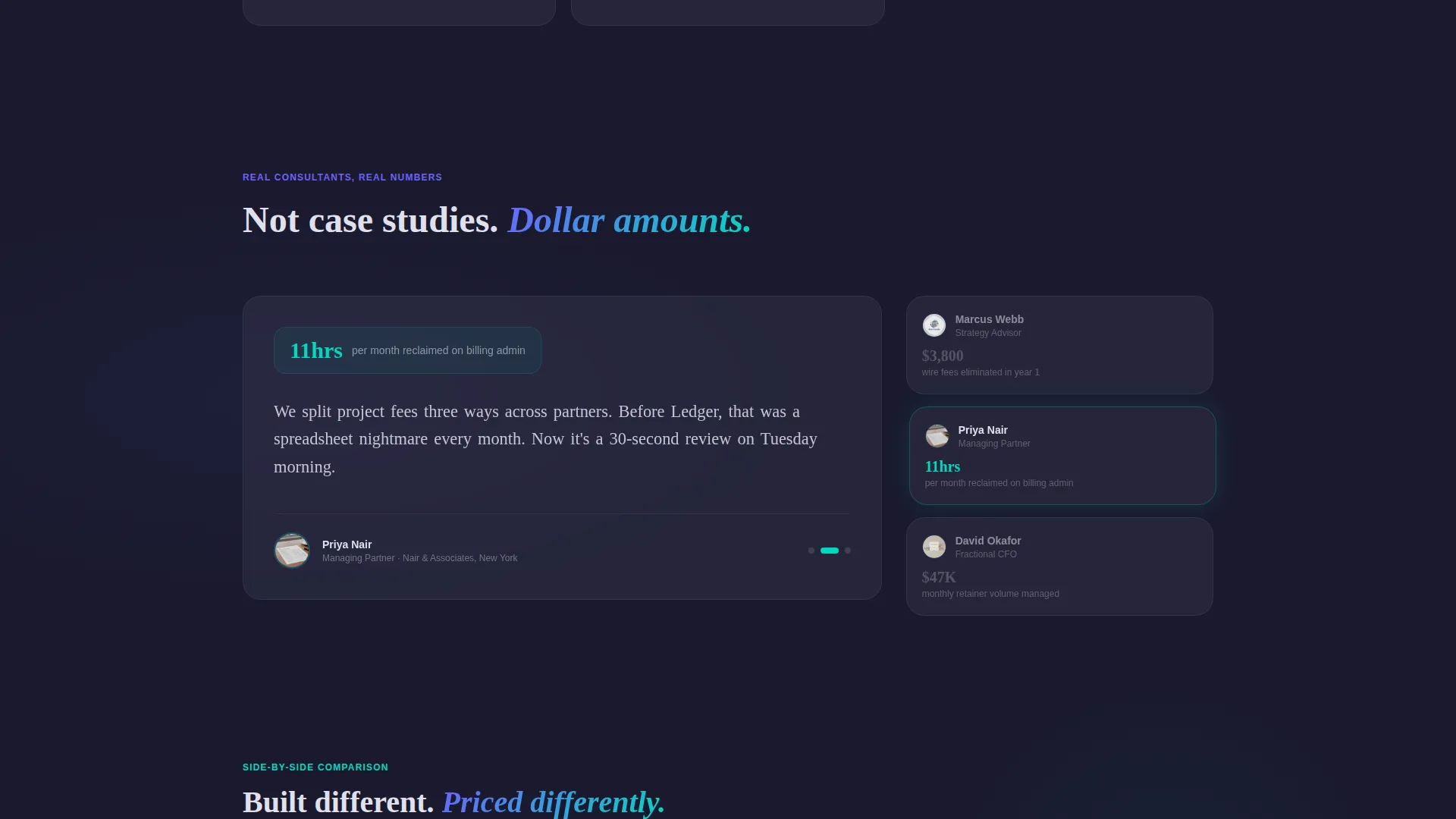
Social proof is presented as styled cards that include real dollar figures rather than generic quotes. This grounds trust in specific, tangible outcomes rather than vague endorsements.
Comparison Cards
Side-by-side rate comparison cards stack the platform's fees against competing processors in a clear visual format. The layout lets visitors draw their own conclusions without the page having to oversell the point.
Dual App Download call to action
The primary call to action reads "Download and Send Your First Invoice" with paired App Store and Google Play badges. A secondary QR code card appears after the calculator interaction, giving desktop visitors a direct path to install the app instantly.
Page sections overview
| Section | Purpose |
|---|---|
| Live Metrics Header | Establishes credibility with animated real-time payment stats |
| Fee Calculator | Renders personalized annual savings before any pitch copy |
| QR Code Card | Appears post-calculator to bridge desktop visitors to mobile install |
| Feature Cards | Highlights platform capabilities with kinetic entry animations |
| Testimonial Cards | Builds trust using client stories anchored in real dollar outcomes |
| Comparison Cards | Stacks platform rates against competitors side by side |
| App Download call to action | Closes the page with a clear dual-path download moment |
Design & branding system
The visual identity follows a Dynamic Motion theme powered by an AI Iridescent color system. The palette feels like light refracting through a prism placed on a black glass desk: futuristic but grounded, with each color shimmering at the edges where cards meet shadow.
- Deep graphite (#1A1A2E) as the primary background, giving cards a sense of depth and separation
- Shifting violet (#6C63FF) and holographic teal (#00D9C0) used for interactive elements, with a gradient bloom from violet to teal on hover
- Liquid silver (#E0E0EC) for card surfaces, creating a clean contrast against the dark void
- No stock photography or illustration anywhere on the page; data and typography carry the entire visual load
Mobile & speed optimization
The template is designed so that the modular card layout adapts naturally to smaller screens without losing its motion character. Each card section is self-contained, which makes stacking and reordering straightforward at any viewport width.
- Card grid columns collapse cleanly to single-column stacks on mobile devices
- The fee calculator is fully usable on touch screens, with input fields sized for thumb interaction
- Micro-interactions and hover states degrade gracefully when cursor input is unavailable
How this template helps you convert
The page is sequenced deliberately. Every section earns the next one, and the download moment arrives only after a visitor has seen proof, run their own numbers, and read credible outcomes from real clients.
- The live metrics header creates immediate authority by showing the platform processing real transactions before the visitor reads a single word of copy.
- The fee calculator personalizes the value proposition, so by the time a visitor reaches the app download call to action, they have already seen their own estimated savings rendered in the interface.
- Testimonial and comparison cards resolve the final objections, letting visitors verify the platform's advantage in specific dollar and time terms before committing to the download.
Other information about this template
This template is built for a consulting firm software platform operating in the consulting firm payment processing niche. It is a single-page, section-led layout using a Card Grid (Modular) template style. The theme is Dynamic Motion, the creative direction is Calculator/Tool First, and the header concept is a Stats/Metrics wall. The landing page direction targets App Download as the primary conversion goal.
- Template style: Card Grid (Modular), suitable for technology-category software products
- Color system: AI Iridescent, using the four-color palette described in the design section
- The QR code card is a unique secondary conversion path that activates after calculator engagement, specifically for desktop visitors
- This template does not include copy for multiple pages; it is a single landing page structure
Theme
Dynamic Motion
Creative direction
Calculator/Tool First
Color system
AI Iridescent
Style
Card Grid (Modular)
Direction
App Download
Page Sections
Live Metrics Header Wall
Interactive Fee Calculator
Kinetic Modular Card Grid
Dollar-anchored Testimonial Cards
Side-by-side Comparison Cards
Dual-path App Download Call to Action
Related questions
Who is the Ledger template designed for?
What makes the fee calculator the first section visitors see?
Does this template include both App Store and Google Play download paths?
Can the animated metrics in the header display live platform data?
Is this a single-page template or a multi-page website?



