Ledger - Dynamic Education Landing Page Template
Ledger is a dashboard-style education document management landing page built for school administrators, registrars, and district coordinators. It combines a live-coded API header, a parallax feature matrix with animated cards, and a frictionless app-download flow. The glassmorphic design and dynamic motion theme make a complex document platform feel instantly organized and trustworthy.
by Rocket studio
Quick summary
Ledger is a single-page template designed for an education document management platform. It opens with a live-typed API code snippet, flows into an interactive feature matrix dashboard, and closes with a dual-path conversion section. The glassmorphic visual system layered over deep navy gives the page a clean, modern authority that resonates with institutional users.
Who this template is for
This template is built for teams that manage high volumes of education records and need to communicate their platform's value quickly and clearly.
- Registrars and records staff handling transcript and enrollment backlogs during transfer season
- Department heads and academic coordinators preparing documentation for audits and accreditation reviews
- District-level IT coordinators tasked with digitizing multi-building student record archives
What problem this template solves
Education institutions often struggle to communicate the value of digital document management to administrators who are buried in paper workflows. A generic landing page fails to show how the product actually works. This template bridges that gap.
- It visualizes the document lifecycle from upload to classified, compliant archive without requiring the visitor to read dense paragraphs
- It reduces friction at the conversion point by offering both a direct install path and a sandbox demo for skeptical visitors
- It positions the platform as purpose-built for institutional scale, not just general file storage
What you get with this template
You get a fully structured, single-section-led landing page that guides institutional buyers from curiosity to download in one continuous scroll.
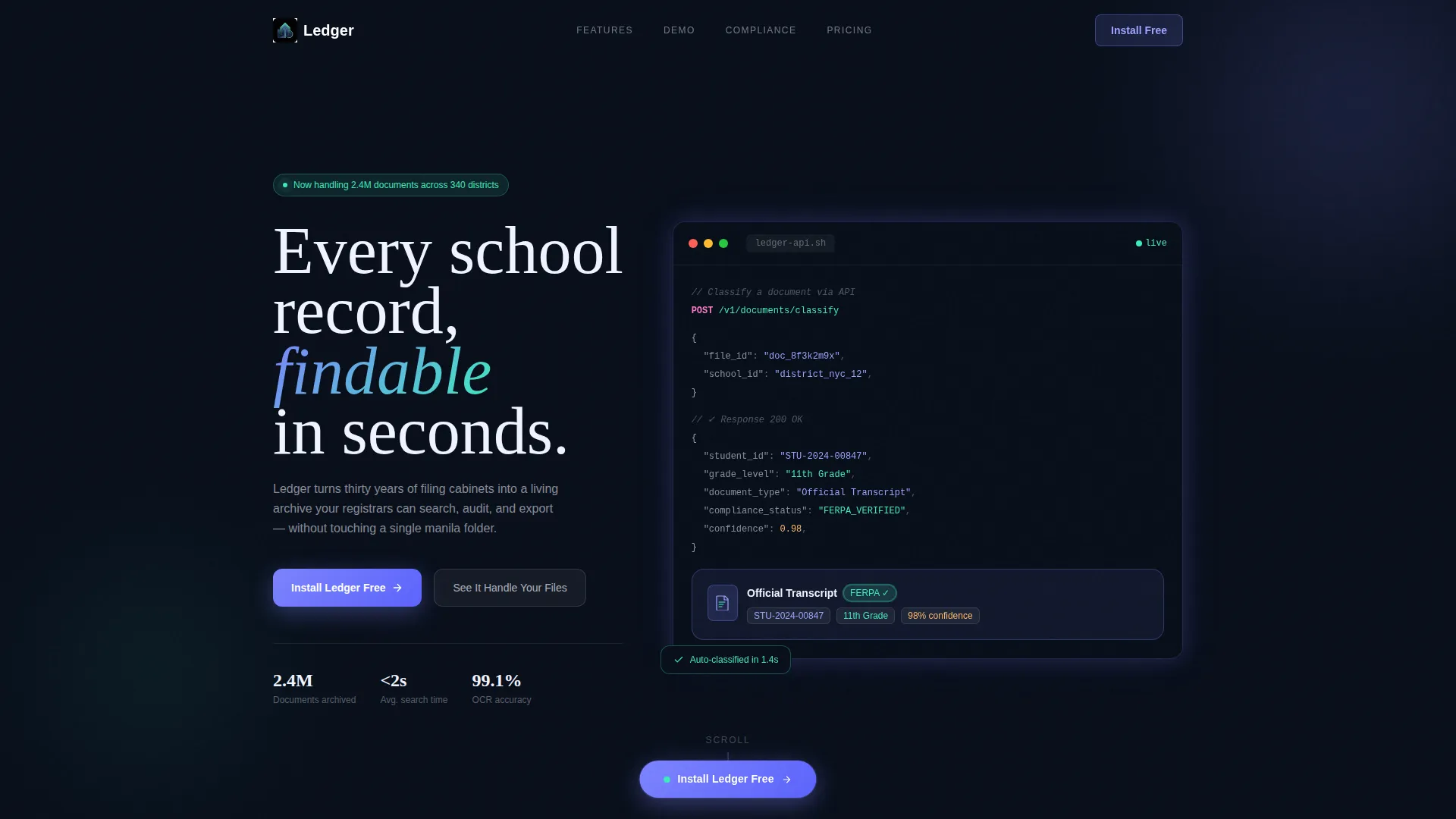
- A live-animated code snippet header that transforms into a glassmorphic document card, showing the API classification in real time
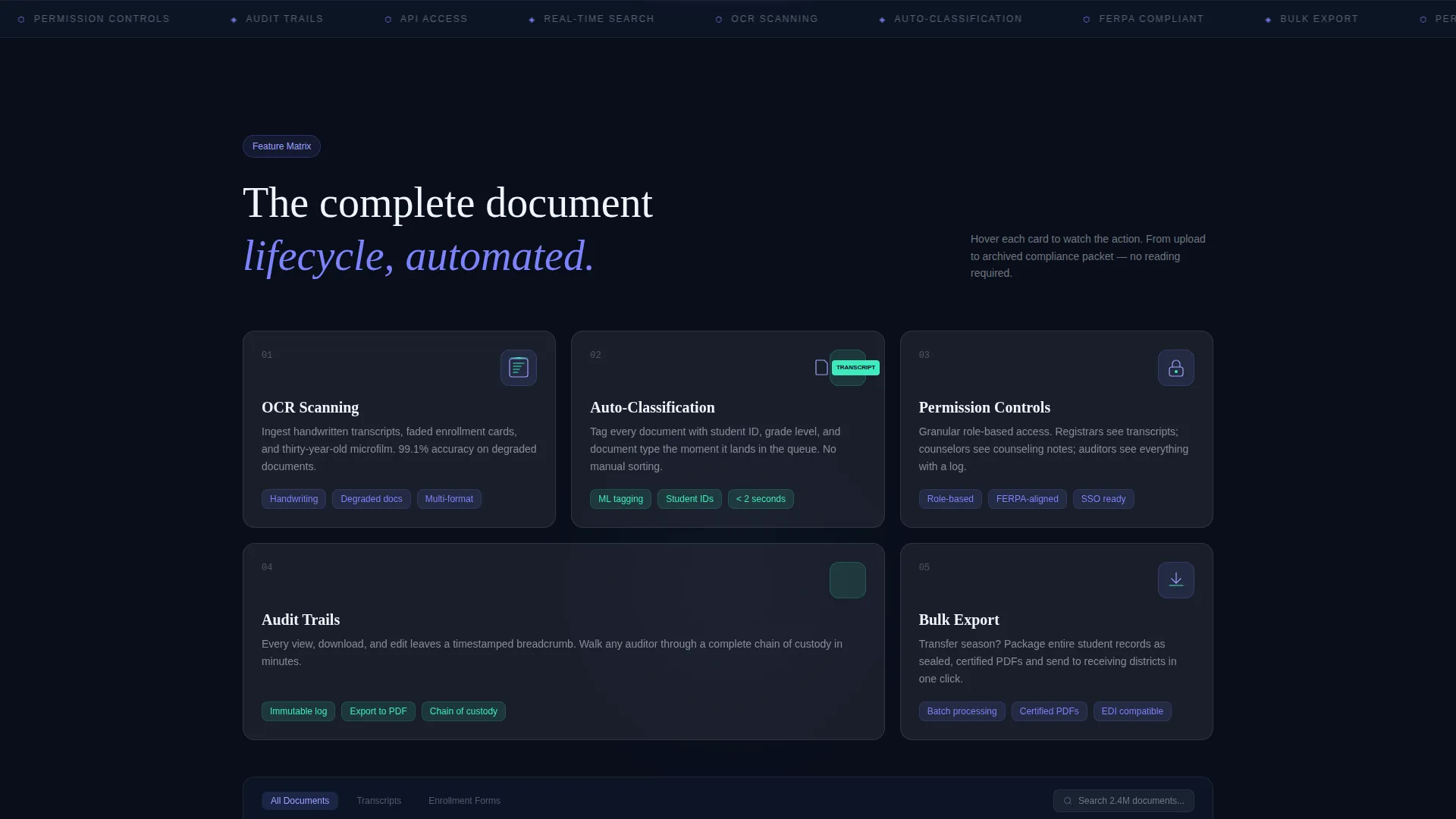
- An interactive feature matrix with hover-triggered micro-animations for OCR scanning, auto-classification, permission controls, audit trails, and bulk export
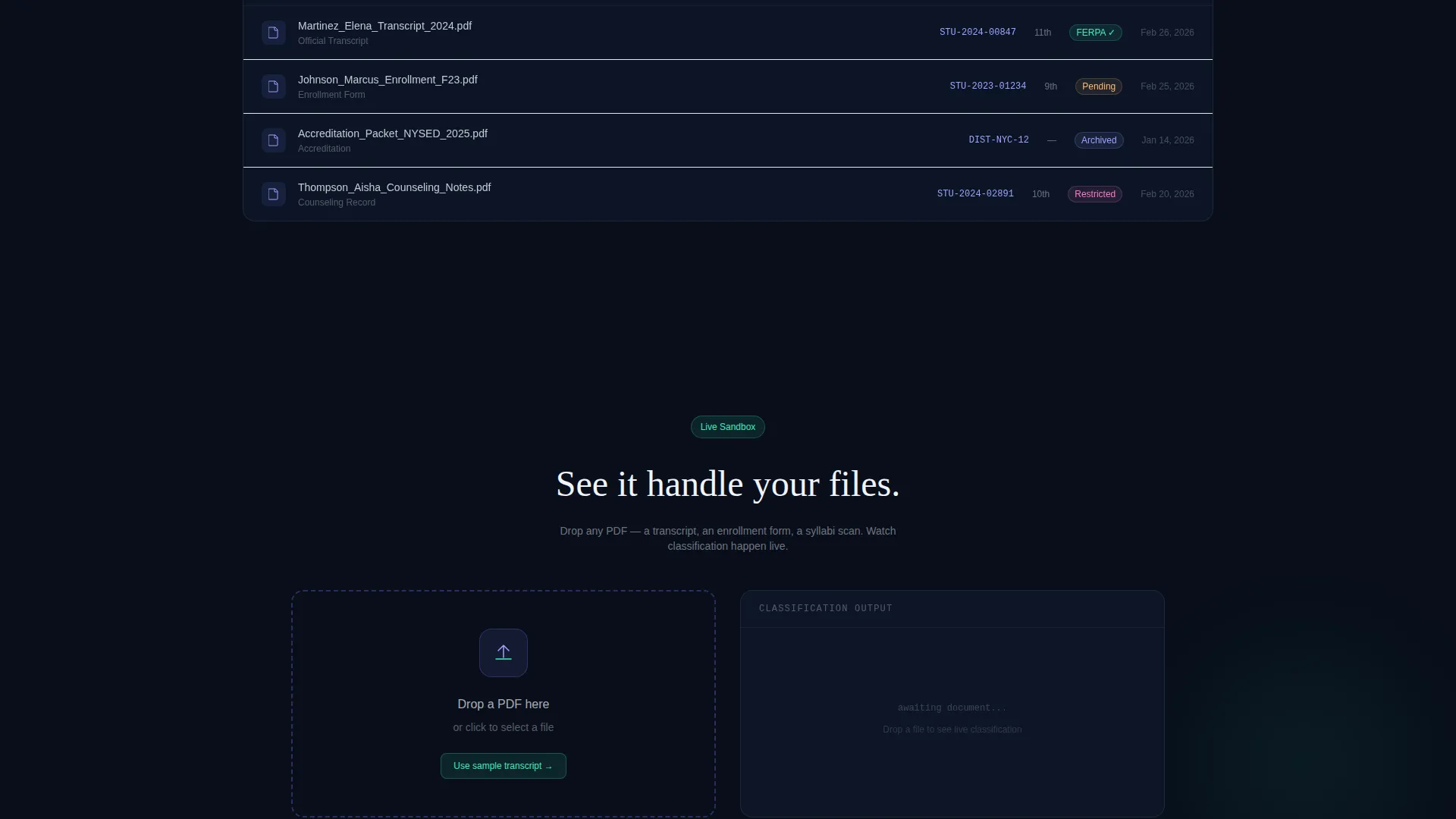
- A dual-call to action conversion section with a persistent floating pill button, a platform toggle for iOS, Android, and Desktop, and a sandbox drag-and-drop demo
Feature list
This template demonstrates a rich set of platform capabilities through motion and interaction rather than static text.
Live API Code Snippet Header
The header displays a styled POST request to /v1/documents/classify with a JSON response object. Values such as student ID, grade level, document type, and compliance status are syntax-highlighted in iris and mint. The block animates line by line as if typed in real time, then the response object lifts and morphs into a glassmorphic document card.
Animated Feature Matrix Dashboard
Scrolling past the header reveals a dashboard mockup where feature cards float on frosted glass layers with parallax depth. Each card covers a distinct capability: OCR scanning, auto-classification, permission controls, audit trails, and bulk export. Hover states trigger micro-animations that show each action performing itself.
Hover Micro-Animations per Feature
Every feature card in the matrix responds to hover with a specific motion tied to its function. A document rotates as it is scanned. A tag snaps onto a file. A lock icon clicks shut. These interactions turn feature discovery into a guided product demo.
Persistent Floating call to action Pill
The primary call to action, "Install Ledger Free", appears as a floating pill anchored to the bottom of the viewport throughout the scroll. It ensures the download path is always one tap away, regardless of where the visitor is on the page.
Dual-Path Conversion Section
After the feature matrix, a full-width conversion block presents two clear options. The primary path surfaces a platform toggle and a single work-email field to receive the download link. The secondary path launches a sandbox demo where visitors can drag a real PDF onto the page and watch live classification happen.
Sandbox Drag-and-Drop Demo
Visitors can drop a sample PDF directly onto the page to trigger a live classification preview. The demo shows auto-tagging in action before any install commitment, converting passive interest into active conviction.
Page sections overview
| Section | Purpose |
|---|---|
| Animated Code Header | Show API classification live |
| Feature Matrix Dashboard | Demonstrate full document lifecycle |
| Hover Feature Cards | Perform each capability interactively |
| Floating call to action Pill | Keep install action always visible |
| Full-Width Conversion Block | Drive app download or sandbox trial |
| Drag-and-Drop Demo | Let visitors experience classification firsthand |
Design & branding system
The visual identity follows a Dynamic Motion theme built on a glassmorphic color system. Every layer is intentional, creating the feeling of looking through a rain-streaked library window at night.
- Core palette: frosted translucent white (
#FFFFFFB3), deep scholastic navy (#0F1A2E), soft iris (#7C83FD) for interactive surfaces and hover states, and sharp mint (#3EEBBE) for notifications and success confirmations - Translucent frosted glass panels float over the dark navy foundation, with each pane catching iris or mint light as it shifts with parallax scroll
- Syntax highlighting in the code header uses iris and mint against navy, maintaining full palette coherence from the first visible element through to the conversion section
Mobile & speed optimization
The template is designed with a viewport-first layout approach, ensuring the floating call to action pill and interactive cards behave consistently across screen sizes.
- The persistent floating pill remains anchored to the bottom of the viewport on mobile, keeping the primary install action reachable without scrolling back up
- The platform toggle (iOS, Android, Desktop) and single-field email form in the conversion section are touch-friendly and compact enough for small screens
- Parallax depth and micro-animations are structured as layered CSS and motion states, keeping the visual richness contained within the template's interaction model
How this template helps you convert
The conversion strategy works in layers, matching the confidence level of each visitor before asking them to commit.
- The animated code header establishes technical credibility in the first few seconds, signaling to institutional buyers that this is a serious, API-ready platform
- The interactive feature matrix replaces passive reading with active discovery, so visitors understand the full document lifecycle before they reach the call to action
- The sandbox demo at the conversion section removes the last barrier by letting visitors experience auto-classification with their own sample file before installing anything
Other information about this template
This template is built specifically for the education document management niche and carries the right contextual signals for platforms targeting institutional buyers.
- The template style is a Dashboard and Data Grid layout, which suits platforms that manage structured records and need to communicate data organization visually
- The Dynamic Motion theme and glassmorphic design system are well matched to modern education software platforms that want to stand apart from legacy filing tools
- The header concept of a live Code Snippet is particularly effective for reaching district IT coordinators and technically minded administrators who evaluate platforms based on integration capability
- The Feature Matrix creative direction ensures that capabilities like OCR scanning, auto-classification, and bulk export are understood through demonstration rather than marketing language
Theme
Dynamic Motion
Creative direction
Feature Matrix
Color system
Glassmorphic
Style
Dashboard/Data Grid
Direction
App Download
Page Sections
Live-typed API Code Header
Parallax Feature Matrix Dashboard
Hover-triggered Micro-animations
Persistent Floating Install Button
Dual-path Conversion Block
Sandbox Drag-and-drop Demo
Related questions
Who is this landing page template designed for?
What makes the header section stand out?
Does the template include an interactive demo for visitors?
How does the template handle the call to action?
What visual style does this template use?



